
Lento: Mindful Screen Time
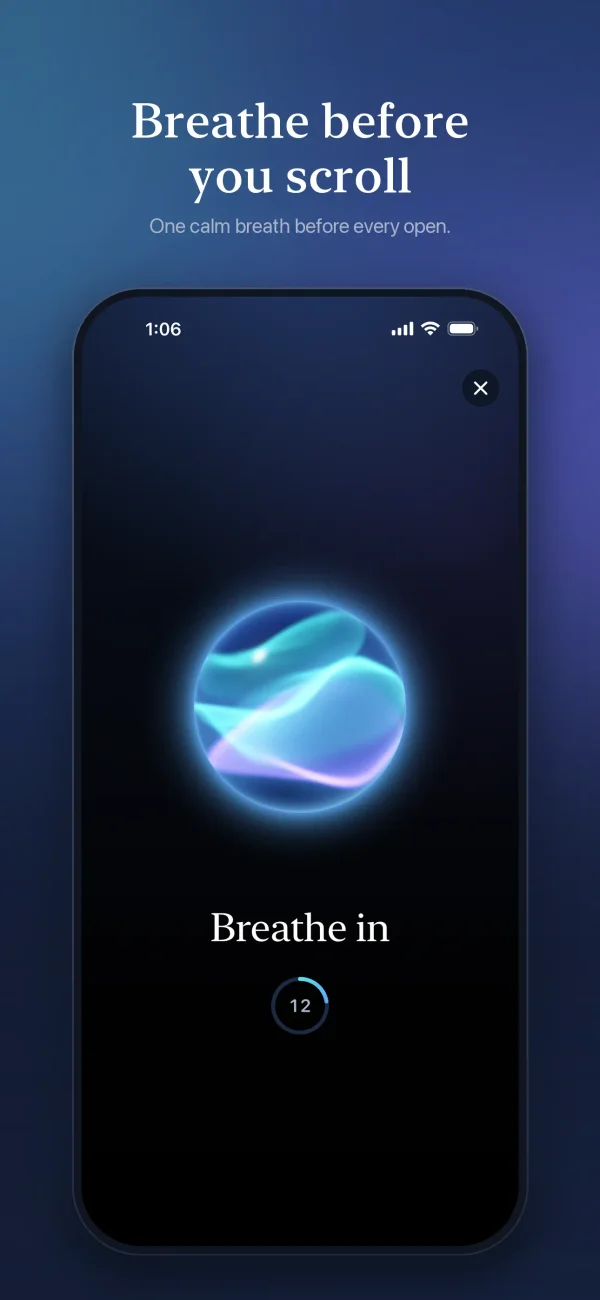
Breathe before you scroll
Designed for iPhone
Free · In-app purchases
- Age rating4+
- CategoryProductivity
- DeveloperStudio Next Ltd
- LanguagesEnglish+ 6 more
- Size21.0 MB
Links to the official App Store page
Download.org hosts no file of Lento: Mindful Screen Time. The button opens its official App Store page, published by Studio Next Ltd. Listing last checked on Nov 6, 2026.
Screenshots


About
Lento puts one calm breath between you and the apps and websites that pull you in.
Pick the apps and sites you open without thinking and give each one a daily budget of opens. When you reach for one, Lento's shield asks for a short guided breath first. Then you choose how long you need, and when the time is up, it locks again on its own.
No bans and no guilt. Just a pause long enough to decide.
HOW IT WORKS
• Guard an app or a website: choose it with Apple's Screen Time picker.
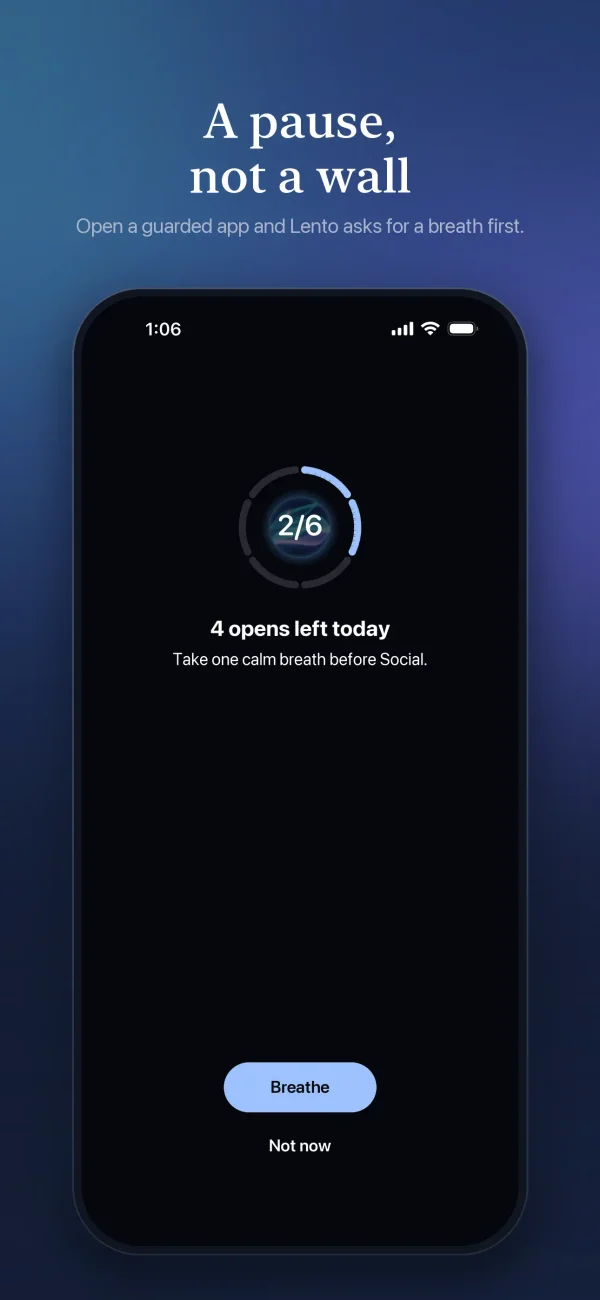
• Meet the shield: opening a guarded app or site shows how many opens you have left today.
• Breathe: tap Breathe and follow Lento's glowing orb through a 15-second breath.
• Choose your time: 1, 2, 5 or 10 minutes, and it opens.
• It locks again: when the session ends, it rests again, even if Lento is closed.
A DAILY BUDGET OF OPENS
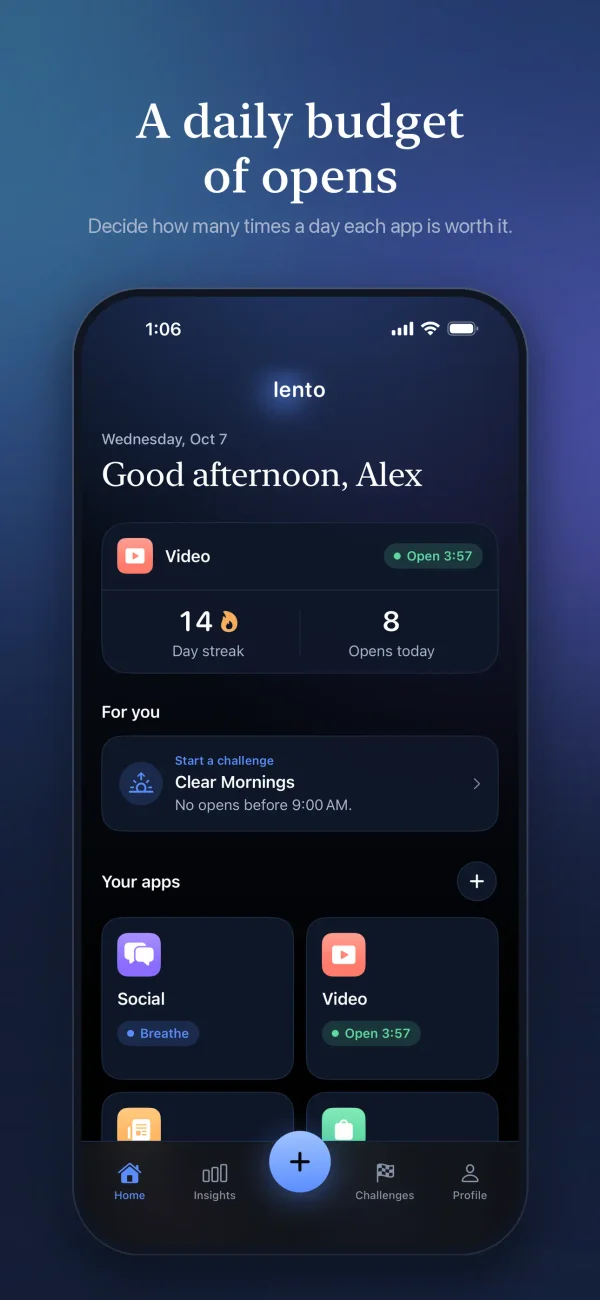
Decide how many times a day each app is worth it. Six is a good start, and your opens refill at midnight. Out of opens? You can still get in, but the breath is three times longer and the open counts as over budget.
WEBSITES, TOO
Guard the sites you visit in Safari, on their own or together with their app on one budget. A category guard covers its websites as well.
SEE THE TIME YOU WIN BACK
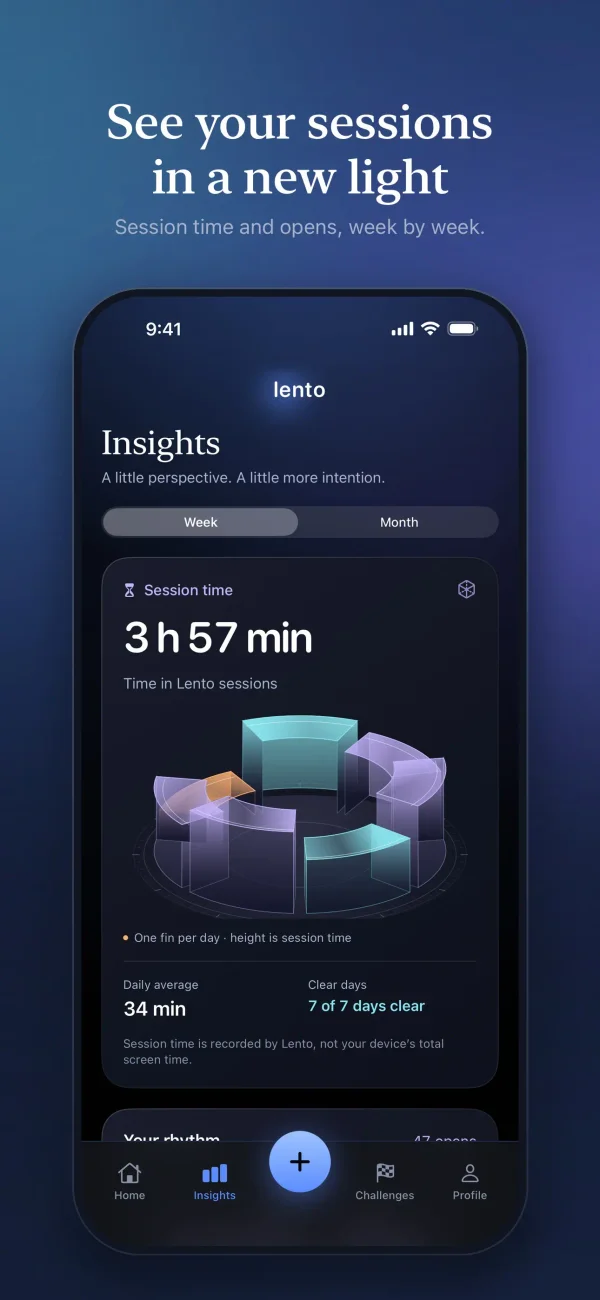
Insights shows the time you've won back, your opens and your clear days, week by week and month by month. Home keeps your streak of clear days, and Profile a year of them.
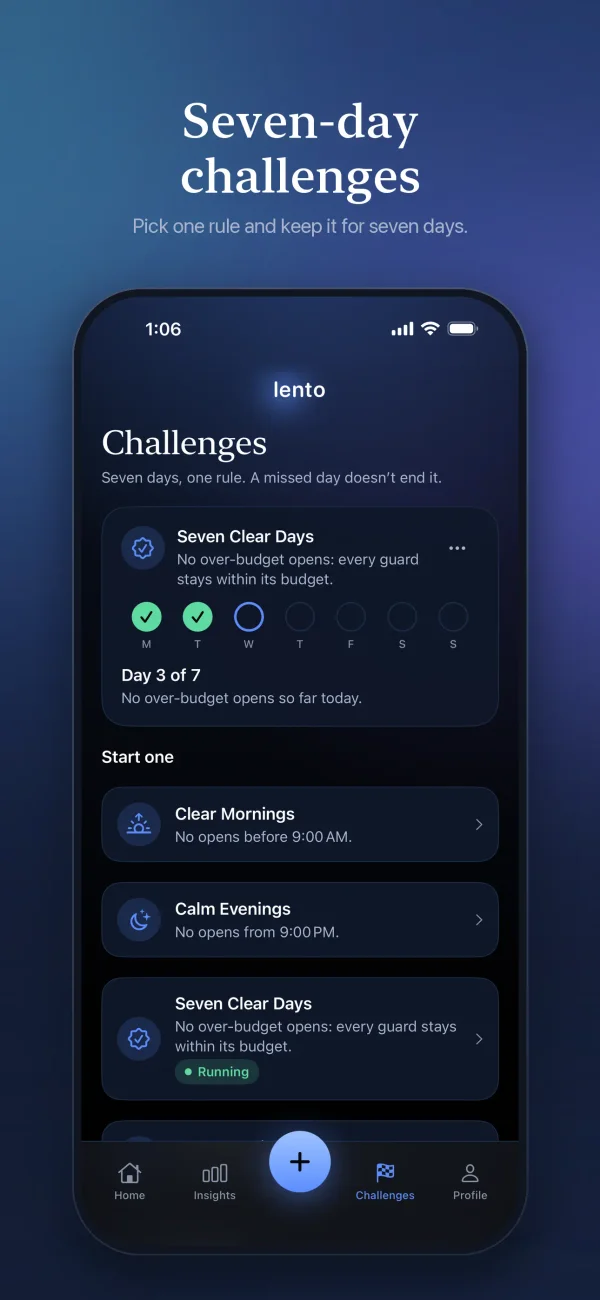
SEVEN-DAY CHALLENGES
Clear Mornings, Calm Evenings, Seven Clear Days, Short Sessions and Halve It: one rule for seven days, one challenge at a time. A missed day doesn't end it, and keeping all seven days earns its badge.
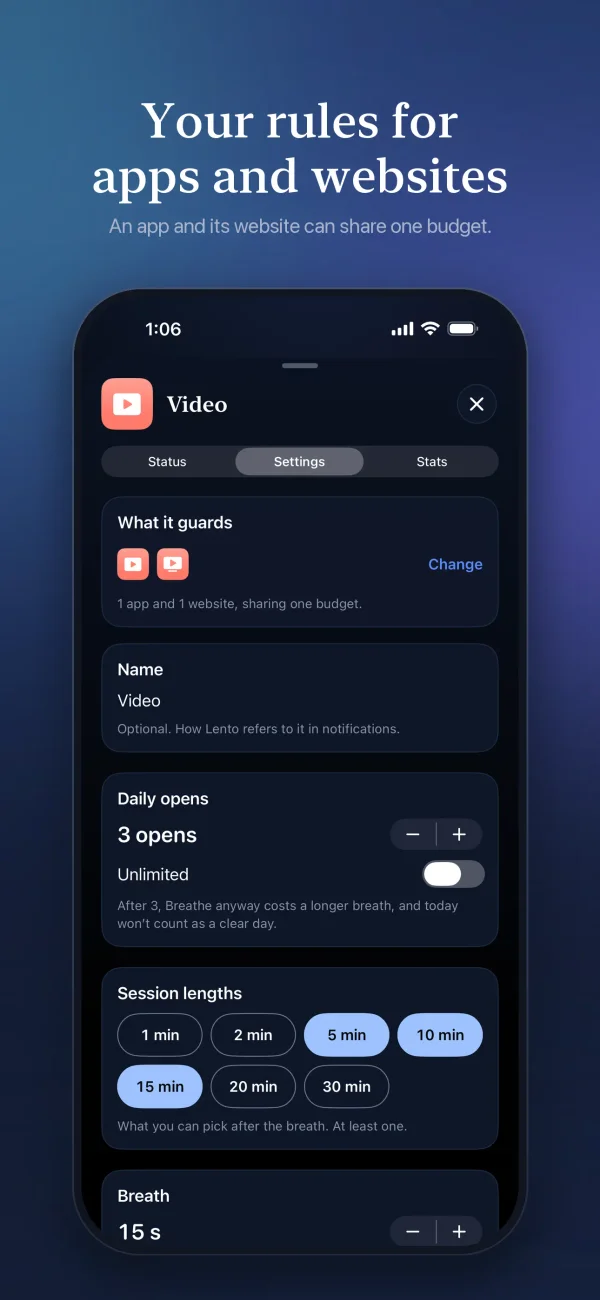
YOUR RULES FOR EACH APP
Every guarded app or website has its own daily opens, session lengths and breath, from 5 to 60 seconds. Give it a nickname, change its rules, or remove it from Lento whenever you like.
GENTLE REMINDERS
A quiet "1 minute left" and "Time's up", so a session never runs on unnoticed.
PRIVATE BY DESIGN
Lento is built on Apple's Screen Time framework. Your Screen Time data stays on your iPhone, and the apps and websites you choose reach Lento as private tokens: not even Lento can tell which they are. Insights and challenges are worked out on your iPhone from the opens Lento counts. No account and no ads. Anonymous usage analytics help improve Lento, and you can turn them off in Profile.
LENTO PRO
Lento is free with one guarded app or website, and Insights and Challenges are free for everyone. Lento Pro lets you guard up to 20 apps and websites, each with its own budget.
• Yearly, with a 7-day free trial for new subscribers, or monthly.
• Payment is charged to your Apple Account when you confirm the purchase, or when the free trial ends. The subscription renews automatically unless you cancel at least 24 hours before the end of the current period. You can manage or cancel it in your Apple Account settings.
Terms of Use: https://getlento.app/terms/
Privacy Policy: https://getlento.app/privacy/
What’s new
Version 1.3 · Oct 24, 2026
General bug fixes and improvements.
App privacy
What Studio Next Ltd declares on the App Store about how this app handles data.
-
Data linked to you
May be collected and linked to your identity.
- Purchases
- Identifiers
- Usage data
Privacy practices may vary, for example with the features you use or your age.
Information
- Seller
- Studio Next Ltd
- Category
- Productivity
- Version
- 1.3
- Updated
- Oct 24, 2026
- Released
- Oct 7, 2026
- Size
- 21.0 MB
- Requires
- iOS 18.0 or later
- Age rating
- 4+
- Price
- Free
- In-app purchases
- Yes
- Languages
- English, Arabic, Japanese, Portuguese, Spanish, Turkish, Vietnamese
- Copyright
- © 2026 Studio Next Ltd.
You might also like
-
 Timo Focus: Productive TimeApp Blocker & Screen Control
-
 RepRock: Screen Time ControlWorkout-Powered App Blocker
-
 Pausewall: App Blocker & FocusScreen time lock & study timer
-
 LockIn: Focus & Pomodoro TimerApp Blocker for Deep Work
-
 Mozy: Walk to Earn Screen TimeApp Blocker: Steps Unlock Apps
-
 BSpace: Screen Time ControlApp Blocker & Digital Detox
-
 Aergia - Screen Time ControlPause before opening apps
-
 Cascade - Screen Time ControlBlock apps, reclaim your focus
-
 Screen Time Control: ScreenPupApp Blocker & Focus Timer
-
 ScrollMint: Earn Screen TimeApp Blocker for Dopamine Detox