
LFA Decks Pro
Deck Design, 3D & Cut List
Designed for iPhone, iPad
Free · In-app purchases
- Age rating4+
- CategoryProductivity
- DeveloperLorenzo Francisco Almonte
- Size20.7 MB
Links to the official App Store page
Download.org hosts no file of LFA Decks Pro. The button opens its official App Store page, published by Lorenzo Francisco Almonte. Listing last checked on Nov 12, 2026.
Screenshots

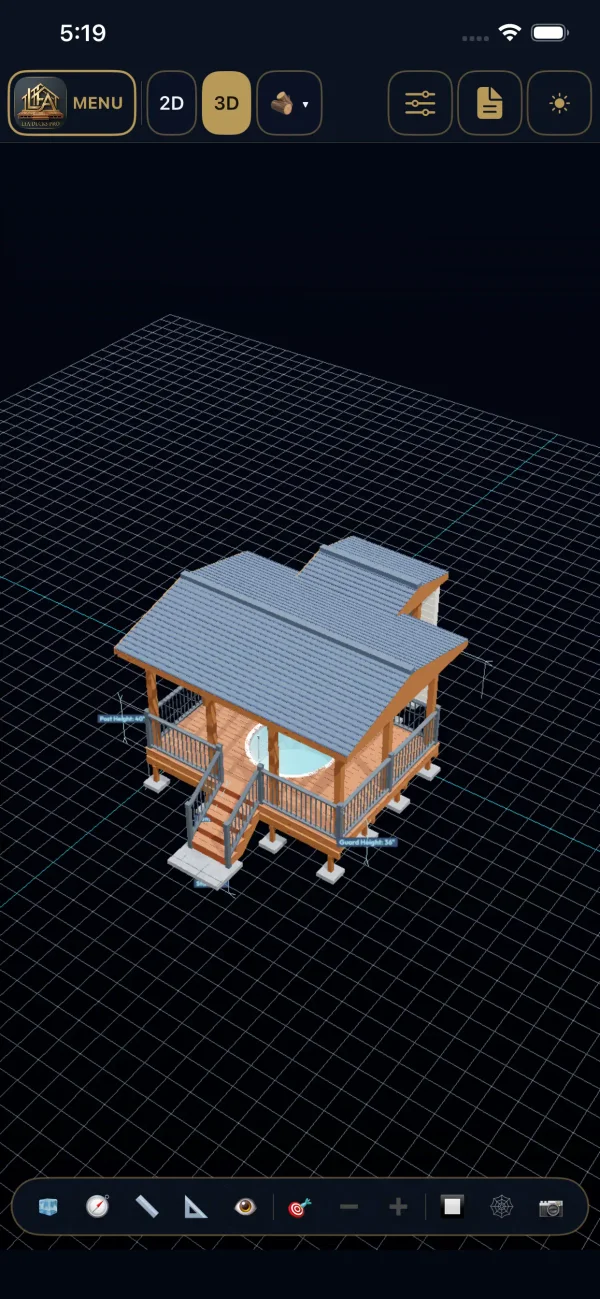
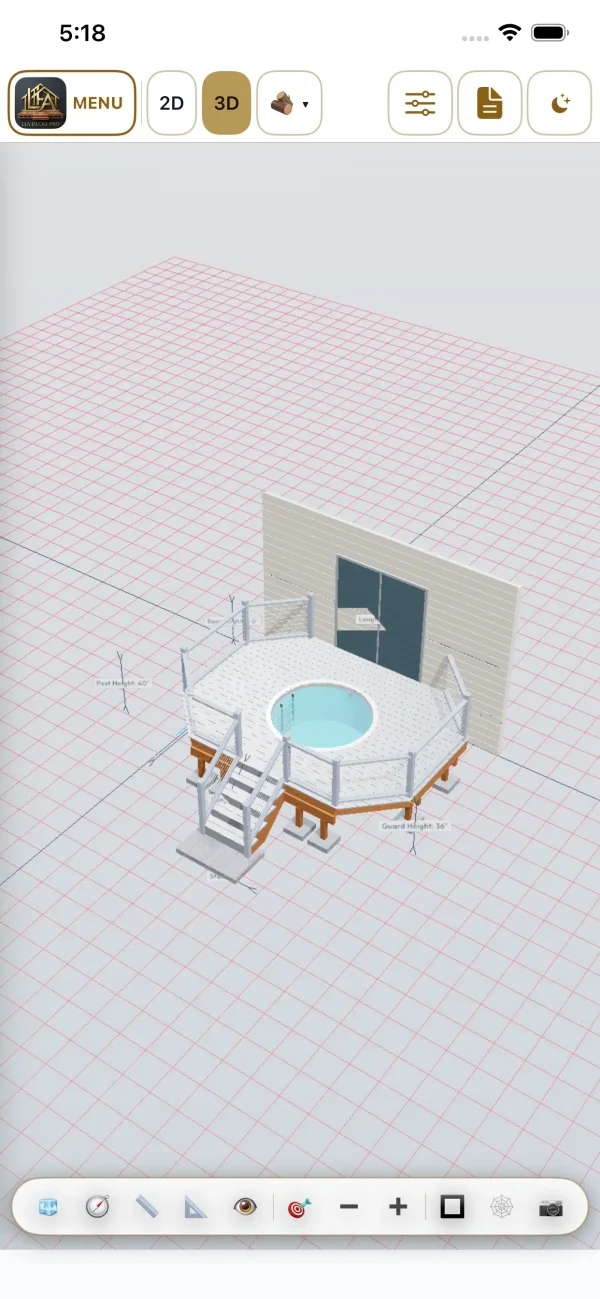
About
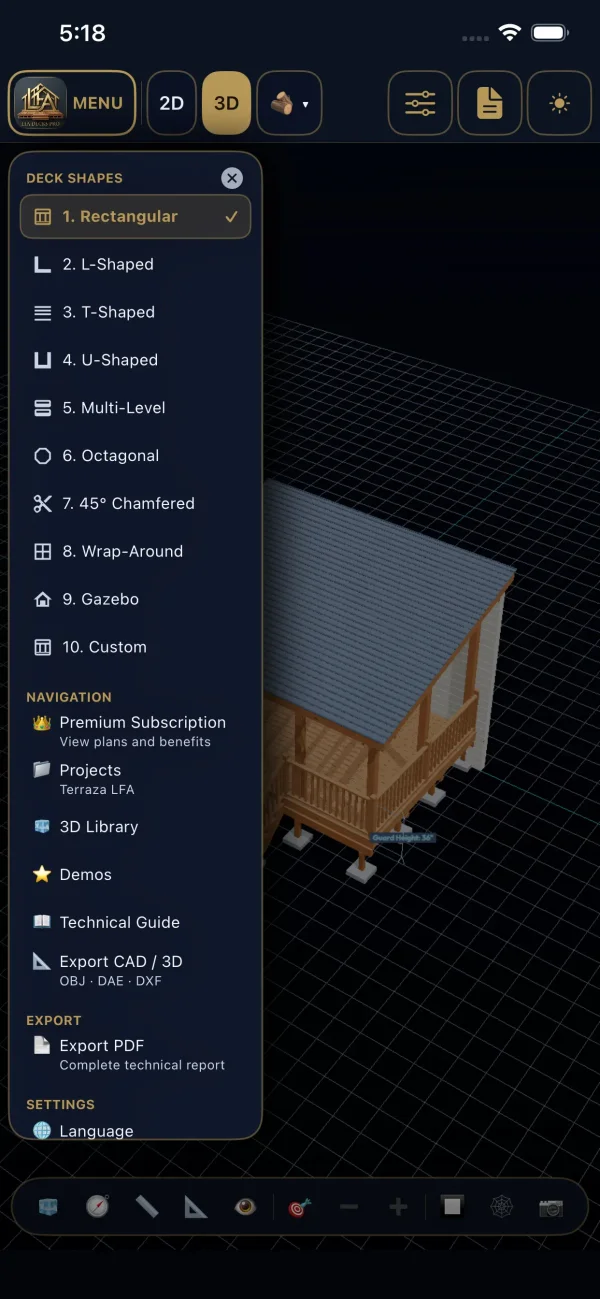
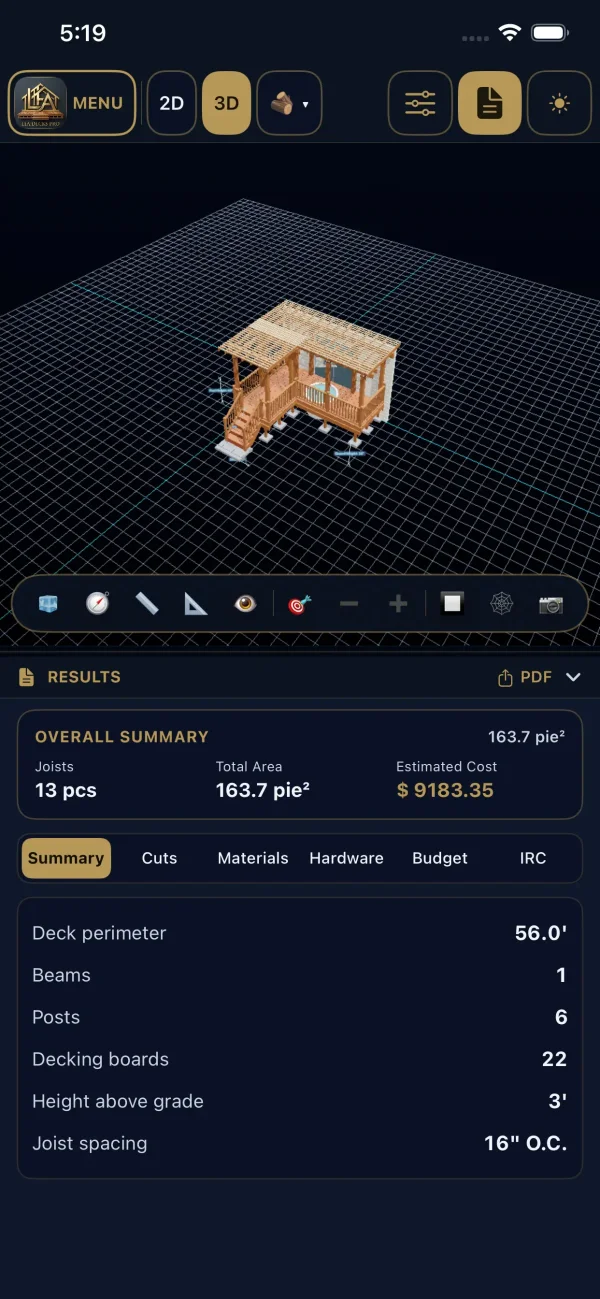
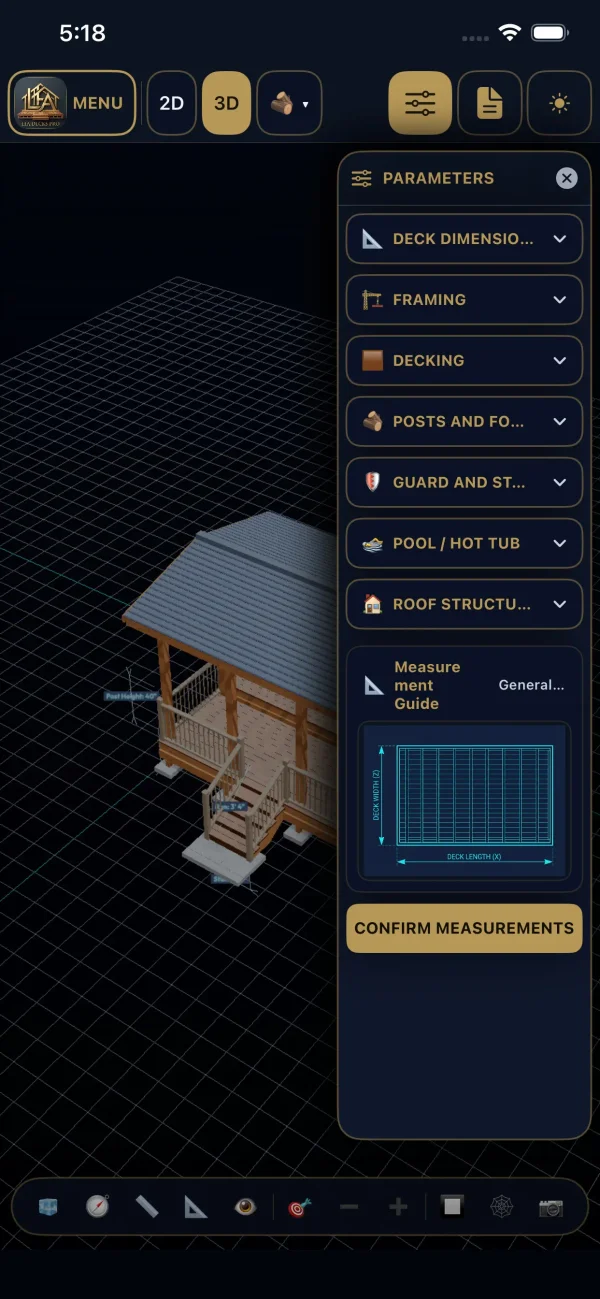
LFA Decks is a professional carpentry and deck building tool designed for contractors, carpenters, and DIY builders. Designed around IRC guidelines: enter your project dimensions and instantly receive structural estimates, dimensioned 2D blueprints, interactive 3D models, complete lumber cut lists, and real-time cost estimations.
TEN DECK SHAPES & PROJECT PRESETS
• Traditional Rectangular Deck
• L-Shaped Deck
• T-Shaped Deck
• U-Shaped Deck
• Multi-Level Deck (custom elevation steps)
• Octagonal Deck
• 45° Chamfered / Beveled Corner Deck
• Wrap-Around Deck (pool, patio, or house corner perimeter)
• Gazebo & Pavilion Deck
• Freehand Custom Shape
• Pre-built interactive project presets
STRUCTURAL ESTIMATES BASED ON IRC R507 GUIDELINES
• Automatic allowable span checks for beams and joists according to lumber species and size
• Optimized post and footing distribution based on design load (40 PSF live / 10 PSF dead or custom)
• Cantilever checks against IRC guidelines
• Decking board estimations (pressure-treated pine, cedar, redwood, composite) with spacing and fasteners
• Railing and baluster checks (36" / 42" height, 4" sphere rule)
• Integrated access stairs: stringers, rise, run, and tread layout
PRECISION 2D BLUEPRINTS & ECO-PRINT TECHNOLOGY
• Dimensioned floor plans and elevation views
• Eco-Print ink-saving mode designed specifically for clear job-site printouts
• Grouped cut list and purchase bill of materials
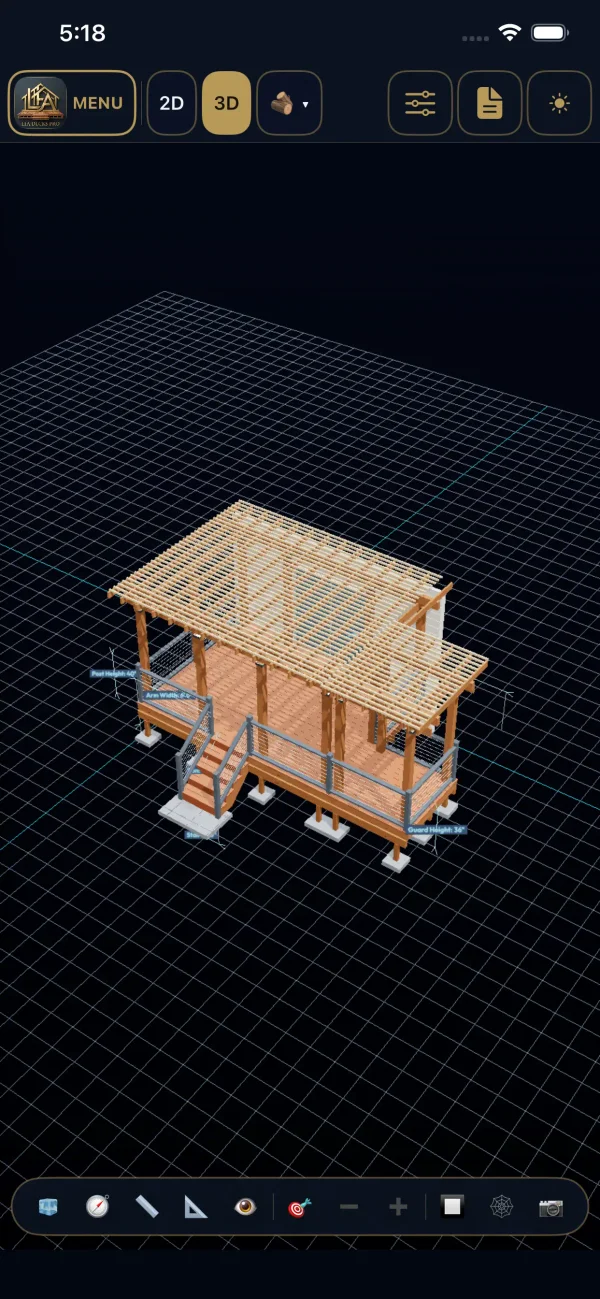
PROFESSIONAL 3D VIEWER
• Fluid touch-driven orbital rotation, pan, and zoom
• Layer toggle: framing (beams & joists), deck boards, railings, posts, and footings
• Instant view presets: Isometric, Top Plan, Front, Side, and Understructure
REAL-TIME BUDGET & COST ESTIMATOR
• Instant estimate for lumber, hardware, fasteners, and labor
• Fully customizable unit prices and profit margins
PROFESSIONAL CAD & PDF EXPORT
• High-resolution technical PDF reports for clients and for review with your engineer and building inspector
• Multi-file CAD export: Wavefront OBJ with companion MTL material library, DAE, and DXF
BILINGUAL & MULTI-UNIT
• Instant toggle between English and Spanish
• Imperial system (feet and inches down to 1/16") and Metric system (meters and millimeters)
OFFLINE DESIGN & CALCULATIONS
• All calculation engines and 3D graphics run entirely on your device
• Your projects and client estimates remain private and secure on your hardware
PREMIUM SUBSCRIPTION
Advanced editing, drawing tools, camera toolbar controls, project management, and exports require Premium.
• Monthly and annual plans provide the same Premium access.
• Local prices and any eligible free trial are shown in the app and in the store purchase confirmation. Internet is required for subscriptions and purchases.
Subscriptions renew automatically until cancelled. Manage or cancel them in your Apple Account subscription settings.
Terms of Use: https://lfa-legal.surge.sh/terms.html
Privacy: https://lfa-legal.surge.sh/privacy.html
Engineered with craftsmanship by LFA Interiors & Construction LLC.
IMPORTANT NOTICE
LFA Decks Pro is designed around IRC guidelines and gives estimates only; it is not a certified structural calculation and does not replace a professional. Consult an engineer and your city's building inspector (permits and local codes) before construction.
Apple Standard EULA: https://www.apple.com/legal/internet-services/itunes/dev/stdeula/
What’s new
Version 2.0.9 · Oct 23, 2026
More precise touch drawing with a magnifier and snapping to points and edges. Exact dimensions, guides and a preview before confirmation. Step-by-step help, clearer controls and improved panning and zooming without adding accidental drawings.
App privacy
What Lorenzo Francisco Almonte declares on the App Store about how this app handles data.
-
Data not collected
The developer does not collect any data from this app.
Privacy practices may vary, for example with the features you use or your age.
Information
- Seller
- Lorenzo Francisco Almonte
- Category
- Productivity
- Version
- 2.0.9
- Updated
- Oct 23, 2026
- Released
- Oct 12, 2026
- Size
- 20.7 MB
- Requires
- iOS 17.0 or later
- Age rating
- 4+
- Price
- Free
- In-app purchases
- Yes
- Copyright
- © 2026 LFA Interiors & Construction LLC
You might also like
-
 LLM Studio GoLocal AI: chat, voice & music
-
 Holzbau2.0 – Carpenter CalcPractical tool for carpenters
-
 Under My Roof Home Inventory +Organize & Manage your House
-
 USB Disk SE, File ManagerPhoto Viewer, MP3 Player, PDF
-
 Autodesk FusionProductivity
-
 Wellnote: AI Notes, PDF, DocsMemo, Planner, Note taking
-
 ArcSite: Quick CAD Floor PlansEasily Design, Sketch and Draw
-
 Qrafter: QR Code ReaderCreate and Design QR Codes
-
 NextcloudPrivate cloud storage