Light mapping - Projection
Projection mapping
Designed for iPhone, iPad, iPod touch
Free · In-app purchases
- Age rating4+
- CategoryEntertainment
- DeveloperMarius Le Nedic
- LanguagesEnglish
- Size51.2 MB
Links to the official App Store page
Download.org hosts no file of Light mapping - Projection. The button opens its official App Store page, published by Marius Le Nedic. Listing last checked on Nov 16, 2026.
Screenshots

About
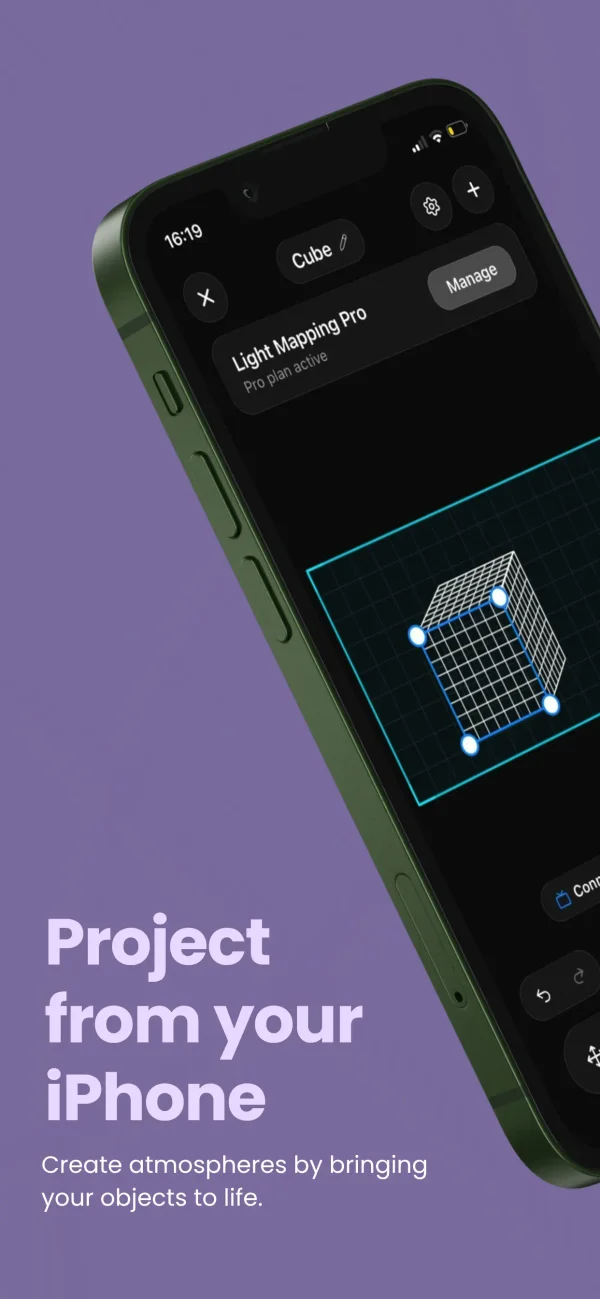
Light Mapping turns your iPhone into a real-time projection mapping studio. Point, drop the corners, project. No laptop, no After Effects, no three-hour setup.
Whether you're prepping a party in your living room, building a light installation for an event, dressing a club, mapping a façade for a concert, or just casting visuals that dance on your wall everything happens from your phone in a few taps.
▸REAL-TIME MAPPING
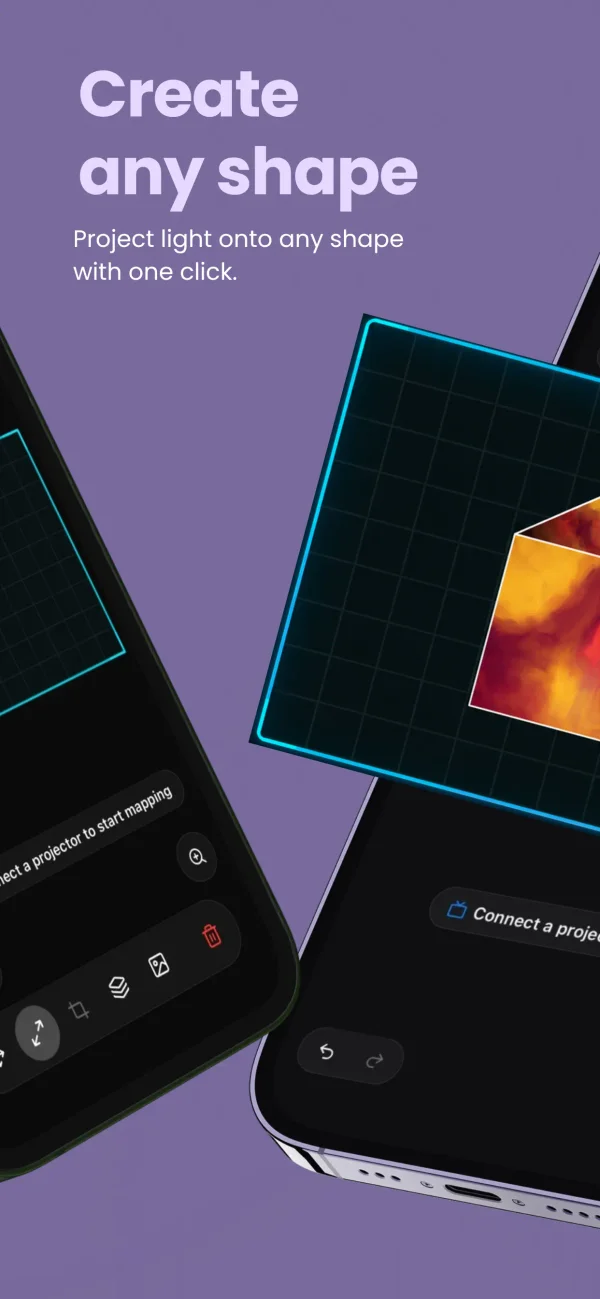
Add as many shapes as you want (rectangles, triangles, circles, or contours auto-traced from an image). Adjust every corner pixel-perfect so it hugs the surface you're projecting on. What you see in the editor is what lands on the wall, live.
▸ VISUALS WITH NO LIMITS
Fill your shapes with photos from your library, videos, built-in animated effects, or solid colours. Each shape can carry its own media — or share a single visual stretched across several shapes ("Across Layers") for continuous mapping across a triptych, façade, or wall run.
▸ CONNECTS TO ANYTHING
Works with:
• AirPlay (Apple TV, compatible TVs)
• HDMI via USB-C or Lightning adapter
• Any standard HDMI video projector
▸ FLEXIBLE ORIENTATION
Projector mounted sideways? Mapping onto a door, column, or arch? Rotate the projection frame 90° and compose directly in portrait.
▸ USE CASES
• Content creators — reuse the same setup for TikTok, Reels, YouTube Shorts
• DJs & VJs — real-time visuals across club walls and ceilings without pro gear
• Visual artists — mock up an installation before setting it up for real
• Weddings & events — decorative projections on walls, ceilings, floral arches
• Interior design — turn your bedroom into a cinema, aquarium, or starlit sky
▸ SIMPLE WORKFLOW
1. Open a project, add a shape
2. Drag the corners onto your surface
3. Pick a visual (your photo library, a video, an effect)
4. Connect to your projector (AirPlay or HDMI)
5. Project and save the project for next time
▸ NO HEAVY SETUP
No computer, no pro software, no endless cables. Your iPhone plus a projector is enough.
LIGHT MAPPING PRO SUBSCRIPTION
Unlock every feature with a monthly, annual, or one-time lifetime purchase. The 3-day free trial lets you try before you pay.
Payment will be charged to your Apple ID account at confirmation. Subscriptions auto-renew unless cancelled at least 24 hours before the end of the current period. Manage your subscription in Settings > Apple ID > Subscriptions.
Privacy Policy: https://lightmapping.notion.site/Privacy-Policy-Light-Mapping-3a5bf613eb41803c9801c083c346f94c
Terms of Use: https://lightmapping.notion.site/Terms-of-Use-Light-Mapping-3a5bf613eb4180639bf4d24b3bf9ffcc
App privacy
What Marius Le Nedic declares on the App Store about how this app handles data.
-
Data not linked to you
May be collected but is not linked to your identity.
- Usage data
- Diagnostics
Privacy practices may vary, for example with the features you use or your age.
Information
- Seller
- Marius Le Nedic
- Category
- Entertainment
- Version
- 1.0.0
- Updated
- Aug 10, 2026
- Released
- Aug 10, 2026
- Size
- 51.2 MB
- Requires
- iOS 15.1 or later
- Age rating
- 4+
- Price
- Free
- In-app purchases
- Yes
- Languages
- English
- Copyright
- © 2026 Marius Le Nedic
You might also like
-
 LumiCanvasProjection Mapping Made Easy
-
 Bengala: Projection MappingChristmas Projector Effects
-
 ButtonBass SoundboardAir Horn, Buzzers & Sound FX
-
 PassGhar: Concerts & TicketsFind Your Next Experience
-
 o3IPTVOne player across your devices
-
 Super LinesCan two players battle
-
 illumibotDigital Art on Real Surfaces
-
 Bitflinger TVStreamlined Media Management
-
 FramespaceEntertainment
-
 LiveFinLive TV Client for Jellyfin