
Listen2: Text to Speech Reader
Hear PDFs, Books & Articles
Designed for iPhone, iPad
Free · In-app purchases
- Age rating4+
- CategoryBooks
- DeveloperZach Swift
- LanguagesEnglish
- Size313.7 MB
Links to the official App Store page
Download.org hosts no file of Listen2: Text to Speech Reader. The button opens its official App Store page, published by Zach Swift. Listing last checked on Nov 22, 2026.
Screenshots


About
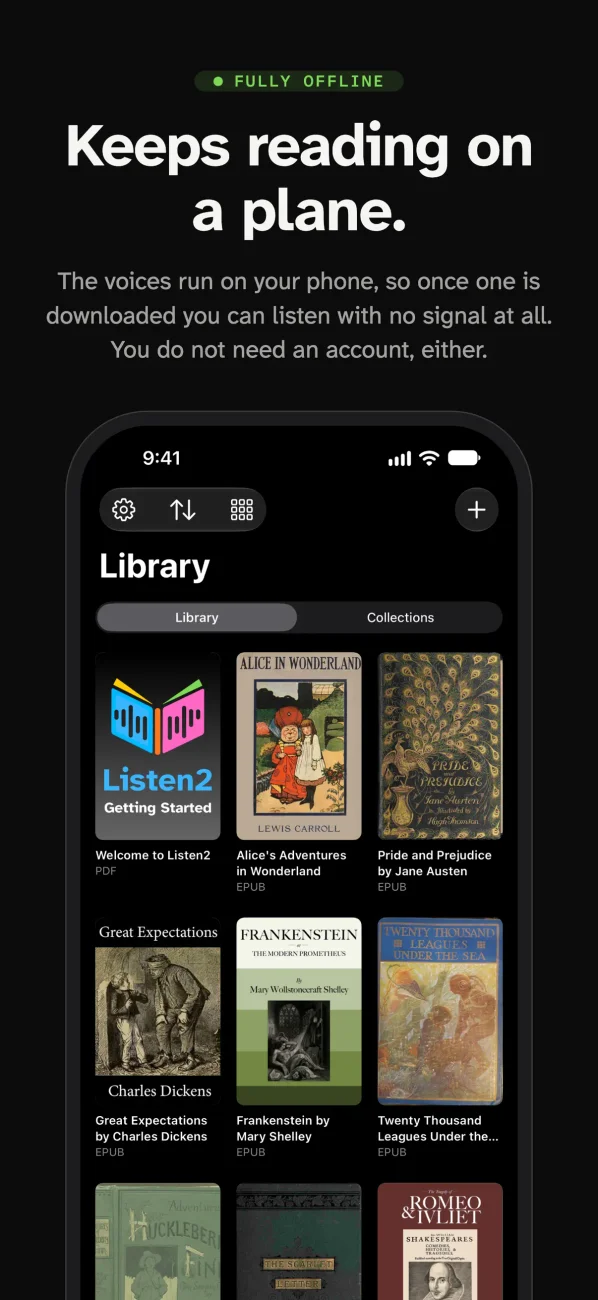
Listen2 reads your documents aloud with natural neural voices that run entirely on your iPhone or iPad. Because nothing is sent to a server, there is nothing to sign up for and nothing to keep paying for. You can try every feature free for 7 days, then buy the app once.
Most text-to-speech apps give you two options. You can use the tried and true system voices, or you can pay every month for cloud voices that read your documents on someone else's computers. Listen2 runs its voice models on your device's Neural Engine and CPU instead, so the voices sound natural and your documents stay on your phone.
WHAT MAKES LISTEN2 DIFFERENT
Natural voices, built in
Listen2 comes with 25 Phonon voices, American and British, female and male. They are installed with the app, so you can start listening the moment you open it, even without an internet connection. Phonon reads long chapters with smooth, steady phrasing and is very efficient on your device.
13 languages
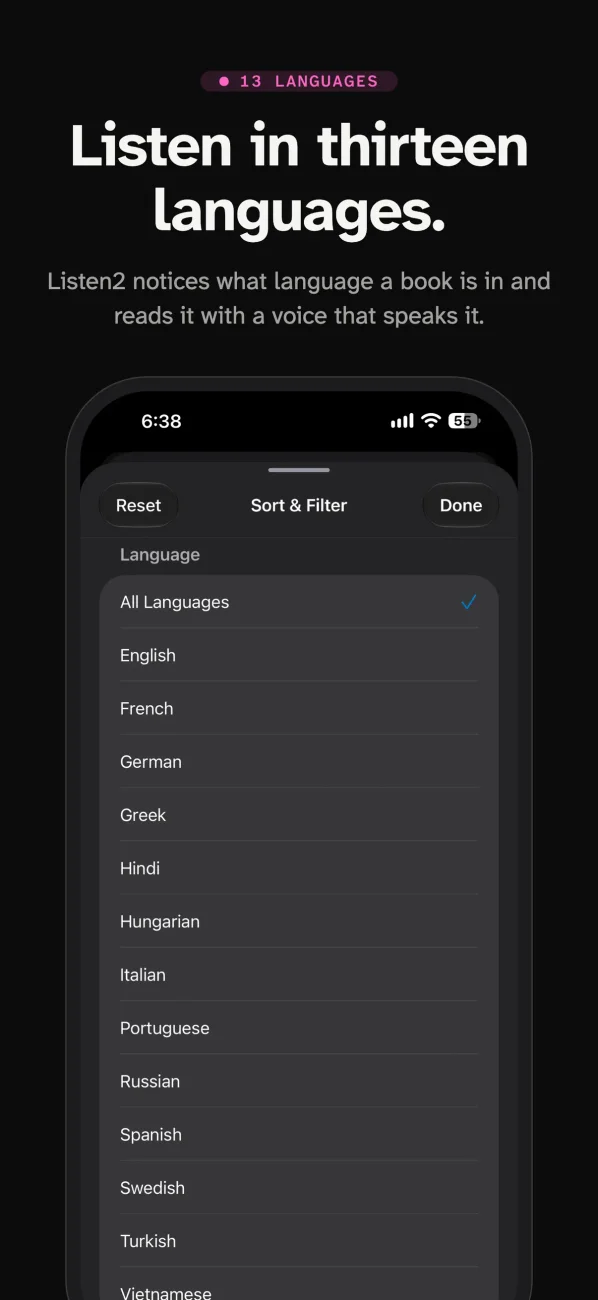
Download the Supertonic engine and its 10 voices speak English, Spanish, French, German, Italian, Portuguese, Russian, Turkish, Greek, Hindi, Vietnamese, Swedish and Hungarian. More languages are on the way. Apple's system voices are available too (Download premium voices for best results).
Word-by-word highlighting
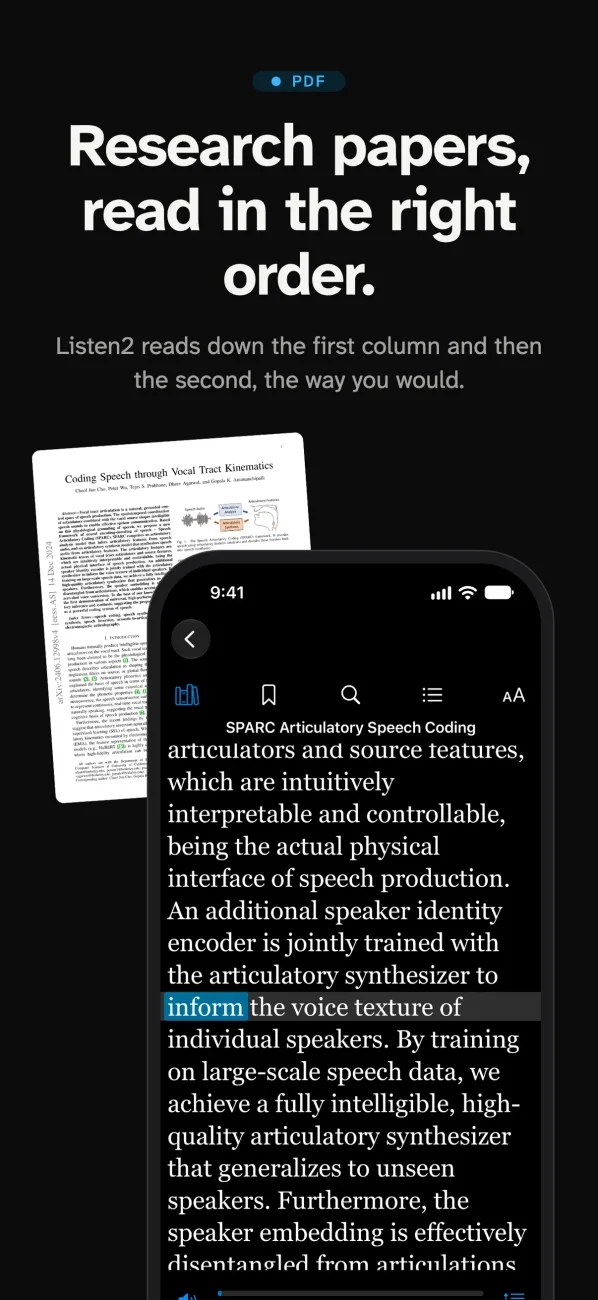
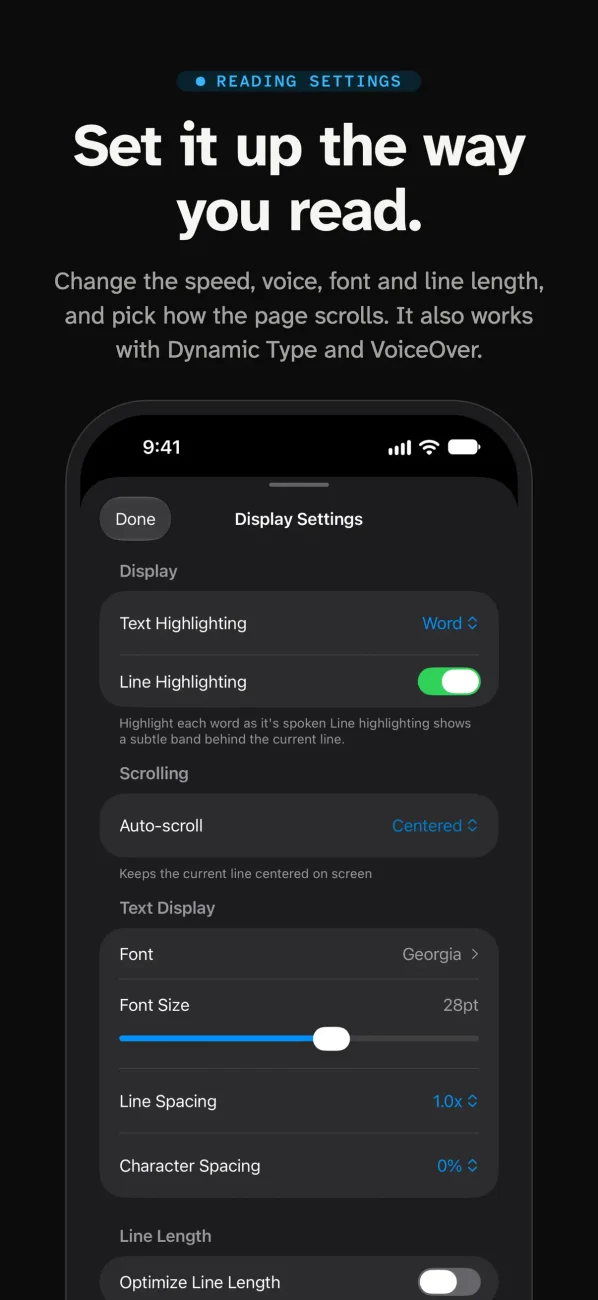
Listen2 matches the audio to the text with on-device machine learning, so each word lights up as it is spoken and the page scrolls along with you. If that feels busy, you can highlight whole sentences instead.
Import almost anything
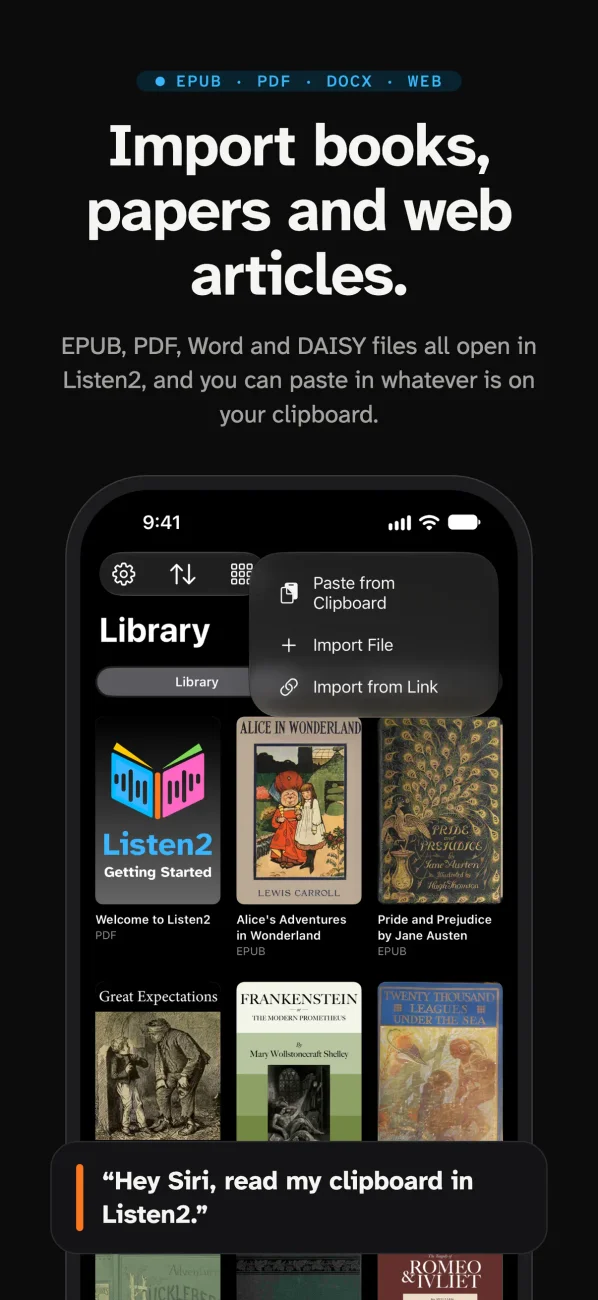
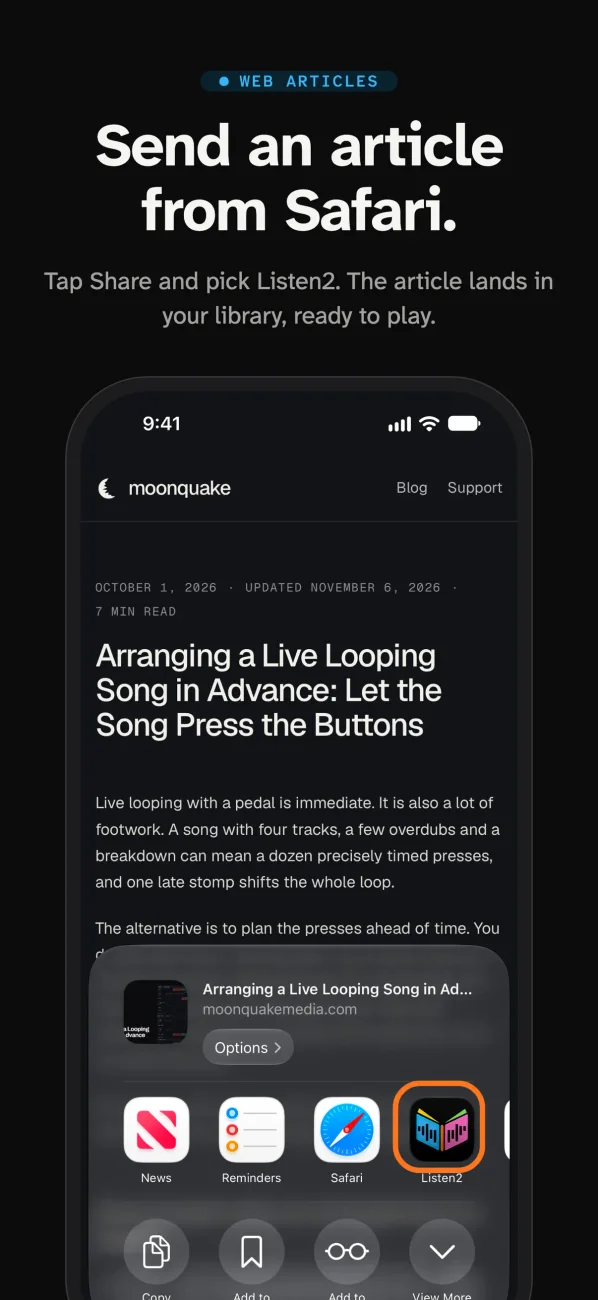
PDF, EPUB, DOCX, DAISY, Markdown, plain text, the clipboard or a web article. Share a page from Safari and Listen2 pulls out the article text. This also works for subscription sites, as long as you are signed in to them in your browser.
Smart document reading
Listen2 handles multi-column layouts, skips footnote markers in PDFs and rejoins words hyphenated across lines. Scanned PDFs are read with on-device text recognition.
Figure descriptions
When the reading reaches a chart, diagram or photo in a PDF or EPUB, on-device AI vision describes it aloud. If the document is in another language, Apple's on-device Translation framework translates the description.
Pronunciation rules
Teach Listen2 how to say a name, term or abbreviation without changing the text on screen. You can hear a rule before you save it, and apply it everywhere or to one document. Highlighting stays in sync either way. Built-in rules silence footnote markers.
Voice tuning
Adjust how Supertonic voices sound and save your favorite settings as presets.
Private by design
Text processing and speech both happen on your device. Your documents never leave your phone, and Listen2 has no accounts and does not track you.
FEATURES
- 25 built-in Phonon voices, plus 10 Supertonic voices in 13 languages
- Apple system voices, including enhanced and premium voices
- Word-by-word or sentence highlighting
- PDF, EPUB, DOCX, DAISY, TXT and Markdown
- Figure descriptions with on-device translation (PDF and EPUB)
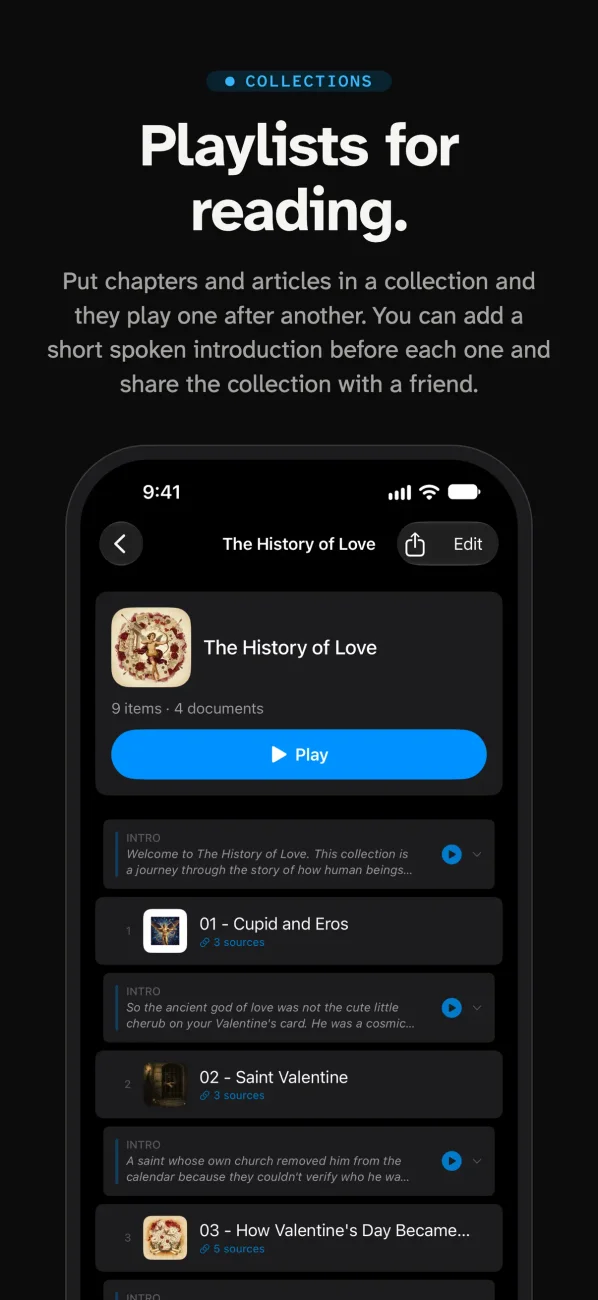
- Collections with intros, cover art and auto-advance
- Web Article Collections: turn a batch of articles into one playlist
- Clipboard import and Siri Shortcuts
- Playback speed from 0.5x to 2.5x
- Background playback with lock screen and headphone controls
- Sleep timer
- Elapsed and remaining time in the reader and on the lock screen
- Import from Files, links, the Share sheet or other apps
- Export any document as plain text
- Atkinson Hyperlegible and OpenDyslexic fonts
- Full VoiceOver support with rotor navigation and Magic Tap
WHO IT IS FOR
- Commuters turning drive time into reading time
- Students working through papers and textbooks
- Professionals whose documents must stay private
- VoiceOver users who want a fully accessible reader
- Readers with dyslexia who benefit from seeing and hearing each word together
- Anyone tired of paying for text-to-speech every month
Listen2 is a one-time purchase with a 7-day free trial.
What’s new
Version 1.13.2 · Nov 16, 2026
v1.13.2
Buying Listen2
You can now buy Listen2 at any time during the free trial, from Settings. The purchase screen is new as well, and it works with VoiceOver and the largest text sizes.
Reading Numbers, Symbols and Abbreviations
Fractions, words joined by a slash, symbols, social media handles and initialisms such as NSF are now read the way a person would say them. A rare crash while preparing text for reading is fixed.
Fixes
- Footnote markers attached to the end of a sentence in EPUB books are no longer read aloud.
- The progress bar for a voice download now moves as the download goes.
v1.13.1
Supertonic Reads in Your Book's Language
Listen2 now works out which language a book is written in, and Supertonic reads it in that language. To choose a different language for a book, open Audio Settings and pick one from the list under the voice. Tap a language to hear a preview first. Your choice is remembered for that book. If Supertonic cannot read a book's language, such as Japanese, Listen2 tells you before it starts and helps you find a voice that can.
Project Gutenberg Books
Playback now starts where the book itself begins and stops before the license, so a German book no longer opens with an English header read in a German voice.
Supertonic in Every Language Filter
Supertonic voices now show up when you filter the Voice Library by any language they speak.
Keep Screen Awake
A new switch in Settings, under Playback, keeps the screen from dimming or locking while a document is playing. Pause or leave the app, and Auto-Lock takes over again.
Quieter Pauses
Background hiss and clicks between phrases are turned down, and sentences now fade in and out smoothly. Breaths are still there, just softer.
Fixes
- Switching to a Supertonic voice now shows the loading indicator, and pressing Play while it loads is no longer lost.
- Choosing a voice from Browse More Voices now changes the voice you hear right away.
- Word highlighting no longer drifts through a sentence at an even pace.
- The word highlighting download now appears as soon as you press Play.
v1.13
Phonon Voices, Built In
25 natural English voices from the new Phonon engine now come with the app. There is nothing to download, and they work offline. Hadley is the new default voice. Zara is now a free download in the Voice Library, and if she was your voice, Listen2 switches you to Hadley.
Figure Descriptions
Descriptions now always hand back to the book, even after an interruption. A new setting, Show During Descriptions, shows the figure full screen while its description is read.
Listening With Your Phone Locked
Instead of being closed by iOS, Listen2 now slows its work to stay within the limit. If it still has to pause, it tells you to unlock your phone.
Also new: a softer look for word highlighting, instant switching between Supertonic and Phonon voices, and a new PDF engine that reads some documents better.
App privacy
What Zach Swift declares on the App Store about how this app handles data.
-
Data not collected
The developer does not collect any data from this app.
Privacy practices may vary, for example with the features you use or your age.
Information
- Seller
- Zach Swift
- Category
- Books
- Version
- 1.13.2
- Updated
- Nov 16, 2026
- Released
- Jan 15, 2026
- Size
- 313.7 MB
- Requires
- iOS 18.2 or later
- Age rating
- 4+
- Price
- Free
- In-app purchases
- Yes
- Languages
- English
- Copyright
- © 2026 Zach Swift
You might also like
-
 Vox libriBooks
-
 Start SpeakingRead anything, anywhere!
-
 Local NarratorAI narration of books locally
-
 PageEcho - AI Text ReaderListen to any text, offline
-
 Narratorr - Audiobook & TTSFree AI voices, even offline
-
 BookCraft AudioConvert & listen to audiobooks
-
 AudiobookifyOffline Natural Text to Speech
-
 Chorus Reader: Audiobook MakerText to Speech for EPUB & PDF
-
 Paperback MobileBooks
-
 Audia: Text to Speech ReaderRead Aloud PDF & EPUB Books