LitePDF: PDF Scanner & OCR
Redact, Sign, Compress Offline
Designed for iPhone, iPad
In-app purchases
- Age rating4+
- CategoryProductivity
- DeveloperWuhan Jiange Technology Co., Ltd.
- LanguagesEnglish+ 6 more
- Size6.1 MB
Links to the official App Store page
Download.org hosts no file of LitePDF: PDF Scanner & OCR. The button opens its official App Store page, published by Wuhan Jiange Technology Co., Ltd. Listing last checked on Nov 12, 2026.
Screenshots
About
Private PDF work, finished on your device.
LitePDF helps you scan, recognize, redact, sign, compress, and protect documents without uploading the files you process.
START FAST
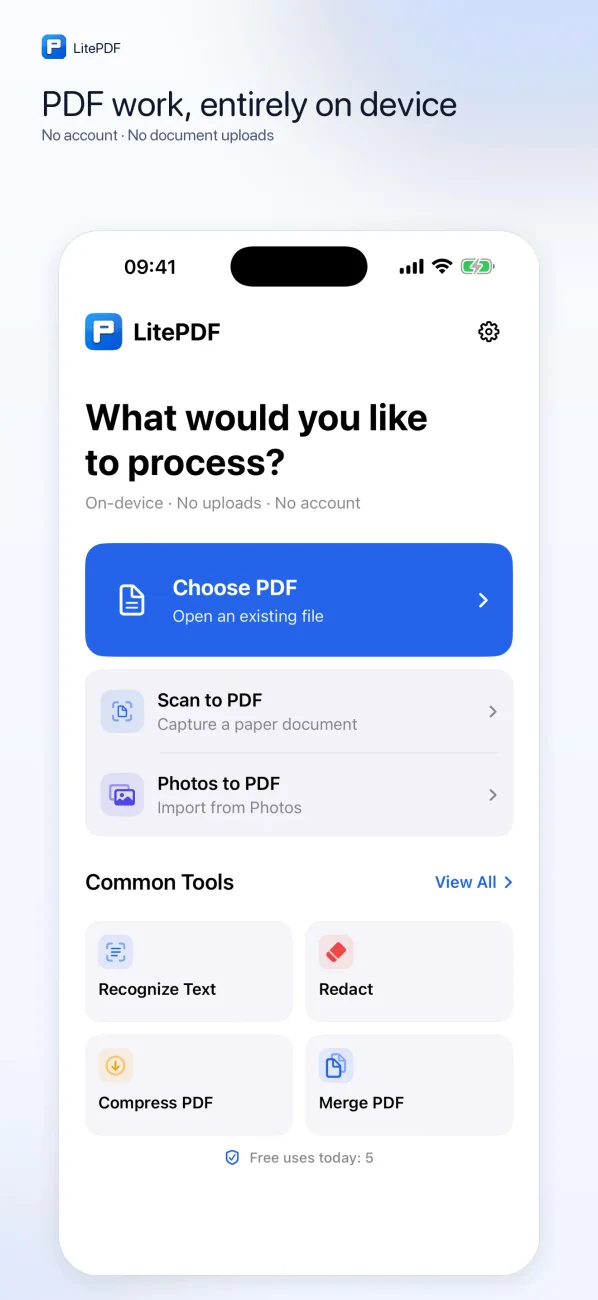
• Scan paper documents or import photos
• Open a PDF from Files or send one through the share sheet
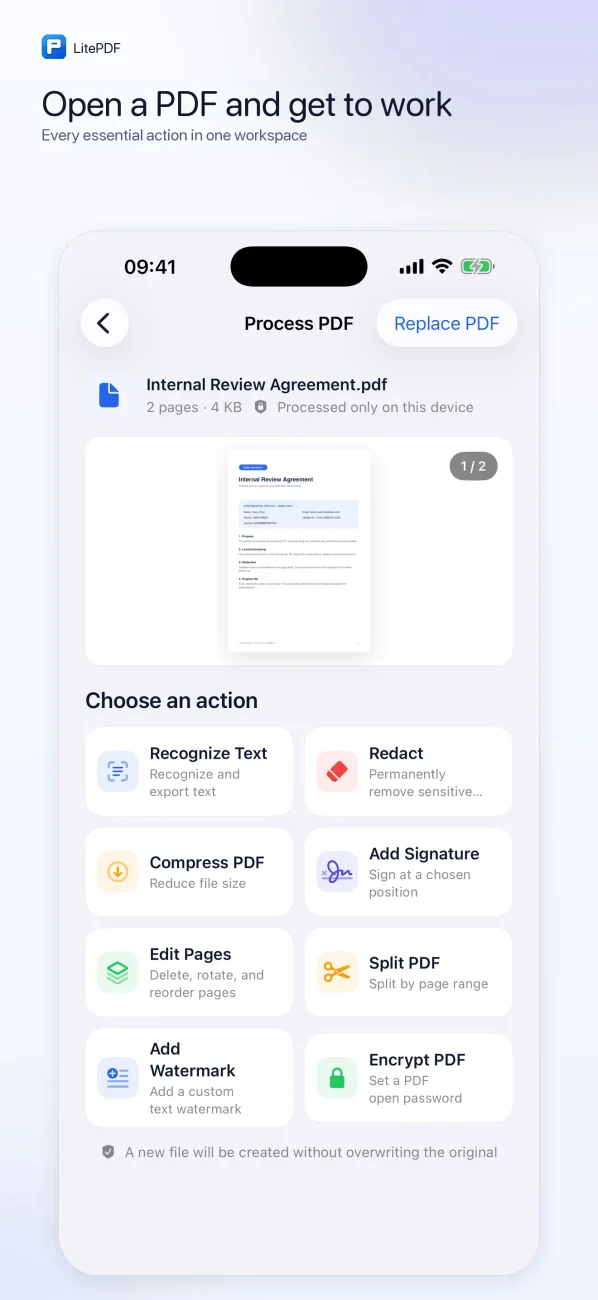
• Keep the original file unchanged while LitePDF creates a new result
SEARCHABLE OCR
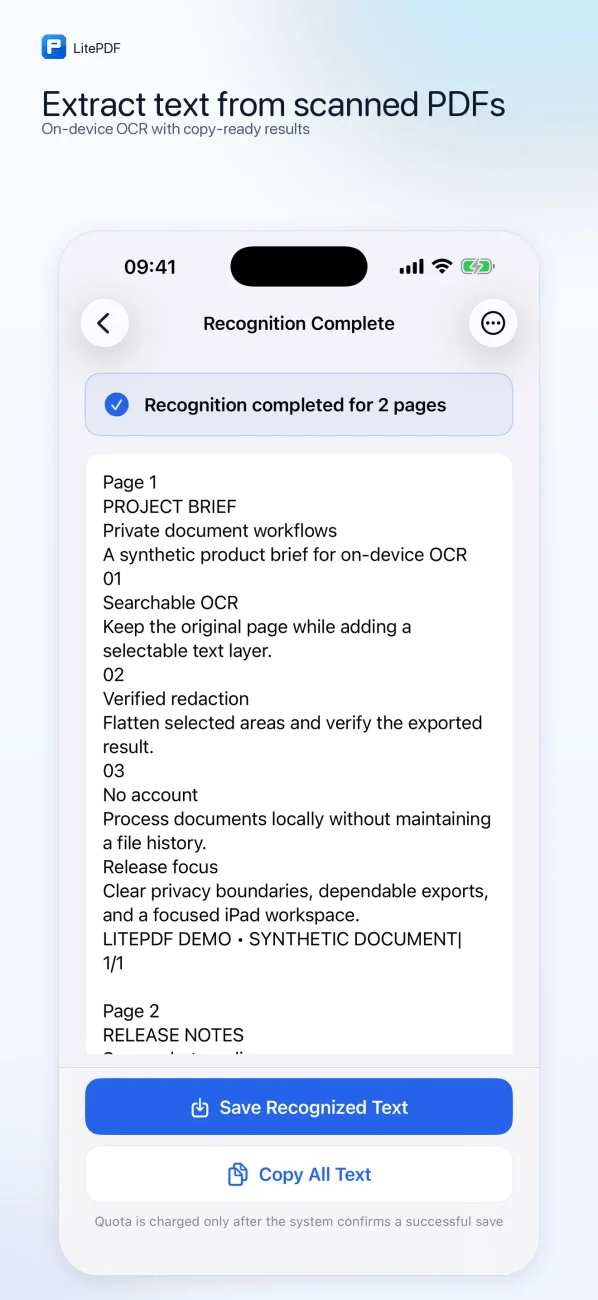
• Recognize Chinese, English, German, Spanish, French, Japanese, and Korean on device
• Keep the original page and add a selectable, searchable text layer
• Review low-confidence text and pages where no text was found
PRIVATE DOCUMENT WORKFLOW
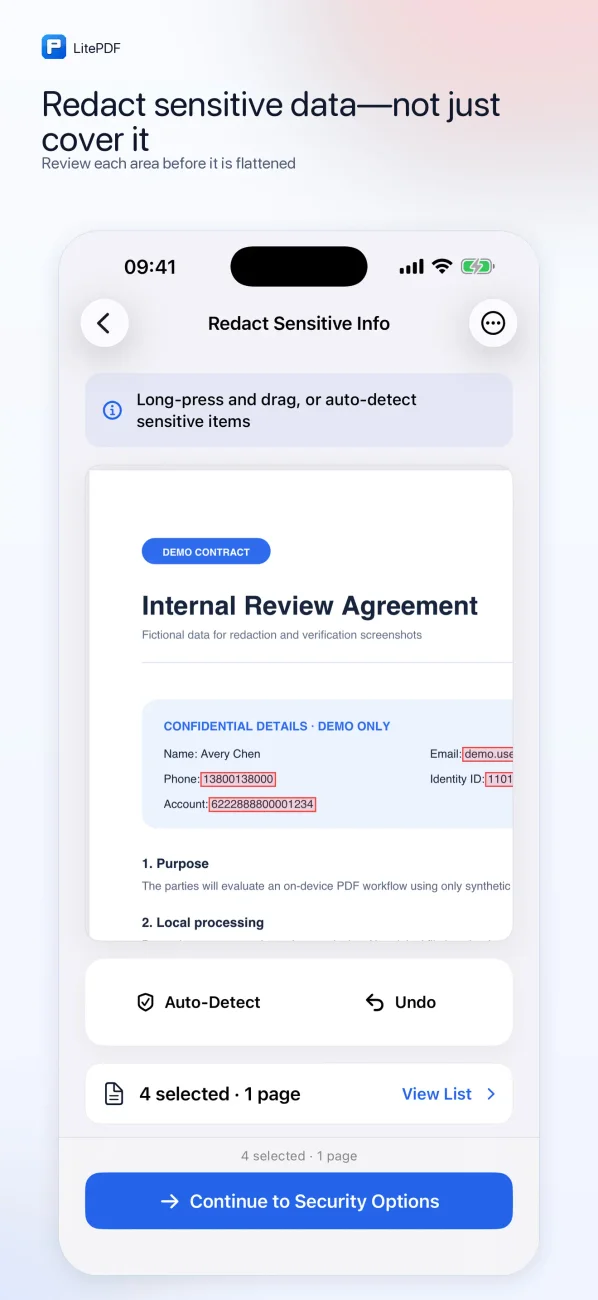
• Review detected email, phone, ID, and account-number candidates
• Flatten redacted pages so covered text is no longer selectable or searchable
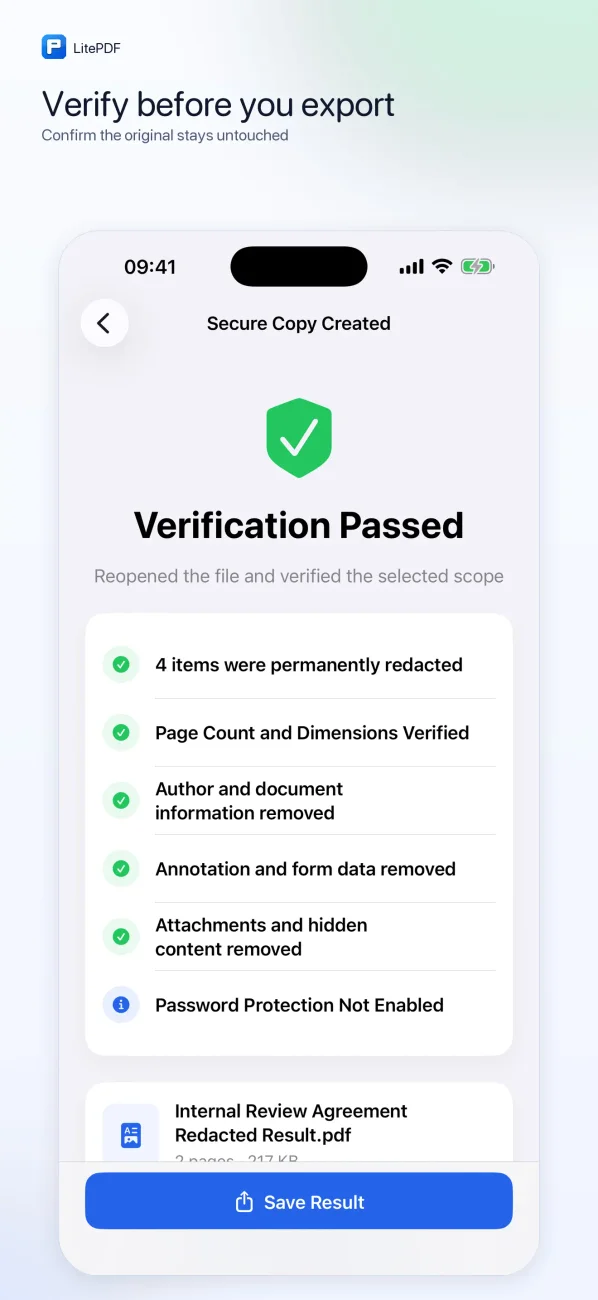
• Remove metadata, annotations, forms, attachments, and hidden layers
• Add an optional open password and review the verification report
EVERYDAY PDF TOOLS
• Image signature placement, scaling, rotation, and color
• Compression, merge, split, watermark, encryption, and decryption
• Page delete, rotate, reorder, and PDF-to-image export
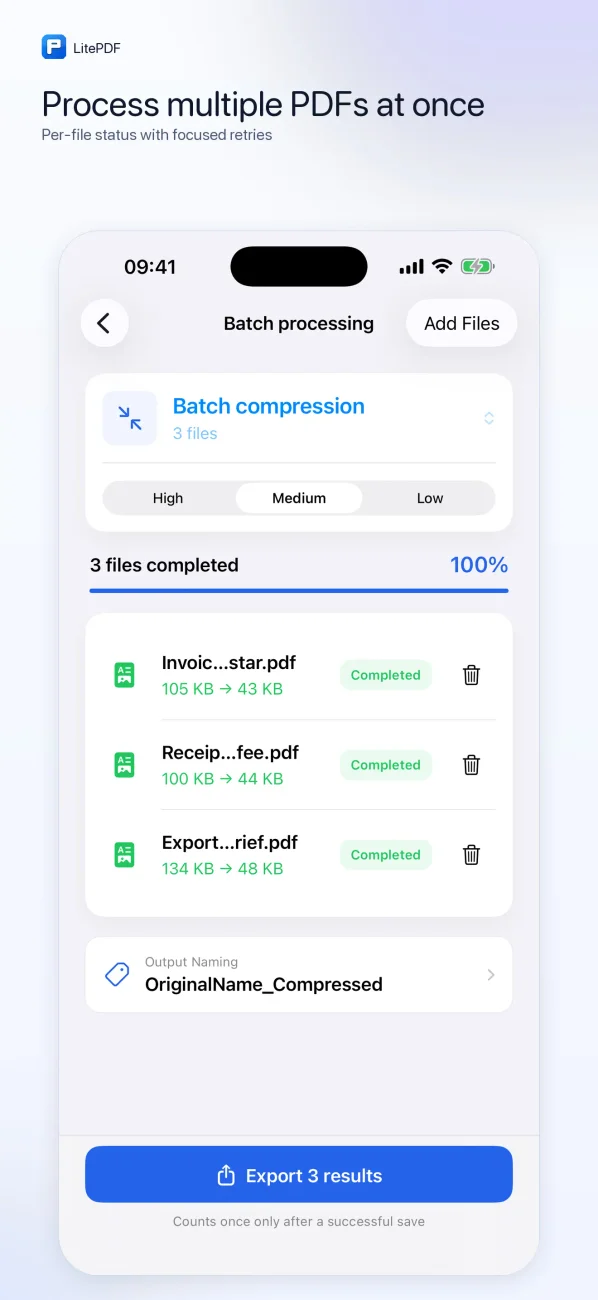
• Batch compression, watermarking, and encryption with per-file retry
CLEAR PRIVACY BOUNDARIES
Document processing happens on your iPhone or iPad. LitePDF does not require an account, upload your documents, or keep a document list.
FREE AND PRO
Free users can export 5 results each day. Processing, previews, cancellations, and failed saves do not use the allowance. LitePDF Pro removes the daily export limit. Prices and billing terms are provided by the App Store.
Input PDFs are limited to 100 MB and 500 pages. Image signatures are visual marks, not digital certificate signatures.
PRIVACY POLICY
https://www.byrobin.app/privacy/litepdf
TERMS OF USE
https://www.byrobin.app/terms/litepdf
What’s new
Version 1.2 · Aug 26, 2026
A document-first redesign for faster private PDF work.
• Searchable on-device OCR with review guidance
• Verified redaction, metadata cleanup, and optional password protection
• Visual signature placement and retryable batch processing
• Single-PDF share extension and a dedicated iPad workspace
• Siri and Shortcuts entry points for redaction, OCR, compression, and encryption
• Clearer export allowance and refreshed Dark/Tinted icons
App privacy
What Wuhan Jiange Technology Co., Ltd. declares on the App Store about how this app handles data.
-
Data not collected
The developer does not collect any data from this app.
Privacy practices may vary, for example with the features you use or your age.
Information
- Seller
- Wuhan Jiange Technology Co., Ltd.
- Category
- Productivity
- Version
- 1.2
- Updated
- Aug 26, 2026
- Released
- Feb 24, 2026
- Size
- 6.1 MB
- Requires
- iOS 17.6 or later
- Age rating
- 4+
- In-app purchases
- Yes
- Languages
- English, French, German, Japanese, Korean, Simplified Chinese, Spanish
- Copyright
- © bin do
You might also like
-
 PDFTape: PDF Scanner & SignScan, sign, merge & fill forms
-
 QuietSign Private PDF SignerSign PDFs. Keep them private.
-
 OnlyPDF – Sign, Edit & ScanEdit, sign & scan PDFs easily
-
 PocketScan - Snap to PDFDocument Scanner & PDF Maker
-
 HCF: Hardcore FocusHabit Creation Timer
-
 Paperix - PDF Secure and LocalPDF Secure Scans On Device AI
-
 PDF Scanner & Editor: PrivioConverter, Reader & eSign
-
 PDF Text Editor - PDFeditFill & Sign, Merge & Convert
-
 CaptainShot Screenshot LibraryScreenshots, finally useful
-
 Pure PDF Editor OfflinePrivate PDF Editor & Filler