PDF Scanner & Editor: Privio
Converter, Reader & eSign
Designed for iPhone, iPad, iPod touch
In-app purchases
- Age rating4+
- CategoryProductivity
- DeveloperMustafa Salim Erek
- LanguagesEnglish+ 9 more
- Size109.4 MB
Links to the official App Store page
Download.org hosts no file of PDF Scanner & Editor: Privio. The button opens its official App Store page, published by Mustafa Salim Erek. Listing last checked on Nov 22, 2026.
Screenshots

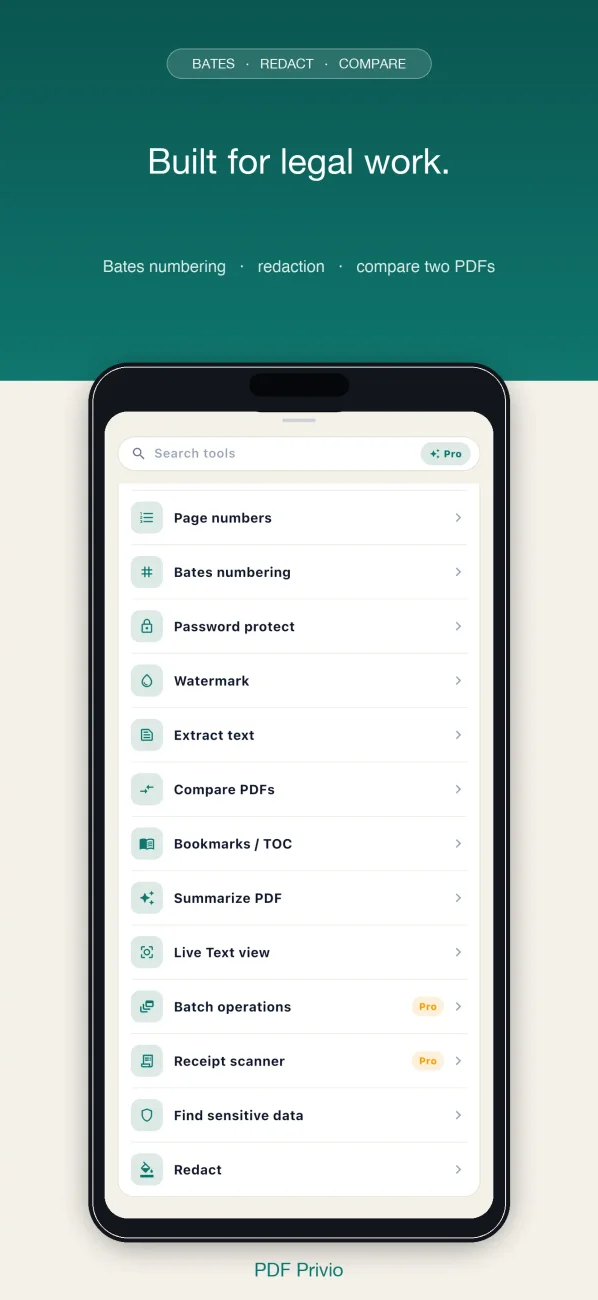
About
Privio is the offline PDF toolkit for lawyers, accountants, real estate professionals, and anyone who handles documents that should not be uploaded to a stranger's server.
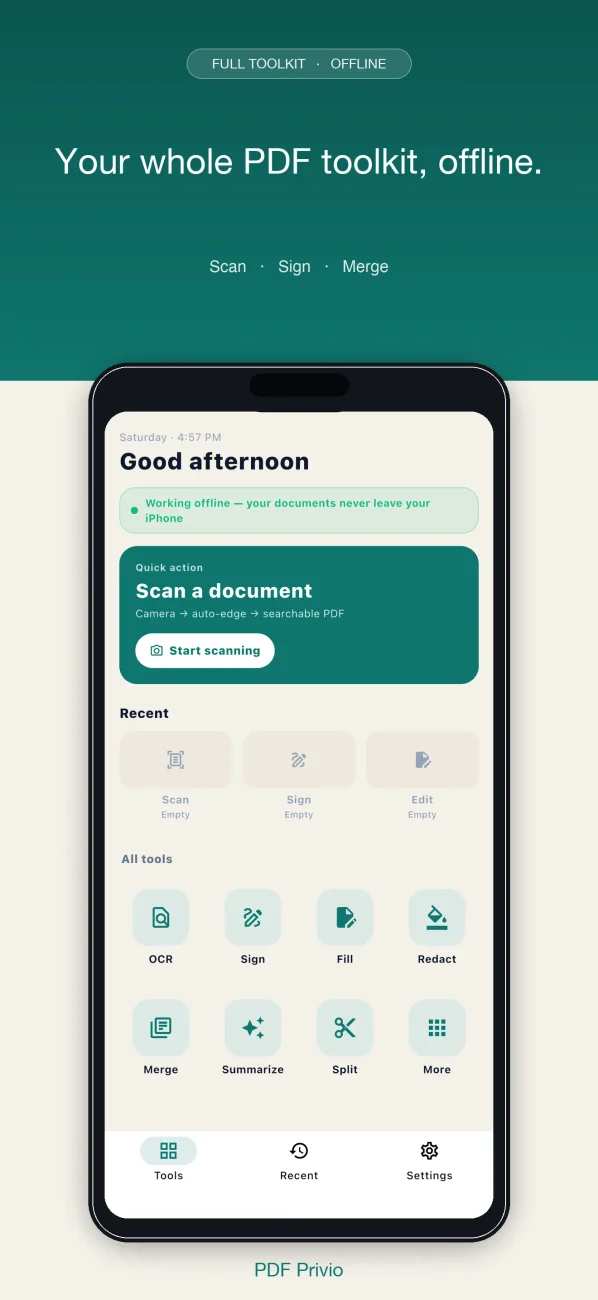
Every operation — scan, OCR, redact, sign, summarise with Apple Intelligence, capture receipts — runs locally on your iPhone or iPad. Privio never uploads your PDFs.
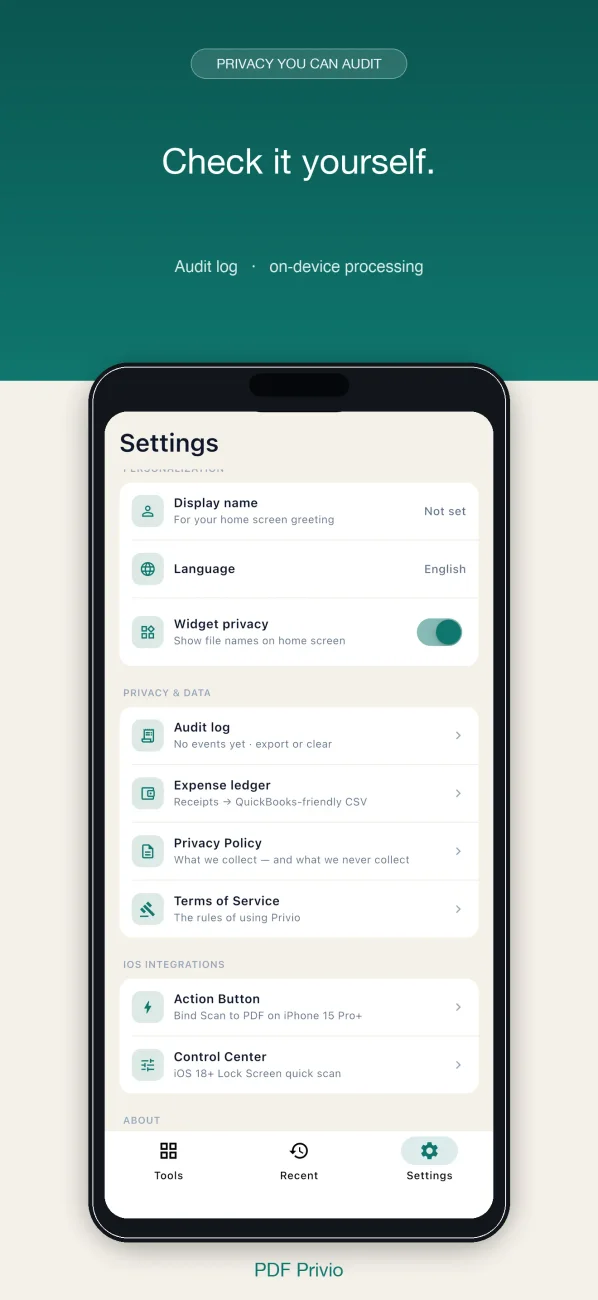
Optional Firebase usage and purchase statistics: on in the free version, off by default with Pro; change it in Settings. No documents or file names are sent.
THE 23 TOOLS
Document intake
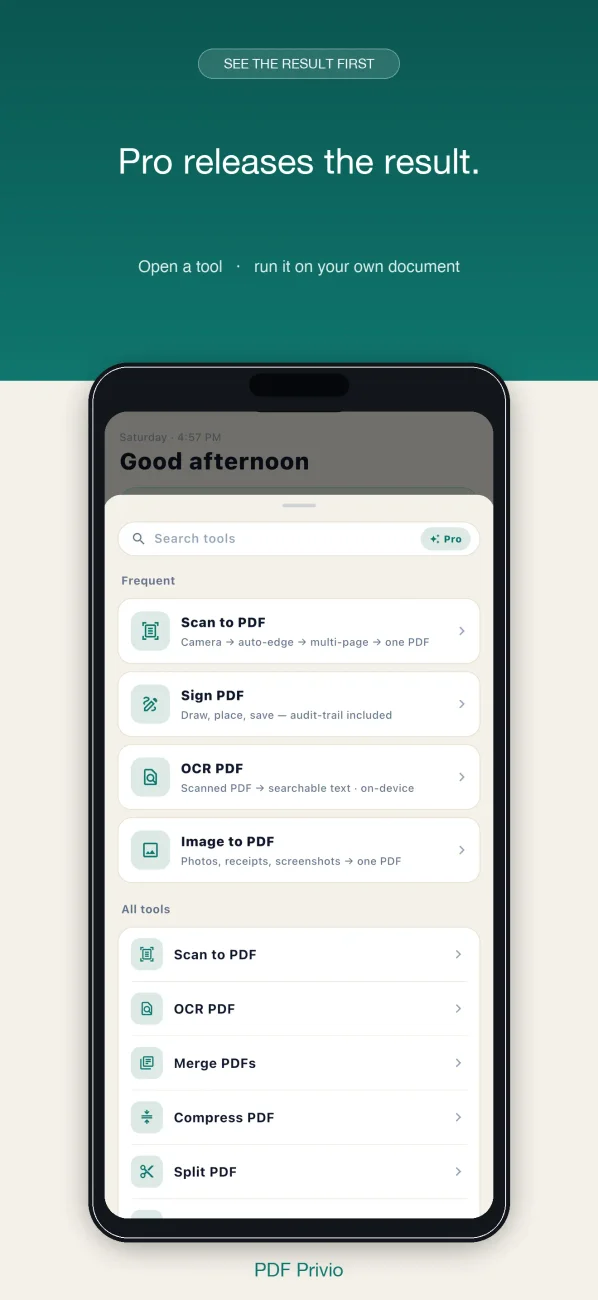
• Scan to PDF — Apple VisionKit edge detection, multi-page capture
• OCR PDF — Apple Vision recognizes text on scanned PDFs and adds a searchable text layer
• Image to PDF — photos, receipts, screenshots into one PDF
• Merge PDFs — combine document-level or hand-pick pages
• Compress PDF — shrink for email without visible quality loss
• Split PDF — extract page ranges, every Nth page, or N equal parts
Editing
• Rotate pages — fix sideways scans
• Delete pages — drop what you don't need
• Sign PDF — finger or stylus signature with SHA-256 audit footer
• Fill form — standard PDF form fields with flatten-on-save; scripted forms such as USCIS only partly supported
• Page numbers — four formats, five positions, custom start
• Bates numbering — legal discovery standard
• Password protect — AES-256 encrypt or unlock
Review
• Watermark — CONFIDENTIAL, DRAFT, custom text in three layouts
• Extract text — pull clean text out of any born-digital PDF
• Compare PDFs — redline two versions, added and removed text
• Bookmarks / TOC — jump to any chapter in long briefs and depositions
• Find sensitive data — auto-detect SSN, EIN, credit cards (Luhn validated), IBANs, emails, phone numbers
• Redact — search words, render-and-flatten removes them from the data stream
AI + receipts + batch
• Summarize PDF — Apple Intelligence on-device summary (iOS 26+)
• Live Text view — Apple Live Text + Visual Look Up
• Batch operations — compress, watermark, or rotate a stack of PDFs in one pass
• Receipt scanner — auto-extract date / vendor / total / tax → QuickBooks-friendly CSV
iOS INTEGRATION
Home Screen widget (Small + Medium) plus three Lock Screen accessory families. iOS 18 Control Center / Lock Screen scan control. Action Button binding for iPhone 15 Pro and later. Siri, Shortcuts, Files Provider, Share Sheet, Action Extension. iPad Stage Manager + Split View.
PRIVACY POSITIONING
Many PDF apps upload your file to "process" it in the cloud — meaning their staff, their server logs, and their attackers could all see your documents. Privio is built for confidential client work: it processes your documents on your device and never uploads them.
Scanning, OCR and summaries use Apple frameworks; the PDF editing tools use libraries built into Privio. iCloud and computer backups of the device may include your PDFs, like other app data. There is no account.
PRICING
The tools run free: open any tool and use it on your own document. Save or share PDF results for free with a PDF Privio watermark; Pro removes it and lets you copy or export text results. (Batch and the receipt scanner are Pro from the start.)
• Yearly — the best value
• Lifetime — one-off payment; no subscription, no renewal
• Monthly — month to month
You'll see your local price in the app. No ads, free or Pro.
MADE BY EREK STUDIO
Built by an independent developer in Istanbul. No VC, no growth team, no dark patterns. If a feature is missing or a bug bites you, email mustafasalimerek@gmail.com and you'll hear back from a human within a day.
Designed for iPad: native sidebar navigation, 19 tools at a glance on a 5×4 grid, landscape support for Magic Keyboard, and centered reading layouts.
Privacy Policy: https://mustafasalimerek-bit.github.io/pdfprivio-legal/privacy/
Terms of Use: https://mustafasalimerek-bit.github.io/pdfprivio-legal/terms/
What’s new
Version 1.1.7 · Nov 10, 2026
Password protection now uses AES-256 revision 6 (PDF 2.0) and requires 8–127 printable ASCII characters. Audit entries can now include whole-file SHA-256 fingerprints for recorded input and output files.
Terms of Use updated (section 7): if you deliver records to consumers with Privio, obtaining any consent the law requires is up to you; Privio does not provide it.
App privacy
What Mustafa Salim Erek declares on the App Store about how this app handles data.
-
Data used to track you
May be used to track you across apps and websites owned by other companies.
- Identifiers
-
Data linked to you
May be collected and linked to your identity.
- Purchases
- Location
- Identifiers
- Usage data
-
Data not linked to you
May be collected but is not linked to your identity.
- Diagnostics
Privacy practices may vary, for example with the features you use or your age.
Information
- Seller
- Mustafa Salim Erek
- Category
- Productivity
- Version
- 1.1.7
- Updated
- Nov 10, 2026
- Released
- May 21, 2026
- Size
- 109.4 MB
- Requires
- iOS 15.5 or later
- Age rating
- 4+
- In-app purchases
- Yes
- Languages
- English, French, German, Italian, Japanese, Korean, Portuguese, Simplified Chinese, Spanish, Turkish
- Copyright
- © 2026 Erek Studio
You might also like
-
 PDF Editor: Scan, Merge, SignView, Convert, Merge & Split
-
 ProScan Document Scanner OCRScan Docs, OCR, PDF Export
-
 LitePDF: PDF Scanner & OCRRedact, Sign, Compress Offline
-
 Scan & PDF by PaperlyOffline Productivity for PDFs
-
 PDF Converter & Editor ToolsMerge Compress & Convert Files
-
 Scanify: PDF & OCR ScannerScan, OCR & Share Documents
-
 PDF ToolMerge, split & sign PDFs
-
 Docx: Open & Edit DocumentsDOCX reader, PDF to DOCX
-
 Photo to PDF Converter, MakerImage Docs Scanner & Editor
-
 Crimson Pdf: Editor & ToolsConvert, scan, sign, merge