PDF Text Editor - PDFedit
Fill & Sign, Merge & Convert
Designed for iPhone, iPad
Free · In-app purchases
- Age rating4+
- CategoryProductivity
- DeveloperImad Khan
- LanguagesEnglish+ 18 more
- Size16.4 MB
Links to the official App Store page
Download.org hosts no file of PDF Text Editor - PDFedit. The button opens its official App Store page, published by Imad Khan. Listing last checked on Nov 21, 2026.
Screenshots

About
Fix a typo in a PDF, fill in and sign a form, merge files, or turn photos and Word documents into PDFs, all on your iPhone or iPad. Your files are edited on the device and never uploaded.
It's for anyone who gets a PDF that needs a few changes before it goes back: a contract to sign, a form to complete, a wrong date in a letter, a scan you need to search. You make the changes right on the page and save a clean new PDF. Your original file is never changed, and text in your pages stays sharp and selectable.
EDIT THE TEXT THAT'S ALREADY THERE
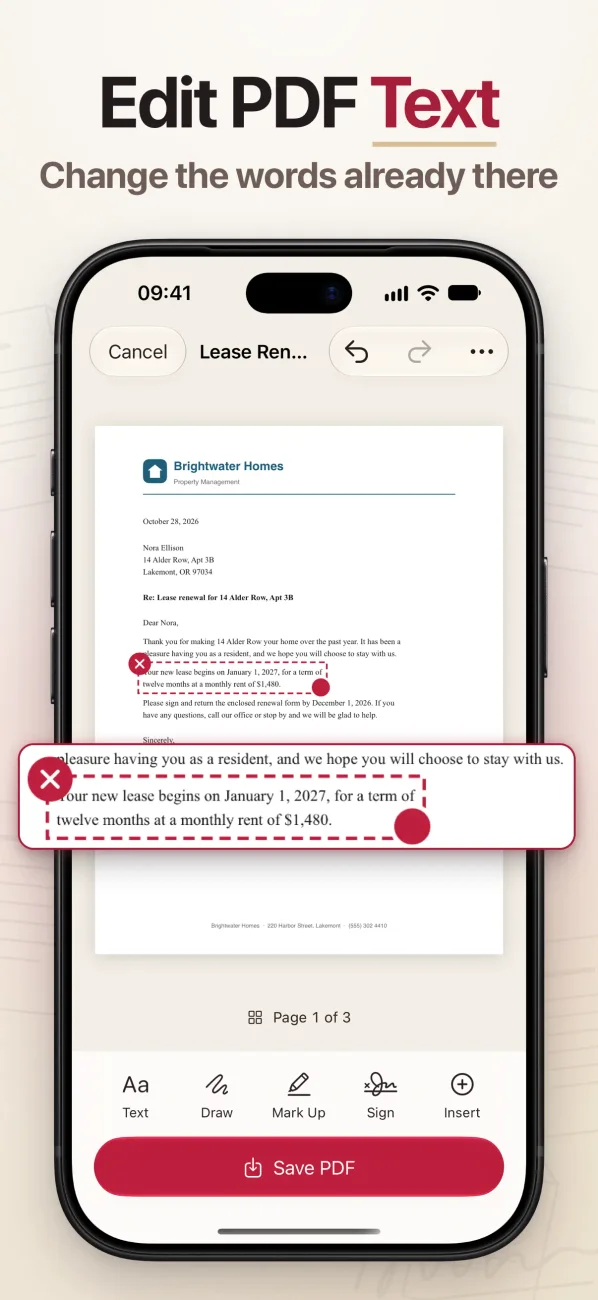
- Tap a paragraph to rewrite it. Your words take the closest font, weight, size and color to the original, on a background matched to the paper.
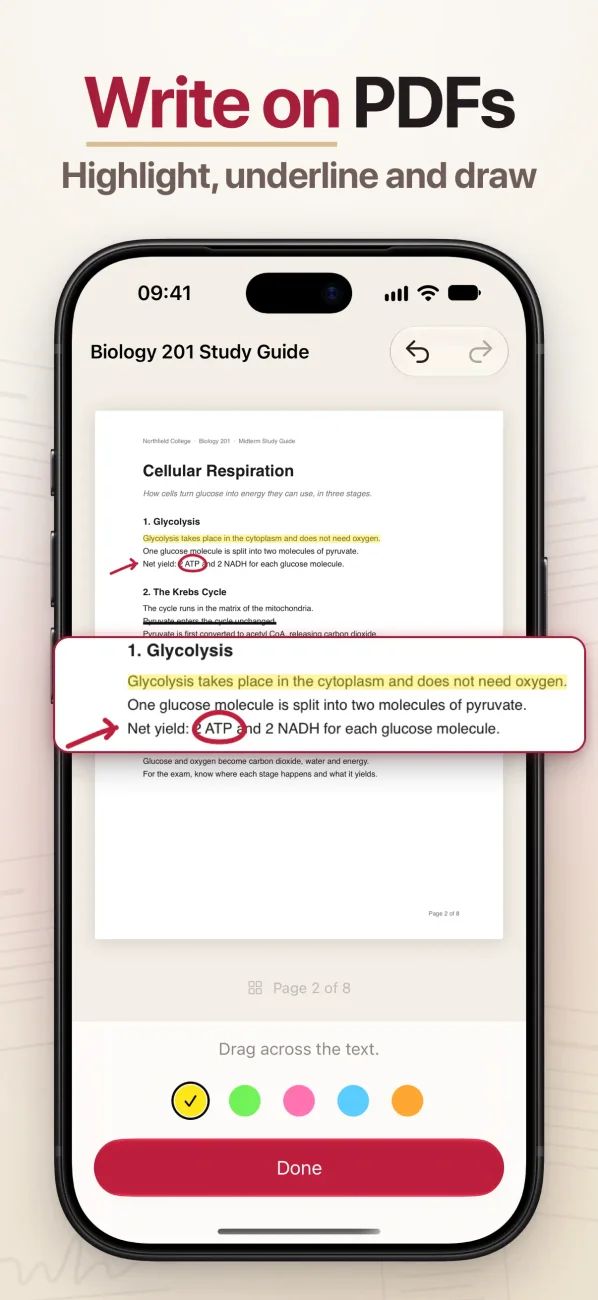
- Highlight, underline or strike through lines, or paint over anything with whiteout.
- Replaced text and whiteout cover what's underneath but don't delete it from the file, so don't rely on them to hide private information.
FILL IN AND SIGN
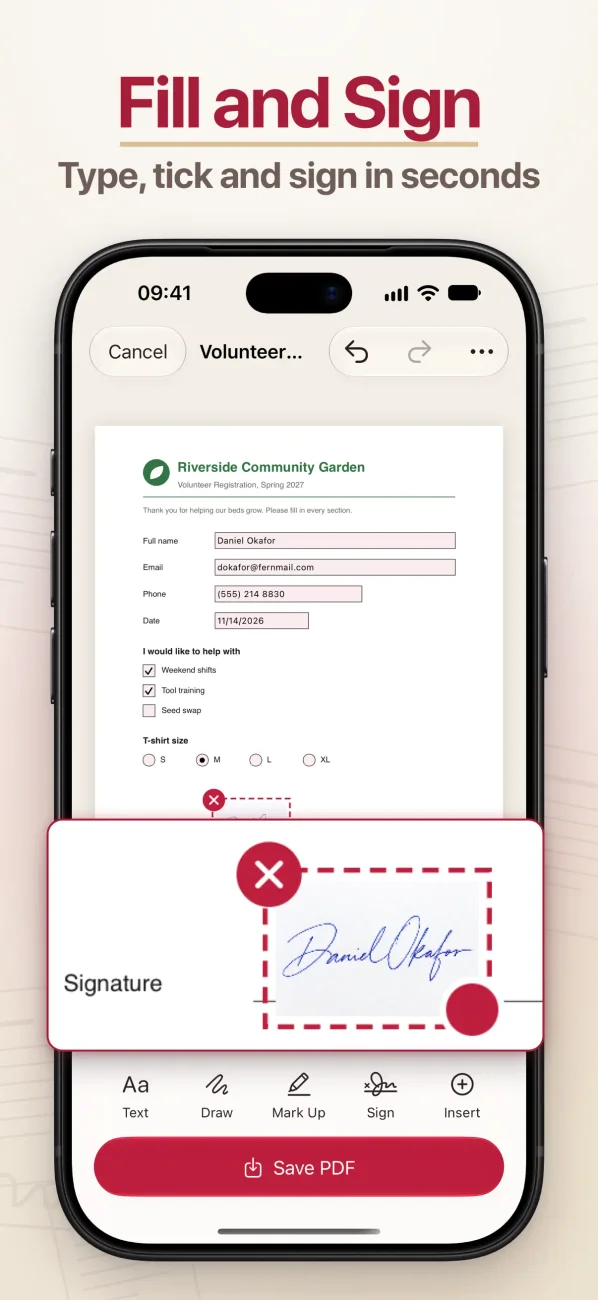
- Type into form fields, tick boxes and pick options.
- Draw your signature and initials, or take them from a photo of your signature on paper and the paper turns transparent. Save them once and reuse them.
- Add a check mark or today's date with one tap.
TURN SCANS AND FILES INTO PDFS
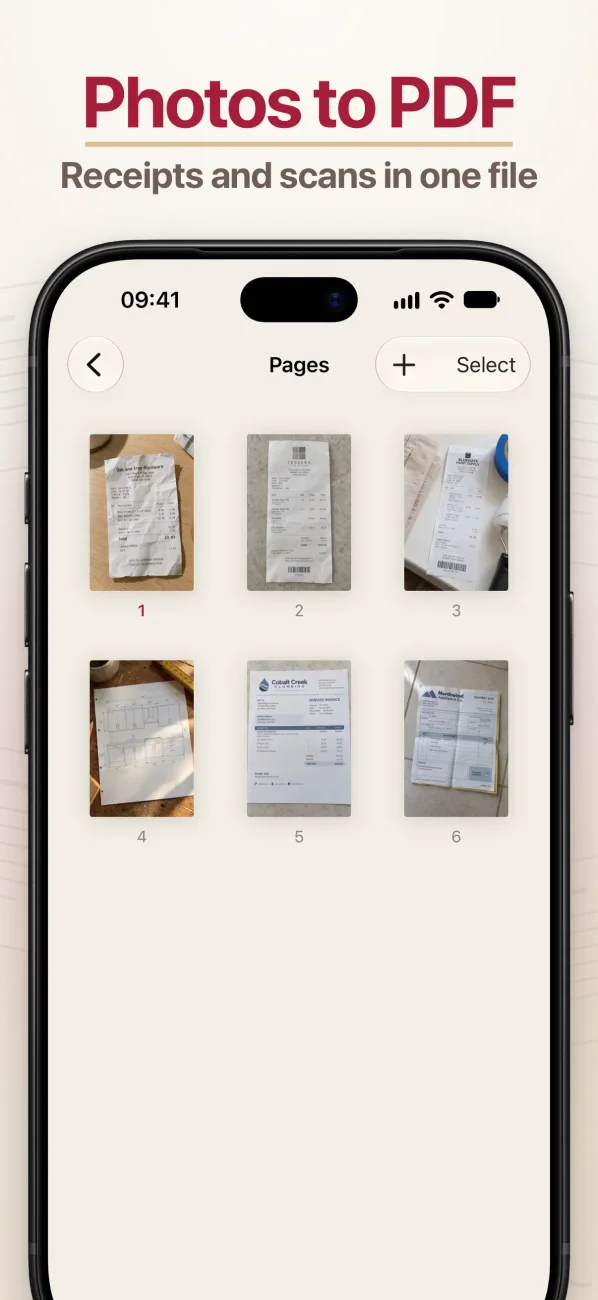
- Make PDFs from photos, camera scans, Word (.doc and .docx), RTF and text files.
- Scanned pages are read on your device, so you can search them, mark them up and even replace their text. The PDFs you save stay searchable.
- Text read from a scan can contain mistakes, so check anything important.
ORGANIZE PAGES AND FILES
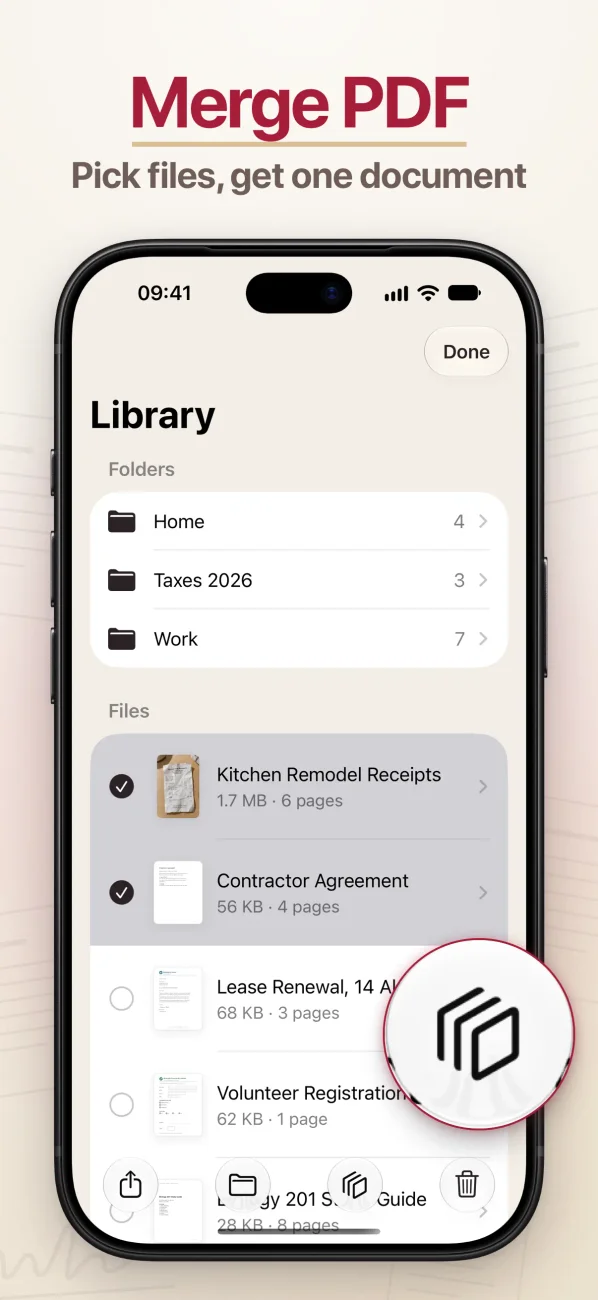
- Combine several PDFs into one, or save the pages you choose as a separate PDF.
- Add pages from another file, a scan, your photos or a blank page.
- Turn, reorder, duplicate and delete several pages at once.
- Open password protected PDFs, and lock the PDFs you save with a password.
ADD YOUR OWN TEXT AND DRAWINGS
- Type in sans, serif or mono, bold or italic, with your choice of alignment, line spacing and ink color.
- Draw with a pen or highlighter, or add rectangles, ovals, lines and arrows.
- Place photos and emoji, then move or resize anything you've added.
YOUR LIBRARY
- Your edited PDFs stay in the app, organized in folders.
- Work in progress is saved as you go, so you can close the app and pick up where you left off.
- Reopen a saved PDF to edit it again. Changes go into a new copy, so the earlier version stays as it was.
DOWNLOAD NOW
Everything above is free, with no limit on documents or pages: import, scan, edit, save and preview as much as you like. A Pro subscription is what lets your PDFs leave the app, so you can share them, save them to Files or print them. Without Pro, your edited PDFs stay in the app's library, where you can open them and keep working, and they're ready to send once you subscribe.
Privacy Policy: https://www.madbyteapps.com/pdfedit/privacy
Terms of Use (EULA): https://www.madbyteapps.com/pdfedit/terms
What’s new
Version 2.0.0 · Nov 16, 2026
PDFedit 2.0 is here with a new design and a much more capable editor.
- Replace the existing text in a PDF. The new words match the original's font, size and color.
- Fill in PDF form fields, including text boxes, checkboxes and radio buttons.
- Highlight, underline or strike through text right on the page.
- Search your documents for any word.
- Scanned pages become searchable, with text recognition that runs on your device.
- Sign with saved signatures and initials, drawn by hand or taken from a photo of your signature on paper.
- Add shapes and whiteout to cover anything you don't want to show.
- Type text in sans, serif or mono, in bold or italic, with your choice of alignment and line spacing.
- Draw with a new highlighter and erase strokes with the eraser.
- Pinch to zoom in on a page for precise work.
- Undo and Redo every change.
- Use the new Pages grid to add, turn, move, duplicate, extract and delete pages.
- Combine files from your library into one PDF.
- Open password protected PDFs and add a password to the PDF you save.
App privacy
What Imad Khan declares on the App Store about how this app handles data.
-
Data linked to you
May be collected and linked to your identity.
- Purchases
- Contact info
- User content
Privacy practices may vary, for example with the features you use or your age.
Information
- Seller
- Imad Khan
- Category
- Productivity
- Version
- 2.0.0
- Updated
- Nov 16, 2026
- Released
- Dec 17, 2025
- Size
- 16.4 MB
- Requires
- iOS 18.0 or later
- Age rating
- 4+
- Price
- Free
- In-app purchases
- Yes
- Languages
- English, Arabic, Dutch, French, German, Hungarian, Indonesian, Italian, Japanese, Korean, Polish, Portuguese + 7 more
- Copyright
- © 2026 MadByteApps
You might also like
-
 PDF Editor: Fill, Sign & ScanEdit, Sign & Fill PDF Forms
-
 PDF Reader: Convert & EditProductivity
-
 FreeEdit, PDF EditorProductivity
-
 Foxit PDF EditorView, Edit, Convert, and Sign
-
 Free PDF Editor, Converter AppReader Maker Pro: Edit & Sign
-
 PDF Pro - Reader Editor FormsEdit, annotate, view documents
-
 Smallpdf: Scanner & PDF Editorcompress, convert, ocr, sign
-
 PDF Expert: Editor & ReaderFill & Sign, Annotate, Convert
-
 PDFelement: PDF Editor & ScanDocuments Converter & Signer
-
 MobiPDF・PDF Text Editor・ReaderEdit File・Fill, Sign Documents