LiveCap: Caption & Translate
Live captions & translation
Designed for iPhone, iPad, Mac
Free · In-app purchases
- Age rating4+
- CategoryUtilities
- DeveloperDaichi Tanabe
- LanguagesEnglish+ 1 more
- Size1.7 MB
Links to the official App Store page
Download.org hosts no file of LiveCap: Caption & Translate. The button opens its official App Store page, published by Daichi Tanabe. Listing last checked on Nov 12, 2026.
Screenshots
About
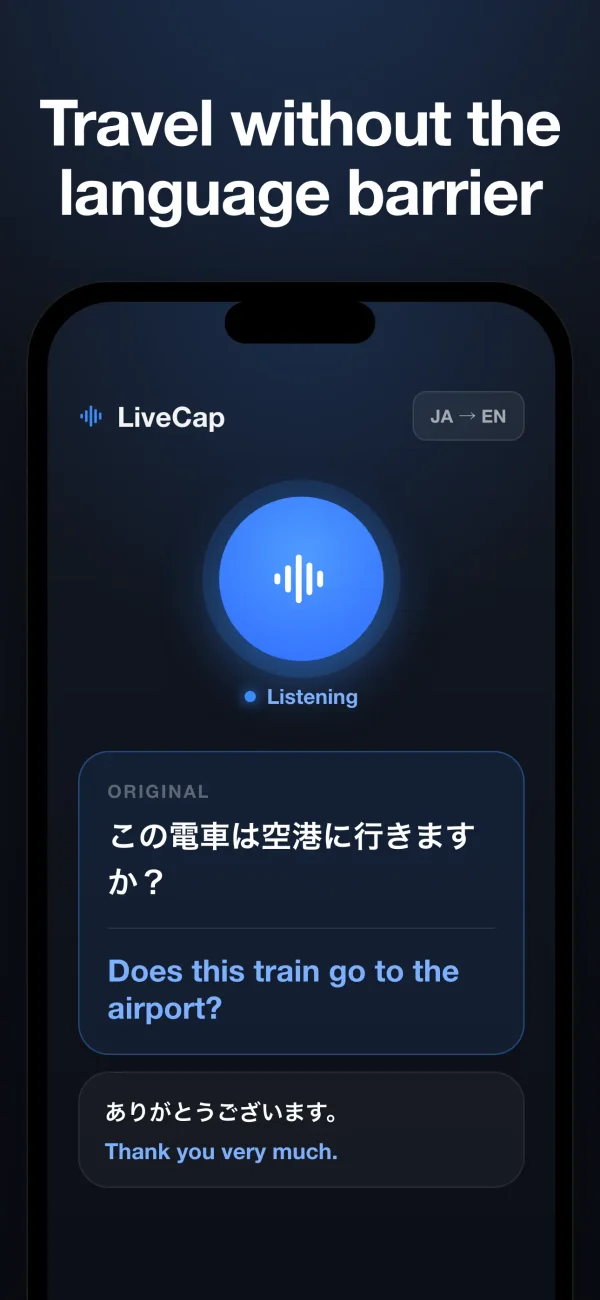
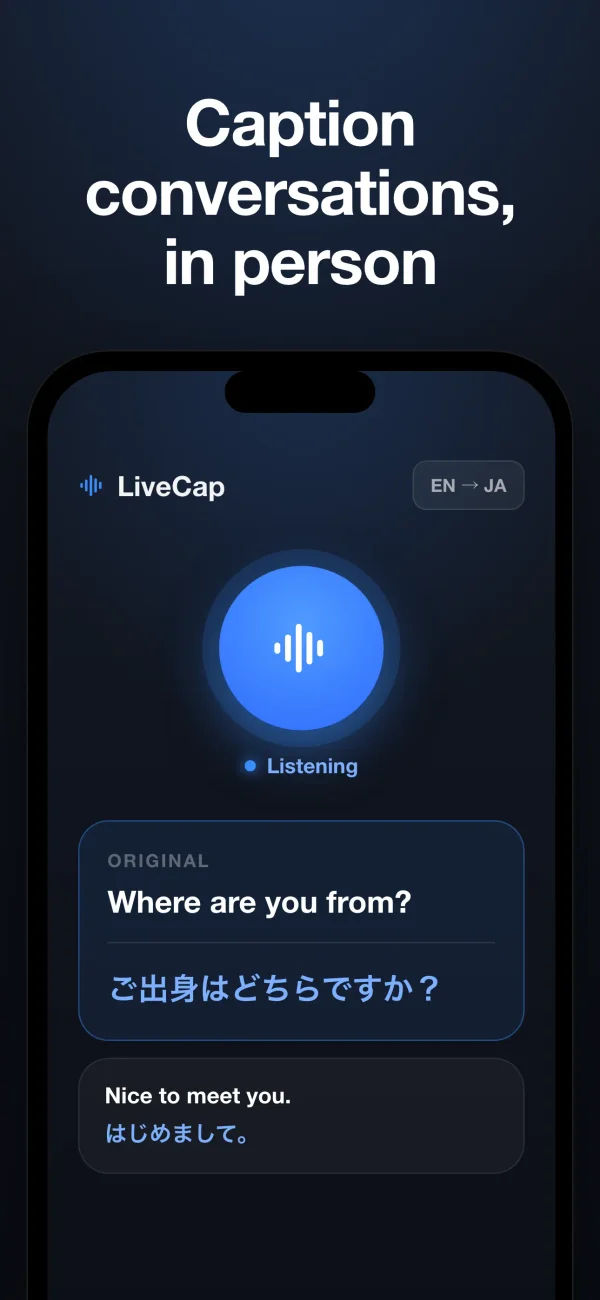
LiveCap turns audio into live, readable captions—and translates them in real time.
On your Mac, LiveCap captures the system audio from any app: video calls, online meetings, streaming video, podcasts, lectures, and games. On your iPhone, it captures in-person conversations through the microphone. Either way, you get instant captions you can actually follow.
EVERYTHING ON DEVICE Speech recognition and translation run entirely on your device using Apple's built-in engines. Nothing is uploaded, nothing is kept on a server, and it keeps working offline.
KEY FEATURES • Real-time captions for any sound on your Mac (system audio) or your voice on iPhone (microphone) • Instant translation shown next to the original text • On-device and offline — private by design • Floating overlay keeps captions visible over any app (Mac) • Export transcripts to Word, Markdown, or Notion • Optional AI summaries of what was said • Interface in English, Japanese, and Spanish, with a UI language you can switch independently
GREAT FOR • Following meetings and calls in another language • Watching videos, podcasts, and lectures with captions • In-person conversations and travel • Accessibility and note-taking
ONE PURCHASE, ALL YOUR DEVICES Try it free. Unlock unlimited use with a single one-time purchase that works on both iPhone and Mac (Universal Purchase). No subscription.
Capturing system audio on Mac uses ScreenCaptureKit and asks for Screen Recording permission. Microphone capture asks for microphone access. Captions are generated on device.
What’s new
Version 1.0.1 · Aug 15, 2026
- Added a screen that shows the other kotomori apps: open it from the menu bar or the header button on Mac, or the header button on iPhone.
- Added a way to rate LiveCap: from the menu bar on Mac, or the star button in the header on iPhone.
- Fixed text on iPhone that stayed in Japanese even when the app language was English or Spanish (on-screen hints and microphone / speech recognition errors).
App privacy
What Daichi Tanabe declares on the App Store about how this app handles data.
-
Data not collected
The developer does not collect any data from this app.
Privacy practices may vary, for example with the features you use or your age.
Information
- Seller
- Daichi Tanabe
- Category
- Utilities
- Version
- 1.0.1
- Updated
- Aug 15, 2026
- Released
- Jun 24, 2026
- Size
- 1.7 MB
- Requires
- iOS 18.0 or later
- Age rating
- 4+
- Price
- Free
- In-app purchases
- Yes
- Languages
- English, Spanish
- Copyright
- © 2026 Daichi Tanabe
You might also like
-
 Live Captions, TranslationReal-time live captions
-
 Offline Translator: Live VoiceConversation, captions & text
-
 Otua - Live CaptionsFor deaf & hard of hearing
-
 TranscapeLive captions for video calls
-
 Live Caption & Translationinstant Live captions
-
 Akoe: Live CaptionsSpeech to text, with names
-
 Tolk: Live SubtitlesTranslate any video instantly
-
 Subtitle Anything - CaptionsLive captions and translation
-
 QR Code Reader: QREKABarcode & ID Scanner Generator
-
 Captions & Subtitles - LiveSTTSpeech to Text & Translate