Lock On - Limit Screen Time
Overtime at your own rate
Designed for iPhone, iPad, iPod touch
Free · In-app purchases
- Age rating4+
- CategoryProductivity
- DeveloperBinVision Solutions Inc.
- LanguagesEnglish
- Size51.2 MB
Links to the official App Store page
Download.org hosts no file of Lock On - Limit Screen Time. The button opens its official App Store page, published by BinVision Solutions Inc. Listing last checked on Nov 15, 2026.
Screenshots


About
You have set a screen time limit before. And tapped straight through it. That isn't a willpower problem – a reminder you can easily dismiss was never a limit.
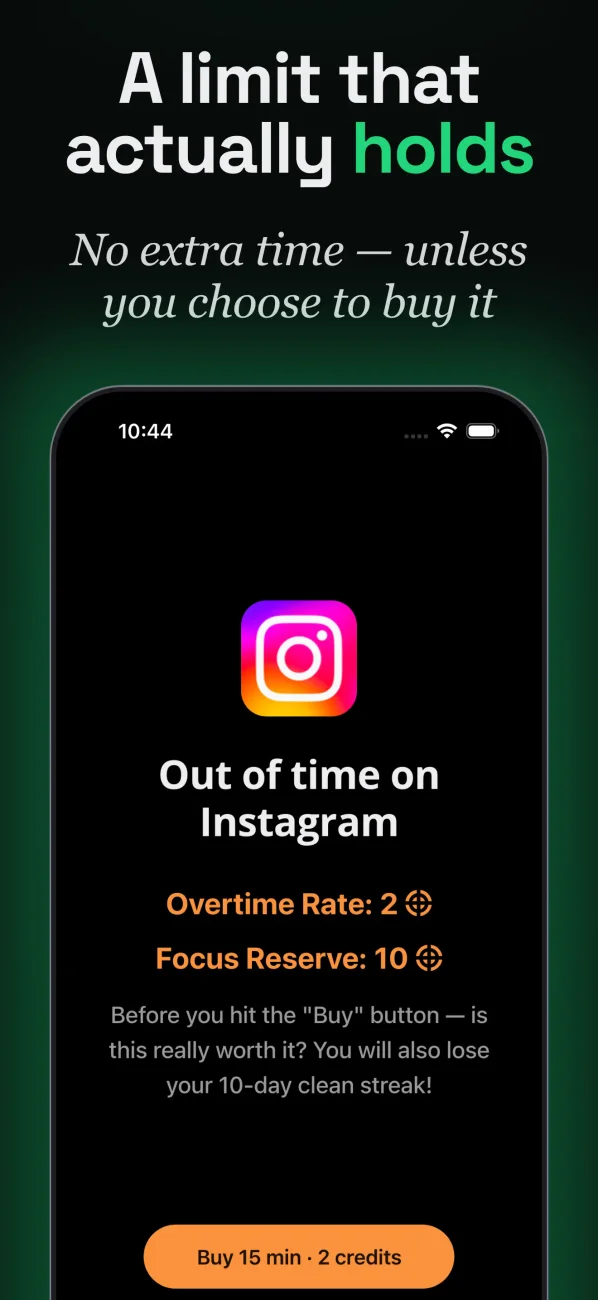
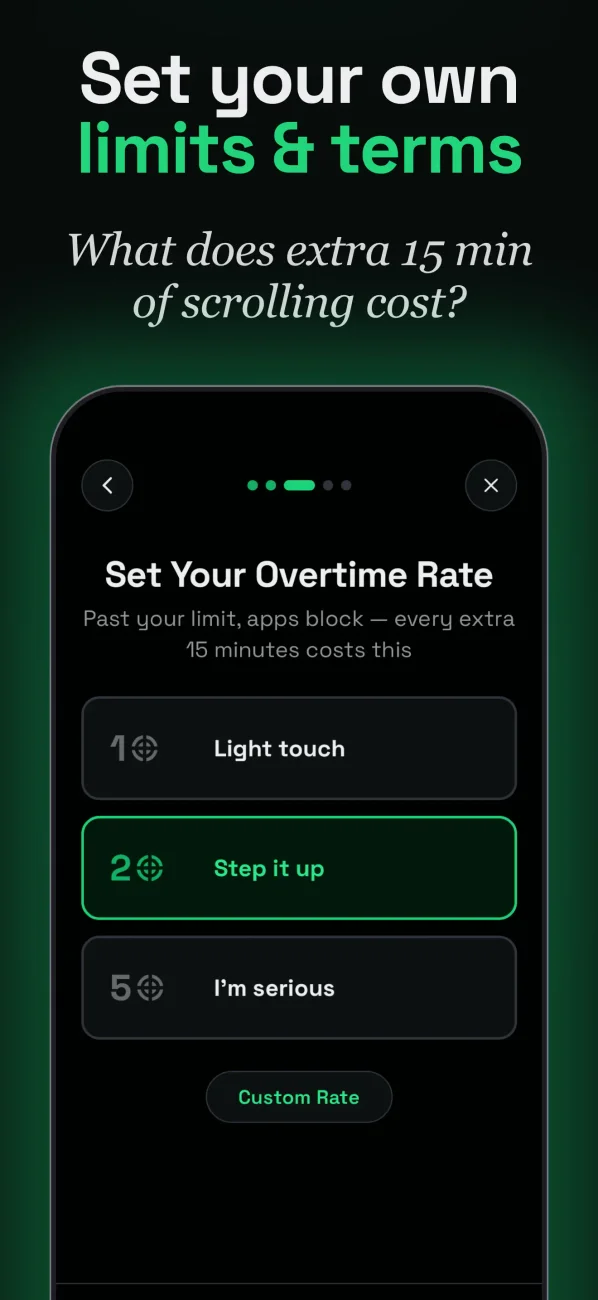
Lock On removes the tap-through. Reach your daily limit – and the apps block. Want more time? It costs focus credits at an overtime rate you set in advance, back when you were thinking clearly.
WHY THIS ONE HOLDS
Screen Time asks nicely, then lets you tap Ignore.
Blockers can be switched off the second you want them off.
Lock On makes scrolling past your limit cost something real you chose in advance.
Tightening your terms takes effect immediately. Loosening them waits 48 hours, so a bad evening can't quietly rewrite the deal.
HOW IT WORKS
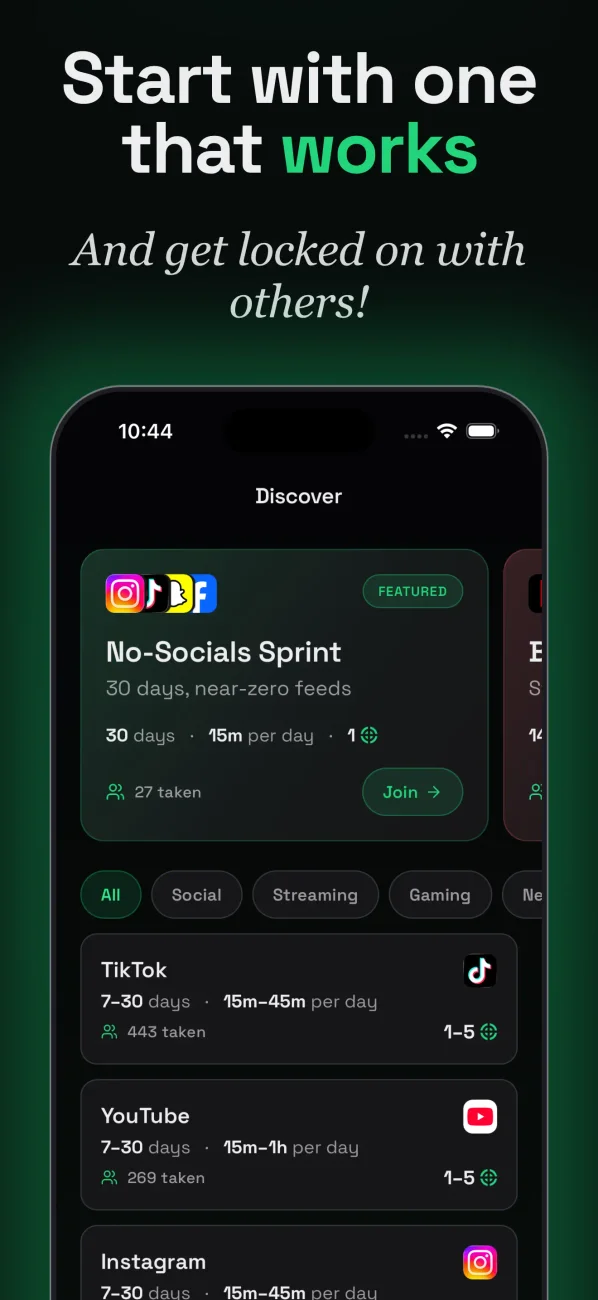
1. Pick your apps – or join a curated challenge in Discover that people are already running.
2. Set one daily limit for all of them combined.
3. Set your overtime rate – what 15 more minutes should cost?
4. Pick a finish line – a week, a month, or your own end date.
5. Lock on!
WHAT YOU GET
• Daily limits that block, not notifications you swipe away
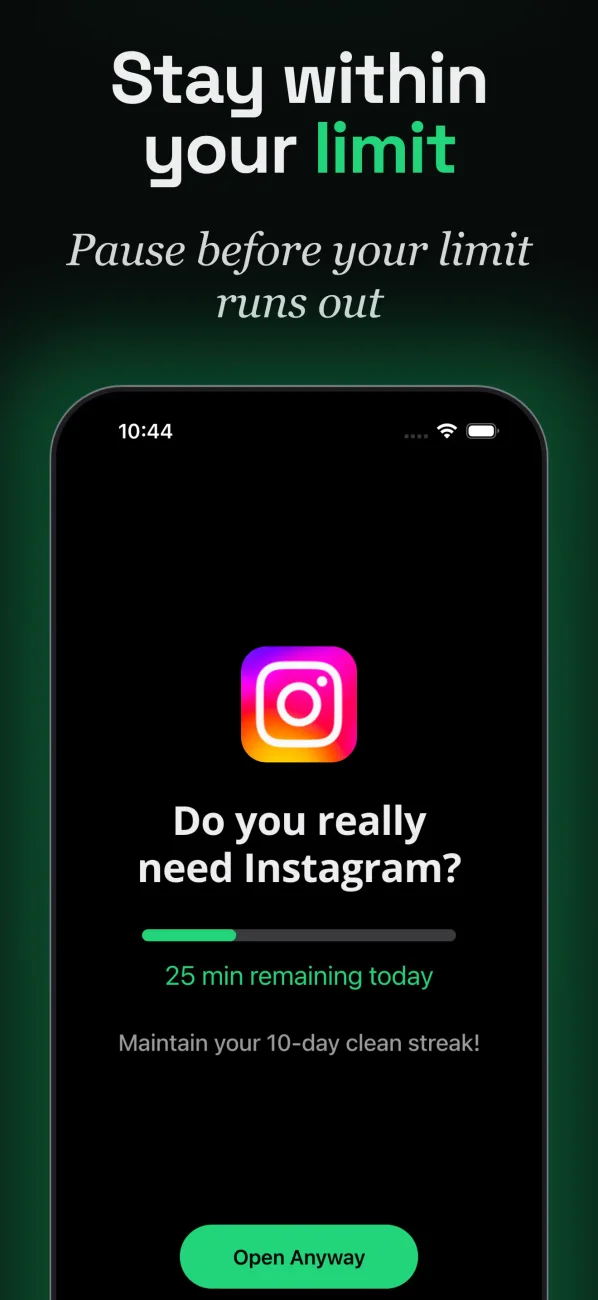
• A pause screen before a distracting app, with your minutes left
• Overtime in 15-minute blocks, at the rate you set
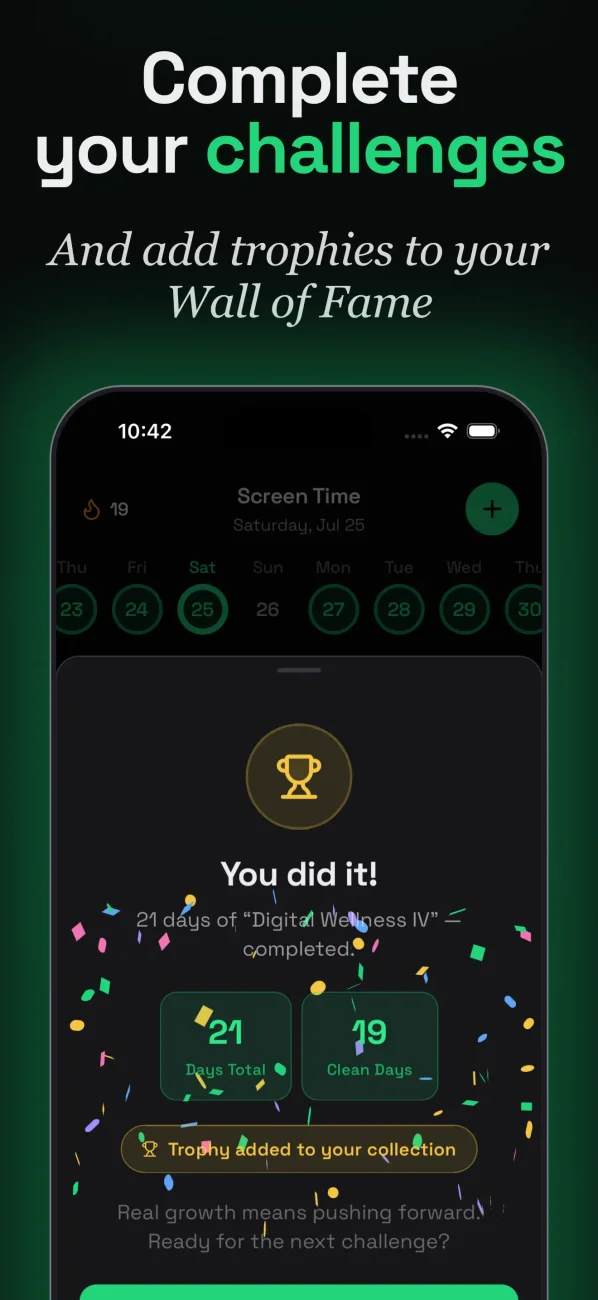
• Clean days rewards, a streak, and a run that survives a rough day
• Calendar history plus daily, monthly, and yearly summaries
• Trophies from Bronze to Diamond when you finish a challenge
• Alerts as you approach your limit
• Locked challenges that can't be paused, loosened, or ended prematurely.
WHAT PEOPLE USE IT FOR
• Doomscrolling on feeds and short video
• Protecting deep work and study sessions
• Keeping games and streaming from taking the whole evening
• Getting off the phone before bed
ABOUT FOCUS CREDITS
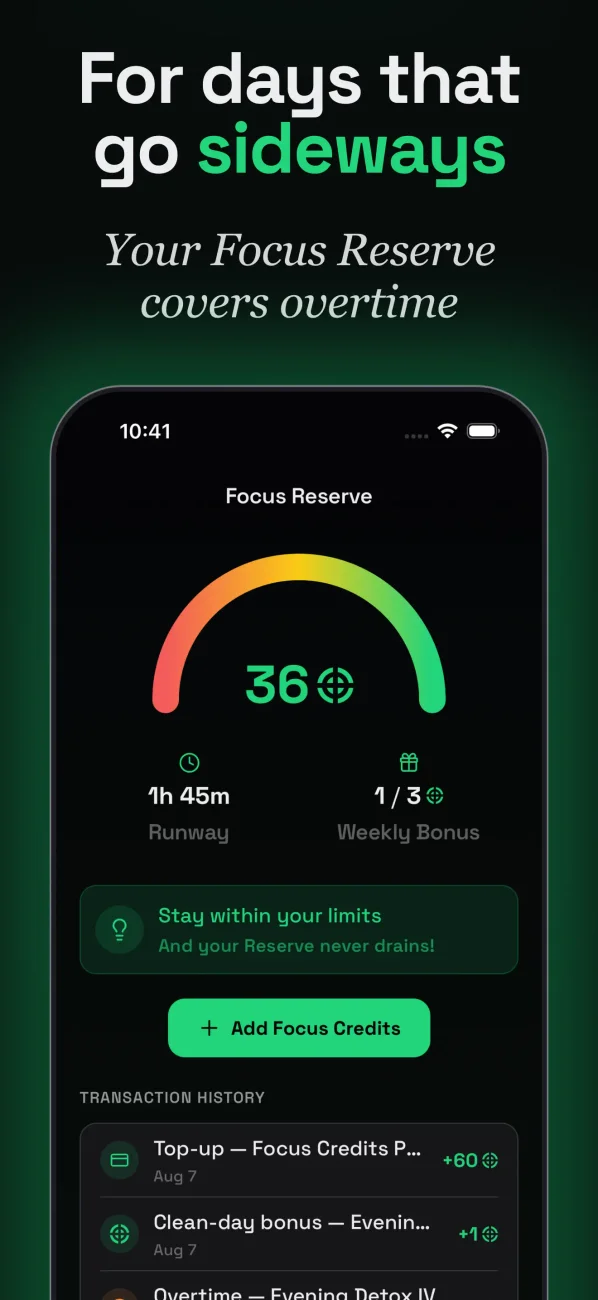
Credits are your cushion for the days that go sideways. Going up to your limit doesn't take them from you – buying overtime does, and only when you choose to. Earn them on clean days and referrals, or top up for a bigger cushion. Runway shows how much overtime your balance still covers.
LOCK ON PRO
Lock On Pro is an auto-renewing subscription, available monthly or annually, and new subscribers start with a 7-day free trial. Payment is charged to your Apple Account at confirmation of purchase. The subscription renews automatically unless it is cancelled at least 24 hours before the end of the current period. Manage your subscription or turn off auto-renew in your Apple Account settings. Focus credit packs are one-time purchases and do not renew.
Terms of Service: https://lockon.app/terms
Privacy Policy: https://lockon.app/privacy-policy
What’s new
Version 1.1.1 · Aug 28, 2026
Thank you everyone for your vast initial feedback and suggestions!
We worked hard to deliver most of them:
- Curated Challenges - get locked on with others on a number of pre-defined challenges
- Overtime Rate model makes the UI / UX flow intuitive
- New onboarding to help you get started easily
- Focus Reserve weekly rewards for clean days
- Refer and earn extra focus credits
- App Shield now opens the app right on tap
- Lots of other stability improvements and fixes
- ...and more coming soon!
App privacy
What BinVision Solutions Inc. declares on the App Store about how this app handles data.
-
Data linked to you
May be collected and linked to your identity.
- Purchases
- Contact info
- User content
- Identifiers
-
Data not linked to you
May be collected but is not linked to your identity.
- Purchases
- Usage data
- Diagnostics
Privacy practices may vary, for example with the features you use or your age.
Information
- Seller
- BinVision Solutions Inc.
- Category
- Productivity
- Version
- 1.1.1
- Updated
- Aug 28, 2026
- Released
- Apr 27, 2026
- Size
- 51.2 MB
- Requires
- iOS 15.1 or later
- Age rating
- 4+
- Price
- Free
- In-app purchases
- Yes
- Languages
- English
- Copyright
- © 2026 BinVision Solutions Inc.
You might also like
-
 Chirp: Kids Earn Screen TimeChore Chart & Reward Tracker
-
 ScreenWorth: Screen Time LimitScience-backed screen habits
-
 StoicLock: Focus & App BlockerADHD Screen Time & Control
-
 Svasa: Slowdown, Breath, HealTake breath breaks
-
 OUT1NBackendYour business in your hand
-
 Tomato: Screen Time ControlApp Blocker & Focus Timer
-
 DIARYit: Diary JournalPrivate offline daily writing
-
 Fried: Screen Time ControlApp Blocker & Focus Timer
-
 PomoLock: AppBlockerPomodoro Timer & App Limits
-
 FocusTube for SafariYouTube Without Distractions