ScreenWorth: Screen Time Limit
Science-backed screen habits
Designed for iPhone
Free · In-app purchases
- Age rating17+
- CategoryProductivity
- DeveloperRAM GANGISETTY
- LanguagesEnglish
- Size2.5 MB
Links to the official App Store page
Download.org hosts no file of ScreenWorth: Screen Time Limit. The button opens its official App Store page, published by RAM GANGISETTY. Listing last checked on Nov 14, 2026.
Screenshots

About
Your phone wants your attention. Take it back.
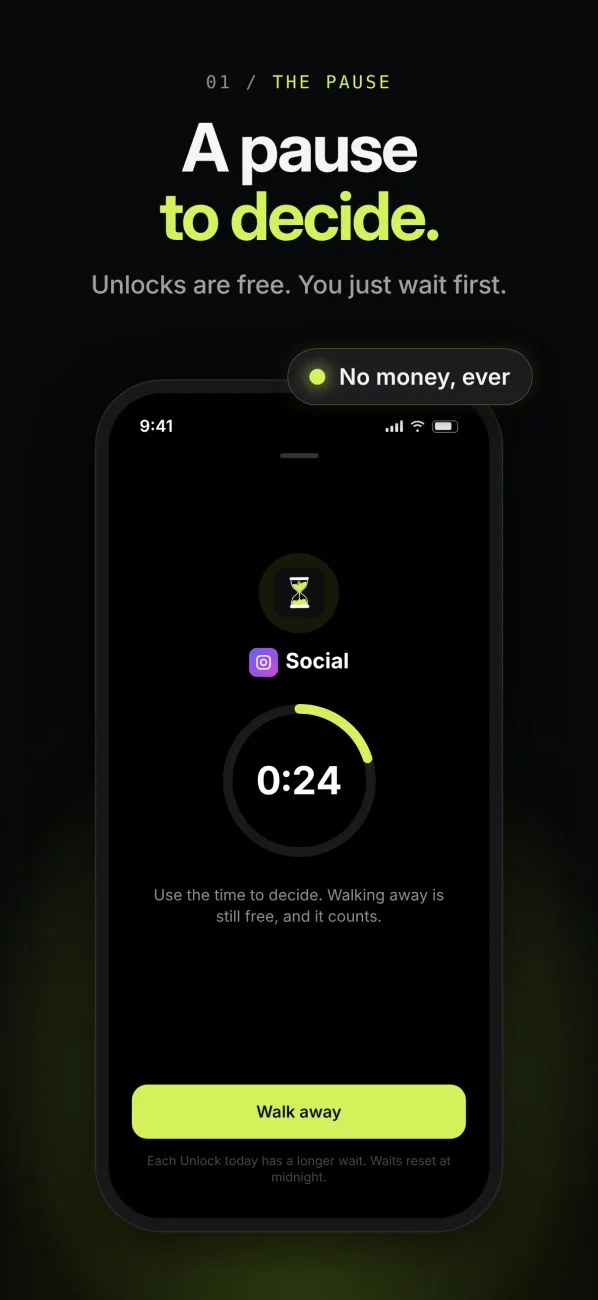
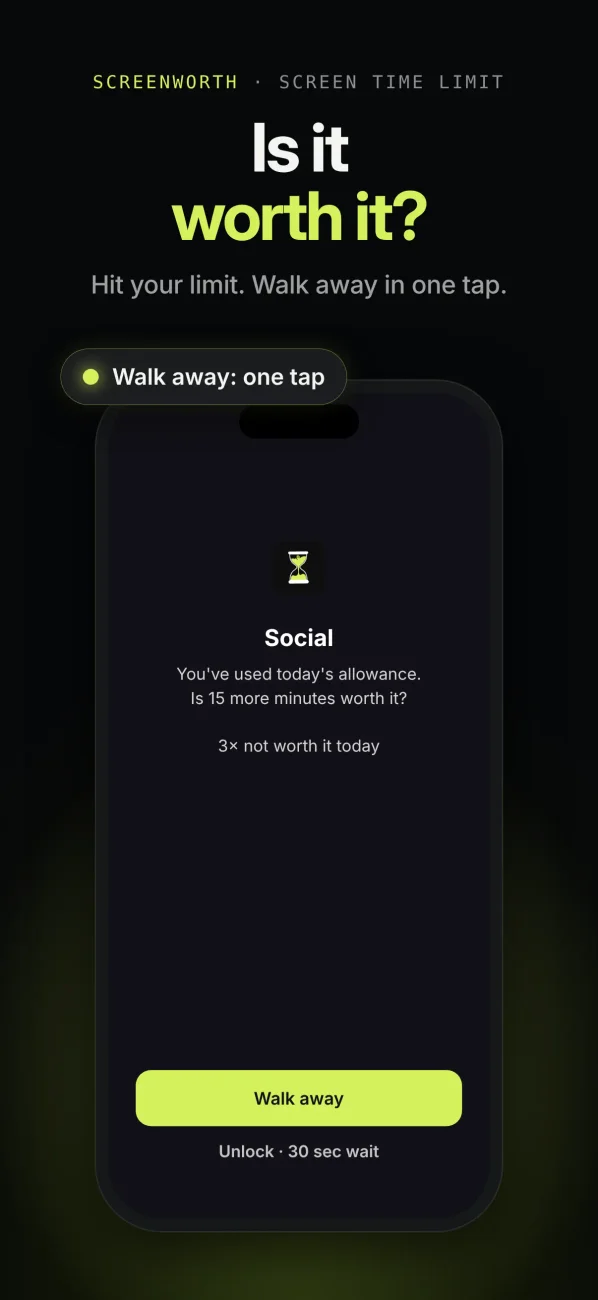
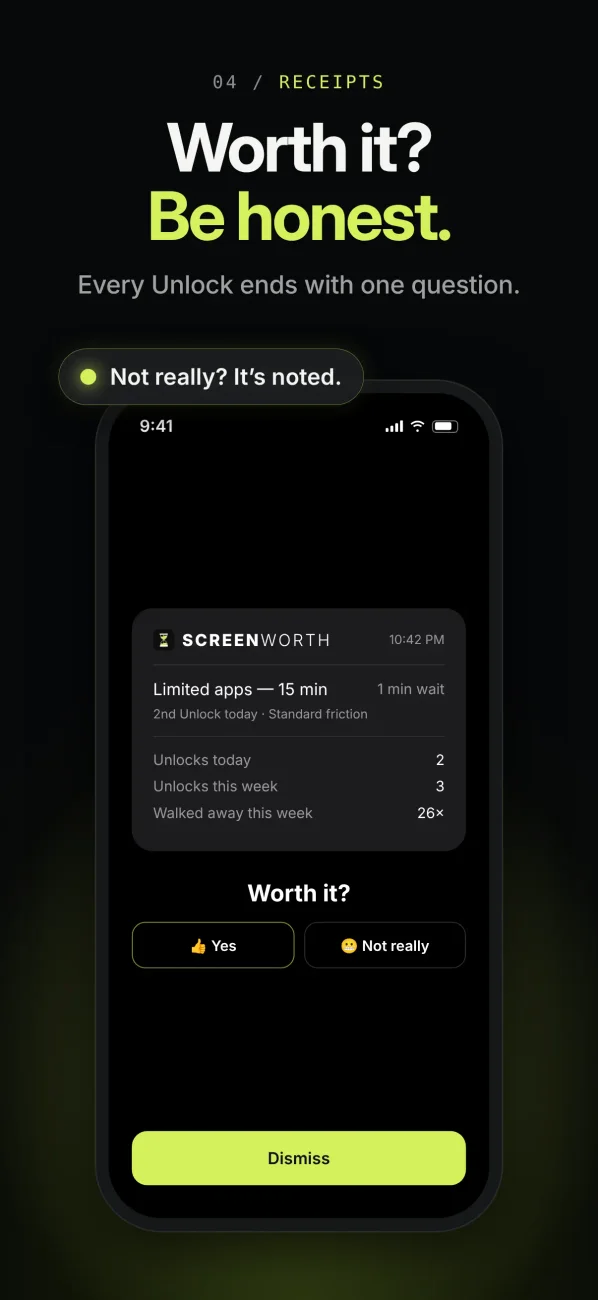
ScreenWorth puts a real pause between you and the scroll. You choose the apps and the limits. When you hit one, you get a choice: walk away in one tap, or wait a moment and unlock 15 more minutes if it's really worth it.
Most of the time, it isn't. That's the point.
HOW IT WORKS
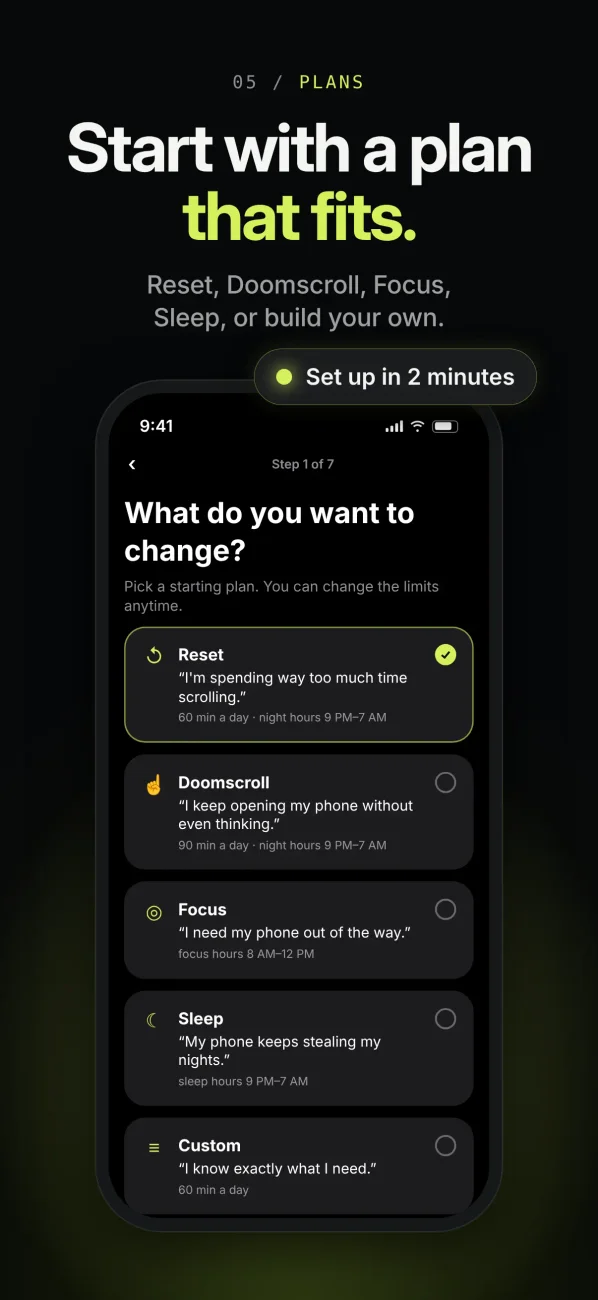
• Pick what you want to change: endless scrolling, mindless phone checks, focus or sleep.
• Choose the apps you want limits on. Calls, alarms and the apps you rely on stay available.
• Set a daily allowance and quiet hours, like 60 minutes a day and nothing after 9 PM.
• Hit your limit and the app is shielded. Walk away, or start an Unlock.
• An Unlock is free, but it asks you to wait first, then confirm. Each Unlock in a day waits longer than the last. Waits reset at midnight.
YOU CHOOSE THE FRICTION
• Light: 15 seconds, then 30 seconds, then 1 minute
• Standard: 30 seconds up to 10 minutes by the 5th Unlock
• Strong: 1 minute, then 5 minutes, then 15 minutes
WALK-AWAYS COME FIRST
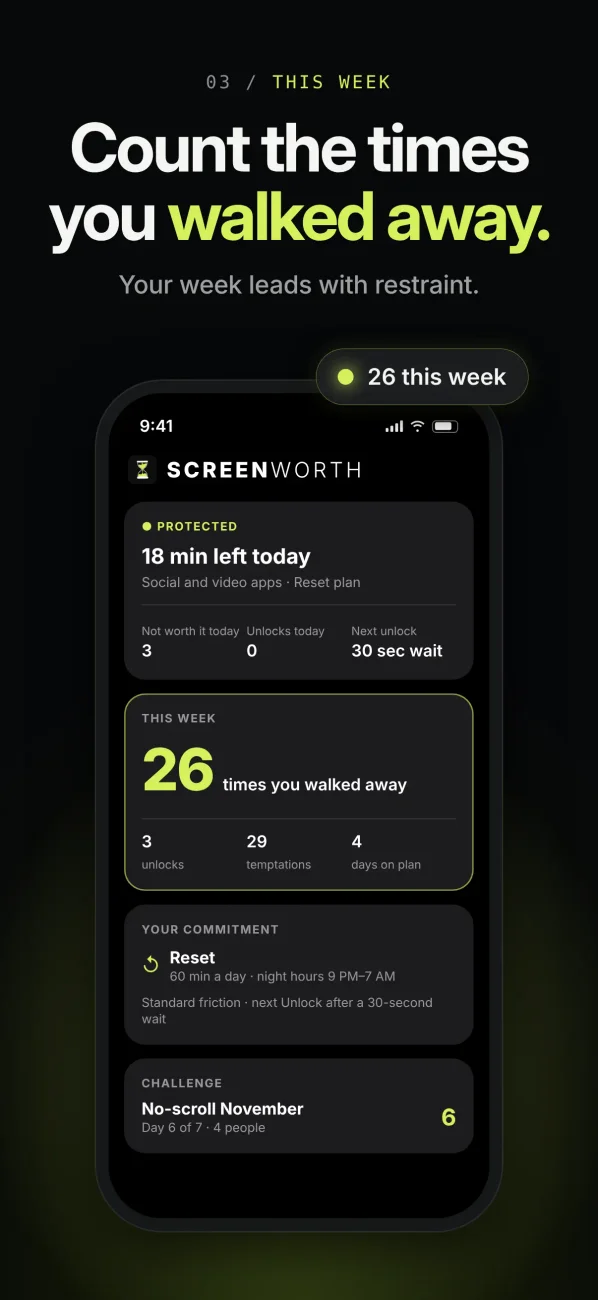
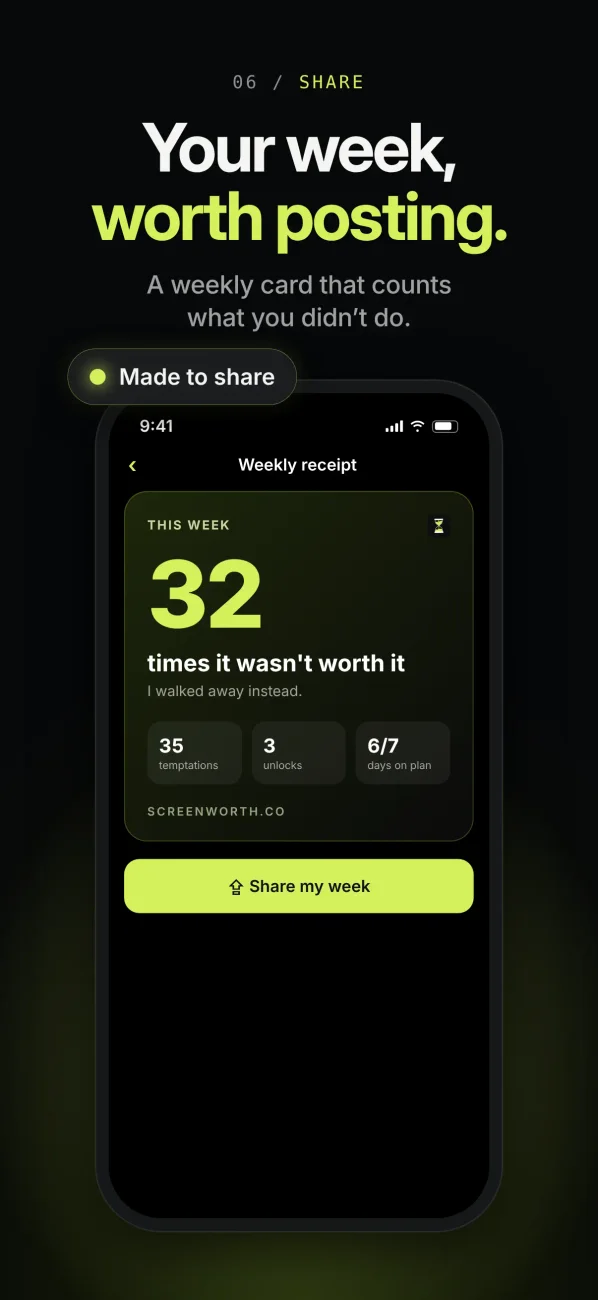
Your home screen leads with the number that matters: how many times you walked away this week. After an Unlock, a quick "Worth it?" lets you note whether those 15 minutes were. Your weekly card adds it up, and it's made to share.
STARTER PLANS
• Reset: 60 minutes a day on social and video apps
• Doomscroll: 90 minutes a day in shorter windows
• Focus: distraction apps off during work hours
• Sleep: distraction apps off 9 PM to 7 AM
• Custom: build your own
HONEST BY DESIGN
You're an adult, and you can always turn off Screen Time in iOS Settings. If protection stops working, ScreenWorth tells you plainly and helps you turn it back on. It never pretends you're protected when you're not.
PRIVACY
ScreenWorth uses Apple's Screen Time on your iPhone. Which apps you pick and how long you use them stay on your device. No ads, and no ad or analytics companies inside the app.
CHALLENGES
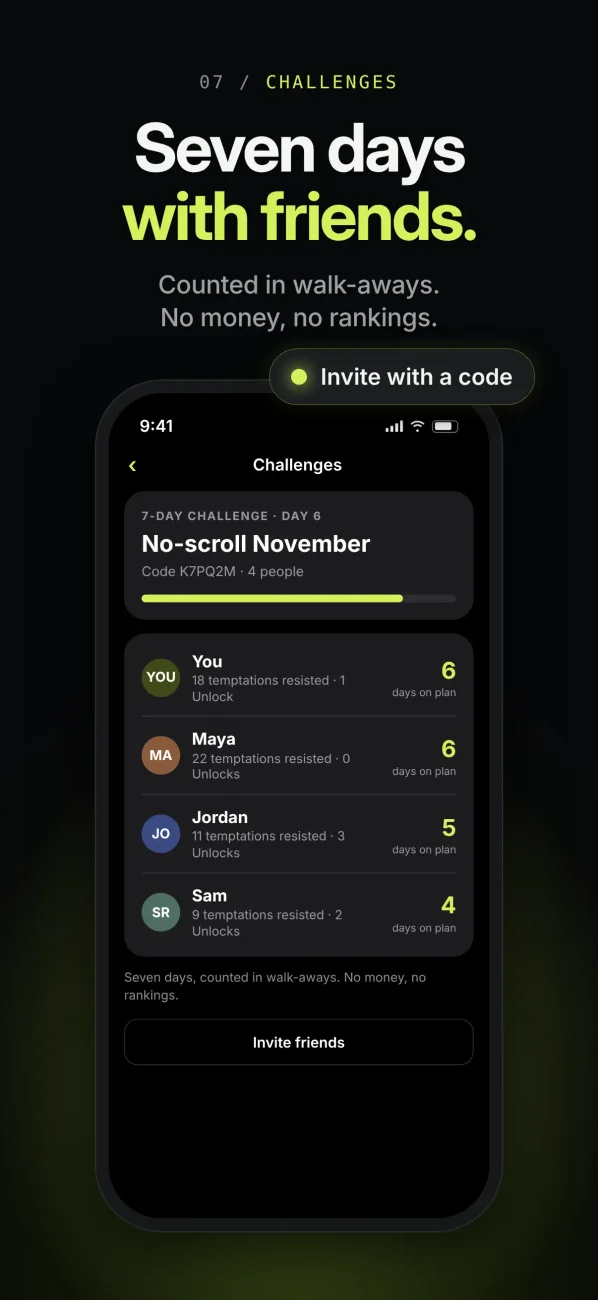
Start a 7-day challenge and invite friends. Scores are about streaks and times you walked away, never money.
SCREENWORTH PLUS
Plus adds several plans at once, every past weekly receipt and all your "Not really" patterns. Plus never shortens Unlock waits, because the pause is the point.
• ScreenWorth Plus Monthly: $4.99 per month
• ScreenWorth Plus Yearly: $39.99 per year
Payment is charged to your Apple Account at confirmation of purchase. The subscription renews automatically unless canceled at least 24 hours before the end of the current period. Your account is charged for renewal within 24 hours before the end of the current period. Manage or cancel anytime in your Apple Account settings.
ScreenWorth is not a medical device and doesn't treat any condition.
Terms of Use: screenworth.co/terms
Privacy Policy: screenworth.co/privacy
What’s new
Version 1.0.2 · Nov 9, 2026
Unlocks are now free. When you hit a limit, walk away in one tap, or wait a moment and confirm to unlock 15 more minutes. Each Unlock in a day waits a little longer. Waits reset at midnight.
App privacy
What RAM GANGISETTY declares on the App Store about how this app handles data.
-
Data linked to you
May be collected and linked to your identity.
- Purchases
- Identifiers
- Usage data
- Diagnostics
Privacy practices may vary, for example with the features you use or your age.
Information
- Seller
- RAM GANGISETTY
- Category
- Productivity
- Version
- 1.0.2
- Updated
- Nov 9, 2026
- Released
- Nov 2, 2026
- Size
- 2.5 MB
- Requires
- iOS 16.0 or later
- Age rating
- 17+
- Price
- Free
- In-app purchases
- Yes
- Languages
- English
- Copyright
- © 2026 ScreenWorth
You might also like
-
 Shots - Save ScreenshotsScreenshot inbox on device
-
 Worth It - Pay to UnlockBlock apps. Pay to unlock.
-
 Lock On - Limit Screen TimeOvertime at your own rate
-
 reason - limit screen timeApp blocker & time control
-
 EasEvent: Calendar AssistantYour AI scheduling buddy
-
 ResaleScan: AI Value ScannerAI Item Value & Price Checker
-
 59 minTwist to set. Rings on silent.
-
 Limit – Control the ScrollMake screen time intentional
-
 Screen Time Limit - DisconnectSocial Media & App Blocker
-
 67: Strict Screen Time BlockerNo More “Ignore Limit”