lowkeysafe - Password Manager
Password generator & vault
Designed for iPhone, iPad, iPod touch
Free
- Age rating4+
- CategoryUtilities
- DeveloperWAI TONG CHU
- LanguagesEnglish
- Size26.2 MB
Links to the official App Store page
Download.org hosts no file of lowkeysafe - Password Manager. The button opens its official App Store page, published by WAI TONG CHU. Listing last checked on Nov 18, 2026.
Screenshots


About
lowkey safe is a password generator and vault that runs entirely on your device. There is no account to create, no sync service and no cloud. Everything you save is kept in an encrypted vault that never leaves your iPhone.
GENERATE
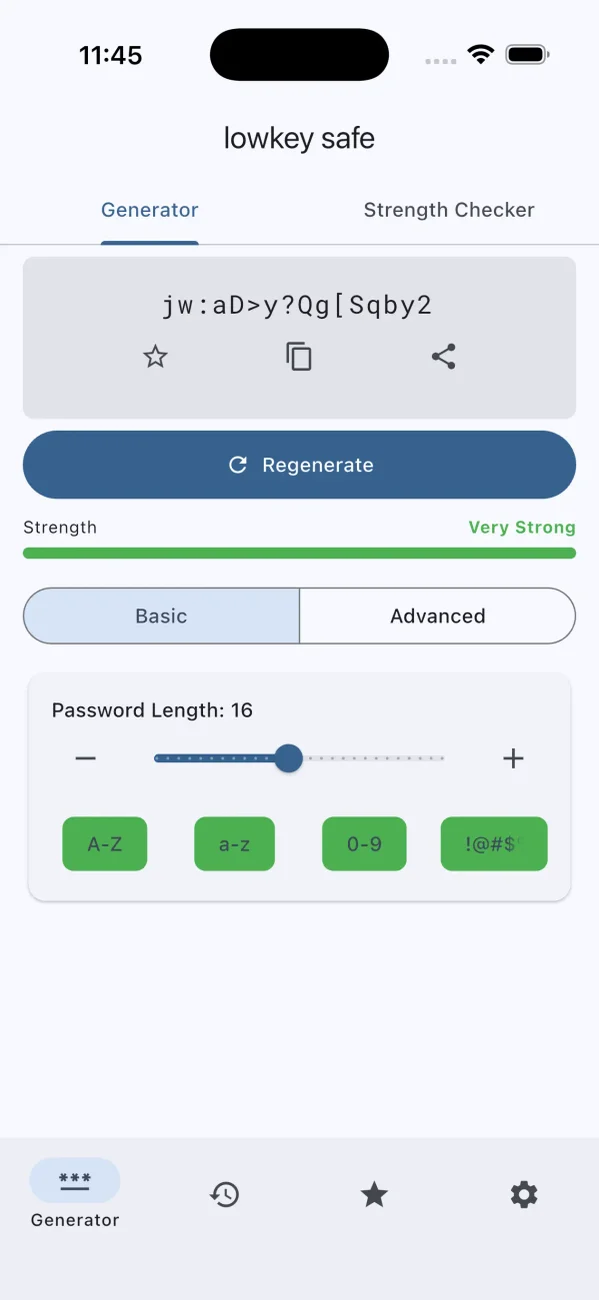
• Basic — a strong random password in one tap
• Advanced — set the length and choose exactly which characters to include or exclude
• Passphrase — real words strung together, so you can actually remember it
• Pronounceable — easy to say and type, without being a real word
TWO-FACTOR CODES
Add a 2FA key to an entry and the six-digit code sits right next to the password, with a countdown so you know whether to use it now or wait for the next one. Tap to copy. Paste in the secret or the whole otpauth link — there is no QR scanner yet.
SECURE NOTES
Not everything worth protecting is a password. Keep Wi-Fi codes, recovery keys, account numbers and software licences in the same encrypted vault, in their own tab.
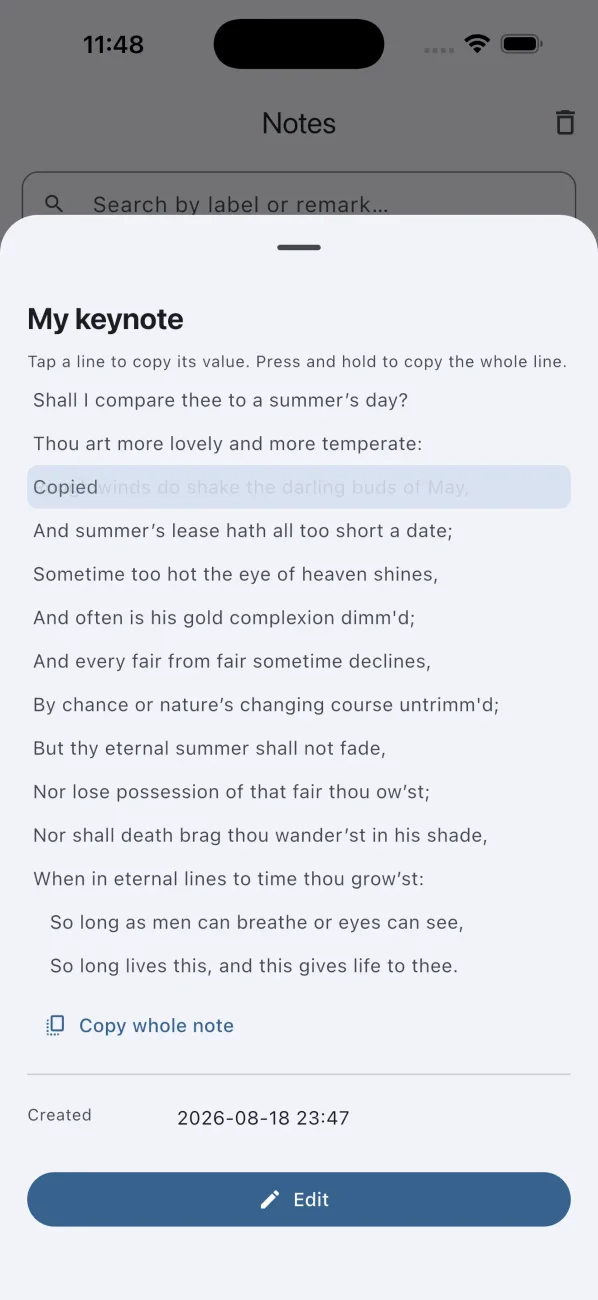
Write a note however you like, one item per line. Tap a line to copy it. When a line reads like "Account: 12345", tapping copies just the number — press and hold to copy the whole line instead. No selecting text, no fiddling with a cursor.
CHECK WHAT YOU ALREADY USE
Type in an existing password and see what it is really made of: length, character types, pool size and entropy, plus an estimated brute-force time you can model against different GPUs and hashing algorithms. lowkey safe also warns you when a password looks suspiciously similar to one you have already saved.
KEEP IT ORGANISED
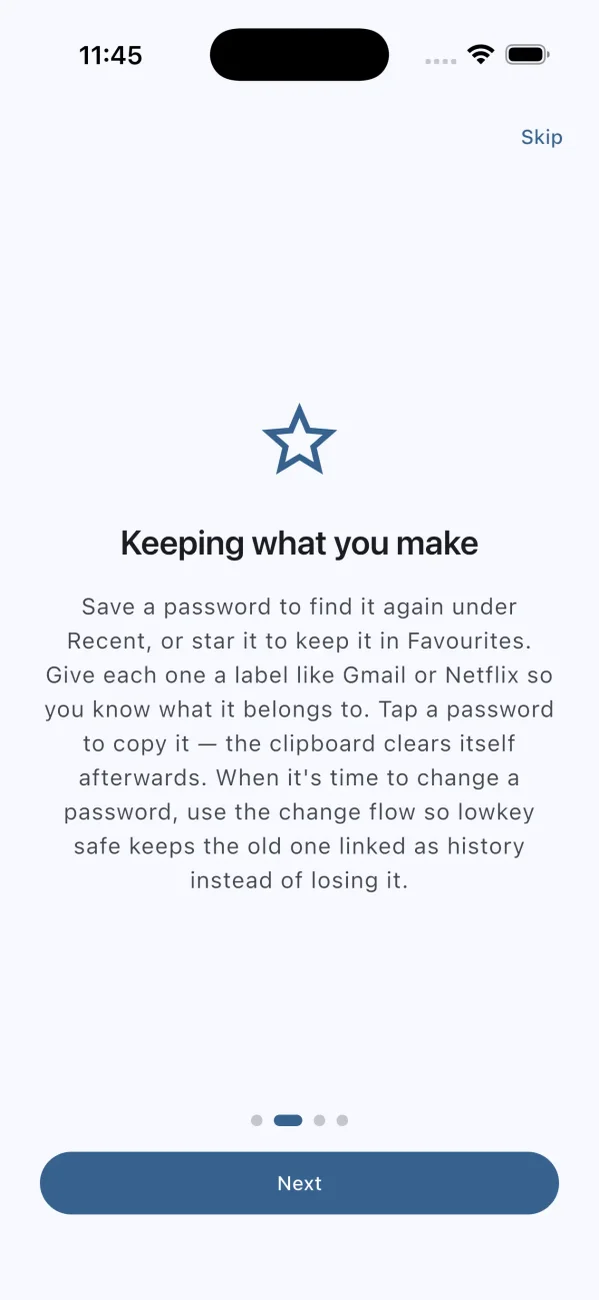
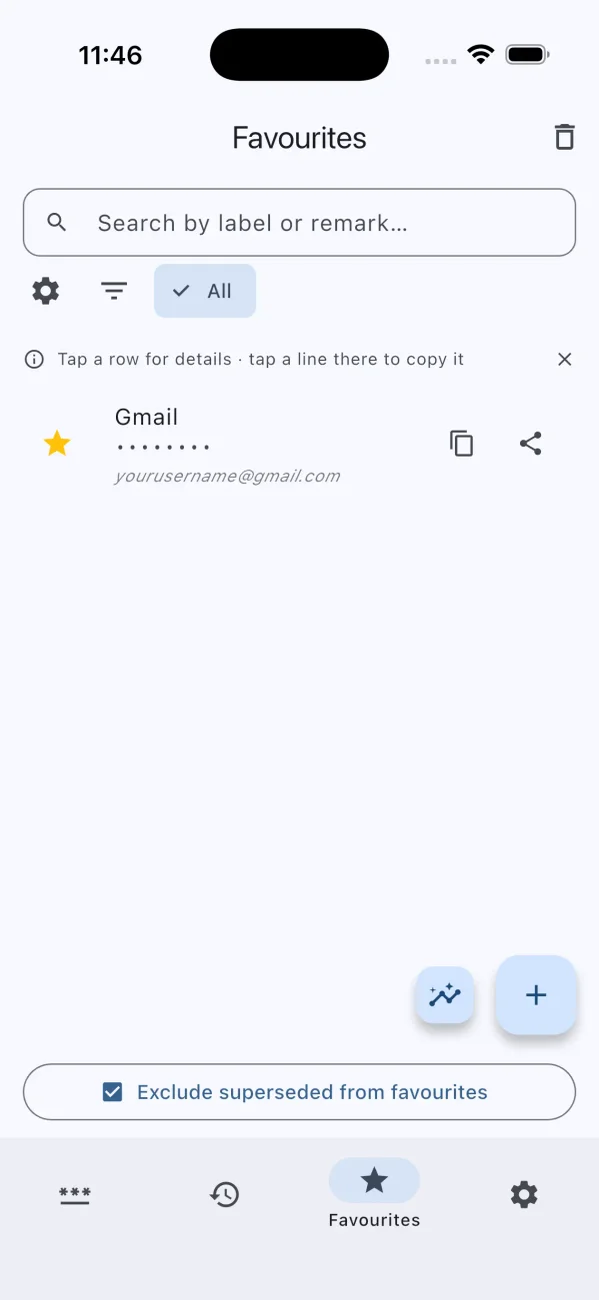
Save what you generate with a label like Gmail or Netflix, add notes, tags and categories, and star the ones you reach for most. Search looks inside your notes too. When it is time to change a password, the change flow keeps the old one linked as history instead of losing it. Logins have their own fields for the account name and the website, so an entry is more than just a password.
SEE WHAT IS WEAK
Insights reads your saved passwords and tells you what needs attention: which ones are weak, which ones you have reused across sites, and how your strength is spread overall.
MOVE IN FROM ANOTHER APP
Already using something else? Import a CSV export from Chrome, Edge, Safari, 1Password, Bitwarden, LastPass or KeePass. You see a preview before anything is written, and entries you already have are flagged instead of added twice.
STAY IN CONTROL
• App lock with Face ID, Touch ID or your device passcode
• The vault is encrypted with AES-256, and the key is held in the iOS Keychain
• Copied passwords are marked local-only, so they never travel to your other devices
• Deleted entries go to a recycle bin first, so a mistake stays recoverable
• Encrypted, keyword-protected backups (Argon2id and AES-256-GCM) for moving to a new phone
PRIVACY
No account, no sync, no ads. Optional anonymous usage analytics are switched off by default and can stay that way — they never include a password, a label or a note.
Available in English, German, Spanish, French, Japanese, Simplified Chinese and Traditional Chinese.
What’s new
Version 2.2.0 · Sep 3, 2026
A bigger space to write in
Adding or editing an entry now fills the screen instead of a cramped pop-up. Secure notes have room to breathe, and you can see every field while you type.
Notes open as their own screen
Tapping a note now opens it properly, with a back button in the top left and Edit in the top right. On smaller iPhones a long note used to fill the sheet and leave nothing to grab hold of. Swipe right to go back, and editing a long note keeps your place in it.
Settings you can actually read
On narrower iPhones the Security and Appearance settings were badly cramped — one label was breaking a single word across several lines. Every setting now sits on one line, at any text size, in all seven languages.
Nothing lost by accident
Closing an editor with unsaved changes now asks first, instead of throwing away what you typed without a word.
App privacy
What WAI TONG CHU declares on the App Store about how this app handles data.
-
Data not linked to you
May be collected but is not linked to your identity.
- Usage data
- Diagnostics
Privacy practices may vary, for example with the features you use or your age.
Information
- Seller
- WAI TONG CHU
- Category
- Utilities
- Version
- 2.2.0
- Updated
- Sep 3, 2026
- Released
- Apr 16, 2026
- Size
- 26.2 MB
- Requires
- iOS 15.0 or later
- Age rating
- 4+
- Price
- Free
- Languages
- English
- Copyright
- © 2026 Wuthering Studios
You might also like
-
 Auth Code: 2FA AuthenticatorOTP, MFA & Secure Login Codes
-
 Authenticator App - Privacy2FA Authentication MFA & OTP
-
 Mail Verified - FadePost EmailTempmail, Temp Email Generator
-
 Temp Mail : Temporary MailDisposable Temporary Email
-
 Temp Mail 360:Disposable EmailGet instant disposable inboxes
-
 SoundWearHearing Enhancement App
-
 TempMail -Generate Trash EmailUnlimited Disposable Emails
-
 Temp Mail - Encrypted Email AIemail generator bulk temp mail
-
 Temp Mail Pro Temporary Email10mins TempMail Adress
-
 Temp Mail : Disposable Emailbulk temp mail, tempmail