Lumen - AI Camera
Focus Peaking. Film Looks.
Designed for iPhone
Free · In-app purchases
- Age rating4+
- CategoryPhoto & Video
- DeveloperMario Steenbergen
- LanguagesEnglish+ 1 more
- Size17.9 MB
Links to the official App Store page
Download.org hosts no file of Lumen - AI Camera. The button opens its official App Store page, published by Mario Steenbergen. Listing last checked on Nov 26, 2026.
Screenshots



About
Lumen is an on-device AI camera for still photos. It reads the scene live and tunes focus, exposure and tone for you, then finishes each photo with a hand-crafted, film-inspired color look. Still photography only: Lumen does not record video.
TWO MODES
• AI · 12MP: scene-aware processing plus your chosen film look. The preview is WYSIWYG, so what you see is what you get.
• MAX (Pro): the largest photo size iOS offers for your lens (24MP on iPhone 17 Pro) with the phone's native processing. Lumen's AI finishing and film looks are not applied in MAX.
AI CAPTURE: QUALITY OR SPEED
In the ··· menu you choose how AI mode balances processing and waiting time. Quality is the default; Speed asks iOS to trade a little processing for a shorter wait after the shutter.
FILM LOOKS
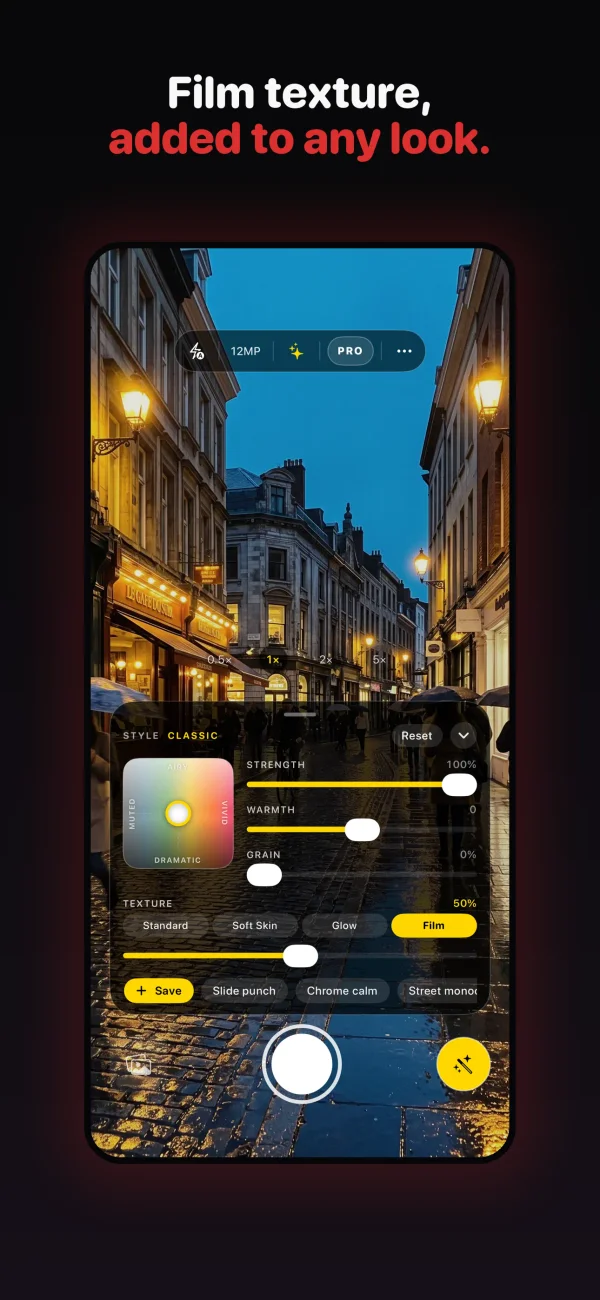
14 looks (including Off), inspired by classic analog film: from neutral and soft to warm golden tones, high-contrast black & white, silvery monochrome and sepia, plus punchy street looks like Hard Light and Midnight Glow. Off, Standard and Classic are free; the other looks come with Lumen Pro. Swipe the strip to compare.
STYLE CONTROLS (Pro)
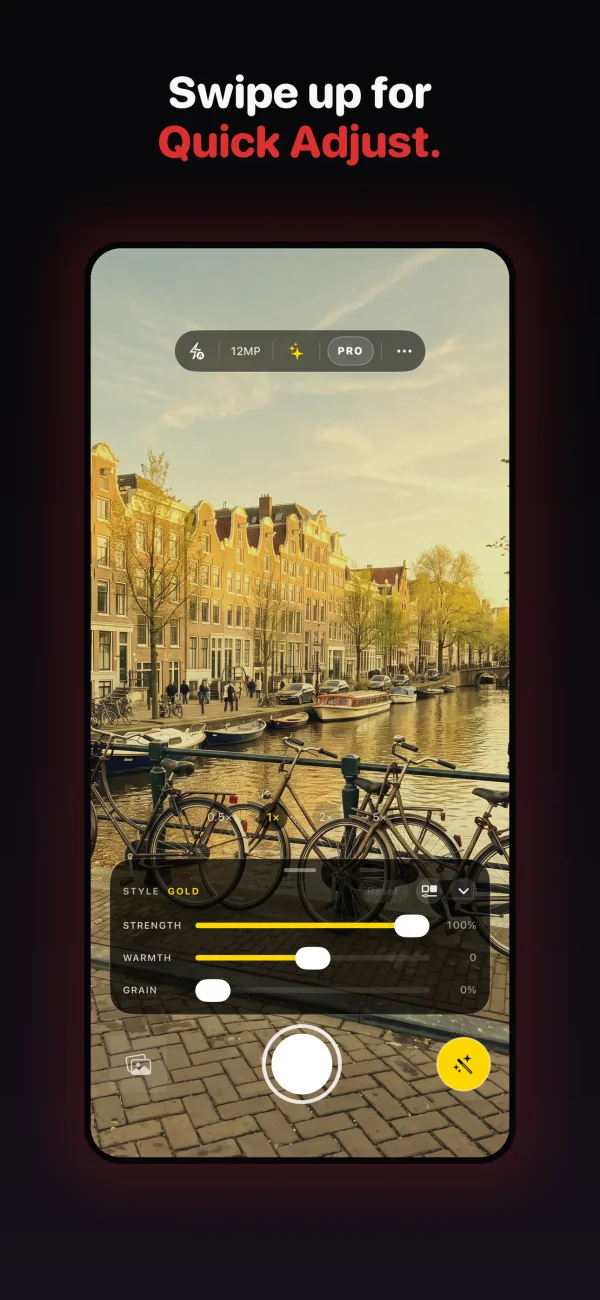
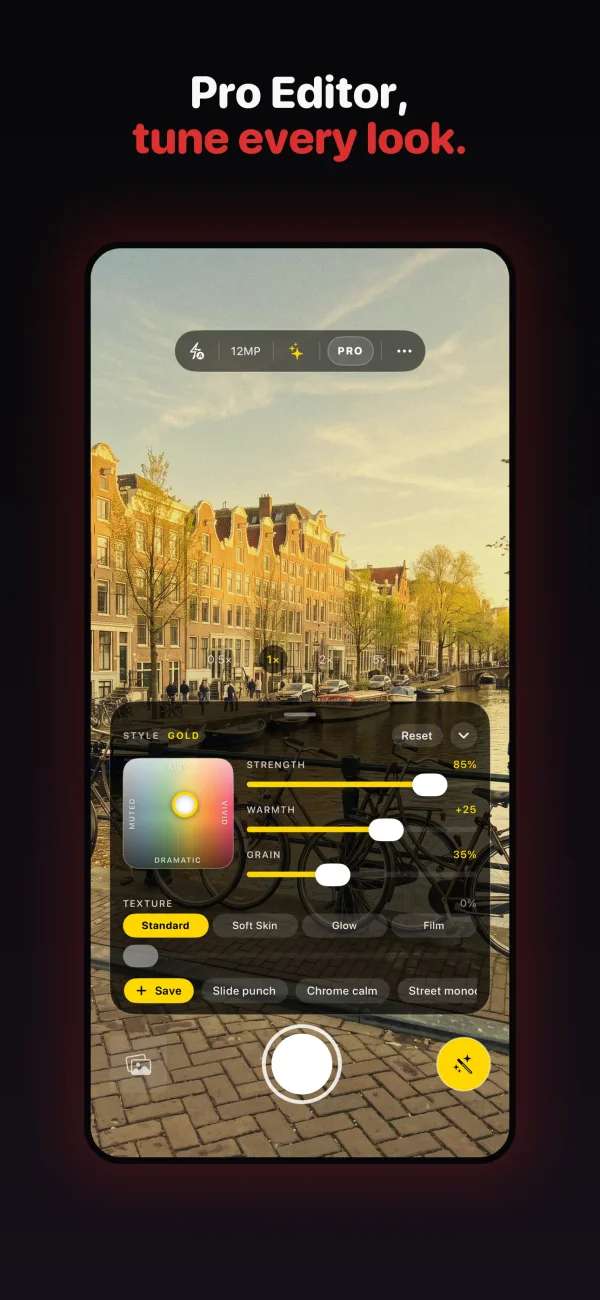
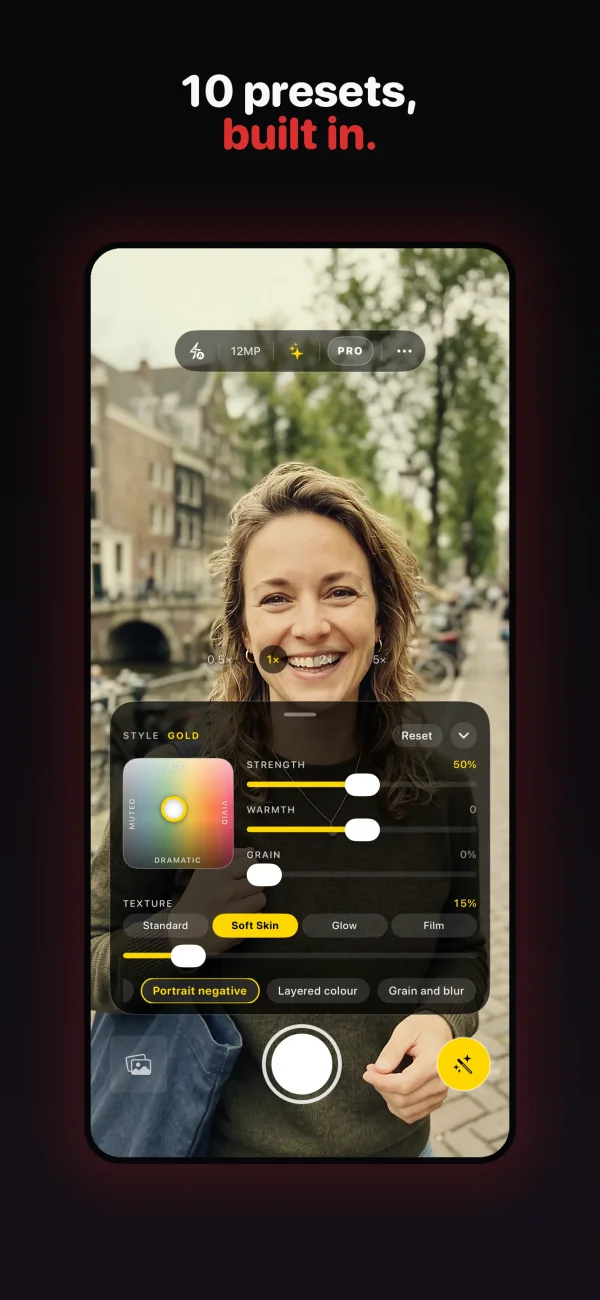
Fine-tune any look with strength, tone, color, warmth and grain, and add a Texture layer: Soft Skin, Glow or Film. Start from 10 built-in style presets or save your own. Quick Adjust gives you three sliders on the camera screen; the Pro Editor has the full panel.
MACRO, BUILT IN (Pro)
Macro switches to the ultra-wide lens itself instead of digitally cropping the main camera. Focus Peaking colors the sharpest edges as you shoot, so you always know what's in focus once depth of field gets razor-thin. Turn on Focus Stacking and Lumen shoots a few frames at different focus distances and merges them into one photo, sharp from front to back, entirely on your iPhone. Best with a steady hand or a small tripod.
FOCUS TRIGGER (free)
Tap a small detail, hold the shutter and rock the phone gently. Lumen watches that exact spot and fires the moment it's sharp.
LUMEN BUDDY (Pro)
A small mascot watches the live view and gives short, friendly tips on sharpness, keeping the horizon level and framing. When it recognizes your subject it may suggest a film look. Buddy only advises; it never touches the shutter or your settings.
PORTRAIT (Pro, LiDAR devices)
Background blur built on your iPhone's LiDAR depth data. Choose an f-stop from f/1.4 to f/8 and Lumen scales both the blur and the depth-of-field zone. Requires iPhone 12 Pro or later Pro models.
LOW-LIGHT (Pro)
Not Apple's Night mode: Lumen allows exposures of up to half a second so the sensor can use a lower ISO, then adds noise reduction and gentle shadow recovery. Hold steady after the shutter click.
PRO MANUAL AND RAW (Pro)
Control shutter speed, ISO, white balance and focus by hand, and shoot a DNG alongside the JPEG for editing in Lightroom, Darkroom or any RAW editor.
BUILT FOR SPEED AND CONTROL
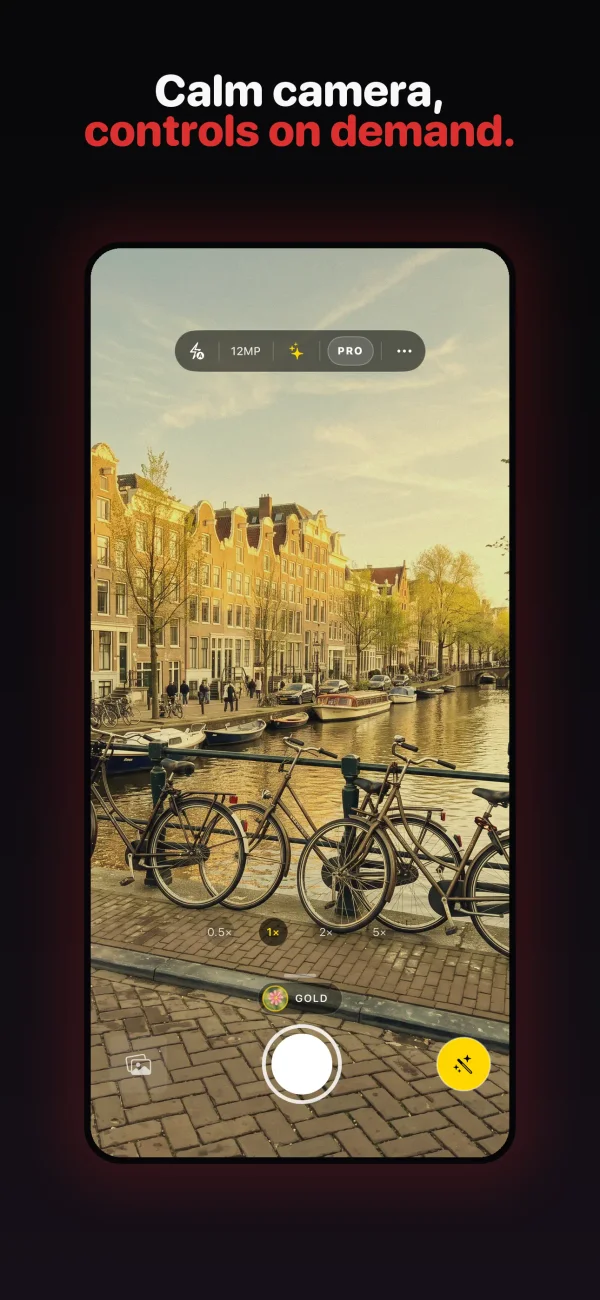
• A calm camera screen: shutter and zoom up front, the look strip folds away by itself. Swipe up on the look label for Quick Adjust.
• Tap to focus and meter anywhere, with an exposure slider next to the focus box.
• Zoom presets that follow your iPhone's lenses, plus pinch.
• Camera Control on iPhone 16 and 17: click to shoot, swipe to zoom.
• Responsive Capture where your iPhone supports it, so you can keep shooting while the previous photo finishes processing.
• Full EXIF preserved; photos are saved to your Photos library in a dedicated album.
FREE AND LUMEN PRO
Free: AI mode, the Off, Standard and Classic looks, tap-to-focus, zoom, flash and Focus Trigger. Lumen Pro is a one-time purchase, no subscription, and unlocks all film looks, style controls, MAX, Pro manual with RAW, Portrait, Low-Light, Macro with focus stacking, Focus Peaking and Buddy.
PRIVATE BY DESIGN
Everything runs on your device. No accounts, no servers, no analytics, no tracking. Your photos never leave your phone unless you share them.
What’s new
Version 1.1.9 · Nov 25, 2026
New in 1.1.9
• New Light Trails mode: a long exposure for traffic and moving lights in the dark. Capture streaks of light from cars, city lights and more.
App privacy
What Mario Steenbergen declares on the App Store about how this app handles data.
-
Data not collected
The developer does not collect any data from this app.
Privacy practices may vary, for example with the features you use or your age.
Information
- Seller
- Mario Steenbergen
- Category
- Photo & Video
- Version
- 1.1.9
- Updated
- Nov 25, 2026
- Released
- May 22, 2026
- Size
- 17.9 MB
- Requires
- iOS 17.0 or later
- Age rating
- 4+
- Price
- Free
- In-app purchases
- Yes
- Languages
- English, Dutch
- Copyright
- © Steenbergen.ai
You might also like
-
 EPICamera - AI CameraSnap Epic Photos. ALWAYS
-
 Morrow - City CameraCity-inspired film filters
-
 FixedLensFull manual. One locked lens.
-
 InfiniteFilmMono for streetB&W cam + Infinite Film labs
-
 lilocamCamera and digital darkroom
-
 Mellow FilmPersonal Vintage Film Camera
-
 Lumen CameraPro Manual Cinematic Camera
-
 AM Night CamBetter Night Photos, Simply
-
 OpticalFlowAI Frame Rate & Motion Blur
-
 Camera King: Photo StudioPro Camera & Photo Editor