
Mosine
Photo memories, less clutter
Designed for iPhone, iPod touch
In-app purchases
- Age rating4+
- CategoryPhoto & Video
- DeveloperJULIO HENRIQUE DO CARMO FRANCA
- LanguagesEnglish+ 1 more
- Size28.6 MB
Links to the official App Store page
Download.org hosts no file of Mosine. The button opens its official App Store page, published by JULIO HENRIQUE DO CARMO FRANCA. Listing last checked on Nov 14, 2026.
Screenshots


About
Every day, Mosine shows you the photos you took on this exact day in every past year. Relive them, keep the ones that matter, and clear the rest in a single batch.
Cleaning a photo library all at once is overwhelming. Mosine turns it into a small daily ritual: a few minutes with today's memories, a lighter library every day. Mo, a little black cat, shows you around the first time and keeps you company along the way.
HOW IT WORKS
• Open the app and see this day across all your years, newest first
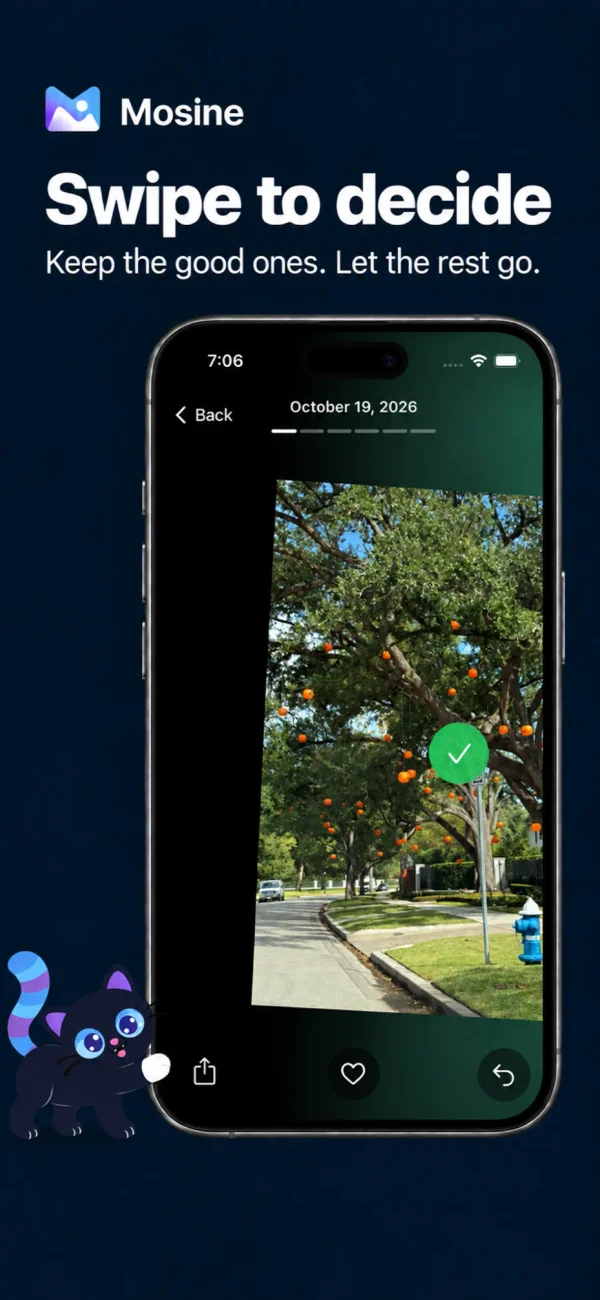
• Tap a photo and swipe to decide: left to mark it, right to keep it
• Undo steps back one photo, and nothing is deleted until you confirm
• Or tap Select and mark photos one by one or a whole year at once
• Delete everything you marked in one batch, with a single iOS confirmation
• Deleted photos stay in Recently Deleted for about 30 days, so nothing is lost by accident
MADE FOR IPHONE
• Feels like the Photos app: familiar gestures, same selection style, pinch to zoom
• Videos play right in the review, including ones stored in iCloud
• Share a photo as a memory, with a slim "7 years ago today" band below it, never cropped
• Mark favorites from the viewer, synced with your real Photos favorites
• Optional daily reminder so your memories come to you
• Your progress: see how much space you have freed
MOSINE PLUS
A one-time purchase, no subscription, yours forever:
• Pick any day of the year and see it across all your years
• Catch up on yesterday in one tap, and peek at tomorrow
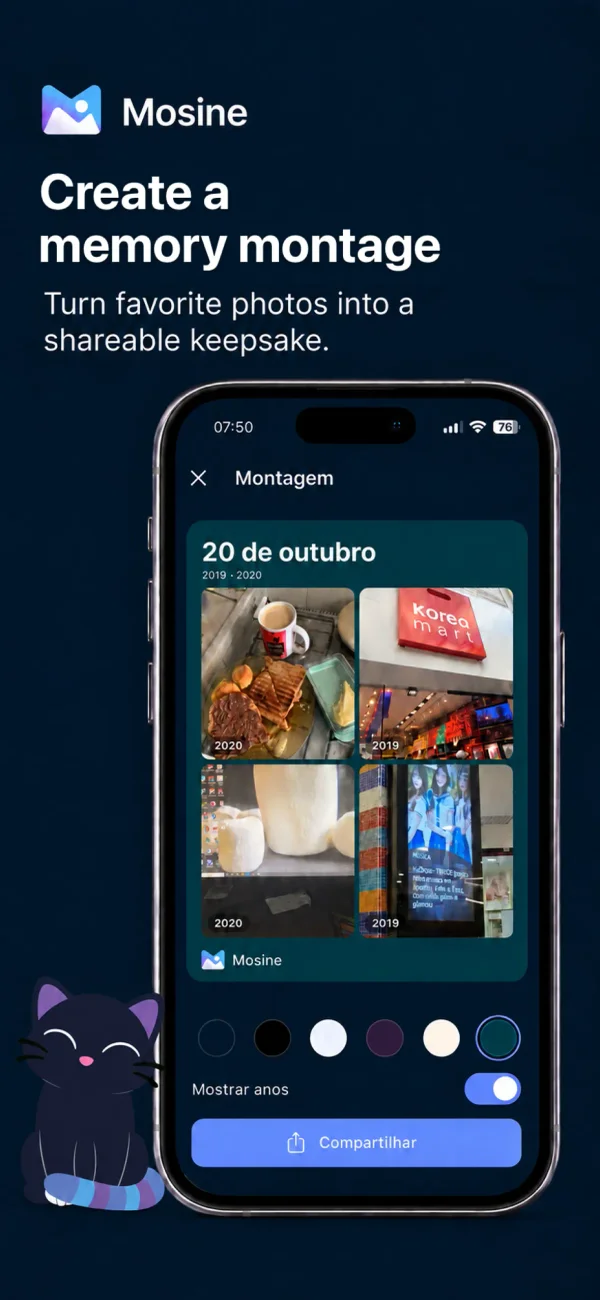
• Turn up to 9 photos into a montage to share
Every new user gets Mosine Plus free for 7 days. Everything else in Mosine is free.
PRIVATE BY DESIGN
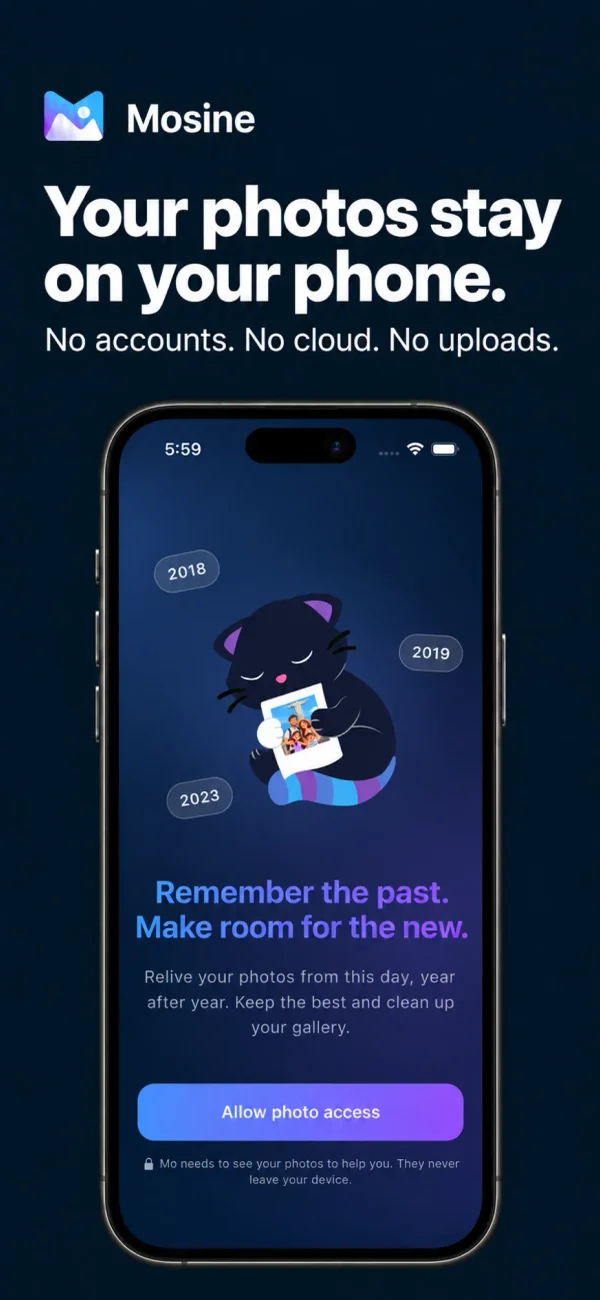
Your photos never leave your device. Mosine has no servers, no accounts, no ads and no tracking. Its only network use is the App Store, for the optional Mosine Plus purchase. Deleting always goes through the standard iOS confirmation, and Mosine never deletes anything on its own.
Mosine needs Full Access to your photo library to find your photos from every year.
Relive. Choose. Keep.
What’s new
Version 2.0 · Oct 24, 2026
Meet Mo. A black cat now walks you through Mosine the first time you open it, and reacts as you review your photos.
- Swipe to decide: open a photo, swipe left to mark it, swipe right to keep it. Undo steps back one card. Nothing is deleted until you confirm.
- Share a photo as a memory: the share button sends your picture with a slim "7 years ago today" band, untouched and uncropped.
- Videos play right inside the review card, including ones stored in iCloud.
- Your progress: the stats screen shows the space you freed, with Mo cheering you on.
- Mosine Plus, a one-time purchase: pick any day of the year, explore yesterday and tomorrow, and share a montage of up to 9 photos. No subscription, yours forever. Launch price until January 22.
- Mosine now needs Full Access to your photo library, so it can find your photos from every year. Photos never leave your device.
- Smoother on iPhones with Display Zoom and larger text.
App privacy
What JULIO HENRIQUE DO CARMO FRANCA declares on the App Store about how this app handles data.
-
Data not collected
The developer does not collect any data from this app.
Privacy practices may vary, for example with the features you use or your age.
Information
- Seller
- JULIO HENRIQUE DO CARMO FRANCA
- Category
- Photo & Video
- Version
- 2.0
- Updated
- Oct 24, 2026
- Released
- Aug 31, 2026
- Size
- 28.6 MB
- Requires
- iOS 15.0 or later
- Age rating
- 4+
- In-app purchases
- Yes
- Languages
- English, Portuguese
- Copyright
- © 2026 Julio Franca
You might also like
-
 Photo Clean: Photo OrganizerSort by size & estimated date
-
 Screen StitcherScreenshot Stitcher
-
 AspectArcAspect ratios and safe zones
-
 Traxxtar VideoviewTap to Record, Instant Replay
-
 RawlitRAW Photo Editor with Masks
-
 BrightroomFilm Negative & Slide Scanner
-
 Photo Book Noir: Album MakerAI Photobook & Collage Creator
-
 EditAllEdit All Photos Instantly
-
 PicPost EZCapture, Note & Share Photos
-
 StraightPic: Straighten PhotosFix Perspective & Tilt