
myGPS Map Camera
Stamp location on photos
Designed for iPhone, iPad, iPod touch
Free
- Age rating4+
- CategoryPhoto & Video
- DeveloperOur Apps World
- LanguagesEnglish
- Size28.6 MB
Links to the official App Store page
Download.org hosts no file of myGPS Map Camera. The button opens its official App Store page, published by Our Apps World. Listing last checked on Nov 12, 2026.
Screenshots


About
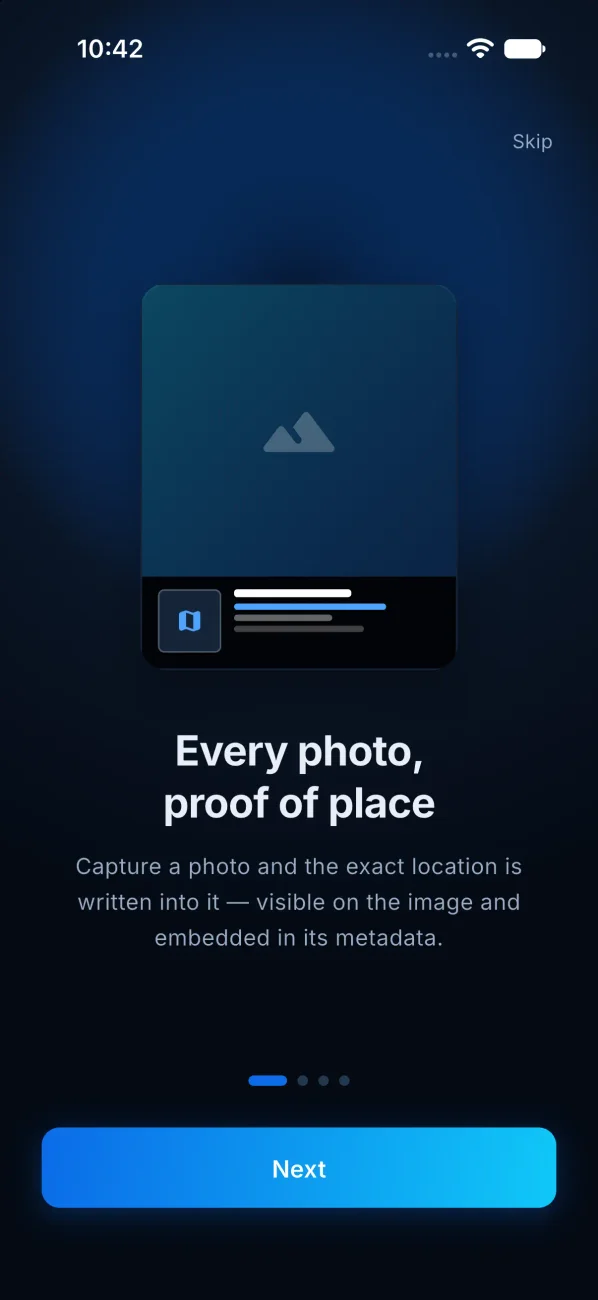
Every photo, proof of place. myGPS Map Camera stamps the location details that matter straight onto your photos — ready for site visits, inspections, deliveries, field reports and travel.
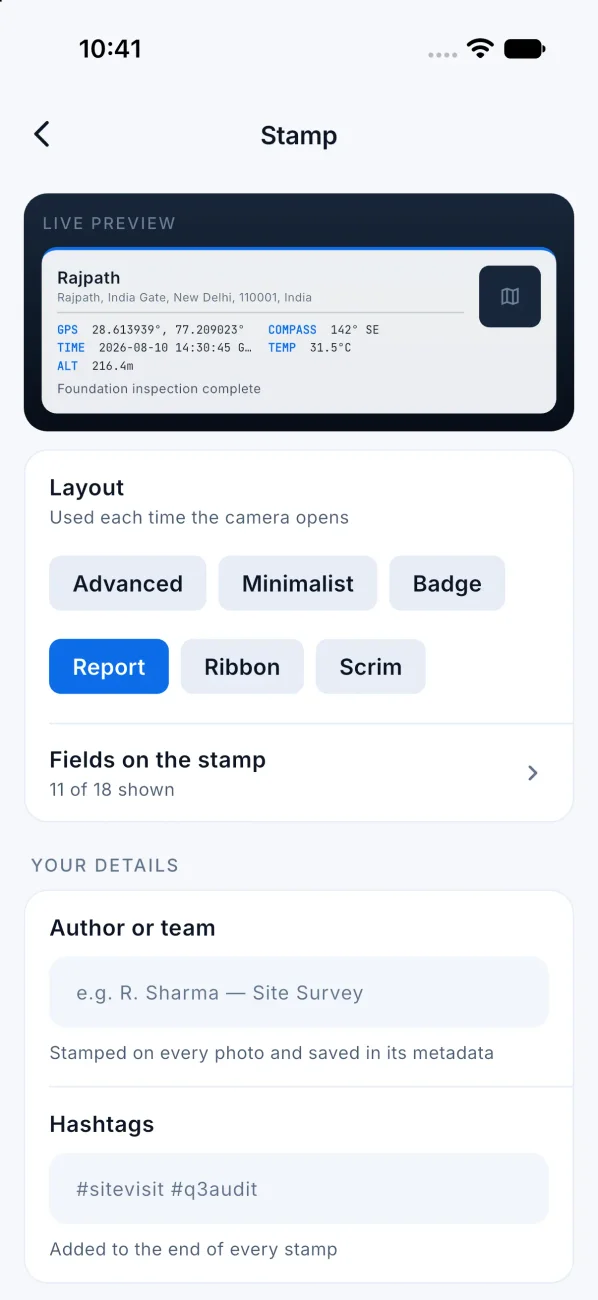
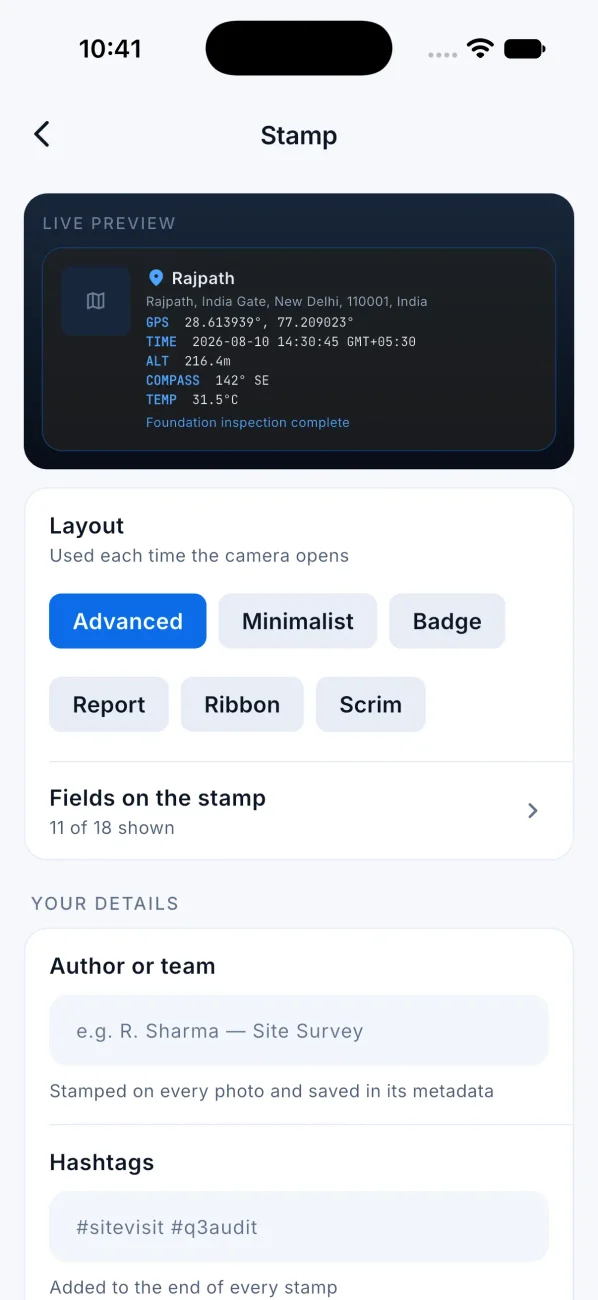
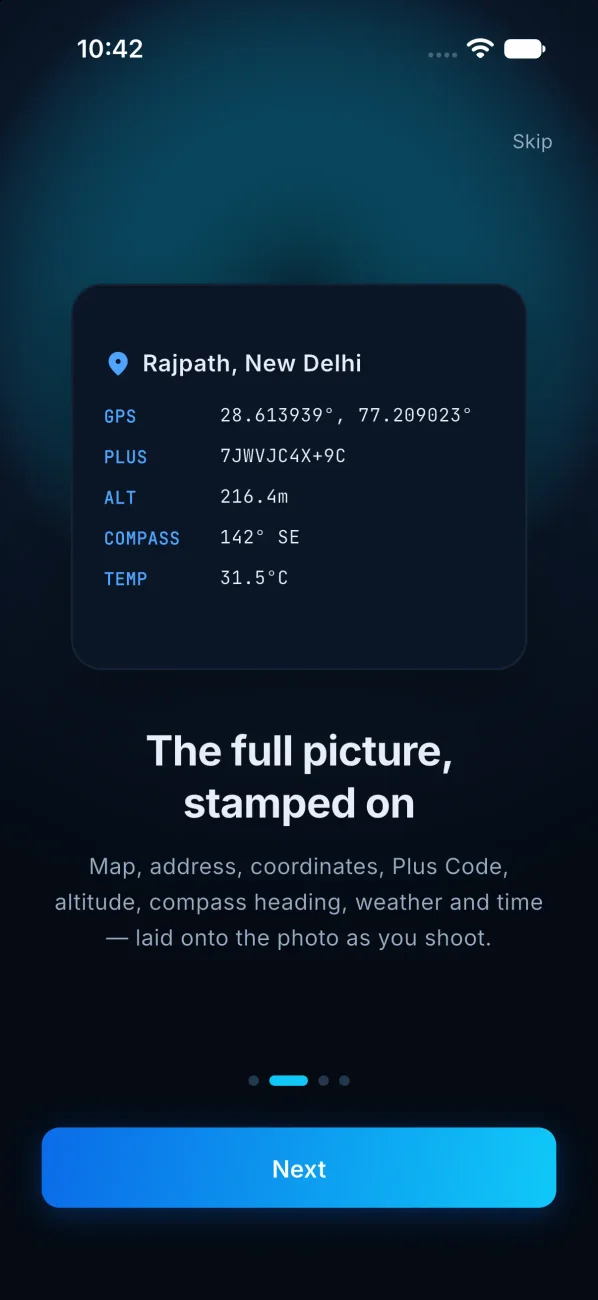
Pick exactly what each job needs: coordinates, street address, Plus Code, map thumbnail, altitude, compass heading, GPS accuracy, date and time, and optional weather. Six stamp layouts take you from a detailed report panel to a compact ribbon that stays out of the way.
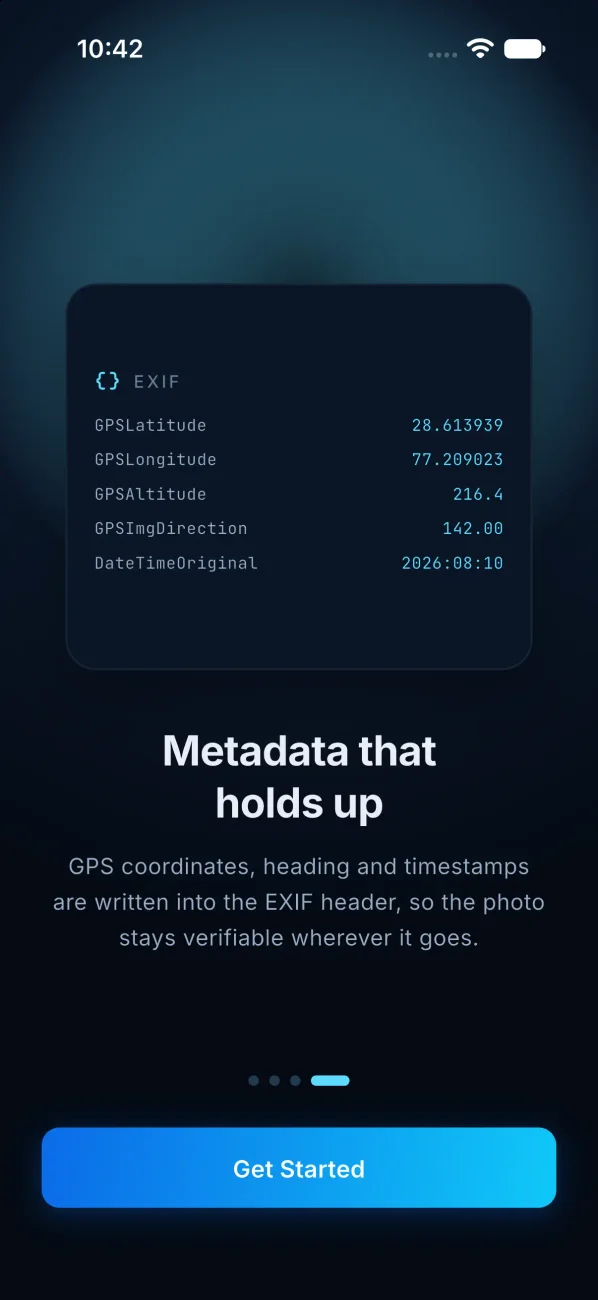
The same GPS details are written into each photo's EXIF metadata, so the location travels with the file — not just in the picture.
WHAT YOU SEE IS WHAT YOU SAVE
• Live preview of the exact stamp burned into the photo
• Works in portrait and landscape
• Compass heading measured along the camera lens, even when the phone is tilted
MAKE IT YOURS
• Decimal or degrees-minutes-seconds coordinates
• Multiple date, time, time-zone and unit formats (metric or imperial)
• Author name, note and hashtag fields on every stamp
• Choose which fields appear and in what layout
KEEP YOUR PHOTOS ORGANISED
• In-app gallery grouped by day
• Inspect each photo's location metadata
• Share or delete one photo or many at once
BUILT FOR EVERY SCREEN
• Runs natively on iPhone and iPad
• On iPad and other large screens, the gallery shows photos side by side with the one you're viewing, and Settings opens as a sidebar
• Layouts adapt to Split View and folding screens
PRIVATE BY DESIGN
• Your photos, notes and settings stay on your device
• No account, no subscription, no ads
• Location is used only while the app is open
• Saving to Photos is add-only — the app never reads your existing library
Optional extras: weather readings using your own free OpenWeatherMap key, and occasional notifications you can switch off any time in Settings.
Camera and location access are required to create a geotagged photo. Photo library access is optional and used only to save a copy to Photos. An internet connection is needed for the street address, map and weather; coordinates, Plus Code and compass work offline.
What’s new
Version 1.1.6 · Nov 4, 2026
Accurate photo times
• Fixed: if you stayed in one place, a photo could show the time of your last movement instead of the moment it was taken. The stamp and the photo's metadata now always use the time of capture. Photos you've already taken aren't changed.
• The time on the live camera view now updates every second.
Redesigned Settings
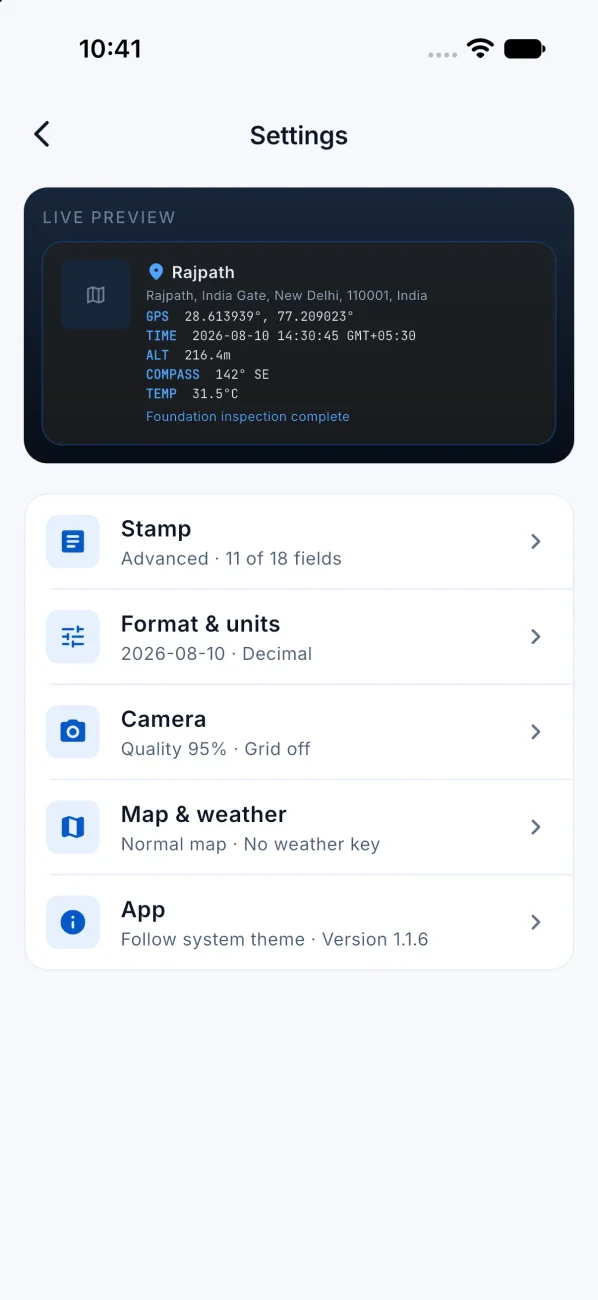
• Settings are now organised into five clear sections, with a live preview of your stamp.
• Stamp Fields previews the layout you've actually chosen.
• Tap anywhere on a row to switch a field on or off, or turn a whole group on or off at once.
• Reset to defaults can now be undone.
Better on iPad and foldables
• Settings, Stamp Fields, Privacy and About now make full use of larger screens.
• The gallery and photo viewer are laid out better on iPad and foldable iPhones.
Clearer camera and stamps
• The Settings button and zoom level stay visible over bright scenes.
• Minimalist and Scrim layouts now show every reading in the live view, matching the saved photo.
• Stamp text wraps more neatly on saved photos.
• Messages no longer cover the shutter button.
• The photo viewer's buttons no longer cover the stamp. Tap the photo to view it full screen.
Also in this update
• Update prompts now work on iPhone, so you'll know when a new version is ready.
• Tidier launch screen and other small fixes.
App privacy
What Our Apps World declares on the App Store about how this app handles data.
-
Data not collected
The developer does not collect any data from this app.
Privacy practices may vary, for example with the features you use or your age.
Information
- Seller
- OAW INFOTECH LLP
- Category
- Photo & Video
- Version
- 1.1.6
- Updated
- Nov 4, 2026
- Released
- Sep 15, 2026
- Size
- 28.6 MB
- Requires
- iOS 15.0 or later
- Age rating
- 4+
- Price
- Free
- Languages
- English
- Copyright
- © 2026 Our Apps World | IMRAN ALAM
You might also like
-
 berkbrainAI Photo Editor
-
 RawlitRAW Photo Editor with Masks
-
 Traxxtar VideoviewTap to Record, Instant Replay
-
 Four Keeps: Photo BoothRetro strips, filters & prints
-
 Photo Clean: Photo OrganizerSort by size & estimated date
-
 MosinePhoto memories, less clutter
-
 Luxa RAW CameraPro Manual Film Simulation LUT
-
 Tilt-ShiftMiniature Photo & Video Camera
-
 Sumi - Redact & Blur PhotosAuto-redact screenshots
-
 AspectTake: Dual Format CameraPortrait & Landscape Recorder