
- Age rating4+
- CategoryProductivity
- DeveloperSidelake Labs Inc.
- LanguagesEnglish+ 3 more
- Size87.8 MB
Links to the official App Store page
Download.org hosts no file of MakerSolid CAD. The button opens its official App Store page, published by Sidelake Labs Inc. Listing last checked on Nov 16, 2026.
Screenshots



About
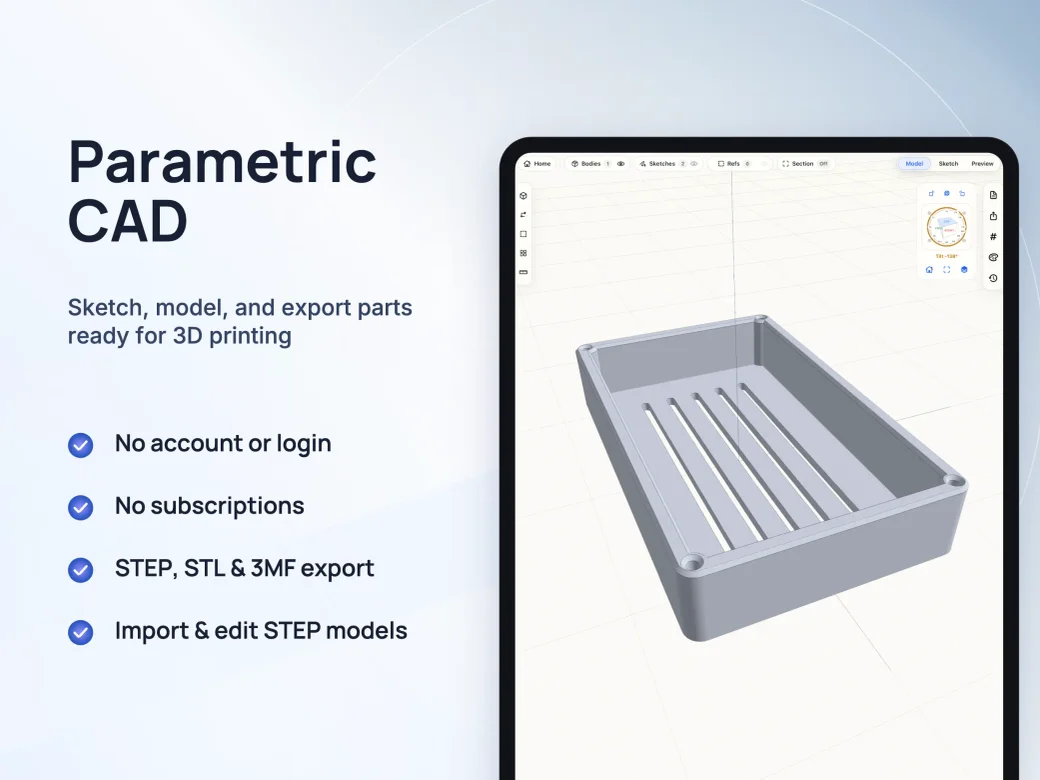
MakerSolid is a parametric CAD app built for makers, engineers, and product designers. Create models from scratch, import STEP files as editable solids, or bring in STL files as non-destructive reference meshes.
Start with a sketch, turn it into a solid, refine the design, and export it for slicing, 3D printing, or use in another CAD workflow. Create prototypes, replacement parts, workshop jigs, hobby projects, and useful everyday objects.
Use project variables and unit-aware formulas across supported parameter inputs to create reusable relationships, calculate dimensions, and update your design from one place.
Learn directly in the app with guided, hands-on walkthroughs covering sketches, dimensions, feature history, transforms, and core solid-modeling workflows.
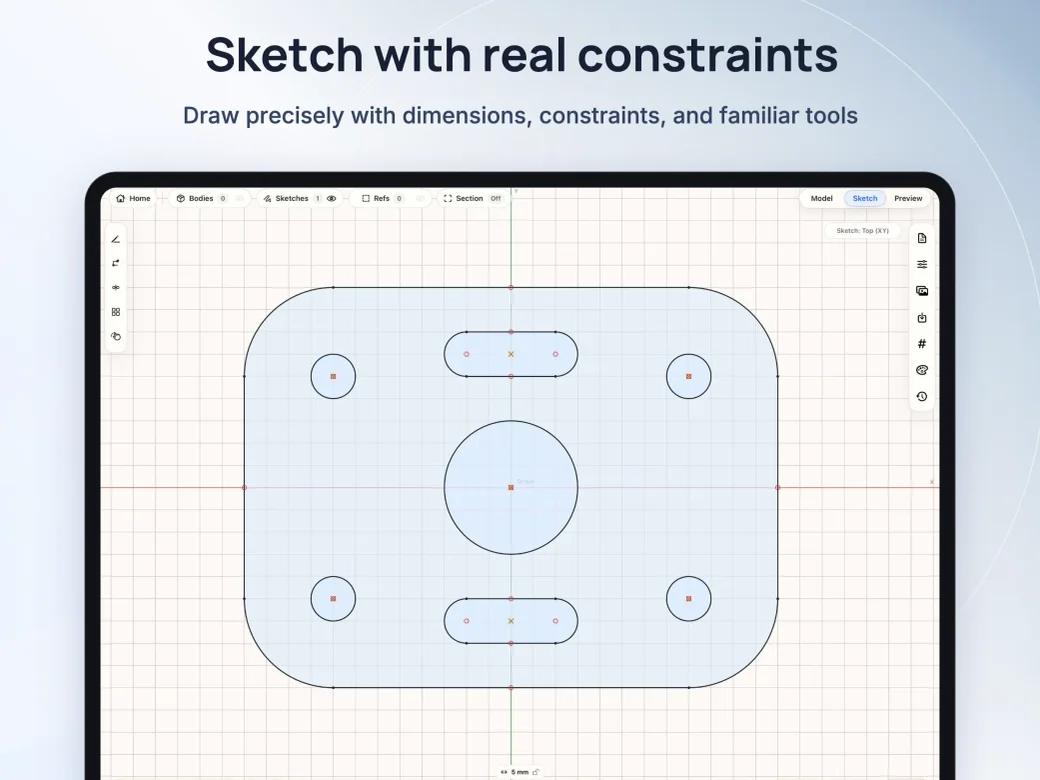
Sketch precisely:
- Lines, rectangles, circles, arcs, splines, polygons, slots, and freehand curves
- Smart dimensions for size, placement, spacing, angles, and clearances, plus geometric constraints
- Trim, Boundary Trim, offset, fillet, chamfer, extend, mirror, and pattern tools
- SVG and DXF import for working from existing outlines
- Reference images for tracing and visual guidance
- Sketches on standard planes, construction planes, or planar model faces
Model solid geometry:
- Box and cylinder primitives
- Extrude from closed sketch profiles or planar faces, with distance, Up to Face/Plane, Up to Body, Up to Next, and Through All end conditions
- Revolve closed sketch profiles around an axis
- Sweep and loft through profiles and paths
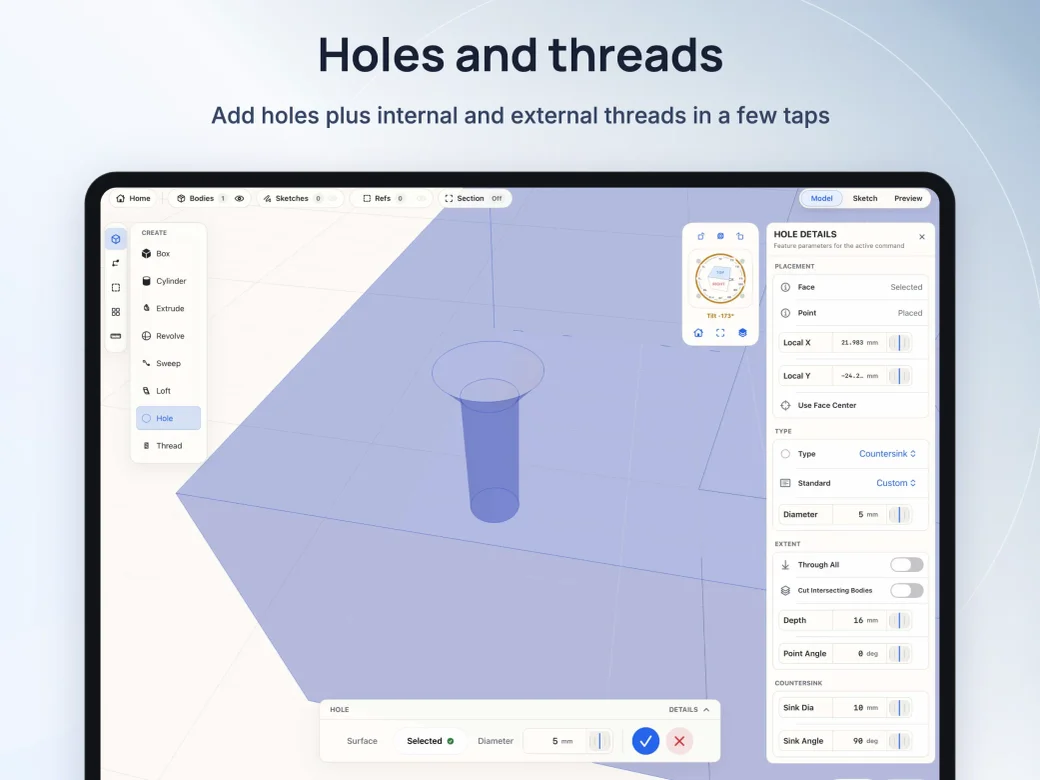
- Hole tools and cosmetic or modeled threads, including standard and custom internal/external threads, multi-start options, clearance allowance, and chamfered ends
- Parametric external and internal spur gears with customizable teeth, module, pressure angle, backlash, bore, and placement
- Associative Wrap for placing sketch profiles and text onto planar, cylindrical, and conical faces
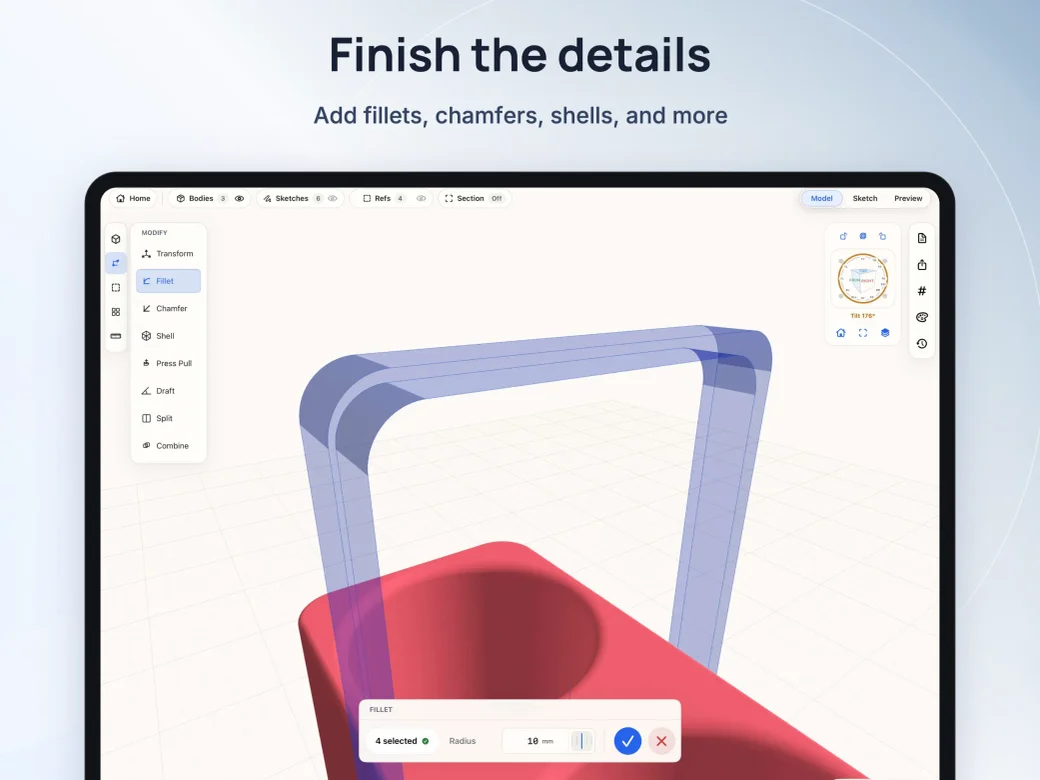
- Fillet, chamfer, shell, draft, and Press Pull
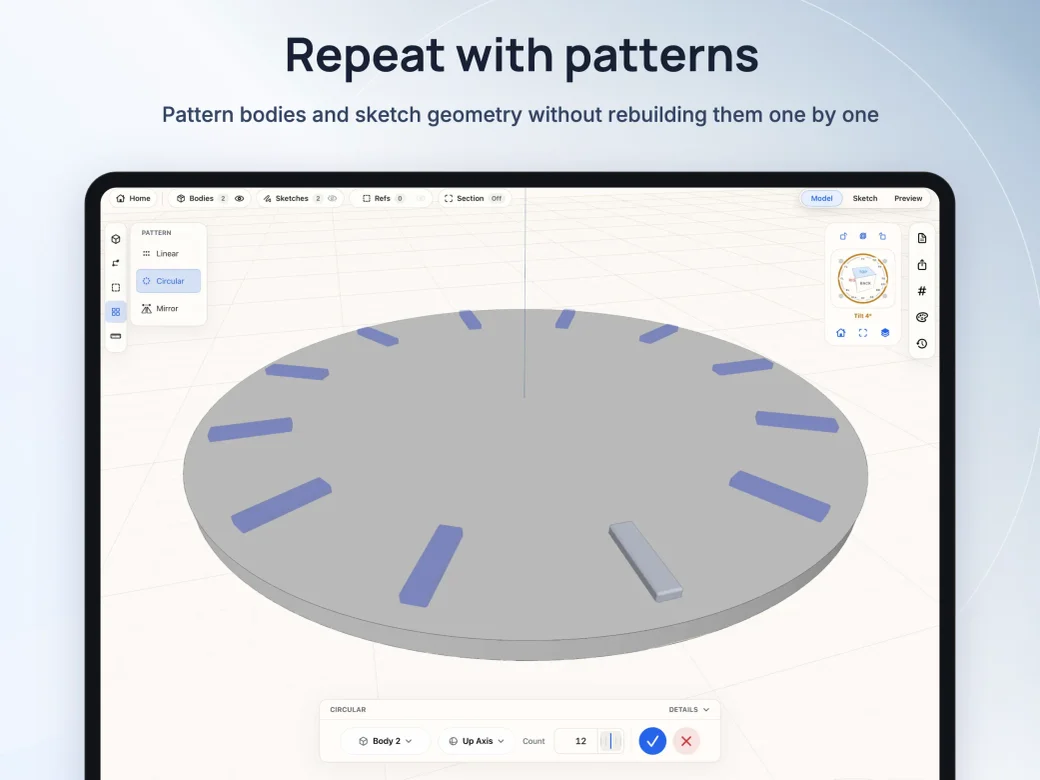
- Split, combine, mirror, transform, and linear or circular patterns
- Construction planes and axes
- Face, edge, body, and closed-profile selection directly in the 3D viewport
- Feature history with repeatable edits and suppression
- STEP imports that remain editable with solid-modeling tools
- Select whole objects and move, rotate, or scale them directly with Object Select and the Transform Gizmo
- Import STL reference meshes for positioning, comparison, tracing, and visual context
- Parametric external and internal spur gears with customizable teeth, module, pressure angle, backlash, bore, and placement
- Coils for springs and other helical solids, with variable pitch, tapering, custom sections, and end treatments
- Helix and flat-spiral paths for use with Sweep and other modeling operations
- Position bodies precisely using coordinates, reference points, center alignment, face alignment, or placement between bodies, with associative History editing
Inspect and present your designs:
- Measure model geometry
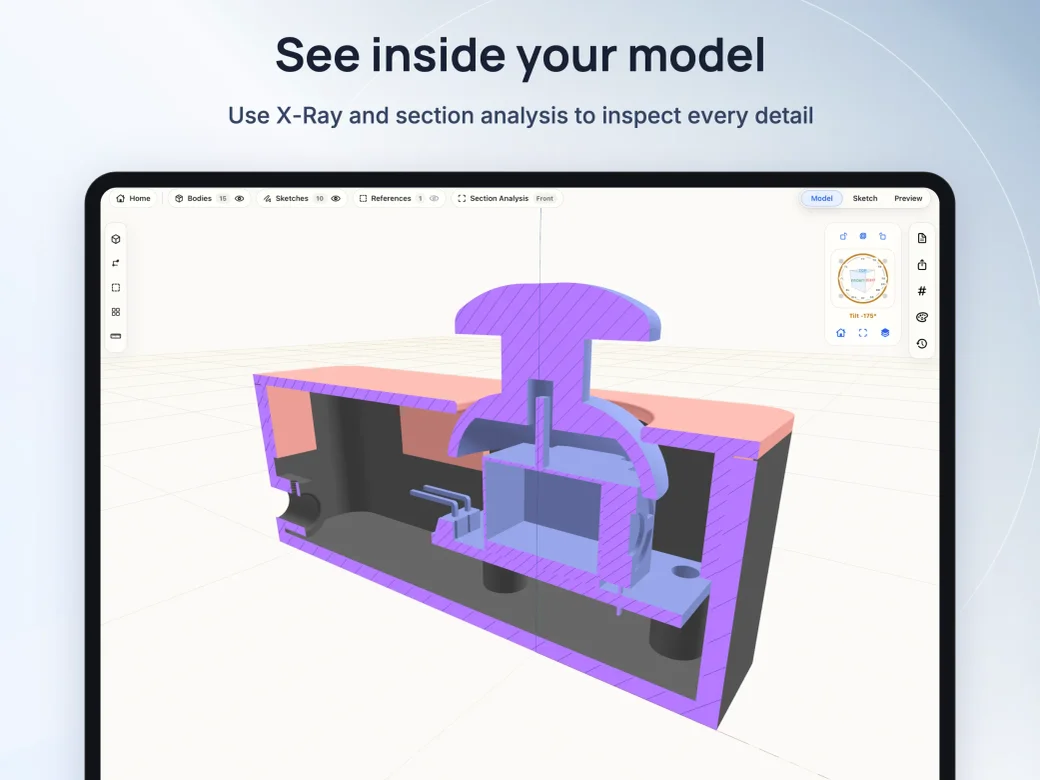
- Use X-Ray Mode and adjustable Section Analysis views
- Assign materials and colors to bodies
- Preview materials with progressive raytracing
- Capture preview images, including transparent PNG output
Prepare for manufacturing and 3D printing:
- Z-up manufacturing coordinates
- STEP, STL, and 3MF export
- Local project storage, duplication, sharing, and project thumbnails
- Support for Apple Pencil, touch, keyboard, and pointer input
Try every visible, stable sketching and solid-modeling tool in Demo. Demo users can keep up to two projects, add up to 10 modeling features per project, and complete two total STEP, STL, or 3MF exports.
Unlock MakerSolid with a one-time purchase for unlimited projects, unlimited modeling history, unlimited STEP, STL, and 3MF exports, project duplication and sharing, custom project storage, and clean preview images without the Demo watermark. There are no subscriptions, your design work stays on your device, and you can continue working offline.
What’s new
Version 1.5.4 · Nov 12, 2026
- Find projects with new search that supports partial names, abbreviations, and small spelling mistakes.
- Added Dark Mode with Automatic, Light, and Dark appearance options across the app.
- Get back to work sooner with faster project library loading and smoother browsing.
- Enjoy smoother editing of complex models, with more responsive selection and faster previews for Extrude, Press Pull, Fillet, and Chamfer.
- Get help during guided lessons with “Do this step for me,” which completes the current step so you can continue learning.
- See your designs more clearly with improved overlapping surfaces, steadier edges while zooming, and faint sketch lines behind solid bodies.
- Create small details more reliably with fixes for sketch offsets below 1 mm and improved Loft matching.
- Improved STEP import reliability and reopening of projects containing detailed SVG sketches.
- Additional fixes for Fit view, mirrored-body previews, and Undo/Redo reliability.
App privacy
What Sidelake Labs Inc. declares on the App Store about how this app handles data.
-
Data not linked to you
May be collected but is not linked to your identity.
- Identifiers
- Usage data
- Diagnostics
Privacy practices may vary, for example with the features you use or your age.
Information
- Seller
- Sidelake Labs Inc.
- Category
- Productivity
- Version
- 1.5.4
- Updated
- Nov 12, 2026
- Released
- Jul 17, 2026
- Size
- 87.8 MB
- Requires
- iOS 26.4 or later
- Age rating
- 4+
- Price
- Free
- In-app purchases
- Yes
- Languages
- English, Korean, Simplified Chinese, Swedish
- Copyright
- © 2026 Sidelake Labs Inc.
You might also like
-
 PixyCAD - 3D Solid ModellingSketch, Model, Design & Print
-
 PaliCADLightweight, offline 3D CAD
-
 stl-erFROM CONCEPT TO CAD IN SECONDS
-
 Rally for OnshapeA modern Onshape experience
-
 STEP ViewerFast STEP File Viewer
-
 SimplyPrint - 3D printingProductivity
-
 Pikaslice - 3D Print SlicerSTL, Gcode, Resin & Filament
-
 Onshape 3D CADSpeed Up Your Product Design
-
 Autodesk FusionProductivity
-
 STL Simple ViewerView 3D STL 3MF STEP & DXF CAD