
Map Shape Cutout: Vector SVG
Silhouette outlines to print
Designed for iPhone, iPad, iPod touch
Free · In-app purchases
- Age rating4+
- CategoryGraphics & Design
- DeveloperQAEE CONPUUTENG
- LanguagesEnglish
- Size21.4 MB
Links to the official App Store page
Download.org hosts no file of Map Shape Cutout: Vector SVG. The button opens its official App Store page, published by QAEE CONPUUTENG. Listing last checked on Nov 14, 2026.
Screenshots
About
Turn any place on Earth into a clean vector silhouette.
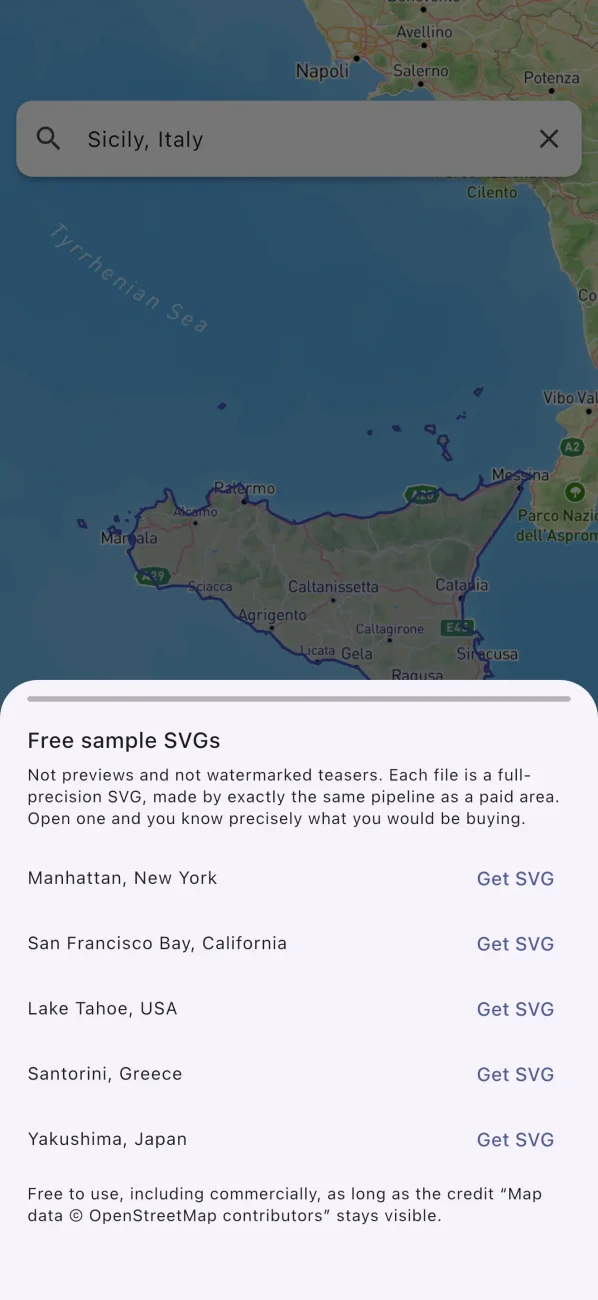
TRY IT FIRST
Five sample areas are free to download at full precision — the same files a paid area produces. Open one in your editor before you decide.
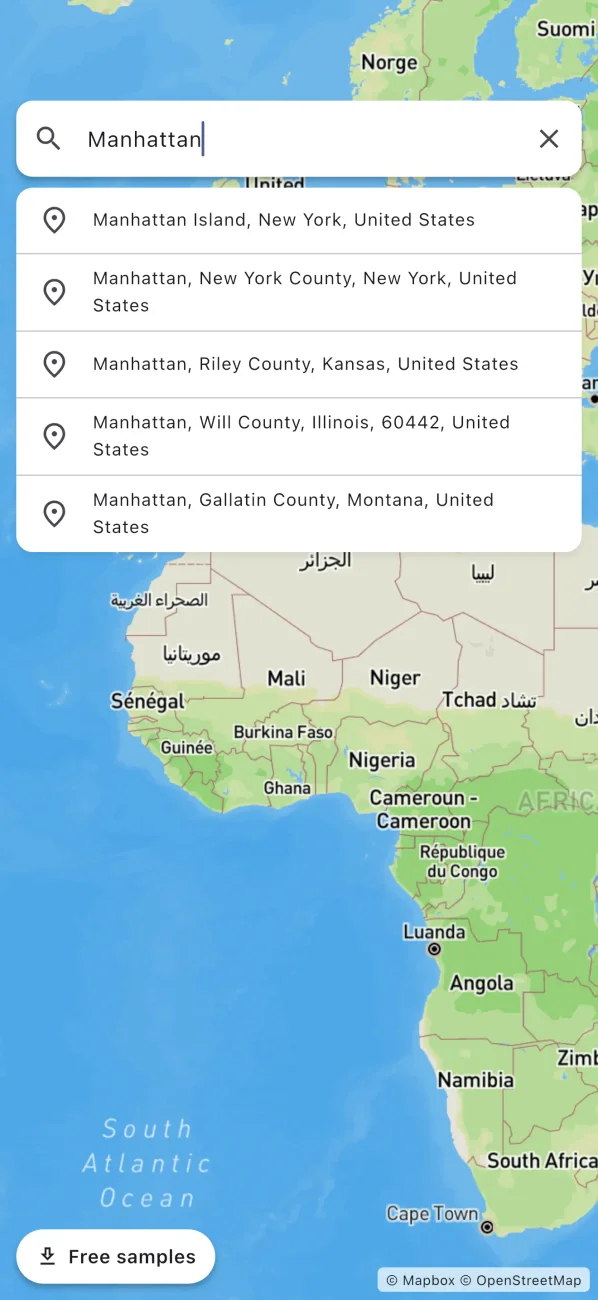
Search a country, prefecture, state, city, ward, island, or lake — Map Shape Cutout draws its exact boundary and delivers a crisp, print-ready cutout you can use anywhere.
WHAT YOU GET
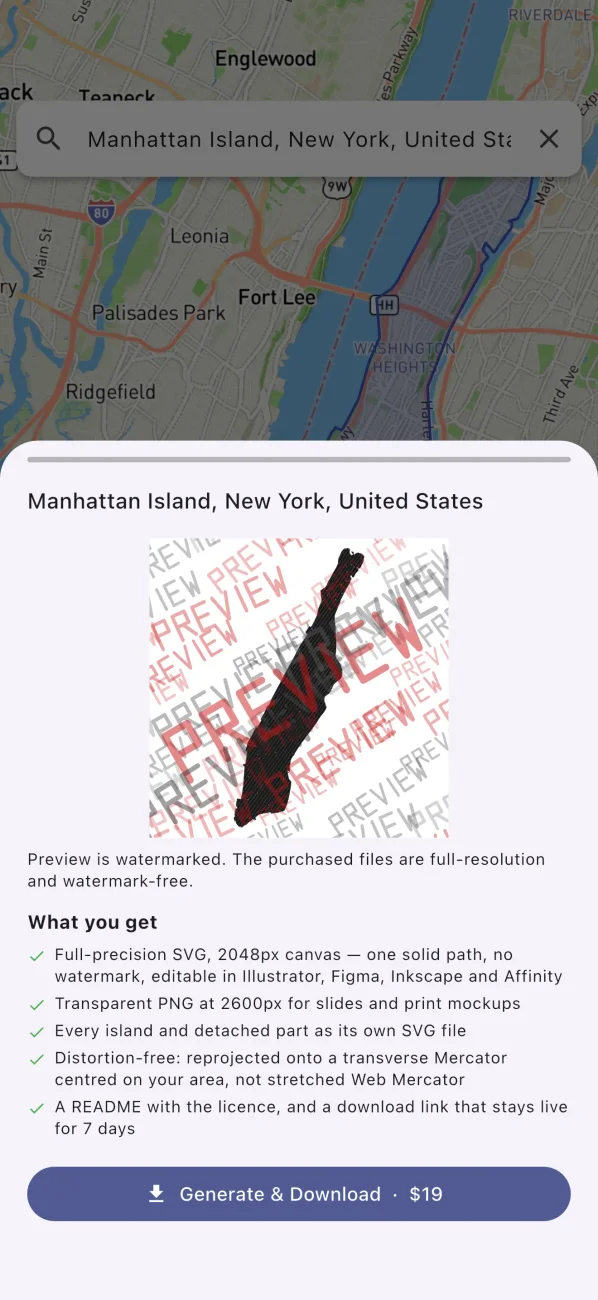
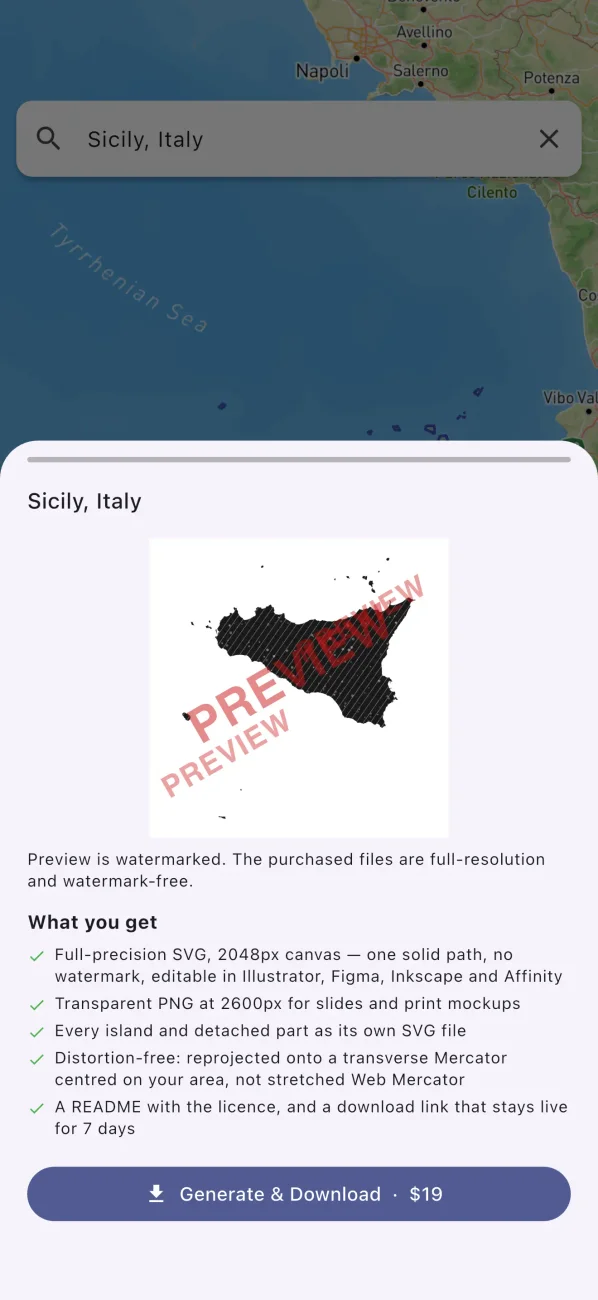
- A full-precision SVG on a 2048px canvas (one solid path, no watermark)
- A transparent PNG at 2600px
- Detached parts as separate pieces (small distant islands: your choice, off by default)
- Watermark-free files in a ZIP, with a download link valid for 7 days
PERFECT FOR
- Wall art, posters, and prints
- Laser cutting, CNC, and craft projects
- Stickers, mugs, and merch
- Maps for design, presentations, and education
HOW IT WORKS
1. Search for any place
2. Preview the exact silhouette
3. Buy once and download instantly
- Works worldwide, in your own language
- Accurate, distortion-free outlines using a proper local map projection
- One-time purchase per shape, no subscription
Boundaries are derived from OpenStreetMap data.
What’s new
Version 1.0.2 · Nov 13, 2026
• Fixed the map credits (© Mapbox © OpenStreetMap) being cut off the screen at the largest text size
• Fixed the map outline sometimes showing a different place from the candidate you picked when several regions share a name (it now matches the shape you buy)
• Fixed the share sheet not opening on iPad
• Choose the appearance: System, Natural, Light or Dark
• Tapping outside a field or scrolling now closes the keyboard
• Fixed the buy button and price being pushed off the screen at the largest text size (you can now scroll to them)
• Tap an icon to see what it does. When a purchase is waiting for approval (Ask to Buy), the app now tells you
App privacy
What QAEE CONPUUTENG declares on the App Store about how this app handles data.
-
Data not linked to you
May be collected but is not linked to your identity.
- Purchases
Privacy practices may vary, for example with the features you use or your age.
Information
- Seller
- QAEE CONPUUTENG, INC.
- Category
- Graphics & Design
- Version
- 1.0.2
- Updated
- Nov 13, 2026
- Released
- Sep 24, 2026
- Size
- 21.4 MB
- Requires
- iOS 15.0 or later
- Age rating
- 4+
- Price
- Free
- In-app purchases
- Yes
- Languages
- English
- Copyright
- © 2026 QAEE CONPUUTENG, Inc.
You might also like
-
 World Map AnimatorMap Chart: History & Borders
-
 Spriteer: 8×8 Pixel Art StudioMake your own game character
-
 Drawing AnimationSketch, Art & GIF Maker App
-
 TahaniiBuild Organized Photo Packs
-
 World Map EditorCreate your own map charts
-
 Woj: Create Your WojakUnleash Your Emotions
-
 Palette Master: AI Color MixerMix Colors with AI Precision
-
 Toonbit: AI Comic MakerCreate comics from your ideas
-
 SVG Viewer EditorMobile Vector & SVG Editor
-
 Countryball CreatorComics, Flags & Animation