MapCam - GPS Map Camera
Geotag Photos, Date Timestamp
Designed for iPhone, iPod touch
Free · In-app purchases
- Age rating4+
- CategoryPhoto & Video
- DeveloperHKinfoway Technologies
- LanguagesEnglish+ 11 more
- Size44.7 MB
Links to the official App Store page
Download.org hosts no file of MapCam - GPS Map Camera. The button opens its official App Store page, published by HKinfoway Technologies. Listing last checked on Nov 13, 2026.
Screenshots




About
Capture, tag, and organize your photos and videos with GPS, maps, and timestamps.
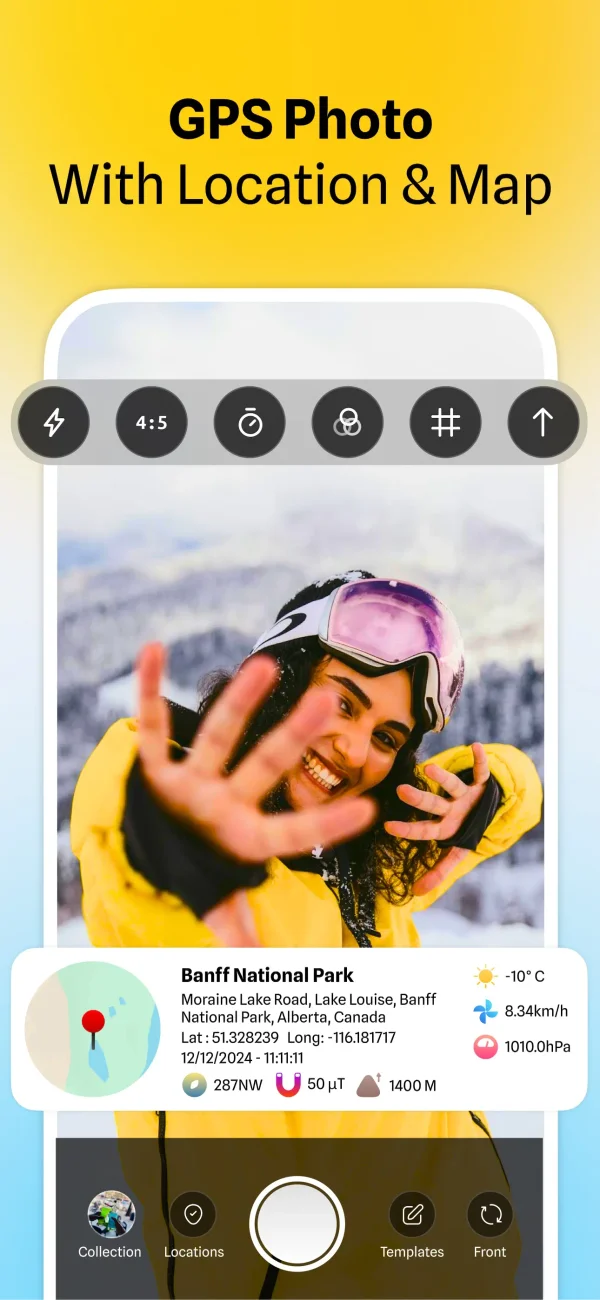
MapCam - GPS Map Camera adds accurate location details to your photos and videos — latitude and longitude, address, date, time, and compass direction, plus altitude, weather, temperature, humidity, and wind. Perfect for travel memories, site proof, surveys, real estate, field work, and social content.
NEW IN THIS VERSION
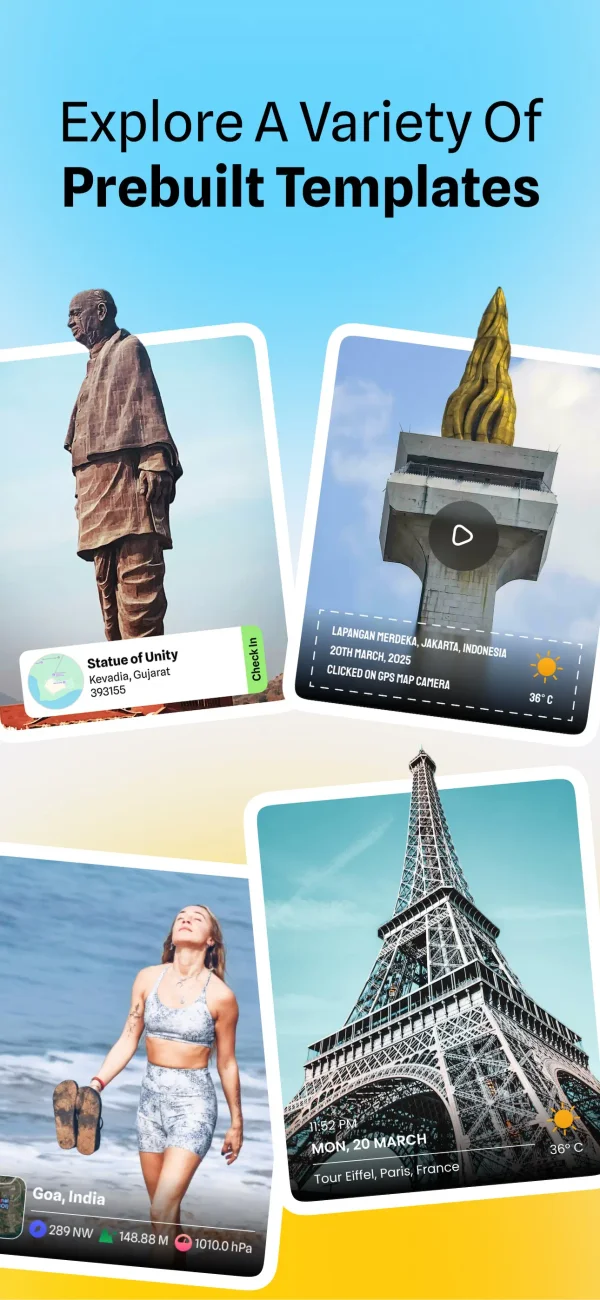
- 131 stamp templates: 101 ready-to-use designs plus 30 customizable ones. On customizable templates you choose which details show (date/time, address, coordinates, weather and more), add your logo, and adjust the layout. The Basic customizable template is free; the other templates are part of PRO.
- Redesigned Choose Template screen, also reachable from Settings.
- 7 camera control styles: Classic (free), plus Cockpit, Crescent, Floating, Cluster, Ribbon, and Sidecar (PRO).
- Fullscreen aspect ratio, plus photo and video size and quality options.
- Portrait Only mode, and Remember Settings so the camera stays how you left it (PRO).
- Custom file names — free formats include Date & Time, Sequence, Time Zone, and Plus Code (more formats with PRO).
- Share photos directly from the app, or email your photos and videos — with an improved in-app gallery.
CAPTURE WITH LIVE LOCATION
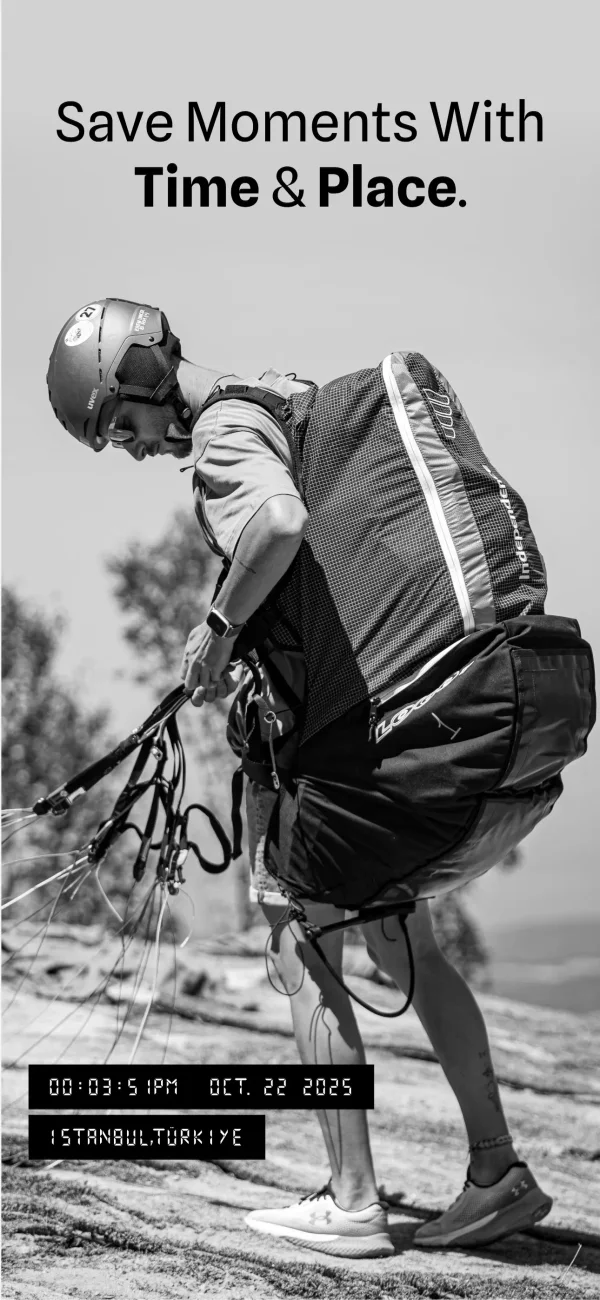
- GPS camera: coordinates, address, date, and time are added automatically as you shoot.
- Map location picker: pin any spot or search an address to assign coordinates manually.
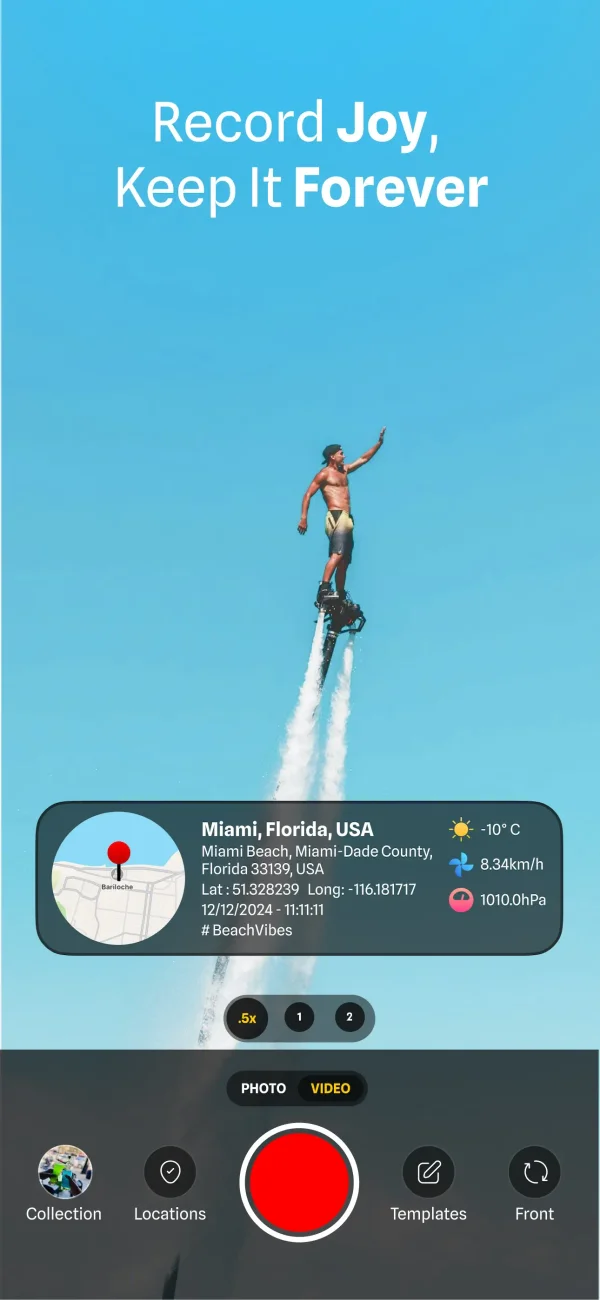
- Front and rear camera support for both photos and videos.
STAMP THE DETAILS YOU NEED
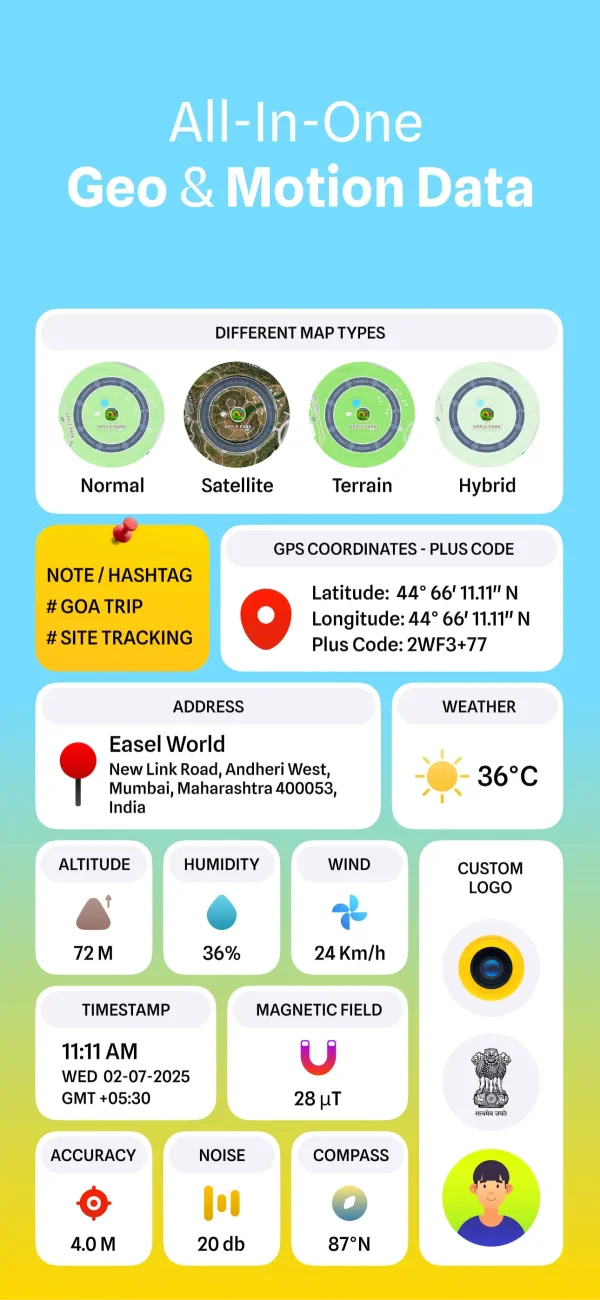
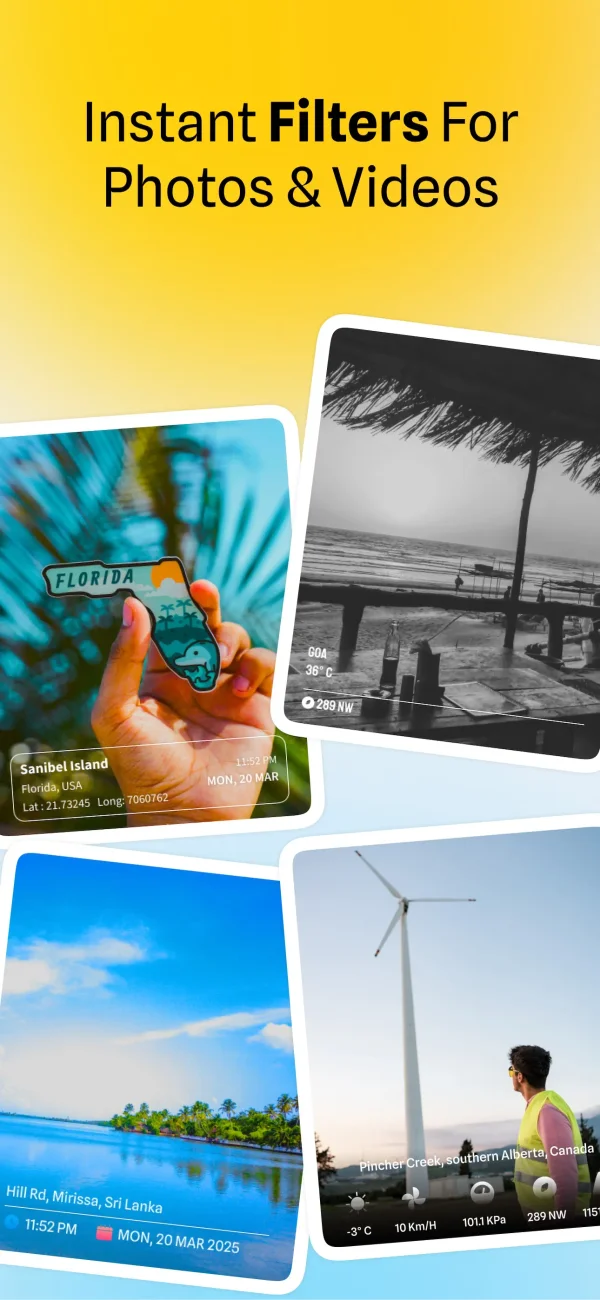
- GPS coordinates, address, date, time, and compass direction.
- Altitude, weather, temperature, humidity, and wind.
- Notes and custom text with flexible layouts.
KEEP YOUR ORIGINAL QUALITY
- Choose your resolution and quality.
- Stamps are overlaid without altering the underlying image — your original photo stays intact.
PRIVACY
- Your photos are stamped on your device. Your pictures and location are not uploaded, shared, or sold — they stay on your device.
FILTERS
- Apply filters to your photos and videos — free for everyone.
HELP WHEN YOU NEED IT
- Expanded User Guide with 15 topics.
- FAQ with 29 questions, available in 12 languages.
WHO IT'S FOR
- Travelers and creators — remember where every photo was taken and make content ready to share.
- Field teams, surveyors, and engineers — document on-site work with timestamped, geotagged proof.
- Real estate — capture listings with confirmed address and location.
- Outdoor and adventure — log hikes, routes, and expeditions.
MapCam PRO
Unlock the full experience: all prebuilt and customizable stamp templates, six extra camera control styles, Remember Settings, advanced file-name formats, and watermark removal. Start with a 1-week free trial on the annual plan.
HOW IT WORKS
1. Open MapCam and allow location access.
2. Take a photo or video — GPS, address, date, and time are added automatically.
3. Pick a template and customize the layout, font, and details.
4. Save or share in one tap.
Privacy Policy: https://gpsmapcamera.wallzy.app/privacy-policy
Terms of Use: https://gpsmapcamera.wallzy.app/terms-condition
What’s new
Version 1.9 · Nov 10, 2026
New in this update:
• New Your Plan screen: see your plan and renewal date in Settings
• Switch between Monthly and Yearly right in the app
• Upgrade to Lifetime at a special price for subscribers
• Now optimized for iPhone Duo, folded and unfolded
Discover more in MapCam:
• 131 stamp templates: 101 ready-made + 30 customizable
• 6 new camera control styles, plus Classic
• Fullscreen mode, Portrait Only, photo & video quality options
• Custom file names and Remember Settings
• Share photos directly from the app
Enjoying MapCam? A rating helps us a lot
App privacy
What HKinfoway Technologies declares on the App Store about how this app handles data.
-
Data not linked to you
May be collected but is not linked to your identity.
- Location
- Usage data
- Diagnostics
Privacy practices may vary, for example with the features you use or your age.
Information
- Seller
- HKINFOWAY TECHNOLOGIES
- Category
- Photo & Video
- Version
- 1.9
- Updated
- Nov 10, 2026
- Released
- Jun 15, 2025
- Size
- 44.7 MB
- Requires
- iOS 15.6 or later
- Age rating
- 4+
- Price
- Free
- In-app purchases
- Yes
- Languages
- English, French, German, Hindi, Indonesian, Italian, Korean, Portuguese, Russian, Spanish, Thai, Vietnamese
- Copyright
- 2025 © HK Infoway
You might also like
-
 GPS Map - Timestamp CameraAdd Location on Photo & Video
-
 GPS Map Camera, TimestampTimestamp Camera, time stamp
-
 GPS Camera: Timestamp CameraTravel Photos & Work Reports
-
 GPS Map Video Camera: GeotagGeolocation, Date & Timestamp
-
 Timestamp Camera - Time & GPS+Photo & Video, Map & Reports
-
 Time Stamp Photos With GPS MapTimestamp Camera : Date & time
-
 GPS Map Camera EditorGeotag Photo Editor
-
 Timestamp Camera GPS: CamStampDate, time, address & video
-
 GPS Map Camera : TimestampGeotag Live location on Photos
-
 Timestamp Photo Proof CameraTime & Location Stamp for Work