Timestamp Camera - Time & GPS+
Photo & Video, Map & Reports
Designed for iPhone, iPod touch
Free
- Age rating4+
- CategoryPhoto & Video
- Developer泽沛 许
- LanguagesEnglish+ 4 more
- Size25.3 MB
Links to the official App Store page
Download.org hosts no file of Timestamp Camera - Time & GPS+. The button opens its official App Store page, published by 泽沛 许. Listing last checked on Nov 25, 2026.
Screenshots
About
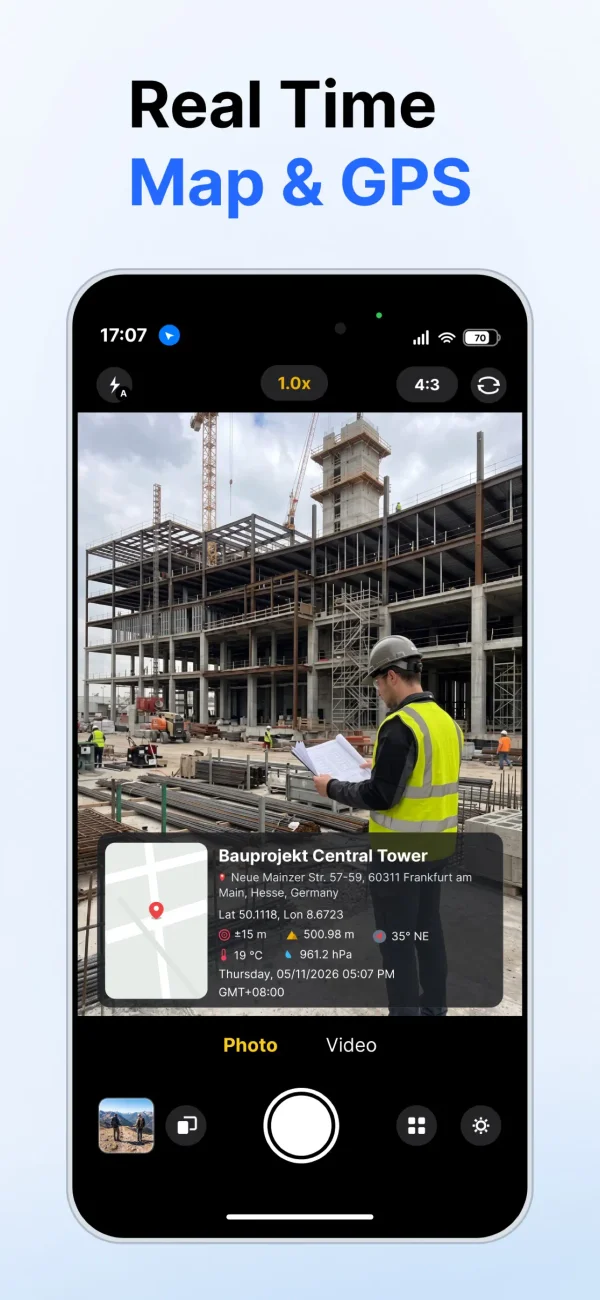
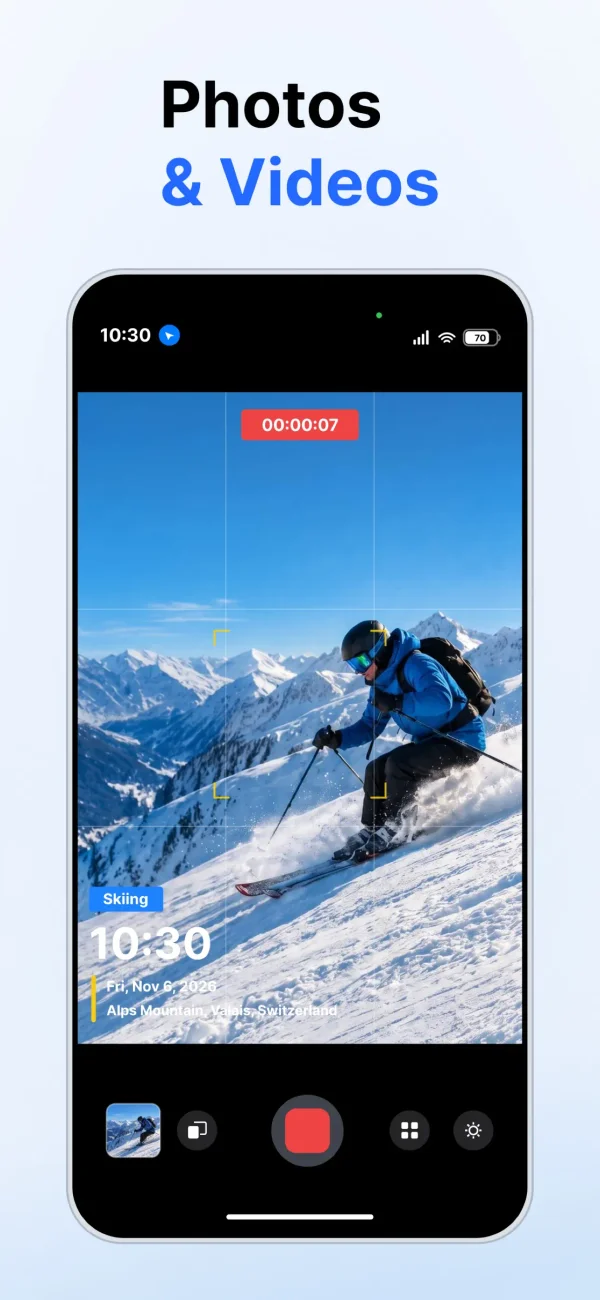
Timestamp Camera - Time & GPS+ is a free timestamp camera app that can add date, time, GPS location, maps, temperature, and atmospheric pressure to watermarks on your photos and videos — so every shot carries the context you choose to show.
Add GPS and timestamp to photos for work documentation, site records, property inspections, plant growth tracking, and outdoor adventures — anywhere proof matters.
WATERMARK TEMPLATES
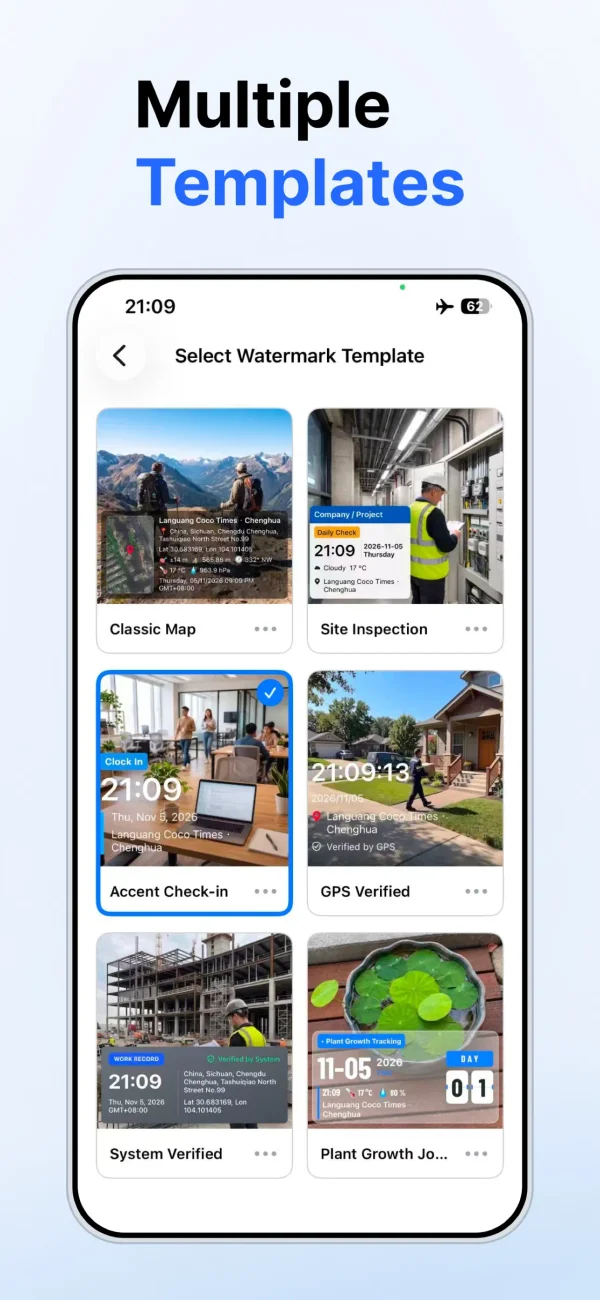
Choose from six watermark templates in a two-column list with high-resolution scene previews.
- Classic Map: Stamp photos with a map, GPS coordinates, altitude, and compass bearing.
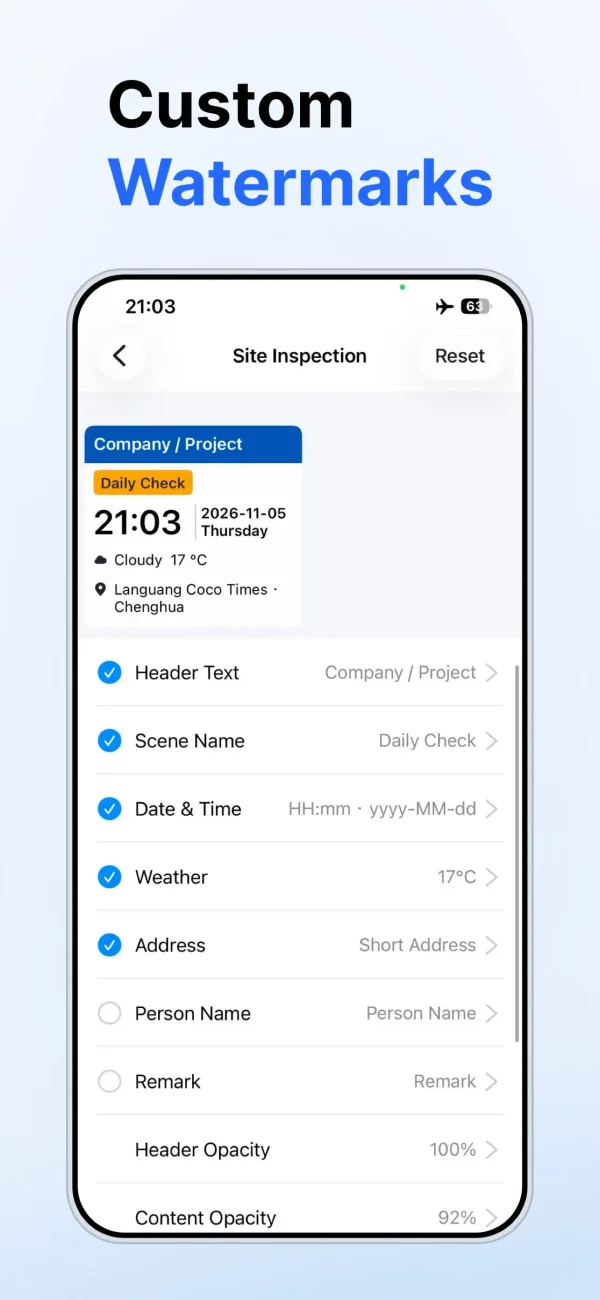
- Site Inspection: Log the project, inspection site, weather, and notes.
- Accent Check-in: Highlight check-in time and place, drag to reorder rows, and show the “Verified by GPS” line, weather, and altitude.
- GPS Verified: Pair a timestamp down to the second with the address and a GPS badge.
- System Verified: Put a work label, timestamp, address, coordinates, and system badge on site photos.
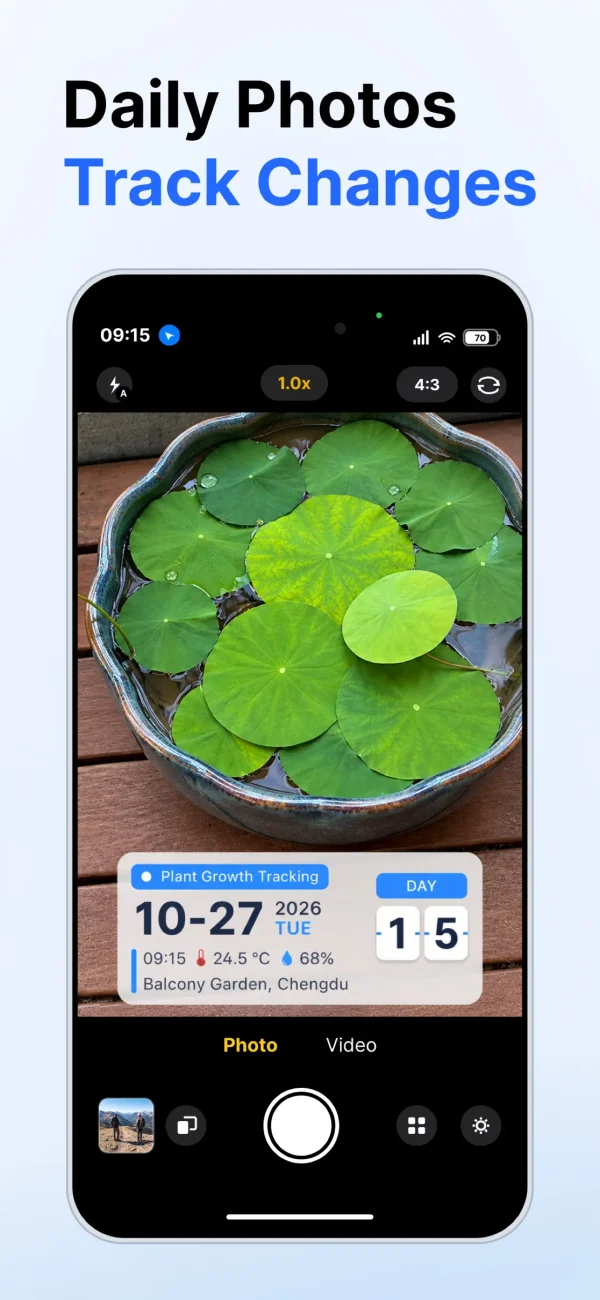
- Day Counter: Set a Day 1 date to stamp the day number on photos as you track plant growth, a fitness challenge, a trip, or a project.
For work photos, supported templates offer a custom text badge, a system verification label, date and time, time zone, place name, and GPS coordinates.
PHOTO REPORTS
- After you take at least one photo, Report appears next to the shutter button
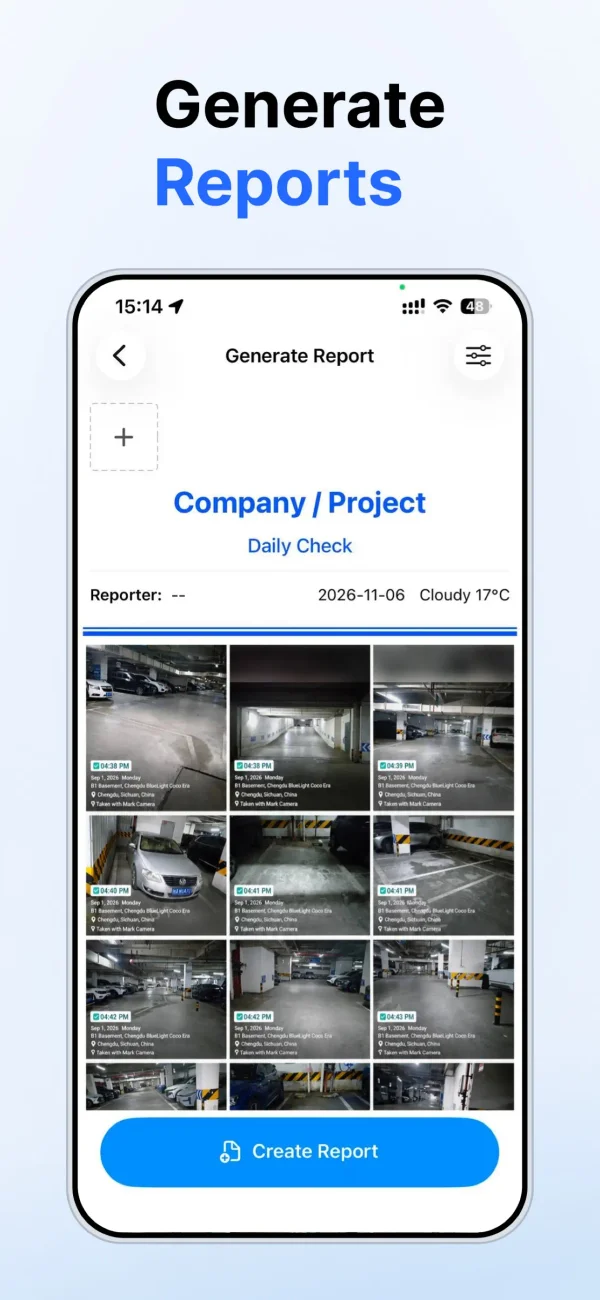
- Combine 1 to 42 watermarked shots taken in the app or any images from your photo library into one shareable report image; existing watermarks remain visible
- Photos are arranged three per row, and the report grows into a longer image as you add more
- Add your logo and set the company/project, scene name, reporter, date, and weather, plus colors for the company/project, scene name, and dividers
- Add or remove an optional footer containing the app name and a scannable QR code
- Every report is generated locally on your device, and the feature is completely free
LOCATION & MAP
- Embedded map on every photo or video (Standard, Satellite, or Hybrid)
- Full address and short address
- GPS coordinates (latitude & longitude)
- Altitude and accuracy
- Bearing (e.g. 265° W)
DATE & TIME
- Customizable date & time format (e.g. yyyy-MM-dd HH:mm:ss)
- Time zone display (e.g. GMT+8)
ENVIRONMENT
- Temperature
- Atmospheric pressure
FULLY CUSTOMIZABLE WATERMARK
- Turn each element on or off independently
- Adjust font, font size, and color for each element
- Add your own logo or image to the watermark
- Choose your emoji & symbol style
- Save custom location tags — bookmark your home, office, or job site and select it instantly next time
CAMERA FEATURES
- Real-time watermark preview while shooting
- Front and rear camera support
- Portrait and landscape orientation
- Auto flash
- Horizon line and vertical axis guide for level shots
- Works for both photos and videos
WHO USES TIMESTAMP CAMERA
- Construction & field teams — document site conditions with time and location proof
- Property managers — record inspections with stamped photos and GPS coordinates
- Delivery & field service — capture proof-of-work photos on every job
- Plant lovers & gardeners — track plant growth day by day with dated photos
- Outdoor enthusiasts & hikers — log your routes with altitude, coordinates, and bearing
- Travelers — remember exactly where and when every moment happened
Timestamp Camera - Time & GPS+ is free to use. No subscription. No in-app purchases.
FRAMING, WATERMARK SIZE & QUICK CONTROLS
- Switch between 4:3 and square 1:1 with one tap. The viewfinder and watermark alignment adapt to the selected format.
- Freely adjust the overall watermark size to suit your composition.
- Get accurate latitude, longitude, and altitude outdoors or without an internet connection, with no cellular data or Wi-Fi required.
- Tap the watermark to open template settings, or tap the address to edit the location.
What’s new
Version 1.9.1 · Nov 25, 2026
1. Tap-to-Edit Address Across All Templates: Tap the address directly on any watermark template to quickly edit or switch your location.
2. Template & Localization Polish: Refined Day Counter template naming and localized UI labels for better consistency.
3. Stability Improvements: General fixes and reliability enhancements.
App privacy
What 泽沛 许 declares on the App Store about how this app handles data.
-
Data used to track you
May be used to track you across apps and websites owned by other companies.
- Usage data
-
Data not linked to you
May be collected but is not linked to your identity.
- Location
- User content
- Identifiers
- Usage data
- Diagnostics
Privacy practices may vary, for example with the features you use or your age.
Information
- Seller
- 泽沛 许
- Category
- Photo & Video
- Version
- 1.9.1
- Updated
- Nov 25, 2026
- Released
- Jun 14, 2026
- Size
- 25.3 MB
- Requires
- iOS 15.0 or later
- Age rating
- 4+
- Price
- Free
- Languages
- English, Filipino, Indonesian, Simplified Chinese, Vietnamese
- Copyright
- © Xiaomei Photo Studio
You might also like
-
 Timestamp Camera: Photo StampDate watermark on work photos
-
 Timestamp Camera -Auto Stamper Time Stamp Camera
-
 Timestamp Camera: GPS PhotosGeotag, GPS Map & Time Stamp
-
 Timestamp Camera GPS: CamStampDate, time, address & video
-
 Timestamp Camera GPS: FastTime Stamp Map & Date Stamper
-
 Timestamp Camera: GPS, TimeDate Camera for Work Proof
-
 GPS Timestamp Camera: GPSCamMap Location in Photo & Video
-
 AI Timestamp CameraSmart GPS & Time Watermarks
-
 Timestamp Camera-date stampertimestamp camera basic,photos
-
 Timemark: Timestamp CameraGPS Photo, Video, Field Proof