
- Age rating4+
- CategoryProductivity
- DeveloperVolodymyr Sichka
- LanguagesEnglish
- Size4.6 MB
Links to the official App Store page
Download.org hosts no file of Markdown Master. The button opens its official App Store page, published by Volodymyr Sichka. Listing last checked on Nov 17, 2026.
Screenshots

About
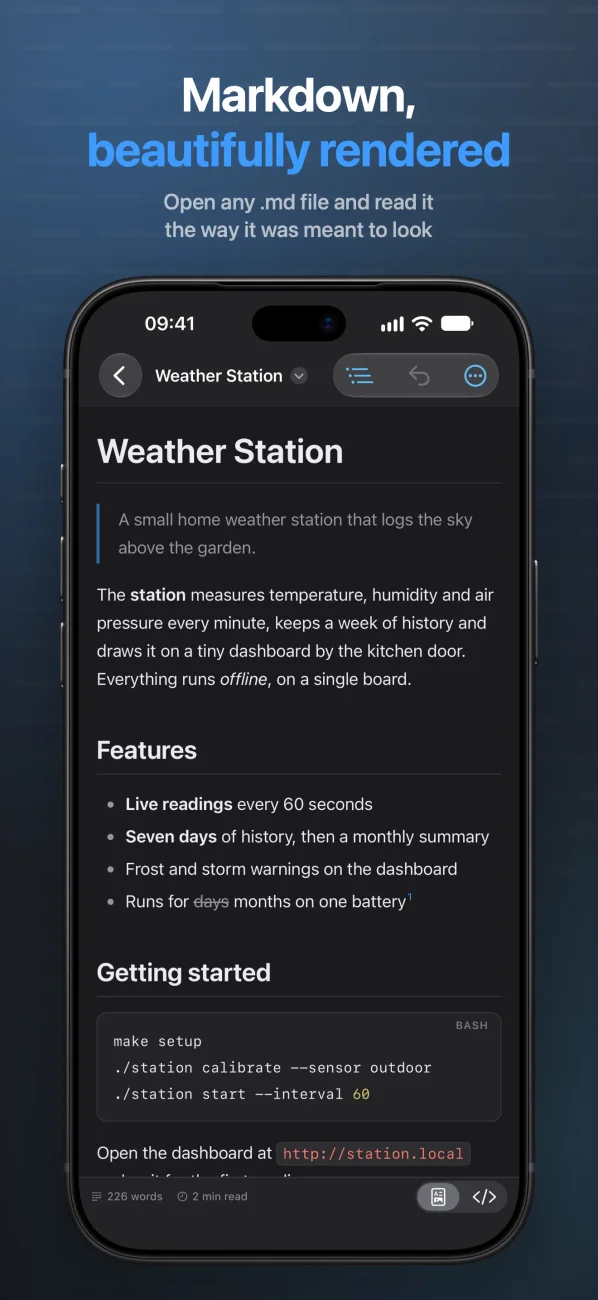
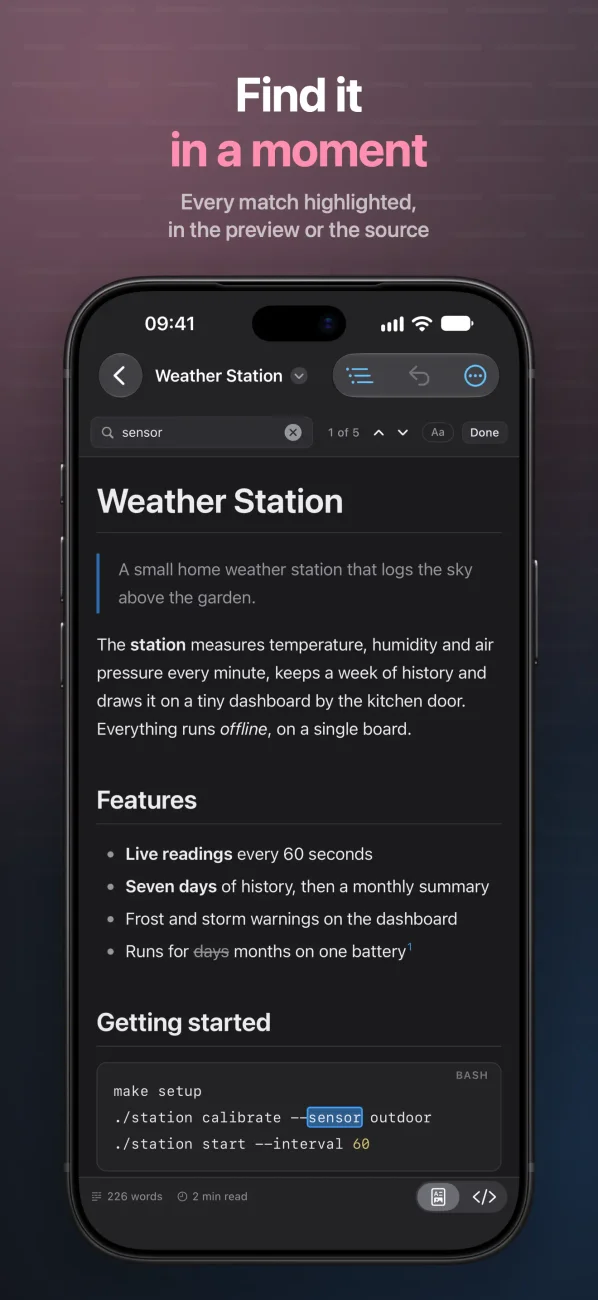
Markdown Master opens any .md file and shows it the way it was meant to look: headings, tables, task lists, code and callouts, neatly formatted. Switch to the source to fix a typo, or put source and preview side by side and write. When the text has to leave the device, export a clean PDF.
READ
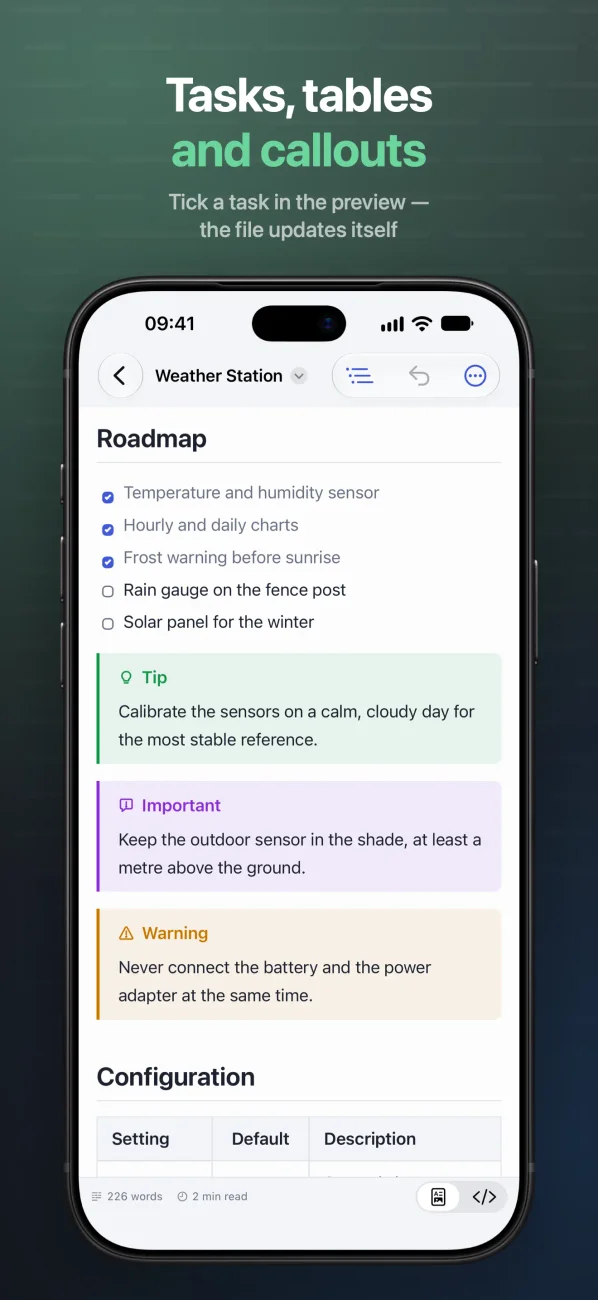
• Formatted preview of Markdown with the popular extensions: tables with alignment, task lists, strikethrough, footnotes, callouts (note, tip, important, warning, caution), front matter and inline HTML
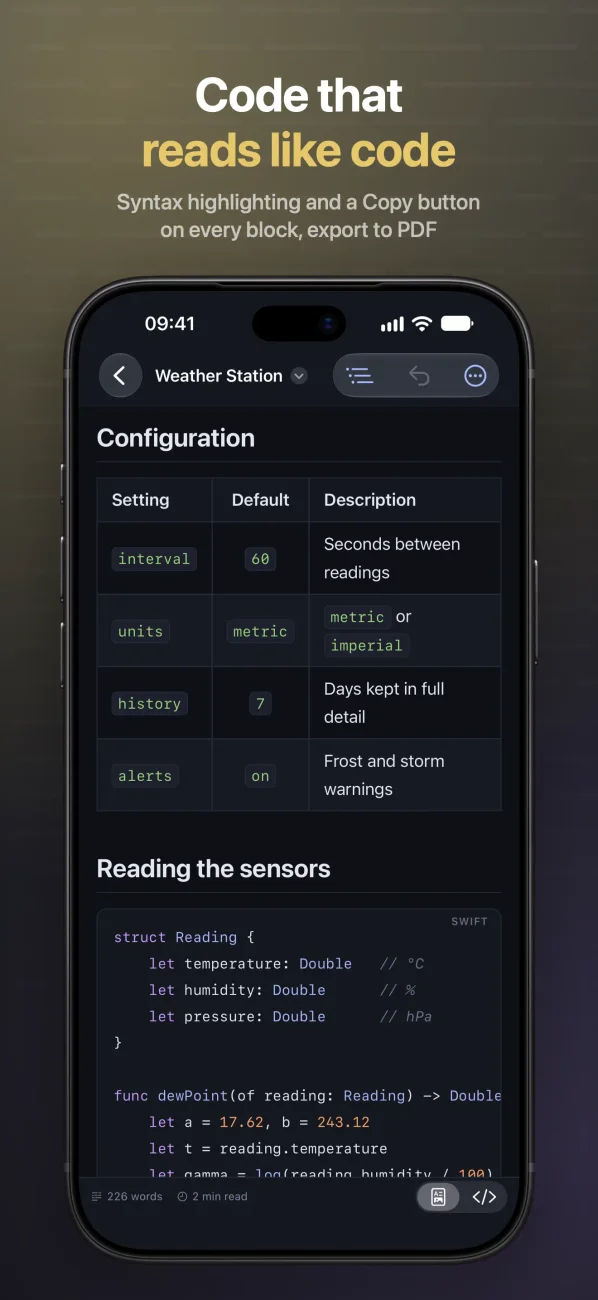
• Syntax highlighting in code blocks for more than twenty programming languages, with a Copy button on every block
• An outline of the document with the current section highlighted — tap a heading to jump there
• Links that work: in-page anchors scroll within the document, others open in your browser
• Word count, character count and reading time
• Typeface, text size and line width to your taste
• Images stored next to the document appear once you give access to their folder
• Scripts inside a document never run: the preview is a document, not a web page
WRITE
• Source editor with Markdown highlighting
• Source and preview side by side on iPad and Mac, the preview following the source as you scroll
• Lists continue themselves: Return starts the next item, Tab nests it
• Formatting commands with keyboard shortcuts, and a formatting bar above the keyboard on iPhone and iPad
• Tick a task in the preview and the file updates itself
• Find and replace with every match highlighted, in the preview or in the source
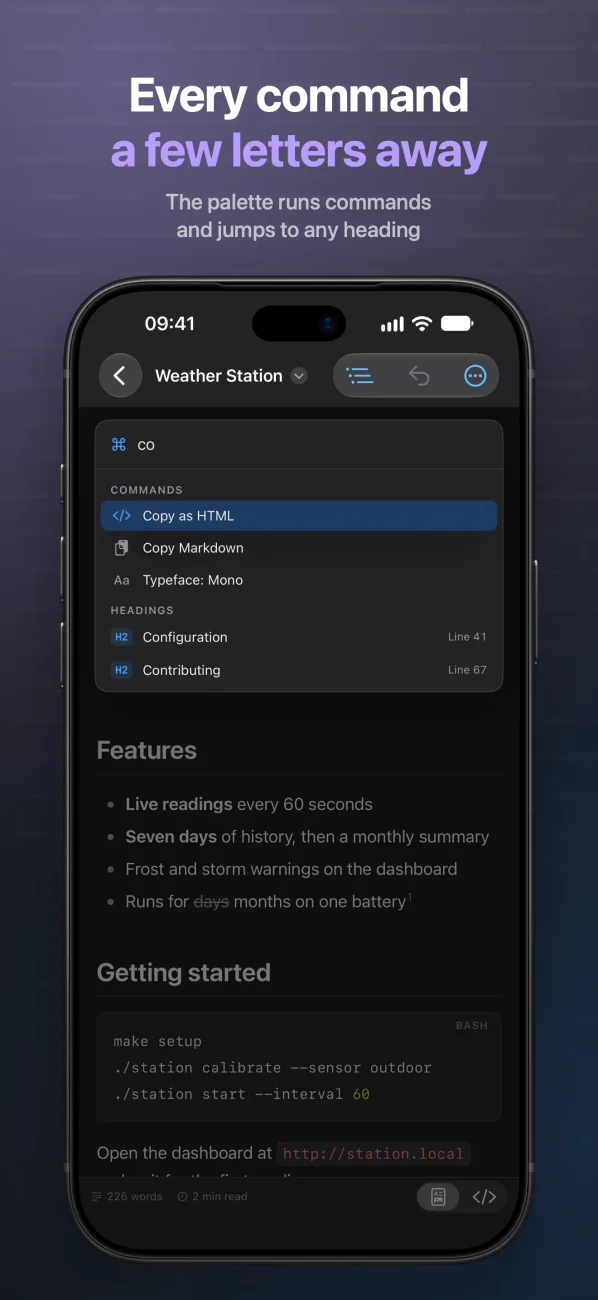
• Command palette: run any command by name or jump to any heading in a few keystrokes
EXPORT
• PDF with page breaks that never cut a line of text or a table row, page numbers, A4 or US Letter, and links that still work
• A single self-contained HTML file
• Print, Copy as HTML, Copy Markdown
AT HOME ON YOUR DEVICES
• Quick Look previews Markdown files in Finder and Files with the same rendering
• On Mac, one click makes Markdown Master the default app for .md files
• Opens files in UTF-8, UTF-16 and older encodings
• Four themes: Graphite, Midnight, Amber CRT and Daylight
• Seven languages: English, German, French, Ukrainian, Spanish, Japanese and Portuguese
• A built-in Markdown guide showing every construct with its result
No account, no ads, no tracking. Your documents stay in your own folders.
App privacy
What Volodymyr Sichka declares on the App Store about how this app handles data.
-
Data not collected
The developer does not collect any data from this app.
Privacy practices may vary, for example with the features you use or your age.
Information
- Seller
- Volodymyr Sichka
- Category
- Productivity
- Version
- 1.0
- Updated
- Oct 31, 2026
- Released
- Oct 31, 2026
- Size
- 4.6 MB
- Requires
- iOS 18.0 or later
- Age rating
- 4+
- Price
- $4.99
- Languages
- English
- Copyright
- © 2026 Volodymyr Sichka
You might also like
-
 Verso ReaderPrivacy-first Markdown Reader
-
 Notedown: Markdown NotesMarkdown notes, fully offline
-
 Habit Tracker - Track todayYour Daily Habit Journal
-
 Noteline - Markdown NotesLocal-first .md note editor
-
 Branchnote: Notes & ChecklistsNotepad & journal, organized
-
 Hourly Chime: Reminds Me DailyGet a beep sound each hour.
-
 Recto MDA calm Markdown reader
-
 PDF Maker: High level toolsPDF Maker & PDF Signer App
-
 Creative StatesTop of mind flexible workspace
-
 Montee: AI Meeting CopilotMeeting Minutes & Voice Notes