
Markdown Master
Markdown Reader & Editor
Projetado para iPhone, iPad, Mac
R$ 29,90
- Classificação etária4+
- CategoriaProdutividade
- DesenvolvedorVolodymyr Sichka
- IdiomasInglês
- Tamanho4,6 MB
Leva à página oficial na App Store
O Download.org não hospeda nenhum arquivo de Markdown Master. O botão abre a página do app na App Store, onde Volodymyr Sichka o publica. Página verificada pela última vez em 17/11/2026.
Capturas de tela

Sobre
O desenvolvedor não forneceu este texto no seu idioma.
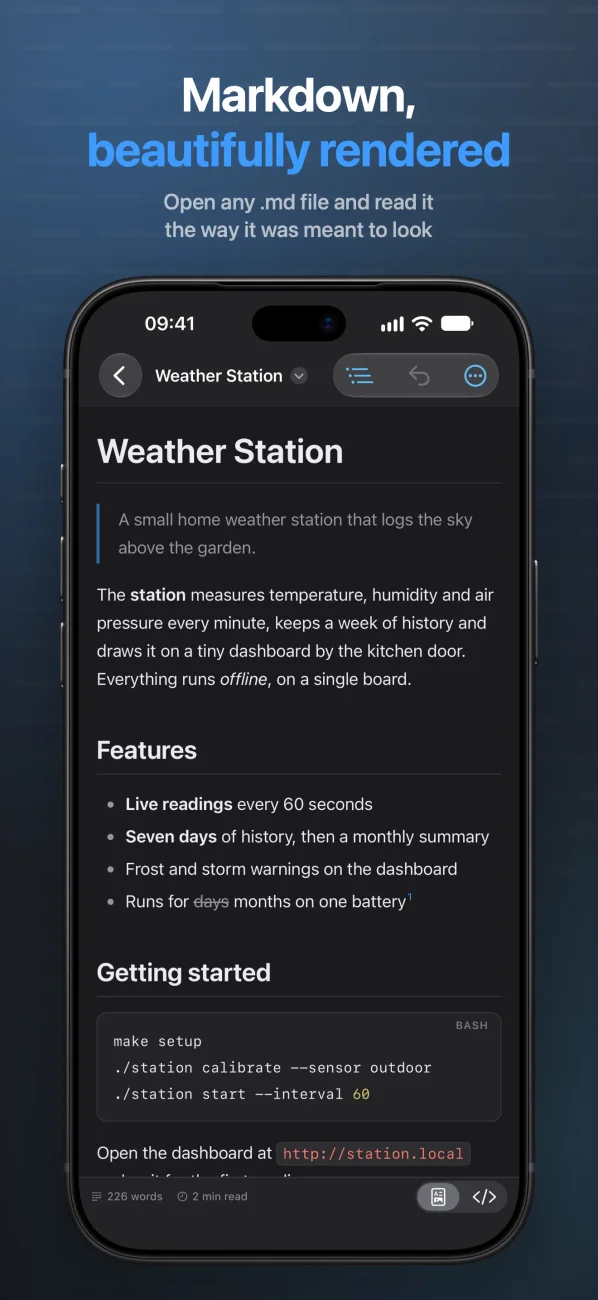
Markdown Master opens any .md file and shows it the way it was meant to look: headings, tables, task lists, code and callouts, neatly formatted. Switch to the source to fix a typo, or put source and preview side by side and write. When the text has to leave the device, export a clean PDF.
READ
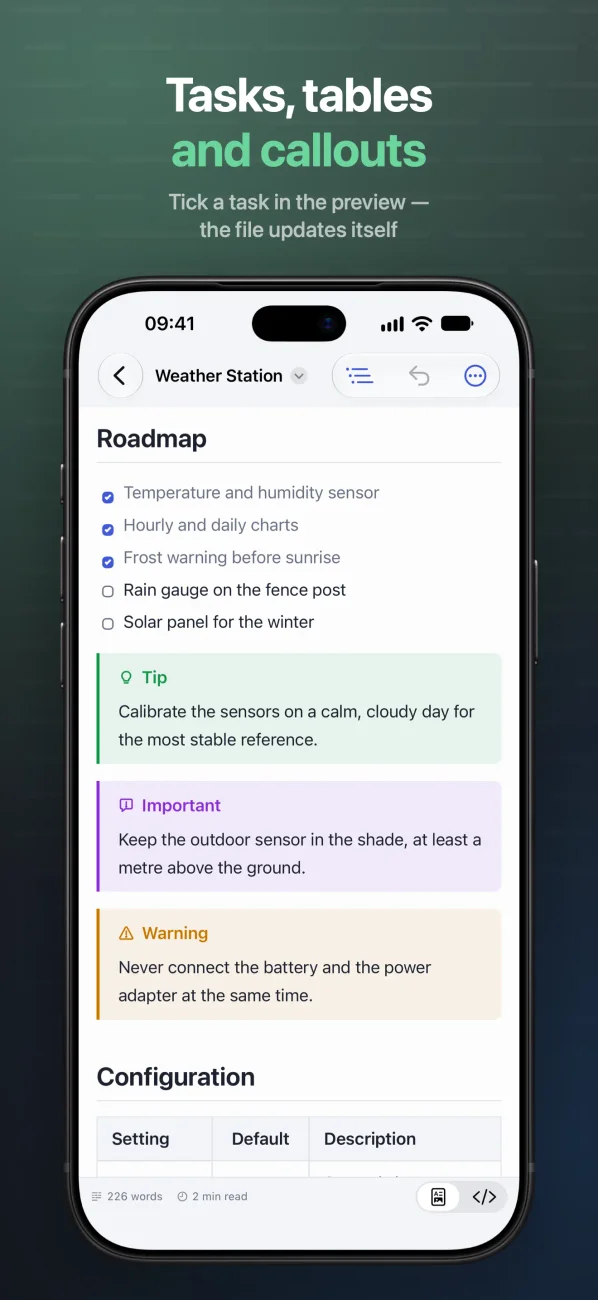
• Formatted preview of Markdown with the popular extensions: tables with alignment, task lists, strikethrough, footnotes, callouts (note, tip, important, warning, caution), front matter and inline HTML
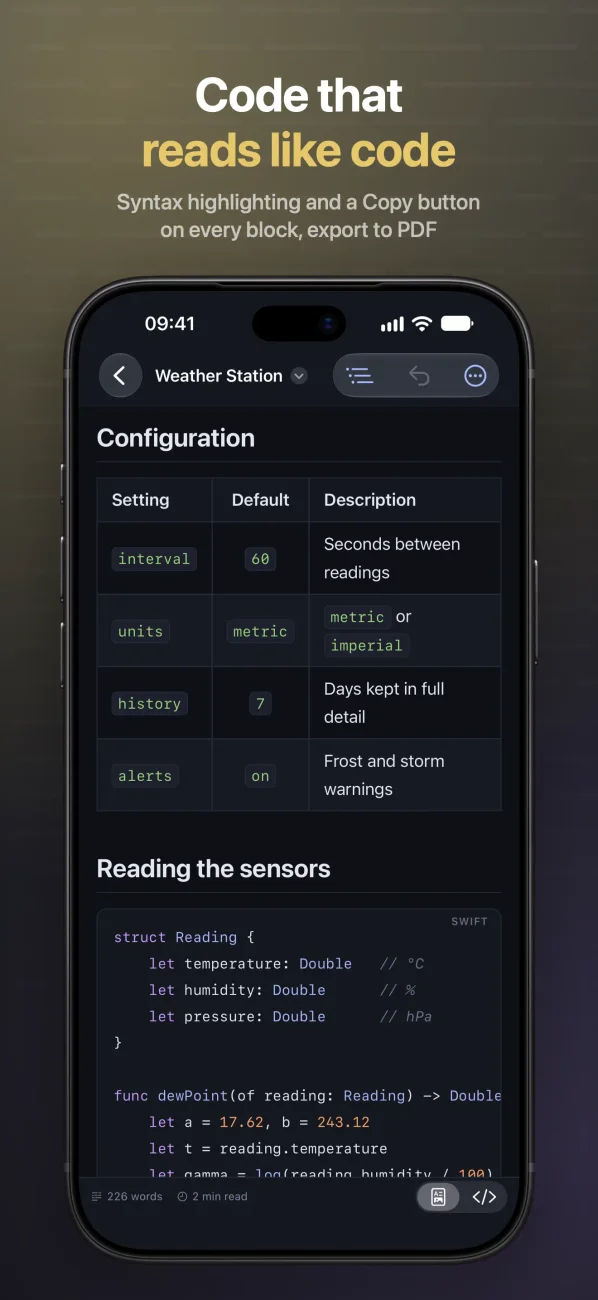
• Syntax highlighting in code blocks for more than twenty programming languages, with a Copy button on every block
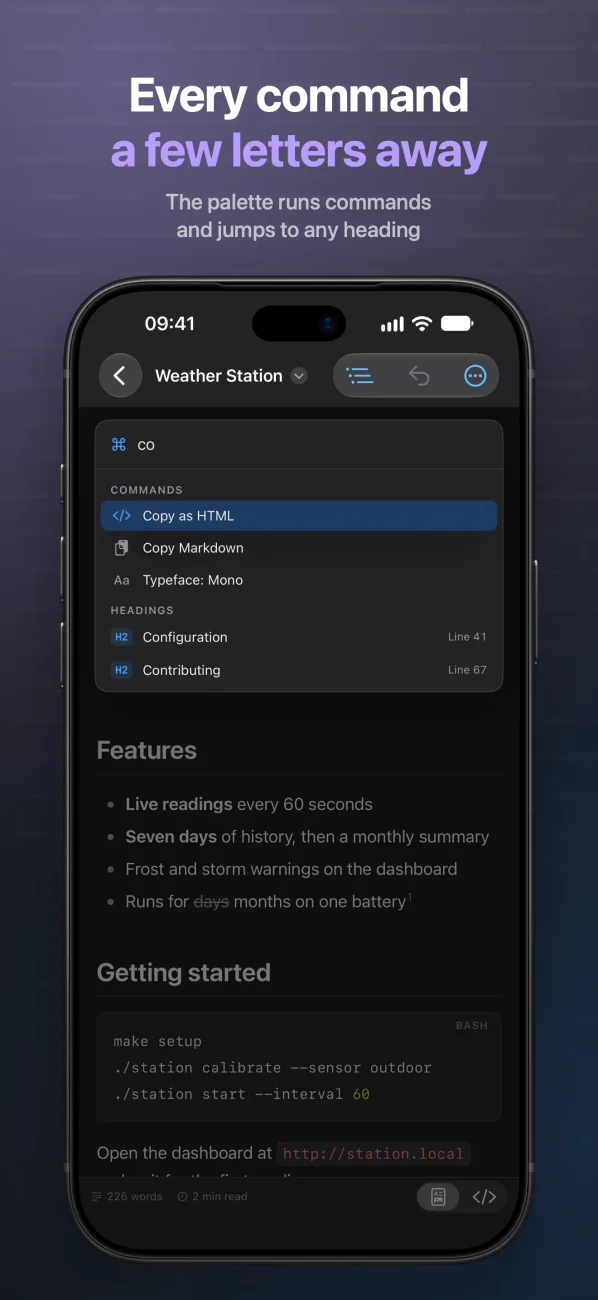
• An outline of the document with the current section highlighted — tap a heading to jump there
• Links that work: in-page anchors scroll within the document, others open in your browser
• Word count, character count and reading time
• Typeface, text size and line width to your taste
• Images stored next to the document appear once you give access to their folder
• Scripts inside a document never run: the preview is a document, not a web page
WRITE
• Source editor with Markdown highlighting
• Source and preview side by side on iPad and Mac, the preview following the source as you scroll
• Lists continue themselves: Return starts the next item, Tab nests it
• Formatting commands with keyboard shortcuts, and a formatting bar above the keyboard on iPhone and iPad
• Tick a task in the preview and the file updates itself
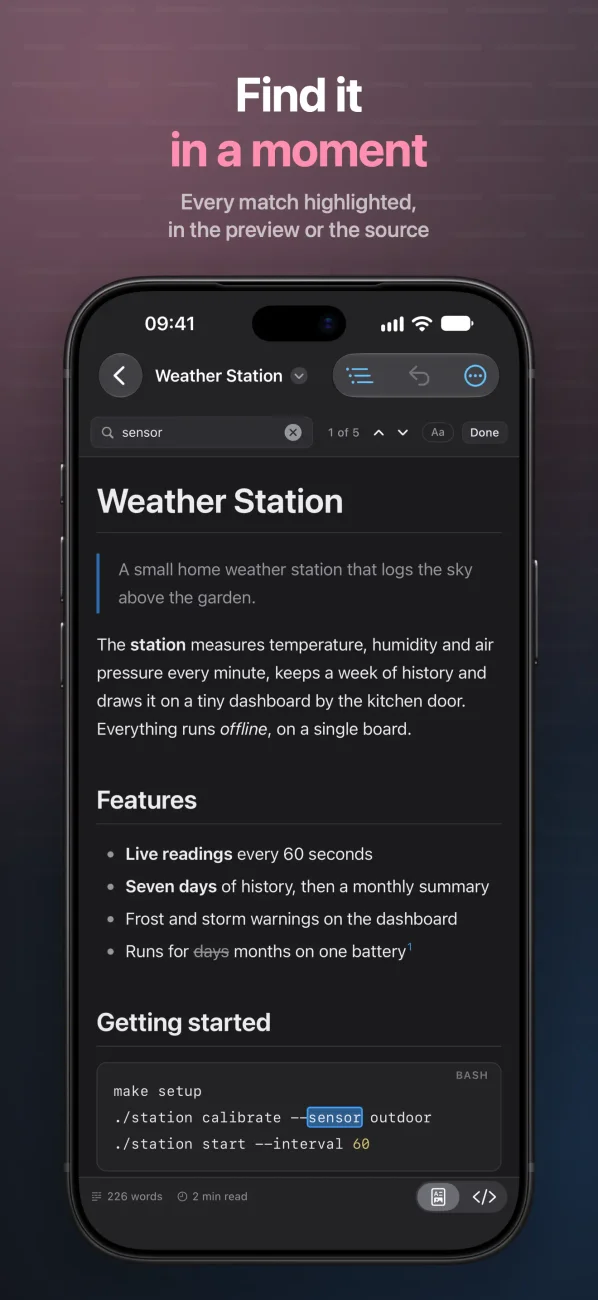
• Find and replace with every match highlighted, in the preview or in the source
• Command palette: run any command by name or jump to any heading in a few keystrokes
EXPORT
• PDF with page breaks that never cut a line of text or a table row, page numbers, A4 or US Letter, and links that still work
• A single self-contained HTML file
• Print, Copy as HTML, Copy Markdown
AT HOME ON YOUR DEVICES
• Quick Look previews Markdown files in Finder and Files with the same rendering
• On Mac, one click makes Markdown Master the default app for .md files
• Opens files in UTF-8, UTF-16 and older encodings
• Four themes: Graphite, Midnight, Amber CRT and Daylight
• Seven languages: English, German, French, Ukrainian, Spanish, Japanese and Portuguese
• A built-in Markdown guide showing every construct with its result
No account, no ads, no tracking. Your documents stay in your own folders.
Privacidade do app
O que Volodymyr Sichka declara na App Store sobre como este app lida com os dados.
-
Dados não coletados
O desenvolvedor não coleta nenhum dado deste app.
As práticas de privacidade podem variar, por exemplo, com base nos recursos que você usa ou na sua idade.
Informações
- Vendedor
- Volodymyr Sichka
- Categoria
- Produtividade
- Versão
- 1.0
- Atualizado
- 31/10/2026
- Lançamento
- 31/10/2026
- Tamanho
- 4,6 MB
- Requer
- iOS 18.0 ou posterior
- Classificação etária
- 4+
- Preço
- R$ 29,90
- Idiomas
- Inglês
- Copyright
- © 2026 Volodymyr Sichka
Você também pode gostar
-
 Verso ReaderProdutividade
-
 Notedown: Markdown NotesProdutividade
-
 Habit Tracker - Track todayProdutividade
-
 Noteline - Markdown NotesProdutividade
-
 Branchnote: Notes & ChecklistsProdutividade
-
 Hourly Chime: Reminds Me DailyProdutividade
-
 Recto MDProdutividade
-
 PDF Maker: High level toolsProdutividade
-
 Creative StatesProdutividade
-
 Montee: AI Meeting CopilotProdutividade