Quirely Markdown+LaTeX Editor
Viewer, editor, visual Mermaid
Designed for iPhone, iPad, Mac
In-app purchases
- Age rating4+
- CategoryProductivity
- DeveloperReggie Fisher
- LanguagesEnglish
- Size97.8 MB
Links to the official App Store page
Download.org hosts no file of Quirely Markdown+LaTeX Editor. The button opens its official App Store page, published by Reggie Fisher. Listing last checked on Nov 12, 2026.
Screenshots
About
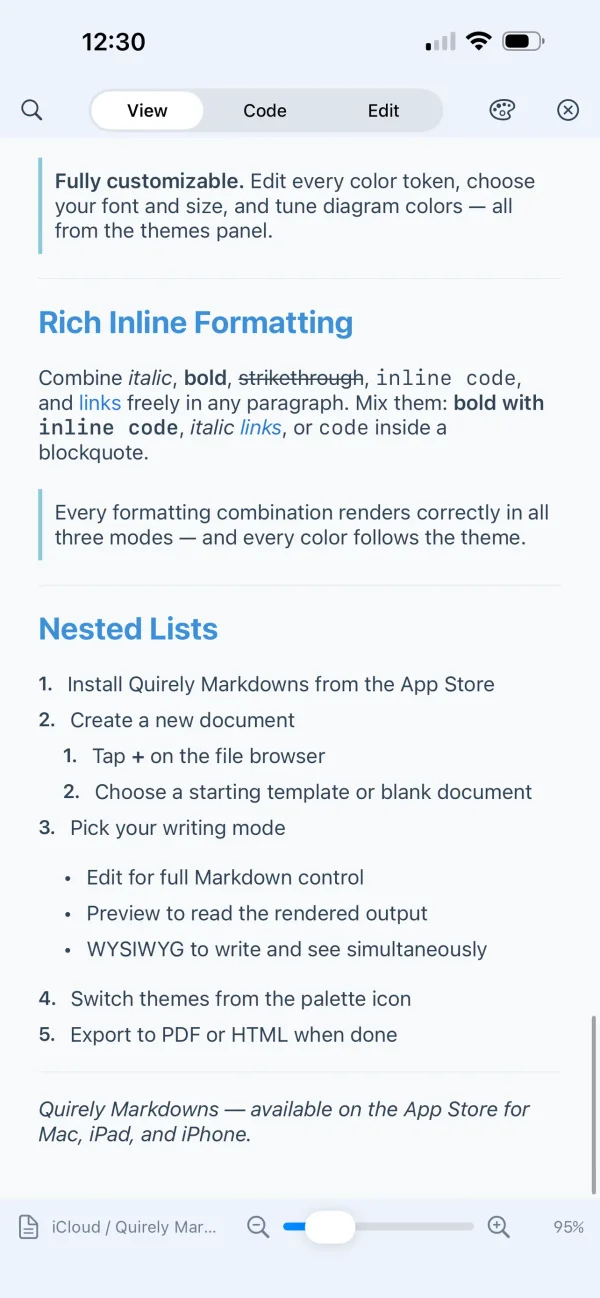
Quirely is two full editors in one native app: real Markdown and real LaTeX. Neither is a bolt-on. If you only ever write Markdown, you get a complete, beautiful Markdown app — nothing hidden behind TeX. If you live in LaTeX, you get a genuine editor that compiles your projects — not a Markdown app with math sprinkled in.
A CALMER READER
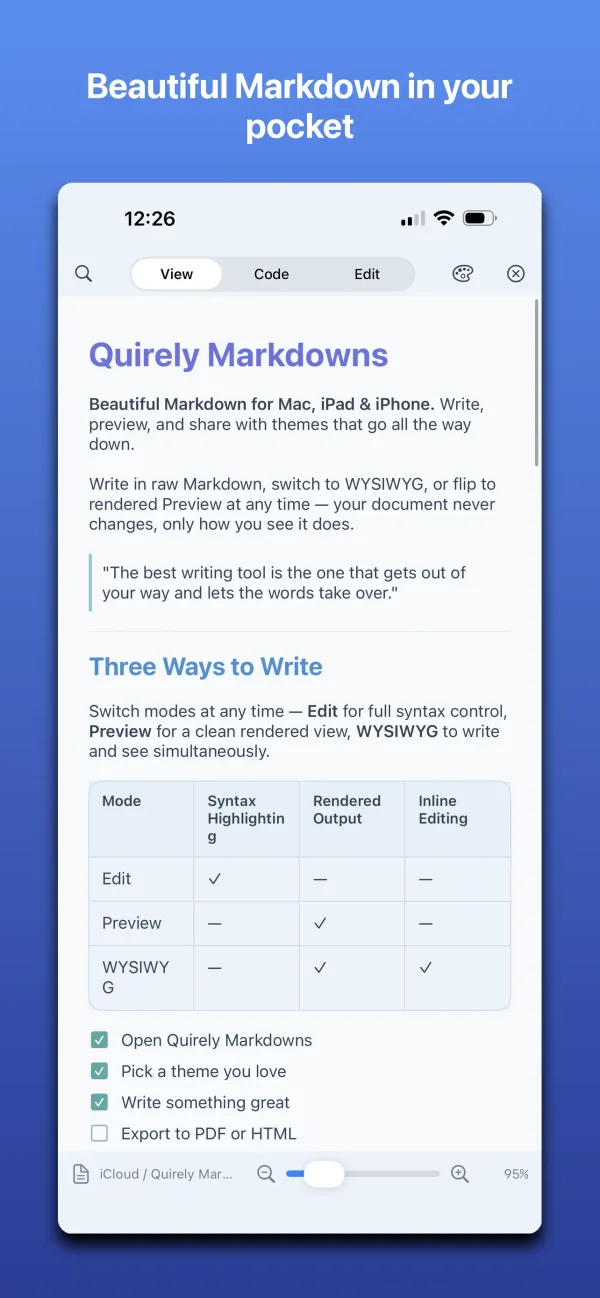
Open a file and just read. Quirely renders clean, typographic Markdown — never forcing a split screen or a cramped editor when all you want is the page. Switch to Code, Edit, or Split only when you choose. Quick Look previews .md and .tex straight from Finder.
MARKDOWN, RENDERED RIGHT
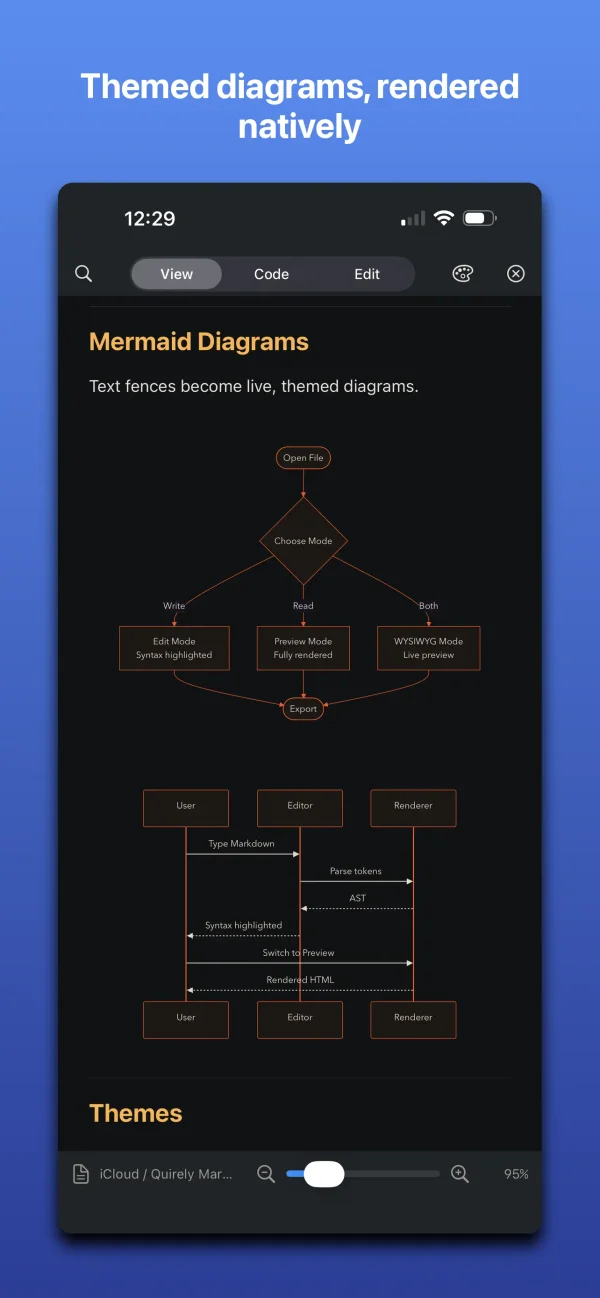
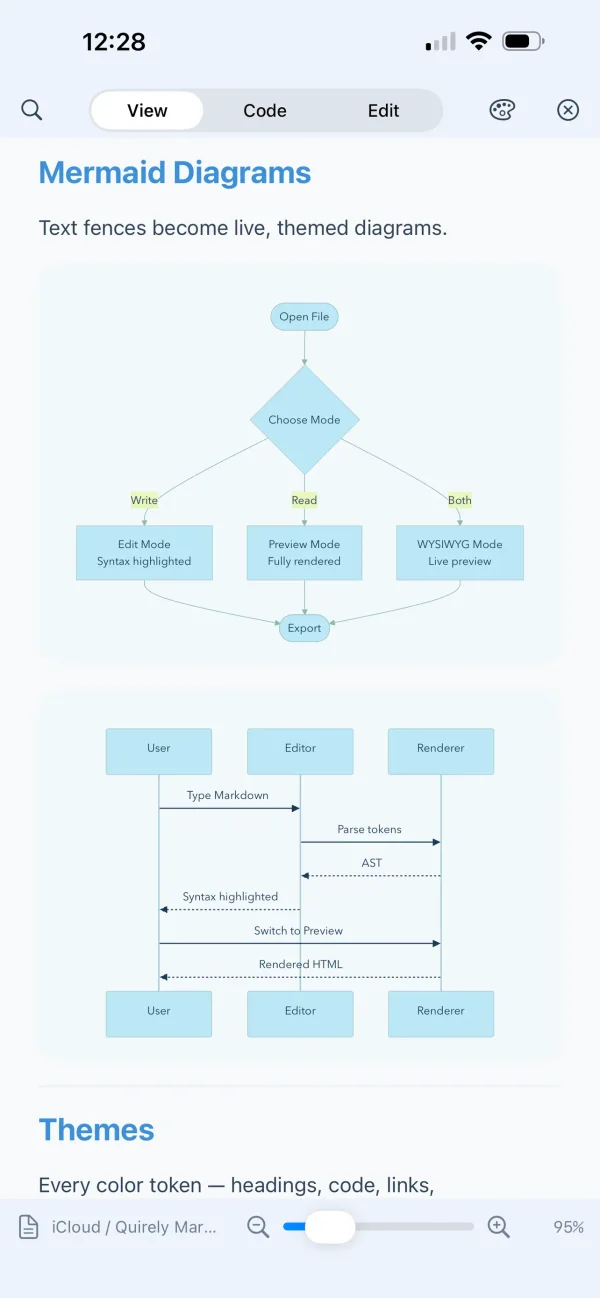
- Mermaid diagrams: flowcharts, sequence diagrams, and more — live, and styled to your theme.
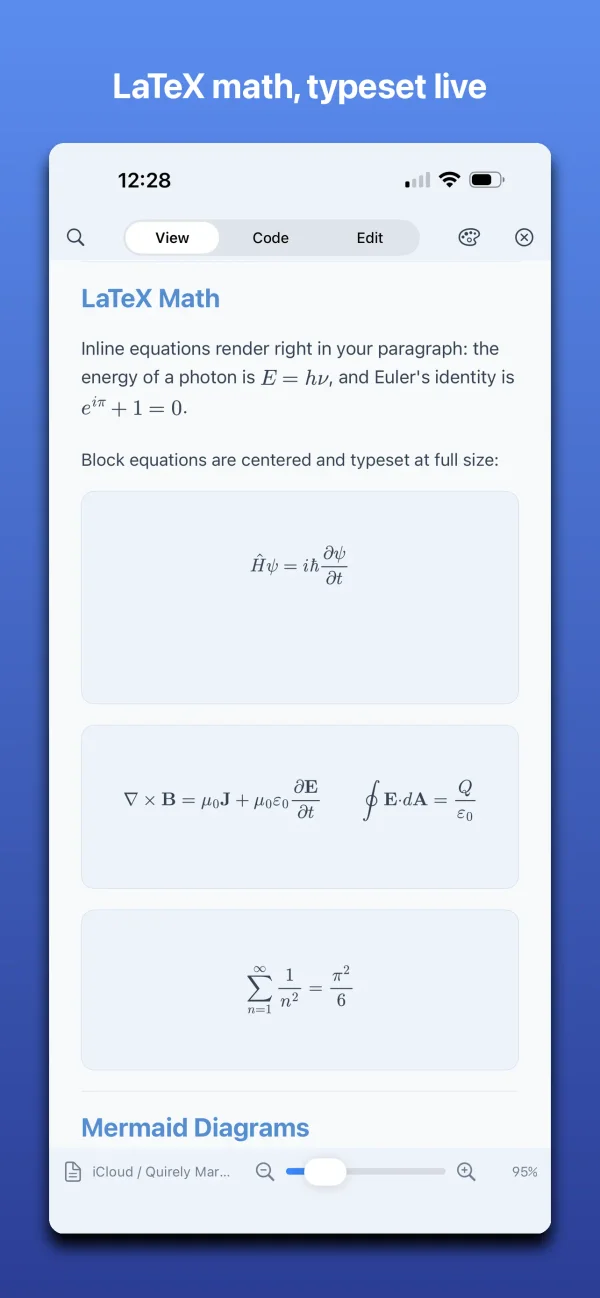
- LaTeX math: inline and block equations, typeset beautifully.
- Code blocks with syntax highlighting for dozens of languages.
- Tables, task lists, footnotes, callouts, full GitHub-flavored Markdown.
EDIT LIKE A PRO
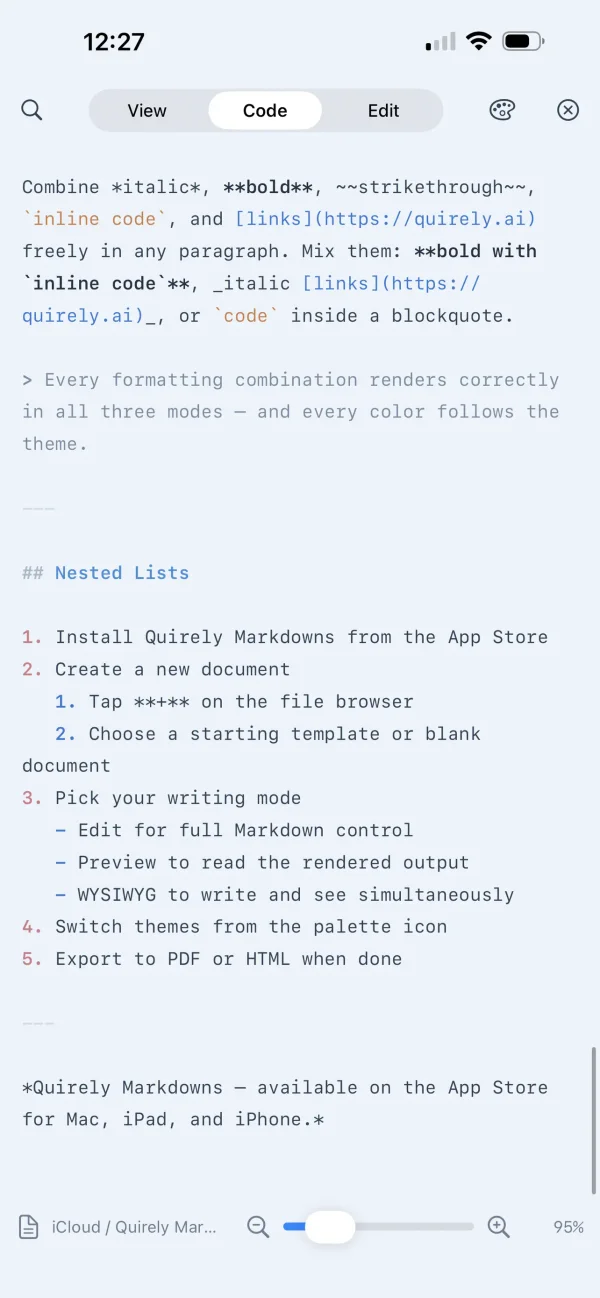
- Four modes: View, Code, Edit (block editor), and Split.
- Word-processor formatting: bold, italic, underline, strikethrough, highlight, links, super/subscript — with theme-aware colors.
- Drag-and-drop block editing: reorder paragraphs, lists, tables, and diagrams by hand.
- Visual Mermaid editing: drag nodes, add edges, recolor — no syntax required.
- Spreadsheet functions in tables: =SUM(A1:A3), =AVERAGE, =IF and more, with a full function keypad on Mac.
- Collaborate over bonjour. Share a workspace or document and each collaborator can edit with their own cursor and view. Entirely private; no external servers
A REAL LATEX EDITOR
- Open and compile .tex — single files or full projects with a root document, chapters, and BibTeX.
- The same four modes: read the typeset PDF, edit raw source with themed syntax highlighting, or use structured Edit mode — rendered paragraphs, equations, and tables you double-click to edit.
- Chapters open inline in the root document and save back to their own files.
- Tabular grid editor with the same spreadsheet formulas as Markdown tables.
- SyncTeX jump between source and PDF; rendered diffs between versions (latexdiff).
- Export LaTeX to PDF, HTML, or clean Markdown — cite/ref/figure numbering intact.
- LaTeX stays classic black-and-white by default; apply your theme with one toggle.
FEYNMAN DIAGRAMS
Build QED/QCD diagrams visually — vertices, propagators, gauge bosons, loops — or paste tikz-feynman. Quirely renders them natively and derives the amplitude iℳ from the Feynman rules; edit the equation and get the diagram back. Free on every tier.
MAKE IT YOURS
Ten hand-tuned themes recolor every token — headings, code, links, tables, diagrams. Duplicate any theme and edit every color, font, and size. Switch live.
A REAL WORKSPACE
- Open a folder with file navigation, backlinks, and tabs.
- Semantic search and exact full-text search.
- Version history with rendered diffs.
- Mark positions to insert text across documents.
ON-DEVICE AI (Pro)
Draft, rewrite, and synthesize across your notes with Apple Intelligence — on-device, no API fees, no account.
EXPORT & SHARE
Polished HTML or paginated PDF with your theme, math, and diagrams intact.
PRIVATE BY DESIGN
Everything runs on your device. Your files stay plain Markdown and LaTeX you own — no account, no lock-in.
ONE APP, EVERY DEVICE
Universal for Mac, iPad, and iPhone. One-time purchases — never a subscription.
Write in Markdown or LaTeX. Read either beautifully.
What’s new
Version 2.4.3 · Nov 3, 2026
- Support for iPhone Duo
Also in this release:
NEW: Live Collaboration(Pro, iPad)
- Share the document you're looking at — or your whole vault — over Bonjour. No account, no server, nothing leaves your network. Completely private.
- Everyone gets their own cursor, color, and name. Watch teammates type in real time, letter by letter.
- Sessions announce themselves clearly: "paper.md — Ana" or "Research (vault) — Sam". Joining a shared document opens it in a tab; joining a vault lets you browse and open the host's files, with a dropdown to switch between their vault and yours.
- Group chat rides along: color-coded bubbles, per-person chime sounds, and clickable position marks — right-click or long-press to drop a "come look at this" pin that jumps everyone to the exact spot. Chat history saves with the share, so the conversation is still there next session.
- Optional session password. On iPhone you join as a viewer: read, browse, and chat.
- AI Builder Chat and the session chat now stack neatly, each collapsing with its own chevron.
MULTIPLE VAULTS
- Working on multiple projects each with their own workspace? Now Quirely allows you to add as many vaults as you want; both local and shared.
- Remove or add vaults any time. Select your vault from the vaults drop down
- Added support for adding and removing files and directories within the vault straight from Quirely
ALSO IN THIS RELEASE
- Two PDF export flavors everywhere: Continuous (one long page) and Paginated (true page breaks, like printing to PDF).
- The vault is reachable from the splash screen on iPad, with the workspace toggle now in the tabs row.
- LaTeX table formulas recall on click, match the grid's numbering, and offer the full function keypad from markdown tables.
- Feynman diagram editing remains free on every tier.
- Many fixes: edit-mode scroll memory, snapshot storage moved out of a size-limited store, ⌘P, and steadier editing in long documents.
One-time purchases, never a subscription. Write in Markdown or LaTeX — read either beautifully, now on every device.
App privacy
What Reggie Fisher declares on the App Store about how this app handles data.
-
Data not collected
The developer does not collect any data from this app.
Privacy practices may vary, for example with the features you use or your age.
Information
- Seller
- Reggie Fisher
- Category
- Productivity
- Version
- 2.4.3
- Updated
- Nov 3, 2026
- Released
- Jul 9, 2026
- Size
- 97.8 MB
- Requires
- iOS 26.2 or later
- Age rating
- 4+
- In-app purchases
- Yes
- Languages
- English
- Copyright
- © 2026 Reginald Fisher
You might also like
-
 dotMD: Markdown Notes & EditorLive preview, plain text files
-
 Math Canvas LaTexCreate LaTeX Equations Easily
-
 NearbiDoc - Markdown writerWrite Together, Nearby
-
 HipMark - Markdown EditorFast Markdown Editor & Viewer
-
 Marten: Markdown Code NotesDev notebook, snippets & sync
-
 Tida TasksTo-Do Lists, Sorted in Buckets
-
 AgentPadDocuments for people & agents
-
 MarkRead - Markdown ReaderRead in pages, across devices
-
 Musing NotesNotes you find by asking
-
 Flyout: Notes, Markdown, CodeReminders, checklists, tags