Maskable: Redact & Annotate
Blur & Pixelate Screenshots
Designed for iPhone, iPad
Free · In-app purchases
- Age rating4+
- CategoryProductivity
- Developer培茂 程
- LanguagesEnglish+ 9 more
- Size22.2 MB
Links to the official App Store page
Download.org hosts no file of Maskable: Redact & Annotate. The button opens its official App Store page, published by 培茂 程. Listing last checked on Nov 24, 2026.
Screenshots
About
Maskable helps you find and hide private information before sharing photos and screenshots. Detection and editing happen entirely on your iPhone or iPad. Images are never uploaded or sent to a server.
FIND SENSITIVE INFORMATION
Detect phone numbers, Chinese national ID numbers, bank card numbers, emails, addresses, tracking numbers, IP addresses, URLs, secret keys, access tokens, amounts, and names.
Checksums and valid area codes help reduce false positives. Common look-alikes, such as order numbers and timestamps, are filtered out. Each result shows its confidence and recognized text for review.
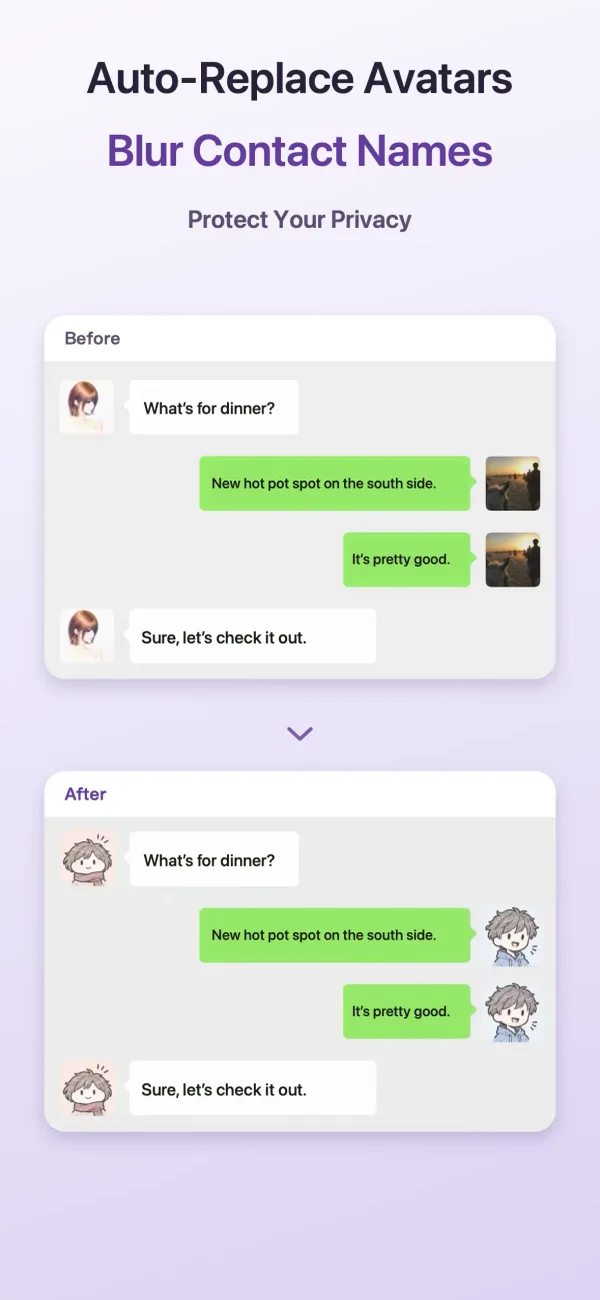
Maskable also detects faces, chat avatars, QR codes, barcodes, license plates, and status bars. Chat layout analysis helps identify conversation titles and participant names.
On supported devices, Apple Intelligence adds context-aware detection using an on-device language model.
CHOOSE HOW TO HIDE IT
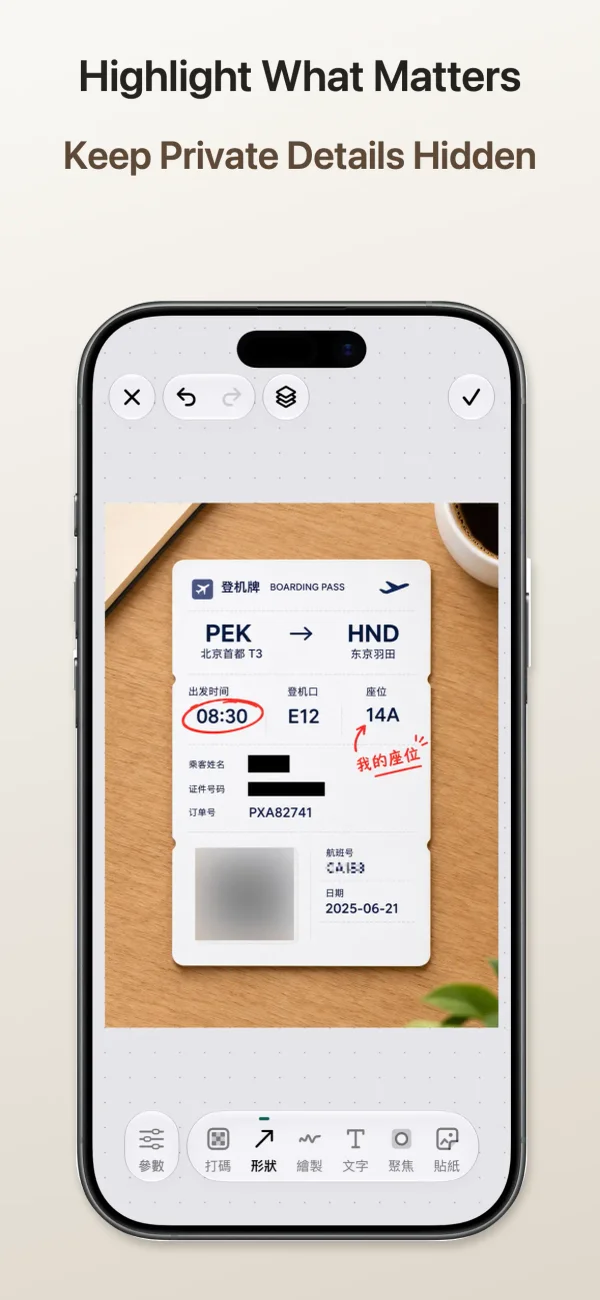
Use solid covers, background-matched covers, blur, pixelation, frosted glass, noise, checkerboard, or text labels.
Highly sensitive items use solid covers by default. Blur and pixelation may be partially reversible; styles with recovery risks are clearly identified.
Review items individually or hide a whole category with one tap. The Privacy Report updates as you work, showing what still needs attention.
ANNOTATE AND PERSONALIZE
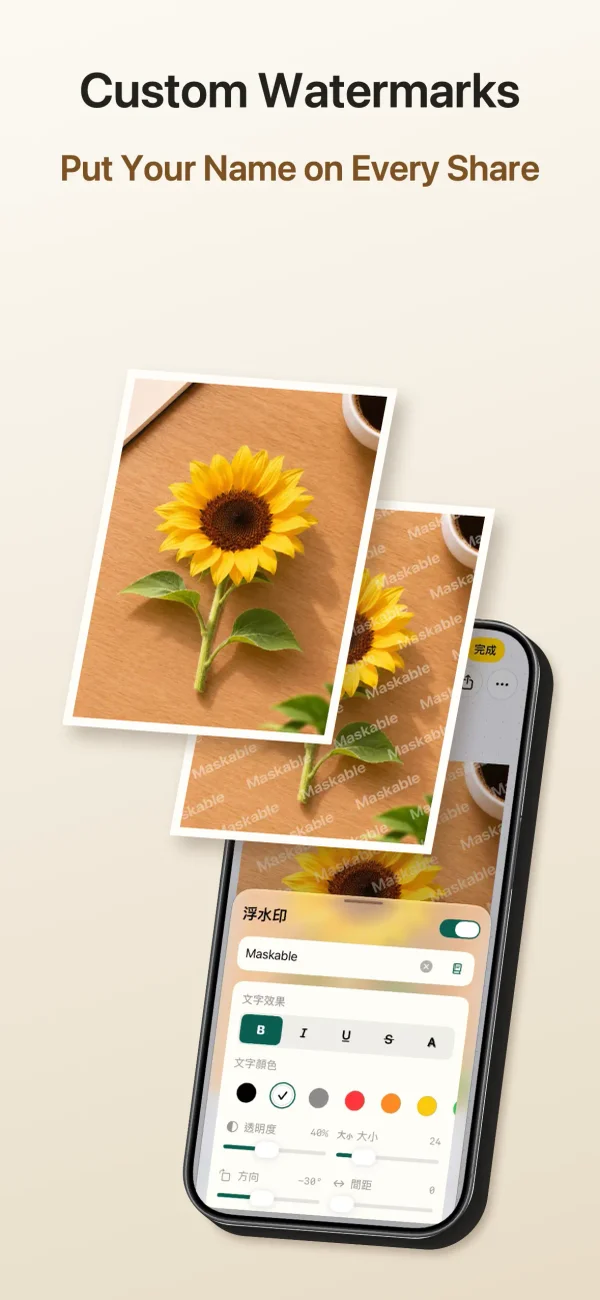
Add arrows, lines, shapes, freehand drawings, text, numbered steps, magnifiers, highlighters, spotlights, and mosaic effects. Crop images and add your own visible watermark.
The User Guide combines animated demos with short instructions and introduces all six annotation tool categories.
EDIT WITHOUT LOSING THE ORIGINAL
Edits are stored as reversible operations. Undo and redo changes, save a new copy, or update the current photo using non-destructive system editing. Updated photos can be reverted in Photos.
CHECK AGAIN BEFORE SHARING
Maskable scans the final rendered image before saving or sharing. If it finds remaining risks, it asks you to review them before continuing.
Saving removes location, capture time, device details, and other metadata by default. Sharing always removes this information. Export as PNG, JPEG, or HEIC.
PRIVATE BY DESIGN
• No image uploads or cloud processing.
• The app goes online only for StoreKit purchases and anonymous crash diagnostics: a short session record at launch and a crash report after a crash. Neither includes images, recognized text, or personal content.
• Crash reporting can be turned off at any time in Settings.
• No accounts, ads, third-party analytics, or tracking.
• Scans only images you open, never your library in the background.
• Supports access to selected photos only.
MADE FOR EVERYDAY USE
Pinch to zoom the home-screen photo grid. Send feedback through an installed email app, including Gmail.
Supports iOS 16 and iPadOS 16 or later, Dark Mode, Dynamic Type, VoiceOver, Reduce Motion, Reduce Transparency, and Increase Contrast.
Available in English, Vietnamese, Simplified Chinese, Traditional Chinese (Taiwan), Japanese, German, French, Dutch, Swedish, and Turkish.
Customize automatic redaction, tap-to-redact behavior, metadata removal, saving preferences, crash reports, and interface language in Settings.
MASKABLE PRO
Start with free manual covers and basic editing. Free exports include a small Maskable app badge.
Pro lets you save without the app badge and unlocks automatic redaction, batch processing, category-based redaction, background-matched covers, advanced redaction styles, and advanced annotation tools. See the app for available plans and pricing.
Terms of Use (EULA):
https://www.apple.com/legal/internet-services/itunes/dev/stdeula/
Take a closer look before you share—with privacy tools that keep your images on your device and you in control.
What’s new
Version 4.0 · Nov 23, 2026
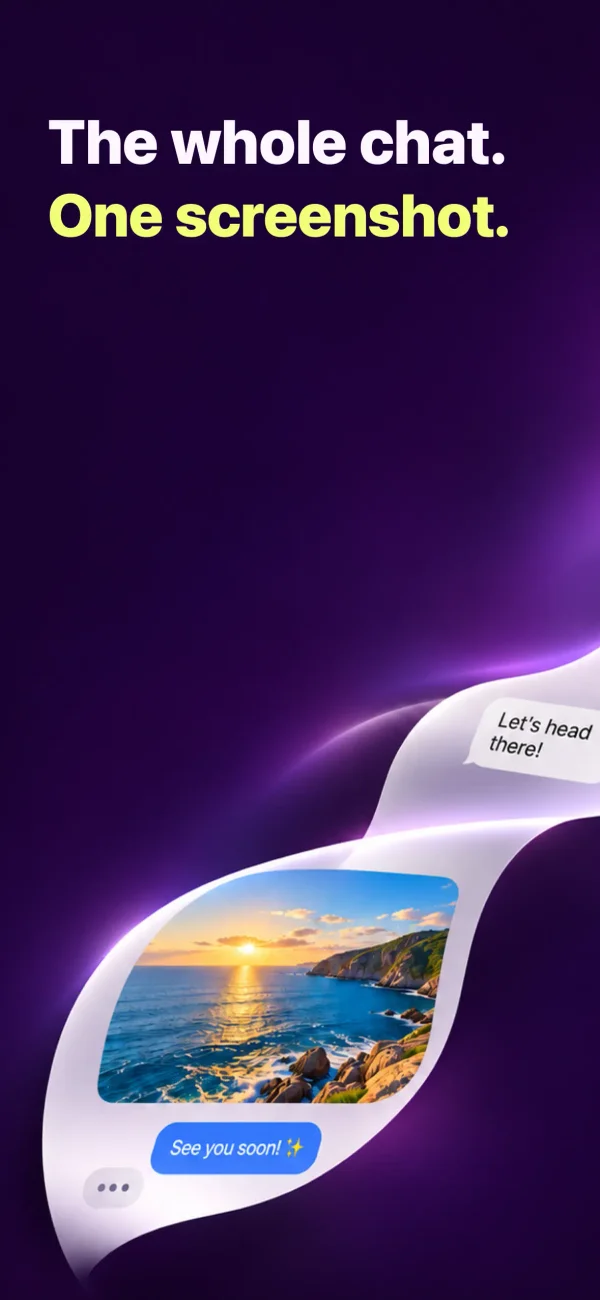
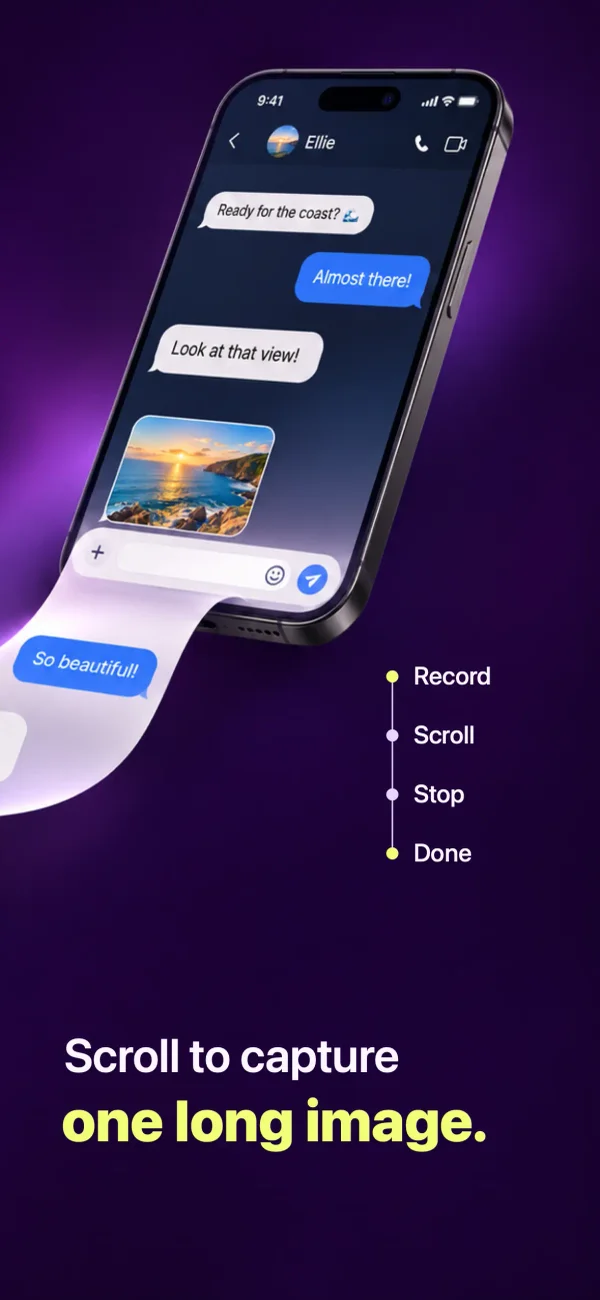
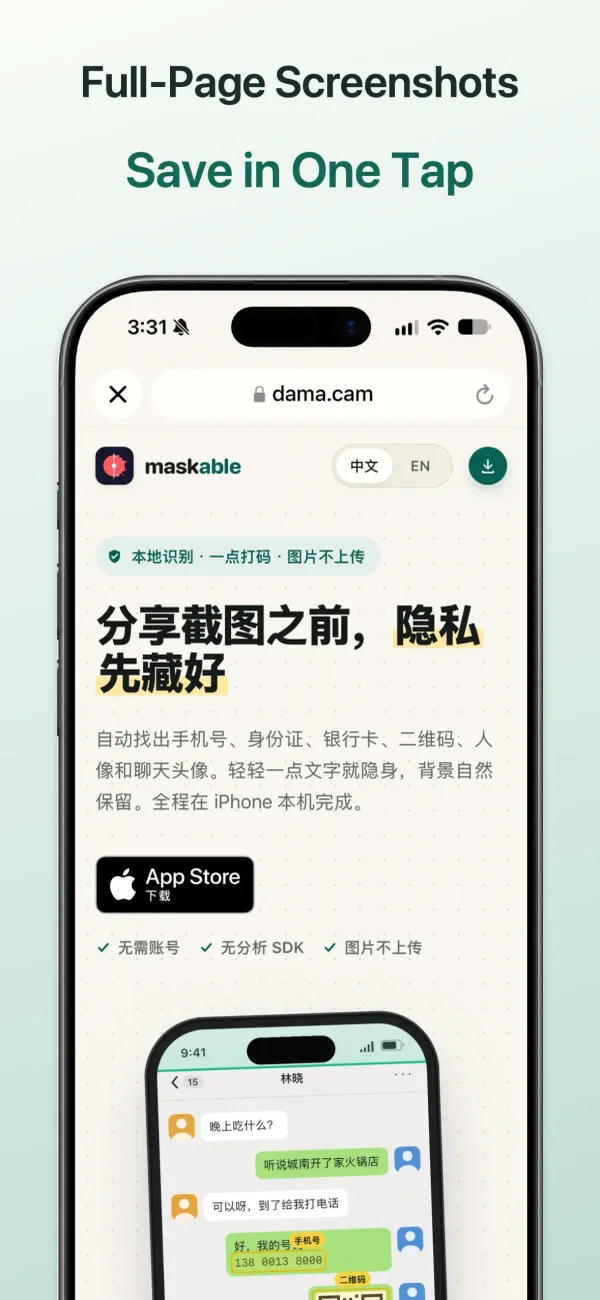
Make screenshots and markups easier in 4.0. Save a whole page in one image with Scrolling Screenshot: choose it in New, scroll through the content, and stop when you’re done. Zoom in, save it to Photos, or keep editing. Settings also let you stop automatically after scrolling and get a notification when it’s ready. Text editing now works full screen, with controls for size, alignment, background, and text color. We also added hand-drawn arrows and double arrows, plus opacity controls for all three freehand pens.
App privacy
What 培茂 程 declares on the App Store about how this app handles data.
-
Data not linked to you
May be collected but is not linked to your identity.
- Diagnostics
Privacy practices may vary, for example with the features you use or your age.
Information
- Seller
- 培茂 程
- Category
- Productivity
- Version
- 4.0
- Updated
- Nov 23, 2026
- Released
- Aug 27, 2026
- Size
- 22.2 MB
- Requires
- iOS 16.0 or later
- Age rating
- 4+
- Price
- Free
- In-app purchases
- Yes
- Languages
- English, Dutch, French, German, Japanese, Simplified Chinese, Swedish, Traditional Chinese, Turkish, Vietnamese
- Copyright
- © 2026 Cheng Peimao
You might also like
-
 AuthGuard - PA RecordsPrior Auth & Appeal Tracker
-
 LemonLogRepair history & evidence log
-
 Tikku: To Do & Block AppsTasks, Focus & App Blocker
-
 Meeting Alarms: CalertoCalendar Alarms for Meetings
-
 PinNote - Lock Screen NotesSticky Note Widget & Reminder
-
 PDF nano: PDF Editor & ReaderEdit, Scan, Convert, Translate
-
 Kepori: Read Later & CollectSave, read and rediscover
-
 LiLiCalMenu bar calendar & reminders
-
 FacilityLogNursing home audit for family
-
 EON - Subscription TrackerTrack subscriptions & renewals