
Memendo — Notes, Tasks & AI
Planner, Calendar & Organizer
Designed for iPhone, iPad, iPod touch
In-app purchases
- Age rating4+
- CategoryProductivity
- DeveloperMemendo GmbH
- LanguagesEnglish
- Size56.8 MB
Links to the official App Store page
Download.org hosts no file of Memendo — Notes, Tasks & AI. The button opens its official App Store page, published by Memendo GmbH. Listing last checked on Nov 12, 2026.
Screenshots
About
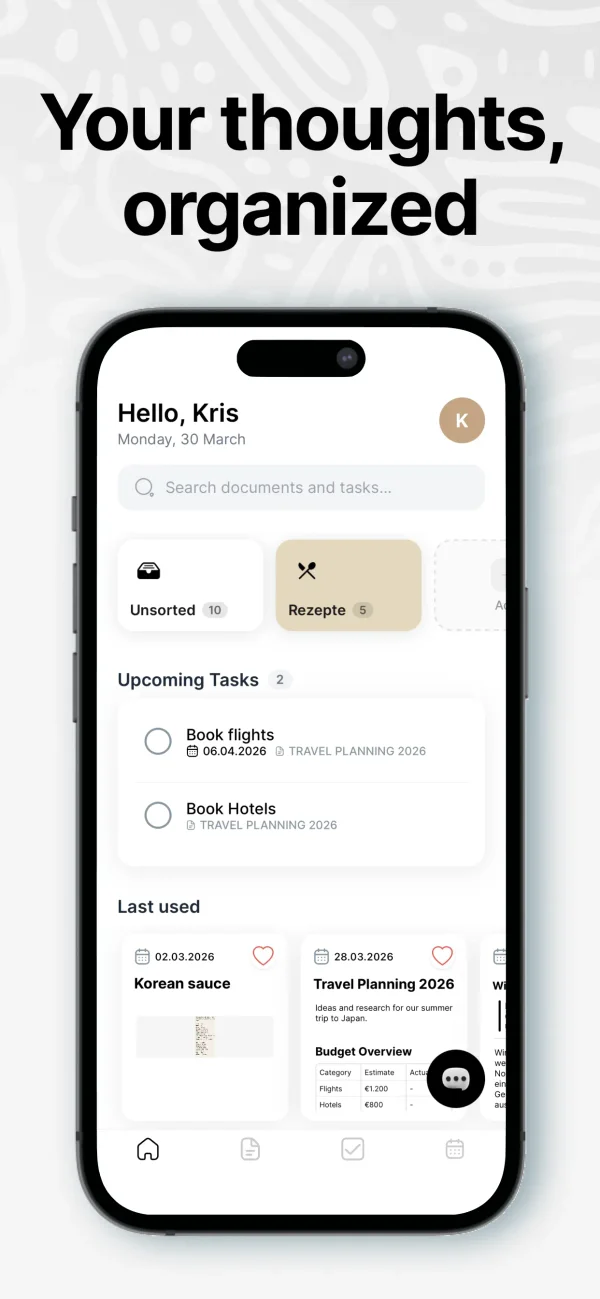
Tasks, files, notes, calendar — all in one place. Memendo combines what other apps separate: your task manager, notepad, file cabinet and calendar in a single, minimalist app.
POWERFUL BLOCK EDITOR
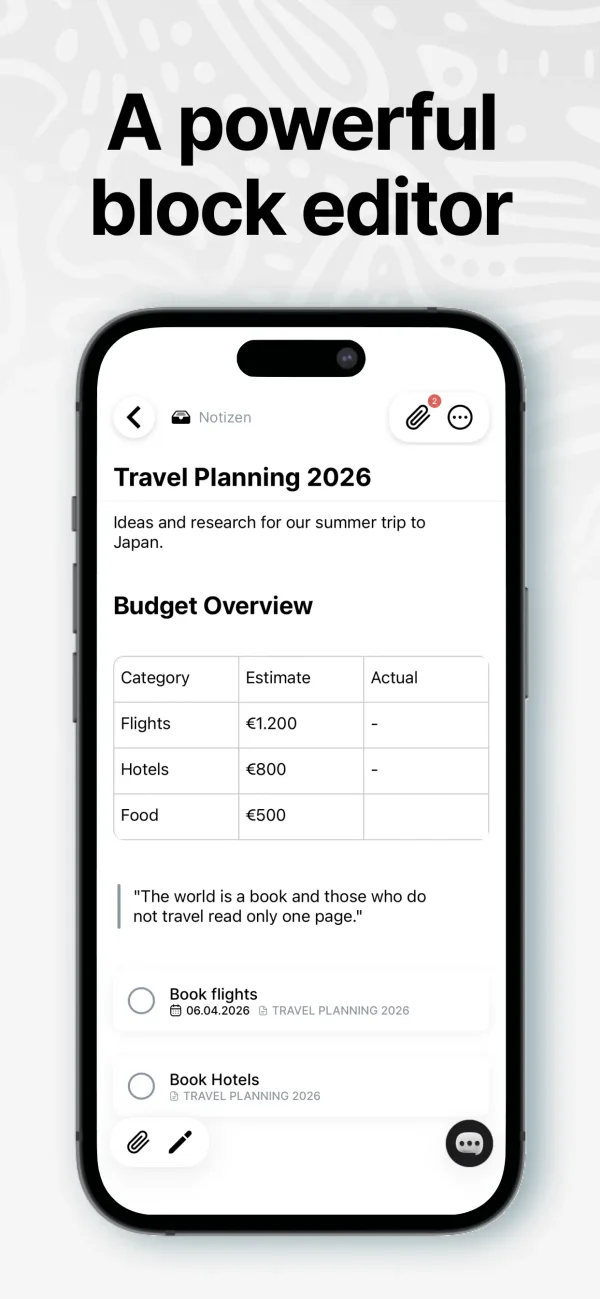
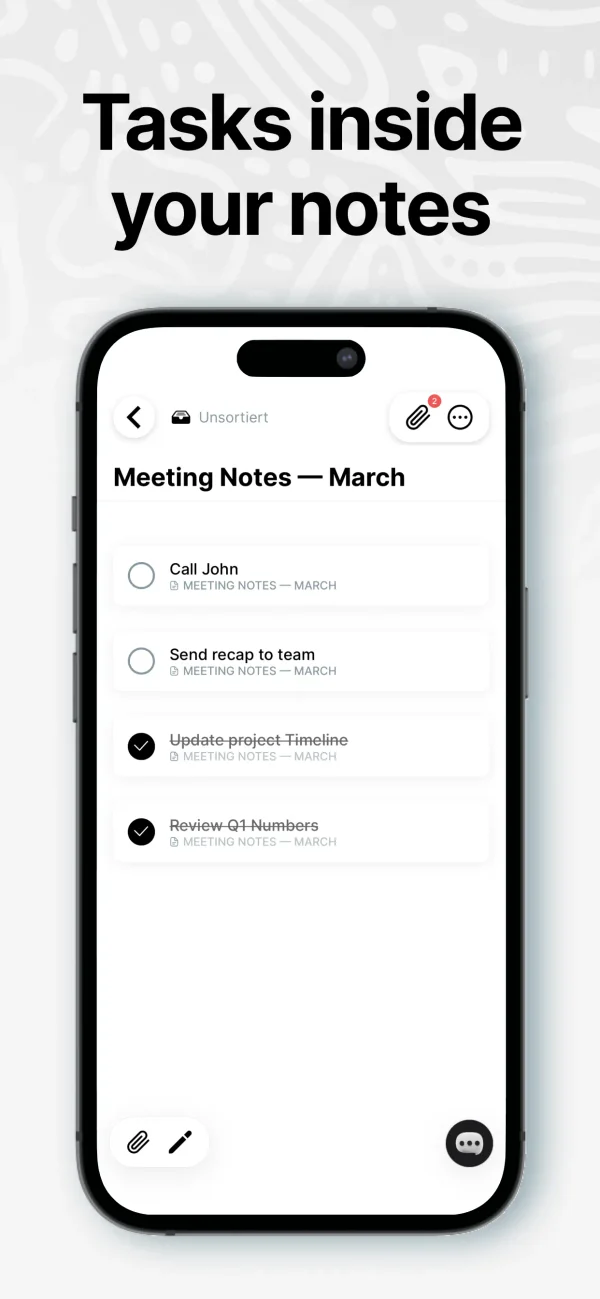
Create notes with 15 different block types: headings, images, checklists, tables, quotes, code blocks, bookmarks, linked documents and more. Format text with bold, italic, underline and strikethrough. Insert blocks with slash commands — fast and intuitive.
EVERYTHING IN ONE DOCUMENT
Combine images, PDFs, notes, tasks and files in a single document. No switching between apps, no lost files — everything right where you need it.
AI ASSISTANT
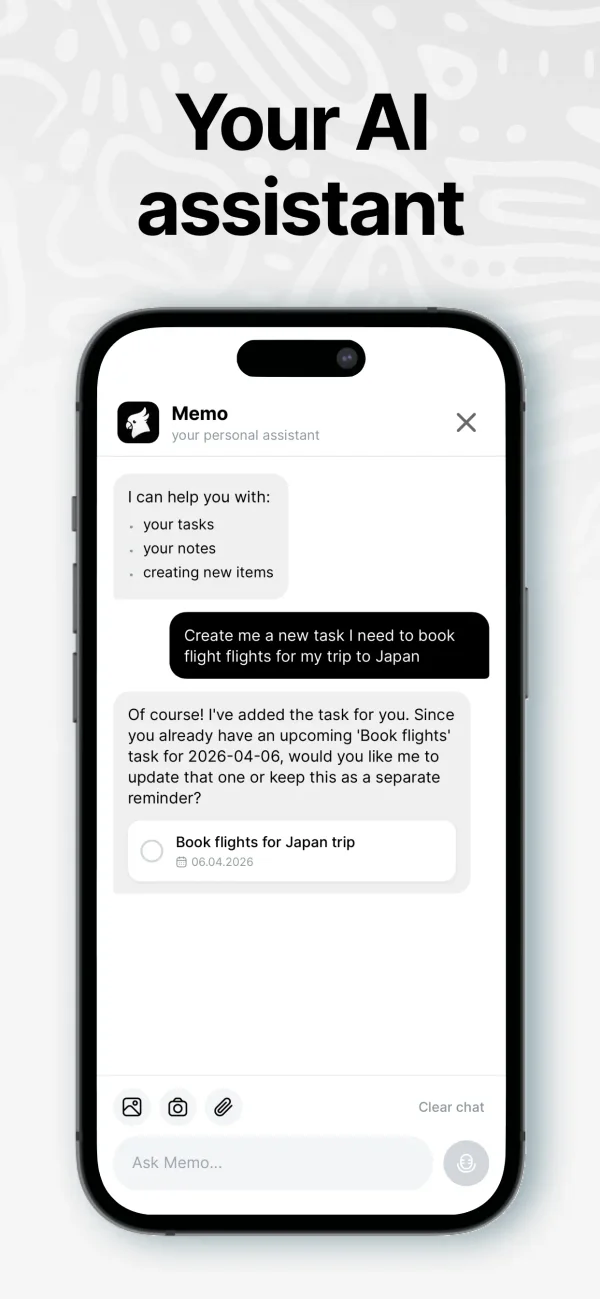
Your personal assistant summarizes notes, suggests categories and creates tasks from your text — right inside the app. Less typing, more doing.
CALENDAR & REMINDERS
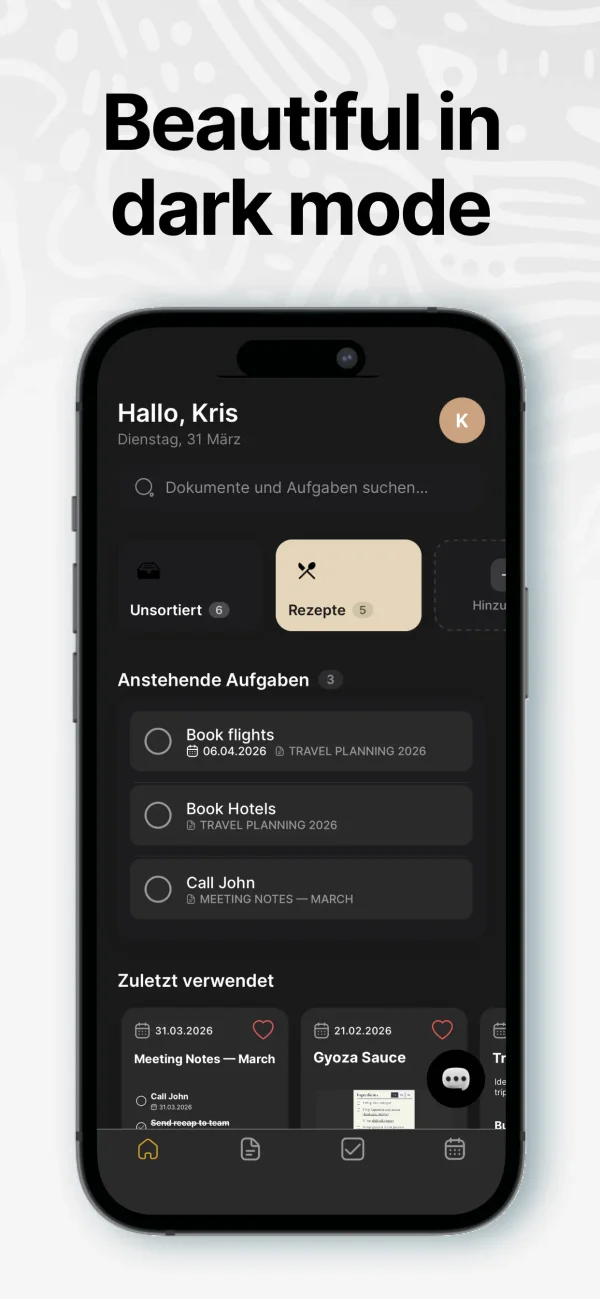
Keep your schedule in sight: the built-in calendar shows all tasks at a glance. Set reminders, priorities and recurring tasks so nothing slips through. Overdue tasks are highlighted automatically.
TASKS — EVERYWHERE
Create tasks directly inside your notes, as a quick task from the dashboard or in the calendar. With subtasks, due dates and priorities you stay on top of everything.
CATEGORIES, FOLDERS & TAGS
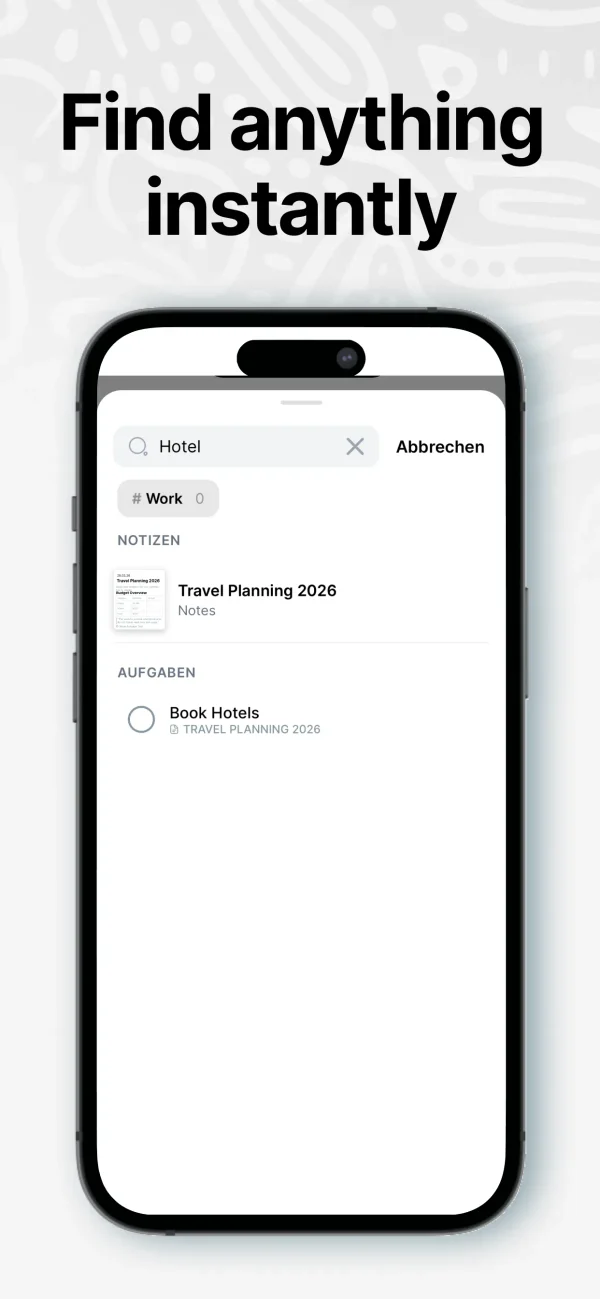
Organize your notes with categories, subfolders and tags. Find anything instantly with cross-content search across notes, tasks and files.
SCAN & FILE
Scan receipts, invoices and documents with your camera directly as PDF into your Memendo documents. Your file cabinet in your pocket.
EXPORT & SHARE
Export your notes as PDF or Markdown — ready to share in one tap.
SYNCED ACROSS DEVICES
Your data stays synced in real time. And when you're offline? Just keep working.
YOUR STYLE, YOUR APP
Customize Memendo with themes, icons and colors. Light mode and dark mode — so staying organized feels good.
MEMENDO PREMIUM
Get the most out of Memendo: unlimited storage, unlimited categories and notes, larger file attachments up to 200 MB and your personal AI assistant. Start for free — upgrade when you're ready.
Start for free and get organized.
Terms: https://www.apple.com/legal/internet-services/itunes/dev/stdeula/
Privacy: https://memendo.co/privacy/
What’s new
Version 2.3.2 · May 17, 2026
Memendo got a redesign!
- A fresh look across the app — new floating tab bar with smooth spring animations, refined modals, and a unified design language everywhere.
- Long-press for instant actions — try long-pressing any card, category, or file to see a native menu with the actions you need most.
- Brand new icons — we swapped the entire icon set for a sharper, more consistent line-art style.
Plus dozens of smaller fixes and polish across the app. Thanks for using Memendo!
App privacy
What Memendo GmbH declares on the App Store about how this app handles data.
-
Data not collected
The developer does not collect any data from this app.
Privacy practices may vary, for example with the features you use or your age.
Information
- Seller
- Memendo GmbH
- Category
- Productivity
- Version
- 2.3.2
- Updated
- May 17, 2026
- Released
- Feb 5, 2025
- Size
- 56.8 MB
- Requires
- iOS 15.1 or later
- Age rating
- 4+
- In-app purchases
- Yes
- Languages
- English
- Copyright
- © 2026 Memendo GmbH
You might also like
-
 Flowist: Notes, Tasks & HabitsNotes, Tasks, Sketch & Habits
-
 Benchpad — Scratchpad NotesThree pads. Offline. Done.
-
 HaruSync: Daily PlannerGoals, Calendar & To-Do List
-
 NotykaNotes & Cloud Sync
-
 Loopisy: Shared PlannerFamily Calendar, Lists & Meals
-
 Levelio: RPG Habit TrackerDaily planner & to-do list
-
 OdaViewerYour private document archive
-
 Prism - AI Voice NotesRecord, Transcribe & Summarize
-
 BlitzGTDGet Things done like a Blitz
-
 Fobble NotesNotes, lists and ideas