
MindMap AI: Mind Map Maker
AI Notes, Outline & Brainstorm
Designed for iPhone, iPad, Mac
Free · In-app purchases
- Age rating4+
- CategoryProductivity
- DeveloperVan Hiet Ho
- Size35.9 MB
Links to the official App Store page
Download.org hosts no file of MindMap AI: Mind Map Maker. The button opens its official App Store page, published by Van Hiet Ho. Listing last checked on Nov 23, 2026.
Screenshots

About
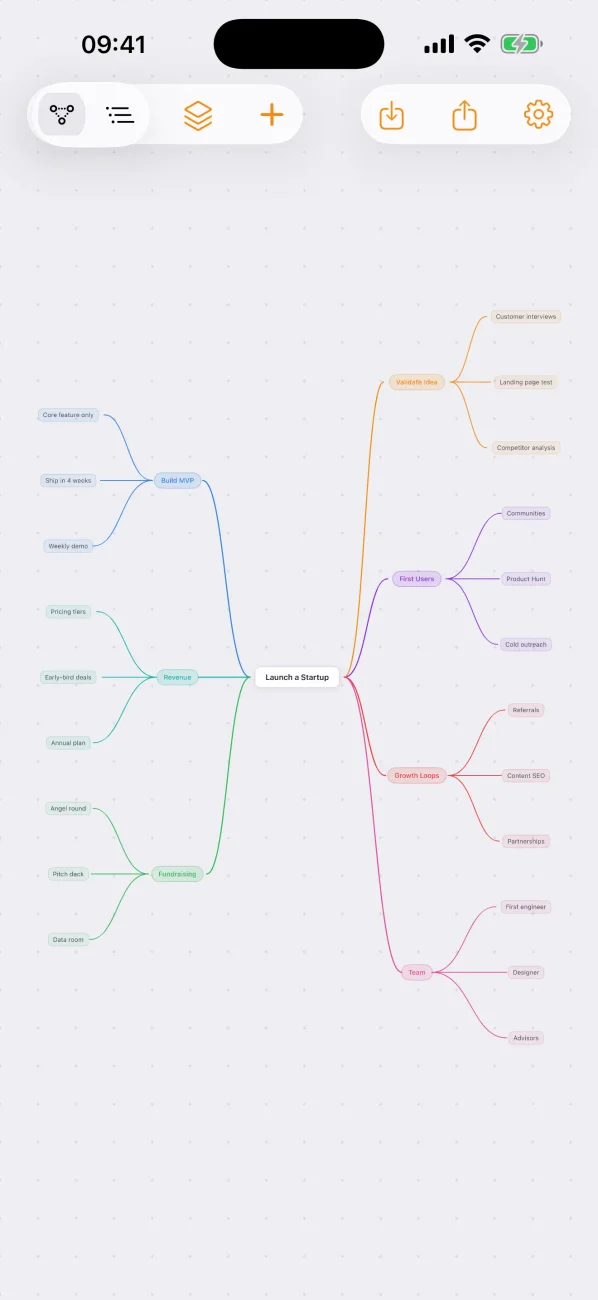
Turn any idea into a professional mind map in seconds — then find it on every device you own. There is no account and no sign-up: open the app, start mapping, and your maps sync across iPhone, iPad and Mac through your own iCloud. With MindMap Pro, type a topic, paste a long text, or drop in a URL and AI builds a complete, beautifully organized mind map for you.
CREATE WITH AI (Pro)
• Generate a full mind map from a single topic
• Summarize long articles and documents into a visual map
• Paste a URL and map out the whole page
• Up to 100 AI actions per day
THINK DEEPER
• Add, edit and rearrange nodes freely on an infinite canvas — free, no account needed
• Type straight into a node: tap and write, with no dialog in the way
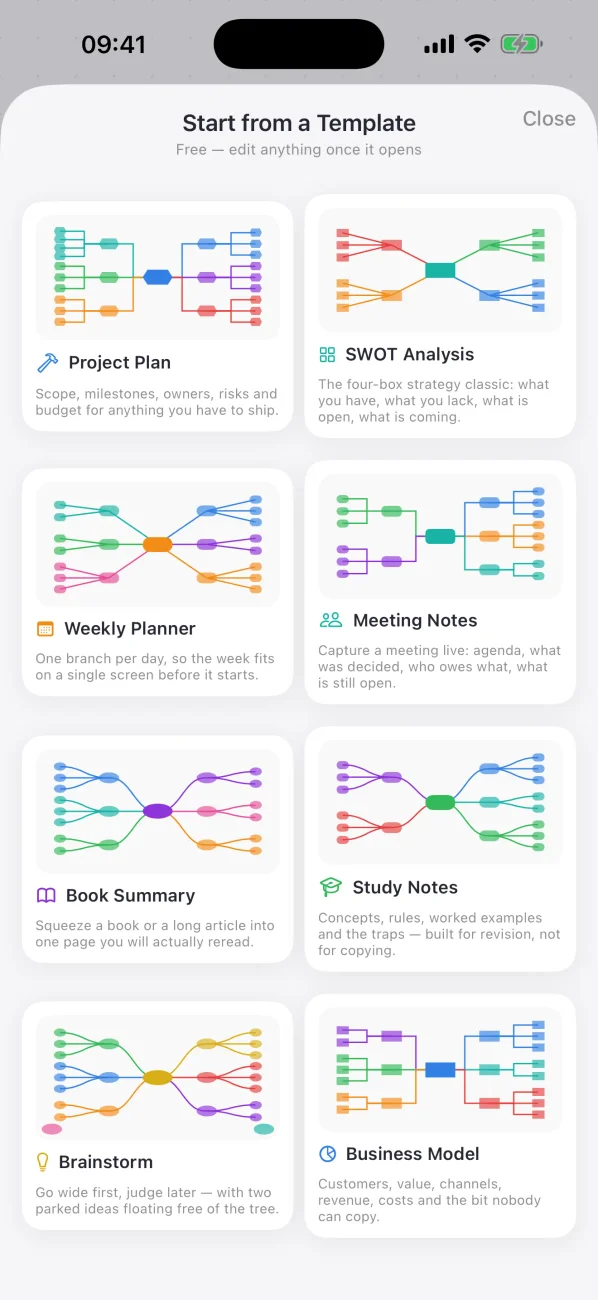
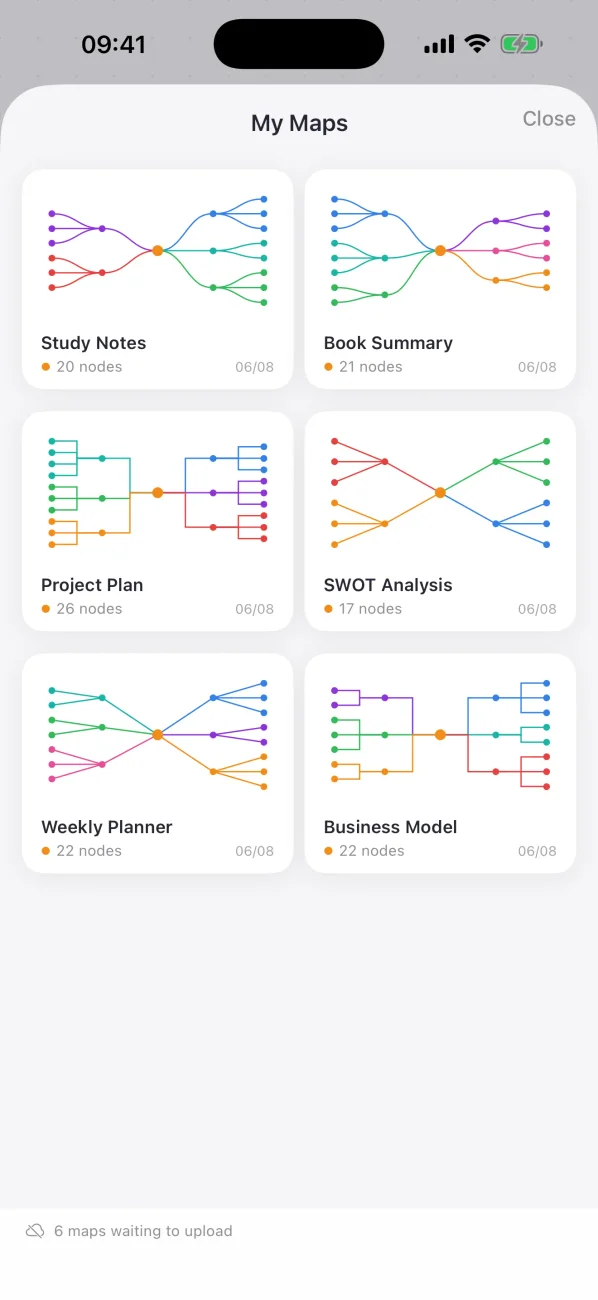
• Start from one of 8 built-in templates, all free — Project Plan, SWOT Analysis, Weekly Planner, Meeting Notes, Book Summary, Study Notes, Brainstorm and Business Model
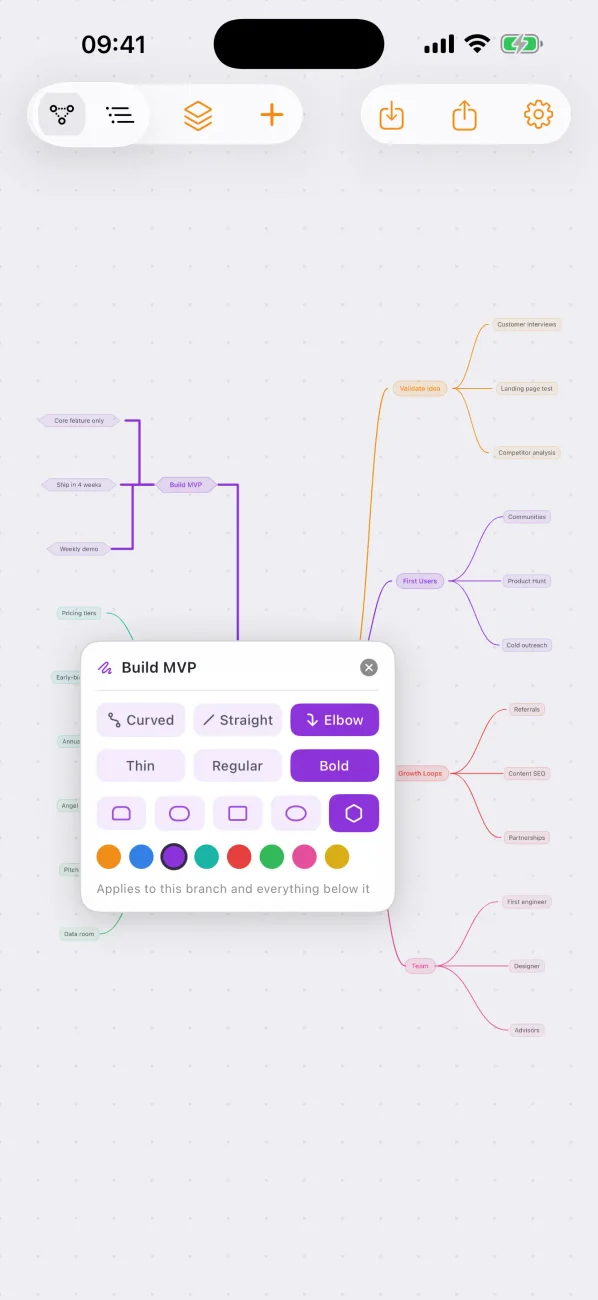
• Give a node the shape that fits it: rounded, pill, rectangle, oval or hexagon
• Style the connectors too — curved, straight or elbow, in the thickness and color you choose. Tap one connector and the whole branch below it follows.
• Drag one node onto another to re-parent it, or leave an idea standalone until you know where it belongs
• Fit to screen brings a sprawling map back into view with a single tap
• Tap any node and let AI expand it with new sub-ideas (Pro)
• Ask AI to explain any concept — the answer attaches as a note (Pro)
STAY ORGANIZED
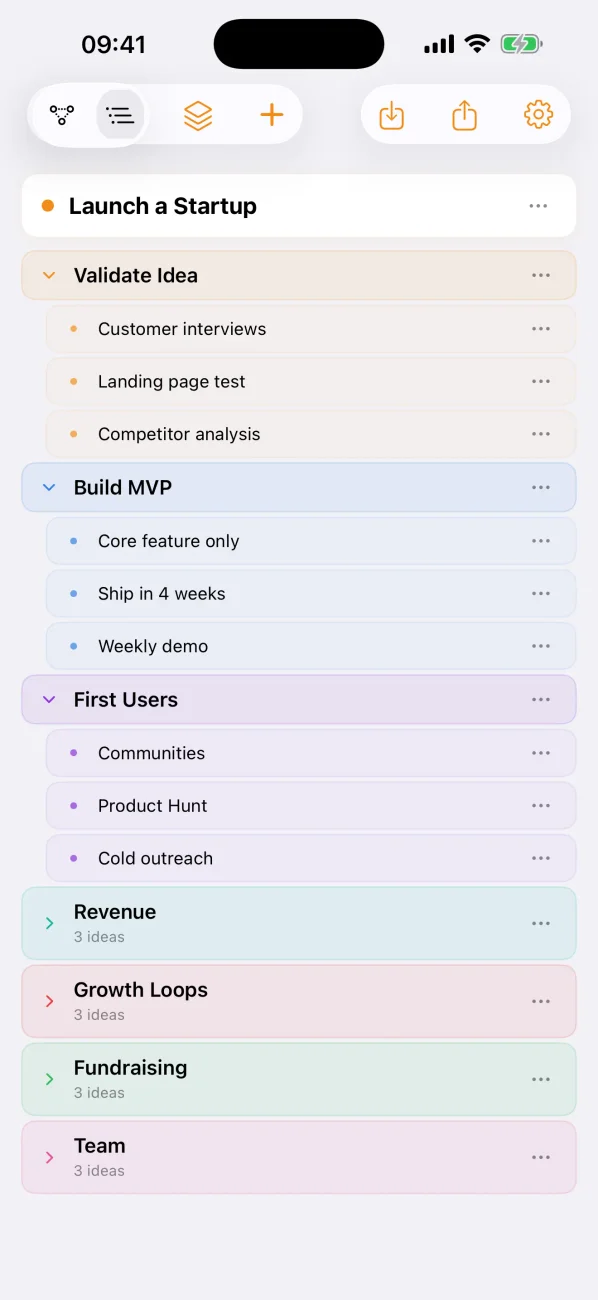
• Outline view: your whole map as a clean, collapsible list
• Library with previews — your maps stay on your device and sync across iPhone, iPad and Mac through your own iCloud account
• Works in light and dark mode
EXPORT & SHARE (Pro)
• PDF — as the mind-map diagram, or as an outline
• HTML — as the mind-map diagram, or as an outline
• JSON for your own tools
• Share straight into another app, or use Save As to choose exactly where the file lands
FREE VS PRO
Free: up to 3 saved maps, the full manual mind-map editor with node shapes and connector styling, all 8 templates, outline view, and iCloud sync across your devices.
MindMap Pro: all AI features — build a map from a topic, expand a node, explain a node, up to 100 AI actions per day — plus unlimited saved maps and export to PDF, HTML and JSON. Available as a monthly or yearly auto-renewable subscription; the yearly plan includes a 3-day free trial. The exact price for your region is shown in the app before you buy. Payment is charged to your Apple ID at confirmation of purchase (after the free trial, if included). Renews automatically for the same price and period unless cancelled at least 24 hours before the end of the current period. Manage or cancel anytime in App Store settings.
PRIVACY
There is no account and no login. Your maps live on your device and sync only through your own iCloud. iCloud is optional — without it, the app works local-only on that device.
Terms of Use: https://sakura5.app/mindmapai/terms
Privacy Policy: https://sakura5.app/mindmapai/privacy
What’s new
Version 1.0.17 · Nov 19, 2026
Small improvements and bug fixes.
App privacy
What Van Hiet Ho declares on the App Store about how this app handles data.
-
Data used to track you
May be used to track you across apps and websites owned by other companies.
- Identifiers
-
Data linked to you
May be collected and linked to your identity.
- Contact info
- User content
- Identifiers
-
Data not linked to you
May be collected but is not linked to your identity.
- Purchases
- Identifiers
Privacy practices may vary, for example with the features you use or your age.
Information
- Seller
- Van Hiet Ho
- Category
- Productivity
- Version
- 1.0.17
- Updated
- Nov 19, 2026
- Released
- Jun 23, 2026
- Size
- 35.9 MB
- Requires
- iOS 16.0 or later
- Age rating
- 4+
- Price
- Free
- In-app purchases
- Yes
- Copyright
- © 2026 Sakura5
You might also like
-
 Converge: AI Mind MapBrainstorm, Outline & Diagram
-
 Mind Map AI - MapTheseVisual Idea Organizer Tool
-
 Mind Map: Brainstorm & NotesOffline Idea Organizer Outline
-
 Mindz - Mind Map & OutlineVisual Concept & Brainstorm
-
 Mind Map: FlowCreative planning via mindmap
-
 MindMap AI: AI Mind Map MakerSummarizer, Diagrams, Notes
-
 MindThreadeasy-to-use mind map editor
-
 LearnMap: Color Map NotesOutline to Visual Mind Mapping
-
 MindLine Mind Mapfast brainstorming tools
-
 miMind - AI Mind Map & OutlineMind Mapping, Brainstorm Ideas