Minuted
Every meeting has a price tag.
Designed for iPhone, iPad, Mac
Free · In-app purchases
- Age rating4+
- CategoryProductivity
- DeveloperKurt Klein
- LanguagesEnglish
- Size28.0 MB
Links to the official App Store page
Download.org hosts no file of Minuted. The button opens its official App Store page, published by Kurt Klein. Listing last checked on Nov 18, 2026.
Screenshots




About
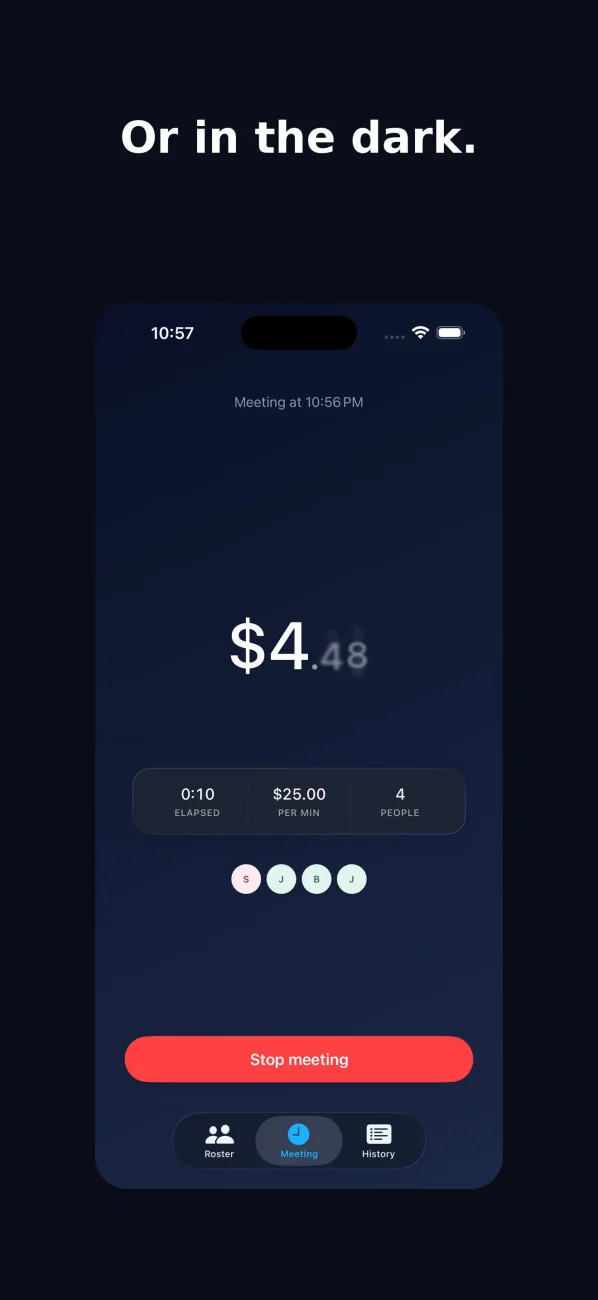
Minuted shows you what your meeting is costing, live, in dollars, as it's happening.
Build a roster of people with their hourly rates. When a meeting starts, pick who's in it and tap Start. The app displays a live dollar amount that climbs with every minute you're in the room. The background gradient shifts from calm blue through purple to alarming coral as cost rises. You feel it, you don't just see it.
Most meeting tools assume your time is free. It isn't. A one-hour sync with four senior people can cost more than dinner for eight. Minuted turns that invisible cost into something you can see, feel, and act on.
LIVE COST, IN DOLLARS
See the exact dollar amount of a meeting in progress. Updates every frame. No watching a timer and doing math in your head.
THE BACKGROUND REACTS
A cool blue gradient warms through purple to coral as the meeting's cost crosses threshold stages. A subtle ring pulse and ambient motion intensify with each stage. Your phone knows when it's getting bad.
ALERTS WHEN IT MATTERS
Set thresholds: a warning at $250 and an alarm at $750, by default. When you cross one, Minuted taps you on the wrist with a haptic cue. No sound, no banner spam, just a quiet signal that the meeting just got expensive.
SHARE WHAT IT COST
Finished a meeting? Tap to generate a clean share card with the final cost, duration, and stage gradient. Send it to your team in the chat where the meeting was scheduled. Sometimes the most useful thing is just for everyone to see the number.
WIDGET AND LIVE ACTIVITY
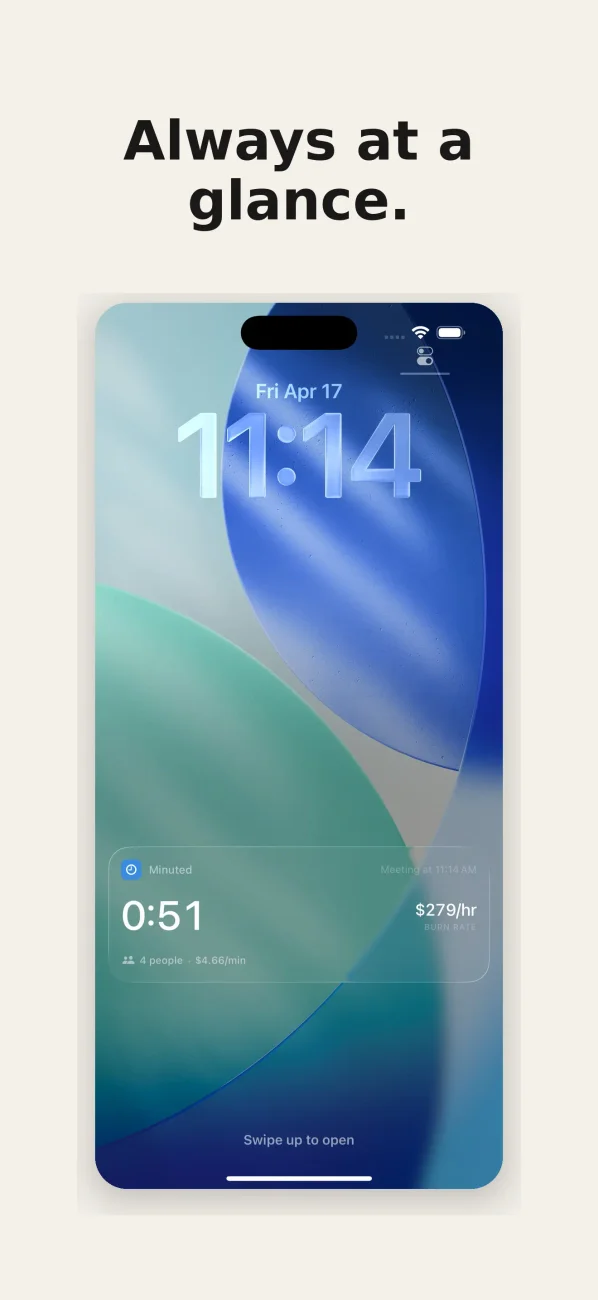
Keep this week's spend visible on your Home Screen. Live Activity shows the running meeting on your Lock Screen and Dynamic Island.
MEETING NOTES
Record a meeting and get structured notes back: what was decided, what was assigned, what's still open. Written by Apple Intelligence, on your device or with Apple's Private Cloud Compute, which keeps nothing. The audio never leaves your device. A one-time unlock on devices with Apple Intelligence.
START FROM YOUR CALENDAR
Pick a meeting from today's calendar and Minuted prefills the title and the attendees. Conference links are detected so you can start tracking and join in one tap.
PRIVATE BY DESIGN
No account. Your meetings sync across your iPhone, iPad, Mac, and Watch through your own private iCloud, encrypted under your Apple ID. Meeting notes use Apple's Private Cloud Compute, which is built to keep nothing, or you can keep them entirely on your device with one setting. No servers of ours, no analytics of your meeting habits, nothing we can see.
Free to use. Meeting notes are a single one-time unlock. No subscriptions, no ads.
For iPhone, iPad, Mac, and Apple Watch, including both displays of iPhone Duo.
What’s new
Version 2.3 · Nov 6, 2026
Minuted can now share your roster with Adjourned, the KSQ Studios app for reviewing recurring meetings. Starting with Adjourned 1.2, when both apps are on the same device, Adjourned can price your recurring meetings at each person's own hourly rate instead of an average.
Only names, email addresses and hourly rates are shared, and only on your device. Nothing is sent anywhere. The choice to use it lives in Adjourned's Settings, and a note in Minuted's Settings explains what Adjourned can read.
Also: the support link in Settings now goes to techsupport@ksqstudios.com.
App privacy
What Kurt Klein declares on the App Store about how this app handles data.
-
Data not collected
The developer does not collect any data from this app.
Privacy practices may vary, for example with the features you use or your age.
Information
- Seller
- KSQ Studios LLC
- Category
- Productivity
- Version
- 2.3
- Updated
- Nov 6, 2026
- Released
- Apr 30, 2026
- Size
- 28.0 MB
- Requires
- iOS 26.0 or later
- Age rating
- 4+
- Price
- Free
- In-app purchases
- Yes
- Languages
- English
- Copyright
- © 2026 KSQ Studios LLC
You might also like
-
 Calendarly Lockscreen CalendarWidgets & Live Activities
-
 RoomScan Pro LiDAR floor plansThe easy way to measure rooms
-
 Share File:Smart Transfer DataMy data transfer, smart switch
-
 Spark Mail: AI Email AssistantStreamline your email inbox
-
 Locally AI by LM StudioLocal & Private AI Assistant
-
 Logi Options+ Mobilefor Logi mobile accessories