
Murmur Input: Encrypt Messages
Encryption Keyboard & Privacy
Designed for iPhone, iPad
Free · In-app purchases
- Age rating4+
- CategoryUtilities
- DeveloperJunwei Yang
- LanguagesEnglish+ 11 more
- Size52.0 MB
Links to the official App Store page
Download.org hosts no file of Murmur Input: Encrypt Messages. The button opens its official App Store page, published by Junwei Yang. Listing last checked on Nov 16, 2026.
Screenshots
About
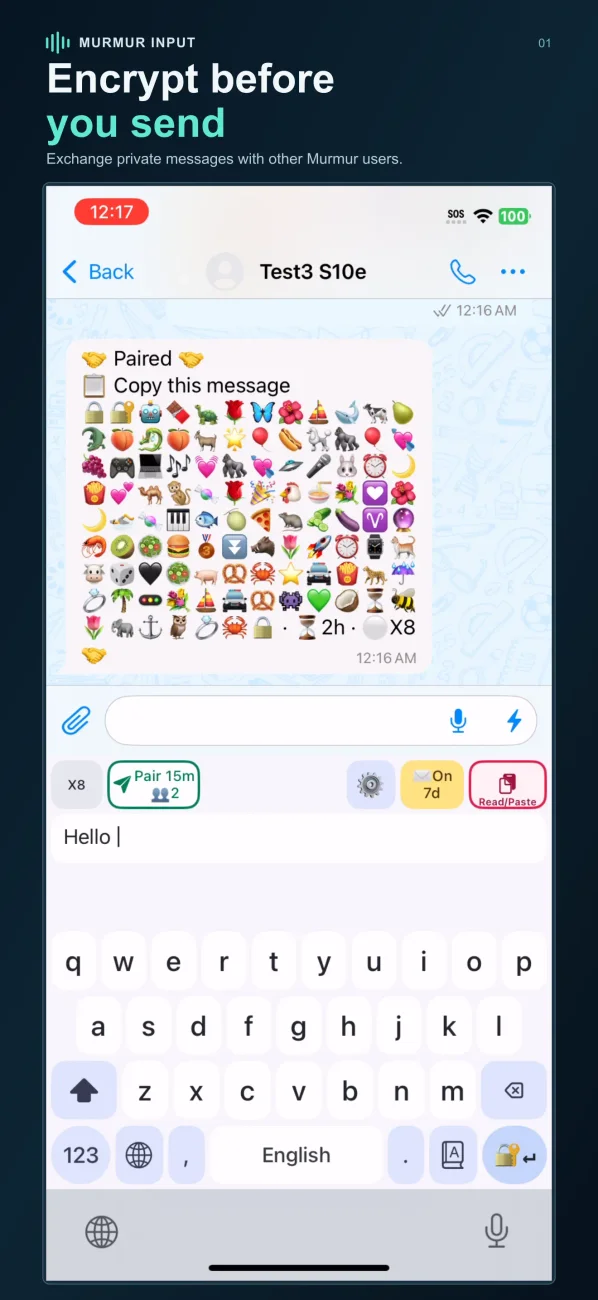
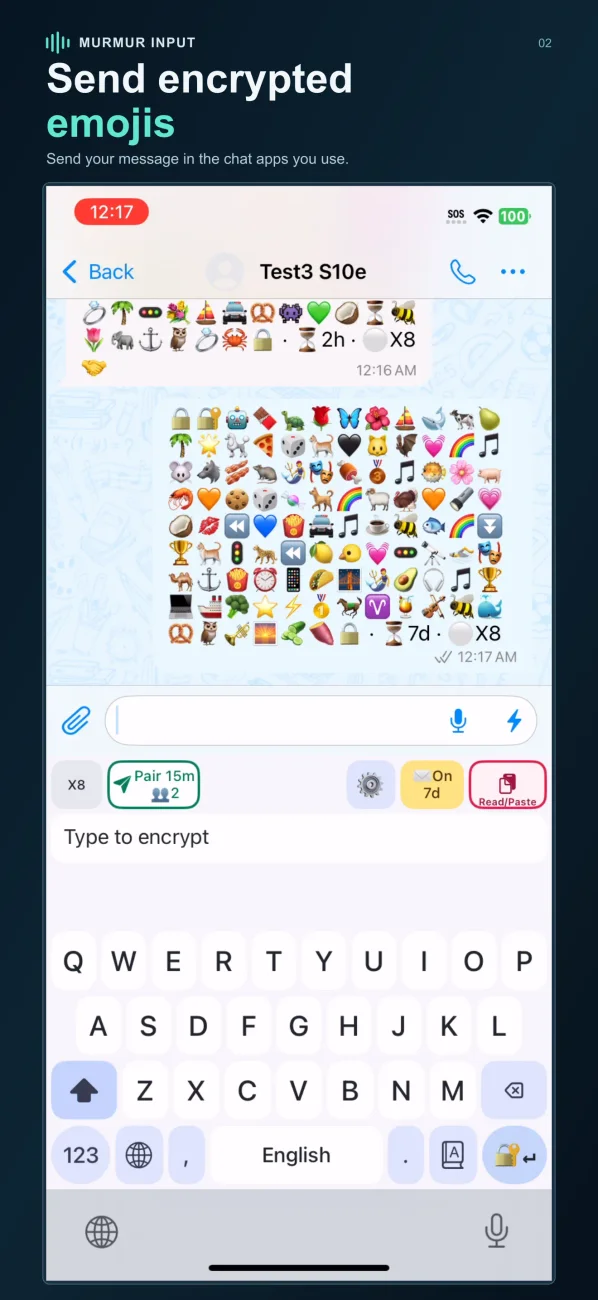
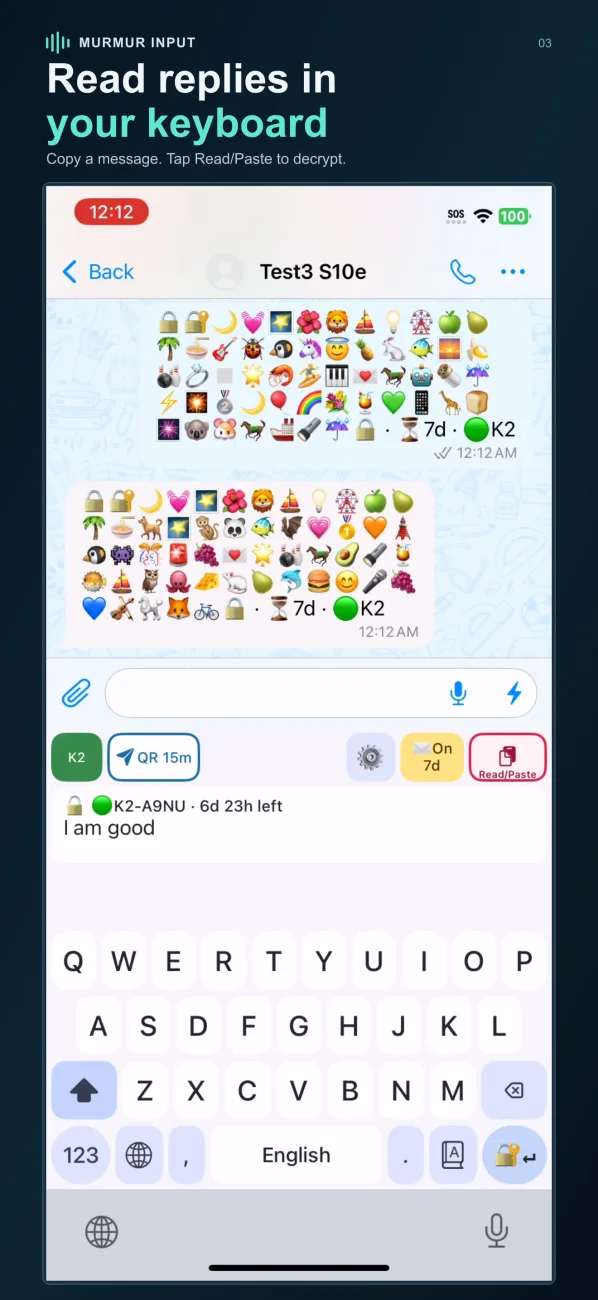
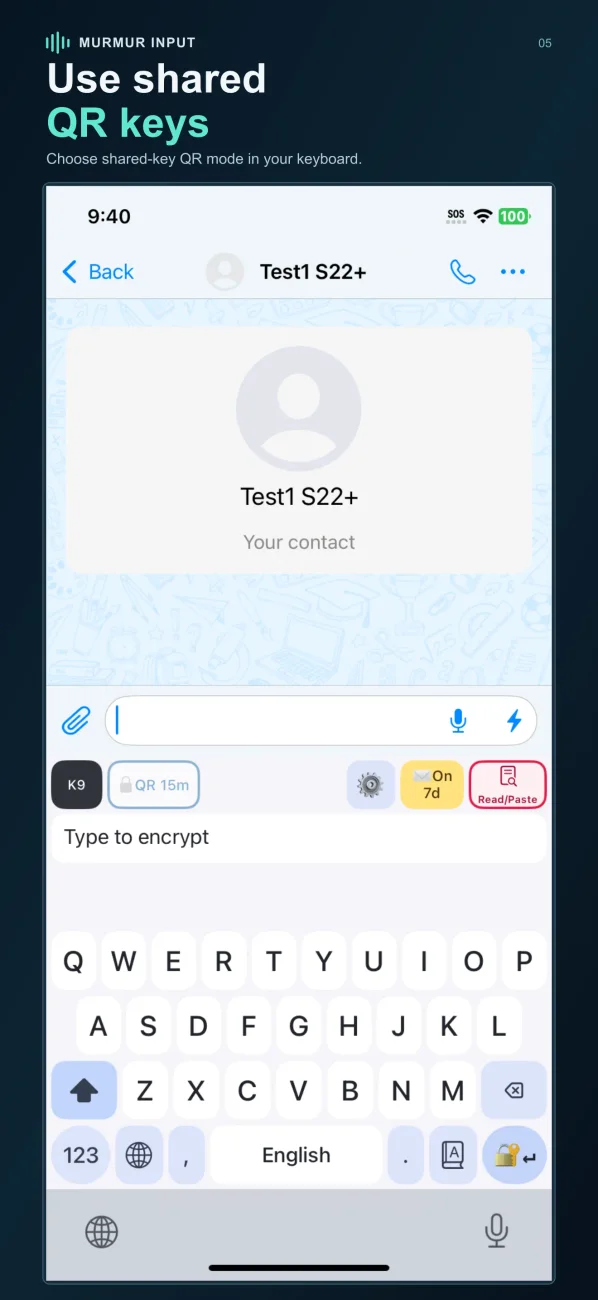
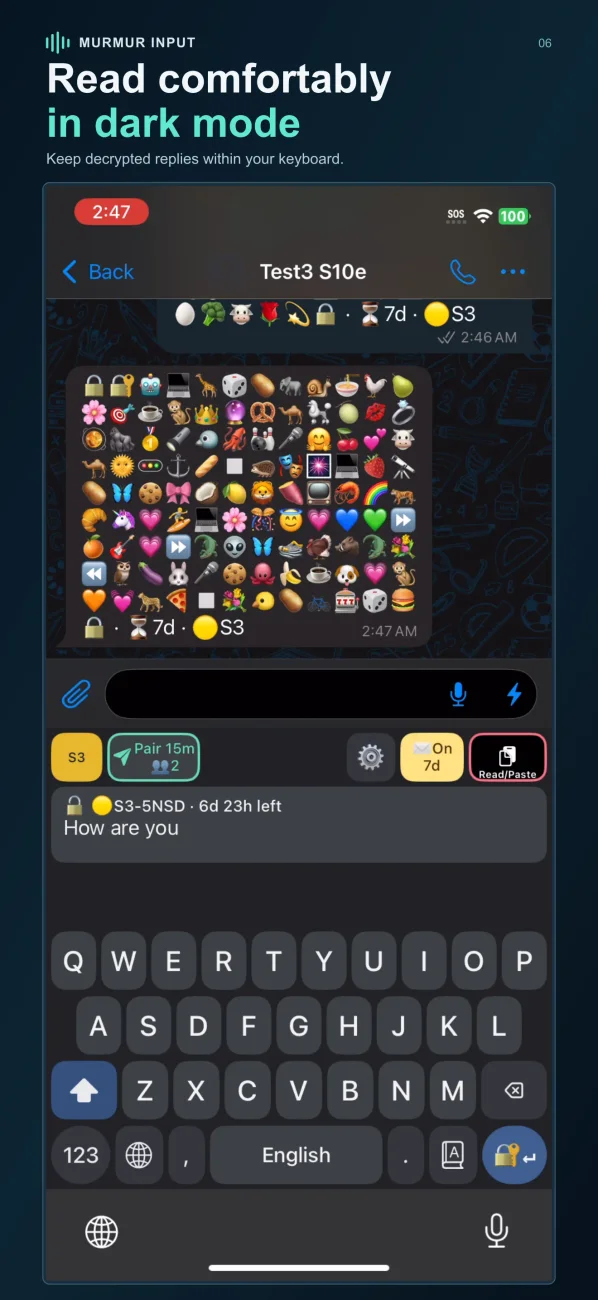
Murmur Input adds on-device text encryption to your everyday typing. Write in the keyboard, turn your message into encrypted emojis, and send it through your chosen messaging app. Copy a supported encrypted message and tap Read/Paste to read it inside Murmur's keyboard.
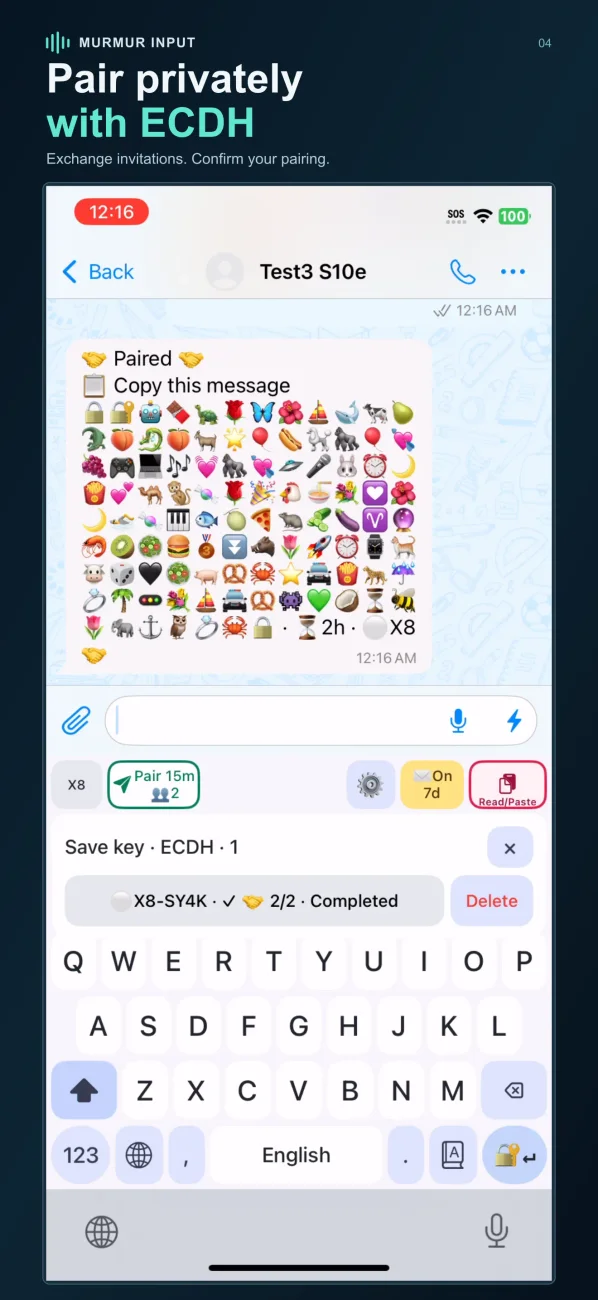
Connect with other Murmur users through a shared-key QR invitation or private ECDH pairing. Both participants need Murmur and the matching key or completed pairing. Murmur prepares messages; you choose when to send them in your chat app.
Type in 11 languages: English, Chinese (Simplified and Traditional), Spanish, Russian, Arabic, French, German, Portuguese, Italian, Turkish, and Korean. All 12 keyboard language options are free. Use offline dictionaries, optional local word learning, keyboard size controls, and light or dark appearance.
Free includes 3 QR key slots and 1 ECDH key slot. The ECDH slot holds a one-to-one pair or a received group invitation. Premium is an optional lifetime purchase for more key storage and creating private groups of 3–10 people. Storage capacity depends on key size and secure-storage limits. There is no subscription. Optional developer-support purchases are separate and do not unlock Premium.
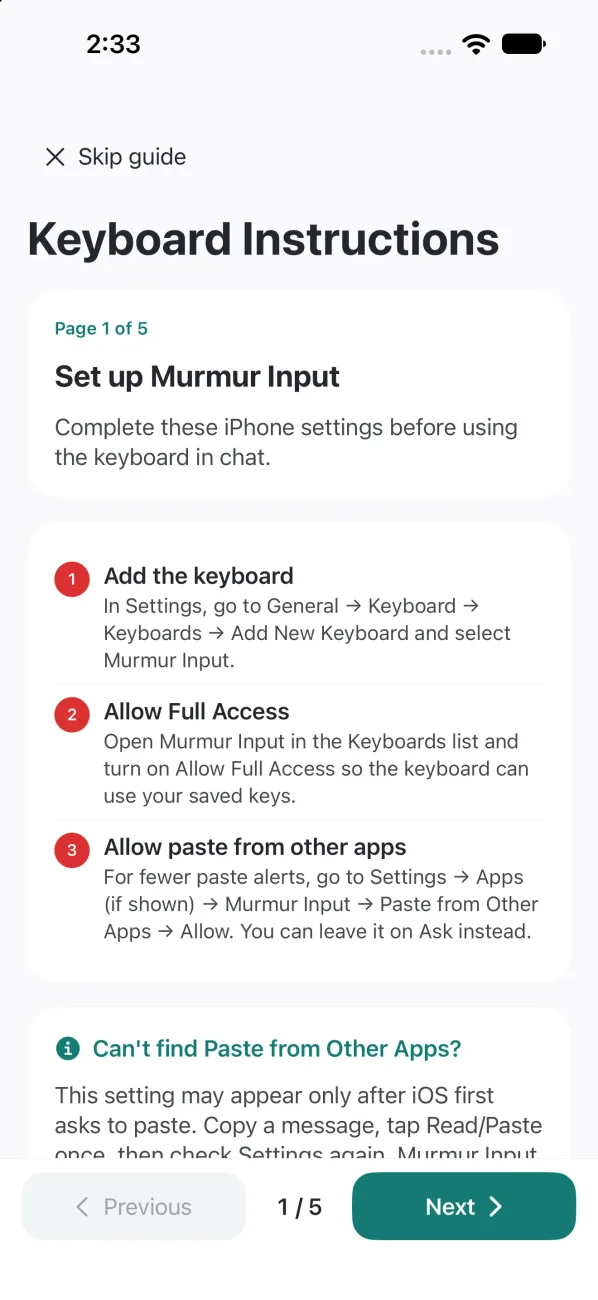
Encryption, decryption, and dictionary lookup run on your device. No Murmur account, advertising, or cross-app tracking. Enable Murmur in iOS keyboard settings. Allow Full Access is needed for shared secure key storage and supported clipboard features; the keyboard does not upload typing, messages, or keys. Some apps and secure text fields do not allow custom keyboards.
Choose invitation and message expiry. Expiry limits future reading in Murmur; it does not erase copies held by other apps or people. Ordinary typing is visible to the app receiving it, and recipients can copy readable text. Pair only with people you trust.
Support: jwyang999@gmail.com
Privacy: https://sites.google.com/view/murmurinputprivacypolicy
Auto-read clipboard is On by default when no choice is saved. While Murmur’s keyboard is open, it can decrypt supported copied messages and save invitations. Turn it Off in keyboard settings if you prefer manual reading; Read/Paste always remains available. Full Access and iOS paste permission are required. It never sends a message automatically.
What’s new
Version 1.1.4 · Nov 4, 2026
• Your exact typed spelling is always the first alphabet recommendation.
• The highlighted recommendation shows what Space will accept.
• Preserve your spelling and case by tapping the first choice.
• Improved suggestion stability and responsiveness when editing long messages.
App privacy
What Junwei Yang declares on the App Store about how this app handles data.
-
Data linked to you
May be collected and linked to your identity.
- Contact info
- User content
- Diagnostics
Privacy practices may vary, for example with the features you use or your age.
Information
- Seller
- Junwei Yang
- Category
- Utilities
- Version
- 1.1.4
- Updated
- Nov 4, 2026
- Released
- Oct 13, 2026
- Size
- 52.0 MB
- Requires
- iOS 16.0 or later
- Age rating
- 4+
- Price
- Free
- In-app purchases
- Yes
- Languages
- English, Arabic, French, German, Italian, Korean, Portuguese, Russian, Simplified Chinese, Spanish, Traditional Chinese, Turkish
- Copyright
- © 2026 Junwei Yang
You might also like
-
 Encrypted Messaging - KiboSecure any chat by encryption
-
 ScromblerEncrypted Keyboard Messaging
-
 Everything KeyboardThemes, fonts, emoji, grammar
-
 Vogal KeyboardMechanical feel, your themes
-
 Neo KeyboardUtilities
-
 Locker Browser: Private WebPasscode Lock Secure Browser
-
 Blank: Private Browser & VaultSave & hide videos, block ads
-
 Barberia.87Utilities
-
 SuperFont - Font InstallerAdd custom fonts & typefaces
-
 qFocus: The Private BrowserPrivacy for your Social Media