
- Age rating4+
- CategoryUtilities
- DeveloperJonathan Johnson
- LanguagesEnglish
- Size2.0 MB
Links to the official App Store page
Download.org hosts no file of My G-code Editor. The button opens its official App Store page, published by Jonathan Johnson. Listing last checked on Nov 15, 2026.
Screenshots
About
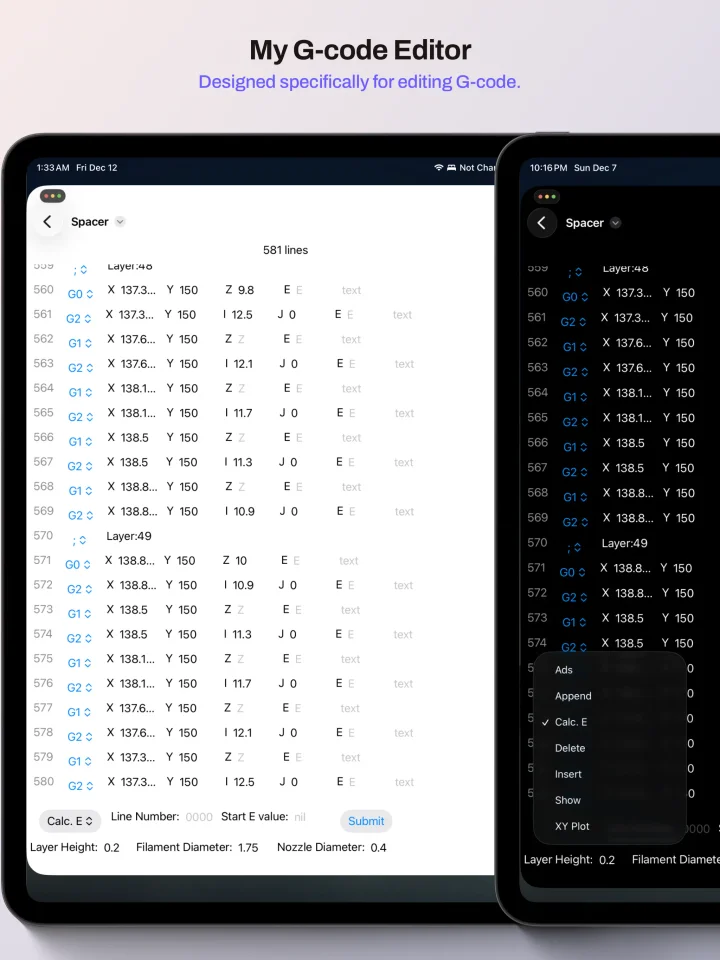
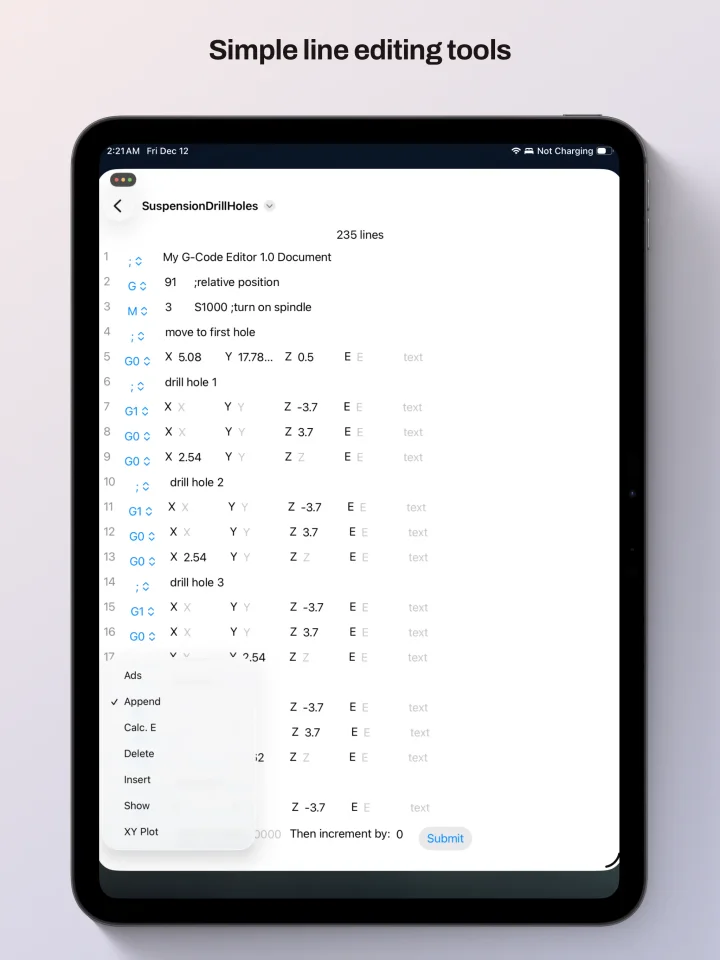
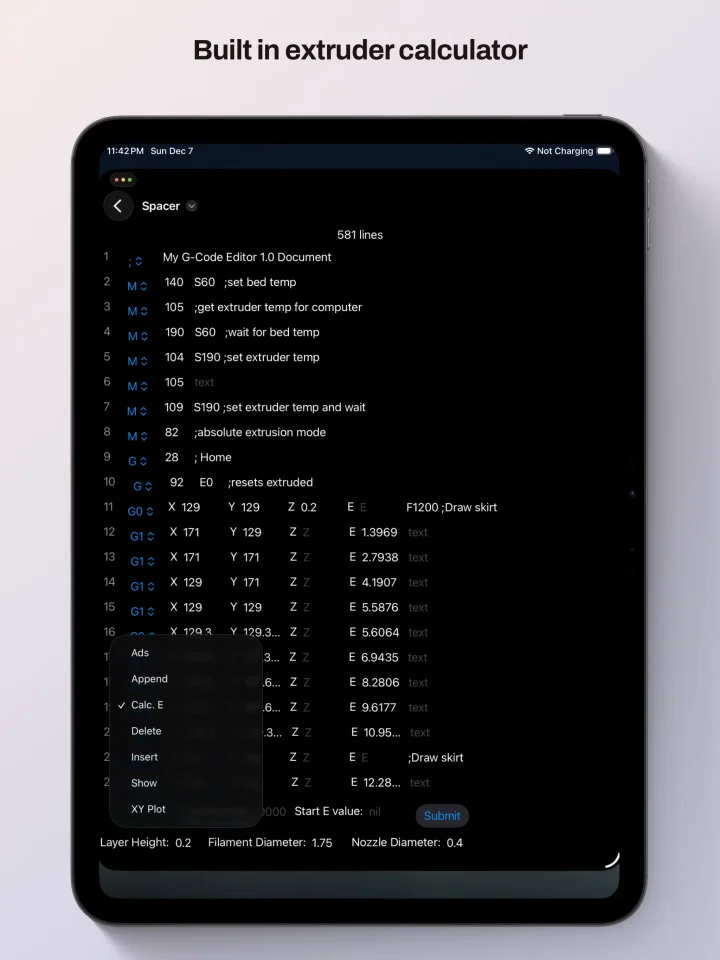
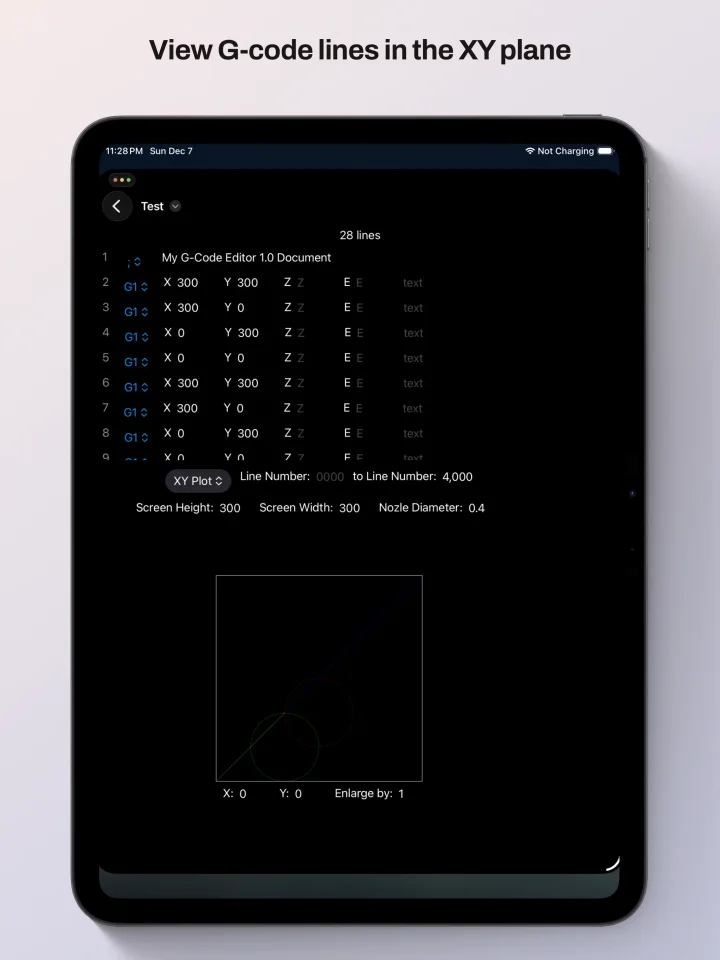
Hello, My G-code Editor was designed specifically for editing G-code. Create new G-code or edit an existing text document. Use it to view and edit .g, .gcode, and .nc files. The 4 most common commands are presets in the Picker menu and they will give you specific fields for the most commonly used options. All other G, M, and T commands give you an open text field and comments are preceded by the standard semicolon (;). Use XY Plot to view a 2D representation of your G-code file. Use Calc. E to calculate the Extruder value for your 3D print.
App privacy
What Jonathan Johnson declares on the App Store about how this app handles data.
-
Data not collected
The developer does not collect any data from this app.
Privacy practices may vary, for example with the features you use or your age.
Information
- Seller
- Jonathan Johnson
- Category
- Utilities
- Version
- 1.0
- Updated
- Dec 15, 2025
- Released
- Dec 15, 2025
- Size
- 2.0 MB
- Requires
- iOS 18.0 or later
- Age rating
- 4+
- Price
- Free
- Languages
- English
- Copyright
- © Johnson Co.
You might also like
-
 Alaska Fish Map AppFish Map
-
 Viewer3DView STL, STEP, OBJ & 3DM
-
 Calculate CNC: Lathe G-CodeSketch a part, get G-code.
-
 Carvera Community ControllerUtilities
-
 Scale and PrintScale files and photos!
-
 Quick3D CAD Viewer3D CAD: View, Measure, Compare
-
 iCrucibleAI for Materials Science
-
 Aeshna: STEP & IGES CAD ViewerOffline, PMI, Section, Measure
-
 TermOnMac: remote terminalMac Terminal, Vibe Coding
-
 GCode Scanner for CNC MachinesMachinist Toolkit, AI Chatbot