- Age rating17+
- CategoryUtilities
- DeveloperJames Mahon
- LanguagesEnglish
- Size11.9 MB
Links to the official App Store page
Download.org hosts no file of Scale and Print. The button opens its official App Store page, published by James Mahon. Listing last checked on Nov 12, 2026.
Screenshots

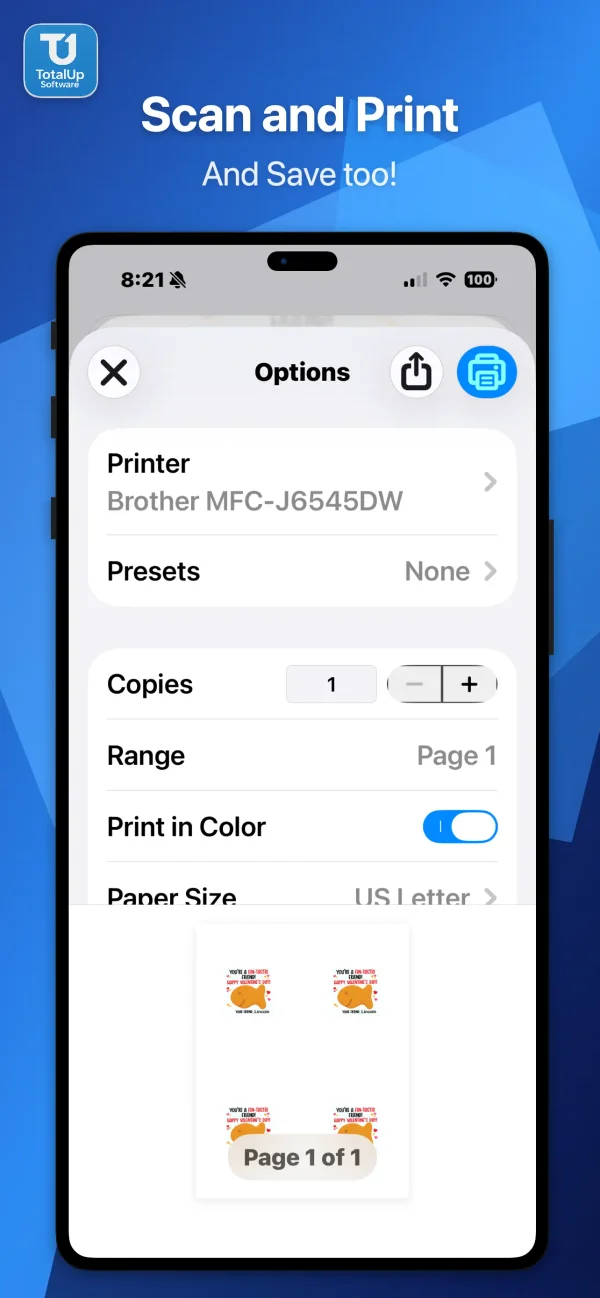
About
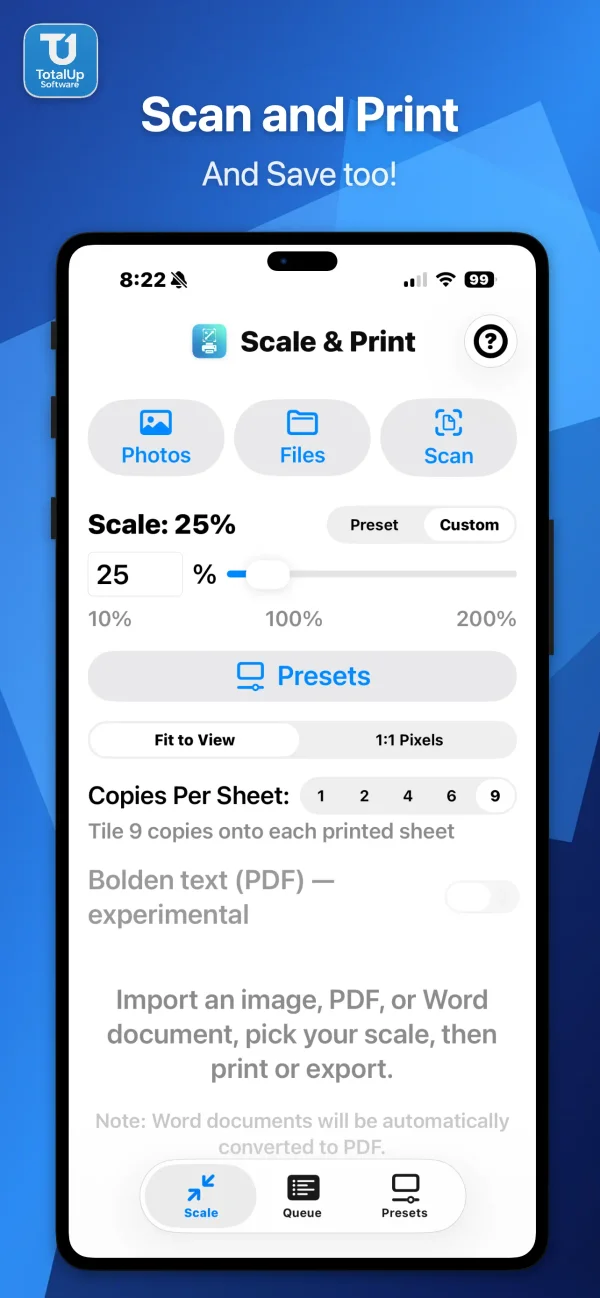
Scale & Print is a powerful document scaling and printing tool for iPhone and iPad. Import images, PDFs, and Word documents, then scale them to any size from 10% to 200% and print with precision.
Document Scanner
Scan physical documents directly with your camera. The built-in scanner auto-detects edges, corrects perspective, and produces high-quality images ready to scale and print.
Print Queue
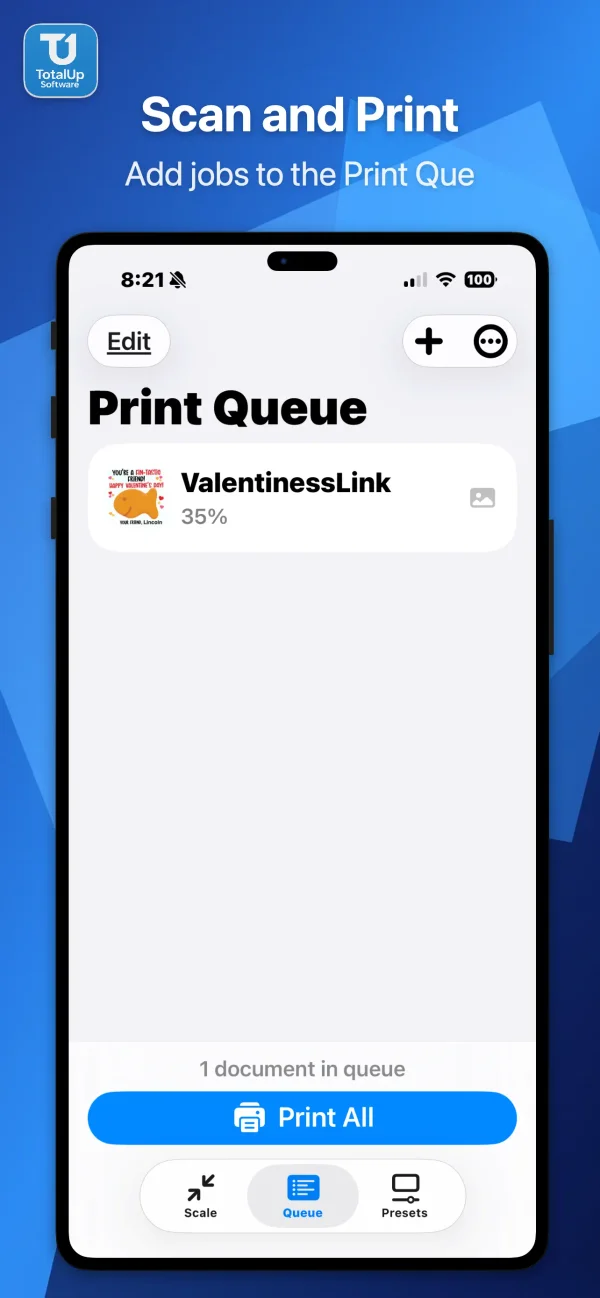
Batch multiple documents into a single print job. Add photos, files, and scans to your queue, configure each item individually, then print everything at once. Drag to reorder, swipe to remove.
Saved Presets
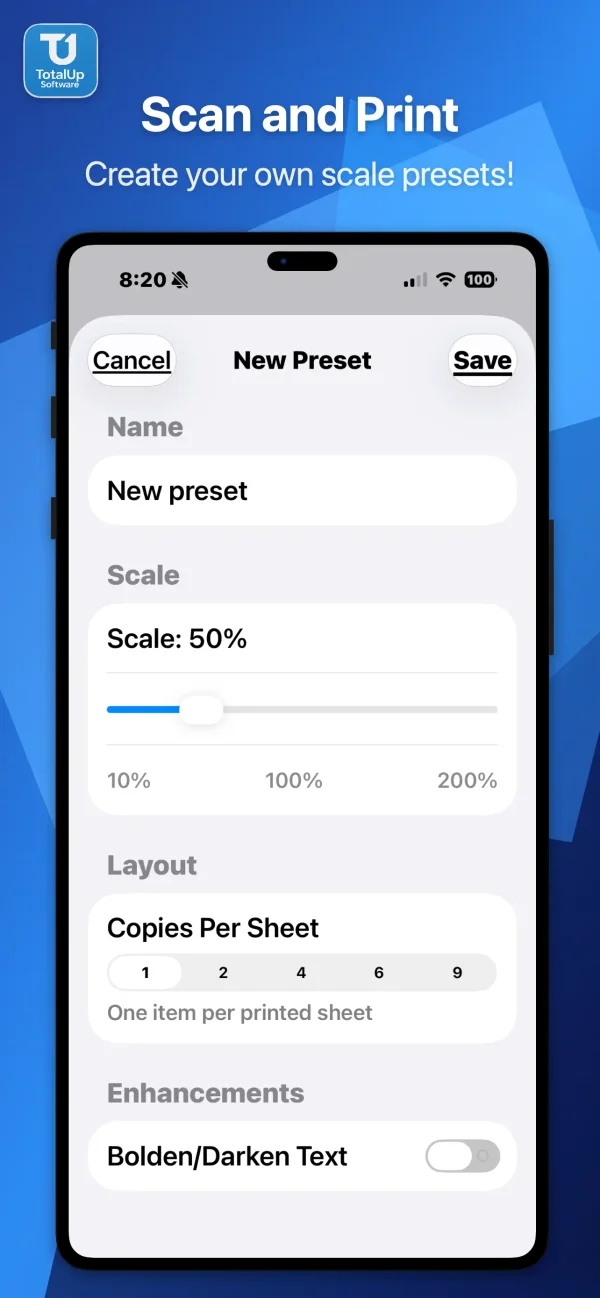
Save your favorite print configurations and reapply them instantly. Start with five built-in presets — Full Size, Half Page, Flashcard 4-Up, Study Sheet 6-Up, and Wallet Size 9-Up — or create your own custom presets.
Tiling & N-Up Printing
Fit multiple copies on a single sheet. Choose from 1, 2, 4, 6, or 9 per page — perfect for flashcards, labels, wallet photos, and study materials.
Multi-Page PDF Support
Navigate through multi-page PDFs with page controls. All pages are printed at your chosen scale with optional text bolding for improved readability.
Export & Share
Save scaled output to Photos, share via AirDrop, Messages, or Mail, or export as a new scaled PDF. Your documents, your way.
Key Features:
• Scale documents from 10% to 200%
• Built-in document scanner with edge detection
• Batch print queue with per-item settings
• Saved and custom print presets
• Tile 1, 2, 4, 6, or 9 copies per sheet
• Multi-page PDF navigation and printing
• Save to Photos, Share Sheet, and PDF export
• Text enhancement for PDFs and Word documents
• Real-time preview with DPI quality indicators
• All processing happens on-device — your documents stay private
What’s new
Version 1.5 · Oct 15, 2026
Optimized for Duo, and bug and error fixes.
App privacy
What James Mahon declares on the App Store about how this app handles data.
-
Data not collected
The developer does not collect any data from this app.
Privacy practices may vary, for example with the features you use or your age.
Information
- Seller
- James Mahon
- Category
- Utilities
- Version
- 1.5
- Updated
- Oct 15, 2026
- Released
- Mar 27, 2026
- Size
- 11.9 MB
- Requires
- iOS 26.1 or later
- Age rating
- 17+
- Price
- $0.99
- Languages
- English
- Copyright
- © TotalUp Software 2026
You might also like
-
 TintTroveAmazingly Simple Color Tool
-
 Link Cleaner: URL GuardCheck links before they open
-
 My G-code EditorEasy G-code editing
-
 Image Scale & Printprint to large size
-
 Viewer3DView STL, STEP, OBJ & 3DM
-
 PhotoTrueSizeUtilities
-
 Crop and PrintPDF & Photo Crop for Print
-
 Cookie DNT Privacy for SafariBlock & delete site trackers
-
 TiTumTiTum, TRANSFORM your world
-
 Tire Size & Fitment UpsizeSpeedo error, gearing, chart