PDF Editor: Document Assistant
Edit, Sign & PDF Converter App
Designed for iPhone, iPad, Mac
Free · In-app purchases
- Age rating4+
- CategoryProductivity
- DeveloperArima Jain
- LanguagesEnglish
- Size11.1 MB
Links to the official App Store page
Download.org hosts no file of PDF Editor: Document Assistant. The button opens its official App Store page, published by Arima Jain. Listing last checked on Nov 17, 2026.
Screenshots
About
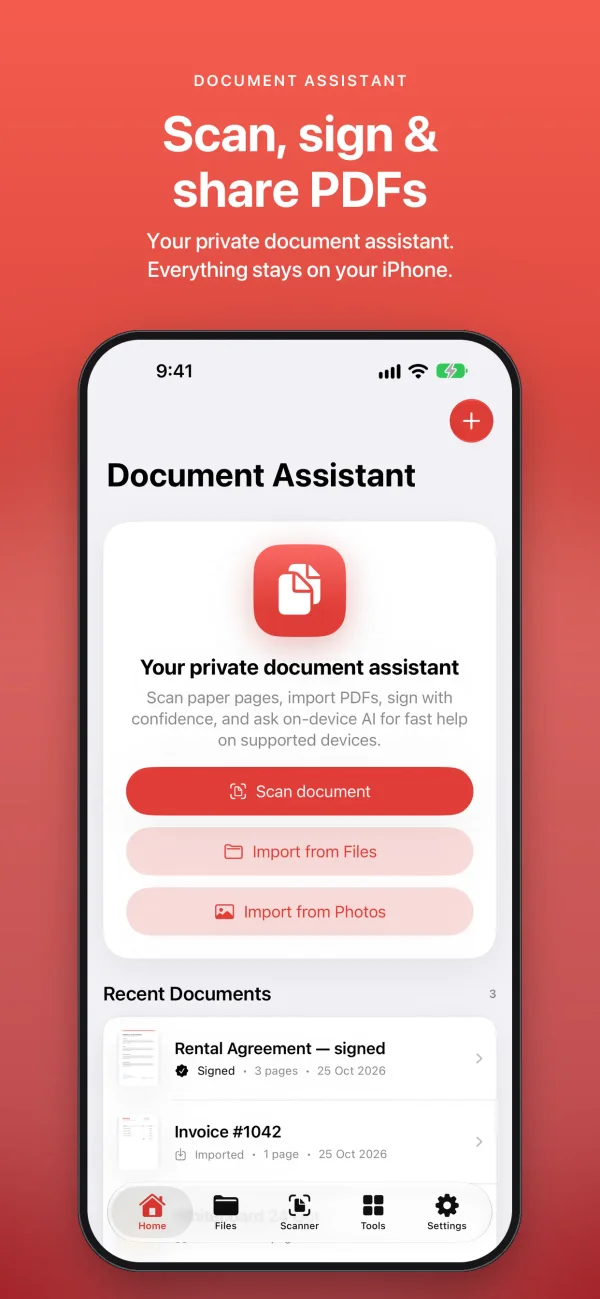
Document Assistant is the all-in-one PDF toolkit that lives on your device. Scan paper, sign contracts, edit, convert and organize documents in seconds. Your files are processed on your iPhone or iPad and never uploaded to a server.
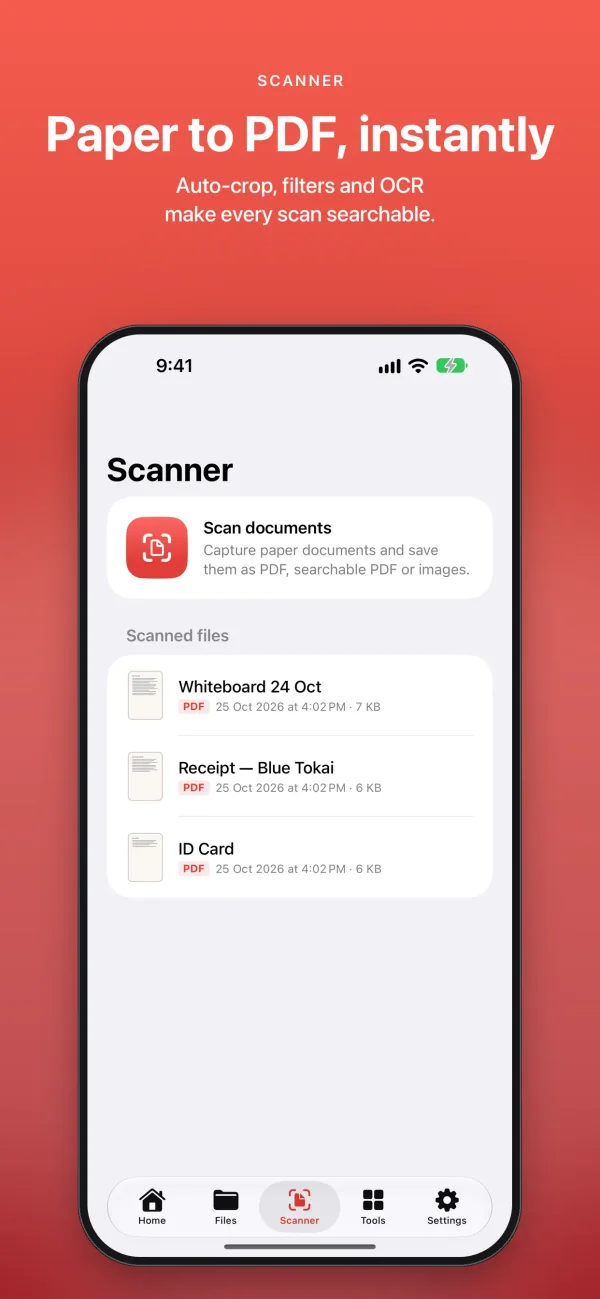
SCAN PAPER TO PDF
• Capture documents with your camera, with automatic edge detection and cropping
• Save as PDF, searchable PDF with text recognition (OCR), or images
• OCR in multiple languages makes scanned text searchable and selectable
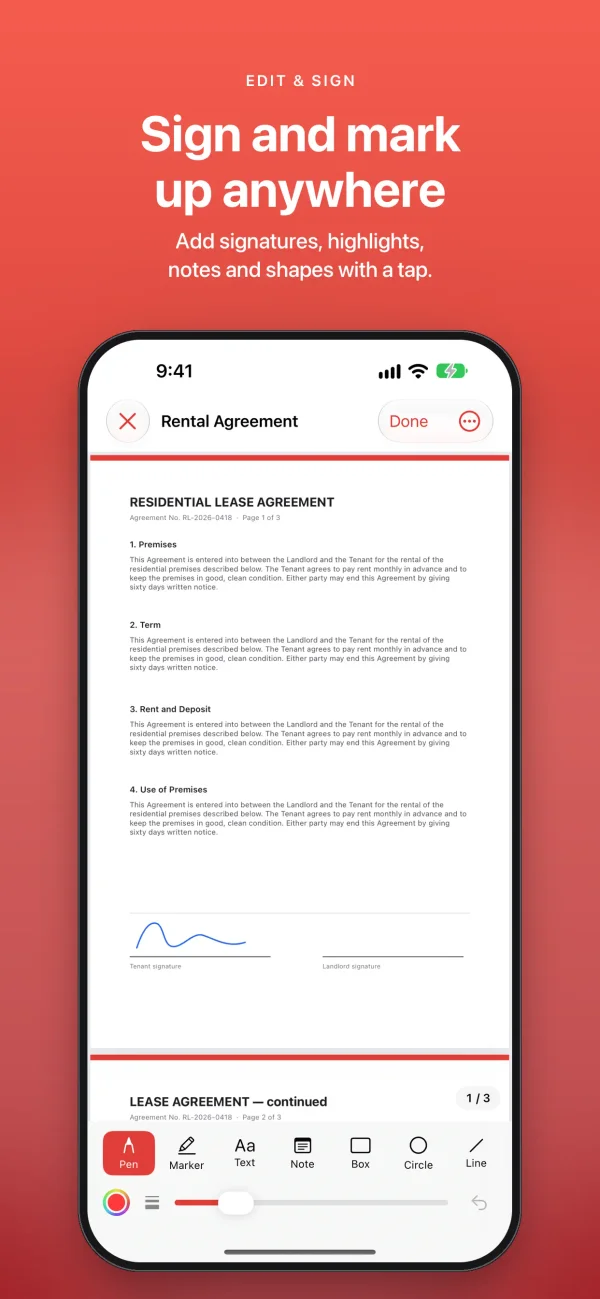
SIGN AND MARK UP
• Draw your signature once and place it on any page
• Highlight, underline, add text, notes, shapes and freehand drawings
• Redact to permanently black out sensitive information
• Works beautifully with Apple Pencil on iPad
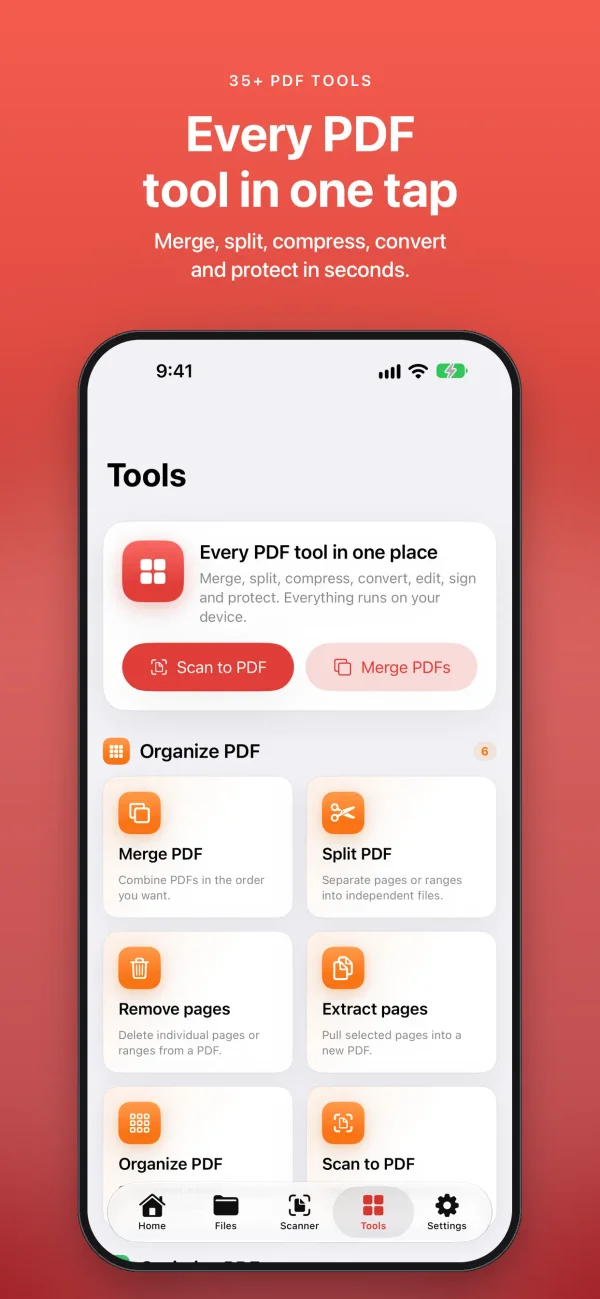
35+ PDF TOOLS
• Organize: merge, split, remove or extract pages, reorder, rotate and duplicate
• Optimize: compress PDFs, repair damaged files, run OCR
• Convert to PDF: images, Word, Excel, PowerPoint, RTF, text and HTML
• Convert from PDF: Word (DOCX), Excel (XLSX), text and JPG, or extract images
• Edit: add watermarks, page numbers and rotations
• Security: protect PDFs with a password or remove one you know
IMAGE TOOLS
• Compress, resize, crop and rotate images
• Convert to and from JPG, PNG, HEIC, GIF and TIFF
• Add watermarks, upscale images, blur faces automatically, or make a meme
SMART FILE LIBRARY
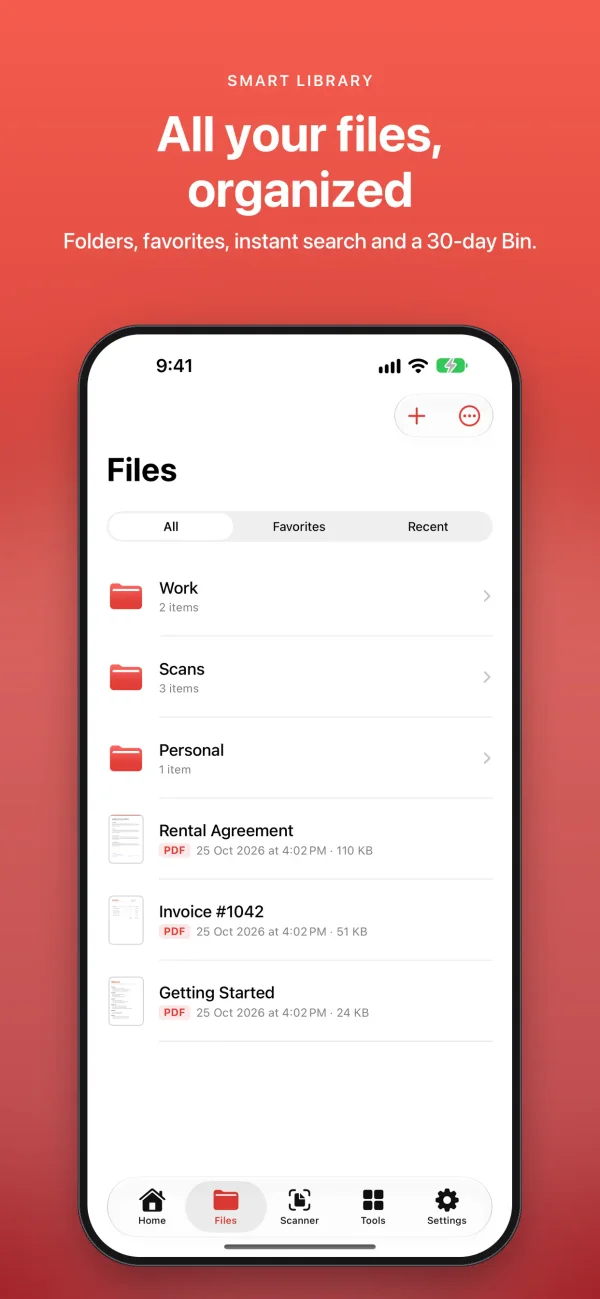
• Folders, favorites, recent files and instant search
• Create new PDFs from ready-made templates
• A 30-day Bin so nothing is lost by accident
• Your library is also available in the Files app
ASK YOUR DOCUMENTS
• Chat with a PDF to get summaries, key points and answers
• Runs on-device with Apple Intelligence on supported devices
DESIGNED FOR EVERY SCREEN
• iPhone, iPad and iPhone Duo, in portrait and landscape
• Light and Dark Mode
PRIVATE BY DESIGN
No account needed. Your documents are processed on your device and are never uploaded.
Privacy policy: https://digitalhole.github.io/DHPrivacy.html
Standard Apple Terms of Use (EULA): https://www.apple.com/legal/internet-services/itunes/dev/stdeula/
What’s new
Version 1.3 · Oct 25, 2026
• Performance improvement
• Improved User Experience
• New Features Added
App privacy
What Arima Jain declares on the App Store about how this app handles data.
-
Data used to track you
May be used to track you across apps and websites owned by other companies.
- Usage data
-
Data not linked to you
May be collected but is not linked to your identity.
- Usage data
Privacy practices may vary, for example with the features you use or your age.
Information
- Seller
- Arima Jain
- Category
- Productivity
- Version
- 1.3
- Updated
- Oct 25, 2026
- Released
- Jul 13, 2026
- Size
- 11.1 MB
- Requires
- iOS 17.0 or later
- Age rating
- 4+
- Price
- Free
- In-app purchases
- Yes
- Languages
- English
- Copyright
- © Arima Jain
You might also like
-
 Private Writer Markdown EditorOffline Notes. No Cloud. Lock
-
 Current: Visual Focus TimerADHD Productivity & Deep Work
-
 WeekPad: Weekly Planner DiaryJournal, notes & photo diary
-
 MySendTransfer at Lightning Speed
-
 Petsa PawAnimal Digital World
-
 FileMaster: Offline ScannerScan, Convert Files
-
 Trading Journal ProPnL Log, Ledger, ROI & Tracker
-
 Just a Simple Video ConverterEffortless Video Conversion
-
 PatchDoc:File & Code EditorOpen ZIP,JSON,Markdown,Html
-
 Hexa Timer: Focus & PomodoroWork and study in cycles