
netcat - Network Toolkit
DNS, Whois, Ping, MTR & iPerf3
Designed for iPhone, iPad
Free
- Age rating4+
- CategoryUtilities
- Developer家鋆 沈
- LanguagesEnglish+ 1 more
- Size50.6 MB
Links to the official App Store page
Download.org hosts no file of netcat - Network Toolkit. The button opens its official App Store page, published by 家鋆 沈. Listing last checked on Nov 18, 2026.
Screenshots

About
netcat is a network diagnostics toolkit for network engineers, admins and developers. Long-press any address or host name in a result to send it to DNS Lookup, Whois, Ping, MTR, Port Scan, Port Connect or IP Calculator. Recent runs are on the Home tab: tap one to run it again with the same options.
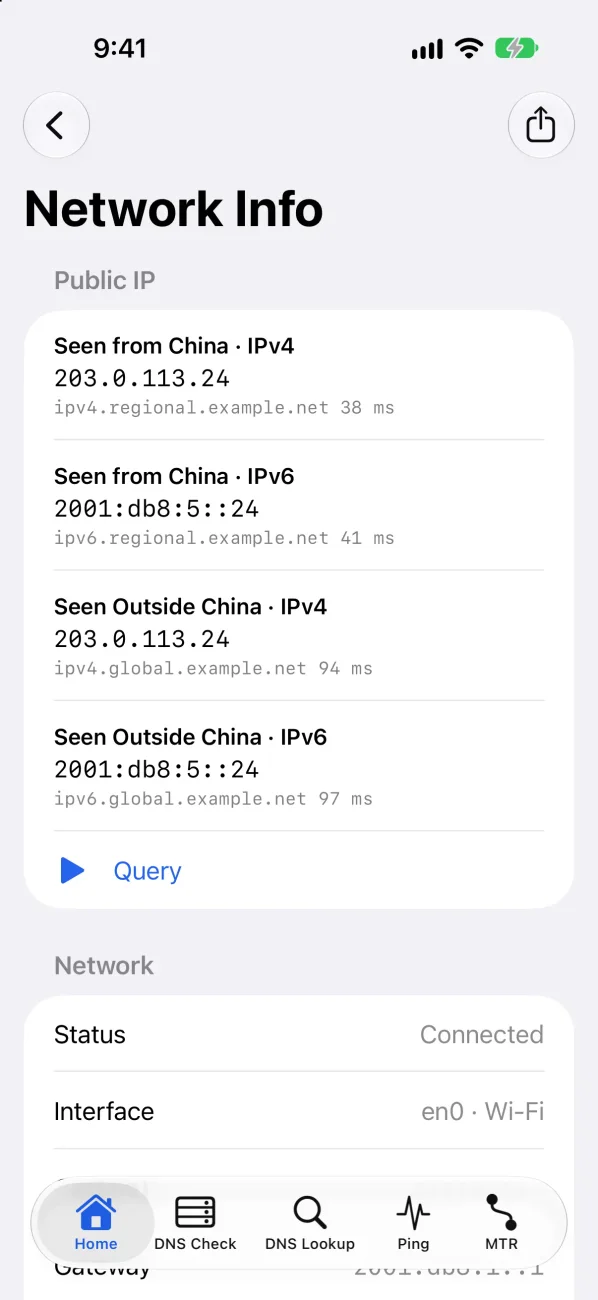
NETWORK INFO
• Your public IPv4 and IPv6 as sites in China see them and as other sites see them
• Where each address is registered, from an IP database inside the app
• Interfaces with their addresses, prefix lengths and MTU; gateways, DNS servers and the routing table
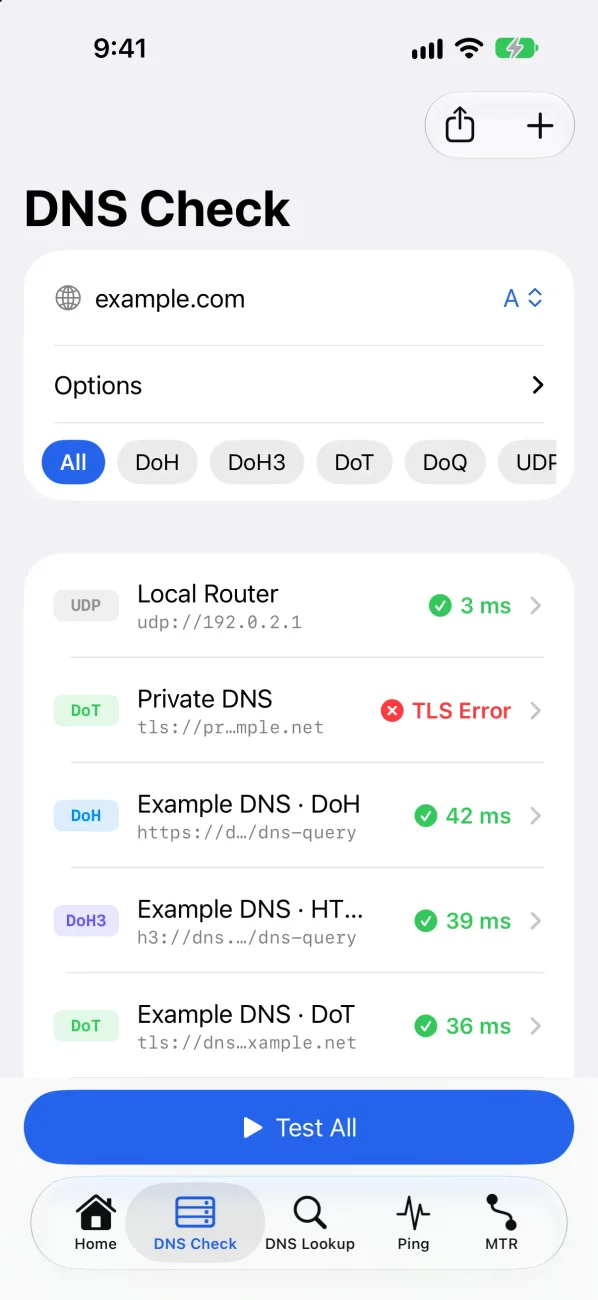
DNS CHECK
• Reachability and latency of your DoH, DoH3, DoT, DoQ and classic UDP / TCP DNS servers
• Any address format, DNS stamps, bulk import and bootstrap IPs, plus a default list of public resolvers to import
• Answers, DNSSEC, TLS version, ALPN, HTTP version and per-phase timing
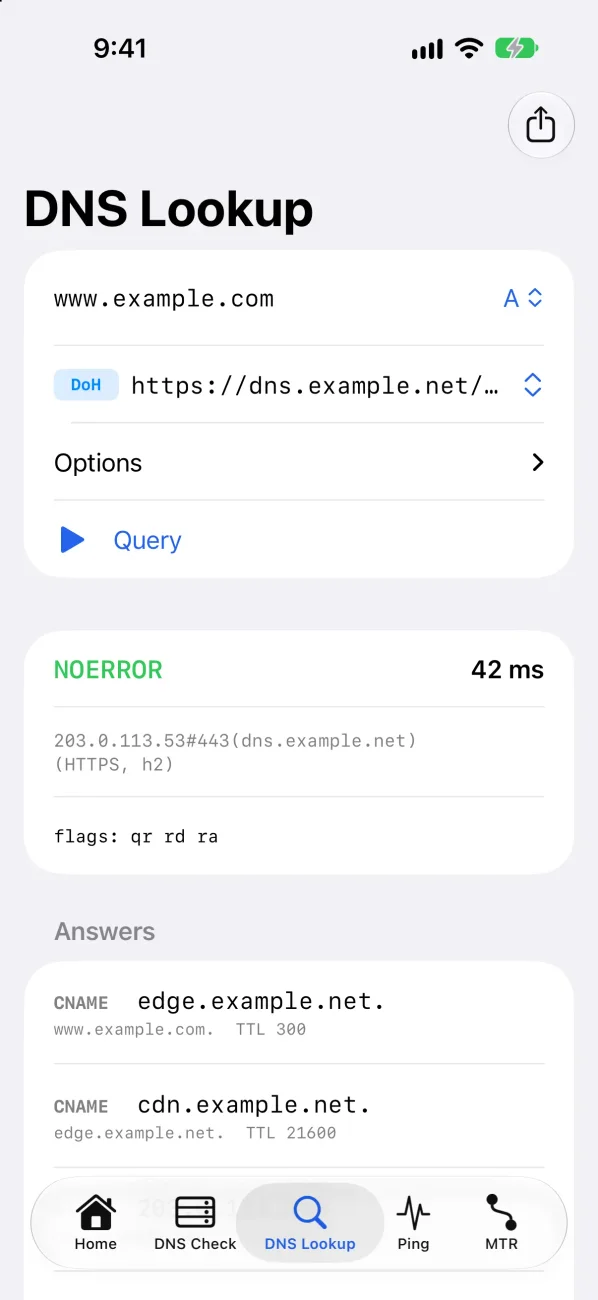
DNS LOOKUP
• Like dig: the system resolver or any DoH, DoH3, DoT, DoQ, UDP or TCP server
• Common record types, reverse lookups from an IP address, DO / CD / RD flags
• All response sections, EDNS, NSID, EDE and DNSSEC records; dig-style output
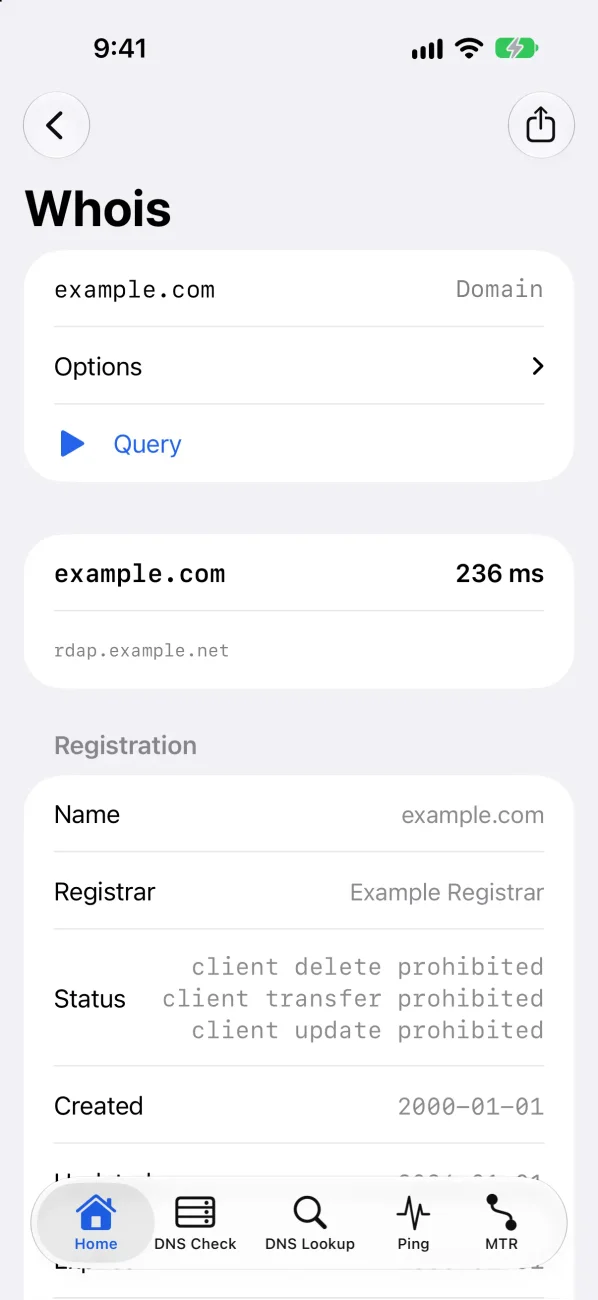
WHOIS
• Registration data for domains, IP addresses / prefixes and AS numbers
• RDAP first, classic whois where a registry has no RDAP, following referrals to the registry and registrar
• Registrant, registrar, dates, status, name servers, DNSSEC, network range, organization and abuse contact at a glance; raw responses to expand and export
• Or query any whois or RDAP server of your choice
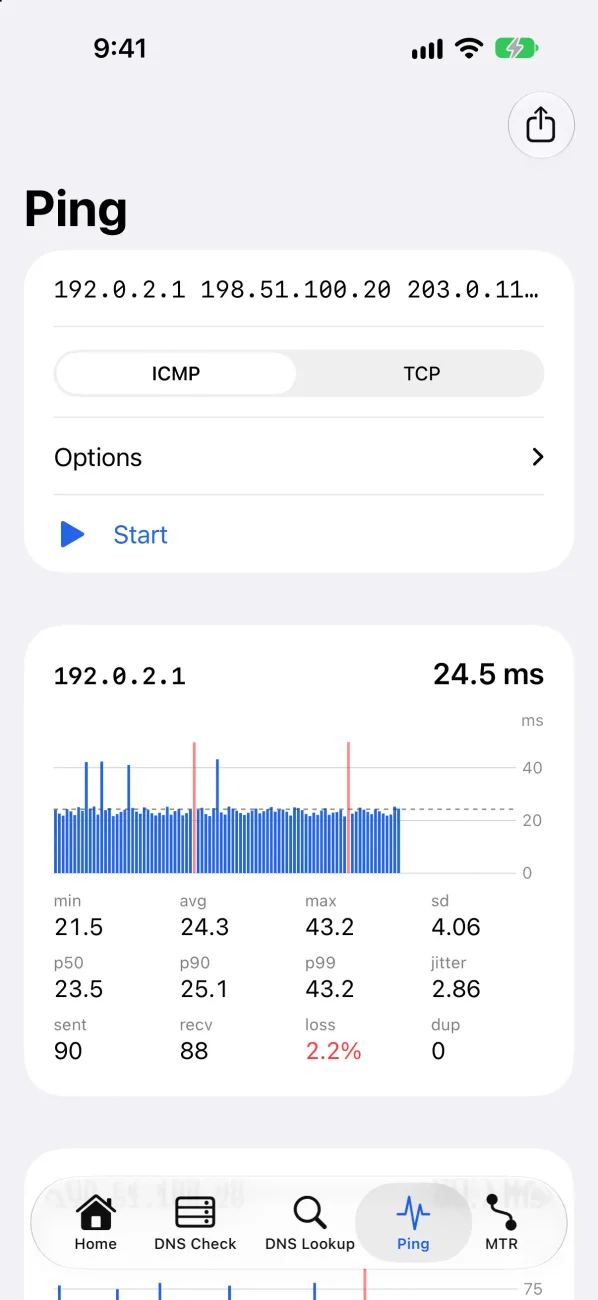
PING
• ICMP and TCP modes, up to 6 targets in parallel
• A latency bar chart per target that makes spikes and losses obvious
• min / avg / max / sd, P50 / P90 / P99, jitter and loss
• Adjustable interval, timeout, count, payload size and TTL; ping-compatible output
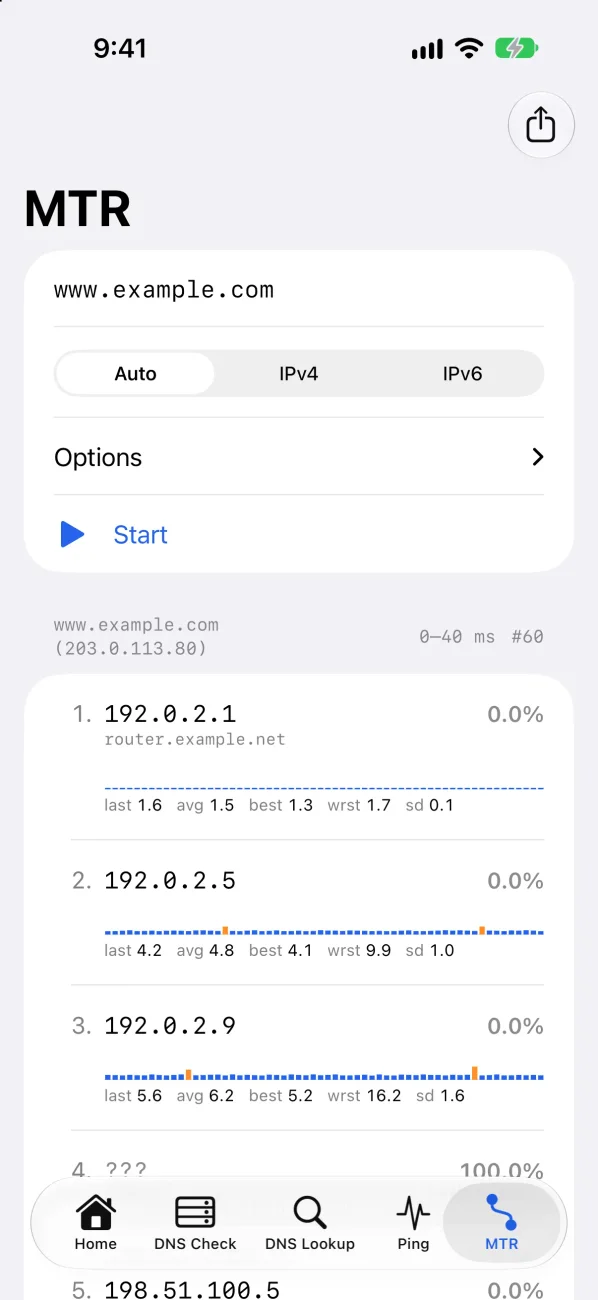
MTR
• Continuous traceroute with per-hop Loss%, Last, Avg, Best, Wrst and StDev
• Every hop's recent rounds on one latency scale: see where delay is added; loss on the path in red, routers that only rate-limit their replies in grey
• Reverse DNS names, IPv4 / IPv6, export in mtr --report format
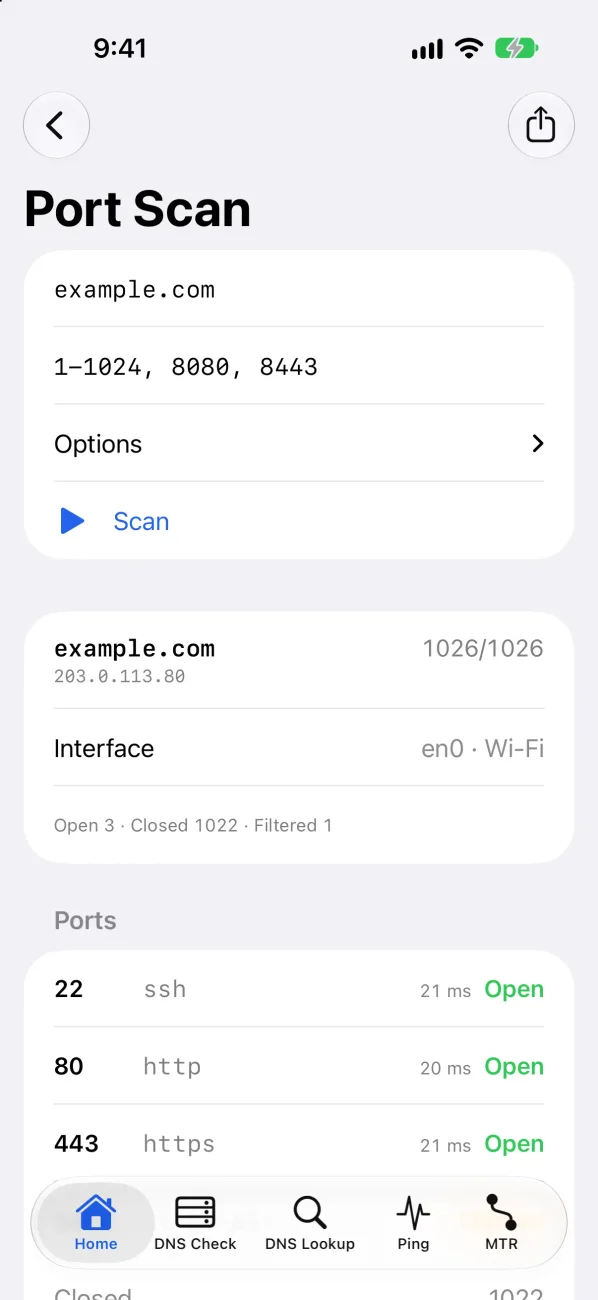
PORT SCAN
• TCP connect scan of port lists and ranges, like nc -z
• Open, closed and filtered ports with response times and service names
• Long-press a port to connect to it
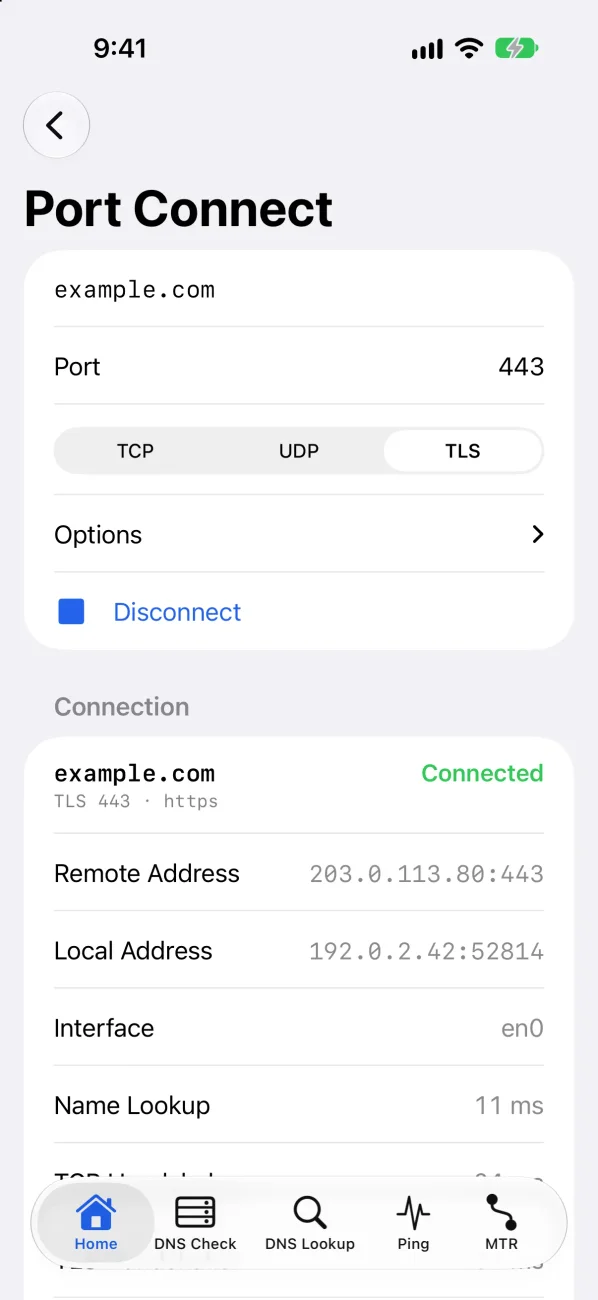
PORT CONNECT
• Connect to any host and port over TCP, UDP or TLS, like nc
• Name lookup, TCP and TLS handshake times; TLS version, cipher suite, ALPN and the certificate chain with its trust verdict
• Send text or hex and read the replies as text or a hex dump
IPERF3
• Client and server roles, compatible with standard iperf3 in both directions
• TCP / UDP, upload / download, parallel streams, UDP bitrate
• Per-second throughput chart, sender / receiver rates, retransmits, UDP jitter and loss
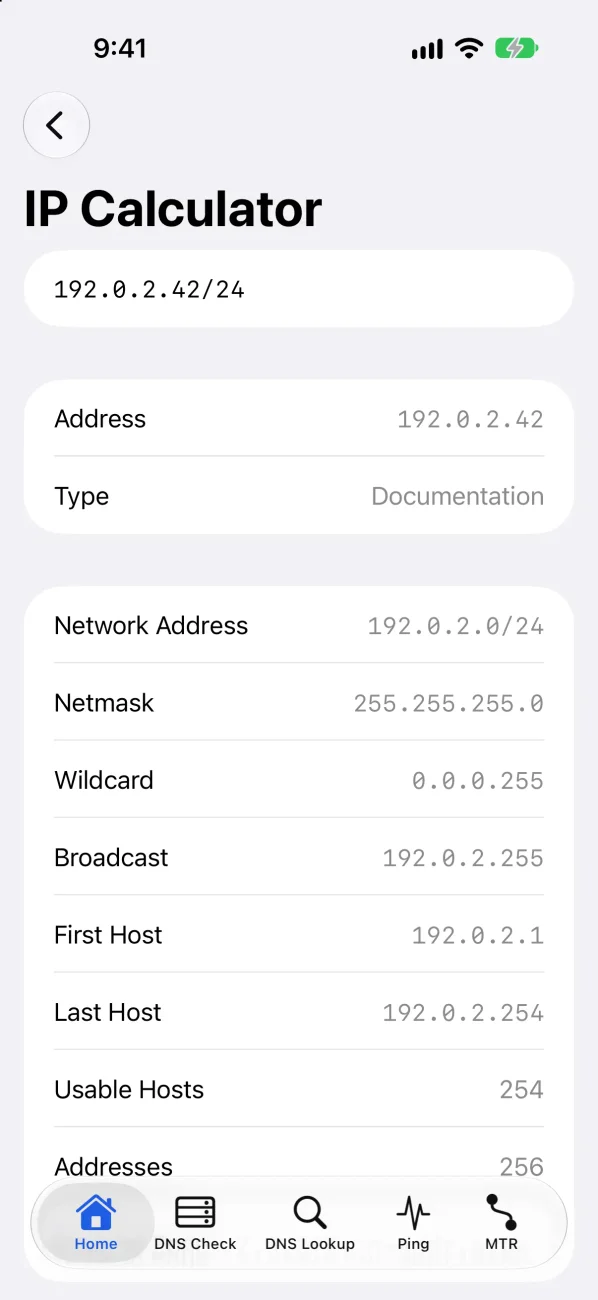
IP CALCULATOR
• IPv4 and IPv6 subnets: network, netmask, wildcard, broadcast, host range and address counts
• Address type (private, CGNAT, link-local, documentation, NAT64…) and the reverse DNS zone
PRIVACY
No account, no ads, no analytics, no data collection.
What’s new
Version 1.1 · Nov 12, 2026
• DNS is now two tools: DNS Check tests your own server list; DNS Lookup queries any name, like dig
• New Whois: registration data for domains, IPs and AS numbers over RDAP and whois
• New Ping: ICMP / TCP, multiple targets, latency bar charts and full statistics
• New MTR: continuous traceroute with per-hop statistics, replacing Traceroute
• New iPerf3: client and server roles for TCP / UDP throughput tests, compatible with standard iperf3
• New Port Scan: TCP connect scans with open, closed and filtered ports and response times
• New Port Connect: TCP / UDP / TLS connections with handshake timings, certificate details and data you type
• New Network Info: public IPv4 / IPv6 as seen from China and from outside China, with their locations, plus interfaces, gateways, DNS servers and the routing table
• New IP Calculator: IPv4 and IPv6 subnets, address types and reverse DNS zones
• Tools work together: long-press an address or host name in a result to send it to DNS Lookup, Whois, Ping, MTR, Port Scan, Port Connect or IP Calculator
• New Home tab: your recent runs, one tap to run again with the same target and options
• DNS Check no longer preloads servers: add your own, or import the default list of public resolvers
App privacy
What 家鋆 沈 declares on the App Store about how this app handles data.
-
Data not collected
The developer does not collect any data from this app.
Privacy practices may vary, for example with the features you use or your age.
Information
- Seller
- 家鋆 沈
- Category
- Utilities
- Version
- 1.1
- Updated
- Nov 12, 2026
- Released
- Nov 6, 2026
- Size
- 50.6 MB
- Requires
- iOS 17.0 or later
- Age rating
- 4+
- Price
- Free
- Languages
- English, Simplified Chinese
- Copyright
- © 2026 Yuk1
You might also like
-
 KyberlinkPrivate WireGuard VPN client
-
 WebloaderFull-Screen Kiosk Browser
-
 PicoServer: Wi-Fi File ServerLocal HTTP & WebDAV web server
-
 Farroom: Remote DesktopVNC, RDP & Sunshine streaming
-
 IPMask – Subnet CalculatorIPv4 networks, masks and hosts
-
 IP WorkbenchThe Ultimate Subnet Calculator
-
 DNS Quick: DNS SettingsDNS setup and latency test
-
 Quick Screenshot EditorScreenshot Editor,Screen Cut
-
 Subnet Mask CalcIPv4 Calculator
-
 SNI Tunnel: V2Ray VPN ClientVLESS, VMess, Trojan & Xray