Network Scanner Toolkit
WiFi Analyzer & IP Scan Tools
Designed for iPhone, iPad
Free · In-app purchases
- Age rating4+
- CategoryUtilities
- DeveloperSawhorn LLC
- LanguagesEnglish
- Size8.8 MB
Links to the official App Store page
Download.org hosts no file of Network Scanner Toolkit. The button opens its official App Store page, published by Sawhorn LLC. Listing last checked on Nov 20, 2026.
Screenshots


About
See every device on your WiFi. Free — no ads, no subscription.
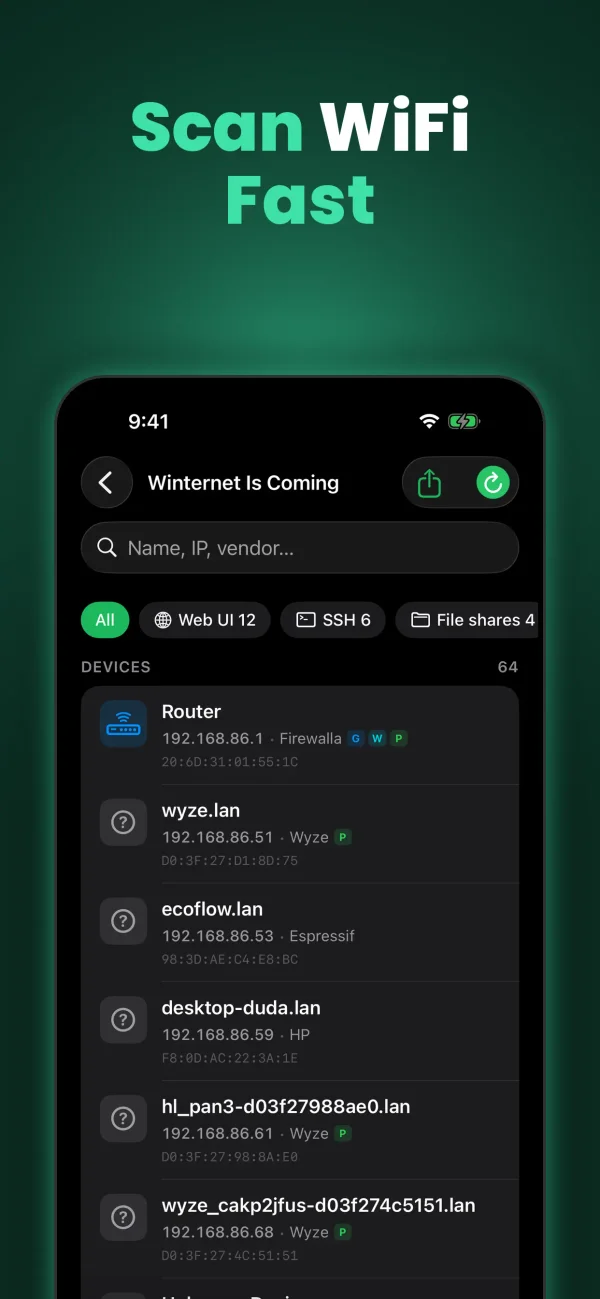
Network Scanner Toolkit finds everything on your network in seconds: name, IP, MAC address and manufacturer (iOS 27+) — even devices that hide from ping. Devices tell you what they are: Apple TV, HomePod, Chromecast, printers, HomeKit and Matter gear, Sonos, Fire TV, Windows PCs, NAS boxes and more. Capability tags show which are pingable, run a web interface, speak Bonjour, UPnP or Matter, or are your gateway. Filter by Web UI, SSH, file shares, printers, TVs, smart home or cameras. Tap a device to ping it, open its admin page, connect over SSH, VNC or SMB, rename or favorite it. New devices are flagged automatically.
Made for big screens. On iPad and the iPhone Duo the scanner becomes three columns — past scans, device list and full details side by side — and the tools spread into two panes. Stand the Duo up like a laptop and every tool splits across the hinge: graph, map or results on top, controls below. Fold, unfold or rotate and nothing is lost.
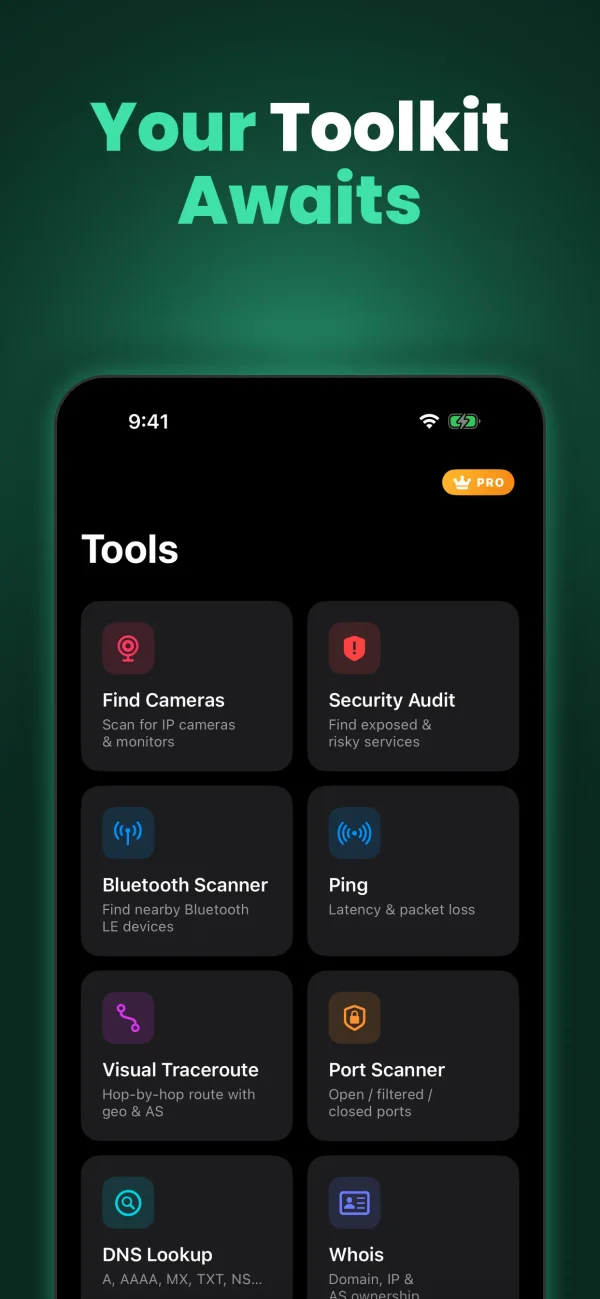
A full network toolbox — free:
• LAN Scanner — fast sweep with naming over Bonjour, NetBIOS, WS-Discovery and SNMP; models and manufacturers, custom names & icons, new-device badges, filters, quick-connect. Scans Wi-Fi, Personal Hotspot or wired, and keeps going after you leave the app (iOS 26+).
• Subnet Tools — IPv4 and IPv6. Type any address with a prefix, netmask or wildcard and get the whole answer on one card: network, broadcast, host range, counts, type with its RFC, binary with host bits highlighted. Then explore: child subnets on a visual map, VLSM planner, overlap checker, supernet, membership test, range-to-CIDR, config lines, IPv6 forms, netmask table. Siri Shortcut included.
• Port Scanner — presets, custom ranges, or all 65,535 ports
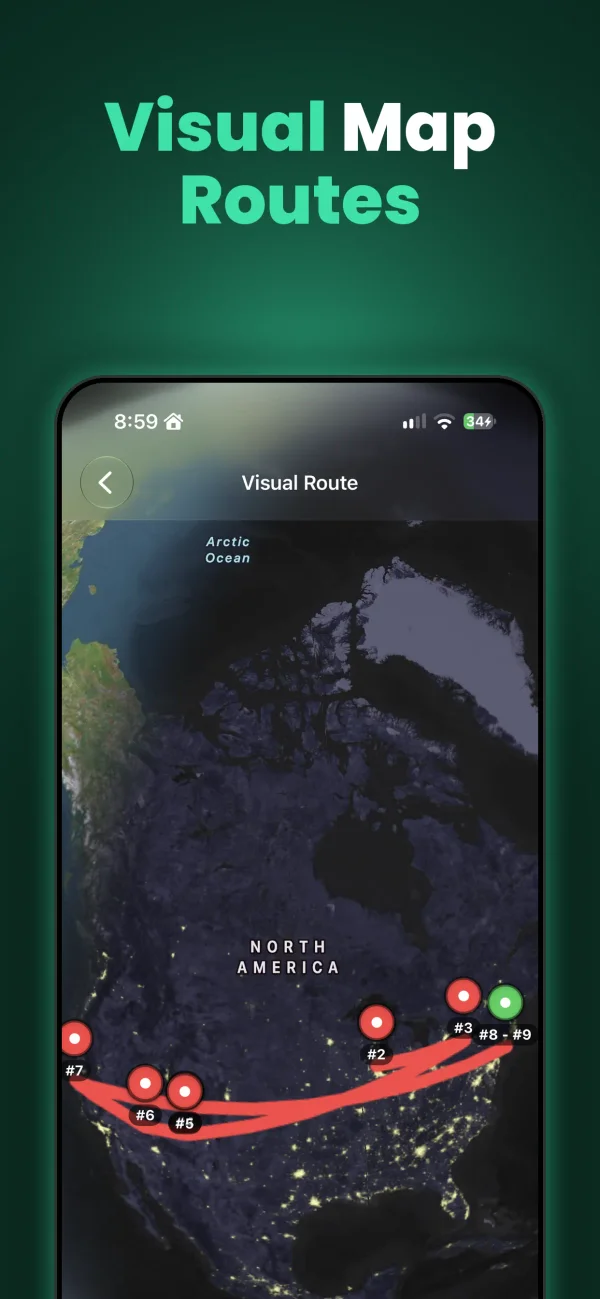
• Traceroute — every hop geolocated on a live map with latency charts
• Ping — live graph, configurable payload size and interval
• DNS Lookup — A, AAAA, MX, TXT, CNAME, NS, SOA, PTR, SRV, HTTPS & SVCB records, custom resolvers, DNSSEC check
• Whois — modern RDAP lookups for domains, IPs and AS numbers, with classic WHOIS referral chasing as the fallback
• Bonjour Monitor — watch services appear and disappear live
• Siri & Shortcuts — scan the network, find or ping a device, check if it's online, look up DNS, check your router, open a device, calculate a subnet.
• Port Peek — tap any open port and read what the service announces: SSH version, web headers, mail and FTP greetings, telnet banners.
• Network Info — IP, router, DNS, IPv6, data usage, SSID, and a Router card that names your router, shows its WAN address and tells you whether you're Direct, behind Double NAT or on Carrier-grade NAT, in plain English
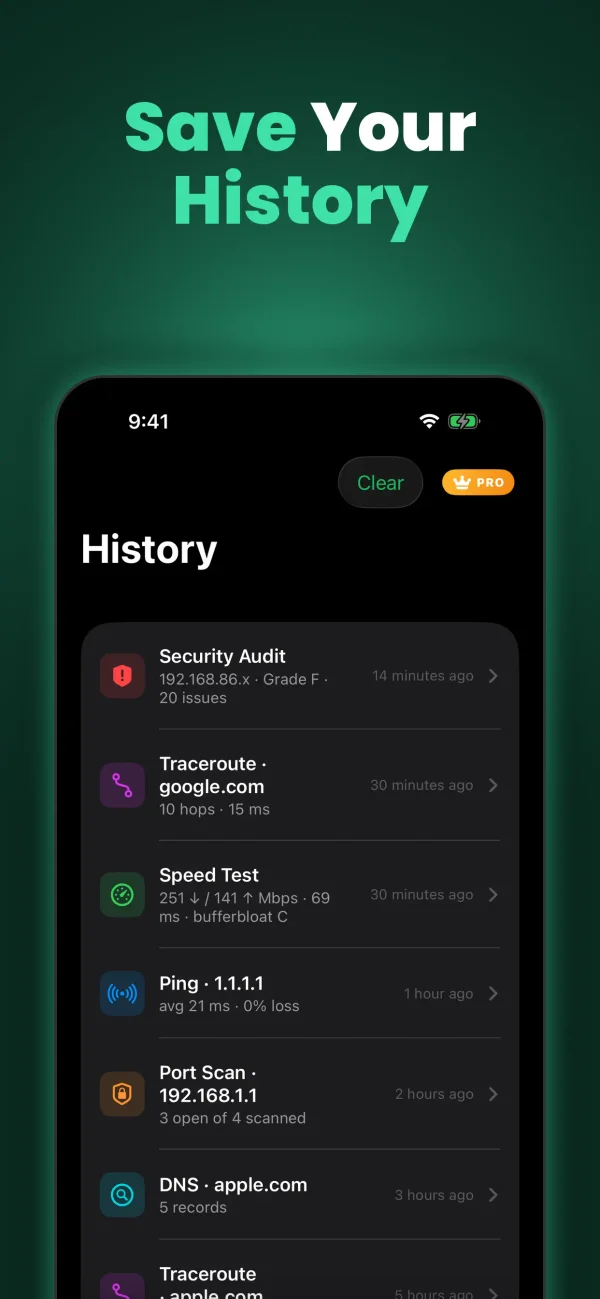
• History — every scan and test saved automatically
Toolkit Pro — one purchase, yours forever:
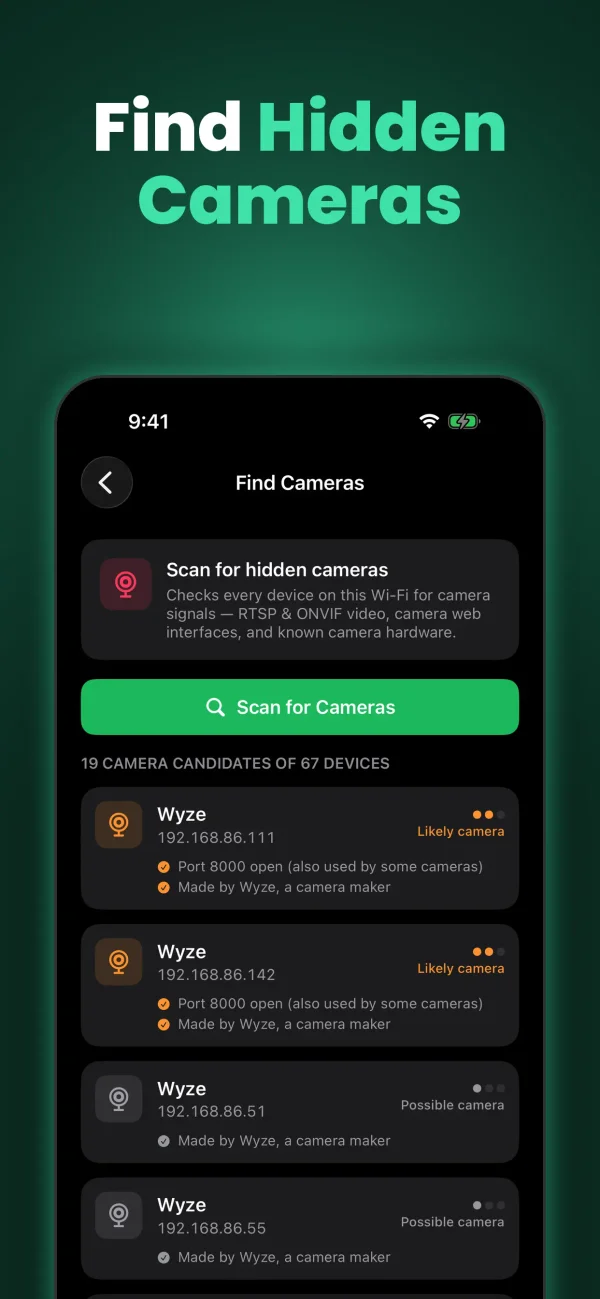
• Find Cameras — sweep for security cameras using RTSP, ONVIF, camera web interfaces hree-tier confidence ratings. Know what's watching on any WiFi you join.
• MAC Explorer — paste any MAC in any format and see its vendor, IEEE registry block, address bits, reserved uses, every notation and the IPv6 address it implies.
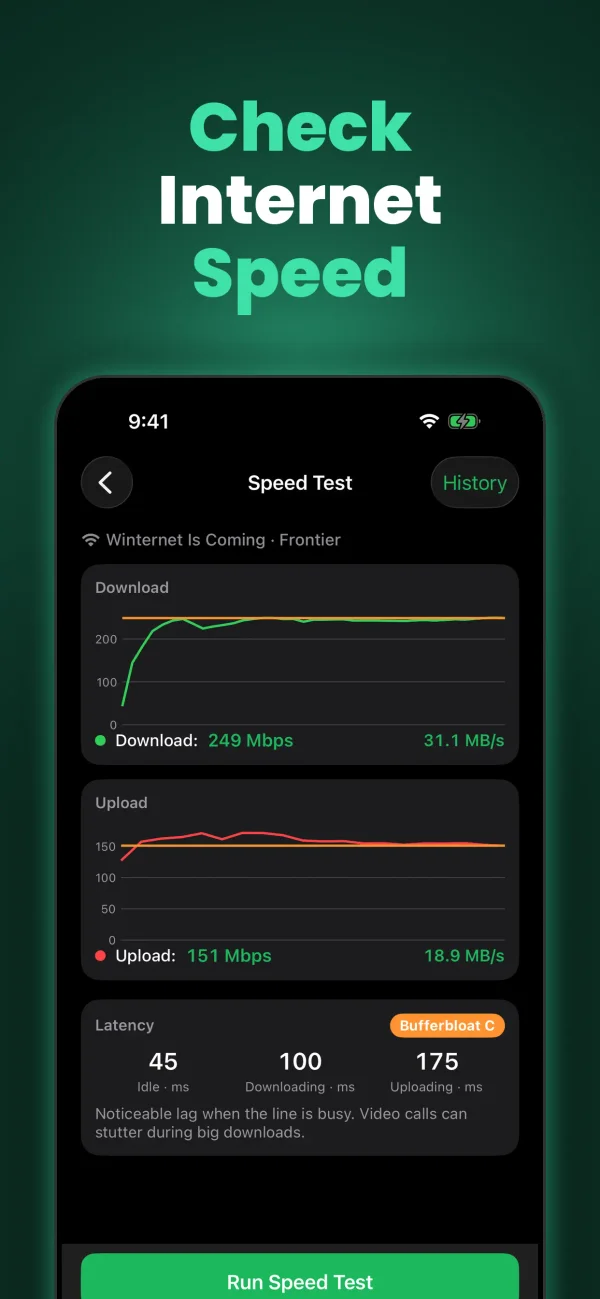
• Speed Test — live download and upload graphs in Mbps and MB/s with a bufferbloat grade
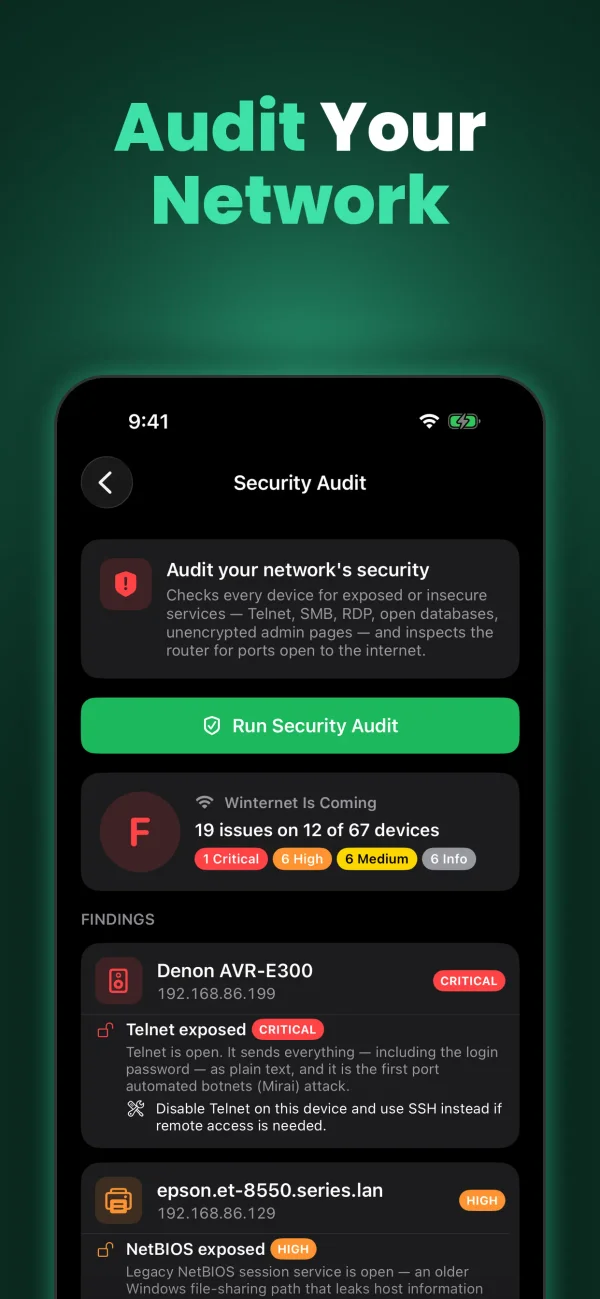
• Security Audit — find exposed or insecure services on every device and ports your rrnet, with a fix for each finding and an A–F grade
• Find Trackers — spot Tile, Samsung SmartTag and Google Find My Device tags traveling with you
• Cert Check — any website or device's ssl certificate: trusted or self-signed, days left, issuer, names, chain, key, TLS version, fingerprint
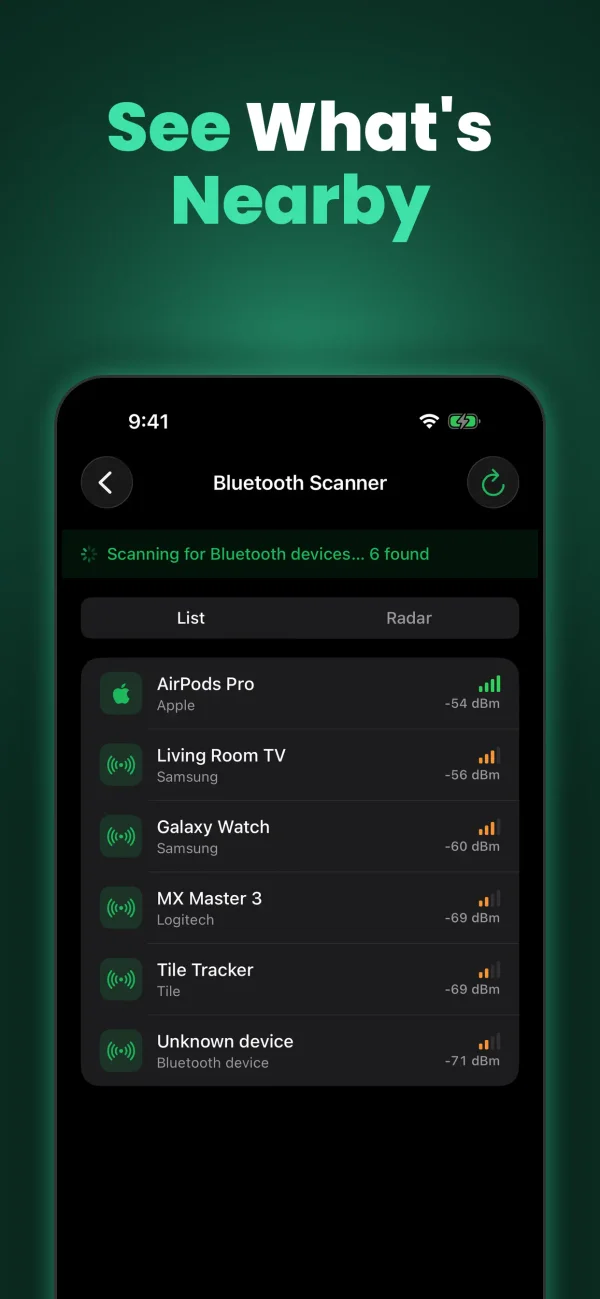
• Bluetooth Scanner — see nearby Bluetooth LE devices with signal strength, maker and type; locate one with the hot/cold Find meter or the radar view
• Wake-on-LAN — wake your PC or NAS from the couch
• Export & share — CSV and PDF reports of any scan or test; Whois and DNS results as text, JSON or CSV
• Themes
Private by design. No account, no analytics, no tracking.
What’s new
Version 1.4.1 · Nov 12, 2026
Just Another Fall Update:
• Mainly bug fixes and small improvements throughout.
• Don't click on your PRO icon! (seriously, please don't.)
• Visual upgrades
• Some other stuff -- more below.
Backup & Restore
• Save your data to iCloud or phone.
Speed Test
• Now tells you when a connection stalls mid-test and whether it looked like your Wi-Fi, your ISP or the server. Smoother graphs, plus tap the Stability and Bufferbloat badges to see what they mean.
Visual Traceroute
• A map that keeps up with the trace, tappable hops, a chart that shows where delay is actually added, and text or CSV export.
Network Scanner
• You can now bundle scans into a single entity.
App privacy
What Sawhorn LLC declares on the App Store about how this app handles data.
-
Data not collected
The developer does not collect any data from this app.
Privacy practices may vary, for example with the features you use or your age.
Information
- Seller
- Sawhorn LLC
- Category
- Utilities
- Version
- 1.4.1
- Updated
- Nov 12, 2026
- Released
- Aug 7, 2026
- Size
- 8.8 MB
- Requires
- iOS 18.0 or later
- Age rating
- 4+
- Price
- Free
- In-app purchases
- Yes
- Languages
- English
- Copyright
- © 2026 Sawhorn LLC
You might also like
-
 Sentinel: Wifi Network ScannerWiFi Security & Network Audit
-
 OniNetwork: Network AnalyzerPing, Traceroute & LAN Scanner
-
 LANScannerUtilities
-
 IP Scanner: Network ToolsIP Tools & Network Scanner
-
 NetScan - IP ScannerNetwork Analyzer & Ping & Wifi
-
 ScanNet - Network ScannerUtilities
-
 IP ScannerNetwork Scanner (WiFi/LAN)
-
 iNetTools - Ping,DNS,Port ScanBest Network Diagnosis App
-
 Network Analyzer: WiFi ScanLAN scanner, ping, DNS & whois
-
 Network Scanner: Device FinderWiFi & Bluetooth Detector