
Node Expense: Track Together
Split Group Bills & Budget
Designed for iPhone, iPad, Mac
In-app purchases
- Age rating4+
- CategoryFinance
- DeveloperSTEVEN HWANG
- LanguagesTraditional Chinese+ 7 more
- Size46.8 MB
Links to the official App Store page
Download.org hosts no file of Node Expense: Track Together. The button opens its official App Store page, published by STEVEN HWANG. Listing last checked on Nov 10, 2026.
Screenshots

About
Stop the "who owes who" awkwardness. Whether you're splitting dinner, planning a group trip, or tracking personal spending, Node Expense organizes your money while keeping your data private.
Powerful group splitting meets intelligent personal budgeting, without the clutter of data-hungry apps. Perfect for roommates, couples, and travelers tracking multi-currency costs.
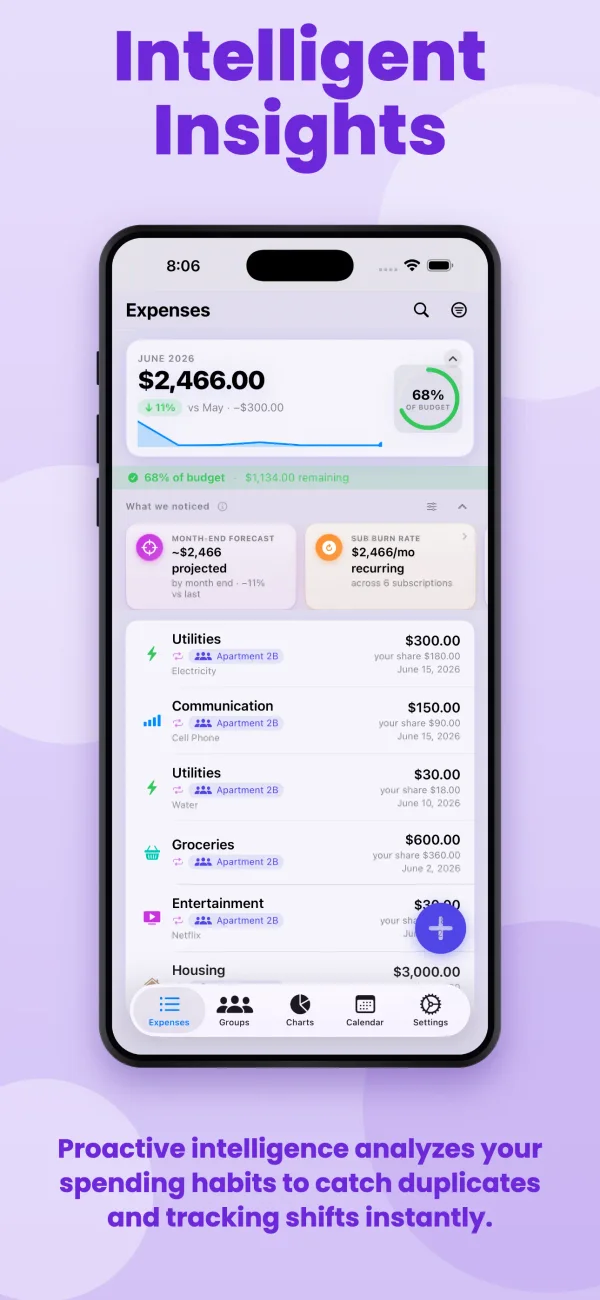
Smart Personal Insights
Personalized cards that analyze your spending automatically—no setup required.
• Sub Creep: Spot when recurring bills quietly grow over time.
• Duplicate Detector: Catch accidental same-day double-entries.
• No-Spend Streak: Track consecutive days without logged spending.
• Month-End Forecast: Project where you'll land by month's end.
Plus 9 more cards covering category dominance, weekend habits, and multi-currency tracking.
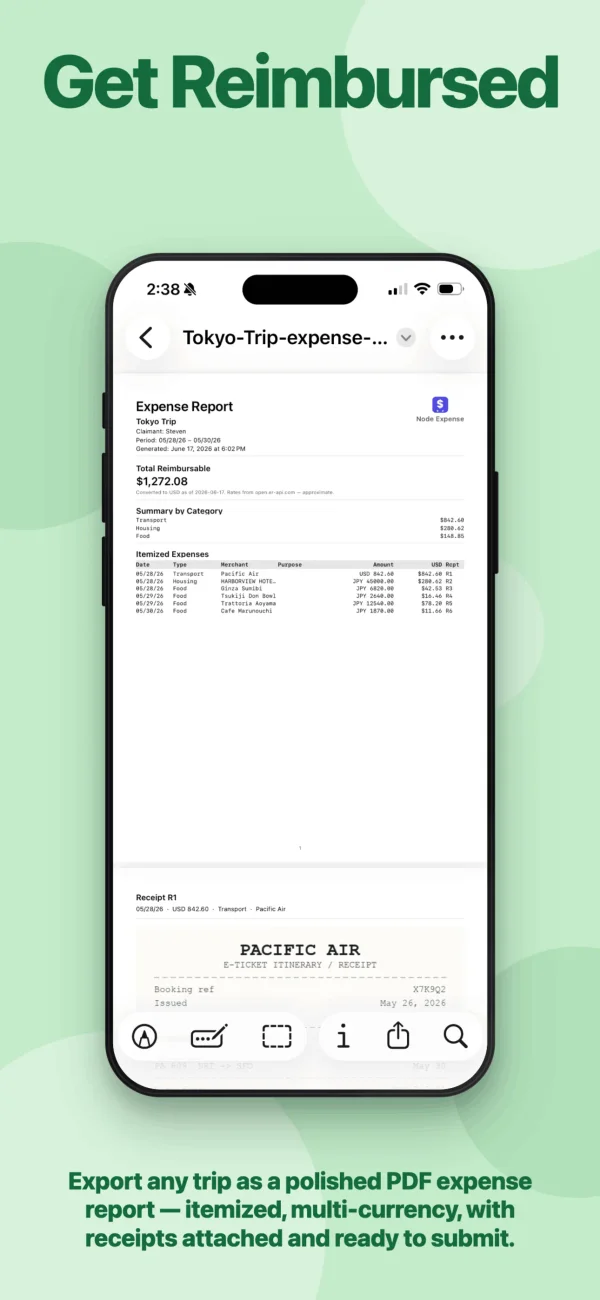
Business Travel Expense Reports (PRO)
Export a professional PDF from any group—itemized expenses with each receipt on its own page, automatic home-currency conversion, a category summary, and a clear total to claim.
Effortless Group Splitting & Payments
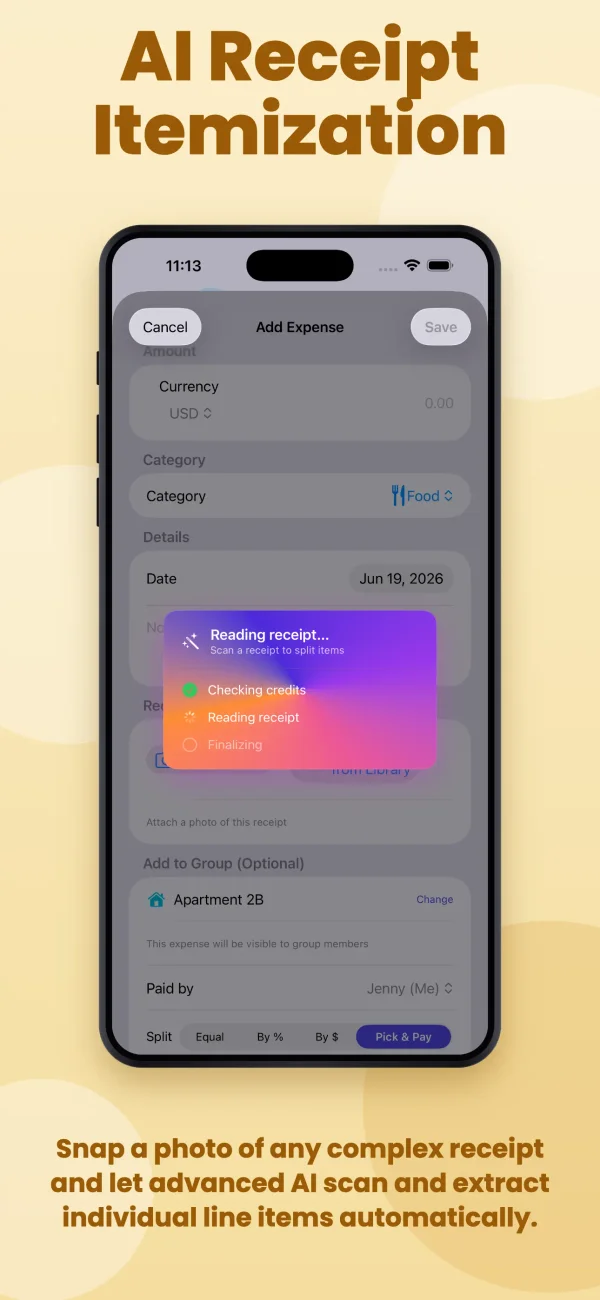
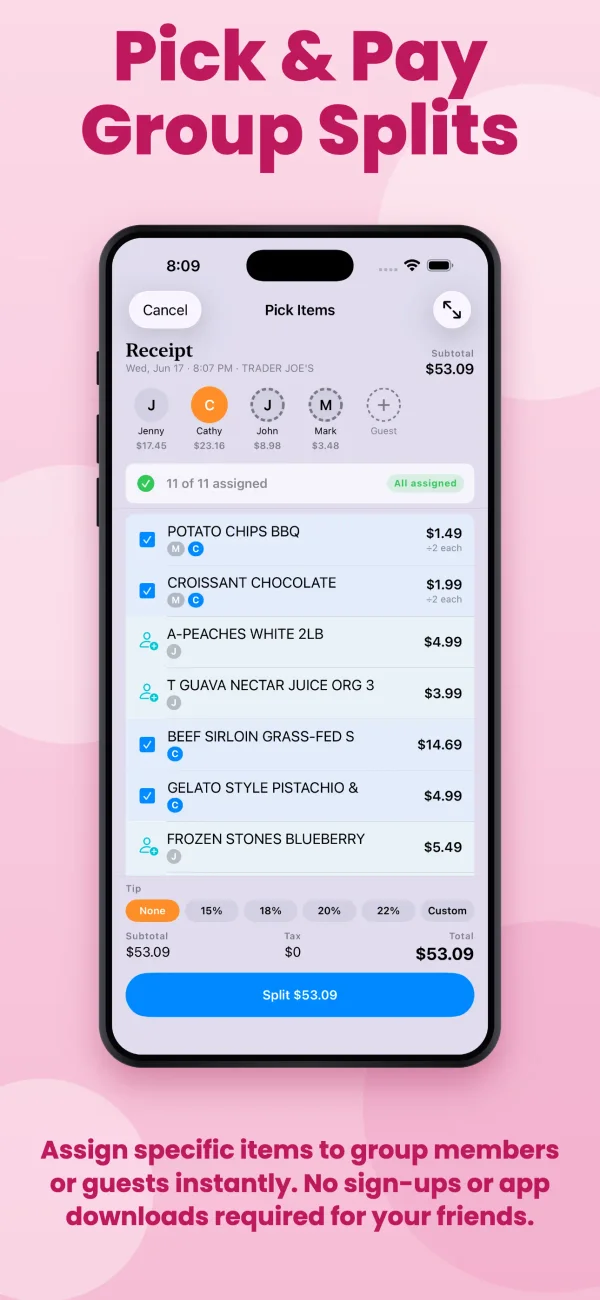
• Pick & Pay (AI-Powered): Snap a receipt and let AI extract itemized lines. Assign items to friends who don't have the app, and share via iMessage, QR, or AirDrop.
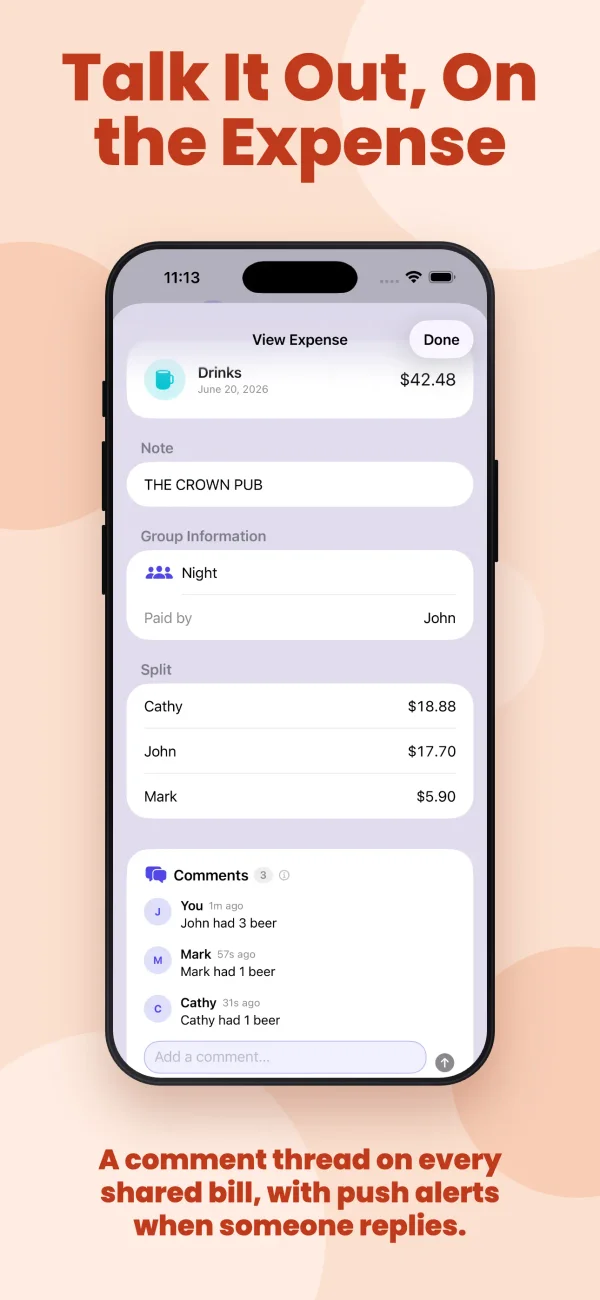
• Flexible Splits: Split by %, exact amounts, equal shares, or exact quantity—one beer, not five. Exclude members or edit anytime.
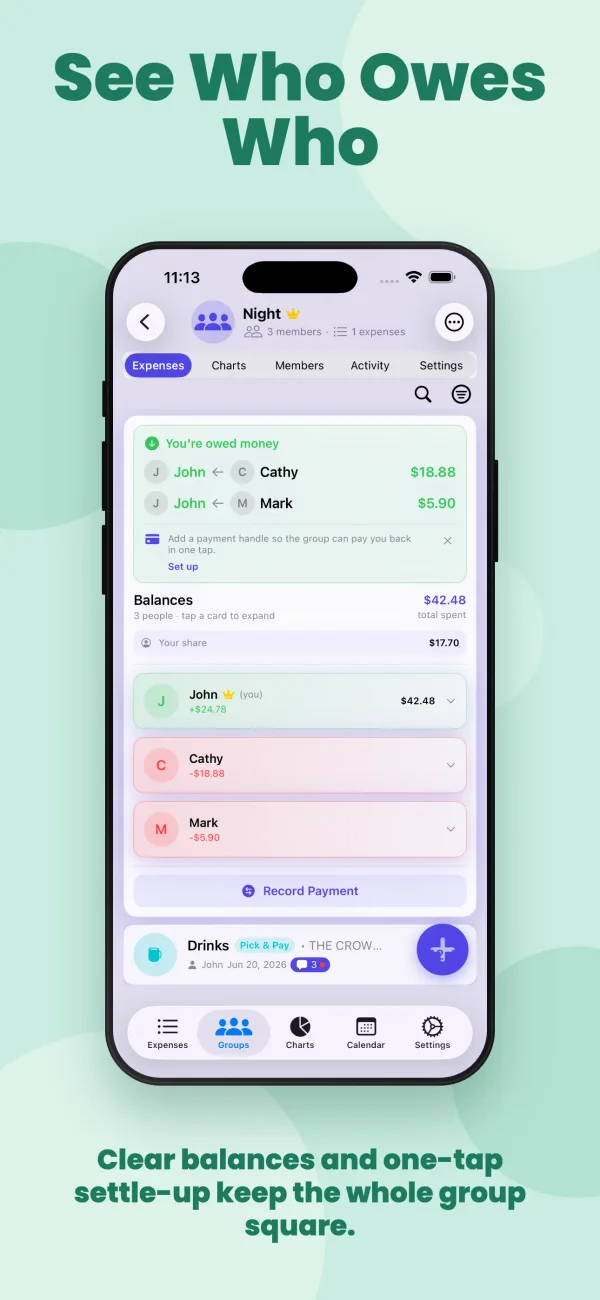
• Debt Simplification: Minimizes the transactions needed to settle up.
• Smart Settlements: Confirm payments in-app without moving actual money.
• Payment Reminders: Nudge anyone who owes you, or ask someone to confirm a payment you recorded.
• Photo Receipts: Attach receipt photos to any expense.
• Smart Refunds: Record a refund on any expense; balances adjust automatically.
• Seamless Payments: Settle via links to Venmo, Cash App, PayPal.Me, or Apple Cash—or copy a Zelle, LINE, or WeChat handle to pay elsewhere.
• Archive Settled Groups: Hide finished trips without deleting anything.
• Group Activity Feed: A full audit trail of every change.
• Expense Comments: Discuss any shared expense in its own thread, with alerts on replies.
Master Your Budget
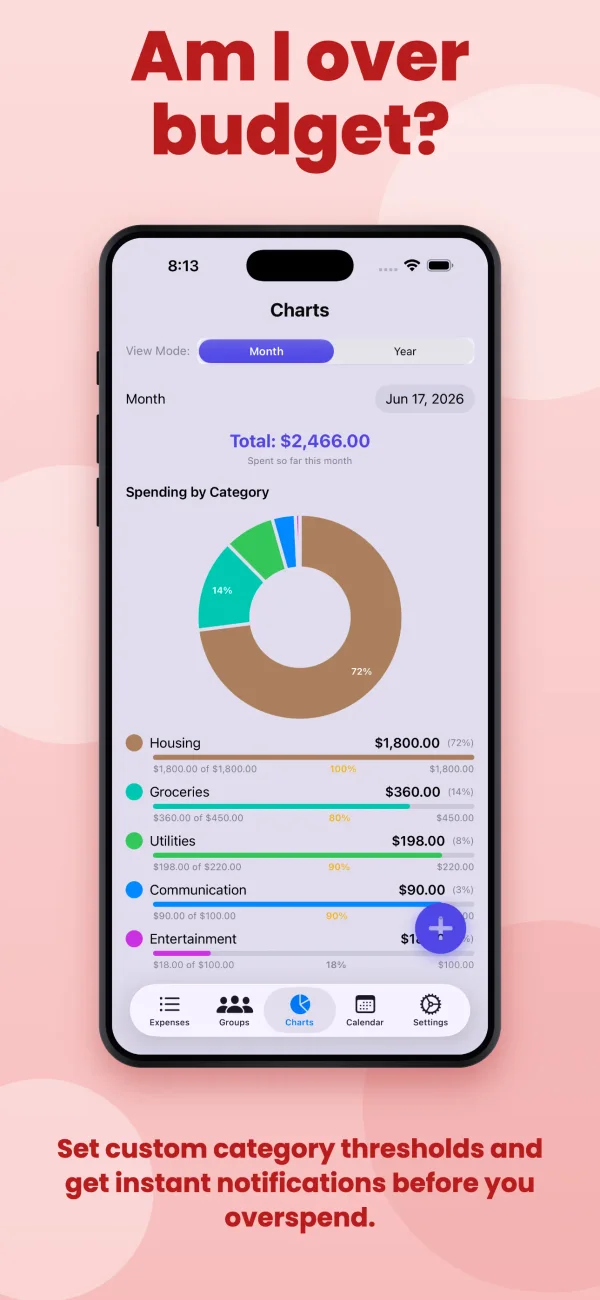
• Custom Category Budgets: Set spending caps, view live progress bars, and get limit alerts.
• Visual Trends: Monitor monthly and yearly patterns to plan ahead.
• Recurring Expenses: Manage subscriptions and bills automatically.
Power User Features
• Smart Receipt Scanning: Snap a receipt to fill in the total, merchant, and category on-device.
• Control Center Widgets: Log expenses in a single tap without opening the app.
• Widgets & Calendar Sync: Balances, spending, and budget on your Home & Lock Screen and calendar.
• Multi-Currency: Seamless tracking for international travel.
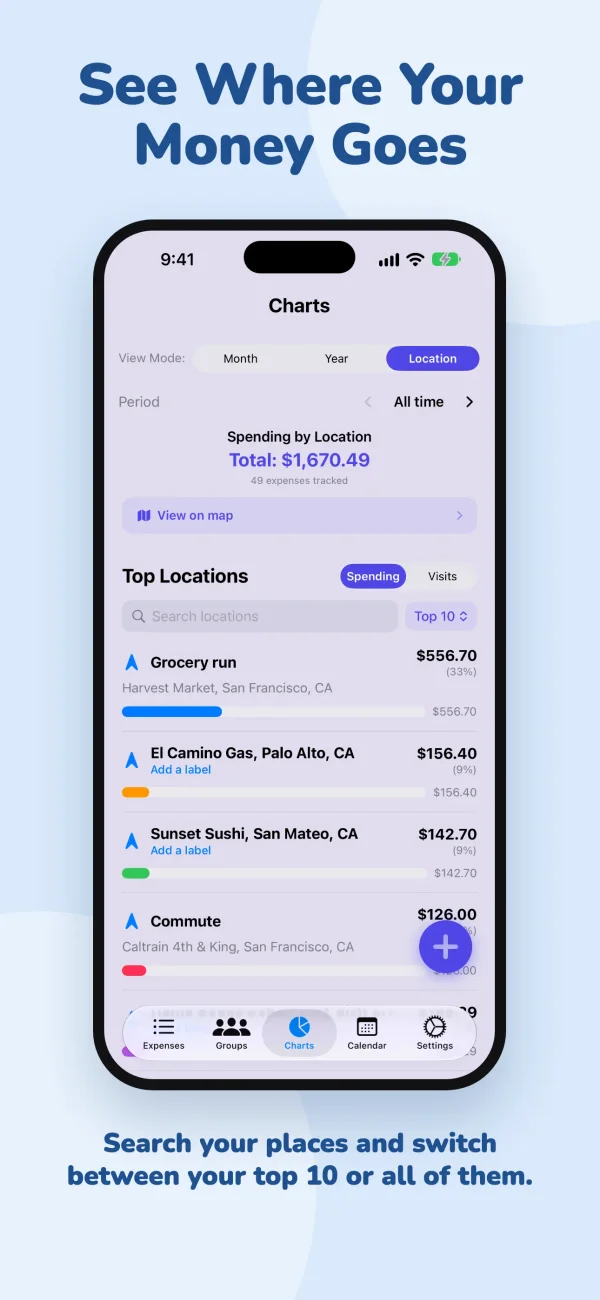
• Spending Map: Tag places as you type, see where your money went, and search your Top Locations.
• Siri & Shortcuts: Ask what you owe or add an expense without opening the app.
• Search in Your Own Words: Try "food over $50 last month" (Apple Intelligence, iOS 27).
Privacy & Security You Can Trust
Built on a Privacy-First architecture—your financial data belongs to you.
• No Ads, No Tracking: Zero ads, and no tracking across other apps or websites.
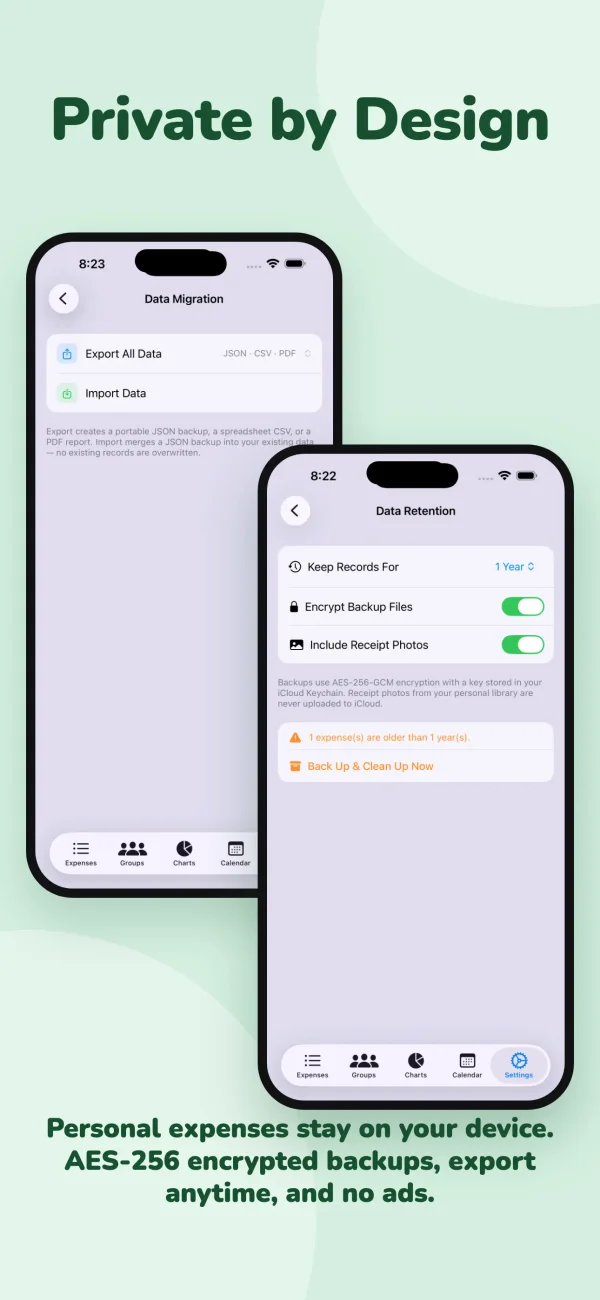
• On-Device Storage: Your personal expenses stay on your device via secure SwiftData. No account or sign-up required.
• Secure Backups: Encrypted AES-256-GCM backups with keys stored in your private iCloud Keychain.
• Full Portability: Export your history as JSON, CSV, or PDF whenever you want.
Why Choose Node Expense?
• Built for iPhone, iPad & Mac: A native experience on every device.
• Free Tier: 15 individual expenses per month, plus a 14-day trial of group expenses and secure backups. Includes location tagging and manual calendar sync.
• PRO Subscription: Unlimited group & individual expenses, category budgets, encrypted backups, full exports, and business travel expense reports. Your PRO license syncs across all your devices with Sign in with Apple. Start with a 1-month free trial.
What’s new
Version 4.2.2 · Oct 30, 2026
You can now turn off notifications for individual groups. Go to Settings > Notifications and switch off any group under Notifications by group. Votes to delete a group and notices that you've been removed from a group still come through.
Plus small fixes and polish throughout the app.
App privacy
What STEVEN HWANG declares on the App Store about how this app handles data.
-
Data linked to you
May be collected and linked to your identity.
- Purchases
- Financial info
- Location
- Contact info
- User content
- Identifiers
- Usage data
-
Data not linked to you
May be collected but is not linked to your identity.
- Diagnostics
Privacy practices may vary, for example with the features you use or your age.
Information
- Seller
- STEVEN HWANG
- Category
- Finance
- Version
- 4.2.2
- Updated
- Oct 30, 2026
- Released
- Apr 2, 2026
- Size
- 46.8 MB
- Requires
- iOS 26.0 or later
- Age rating
- 4+
- In-app purchases
- Yes
- Languages
- Traditional Chinese, German, Japanese, French, Simplified Chinese, English, Spanish, Korean
- Copyright
- © 2026 The Dizzy Dog Studio
You might also like
-
 FiftyFifty: Shared ExpensesAd-free, minimal, AI-fast
-
 FairShare - Easy Bill SplitterSimple Split & Group Fund
-
 Owely - IOU & Loan LedgerIOUs, splits, requests — clear
-
 TripValue: Travel ExpenseSplit Bills, Budget & Currency
-
 LifeOS: SubscriptionsManage all your subscriptions
-
 簡單紀帳Finance
-
 SPEND - Split & Track ExpensesGroup spending & travel costs
-
 Expense Tracker & Split: TallySplit bills, budget & save
-
 Minimal Expense: Travel, SplitDaily, travel & shared ledgers
-
 Personal Ledger: Pro FinanceDouble-Entry Expense & Asset