Notes and Memos - Note
Notepad. No account. Offline.
Designed for iPhone, iPad, iPod touch
Free
- Age rating4+
- CategoryProductivity
- DeveloperBrian Griffin
- LanguagesEnglish
- Size6.0 MB
Links to the official App Store page
Download.org hosts no file of Notes and Memos - Note. The button opens its official App Store page, published by Brian Griffin. Listing last checked on Nov 20, 2026.
Screenshots
About
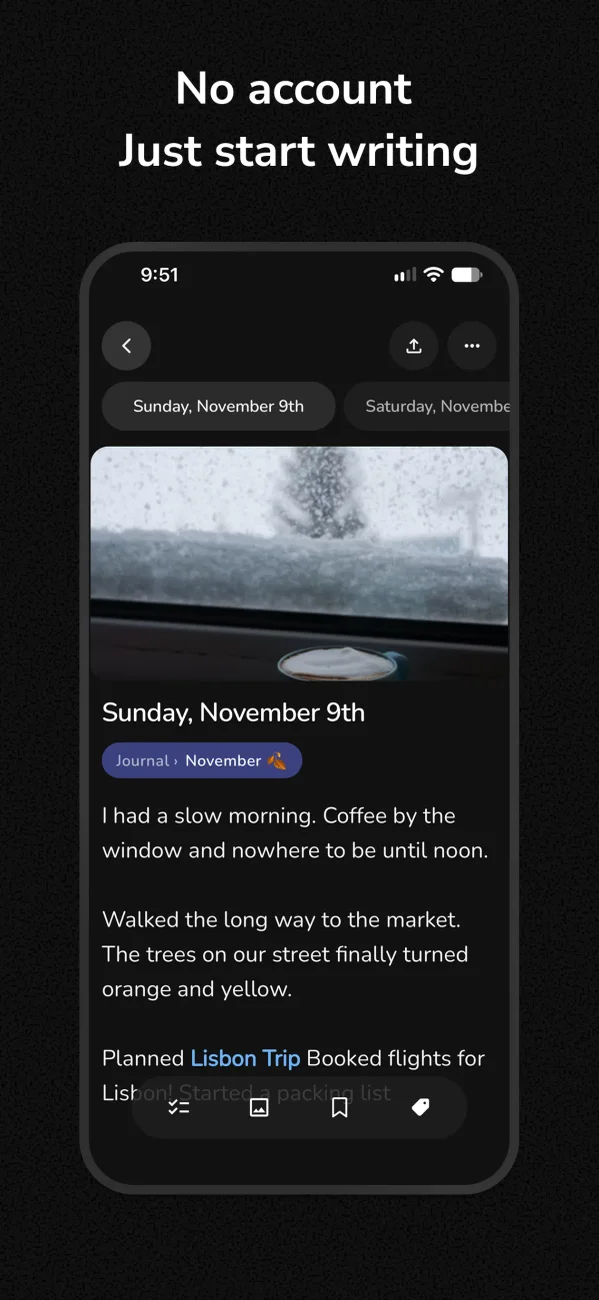
Dead simple notes. No account, no sign-up, no clutter. Open the app and start typing.
Notes and Memos keeps everything on your device. Your notes are stored offline, and the app collects no data.
CAPTURE
- Start writing right away. No titles needed.
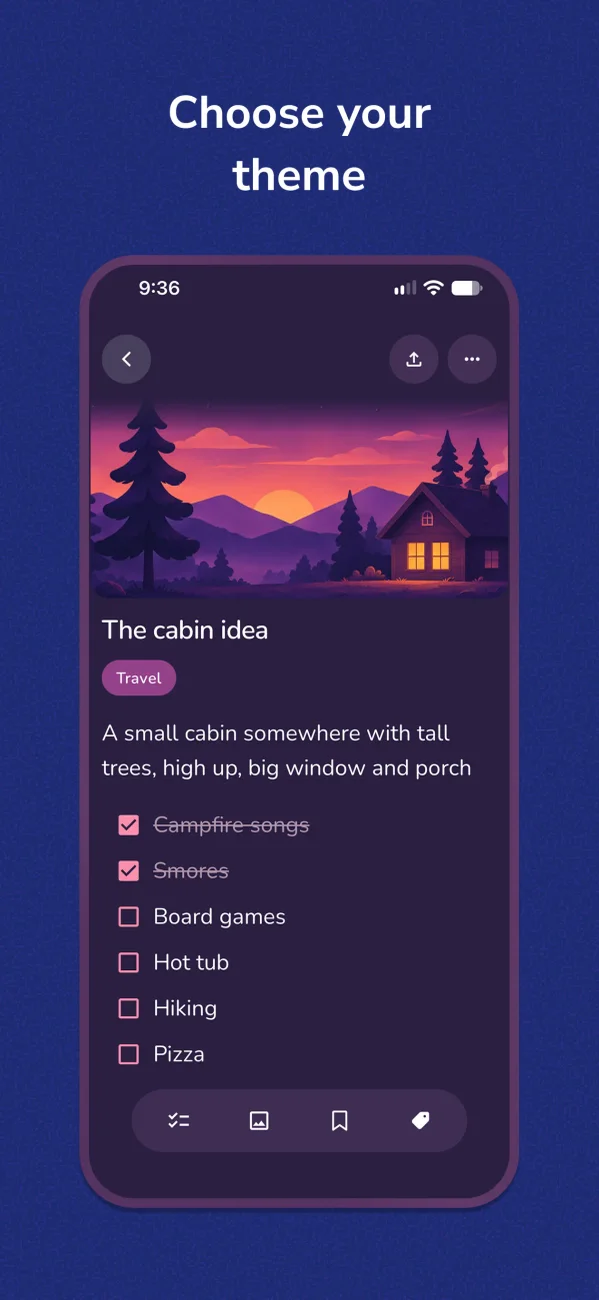
- Checklists in any note: tick items off and keep going.
- Add photos to any note: recipes, receipts, ideas.
ORGANIZE
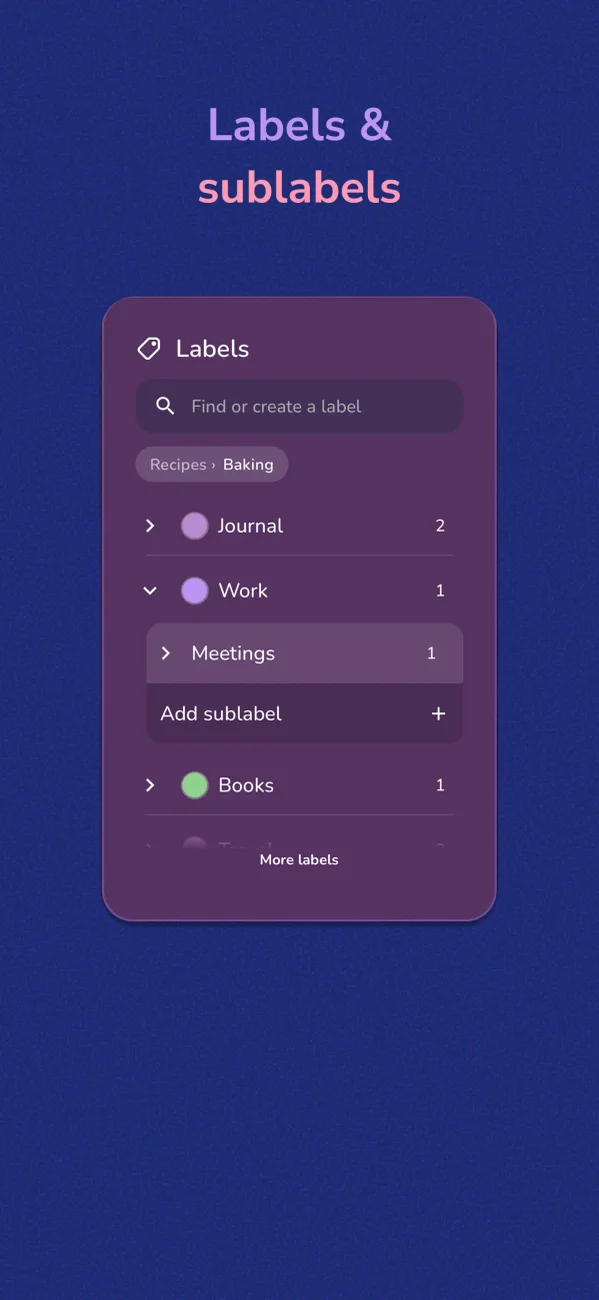
- Labels inside labels. Nest them as deep as you like, such as Home > Recipes or Trips > Lisbon.
- Give a note several labels, so it shows up everywhere it belongs.
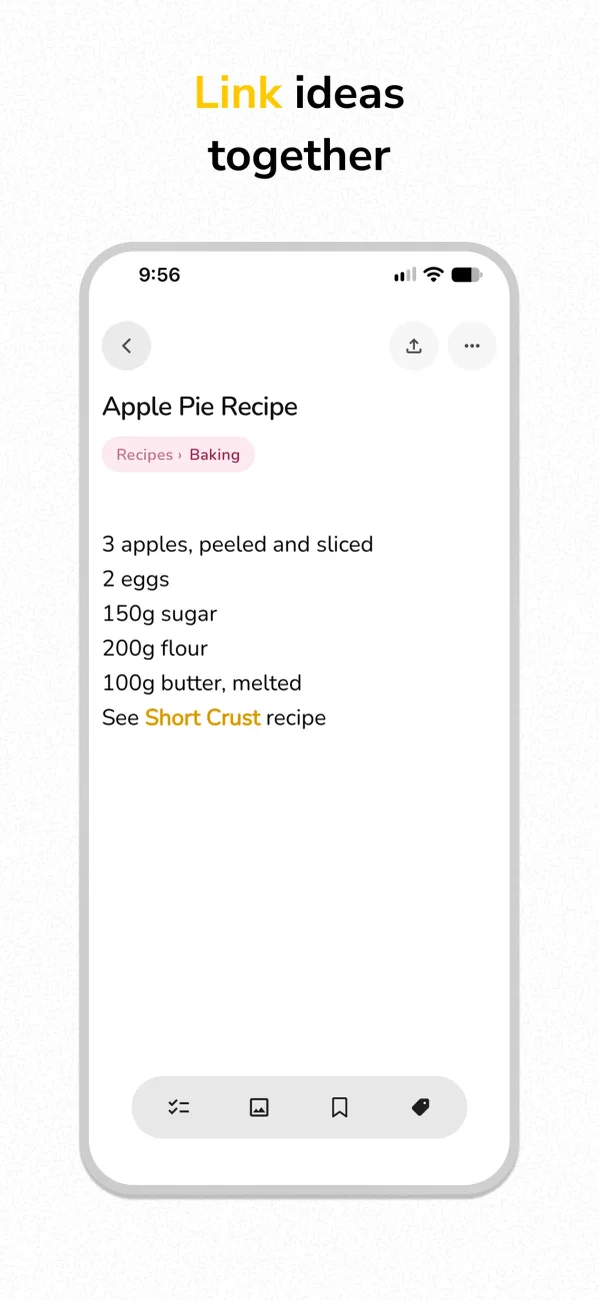
- Link notes together, and see every note that links back.
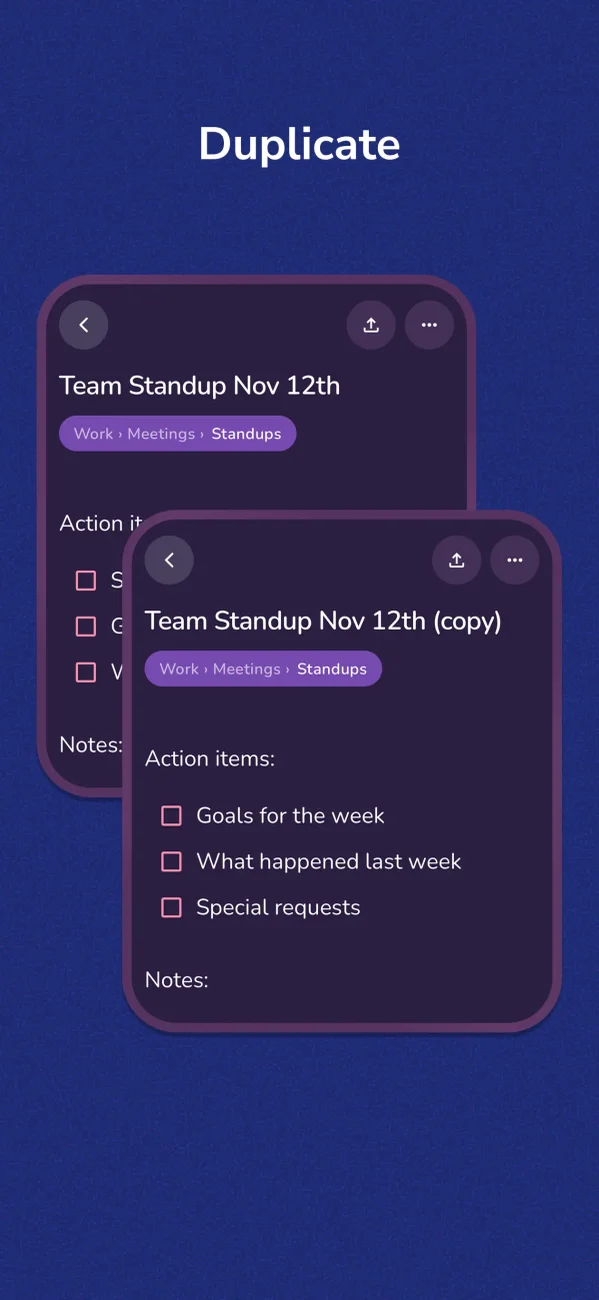
- Duplicate any note to reuse it as a template for weekly plans, packing lists and meeting notes.
- Bookmark the notes you open every day.
No ads. No account. No tracking.
Capture. Organize.
What’s new
Version 1.2 · Nov 14, 2026
Four new ways to work with your notes:
- Photos: add images to any note.
- Links: link notes to each other and see every note that links back.
- Duplicate: copy any note to use it as a template.
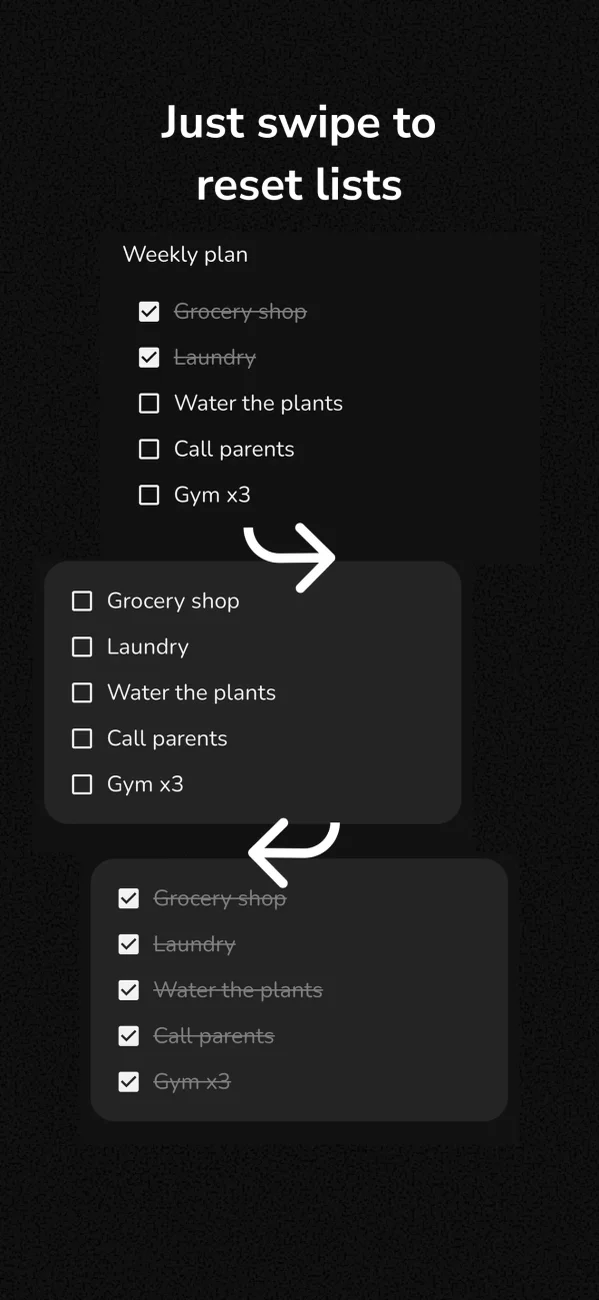
- Reset/check all lists by swiping while editing
Added three new themes: light, dark, and plum
Added manual rating button
App privacy
What Brian Griffin declares on the App Store about how this app handles data.
-
Data not collected
The developer does not collect any data from this app.
Privacy practices may vary, for example with the features you use or your age.
Information
- Seller
- Brian Griffin
- Category
- Productivity
- Version
- 1.2
- Updated
- Nov 14, 2026
- Released
- Oct 15, 2026
- Size
- 6.0 MB
- Requires
- iOS 15.0 or later
- Age rating
- 4+
- Price
- Free
- Languages
- English
- Copyright
- © 2026 Brian Griffin
You might also like
-
 Erre: To-Do ListProjects, not due dates
-
 Scratch. - Single Note TasksPlain Text Markdown To-Do List
-
 TapLogOne-Tap Activity Tracking
-
 CustosNotesCustosNotes
-
 UnitsConvProductivity
-
 ShortesProductivity
-
 Meno - Calendar, To-Do & NotesAll in one, at your own pace
-
 MemoTree - Notes OrganizerOrganize Notes in Folders
-
 Takeaways - Notes About PeopleImprove your relationships