nOversight - WiFi Analyzer
See Wi-Fi as your phone does
Designed for iPhone, iPad
Free · In-app purchases
- Age rating4+
- CategoryUtilities
- DeveloperNumerous Networks Limited
- LanguagesEnglish
- Size60.8 MB
Links to the official App Store page
Download.org hosts no file of nOversight - WiFi Analyzer. The button opens its official App Store page, published by Numerous Networks Limited. Listing last checked on Nov 27, 2026.
Screenshots
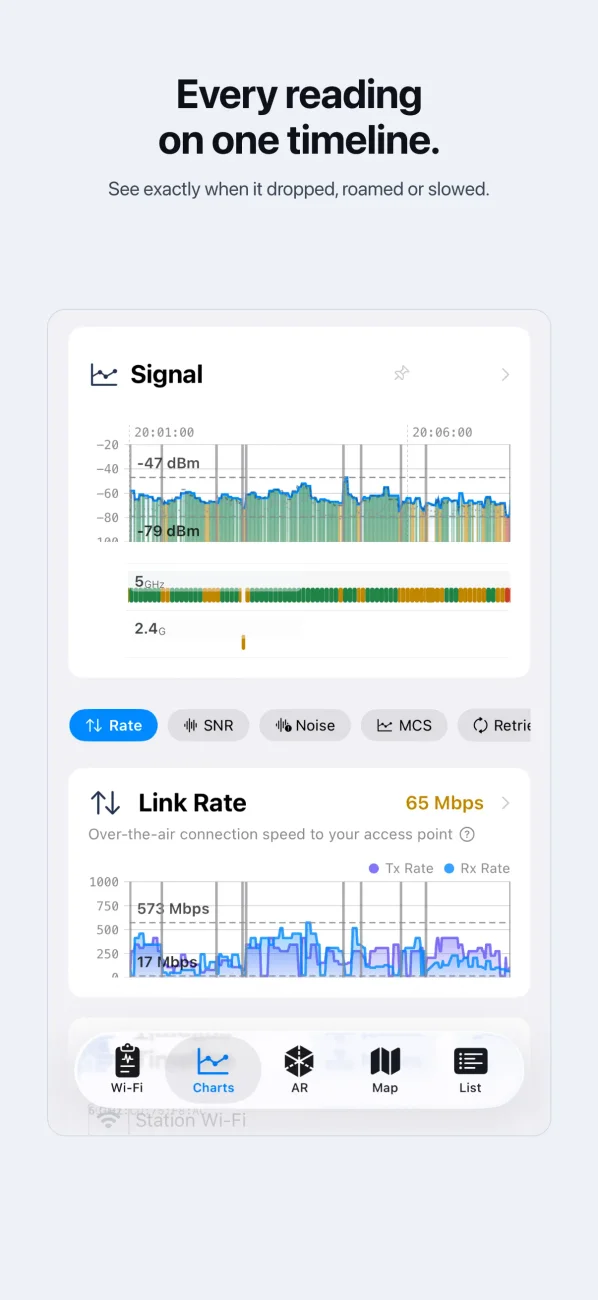
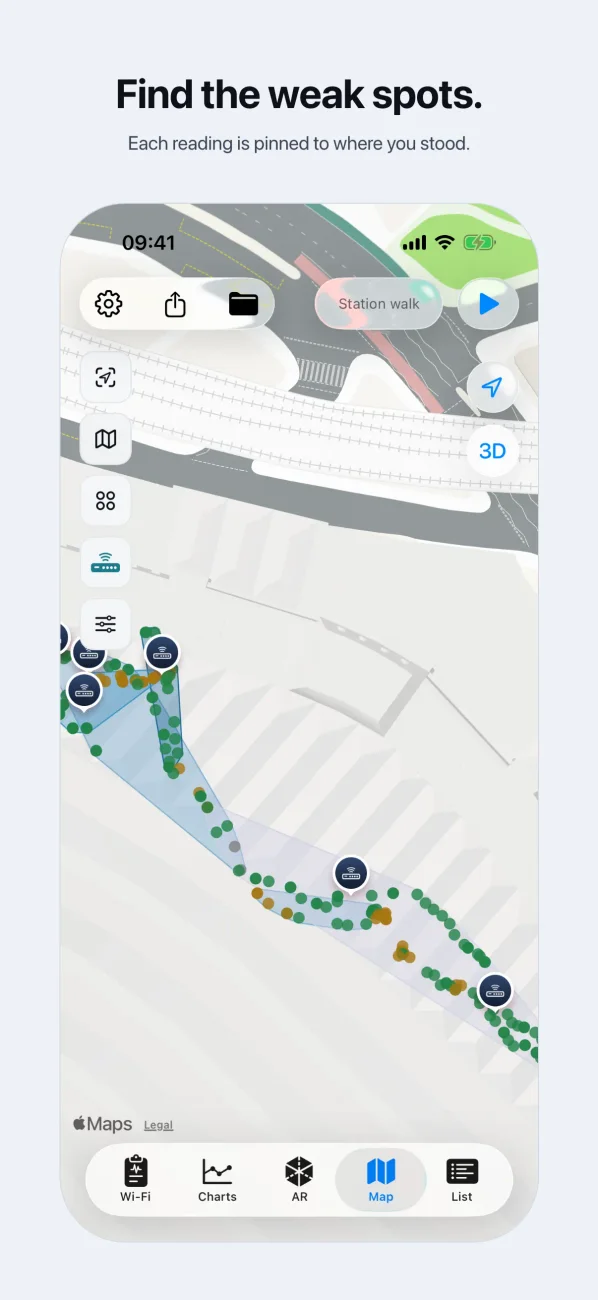
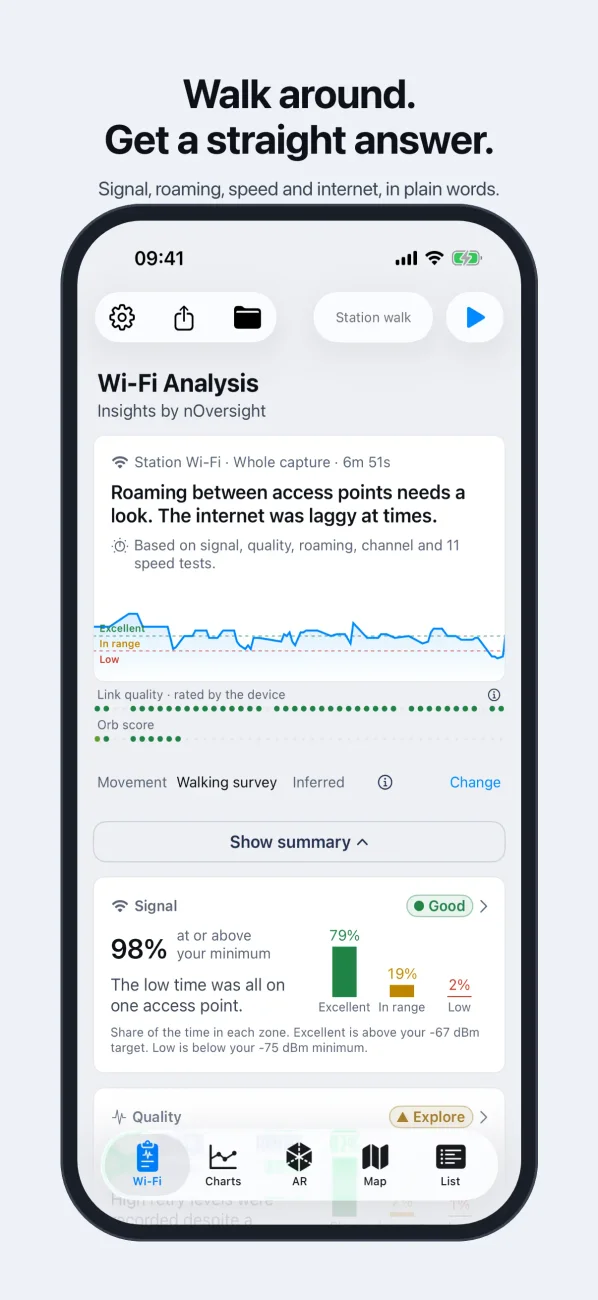
About
Wi-Fi you can understand. nOversight combines signal strength, signal quality and network performance into one clear story: where your Wi-Fi is strong, where it struggles and what's causing it, with real measurements behind every result.
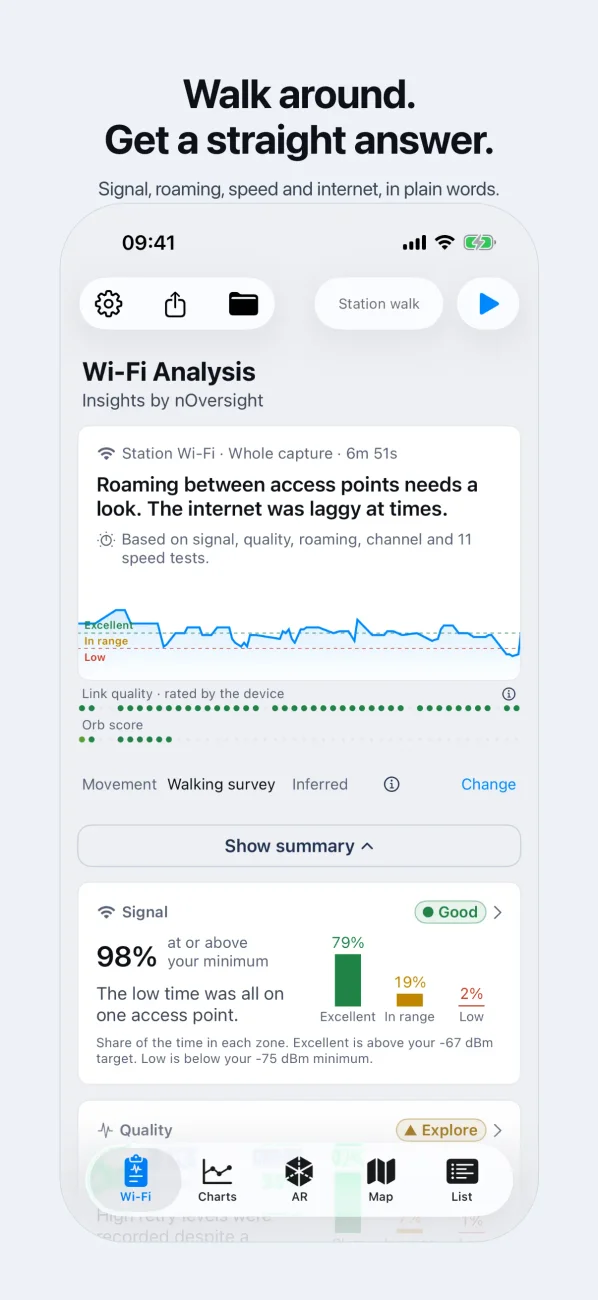
Walk around your home or workplace with your iPhone or iPad and your Wi-Fi story builds as you go. It shows how well your Wi-Fi equipment covers each area, how your device roams between access points or mesh devices, and how your internet connection holds up as you move.
A walk test shows you where the problem is, which helps you decide whether to move the router, add a mesh device or change a setting. Walk the same route again afterwards and compare the results to see what your changes achieved.
You don't need specialist hardware or an account. Built for home users and Wi-Fi professionals: start with the summary, then dig into as much detail as you like.
YOUR WI-FI STORY
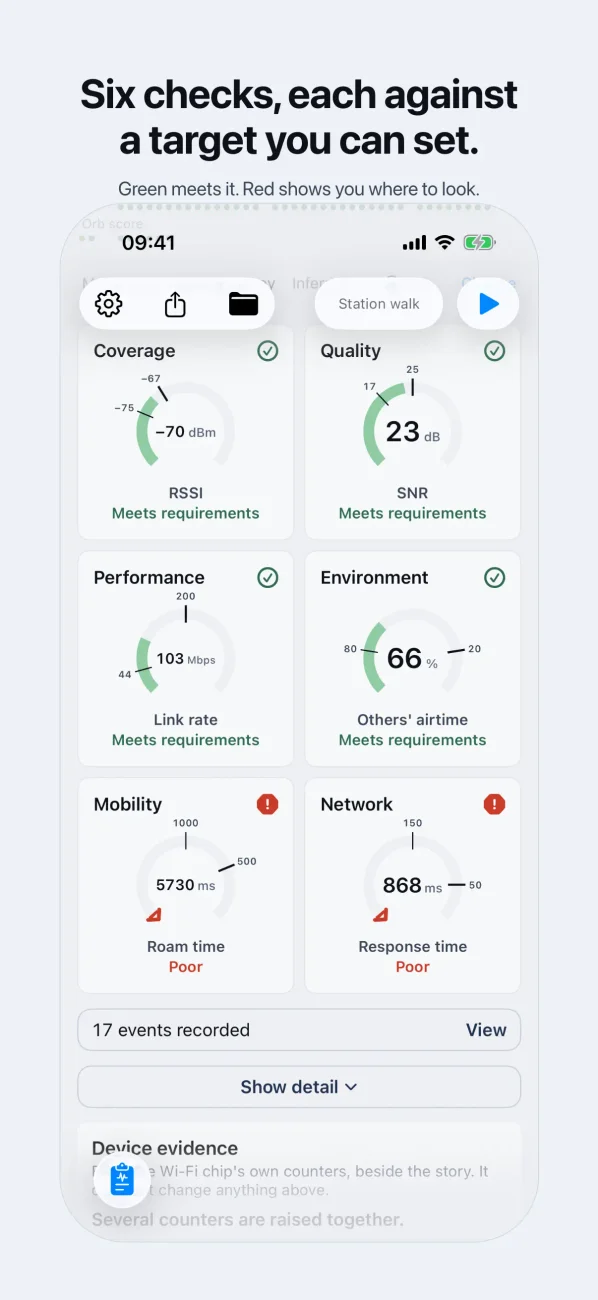
The story checks each part of your connection and works out which ones are causing problems, then sums it up in plain language:
• Coverage: where the signal is good enough, and where it isn't
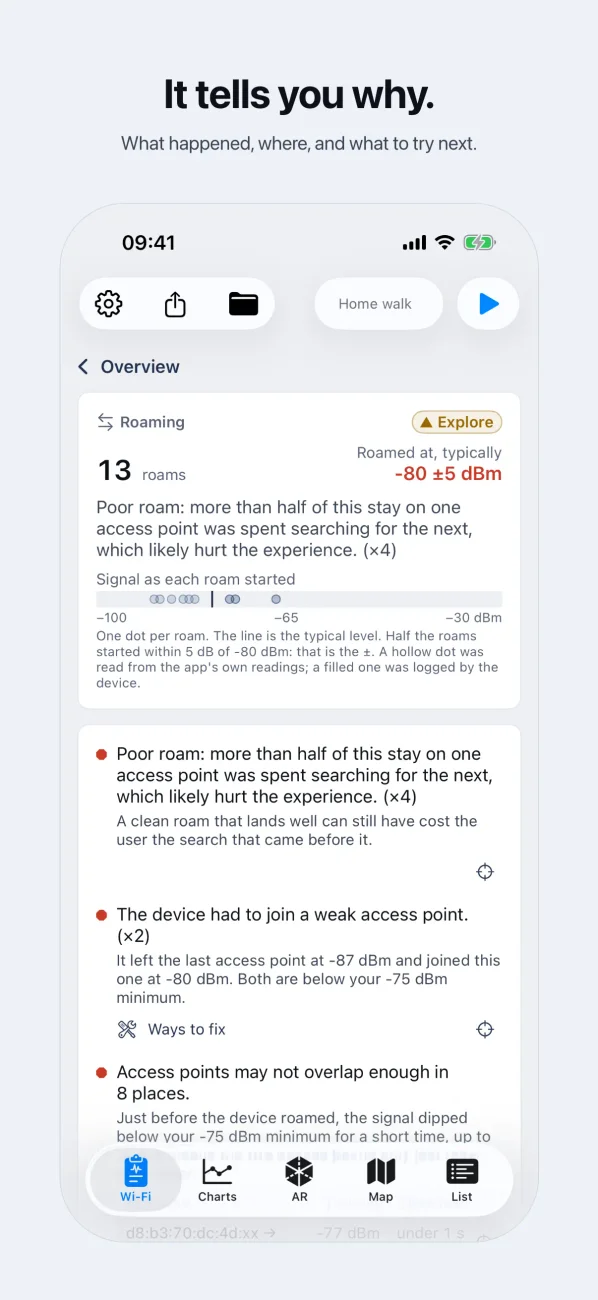
• Roaming: when your device moved between access points or mesh devices, and whether it moved at the right time
• Wi-Fi speed: the link rates your device and access point actually achieved
• Quality: how much noise and interference there is compared with your signal
• Internet: built-in Orb tests measure speed and responsiveness, so you can tell a Wi-Fi problem from a broadband one
Results are graded against thresholds you can adjust. The defaults suit home use, and you can tighten them to the targets used in business networks.
SEE IT WHERE IT HAPPENS
• Map View: walk a floor plan or outdoor area and build a live Wi-Fi heatmap
• AR View: hold up your device to see Wi-Fi performance laid over the room around you
FIND OUT WHAT ALREADY HAPPENED
A dropout may be over by the time you start testing. nOversight can read your device's recent connectivity history and turn it into a timeline. It shows which network and access point you were on, when the signal dropped and when your device roamed.
FOR INSTALLERS AND IT PROFESSIONALS
Every result in the story comes from the underlying measurements, and you can see all of them:
• Real RSSI in dBm, noise, SNR and data rates
• Channel, bandwidth (estimated), band and Wi-Fi generation, including Wi-Fi 6, 6E and 7
• Access-point detail and a roam-by-roam history
• Signal history and histograms
• Why your device chose one access point over another
With Pro Analyzer you can save recordings and reopen them later. You can also import diagnostic logs to get retry and congestion data for coverage checks, deployment validation and troubleshooting.
YOUR WI-FI DATA STAYS ON YOUR DEVICE
nOversight analyses your Wi-Fi on your iPhone or iPad. There's no account and no cloud sync, and your recordings are never sent to us. Speed and responsiveness tests connect to test servers only to measure your internet connection.
CHOOSE YOUR LEVEL
Free: live monitoring in short sessions, so you can see your connection straight away.
Analyzer: unlimited monitoring, plus roaming timelines, access-point analysis, signal history and histograms.
Pro Analyzer: everything in Analyzer, plus saved recordings and diagnostic log import for retry and congestion detail.
SUBSCRIPTIONS
Analyzer — £2.49/year
Pro Analyzer — £3.99/month or £29.99/year
Terms of Service: https://www.numerousnetworks.co.uk/terms-and-conditions/
Privacy Policy: https://www.numerousnetworks.co.uk/privacy/
What’s new
Version 7.0.3 · Oct 24, 2026
New in nOversight 7: your Wi-Fi story. Walk around and see where Wi-Fi is strong, where it struggles and why, with built-in Orb tests for your internet speed.
App privacy
What Numerous Networks Limited declares on the App Store about how this app handles data.
-
Data not linked to you
May be collected but is not linked to your identity.
- Location
- Identifiers
- Diagnostics
- Other data
Privacy practices may vary, for example with the features you use or your age.
Information
- Seller
- Numerous Networks Limited
- Category
- Utilities
- Version
- 7.0.3
- Updated
- Oct 24, 2026
- Released
- Oct 9, 2022
- Size
- 60.8 MB
- Requires
- iOS 17.0 or later
- Age rating
- 4+
- Price
- Free
- In-app purchases
- Yes
- Languages
- English
- Copyright
- © 2026 Numerous Networks Limited
You might also like
-
 Wifi Signal Strength AnalyzerSignal Strength -Speed Test
-
 NetSpot WiFi AnalyzerWiFi Heat Map & Speed Test
-
 NetScan - IP ScannerNetwork Analyzer & Ping & Wifi
-
 Wifi Analyzer -Internet Tester Speed Test Map
-
 WiFiy Analyzer- Internet SpeedNetwork Scanner & Tester
-
 IP ScannerNetwork Scanner (WiFi/LAN)
-
 nPerf internet speed testWifi 3G 4G 5G connection
-
 Network Cell Analyzer V2Utilities
-
 Device Detector: Wifi AnalyzerFind Hidden Devices On Network
-
 Wolow - Wake on LANWake your computer up