
OBS Remote - Stream Control
Control OBS From Your Phone
Designed for iPhone, iPad
Free · In-app purchases
- Age rating4+
- CategoryUtilities
- DeveloperHuseyin Bagana
- LanguagesEnglish+ 9 more
- Size5.1 MB
Links to the official App Store page
Download.org hosts no file of OBS Remote - Stream Control. The button opens its official App Store page, published by Huseyin Bagana. Listing last checked on Nov 23, 2026.
Screenshots
About
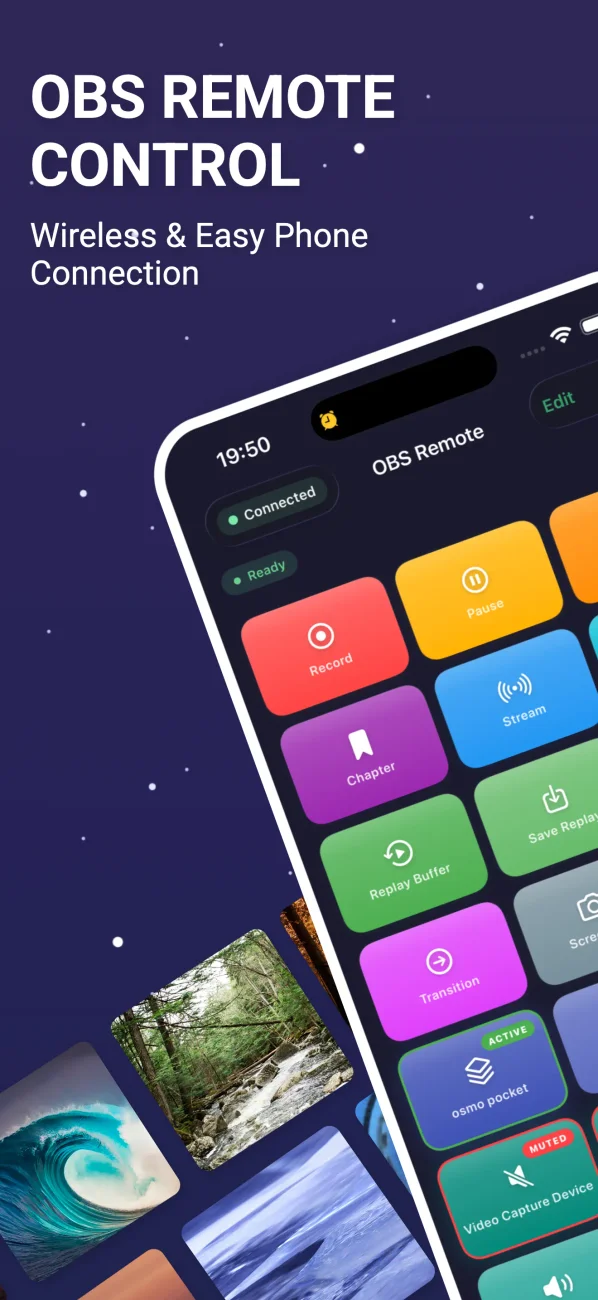
Turn your iPhone or iPad into a powerful remote control for OBS Studio! Control your streams and recordings from anywhere in your room — no more running back to your computer.
RECORDING (FREE)
Start and stop recording with a single tap. Monitor recording status in real time. Perfect for content creators who need hands-free control.
STREAMING (PRO)
Go live on Twitch, YouTube, Facebook, or any platform with one tap. See your stream status, uptime, and bitrate at a glance.
SCENE SWITCHING (PRO)
Switch between scenes instantly. Perfect for multi-camera setups, presentations, and professional broadcasts. See all your scenes in a clean grid layout.
AUDIO CONTROL (PRO)
Mute and unmute audio sources. Adjust volume levels for microphone, desktop audio, and all other sources. Full mixer at your fingertips.
VIRTUAL CAMERA (PRO)
Toggle OBS Virtual Camera on and off remotely. Great for video calls and virtual meetings.
⏪ REPLAY BUFFER (PRO)
Start, stop, and save replay buffer clips. Never miss a highlight moment in your gaming sessions.
STUDIO MODE (PRO)
Enable Studio Mode for professional transitions. Preview scenes before pushing them live.
SOURCE VISIBILITY (PRO)
Show and hide individual sources within scenes. Toggle overlays, webcams, alerts, and more.
SCREENSHOT (PRO)
Capture screenshots of your current OBS output instantly from your phone.
SPLIT RECORDING & CHAPTERS (PRO)
Split your recording into segments or add chapter markers without stopping. Perfect for long recording sessions.
CUSTOMIZABLE INTERFACE
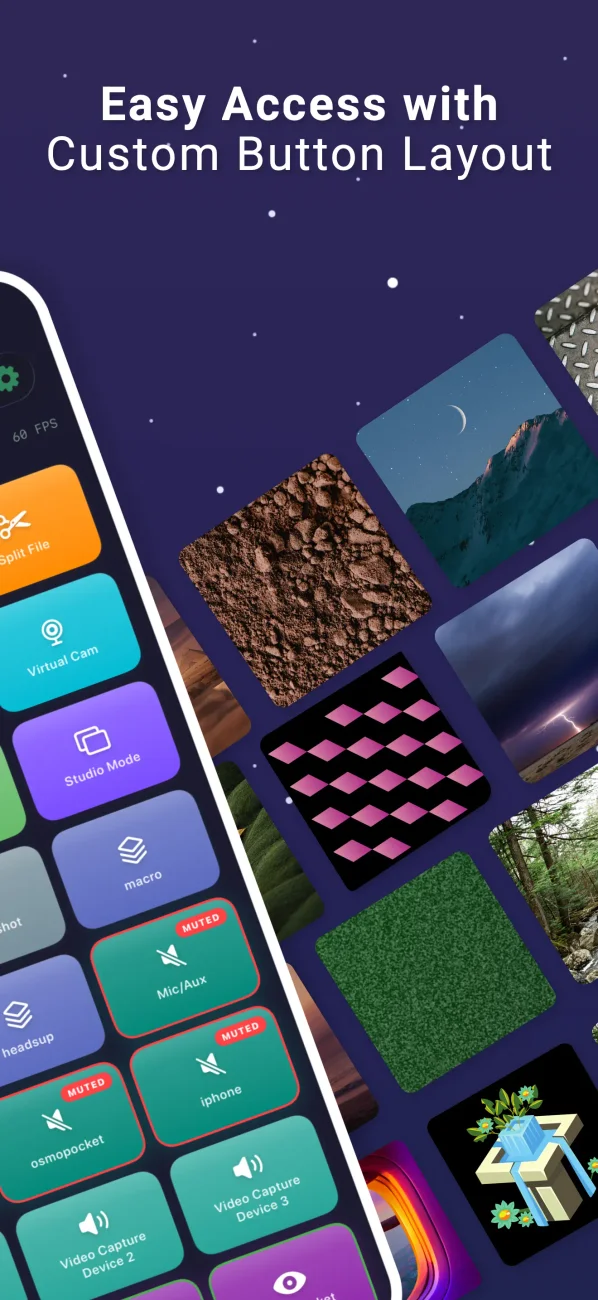
3 Layout Presets — Simple, Medium, or Detailed view
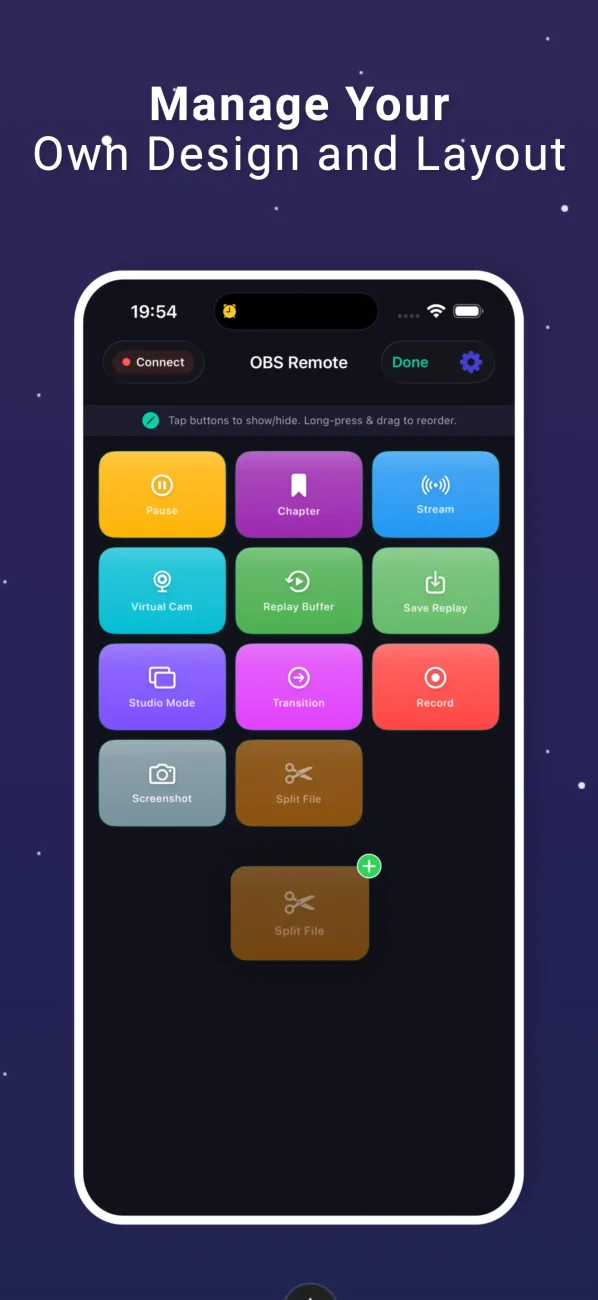
Customizable Button Grid — Show only the controls you need
Drag to Reorder — Arrange buttons in your preferred order
Custom Background Colors — Personalize your remote
5 Beautiful Themes — Choose the look that suits you
EASY SETUP
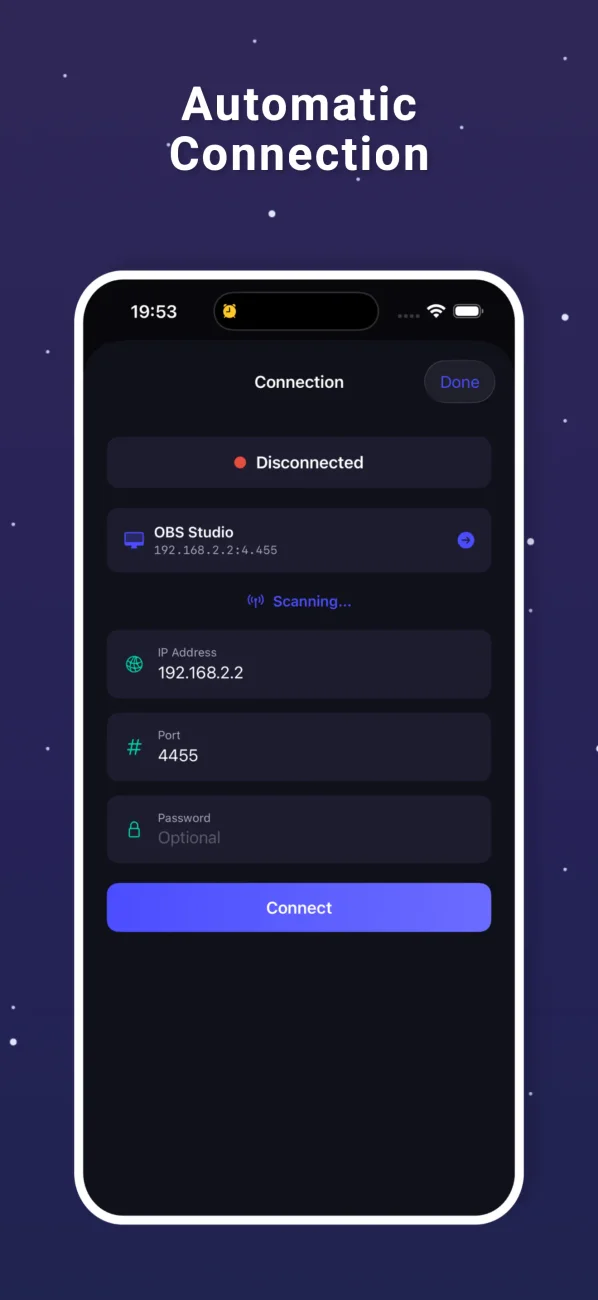
1. Install OBS Studio with WebSocket plugin
2. Enter your computer's IP address
3. Start controlling OBS from your phone!
Works over your local WiFi network via OBS WebSocket protocol. Fast, reliable, and secure.
Whether you're a Twitch streamer, YouTube creator, podcast host, or professional broadcaster — OBS Remote puts full control of your production in the palm of your hand.
Terms of Use (EULA): https://www.apple.com/legal/internet-services/itunes/dev/stdeula/
Privacy Policy: https://ioscorner.com/privacy.html
What’s new
Version 2026.6.0 · Nov 21, 2026
New: Pro Lifetime. Pay once and keep every Pro control forever, with no subscription.
Choose a one-time purchase or a subscription. Restore Purchases brings Lifetime back on any device. Purchases are also smoother and more reliable.
App privacy
What Huseyin Bagana declares on the App Store about how this app handles data.
-
Data not linked to you
May be collected but is not linked to your identity.
- Diagnostics
Privacy practices may vary, for example with the features you use or your age.
Information
- Seller
- Huseyin Bagana
- Category
- Utilities
- Version
- 2026.6.0
- Updated
- Nov 21, 2026
- Released
- Apr 12, 2026
- Size
- 5.1 MB
- Requires
- iOS 17.0 or later
- Age rating
- 4+
- Price
- Free
- In-app purchases
- Yes
- Languages
- English, French, German, Italian, Japanese, Korean, Portuguese, Simplified Chinese, Spanish, Turkish
- Copyright
- © 2026 Huseyin Bagana
You might also like
-
 Control OBSFeature rich OBS Controller
-
 OBS Virtual DeckVirtual Deck for OBS Studio
-
 OBS HUBUtilities
-
 StreamPad - Audio & DeckStream control deck & mixer
-
 Virtual Stream DeckUtilities
-
 OBS BladeOBS remote for your stream
-
 OBS Digital: Studio Camera AppOpen Beauty Scanner Virtual
-
 Webcam & OBS Studio: NDIWireless 4K Video Camera
-
 Webcam for OBS – HD StreamingYour Phone as a Studio Camera
-
 TVU Go - Live Streaming appIRL Streaming