
ObsiKO: AI Note + Mindmap
Your second brain, connected
Designed for iPhone, iPad
Free
- Age rating4+
- CategoryProductivity
- DeveloperHyojin Kim
- LanguagesEnglish+ 4 more
- Size83.5 MB
Links to the official App Store page
Download.org hosts no file of ObsiKO: AI Note + Mindmap. The button opens its official App Store page, published by Hyojin Kim. Listing last checked on Nov 23, 2026.
Screenshots


About
Tired of converting files or picking plugins? Spent the day on settings and never wrote a line? Plenty of features, none of them talking to each other?
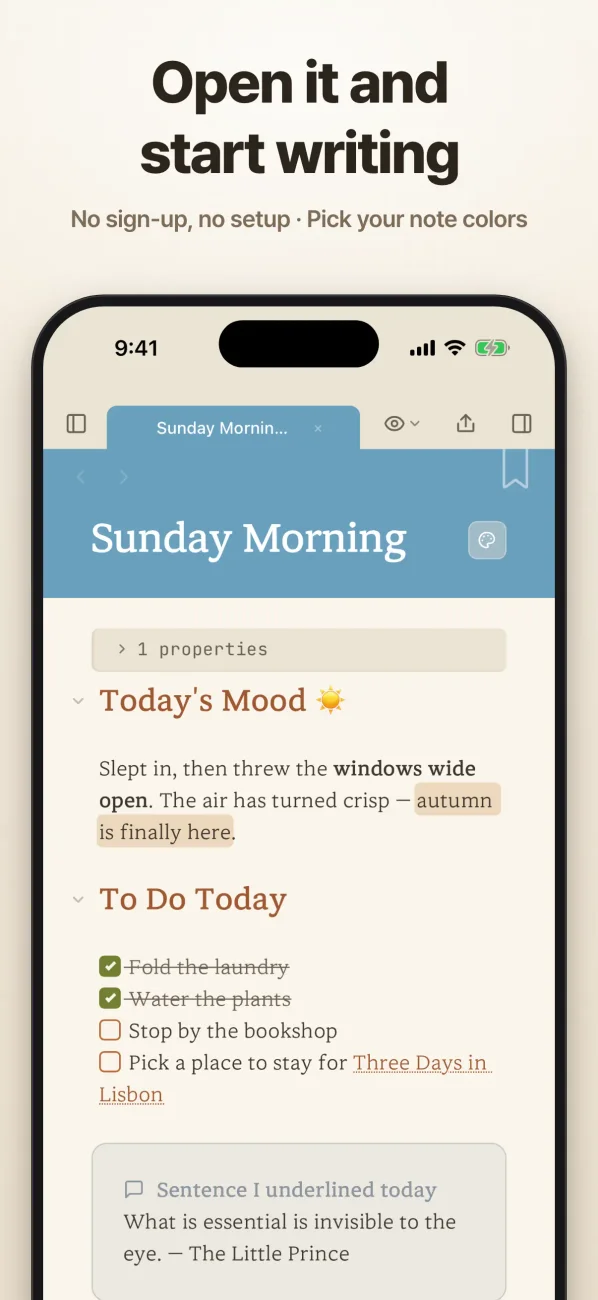
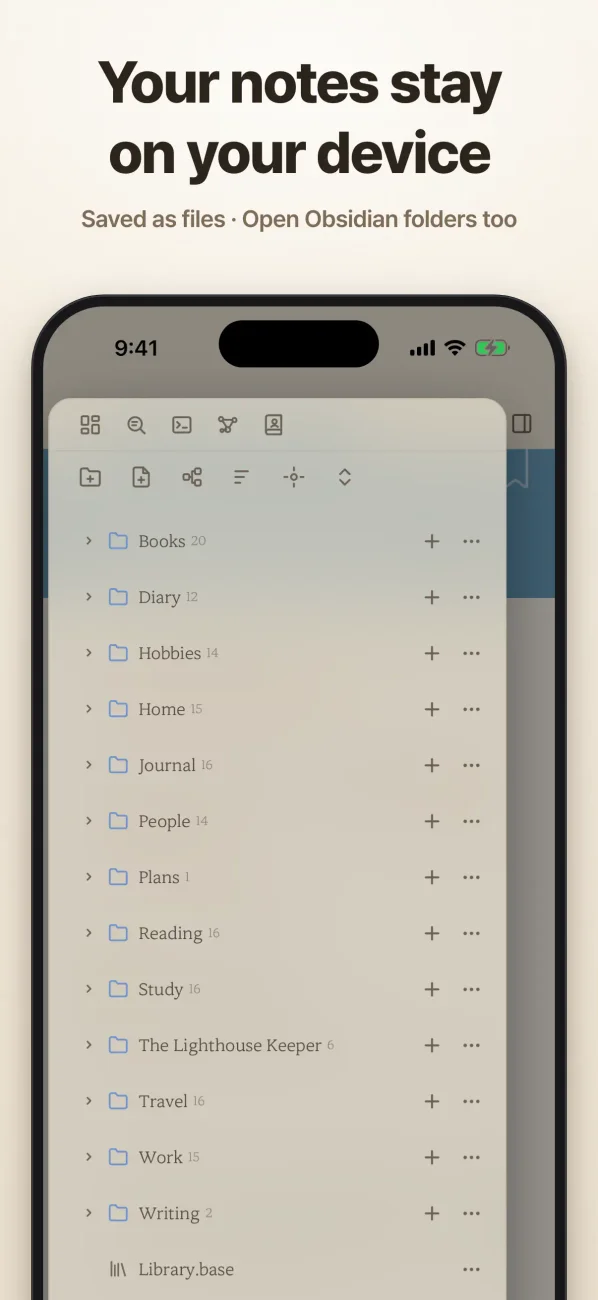
Writing, knowledge management, mind maps, reading logs, codices, schedules, file conversion — all in ObsiKO, with no login, payment, subscription or ads. Obsidian vaults (.md·.canvas·.base) open as-is.
(AI uses your own API key. With Apple Intelligence on, no key needed.)
■ Notebooks and planners you write by hand
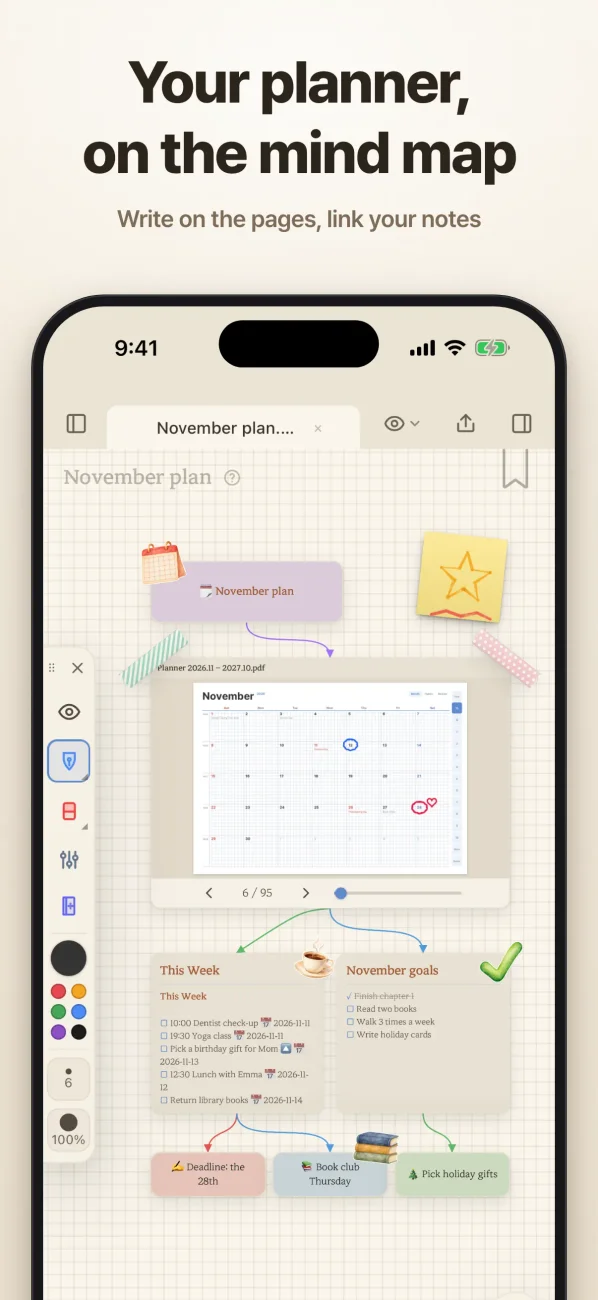
· Notebook cards on your mind map, 23 papers — lined, Cornell, manuscript grid. Export as one PDF
· Pens, brushes, pencils, crayon and chalk, with sounds recorded on real paper
· A dated year planner as one PDF for your note-taking app or printer
· Stickers and washi tape on the page of your note. Handwriting turns into text on the device
· Write A–Z and a–z to make your own handwriting font
■ Made for iPhone Duo
· Folded: floating glass buttons. Unfolded: an iPad-style layout, books in two pages
· Half-folded: app on top, keyboard below, like a small laptop
■ Built for Korean
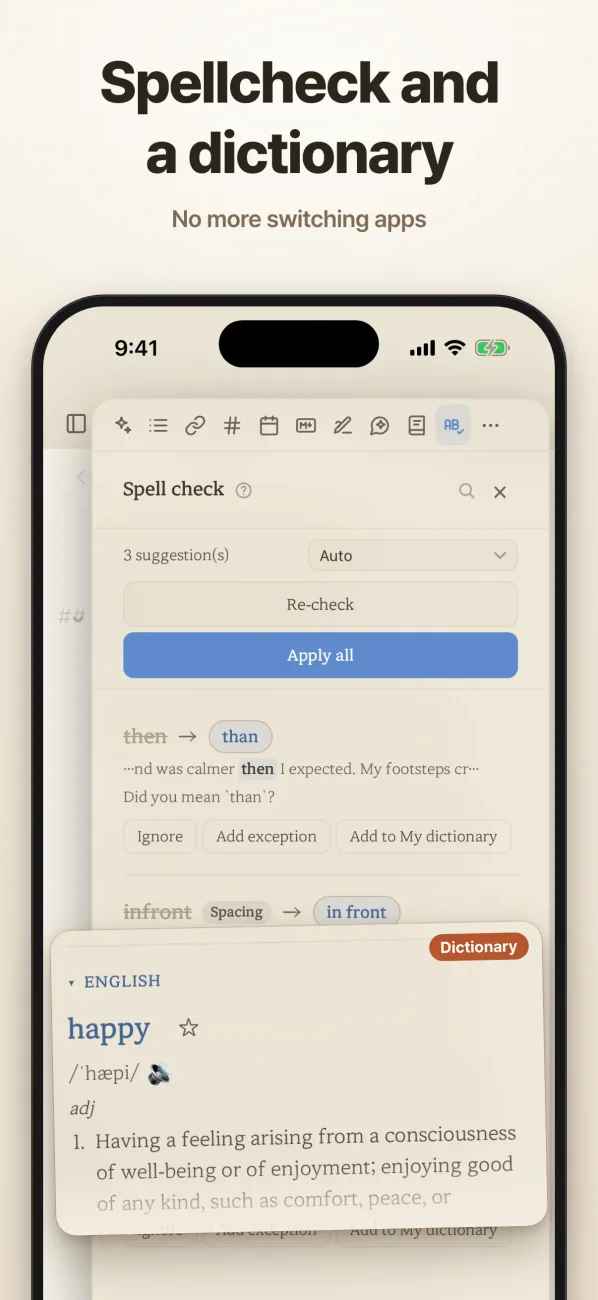
· The ObsiKO Korean Dictionary and spell checker, from National Institute of Korean Language data — no key
· 860+ newer words not in the official dictionaries, hanja input, and Reword for similar words
· A "Korean word of the day" widget
■ A focus timer on your Lock Screen
· A dial like a real pomodoro clock, set in 1-minute steps
· Start from the widget without opening the app; time left on the Lock Screen, in StandBy and the Dynamic Island
■ Share and sync (GitHub)
· "Share to the web" turns a note into one link, kept only in your own GitHub
· Sync devices through your own repository, and share your LLM wiki by subscription link
■ Write once, it connects itself
· One "color" property tints tabs, headers, tree icons, .base and codex cards
· Type "book" and a search fills in the rest; "project" adds dates to the calendar
· Highlight a PDF and quotes collect in a matching note.
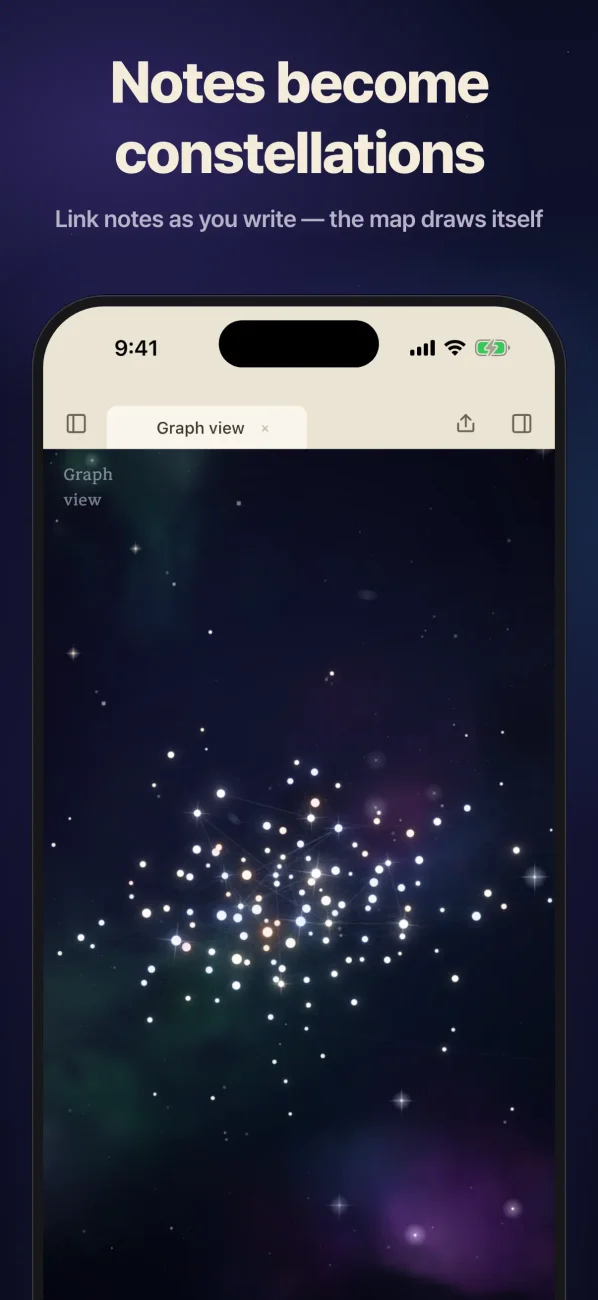
■ A graph like the night sky
· Links, types, relations and PARA form one constellation — more links, brighter stars
■ Infinite mind-map canvas (.canvas)
· Apple Pencil drawing — sketches into mind maps (iOS 27) or AI images. The AI can build, size and color a map
· Enter and Tab grow cards. 5 styles, 10+ presets, auto-built maps & dungeons
■ .base files and search
· Projects, kanban, cards, charts, a library, PARA and a budget. Dataview queries become tables
· Search filenames, full text, Korean jamo, meaning and word forms. Find books and papers, or ask Siri
■ Dashboard, themes and Markdown
· 50+ widgets — calendar, habits, stats, D-day, mini games, tarot. 20+ themes, your own fonts
· Editing tuned for Korean, a format bar, Mermaid, 20+ charts, inline drawing, embeds
■ Writing helper
· 70+ structures across 13 genres (Hero's Journey, Save the Cat and more)
· Socratic questions, genre feedback, style polish, your own assistants, on-device translation, read-aloud
■ Schedules
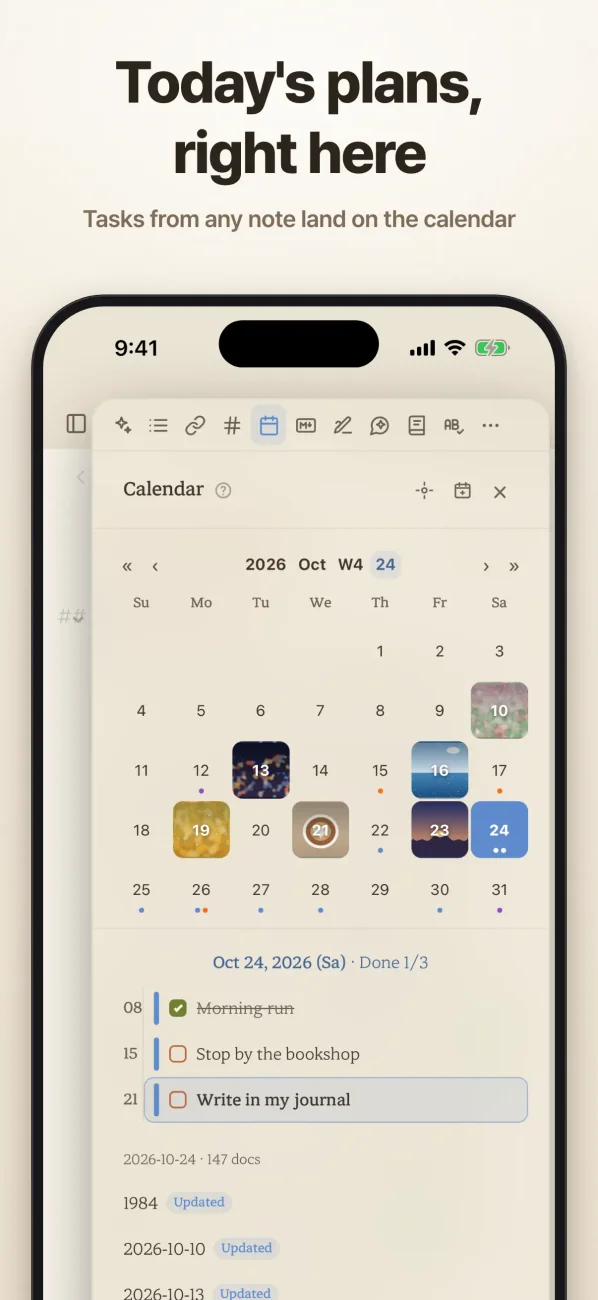
· A date in any file lands on the calendar (Obsidian Tasks compatible) — views, widgets, writing reminders
■ Viewers from one line of front matter
· Book view (two pages, real page turns), web-novel view (platform presets)
· Messenger and visual-novel views — record the screen and it's a short.
■ Clip, convert, export
· Web clipper, RSS and a Memo Box for loose thoughts. Import Apple Notes, Notion, Evernote, Bear, Logseq and Roam
· doc, docx, PDF, hwp and hwpx to Markdown (with Hangul formulas), AI OCR and transcription
· Slides with Marp. Export to PDF, Hangul (HWPX, HWP), DOCX, EPUB, HTML, ZIP and wikis
■ AI agent
· Just add an API key (Claude, Gemini, GPT) — the app works fully without one
· Mind maps and tables on your phone, voice input, and a plan card before big changes
· Auto memory, LLM wikis, slash commands, a prompt helper, MCP
Tell us about bugs anytime.
■ Supported
· iPhone, iPad, Mac, Apple Watch / Korean, English, Japanese, Chinese (Traditional, Simplified)
· iOS 16.4 or later · ready for iOS 27 and iPhone Duo
What’s new
Version 1.5.0 · Nov 21, 2026
■ New in 1.5.0 — the holiday update
For the holidays
· Two themes that grow as you write: Christmas Eve, where a snow-globe tree and the lights along the top glow brighter, and Solarized sunrise, where the sun comes up over the horizon. Pick them any time.
· Christmas and New Year (Year of the Red Sheep) app icons — suggested on a card in season, and they change only when you press [Switch].
· Year-end kit — Year in review, A letter to next year's me, A thank-you letter, A holiday letter, A New Year card, Nine-square goal and First-week plan. Answer a few questions and a finished note appears.
· My year in writing on the Dashboard — new notes, characters written, your longest writing streak and your word of the year. In winter, the nonogram often draws a winter picture.
Make a font from your own handwriting
· Write A–Z and a–z in the boxes and your device turns them into a font in your hand (regular and bold).
· Press [Use this handwriting] and your notes' titles and text switch to it — menus and panels keep the normal font, so the app stays easy to read.
· Apple Pencil works best, and fingers work too. Add digits and symbols, Korean (33 letters make all 11,172 syllables) and kana, rewrite just the letters you don't like, and keep up to 8 handwritings. Made and stored only on this device — no server, no AI.
Hangul documents
· Export to Hangul as .hwpx (recommended) or .hwp — .hwp files are saved at the top of your vault.
· Importing a Hangul document brings formulas over as formulas and keeps several paragraphs inside a table cell. Pages laid out with borderless tables become headings and paragraphs.
· Exported formulas come out the right size — fractions and roots no longer get squashed, and long paragraphs wrap properly.
Reword (Korean)
· Select a word and tap Reword in the menu's second icon row — similar words appear, each with a one-line meaning. Pick one and it drops in with the ending and particles adjusted.
· Select a sentence and your connected AI suggests other ways to say it, keeping the meaning.
A sturdier vault
· Tags you add in the Files app stay when you edit a note.
· Version history is kept per vault, with a snapshot every 10 minutes even when you write without a break. Switch vaults and your open tabs and cursor position come back.
· A note that couldn't be read (an offline iCloud file, for example) opens read-only instead of empty, keeping the original safe. Tabs that couldn't be saved ask before closing.
Mind map and handwriting
· The drawing tool list shows a line drawn with each tool and its name — pick look-alike pens by their line.
· Rest your hand on the screen before you write and nothing moves. While Apple Pencil hovers, a hand near it won't move the canvas.
· The gel pen gets lighter the faster you draw. Sketch to mind map follows dense drawings the way you drew them.
· A mind map with a notebook or PDF card opens with that page filling the screen, and two-page view looks like an open book. On an unfolded iPhone Duo, the gap between the pages snaps to the fold.
And more
· Notes blocked with ai: deny also stay away from AI spell check, AI images, AI voices and AI text reading on pictures.
· Locking the screen closes an open presentation too.
· Fixed extra spaces between words when turning a PDF into a note, and lasso-moved ink showing only in pieces.
· From 1.5.0, ObsiKO needs iOS / iPadOS 16.4 or later.
+ Other improvements and bug fixes
App privacy
What Hyojin Kim declares on the App Store about how this app handles data.
-
Data not linked to you
May be collected but is not linked to your identity.
- Location
- User content
- Search history
- Identifiers
Privacy practices may vary, for example with the features you use or your age.
Information
- Seller
- Hyojin Kim
- Category
- Productivity
- Version
- 1.5.0
- Updated
- Nov 21, 2026
- Released
- Jul 21, 2026
- Size
- 83.5 MB
- Requires
- iOS 16.4 or later
- Age rating
- 4+
- Price
- Free
- Languages
- English, Japanese, Korean, Simplified Chinese, Traditional Chinese
- Copyright
- © 2026 Studio HyZet
You might also like
-
 Brain.dmp: Notes & Voice MemosTalk, transcribe, organize
-
 Folio: Notes, PDFs & CanvasIdeas, sketches & daily plans
-
 Isy.AI: AI Notes, Second BrainText, voice, image & PDF notes
-
 Askive: Ask Your FilesSearch photos, video & notes
-
 Anycap: Capture & BookmarksSave anything. Ask your AI.
-
 Nook: Read, Write, OwnOffline RSS reader and writer
-
 PureOpen — Markdown EditorPer-block RTL, AI file to Word
-
 Kasten - Zettelkasten CardsLinked thinking, plain text
-
 Inkstone: AI Knowledge BaseDrop files in, AI files them
-
 PureKanbanGoal-oriented Markdown Kanban