
Offtime: Physical App Blocker
Screen Time, Focus, QR/NFC
Designed for iPhone
Free · In-app purchases
- Age rating4+
- CategoryProductivity
- DeveloperLouie Gaiser
- LanguagesEnglish+ 4 more
- Size15.2 MB
Links to the official App Store page
Download.org hosts no file of Offtime: Physical App Blocker. The button opens its official App Store page, published by Louie Gaiser. Listing last checked on Nov 23, 2026.
Screenshots

About
OFFTIME – THE APP AGAINST APPS
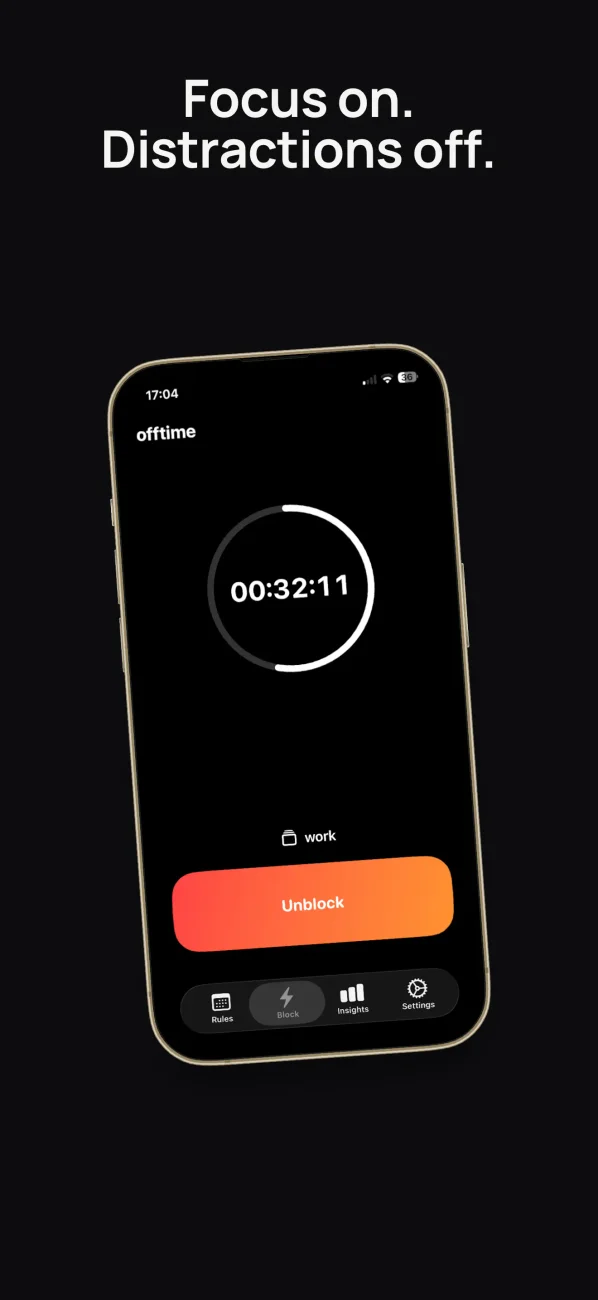
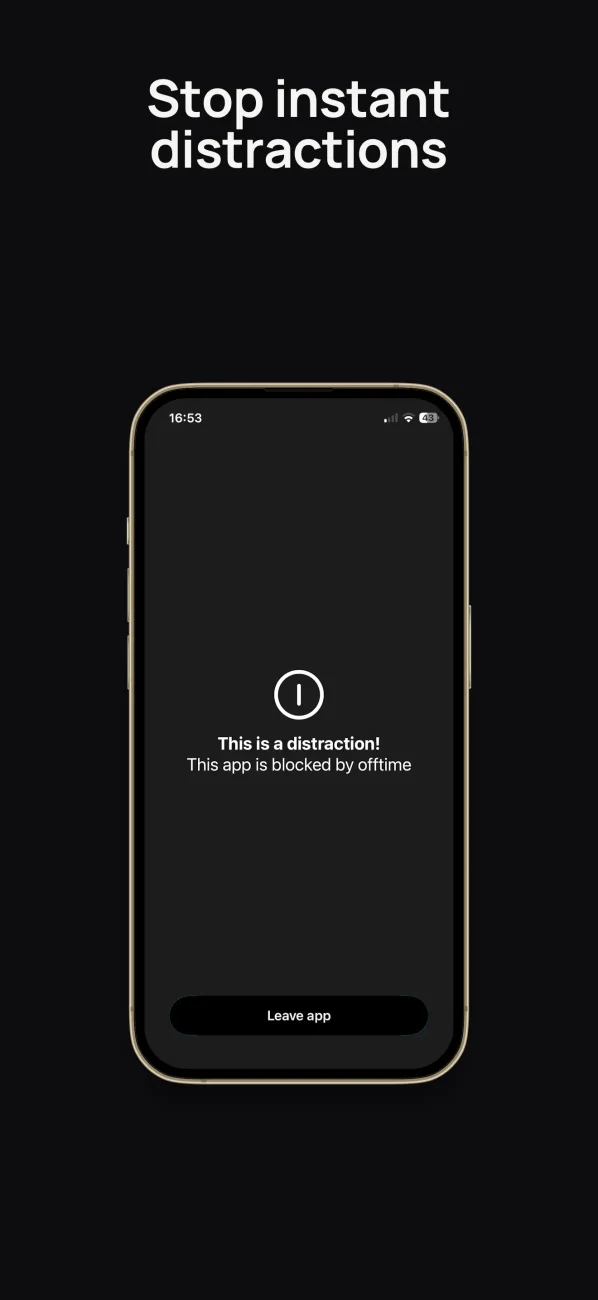
Block distracting apps – and make unlocking them take real effort.
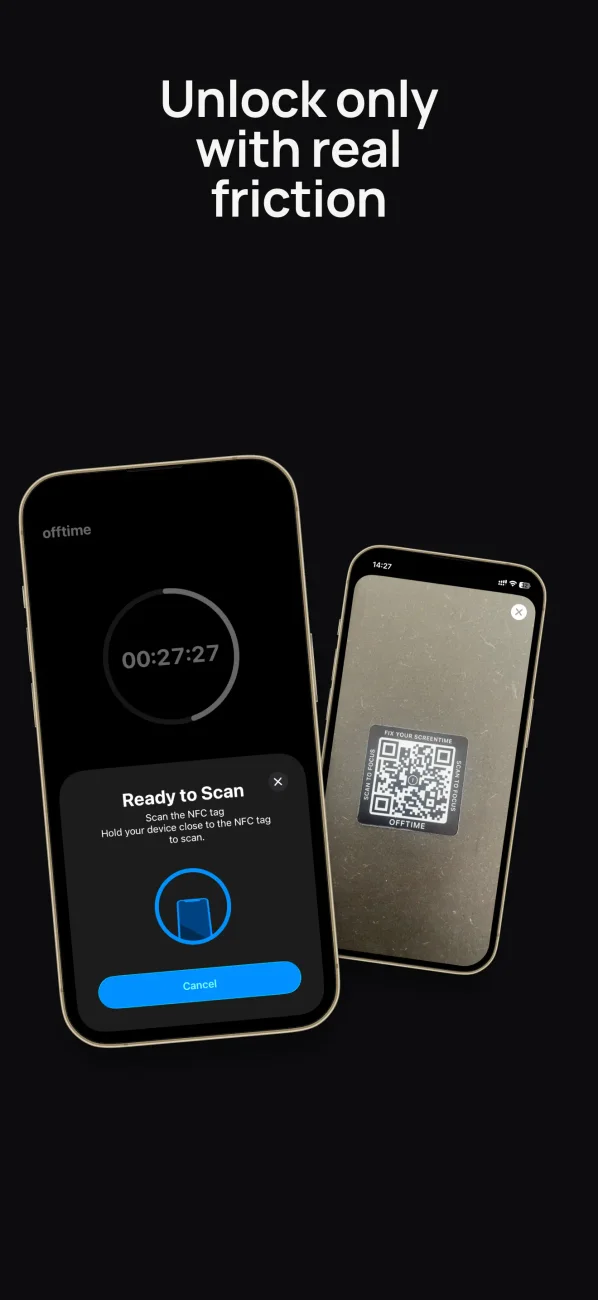
Hold to block your distracting apps, and unlock them only by scanning a QR code or NFC tag that you keep out of reach. That small physical step creates distance, clarity and focus – before you start scrolling.
HOW IT WORKS
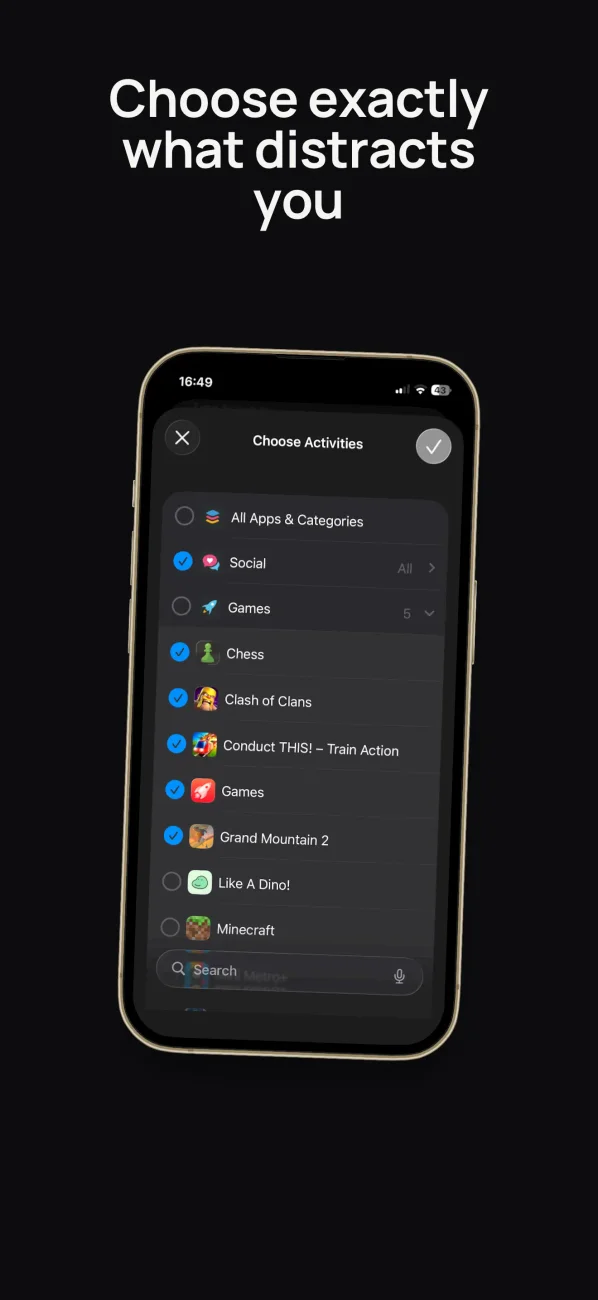
* Choose the apps and categories that distract you
* Hold to start blocking
* Keep your QR code or NFC tag out of reach – in the hallway, on a shelf, in another room
* Apps stay blocked until you scan the code, wait out the delay or your schedule ends
FEATURES
- PHYSICAL UNLOCK WITH QR CODE OR NFC
Print your QR code or write your own NFC tag right in the app. Moving to unlock stops impulsive scrolling.
- UNLOCK WITH A WAIT
Prefer no hardware? Set a waiting time before a blocked app can be opened.
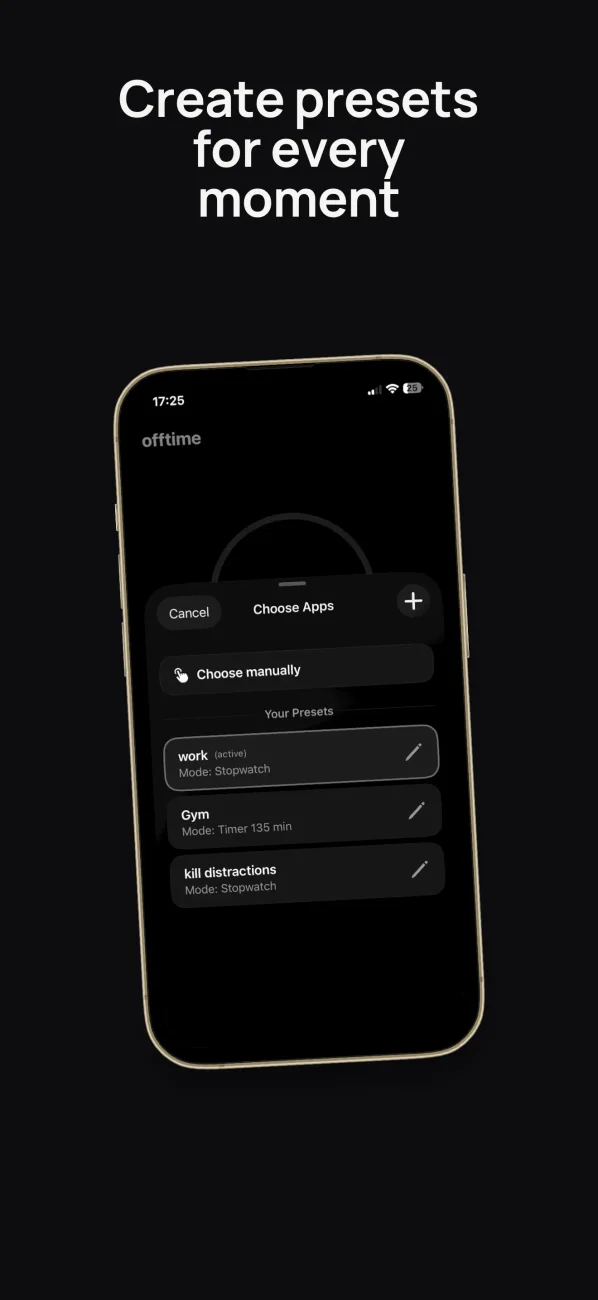
- PRESETS
Save sets of apps and categories for different situations, like work, studying or bedtime.
- SCHEDULES
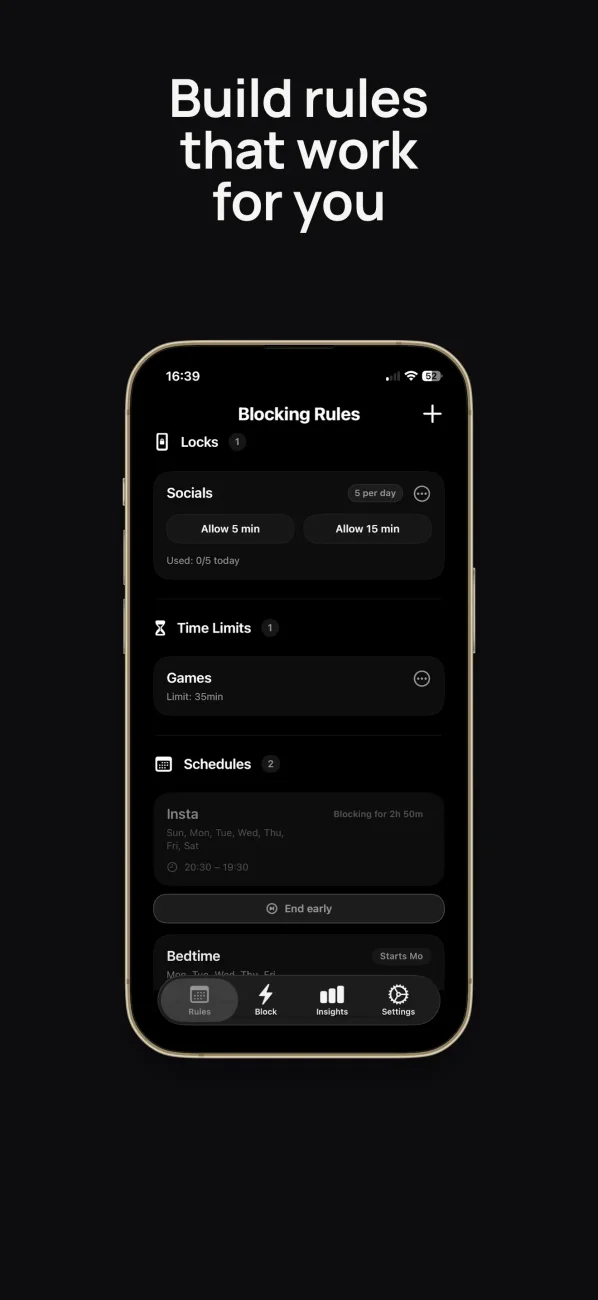
Block automatically at set times, on the days you choose. Schedules keep running when the app is closed. Choose Normal or Strict mode, with or without breaks.
- TIME LIMITS
Set daily limits for apps that eat your time.
- LOCKS
Define how often and how long a blocked app may be opened.
- INSIGHTS
See your week at a glance, compare it with the last one, track your streaks and the impulses you prevented.
- NO ACCOUNT NEEDED
Offtime works without registration.
- LANGUAGES
English, German, French, Spanish and Dutch.
WHY OFFTIME?
Most app blockers can be switched off with one tap – exactly when your willpower is lowest. Offtime adds a physical layer. Your unlock key is a printed QR code or an NFC tag that you place out of reach, so lifting the block is a deliberate decision. That makes digital discipline feel effortless.
FREE AND PRO
Start for free with one lock, one schedule, one time limit and your standard preset plus one of your own.
UNLOCK THE PRO VERSION
* Unlimited presets
* Up to 18 active schedules at the same time
* Detailed insights
* Unlimited locks
* Unlimited time limits
Privacy Policy: https://www.useofftime.com/privacy/app
Terms of Use: https://www.apple.com/legal/internet-services/itunes/dev/stdeula/
What’s new
Version 1.3.1 · Nov 18, 2026
This version includes bug fixes and performance improvements.
App privacy
What Louie Gaiser declares on the App Store about how this app handles data.
-
Data not linked to you
May be collected but is not linked to your identity.
- Purchases
- Identifiers
- Usage data
Privacy practices may vary, for example with the features you use or your age.
Information
- Seller
- Louie Gaiser
- Category
- Productivity
- Version
- 1.3.1
- Updated
- Nov 18, 2026
- Released
- Nov 5, 2025
- Size
- 15.2 MB
- Requires
- iOS 26.0 or later
- Age rating
- 4+
- Price
- Free
- In-app purchases
- Yes
- Languages
- English, Dutch, French, German, Spanish
- Copyright
- © 2026 Louie Gaiser
You might also like
-
 Engross: Focus Timer & To-DoCombo of Pomodoro & Tasks
-
 Barrier: Screen Time For FocusBlock apps, limit distractions
-
 Stay Focused App/Site BlockerWebsite & Screen Time Limit
-
 Focus Lock - Screen Time LimitBlock Apps & Digital Detox
-
 DetoxLock: Extreme App BlockerGo Cold Turkey. Block Apps
-
 Detox: Digital DetoxApp Blocker for Dopamine Detox
-
 StayFree - Block Apps & SitesLimit screentime, stay focused
-
 AppBlock: Block Apps, WebsitesApp Blocker. Limit Screen Time
-
 Flipd: focus & study timerProductivity, time tracker
-
 Freedom: Screen Time ControlBlock Apps. Stay Focused.