
- Age rating4+
- CategoryPhoto & Video
- DeveloperSarah Nkiruka Rossow
- LanguagesEnglish+ 1 more
- Size54.2 MB
Links to the official App Store page
Download.org hosts no file of OMIRA: Pose Reference. The button opens its official App Store page, published by Sarah Nkiruka Rossow. Listing last checked on Nov 16, 2026.
Screenshots
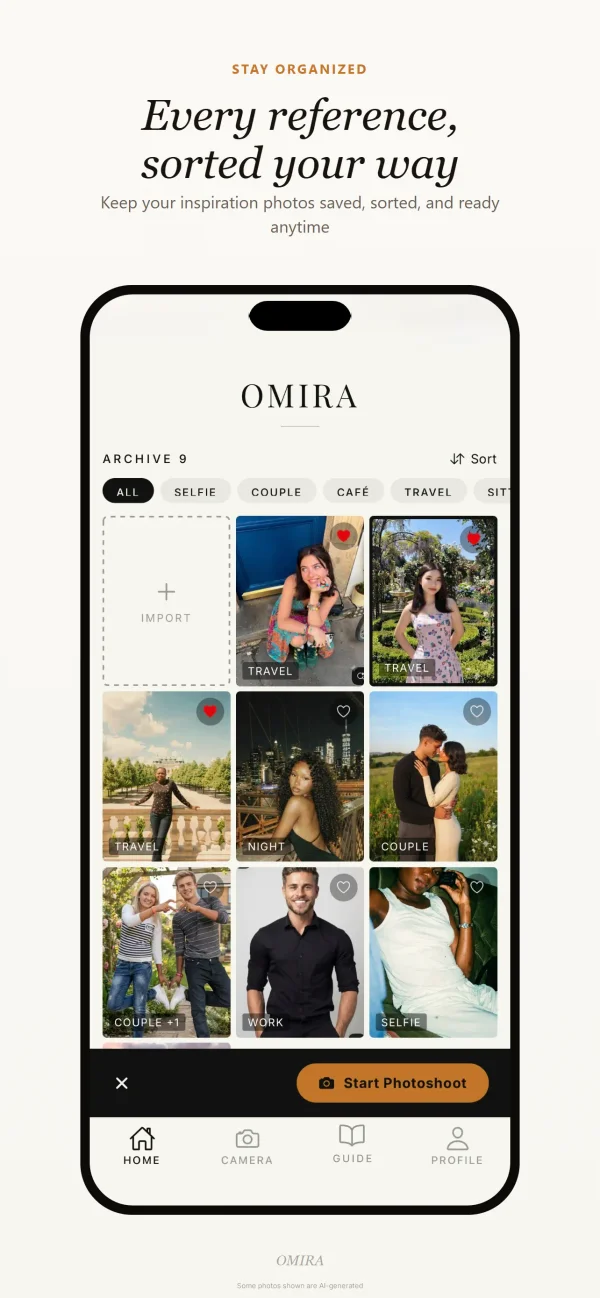

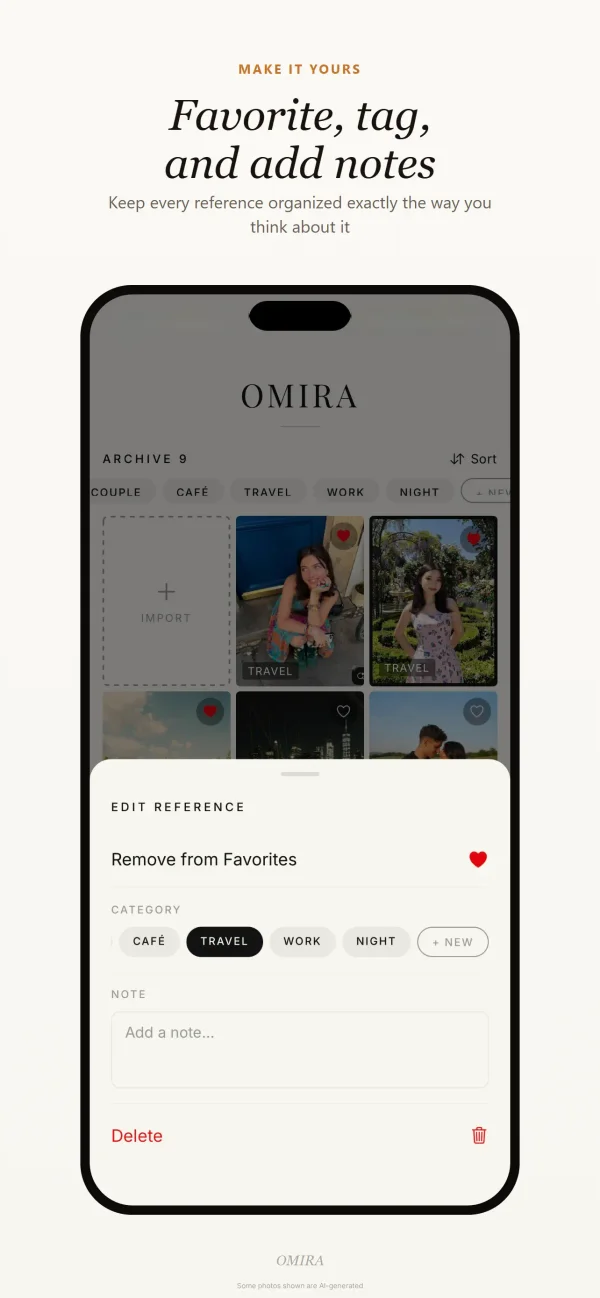
About
Ever seen the perfect photo and wondered how to recreate it?
Or maybe you already know exactly how your shot should look — the pose, the angle, the framing. The problem is explaining that picture in your head to the person holding the camera. Something always gets lost in translation.
OMIRA closes that gap.
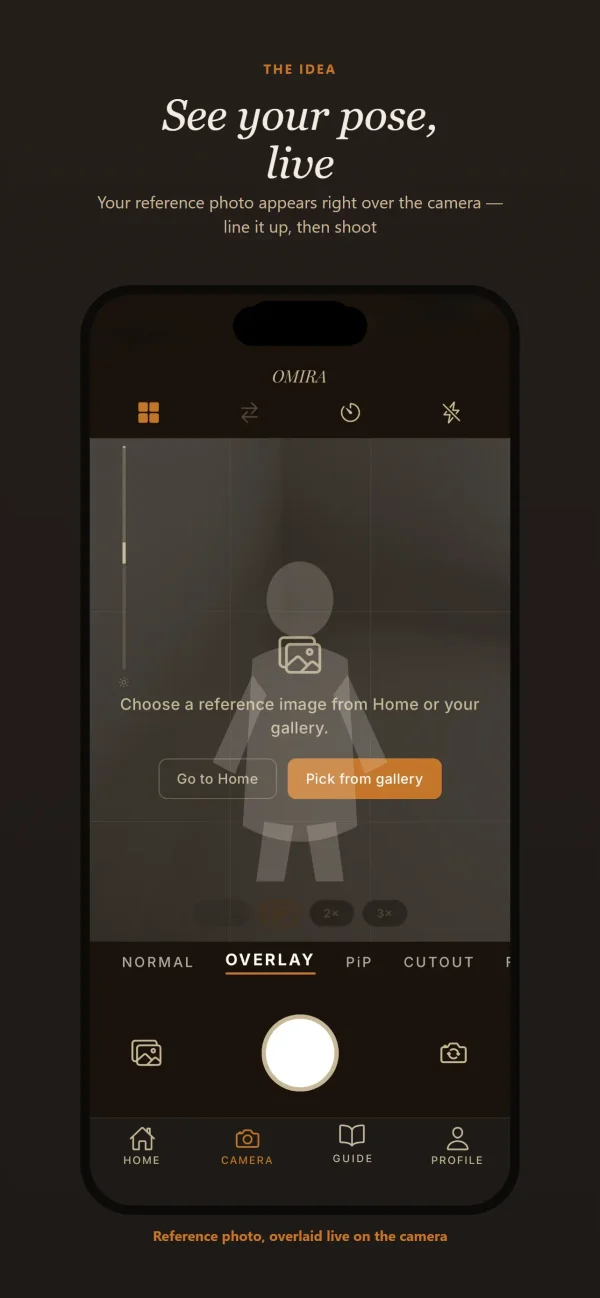
Import your reference image and see it placed live over your camera view. The person taking your picture sees exactly what you see: No more lengthy explanations, no more guesswork — just the perfect photo.
HOW IT WORKS
Import any photo from your gallery as your pose reference. Choose from multiple overlay modes to see exactly how to line up your shot:
- Overlay — a soft, transparent version of your reference laid over the live camera
- Cutout — see just the person from your reference, with the background removed
- Face — an overlay with a face-shaped window so you can match head position precisely
- Picture-in-picture (PIP) — a small floating window showing your reference photo beside the live view
Adjust opacity, size, and position until everything lines up, then take the photo whenever you're ready. No timers, no scoring — just your camera and your reference, side by side.
Whether you're a content creator recreating a viral pose, a couple restaging an old photo, or simply someone who wants their next photo to look intentional instead of accidental, OMIRA brings a simple reference tool to your everyday camera roll.
- Try it instantly as a guest, no account required
- Create a free account to keep your photo portfolio backed up and synced across your devices
- Nothing you create is shared publicly
OMIRA only asks for the camera and photo library access it actually needs to work, and explains exactly why. Full details are always available from Settings, right inside the app.
What’s new
Version 1.0.1 · Aug 9, 2026
- New Guide with 3 use cases and step-by-step help
- Steadier cloud backup for references & profile photos
- Design and copy updates, bug fixes
App privacy
What Sarah Nkiruka Rossow declares on the App Store about how this app handles data.
-
Data linked to you
May be collected and linked to your identity.
- Contact info
- User content
- Identifiers
-
Data not linked to you
May be collected but is not linked to your identity.
- User content
Privacy practices may vary, for example with the features you use or your age.
Information
- Seller
- Sarah Nkiruka Rossow
- Category
- Photo & Video
- Version
- 1.0.1
- Updated
- Aug 9, 2026
- Released
- Aug 6, 2026
- Size
- 54.2 MB
- Requires
- iOS 16.0 or later
- Age rating
- 4+
- Price
- Free
- Languages
- English, German
- Copyright
- © 2026 Sarah Rossow
You might also like
-
 InspoCamPhoto & Video
-
 TraforetPhoto & Video
-
 Footprint – MemoriesPhoto & Video
-
 Aim: Pose Ideas & CameraPoses, reference & selfie tips
-
 Carousel Collage・Post MakerPanorama Grid・Seamless Feed
-
 IGMarginSocial Media Photo Formatter
-
 Momentary: Live and VideoCreate your precious moment
-
 MatchFrames:Overlay PhotosMatch perfect photo and video.
-
 PoseMax: AI Posing GuidePhoto Poses & Camera Coach
-
 PoseMatch: Pose CameraRecreate Photos & Selfies