
- Age rating4+
- CategoryProductivity
- DeveloperDANIEL LAREDO
- LanguagesEnglish
- Size6.0 MB
Links to the official App Store page
Download.org hosts no file of Ordo: Brain Dump. The button opens its official App Store page, published by DANIEL LAREDO. Listing last checked on Nov 16, 2026.
Screenshots
About
Your head is full. Ordo empties it.
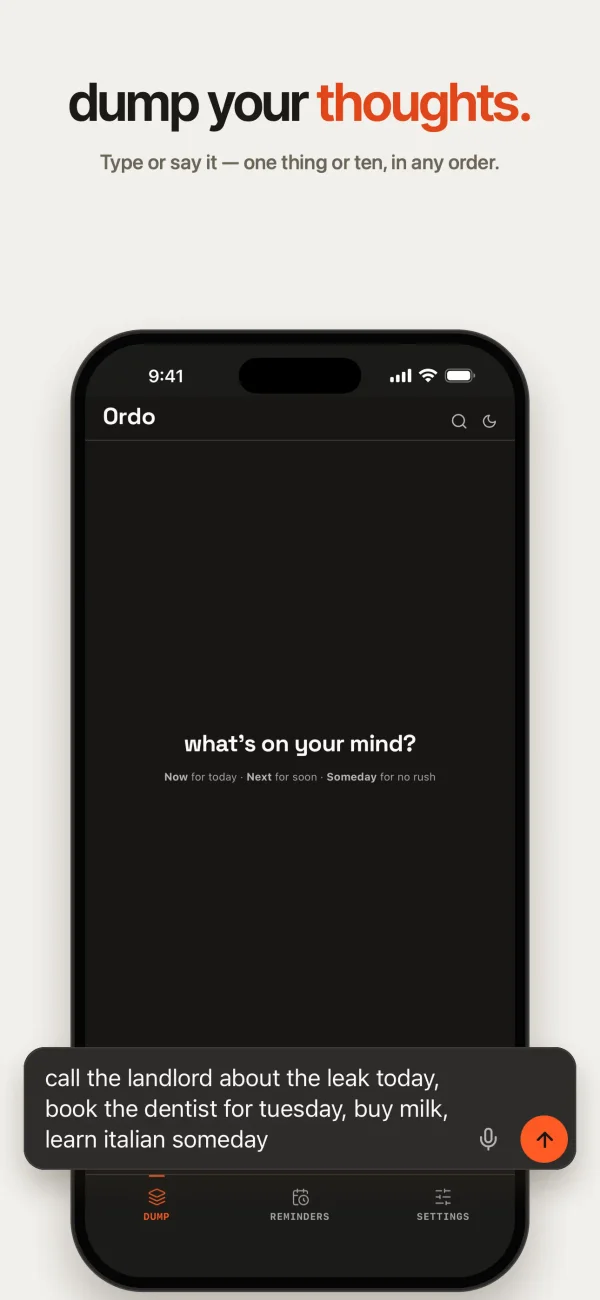
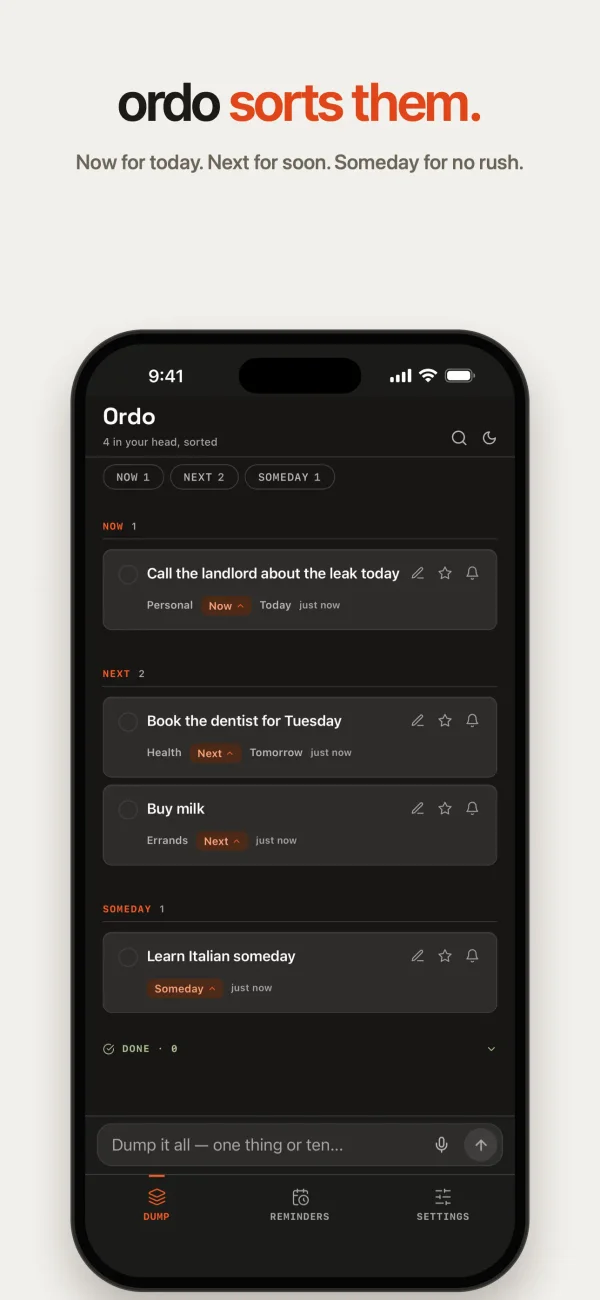
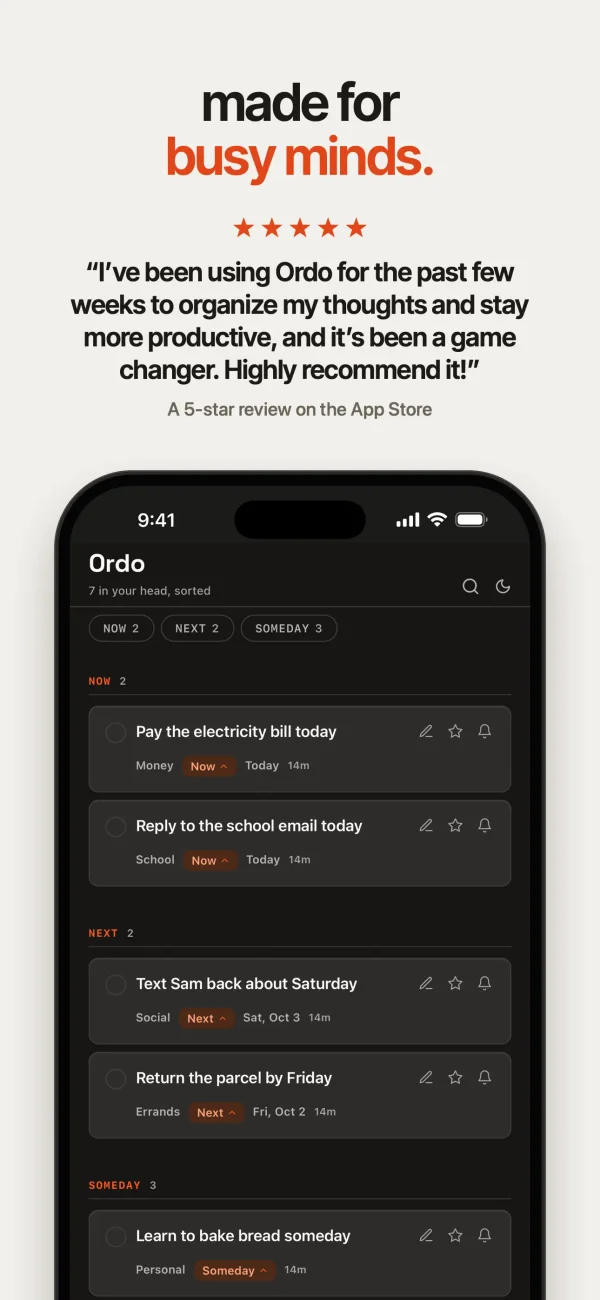
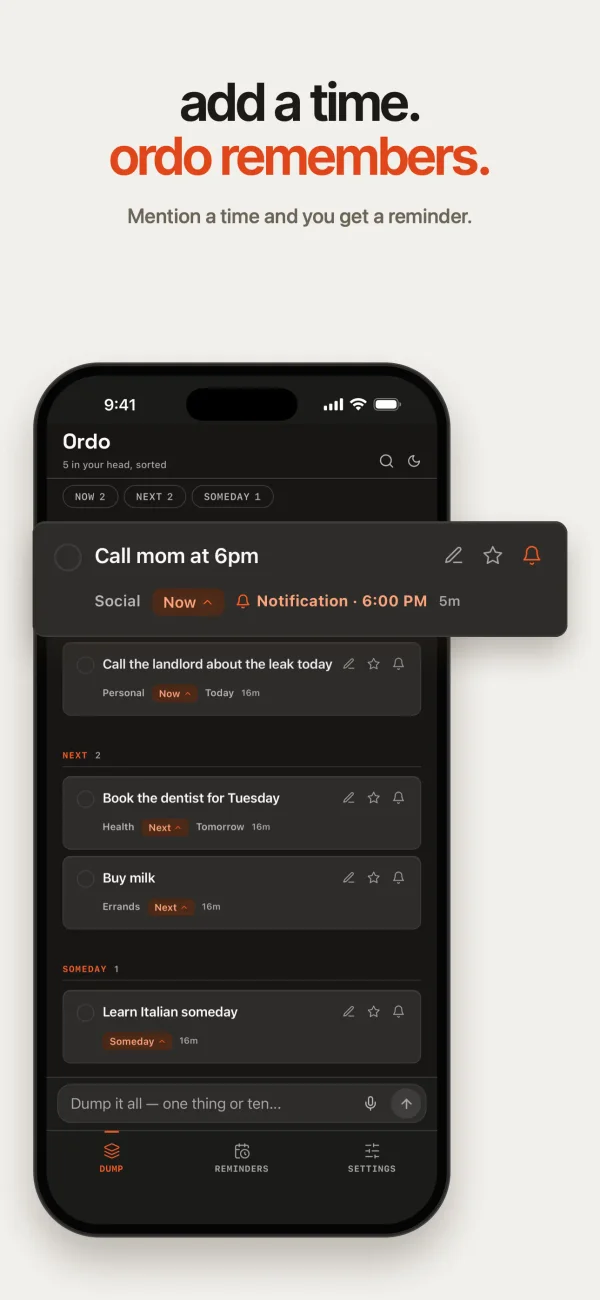
Type or say everything on your mind, in any order, all at once. Ordo turns it into a clean list, sorted into three places:
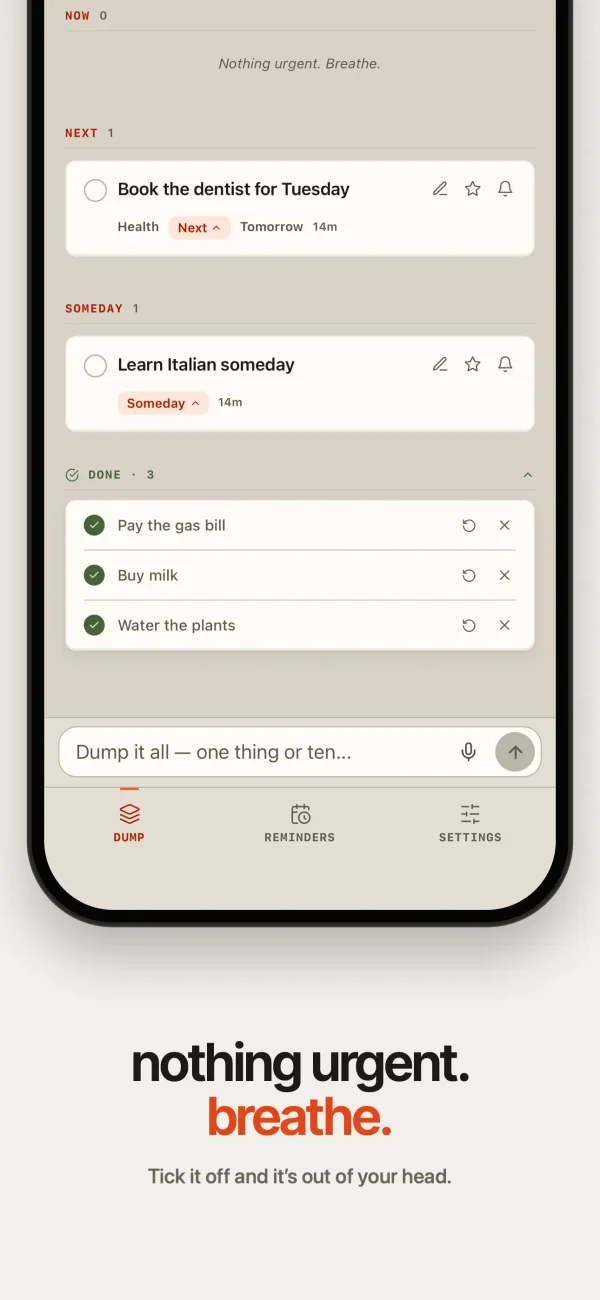
NOW — for today
NEXT — for soon
SOMEDAY — for no rush
Most apps want you to get organized before you can start. Ordo works the other way: dump it as messy as it is, and get back a list that makes sense. No folders, no projects, no setup.
DUMP IT
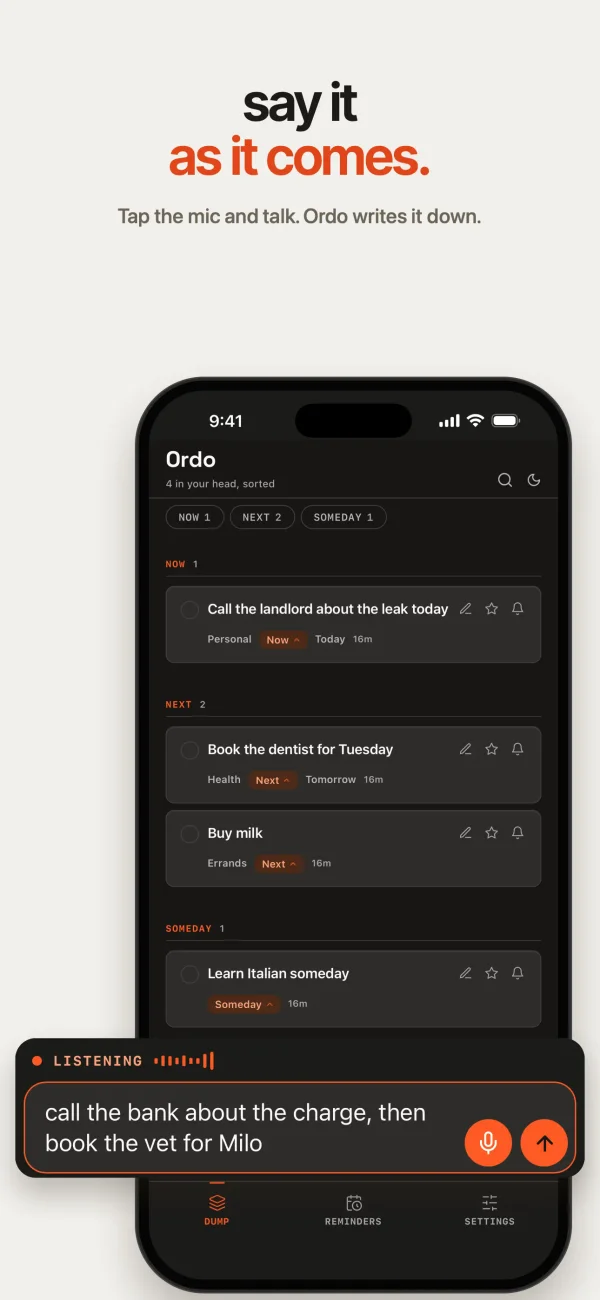
• One box for everything. Type it, or tap the mic and say it as it comes.
• One thing or ten: “call the landlord today, book the dentist for Tuesday, buy milk” becomes three cards, each in its place.
• Add from anywhere: share text from another app, or ask Siri to “Dump to Ordo”.
MAKE IT YOURS
• Move any card between Now, Next and Someday with a tap.
• Rename it, add notes, star what matters.
• Swipe to delete. Deleted things wait 30 days in case you change your mind.
• Tick things off. Keep them where they are, or send them to Done: everything you finished, in one place. Your choice in Settings.
WHEN IT MATTERS
• Say a time, like “call the dentist at 4” or “wake me up at 7”, and Ordo sets a reminder.
• Choose how each one reaches you: a notification, or an alarm that rings like the Clock app (iOS 26).
• See your reminders in Apple Reminders too, if you like. Alerts come from Ordo, so you never get two.
• A home screen widget shows what’s Now. Tick things off right there.
MADE FOR
• The end of a long day, when everything is still in your head.
• Leaving a meeting or a class with five new things to do.
• Ideas that show up at the wrong moment.
• Anyone who has tried a planner and given up on the setup.
CALM BY DESIGN
• No account. No sign-up. Your list lives on your phone.
• Light or dark, each designed with care. Ordo follows your phone, or you pick one in Settings.
• Back up and restore anytime.
To sort a dump, its words go to Ordo’s sorting service, so sorting needs a connection. Offline? Ordo keeps your dump and sorts it when you’re back.
What’s new
Version 1.4 · Oct 21, 2026
Say it all at once. Ordo sorts it.
• Talk for up to 5 minutes. Ordo keeps listening, then sorts everything into Now, Next and Someday.
• Talk to Ordo from anywhere: a mic on your Home Screen and Lock Screen, in Control Center, on the Action Button, or with Siri: "Talk to Ordo."
• A simpler first day: your first dump happens right in the app, with an example if you'd like one.
• Reminders that reach you: pick a time, then once, until done, or an alarm. Done and Snooze right on the notification.
• Tap Now, Next or Someday to see what goes there.
• A half-typed dump waits for you.
• Settings → Everything Ordo can do: every feature in one place.
App privacy
What DANIEL LAREDO declares on the App Store about how this app handles data.
-
Data not linked to you
May be collected but is not linked to your identity.
- User content
- Identifiers
- Usage data
- Diagnostics
Privacy practices may vary, for example with the features you use or your age.
Information
- Seller
- DANIEL LAREDO
- Category
- Productivity
- Version
- 1.4
- Updated
- Oct 21, 2026
- Released
- Aug 18, 2026
- Size
- 6.0 MB
- Requires
- iOS 15.0 or later
- Age rating
- 4+
- Price
- Free
- Languages
- English
- Copyright
- © 2026 Ordo
You might also like
-
 Sotto - Offline Auto NotetakerNotes that start themselves
-
 Vibelist: Sequential TodolistFocus on what's actionable
-
 DocuBoxProductivity
-
 Task TabsProductivity
-
 Plans: Notes & To-Do ListsMinimalist reminders & widget
-
 Memo — Private Voice JournalOffline diary, Markdown files
-
 Pluck - Save for LaterSave Anything, Find It Later
-
 Inkoum: Tasks, Notes & FocusPlanner, Habits & Calendar
-
 MemofyAIOn-Device AI Note Structuring
-
 NoteStream — Capture Your MindSmarter Note Taking