
Ordr: Todo & Focus Timer
Task List, Calendar & Planner
Designed for iPhone, iPad, iPod touch
Free · In-app purchases
- Age rating4+
- CategoryProductivity
- DeveloperLayline Ventures
- LanguagesEnglish
- Size52.2 MB
Links to the official App Store page
Download.org hosts no file of Ordr: Todo & Focus Timer. The button opens its official App Store page, published by Layline Ventures. Listing last checked on Nov 18, 2026.
Screenshots



About
You have too much to do and too much on your mind.
Every to-do app you've tried made it worse — more lists, more guilt, more decisions.
Ordr is the first app that actually removes the mental load instead of adding to it.
You know the feeling. You sit down to work and spend 20 minutes deciding where to start. Then the guilt kicks in. Then the avoidance. The list grows. The energy drops.
The problem was never discipline. It was the friction between your brain and your tools.
Ordr removes that friction.
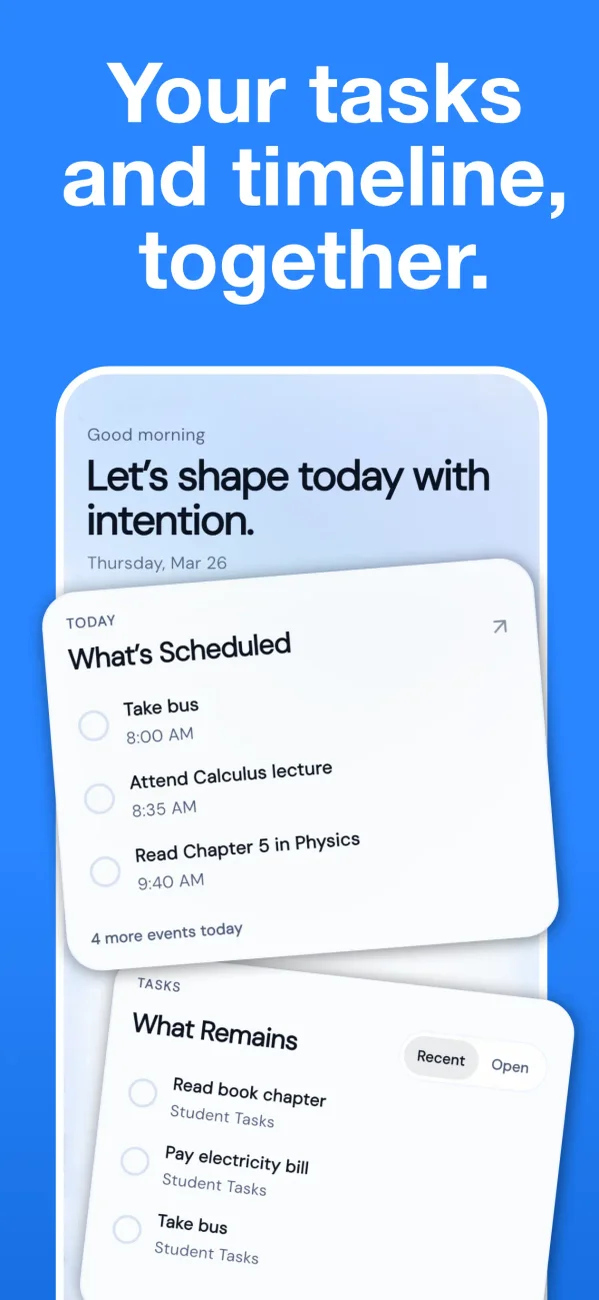
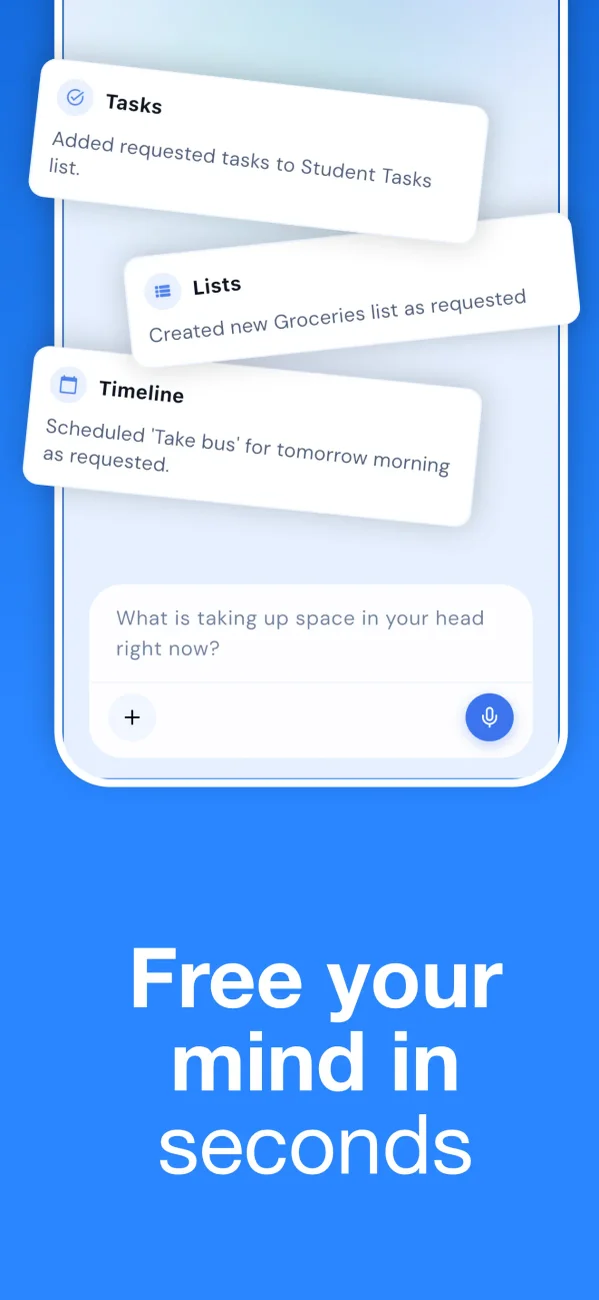
Speak, type, or snap a photo — Ordr structures your thoughts into tasks and a schedule in seconds. No tagging. No fields. No decisions. Just a clear picture of your day and a calm path through it.
THE RIGHT ACTION FOR EVERY MOMENT
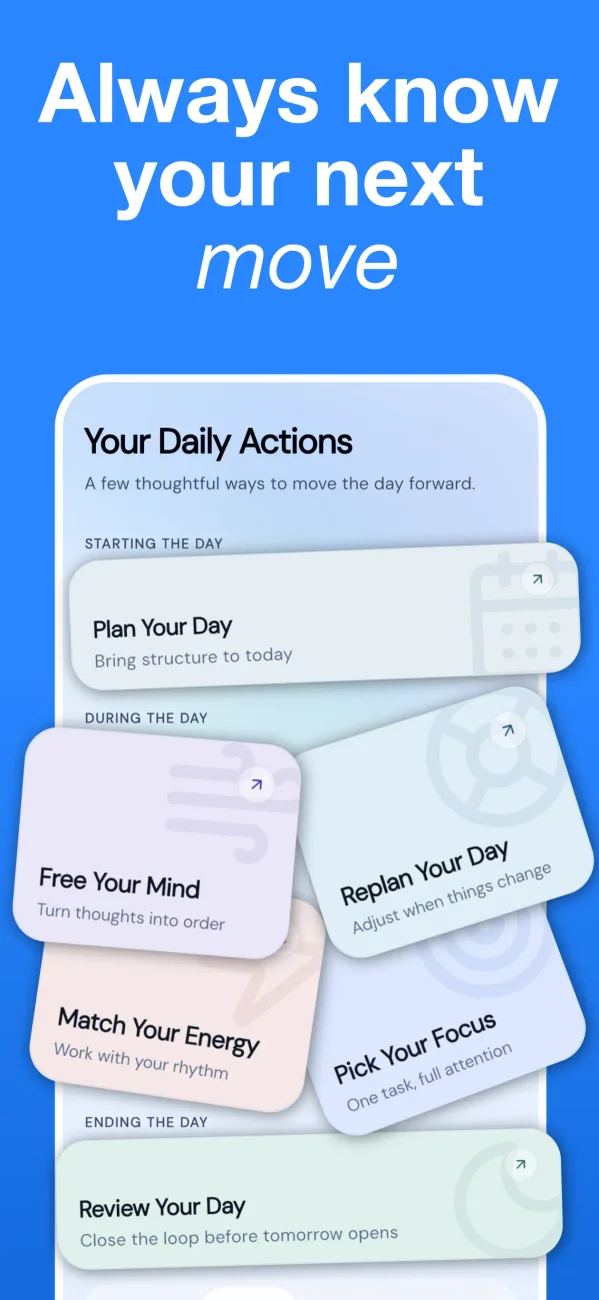
Morning overwhelm? Plan your day card by card. Thoughts piling up? Free your mind in seconds. Energy dipping mid-afternoon? Find the task that matches how you feel. End of day? Review what happened and close it out. Ordr always has a guided action ready — whatever the moment, you always know your next move.
FREE YOUR MIND
Stop carrying everything in your head. Voice dump, type, or snap a photo — Ordr turns the chaos into tasks and events instantly.
WORK WITH YOUR ENERGY, NOT AGAINST IT
Not every hour is a deep-work hour. Tell Ordr how you're feeling and it finds the task that fits right now — so you stop forcing the wrong work at the wrong time.
SEE YOUR SCHEDULE YOUR WAY
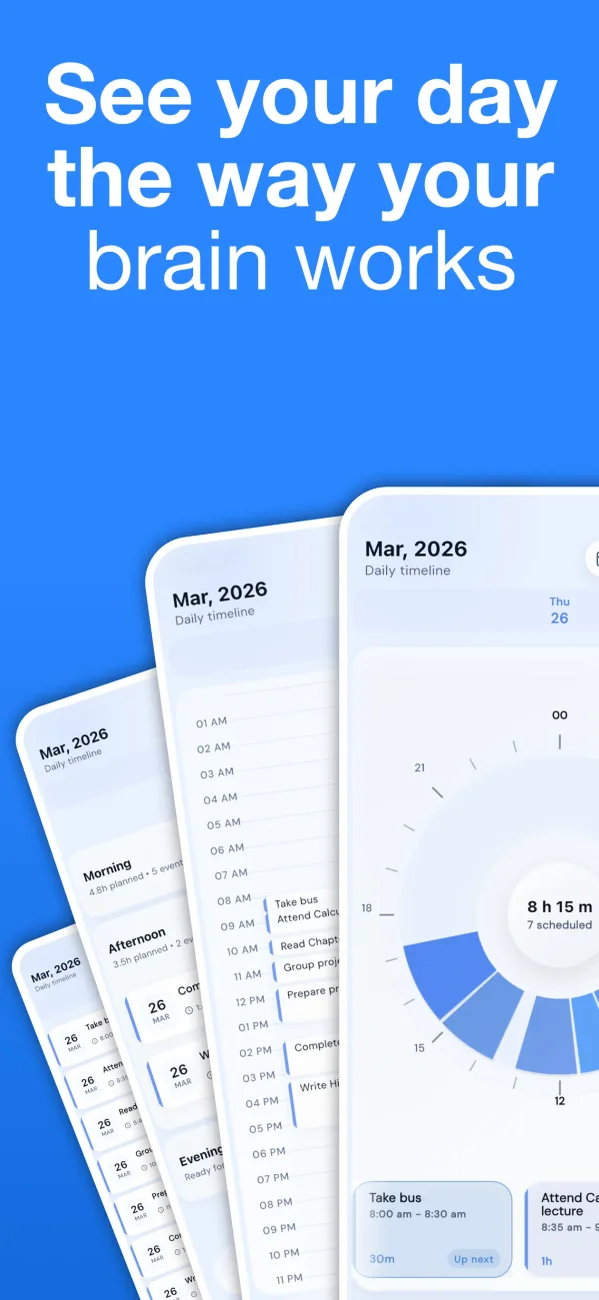
9 combinations of views and layouts — calendar, list, or time periods, across one day, two days, or a week. Find the view that makes your brain click.
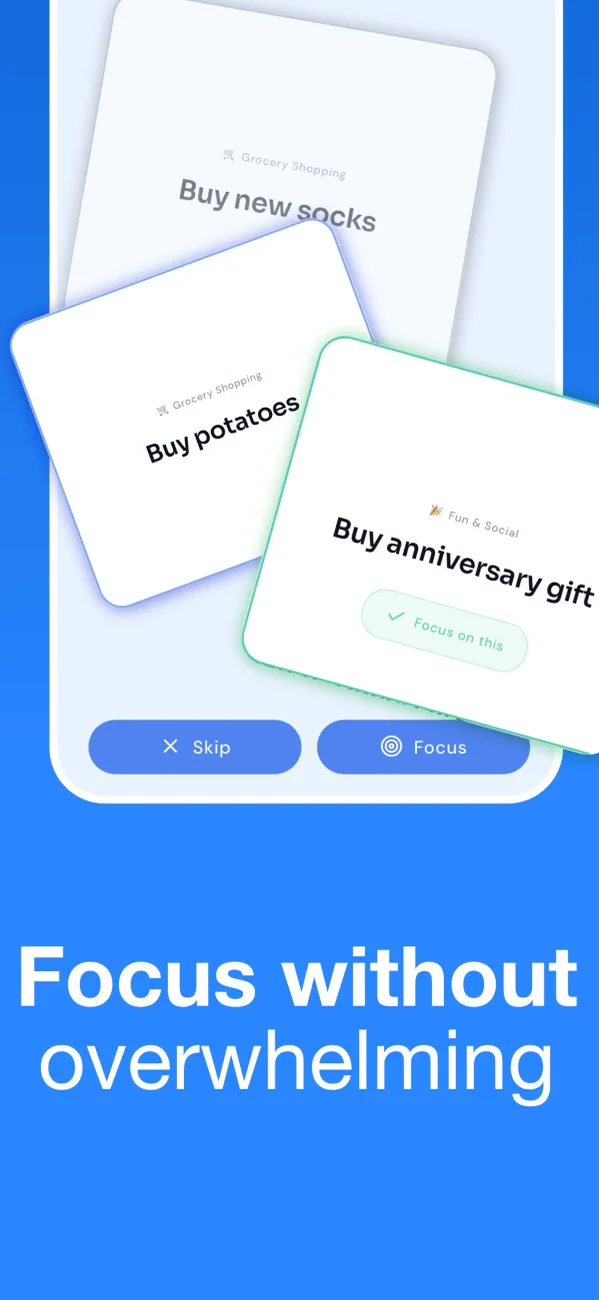
PICK ONE TASK AND COMMIT
When it's time to work, Pick Your Focus shows you one task at a time. No scrolling. No second-guessing. One clear next move.
LOCK IN AND FINISH WHAT YOU START
Start a Focus Timer and stay in the work. Ordr holds the time so your brain doesn't have to.
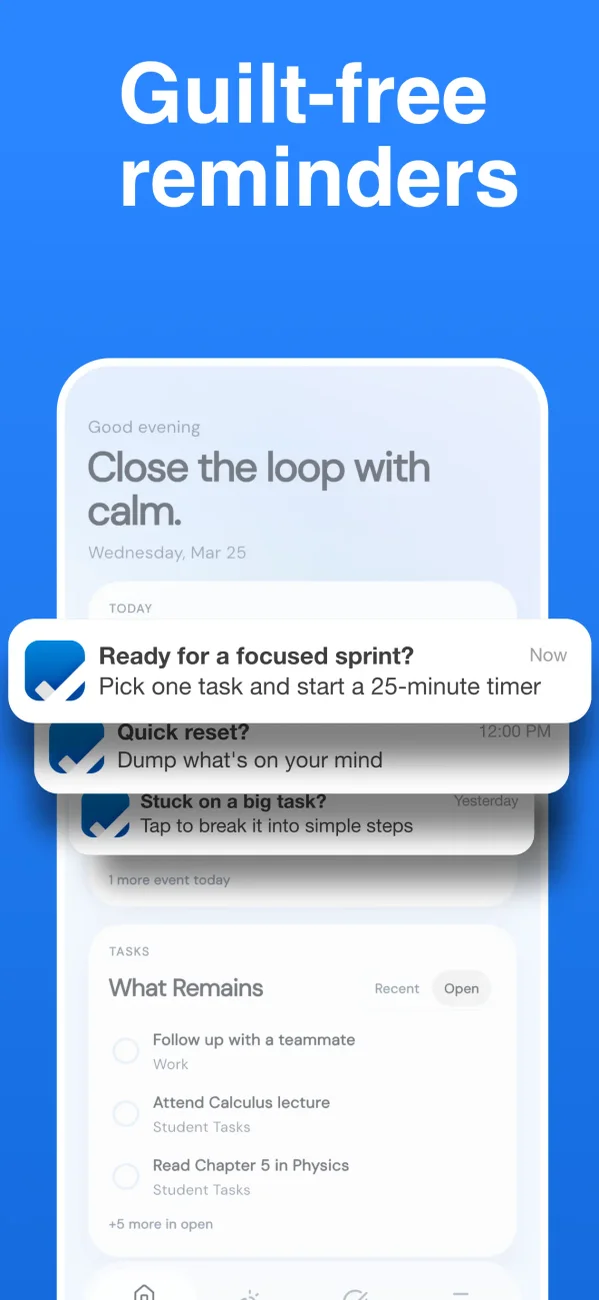
REMINDERS THAT HELP, NOT SHAME
Daily nudges and task-level reminders that bring you back without making you feel behind.
Built for busy brains, overthinkers, and anyone who's ever lost an hour deciding what to do first.
No system to maintain. No blame when life gets messy. Just calm, clear, forward.
What’s new
Version 2.6.1 · Nov 17, 2026
Ordr is now better with other people. Share a list, plan together, and stay in sync.
SHARED LISTS
• Share any list by email from one simple sheet
• Everyone sees changes live, with no refreshing
• A small badge marks the lists you share
• Pin and reorder shared lists your own way; it never changes anyone else's view
• Inviting people is a Pro feature. Anyone you invite can join for free
• Open an invitation link and it goes straight into the app
STAY IN THE LOOP
• Get a push notification when someone adds, edits, completes or deletes tasks on a list you share. It tells you which list changed, and tapping it opens that list
• Turn it off any time in your iPhone's notification settings
MORE RELIABLE
• Two people editing the same list no longer overwrite each other's changes
• Ordr starts faster, without waiting on the network
• Fixes for small screens, and the composer now stays above the keyboard
Thanks for using Ordr!
App privacy
What Layline Ventures declares on the App Store about how this app handles data.
-
Data linked to you
May be collected and linked to your identity.
- Contact info
- User content
- Identifiers
-
Data not linked to you
May be collected but is not linked to your identity.
- Purchases
- Search history
- Identifiers
- Usage data
- Diagnostics
Privacy practices may vary, for example with the features you use or your age.
Information
- Seller
- LAYLINE VENTURES TECNOLOGIA DA INFORMACAO LTDA
- Category
- Productivity
- Version
- 2.6.1
- Updated
- Nov 17, 2026
- Released
- Mar 16, 2026
- Size
- 52.2 MB
- Requires
- iOS 15.0 or later
- Age rating
- 4+
- Price
- Free
- In-app purchases
- Yes
- Languages
- English
- Copyright
- © 2026 Layline
You might also like
-
 Steady: Neurospicy ToolsADHD focus, planner & to-do
-
 Vividly: ADHD Task CoachADHD task & focus coach
-
 TodokanKanban To-Dos, Done
-
 Habit Savvy - Habit BuilderA Minimalist Habit Tracker App
-
 TimePilot 24hDesign your day
-
 Tida TasksTo-Do Lists, Sorted in Buckets
-
 Float - Brain Dump & FocusSimple To-Do List & Planner
-
 Brain Dump for ADHD: BrainSortVoice To-Do List & Planner
-
 Flash Log – Estimate & TrackKnow what fits in today
-
 Kanban Calendar - KanCalendarEisenhower Matrix, Note Taker