
- Age rating4+
- CategoryProductivity
- DeveloperHYEONGI KIM
- Size61.9 MB
Links to the official App Store page
Download.org hosts no file of orke. The button opens its official App Store page, published by HYEONGI KIM. Listing last checked on Nov 12, 2026.
Screenshots


About
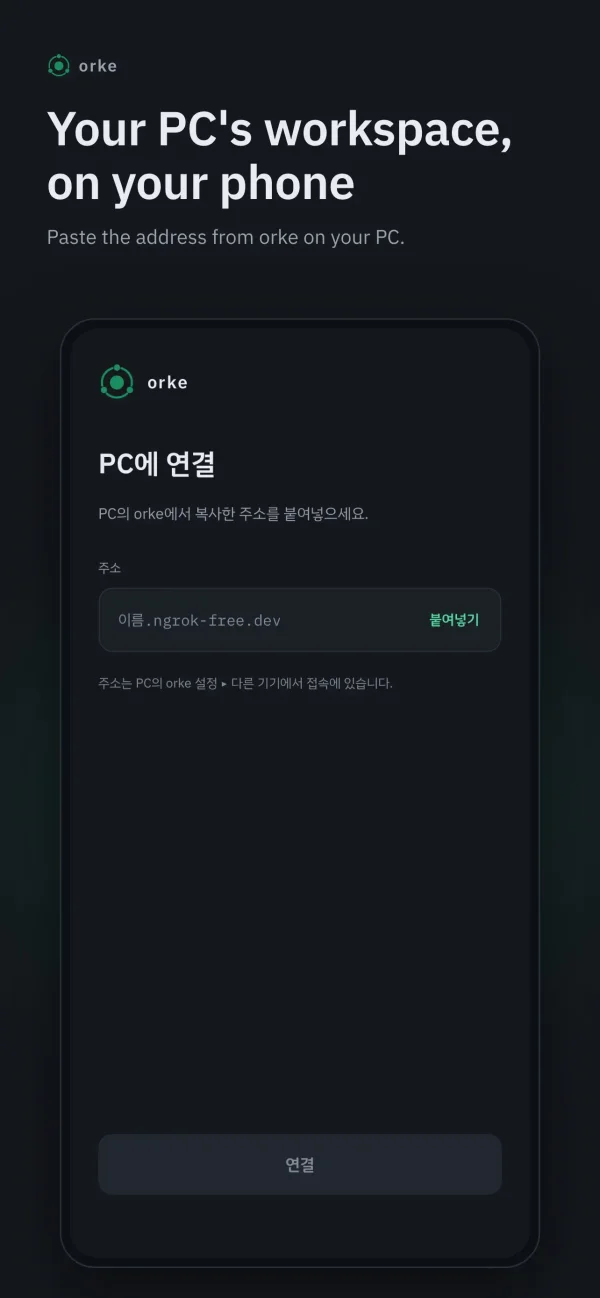
orke for iPhone and iPad opens the orke workspace that is running on your PC.
Pick up the terminals and AI agent sessions you started on your PC. Check progress, type a command, or start a new session while you are away from your desk.
How it works
1. On your PC, open orke and turn on remote access in Settings.
2. Copy the address and paste it into this app.
3. Sign in with your Google account. Your workspace opens.
Features
• The same sessions and output as on your PC
• Terminal input made for touch: a key bar for Esc, Ctrl, Tab and arrows, plus text selection and paste
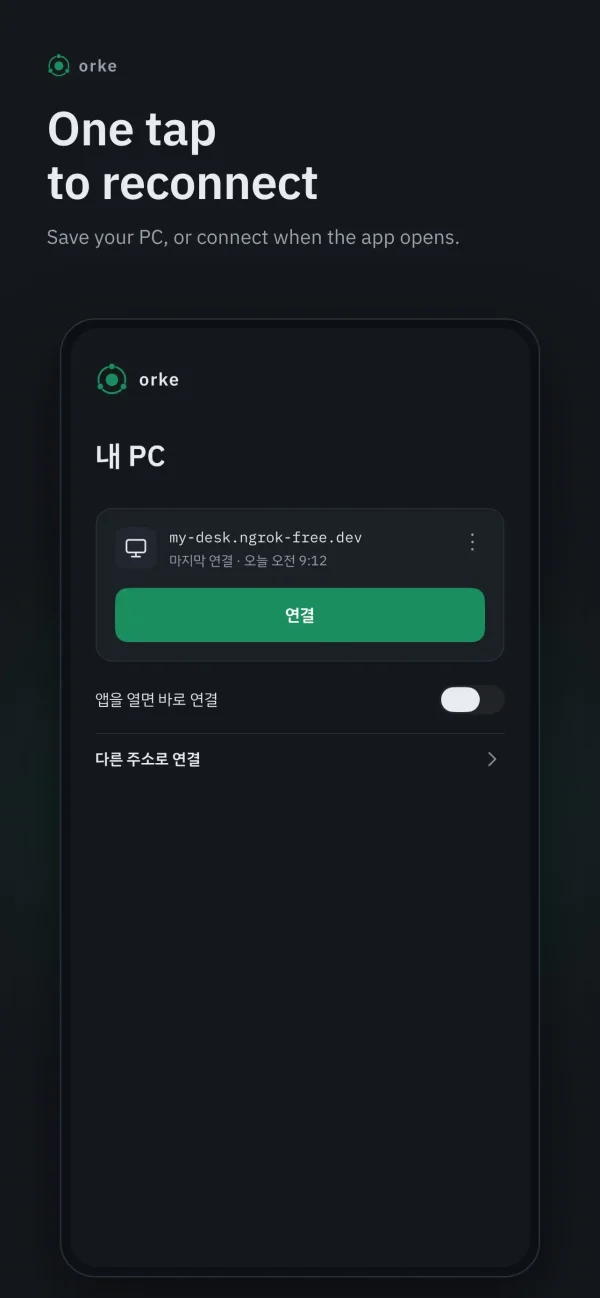
• Save your PC and connect with one tap, or connect as soon as the app opens
Requirements
• orke installed and running on your PC, with remote access turned on
• The PC must be on and connected to the internet
Privacy
The app connects only to the address you enter. It has no account of its own and sends nothing anywhere else.
What’s new
Version 2.0.7 · Oct 26, 2026
UI/UX Updated
App privacy
What HYEONGI KIM declares on the App Store about how this app handles data.
-
Data not collected
The developer does not collect any data from this app.
Privacy practices may vary, for example with the features you use or your age.
Information
- Seller
- HYEONGI KIM
- Category
- Productivity
- Version
- 2.0.7
- Updated
- Oct 26, 2026
- Released
- Apr 3, 2026
- Size
- 61.9 MB
- Requires
- iOS 16.0 or later
- Age rating
- 4+
- Copyright
- © 2026 BomToBe
You might also like
-
 Pocket Shell - SSH clientSSH, SFTP & Terminal
-
 AllMind AI: Chat AssistantAsk, Write & Code. 30+ Models
-
 convert image to pdf: Toolyimage to pdf converter
-
 Voice to Text - SotiTalkVoice to text app
-
 VIRNECT View 2Productivity
-
 superbot.ggautomate with your AI agent
-
 Hedgy: Screen Time & App BlockUnrot Brainrot, Focus Control
-
 Remote UtilitiesRemote desktop & file transfer
-
 Waddles: Unrot Your BrainGamified App Blocker
-
 Ultimate SuccessProductivity