
OverRun: Presentation Timer
Speech countdown with overtime
Designed for iPhone, iPad
In-app purchases
- Age rating4+
- CategoryProductivity
- DeveloperStephen Zinn
- LanguagesEnglish
- Size4.2 MB
Links to the official App Store page
Download.org hosts no file of OverRun: Presentation Timer. The button opens its official App Store page, published by Stephen Zinn. Listing last checked on Nov 12, 2026.
Screenshots
About
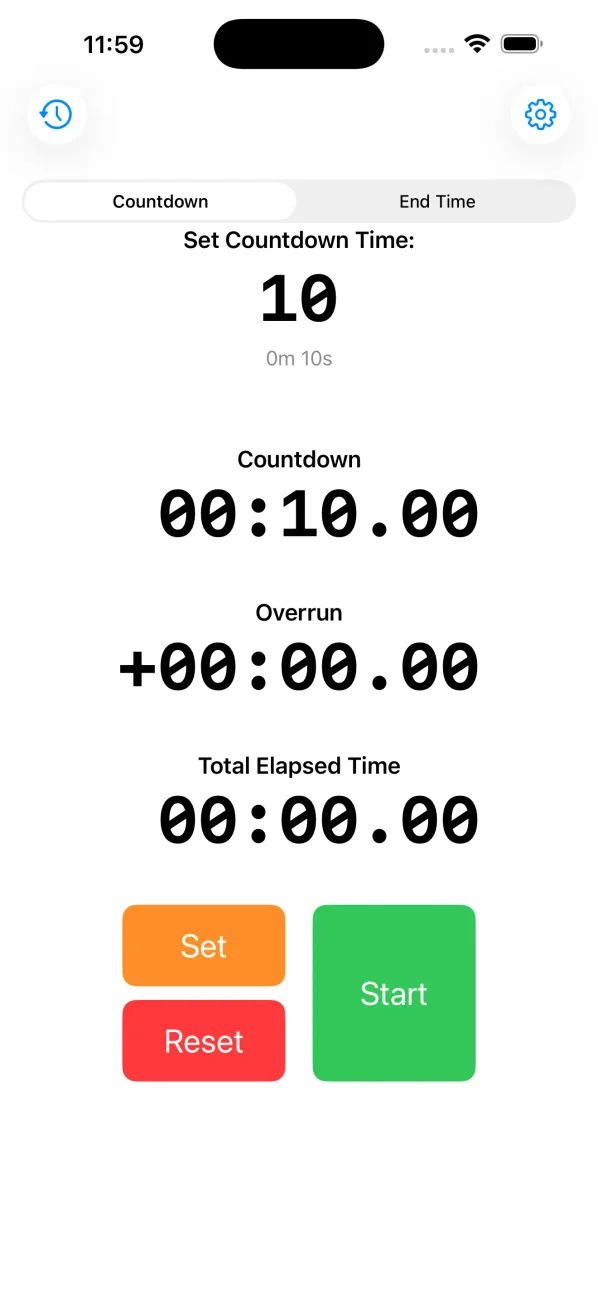
**OverRun Timer** is a precision timing app for anyone who must deliver on a fixed duration.
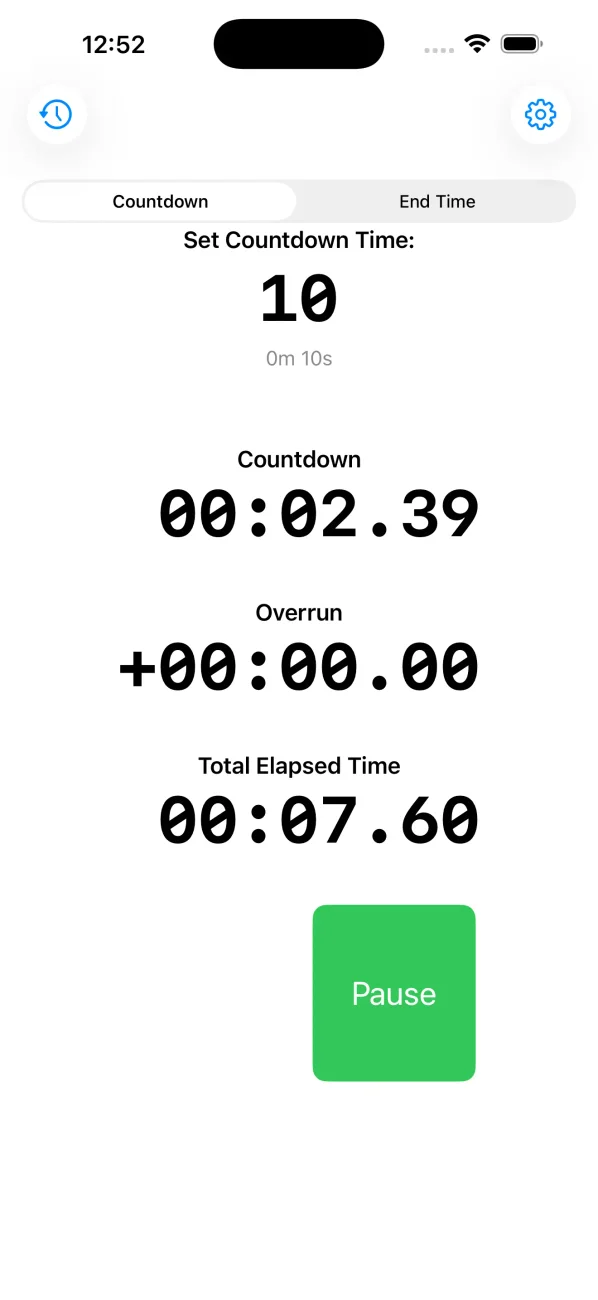
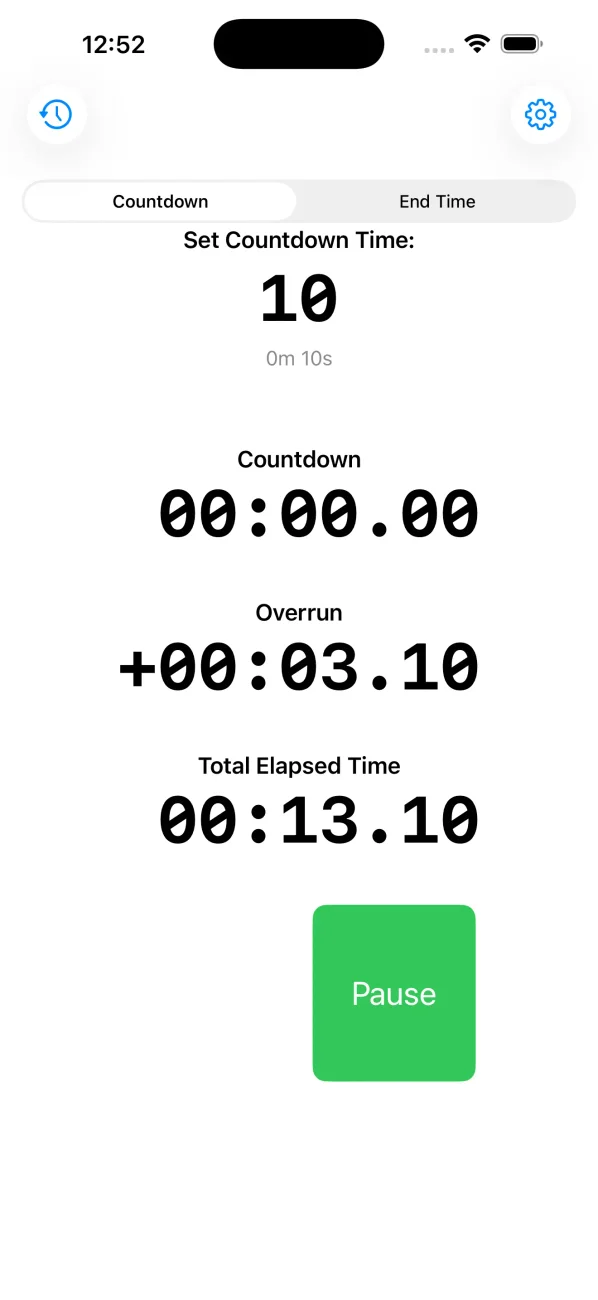
Set a target, start your session, and track not only remaining time—but also exact **overrun**, the amount of time past your target.
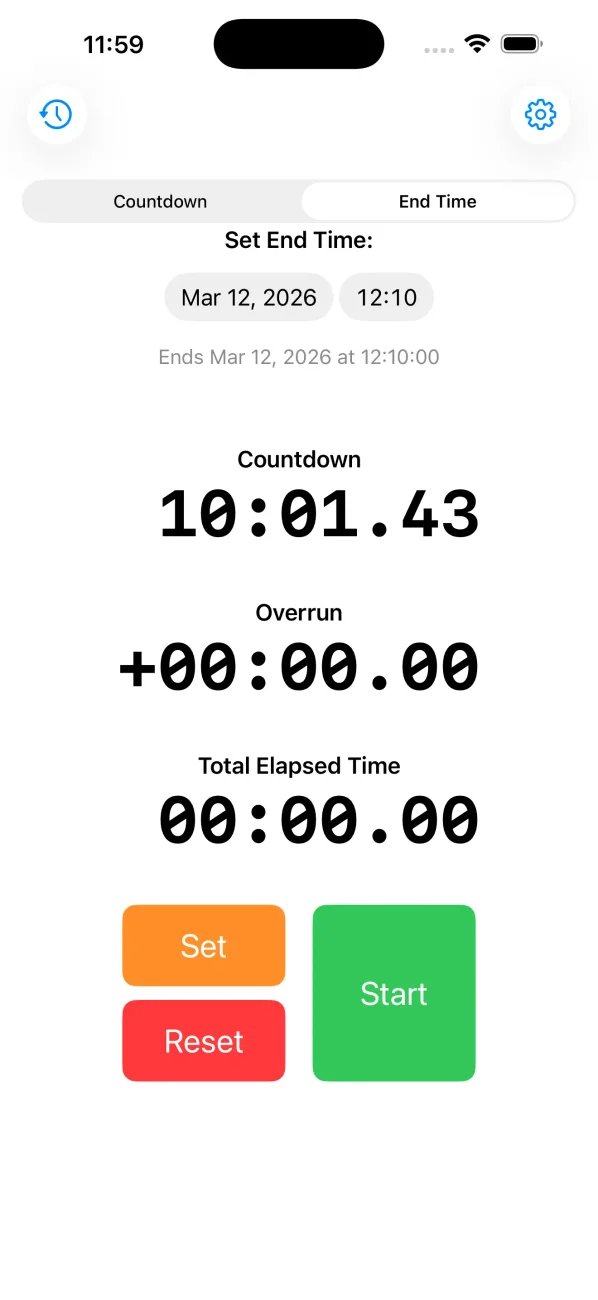
Use it in **Countdown** mode (set a duration) or **End Time** mode (set a specific meeting or recording end time). OverRun keeps running after zero so you always know, clearly and immediately, how far over time you are.
OverRun is built to support real timing needs in everyday presentations and production workflows:
- Keep talks and speeches within a target length
- Run and monitor recording production segments that must fit a specific window
- Stay on schedule during meetings, presentations, classes, debates, and similar timed sessions
- Review timing patterns over time using saved session history
## Key Features
- **Two timing modes**
- **Countdown**: set a duration and run backward to zero
- **End Time**: set a specific stop time and count down to that moment
- **Overrun tracking that matters**
- Separate displays for countdown, overrun, and total elapsed
- Continue tracking after zero so every second over target is visible
- **Cue system for better timing control**
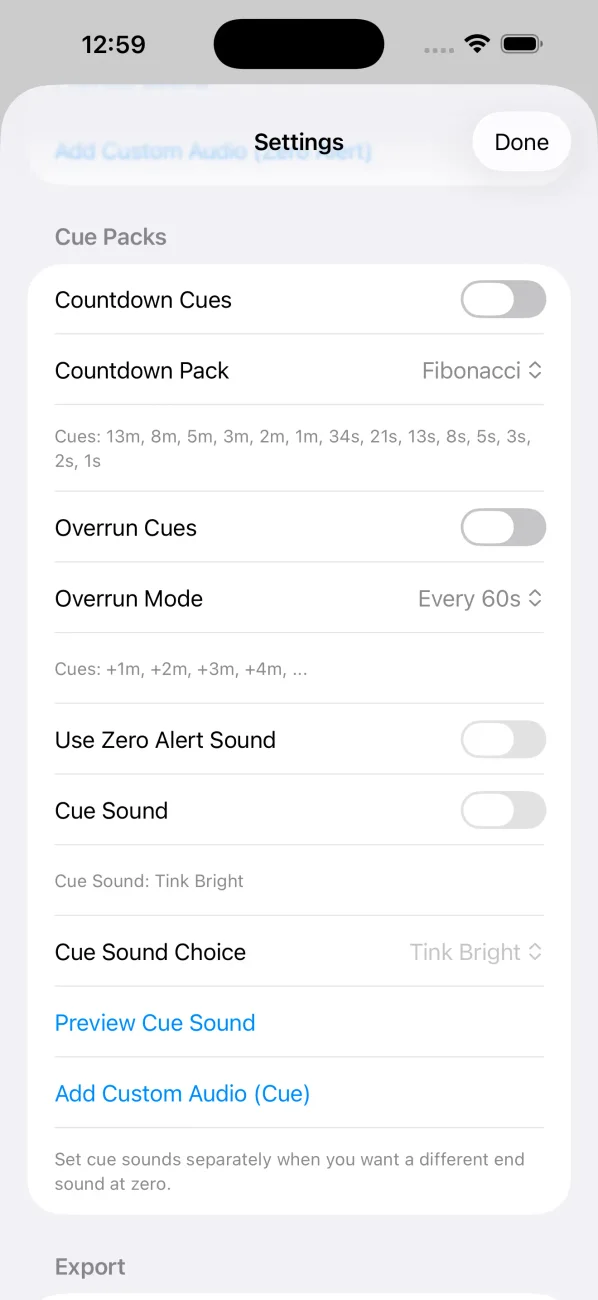
- Countdown cues with selectable cue packs, including **Fibonacci**
- Overrun cues by every 15s, every 30s, every minute, or Fibonacci
- Optional haptic alerts and sounds
- **Flexible session support**
- Add lap markers during a session
- Save sessions manually or with auto-save rules
- Set session thresholds and completion requirements for auto-save
- **Notes and history**
- Optional session notes and per-lap notes
- Default note templates
- Session history list with detail, edit, and delete options
- Export sessions as text or CSV
- **Meeting and production friendly**
- Clear Start/Pause/Reset controls
- Persisted settings and state across launches
- Local notifications when countdown reaches zero
## Extra
- Optional one-time support purchase to remove support prompts (no subscription)
Great for timed speaking, live presentations, talks, classes, debate segments, and production workflows where **“how far over target”** is just as important as hitting the mark.
What’s new
Version 1.1 · Oct 31, 2026
- New: Stop at Zero holds the timer at 0:00 until you reset it.
- New: Always Dark keeps OverRun dark even when your iPhone is in Light Mode.
- New: Change Background at Zero lets you choose Invert, Deep Red, or Deep Amber. Screen blips match Deep Red and Deep Amber.
- Contact Support emails now start with the cursor at the top.
App privacy
What Stephen Zinn declares on the App Store about how this app handles data.
-
Data not collected
The developer does not collect any data from this app.
Privacy practices may vary, for example with the features you use or your age.
Information
- Seller
- Stephen Zinn
- Category
- Productivity
- Version
- 1.1
- Updated
- Oct 31, 2026
- Released
- Mar 27, 2026
- Size
- 4.2 MB
- Requires
- iOS 18.0 or later
- Age rating
- 4+
- In-app purchases
- Yes
- Languages
- English
- Copyright
- © 2026 Stephen Zinn. All rights reserved
You might also like
-
 Segue: Stage TimerSpeaker countdown & remote
-
 Divvy TimeWork timer with earned breaks
-
 Countdown Timer NanoMinimalist Countdown Timer
-
 TimeConsole: Focus TimerA console timer for habits
-
 NorakindStop ADHD Task Shame
-
 Ten ThreeA simple 10/3 focus timer
-
 Purnote — Plain Markdown NotesFiles you own, in iCloud Drive
-
 Time Journal: Time TrackerWhere your hours actually go?
-
 Flowmodoro: Focus Study TimerPomodoro, Flowtime & Blocker
-
 MinimalFocusTimerProductivity