
Segue: Stage Timer
Speaker countdown & remote
Designed for iPhone, iPad
Free · In-app purchases
- Age rating4+
- CategoryProductivity
- DeveloperCedric Deal
- LanguagesEnglish
- Size1.1 MB
Links to the official App Store page
Download.org hosts no file of Segue: Stage Timer. The button opens its official App Store page, published by Cedric Deal. Listing last checked on Nov 23, 2026.
Screenshots
About
Segue keeps every speaker on time.
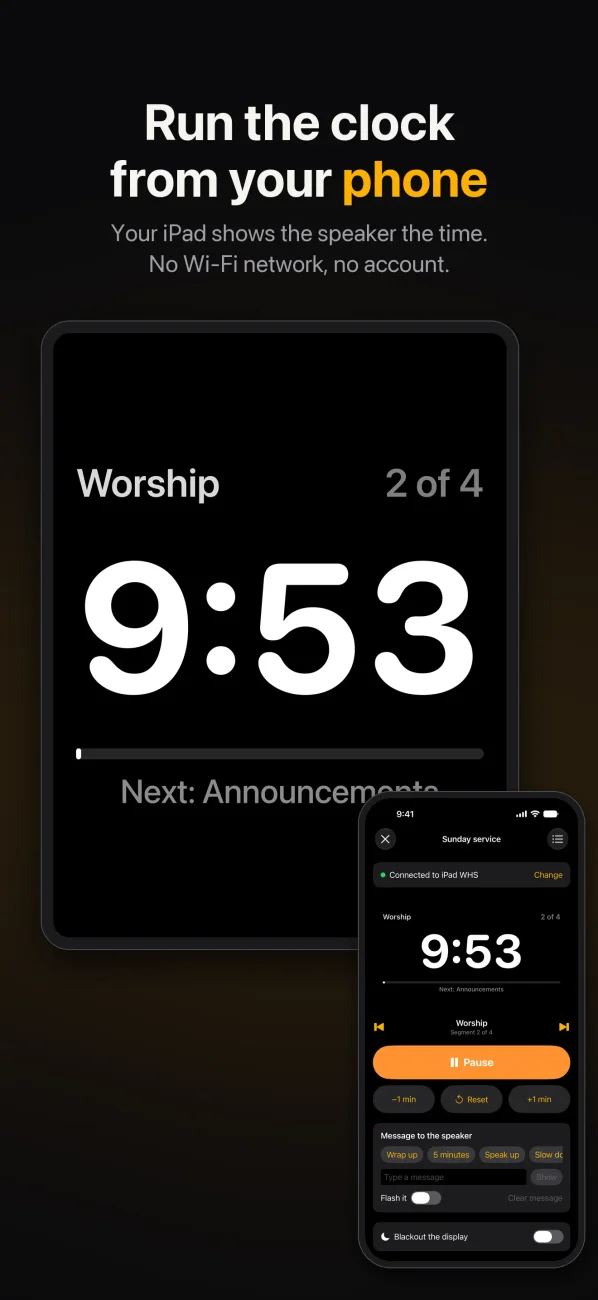
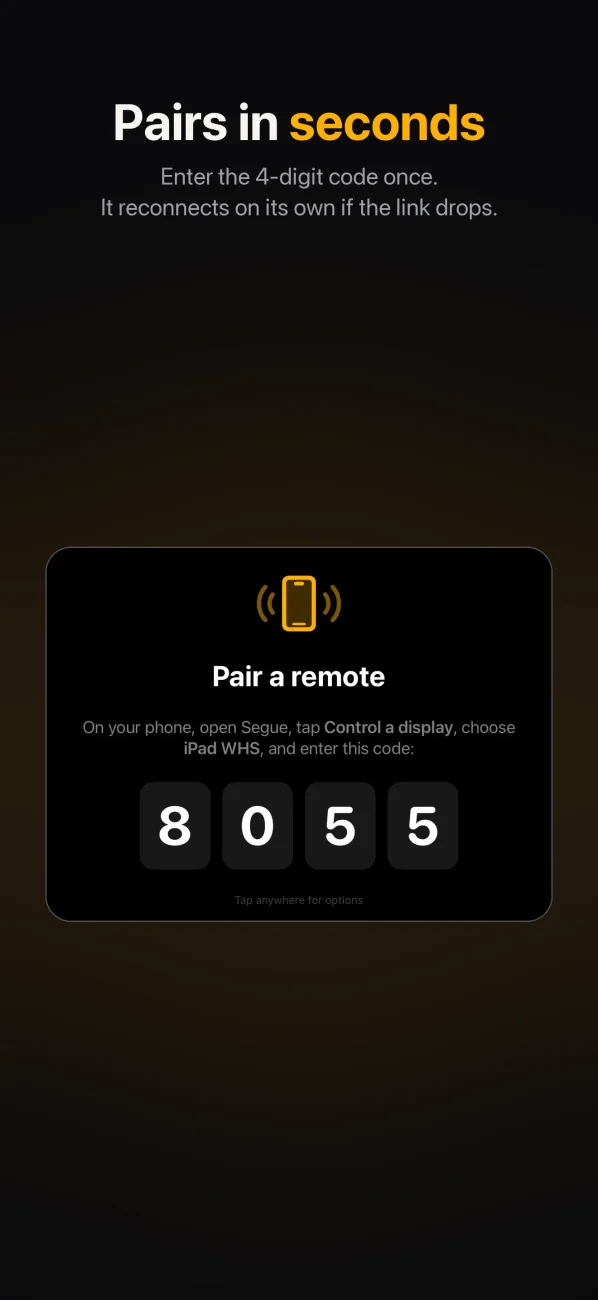
Stand an iPad where the speaker can see it and run the clock from your iPhone, anywhere in the room. The two devices connect directly to each other, so there's no Wi-Fi network to join, no account to create and no link to share. Pair once with a four-digit code, and Segue reconnects on its own if the link drops.
BUILT FOR WHOEVER IS RUNNING THE ROOM
• Church services: worship, announcements, the message
• Conferences, panels and keynotes
• Podcasts and livestreams
• Meetings, workshops and speech clubs
A CLOCK SPEAKERS ACTUALLY NOTICE
• A huge countdown that reads from across the stage
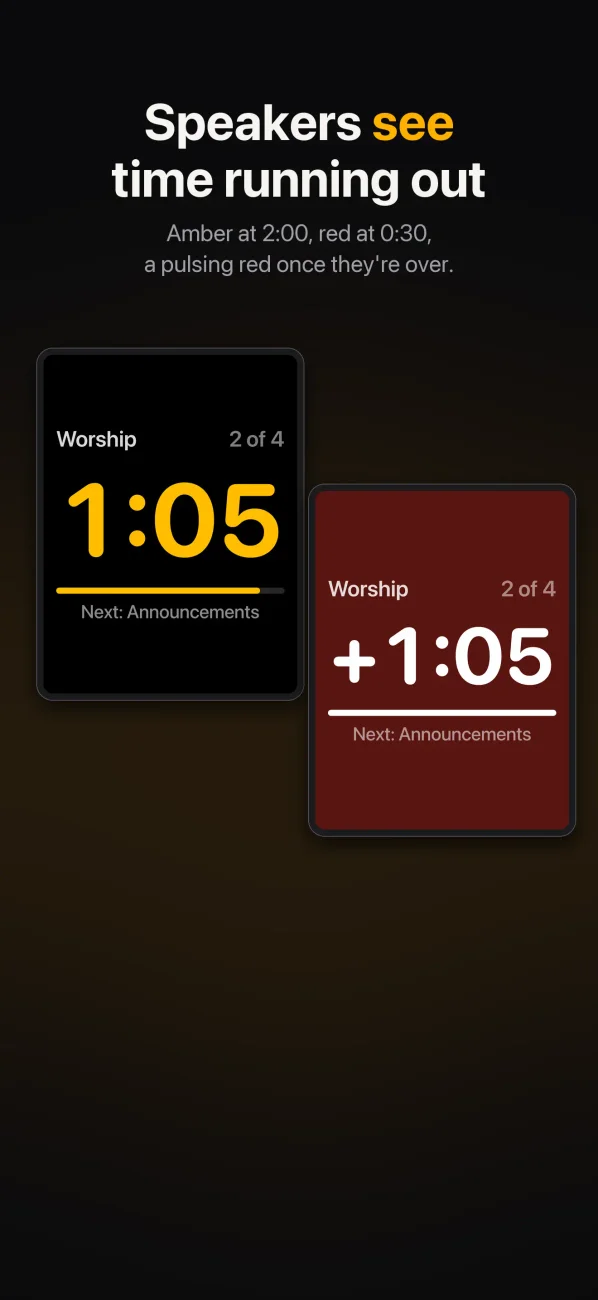
• Turns amber with 2 minutes left and red at 30 seconds
• Over time, the screen pulses red and counts up, so everyone knows by how much
• Shows what's next, so handoffs are smooth
RUN IT FROM YOUR PHONE
• Start, pause, reset, and add or take away a minute
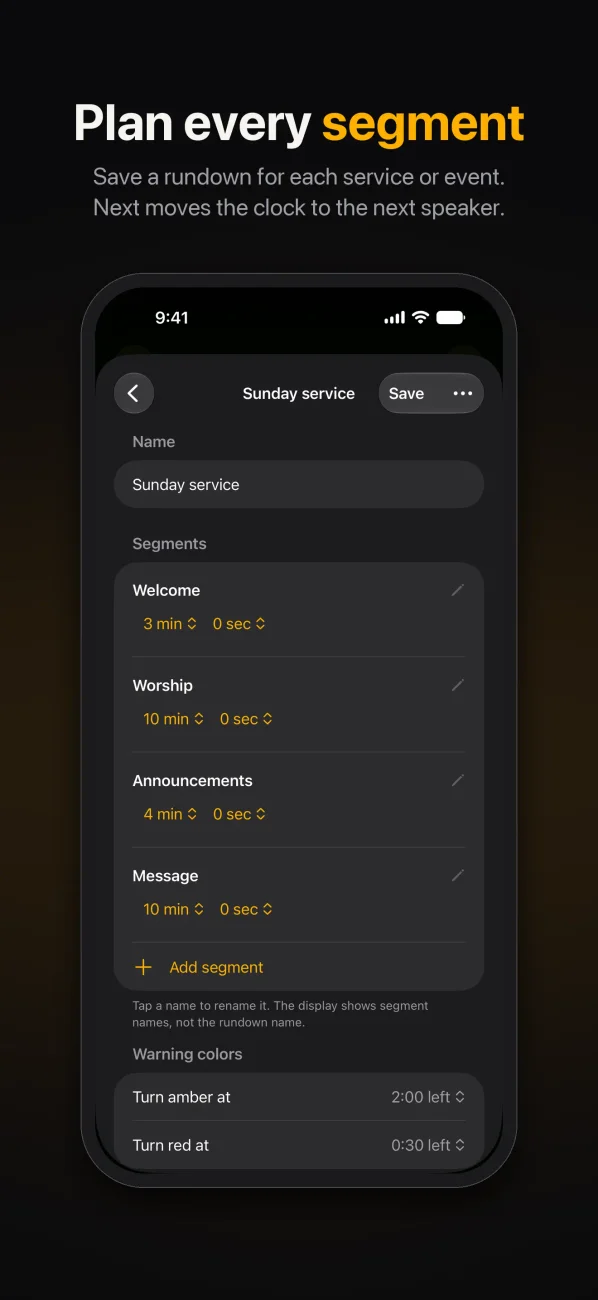
• Next moves straight to the following speaker with their full time
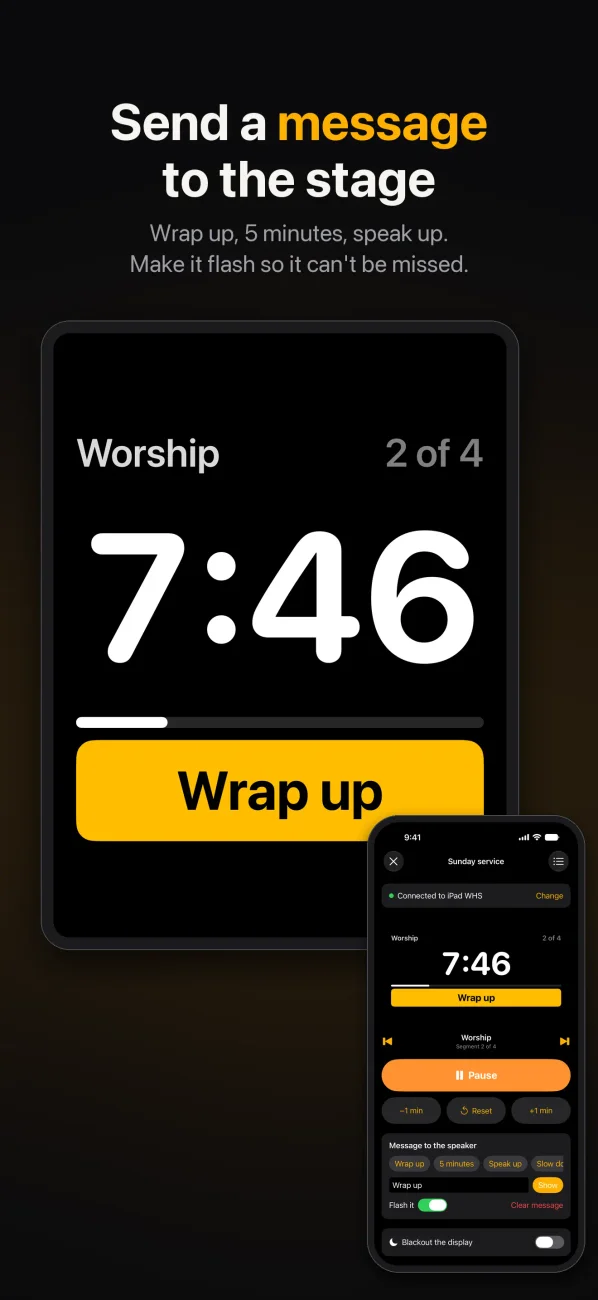
• Send a message to the stage, like “Wrap up”, “5 minutes” or your own, and make it flash so it can't be missed
• Black out the display between segments
RUNDOWNS
Save the running order for each service or event, then load it with one tap.
ONE DEVICE IS FINE TOO
No second device? Choose “Use this device only” to show the clock full screen and control it from the same device.
IF THE CONNECTION DROPS
The display keeps counting on its own, so the speaker never sees a frozen clock, and your phone reconnects automatically.
SEGUE PRO: ONE PURCHASE, NO SUBSCRIPTION
Free: segments up to 10 minutes, 2 saved rundowns and standard warning times.
Pro: segments up to 3 hours, unlimited rundowns, and your own amber and red warning times.
PRIVATE BY DESIGN
No account, no ads, no tracking. Your rundowns stay on your device.
What’s new
Version 1.0.2 · Nov 19, 2026
• Lectern mode for iPhone Duo: half-open your Duo and the clock sits above the fold with your controls below, so you can time yourself at the lectern
• Rundown edits now save however you leave the editor
• New Help & feedback link on the home screen
App privacy
What Cedric Deal declares on the App Store about how this app handles data.
-
Data not collected
The developer does not collect any data from this app.
Privacy practices may vary, for example with the features you use or your age.
Information
- Seller
- Cedric Deal
- Category
- Productivity
- Version
- 1.0.2
- Updated
- Nov 19, 2026
- Released
- Oct 21, 2026
- Size
- 1.1 MB
- Requires
- iOS 17.0 or later
- Age rating
- 4+
- Price
- Free
- In-app purchases
- Yes
- Languages
- English
- Copyright
- © 2026 Cedric Deal
You might also like
-
 Cadence: Stage Timer & ClockSpeaker countdown & TV display
-
 Ten ThreeA simple 10/3 focus timer
-
 SpeakerTimer: Stage ClockStage countdown for speakers
-
 Wane TimerVisual progress bar timer
-
 OverRun: Presentation TimerSpeech countdown with overtime
-
 Presentempo Presentation TimerSpeech & talk clock with Watch
-
 Countdown Timer NanoMinimalist Countdown Timer
-
 Speech Timer PRO Speaker ClockPresentation Countdown Timer
-
 BbigTimerTimer with screen-on & clock
-
 GN Auracast+Productivity