
PaceSpender: Spending Tracker
Budget, expense & bill manager
Designed for iPhone
In-app purchases
- Age rating+4
- CategoryFinance
- DeveloperTuan Dat Nguyen
- LanguagesPortuguese+ 9 more
- Size25.8 MB
Links to the official App Store page
Download.org hosts no file of PaceSpender: Spending Tracker. The button opens its official App Store page, published by Tuan Dat Nguyen. Listing last checked on Nov 20, 2026.
Screenshots
About
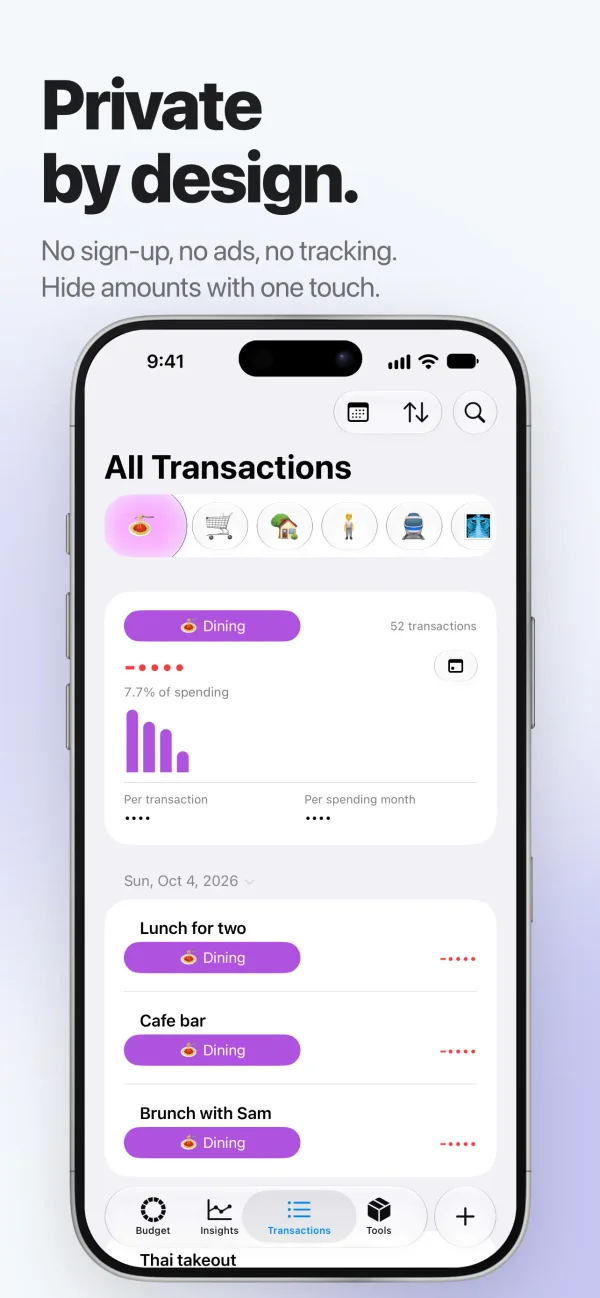
PaceSpender helps you stay on pace with your money. Log a purchase in seconds, set budgets that are easy to change, and always know how much is left this month, all in a clean, minimal app with no account, no ads and no tracking.
QUICK ENTRY
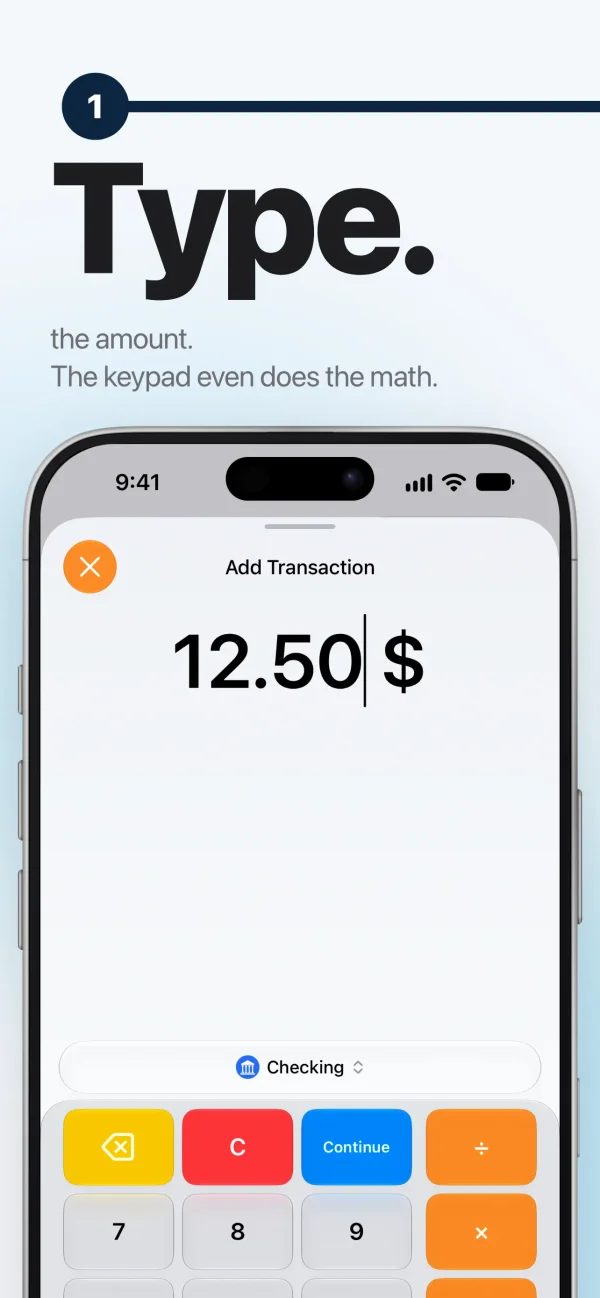
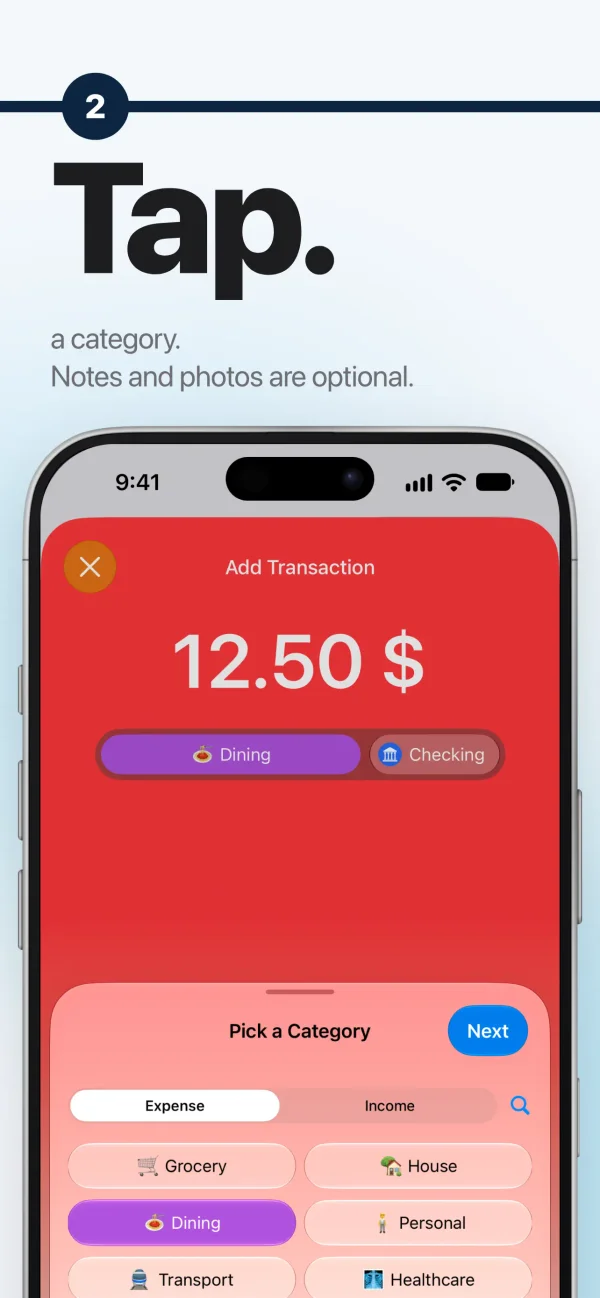
• Add a purchase in three steps: amount, category, save
• The built-in calculator keypad does the math as you type
• Smart suggestions from your past descriptions
• Add dates, notes and up to 3 receipt photos
BUDGETS THAT KEEP YOU ON PACE
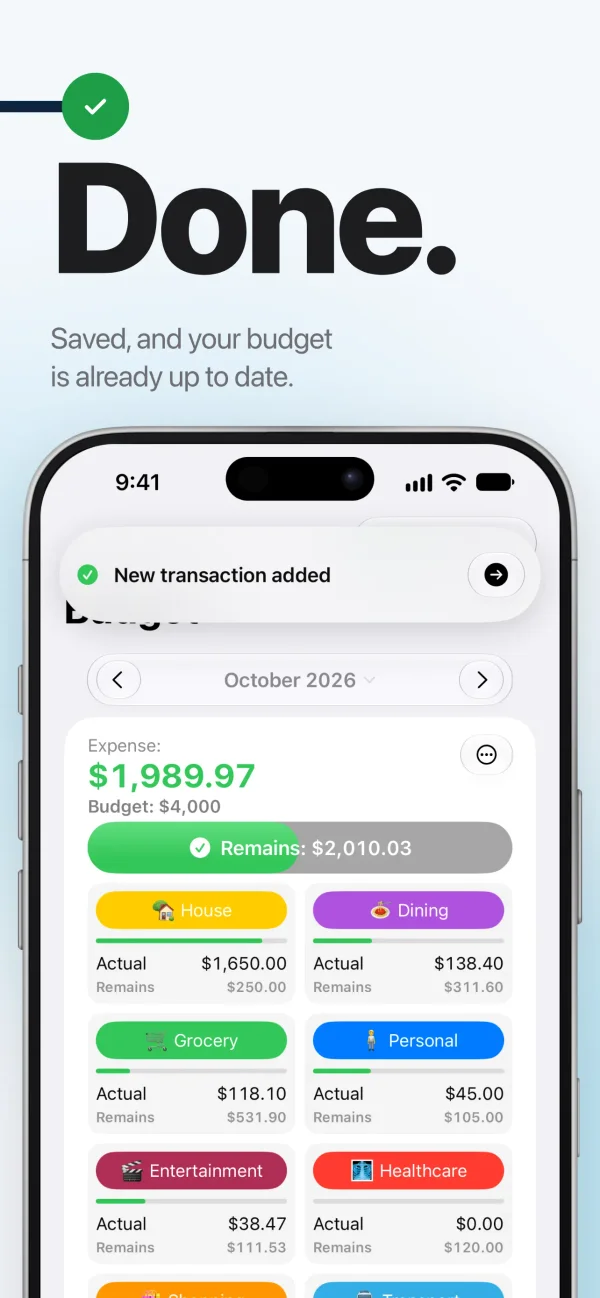
• Set a monthly budget and a budget for each category
• Adjust any budget in a few taps, or copy last month's
• Color-coded progress warns you before you overspend
• The Budget tab icon warns you at 90% of your monthly budget, or the percentage you pick
• Upcoming recurring payments are counted, so you can see your projected spending for the month
INSIGHTS
• See where your money goes with clear, interactive charts
• Category breakdowns, daily averages and spending timelines
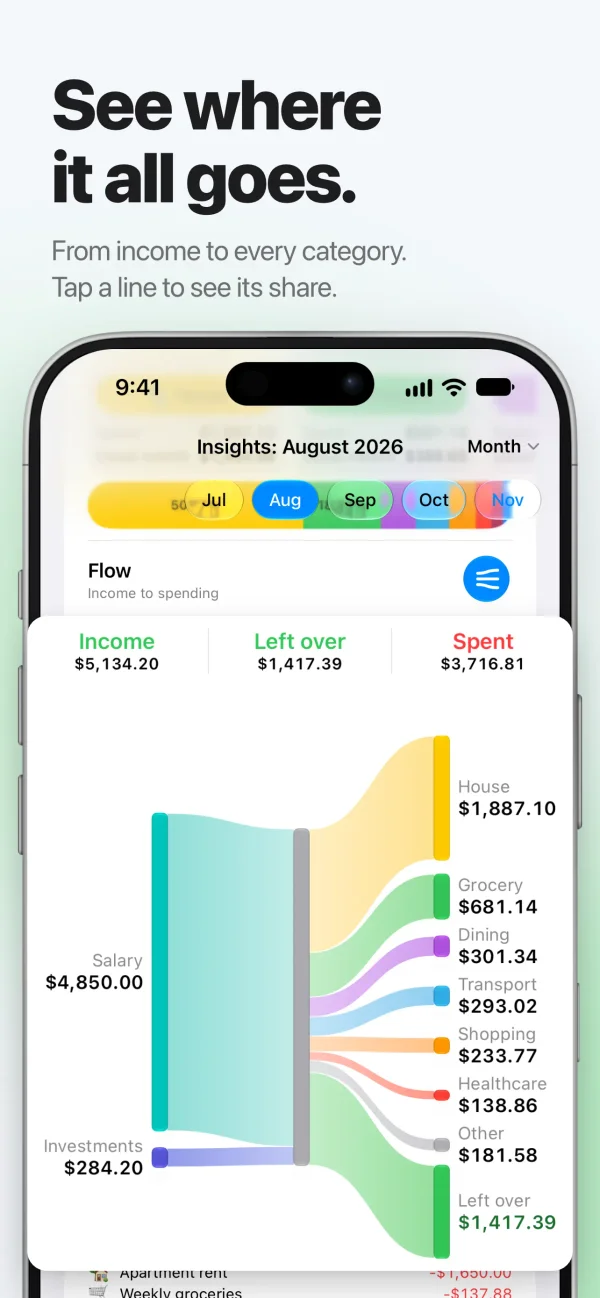
• Income vs. spending, how your income flows to each category, and month-over-month comparisons
• Your largest expenses at a glance
RECURRING PAYMENTS
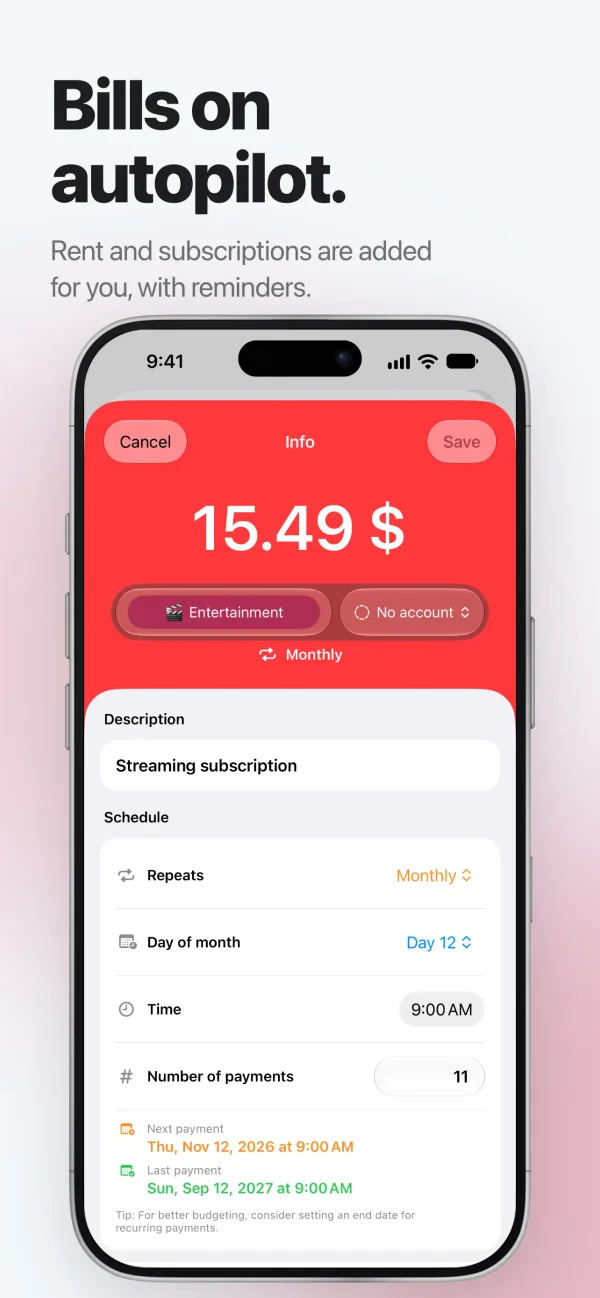
• Schedule rent, subscriptions and bills daily, weekly or monthly
• Payments are added for you, with optional reminders
• Skip a payment or pay early whenever you need
AUTOMATIC CARD PAYMENTS
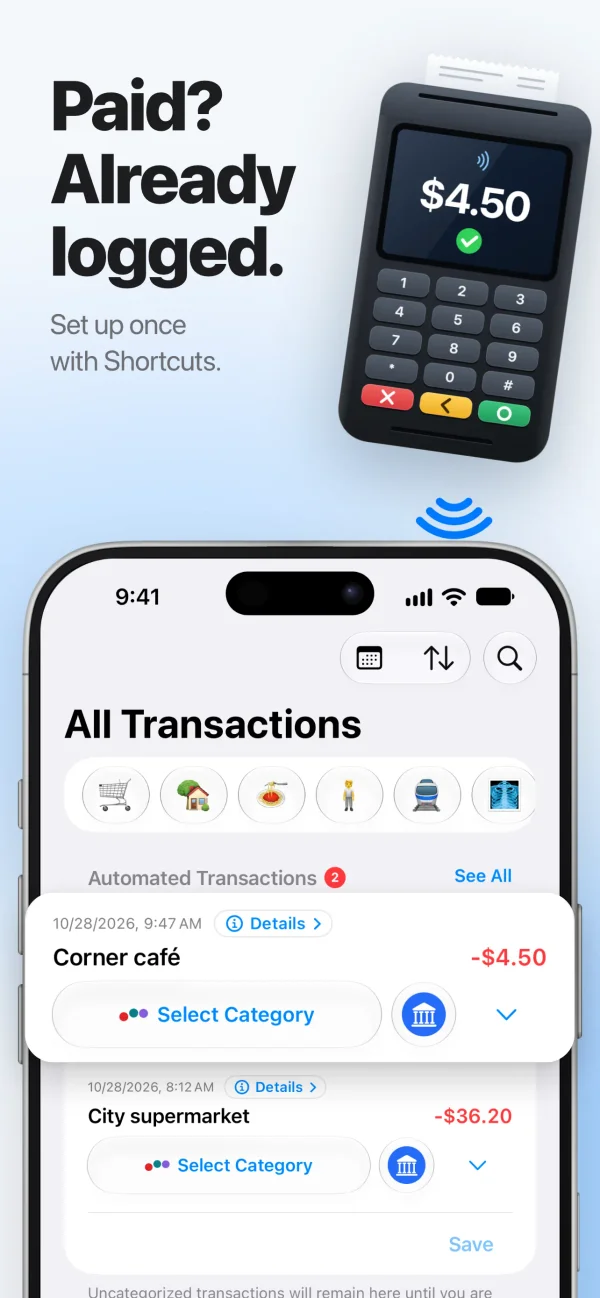
• Set up a Shortcuts automation once, and contactless payments made with your iPhone arrive in PaceSpender automatically
• Review them in one list and pick a category
• Automatic capture relies on a Shortcuts automation and iOS, so some payments may not be recorded
WIDGETS
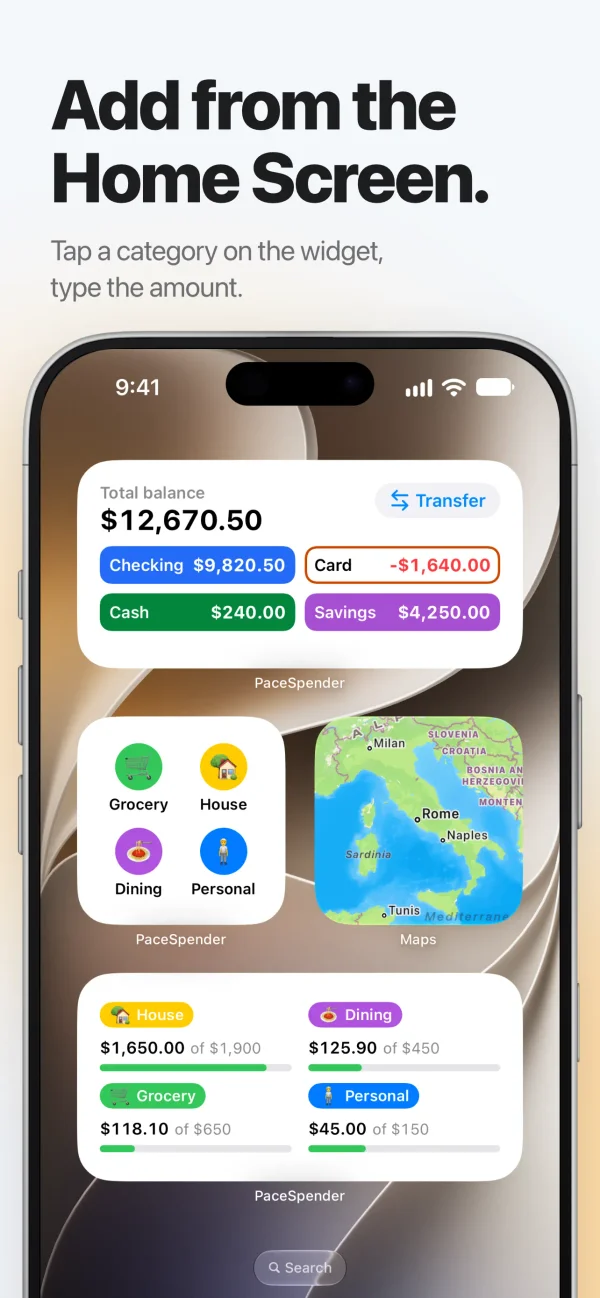
• Add PaceSpender widgets to your Home Screen and see your month at a glance, including projected spending
PRIVATE BY DESIGN
• No sign-up, no ads, no analytics
• PaceSpender never connects to your bank and never stores card details
• Your data stays on your device and in your own iCloud
• Automatic daily iCloud backup, so you can restore everything anytime, even on a new iPhone
MADE FOR YOU
• Ready-to-use categories, or create your own with emoji and colors
• Any currency, with or without cents
• Import transactions from your bank's CSV file and export your full history
• Get Started, on the Budget tab, walks you through setup, and tips point out features as you go
• Available in English, Italian, Spanish, French, Chinese, Vietnamese, Japanese, Korean, Portuguese and German
FREE AND PRO
PaceSpender is free to download and use for up to 350 transactions, 12 categories, 2 active recurring payments, 2 accounts and 100 rows per CSV import. Viewing, searching, exporting, deleting, backing up and restoring your data are always free.
PaceSpender Pro removes these limits with one annual subscription, and new subscribers can try it free for 1 week. Payment is charged to your Apple Account when the free trial ends, or at confirmation of purchase if no trial applies. The subscription renews automatically unless cancelled at least 24 hours before the end of the current period, and your account is charged for renewal within 24 hours before the period ends. You can manage or cancel your subscription anytime in your Apple Account settings.
Terms of Use: https://www.apple.com/legal/internet-services/itunes/dev/stdeula/
Privacy Policy: https://pacespender.click/privacy
What’s new
Version 1.5 · Nov 19, 2026
A new Insights, your accounts as cards, and your balance over time.
• A new Overview in Insights: your month as tiles in your categories' colors, with one sentence on how it compares. Tap a day to see its purchases, pick a category, or switch to Year and All
• Tap the + after the sentence for more at a glance: what you would spend by the end of the month at this pace, your biggest day, your top category and your days without spending. Tap ⓘ to see how the estimate is worked out
• Flow in Insights: tap the new button beside Timeline to see your income flow into each category, with what's Left over or what you're Short by. Tap any line for its share and its transactions
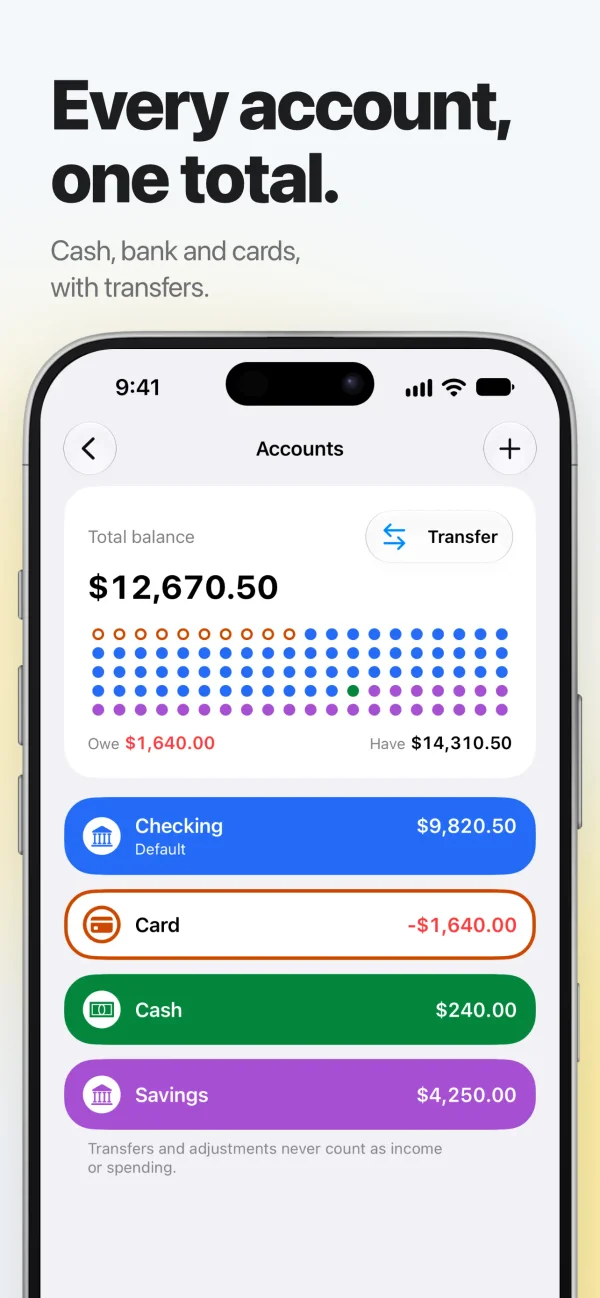
• Balance History: on the Accounts screen, open Balance History in the Total balance card to see your total and each account by day, week or month
• Accounts as cards: switch to cards with the button at the top of the Accounts screen and swipe through your accounts, each with its latest transactions
• iPhone Duo: opened, every tab makes use of the big screen, with its parts side by side
• Insights' charts show what you tap the same way everywhere, and amounts stay whole at large text sizes
• Plus fixes
App privacy
What Tuan Dat Nguyen declares on the App Store about how this app handles data.
-
Data not collected
The developer does not collect any data from this app.
Privacy practices may vary, for example with the features you use or your age.
Information
- Seller
- Tuan Dat Nguyen
- Category
- Finance
- Version
- 1.5
- Updated
- Nov 19, 2026
- Released
- Oct 28, 2026
- Size
- 25.8 MB
- Requires
- iOS 26.5 or later
- Age rating
- +4
- In-app purchases
- Yes
- Languages
- Portuguese, German, Simplified Chinese, Korean, Spanish, French, English, Italian, Japanese, Vietnamese
- Copyright
- © 2026 Tuan Dat Nguyen
You might also like
-
 Caderneta: finanças da casaFinance
-
 Conto in Tasca: Spese e BudgetFinance
-
 Gestione Casa: BolletteFinance
-
 COT Pulse - Forex SentimentCFTC Commitment of Traders
-
 Spenso: Expense TrackerReceipt scanner & spending log
-
 Sugar Money: Gestione SpeseFinance
-
 Expense Tracker - BudgetPalTrack expenses, set budgets
-
 MyPersFinanceFinance
-
 The Smart BudgetExpense Tracker, No Bank Login
-
 FlowBudget: Expense TrackerBudget Planner & Money Manager