Pairbox: Pairing Code Vault
Back up Matter & HomeKit codes
Designed for iPhone, iPad, Mac
Free · In-app purchases
- Age rating4+
- CategoryUtilities
- DeveloperYoga Sai Krishna Koneru
- LanguagesEnglish
- Size9.6 MB
Links to the official App Store page
Download.org hosts no file of Pairbox: Pairing Code Vault. The button opens its official App Store page, published by Yoga Sai Krishna Koneru. Listing last checked on Nov 14, 2026.
Screenshots

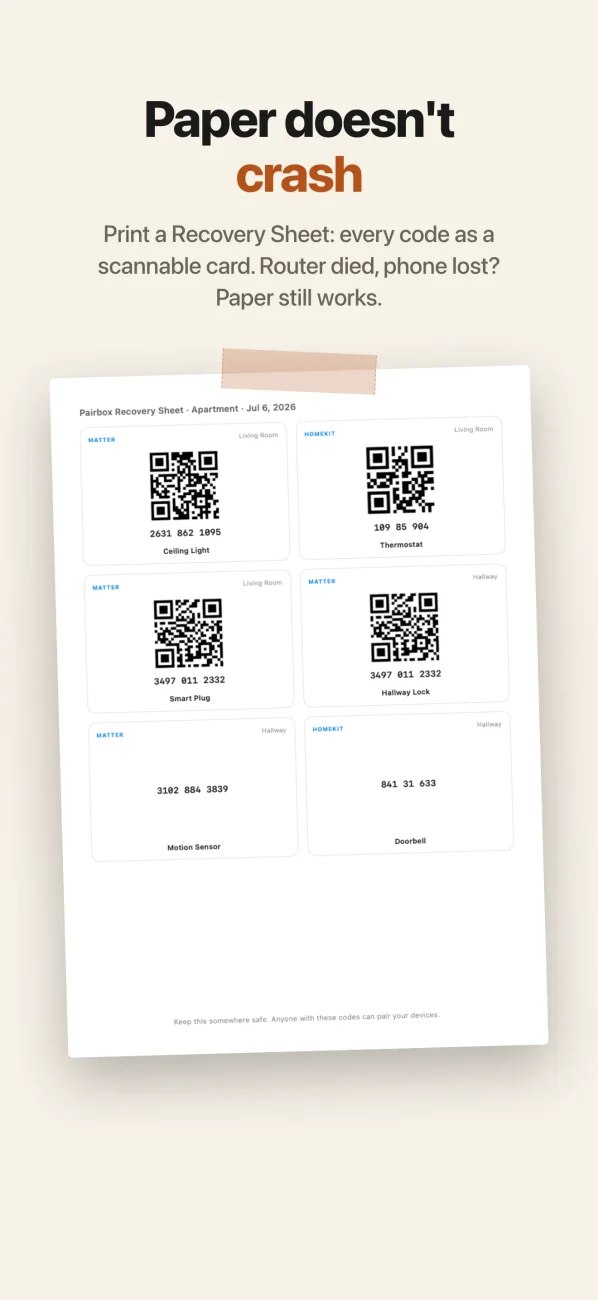

About
Every smart home device has a pairing code. It is printed on a sticker, the sticker is on the box, and the box went out with the recycling. The day your hub dies, your Wi-Fi changes, or you switch ecosystems, that code is the only way back in. Pairbox makes sure you still have it.
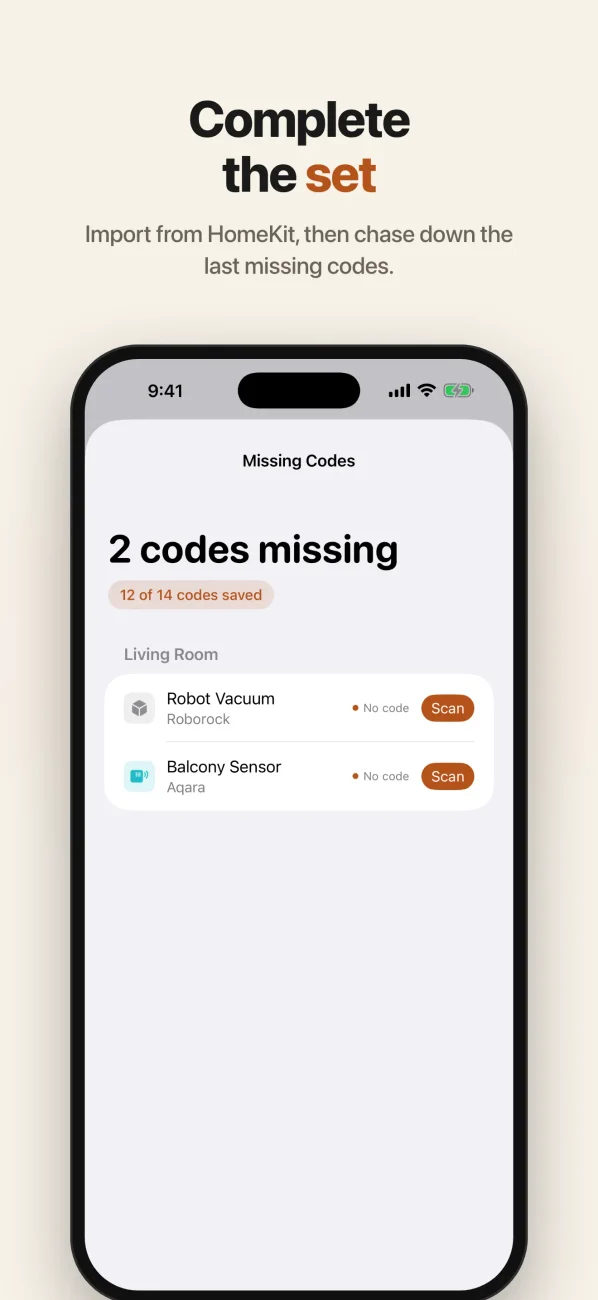
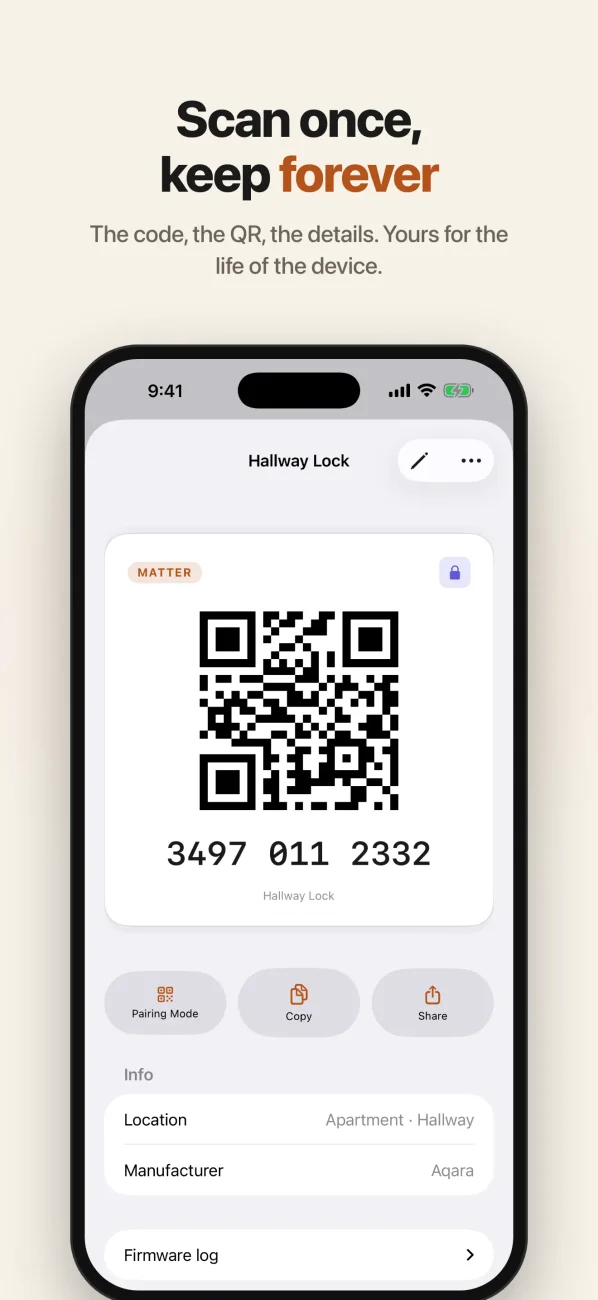
Point the camera at any Matter or HomeKit sticker. Pairbox saves the code, a photo of the sticker, and the device details in seconds. Import your accessories from HomeKit, and the Missing Codes checklist shows exactly which devices still need their sticker scanned, room by room, until your whole home is backed up.
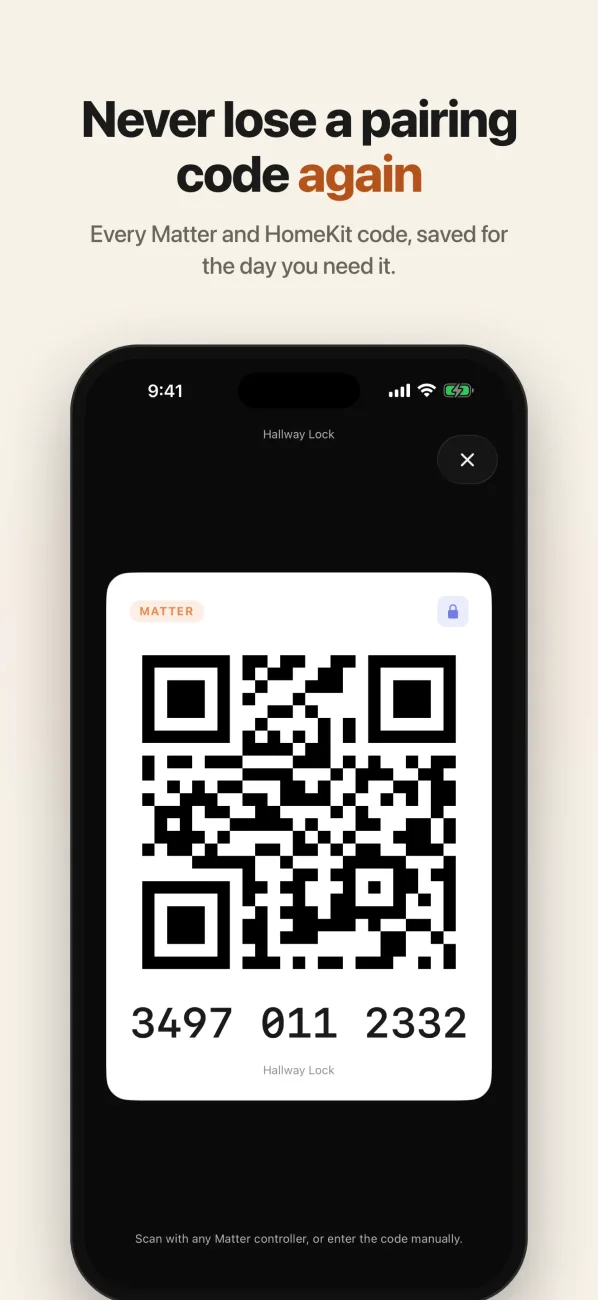
When it is time to re-pair, one tap opens Pairing Mode: your screen becomes the sticker, at full brightness, with a maximum-size QR code any controller can scan. It works in airplane mode, because pairing usually happens when the network is down.
WHAT'S IN THE BOX
• Scan Matter and HomeKit stickers with the camera, or import a photo
• Import your devices and rooms from HomeKit in one tap
• Missing Codes checklist: see what is saved and what is not, room by room
• Pairing Mode: a full-brightness, scannable code card that works offline
• Sticker photos, serial numbers, and firmware notes on every device page
• Search by name, brand, or room
• App Lock with Face ID or Touch ID, free for everyone
• Your vault on iPhone, iPad, and Mac, synced through your own iCloud
PAIRBOX PRO, ONE PURCHASE
Your first five devices are free, forever. One small one-time purchase unlocks everything else. No subscription, ever.
• Unlimited devices and multiple homes
• Recovery Sheet: print every code as a scannable card and keep paper as your last line of defense
• Export your vault as JSON or CSV
• Write a code to an NFC tag and stick it on the device itself
• Alternate app icons Family Sharing is included, so one purchase covers your household.
PRIVATE BY DESIGN
Pairbox has no servers, no accounts, and no analytics. Your codes live on your devices and sync through your personal iCloud, which we cannot read. The App Store privacy label says Data Not Collected, because there is nothing to collect.
AT HOME ON EVERY SCREEN
On iPad and Mac, Pairbox becomes a full three-column vault. Drag a sticker photo onto the Mac window to import it. Show a pairing code in its own window while you re-pair from the couch.
Questions or ideas? Write to hello@getpairbox.com. Pairbox is made by one person in the Netherlands, and I answer my email.
App privacy
What Yoga Sai Krishna Koneru declares on the App Store about how this app handles data.
-
Data not collected
The developer does not collect any data from this app.
Privacy practices may vary, for example with the features you use or your age.
Information
- Seller
- Yoga Sai Krishna Koneru
- Category
- Utilities
- Version
- 1.0
- Updated
- Jul 14, 2026
- Released
- Jul 14, 2026
- Size
- 9.6 MB
- Requires
- iOS 26.0 or later
- Age rating
- 4+
- Price
- Free
- In-app purchases
- Yes
- Languages
- English
- Copyright
- © 2026 Sai Koneru
You might also like
-
 Home Response LabSmart accessory latency tests
-
 Magnet PocketFind magnet links
-
 Authenticator: 2FA & Passwords2FA codes & password vault
-
 DashKit: Home DashboardYour home, at a glance
-
 BedderJetBLE or Home Assistant control
-
 Sannounce: Intercom for SonosVoice announcements at home
-
 DNS Checker/Whois & IP LookupFast DNS, Whois & IP lookup.
-
 MQTT BLE BridgeUtilities
-
 EasyLabel PrintShipping Labels & Receipts
-
 Haven: Setup CodesBackup Your Smart Home Codes