
PandaWatch
Bambu Print Farm Dashboard
Designed for iPhone, iPad
Free · In-app purchases
- Age rating4+
- CategoryUtilities
- DeveloperMichael Saunders
- LanguagesEnglish
- Size54.9 MB
Links to the official App Store page
Download.org hosts no file of PandaWatch. The button opens its official App Store page, published by Michael Saunders. Listing last checked on Nov 14, 2026.
Screenshots



About
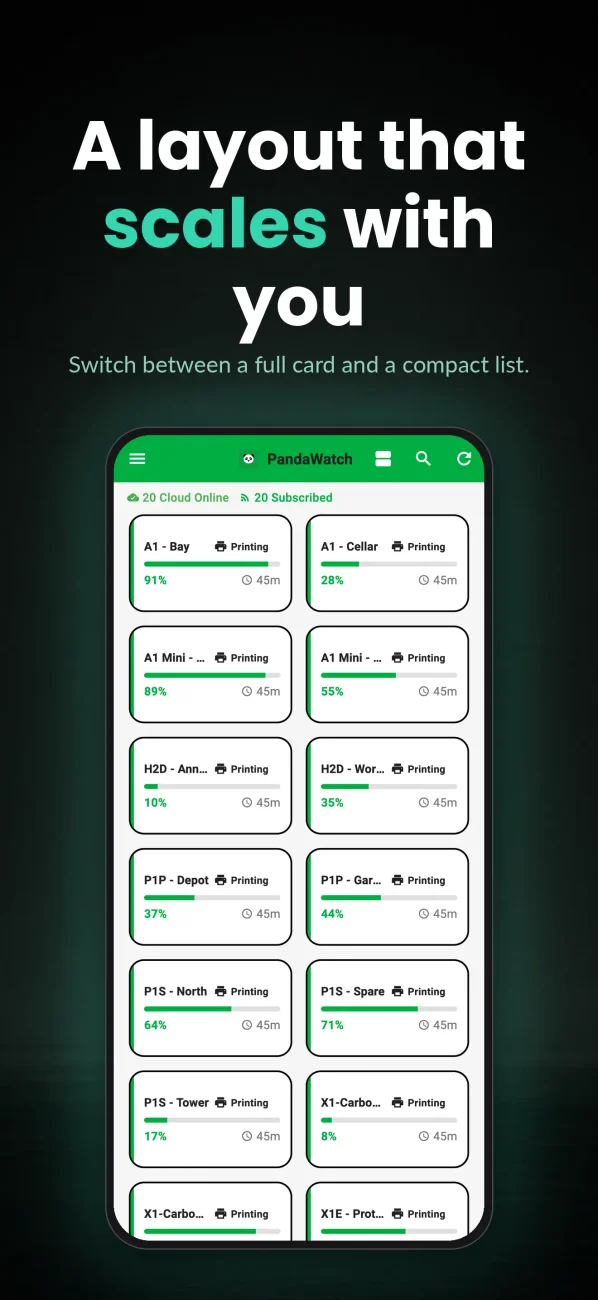
Stop walking to the printer room. PandaWatch gives you live cameras, temperatures, filament status, and error alerts for every Bambu Lab printer you own — in one view, from anywhere.
Sign in with your Bambu Lab account, Google, Apple or Facebook and you're done. No IP addresses, no port forwarding, no setup wizard. One machine or twenty — it all just works.
KEY FEATURES
ZERO-SETUP FLEET MONITORING
Sign in and go. PandaWatch finds your printers automatically via your Bambu Lab account — no network setup. Several Bambu accounts? Add them all to one dashboard.
APPLE WATCH APP
A native watchOS app puts your fleet on your wrist — status, temperatures and progress at a glance, with watch-face complications.
MULTI-PRINTER LIVE ACTIVITIES (PRO)
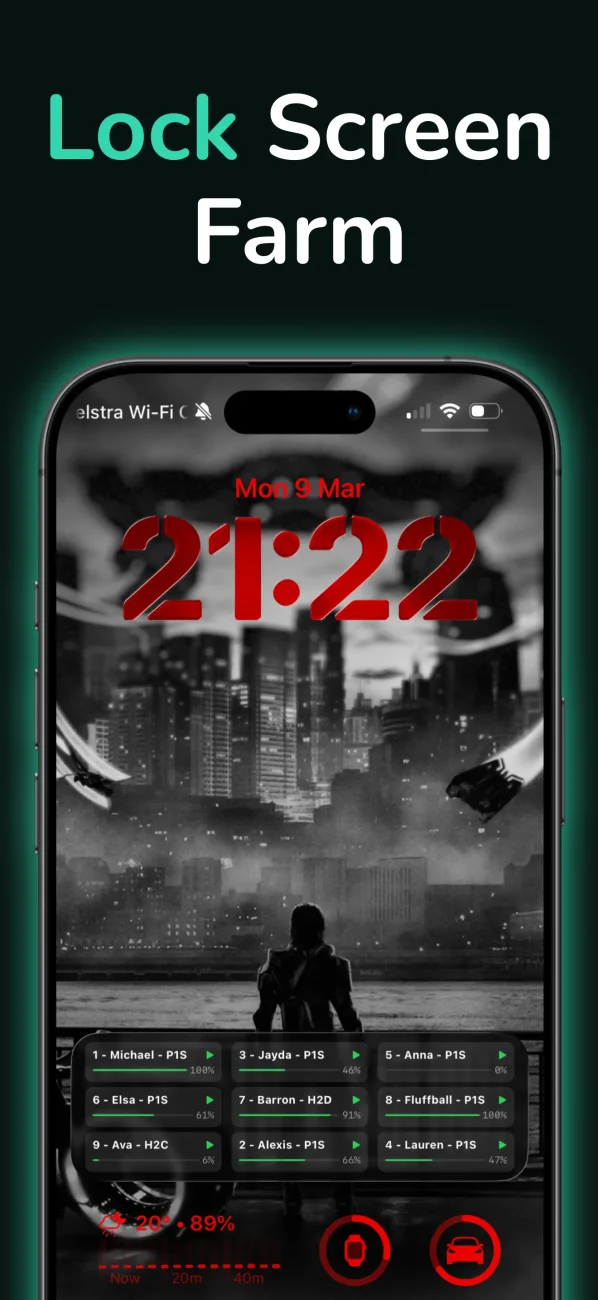
The first and only app to put your entire print farm on your Lock Screen and Dynamic Island. PandaWatch Pro supports up to 20 printers at once, with layouts for 4, 8, 12, 16 and 20-printer fleets, and one-tap access to any camera feed.
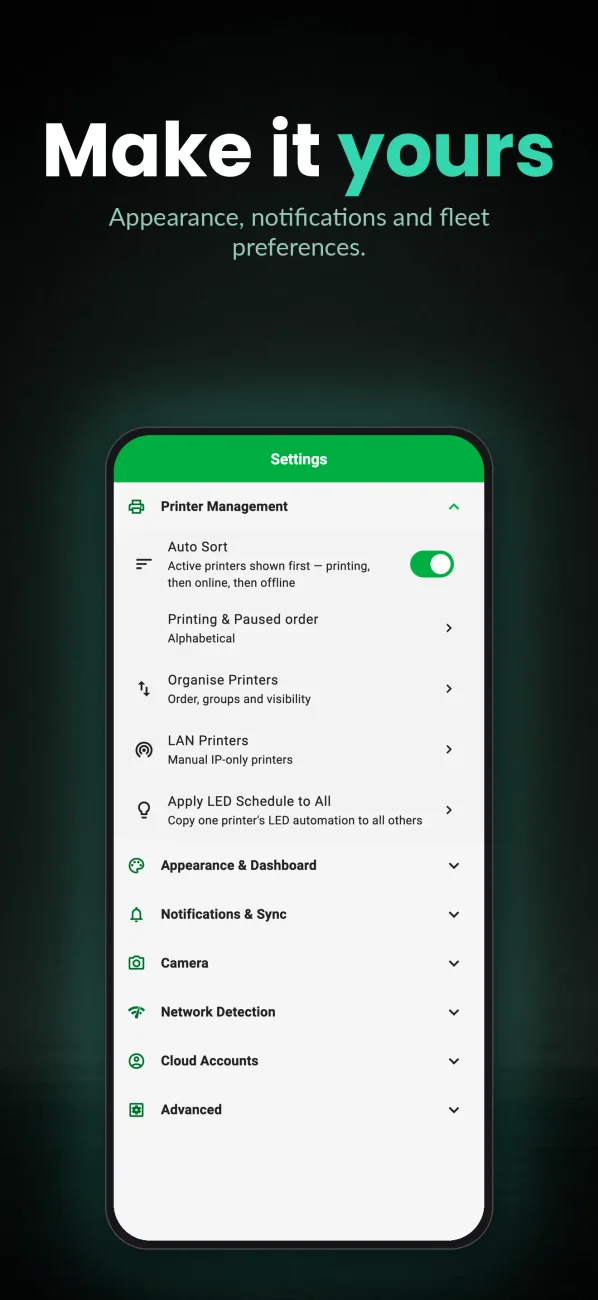
SMART AUTO-SORTING
Active printers rise to the top of your dashboard, so your busiest machines are always front and center.
SIRI & APP INTENTS
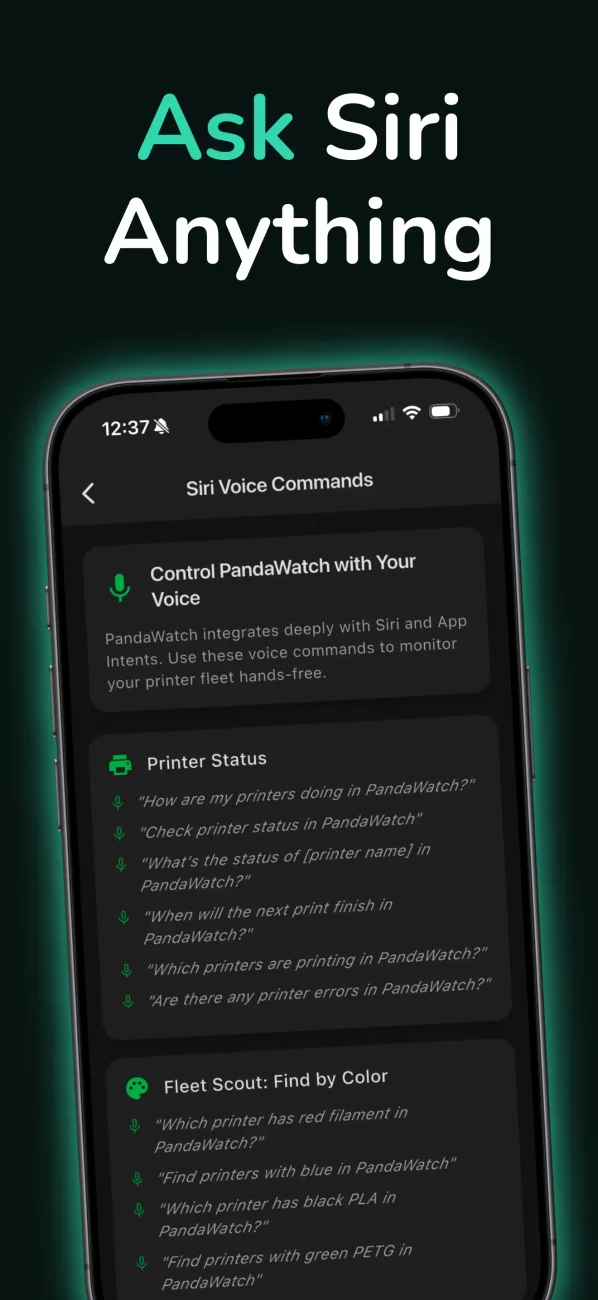
Ask Siri which printer has red PLA, which ones are low on filament, or when the next print finishes — without touching your phone.
AMS & FILAMENT DETAILS
Tap any AMS slot for full material details: drying time, weight, remaining percentage, and more, straight from the Bambu API, with full color visualization.
FLEET SCOUT
Need the one loaded with red PETG? Fleet Scout filters your fleet by filament color and material in seconds.
LIVE CAMERA DASHBOARD
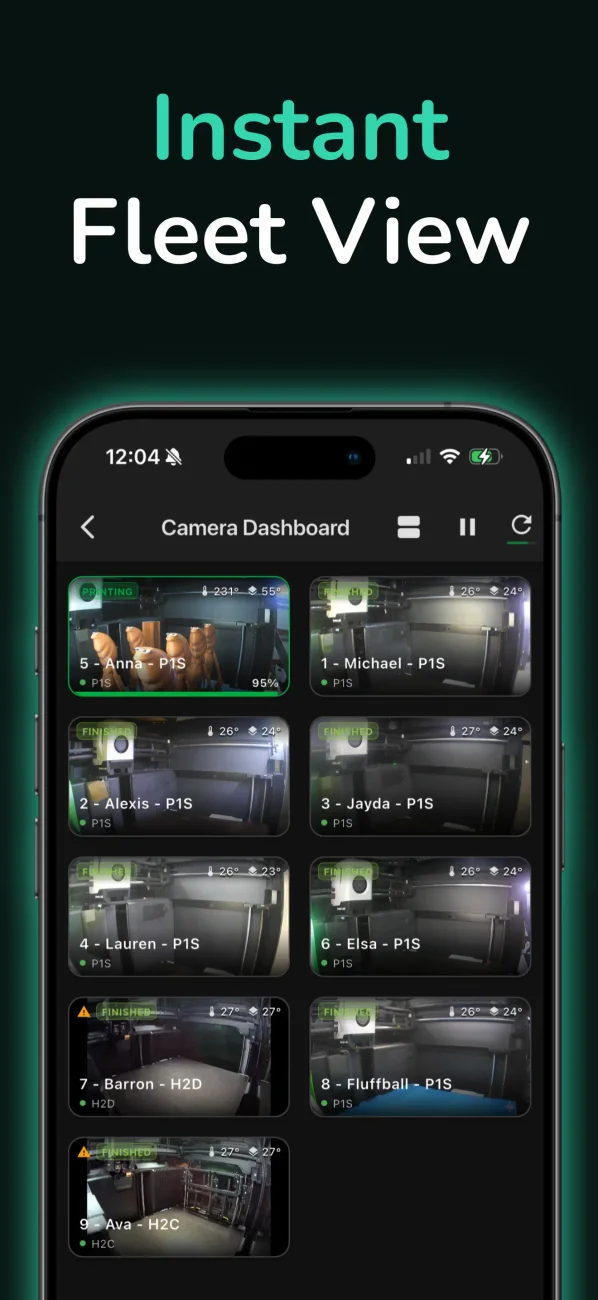
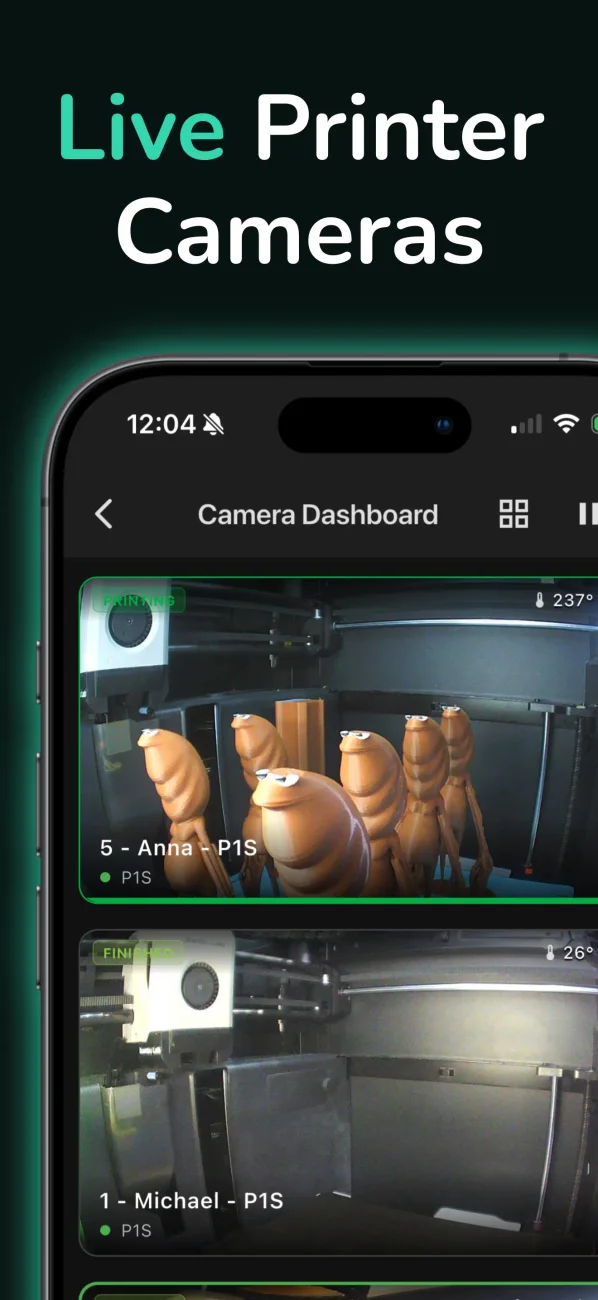
View your whole fleet at once with staggered loading and battery optimization. Hide overlay text, or go fullscreen with tap-to-dismiss controls. A1 and P1 owners can enable Camera Fast Mode for a higher-refresh feed.
ADVANCED DIAGNOSTICS
HMS error codes, temperatures, fan speeds and live layer progress. Dismiss an error per printer or across the fleet, copy a code, or browse the Code Explorer to see what each one means. If a camera won't connect, the app explains what to check on the printer.
FILE BROWSER
Browse your printer's SD card over FTPS. Preview 3MF files and images, and play back livestream captures. Supports X1, H2 and P2 series.
HOME SCREEN WIDGETS
Widgets update in the background so your home screen always shows current status, and Fleet Health gives an at-a-glance overview of everything. Filter by filament color, choose which printers appear, and tap to jump straight in.
IPAD DASHBOARD
A proper desktop-class layout that uses the extra screen space — not a stretched phone view. Leave it running on a shelf as a dedicated monitoring display.
AVAILABLE IN 10 LANGUAGES
English, German, Spanish, French, Italian, Japanese, Korean, Portuguese, Brazilian Portuguese and Simplified Chinese, with translated printer error messages. Bambu Lab accounts in the China region are fully supported.
ACCESSIBILITY
VoiceOver support across printer cards, camera feeds, AMS swatches and progress bars. Transitions respect Reduce Motion.
PRICING
The core app is free — not "free for 3 days" free, but actually free for unlimited printers, forever. Cameras, diagnostics, widgets, Siri, Fleet Scout and AMS details — no fleet size limit, no cost.
The one paid feature is multi-printer Live Activities on your Lock Screen. Up to two printers is free; PandaWatch Pro unlocks up to 20 at once for a one-time $3.99 — no subscription, no expiry. Fleet size stays unlimited either way.
SUPPORTED MODELS
Compatible with the entire Bambu Lab family: X1 Carbon, X1E, P1S, P1P, A1, A1 Mini, H2, P2 and X2D series.
Note: Camera streaming and file browsing need a local network connection. Cloud monitoring works anywhere.
What’s new
Version 1.7.5 · Nov 12, 2026
A stability and polish release — dozens of fixes across the dashboard, cameras, widgets and Apple Watch.
• Previews — the right image for the current job loads reliably, even with non-English or symbol-filled filenames.
• Cameras — clear guidance when LAN Liveview is off, a real timeout instead of an endless spinner, no "8 streams" errors on big fleets, and reliable background refresh.
• Apple Watch — complications finally install, printer data syncs the moment you open the app, and a fault shows red with its Bambu code, not a gray "Paused".
• Widgets & Live Activities — status colors match the app, progress is right for paused, failed and finished prints, and "Offline" shows only with real evidence.
• Sign-in — "Continue with Apple" now works for passkey-protected Bambu accounts.
• Smart Analytics no longer crashes in Dutch, Polish, Russian, Hungarian or Swedish.
Thanks for the feedback — keep it coming.
App privacy
What Michael Saunders declares on the App Store about how this app handles data.
-
Data not linked to you
May be collected but is not linked to your identity.
- Contact info
- Diagnostics
Privacy practices may vary, for example with the features you use or your age.
Information
- Seller
- Michael Saunders
- Category
- Utilities
- Version
- 1.7.5
- Updated
- Nov 12, 2026
- Released
- Mar 11, 2026
- Size
- 54.9 MB
- Requires
- iOS 16.0 or later
- Age rating
- 4+
- Price
- Free
- In-app purchases
- Yes
- Languages
- English
- Copyright
- © 2026 Michael Saunders
You might also like
-
 Printer Tools AppControl your 3D printer
-
 BamBuddyYour 3D printers, anywhere
-
 Joint Craft - 3D Printer appBambu Lab and Klipper control
-
 PerFarmManage Bambu Lab Print Farm
-
 BambuFarm - 3D Printer MonitorBambuLab 3D Print Farm Monitor
-
 3D Print AssistantPrint settings made simple
-
 LTS ControlControl your Respooler
-
 FilaManManage your filaments smartly
-
 Spool Buddy3D Printing Filament Tracker
-
 Tag My Spool – NFC Filament3D Spool Tracker & RFID Writer