
- Age rating17+
- CategoryProductivity
- DeveloperPT JIJI LABS DIGITAL
- LanguagesEnglish+ 11 more
- Size10.1 MB
Links to the official App Store page
Download.org hosts no file of Panezo. The button opens its official App Store page, published by PT JIJI LABS DIGITAL. Listing last checked on Nov 16, 2026.
Screenshots


About
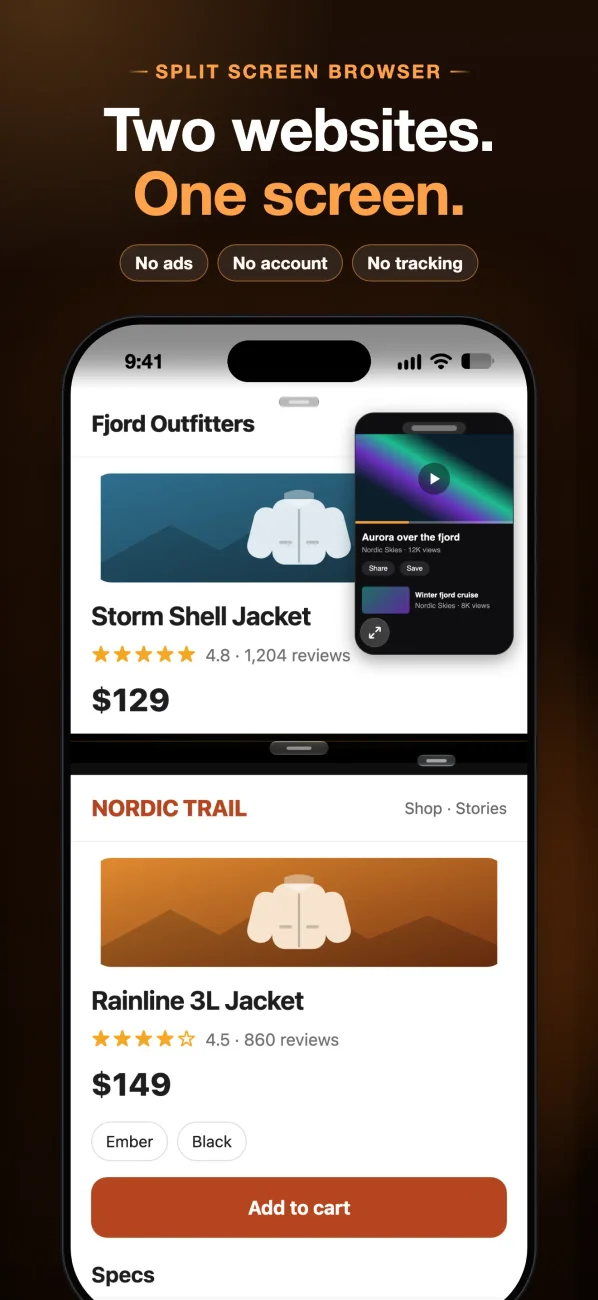
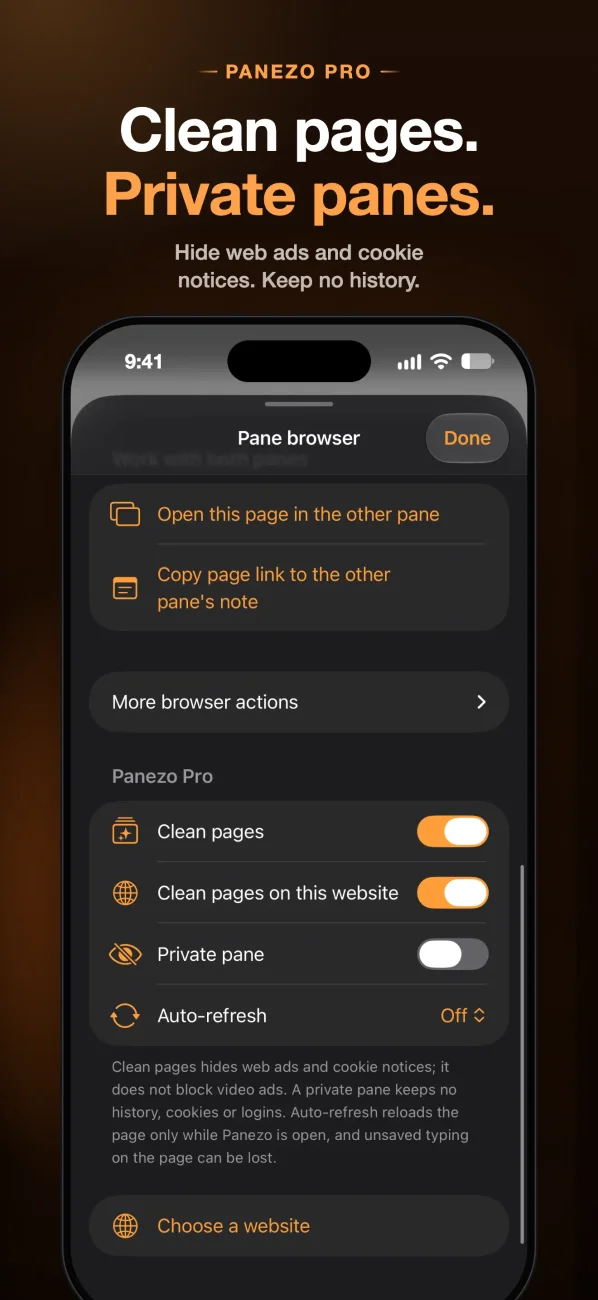
Panezo puts two websites on one iPhone screen, one above the other, with a notebook built in. Read in one pane while you write, search or compare in the other — no more switching back and forth between tabs and apps.
NEW IN 1.3
• Tabs in each pane and a floating mini browser (Panezo Pro): move it, resize it from the corner, go full screen, or shrink it to a bubble while the audio keeps playing.
• A new Liquid Glass look on iOS 26 and later, plus themes: Automatic, Panezo, Light and Dark.
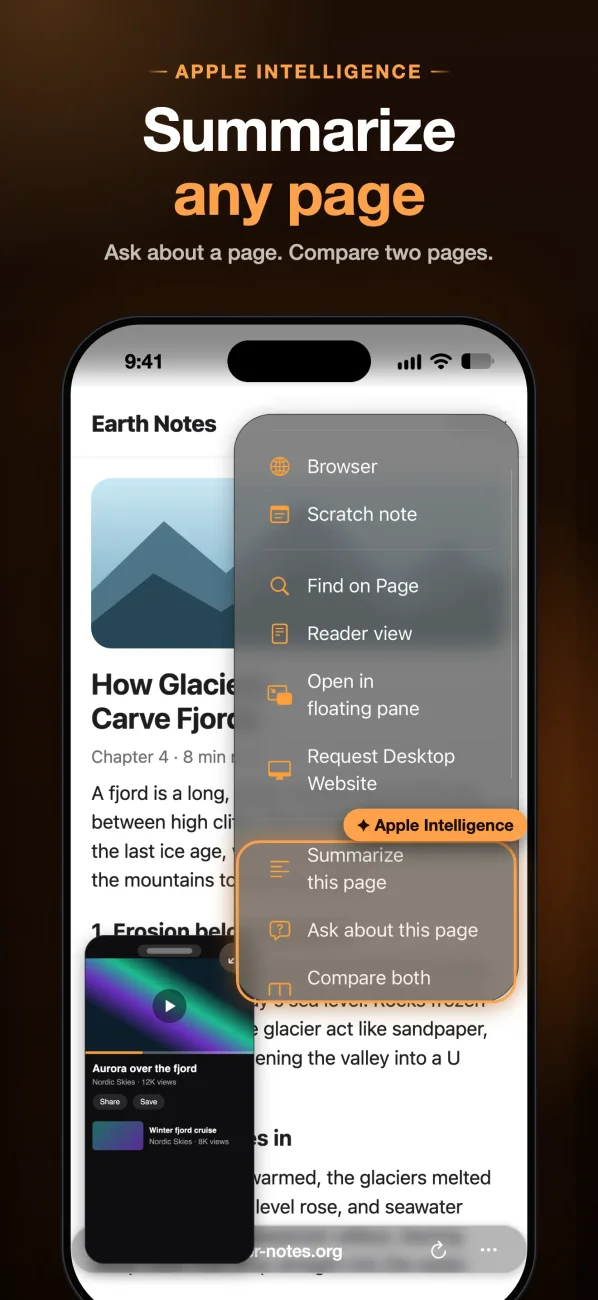
• Page tools with Apple Intelligence, such as summaries. They run on the device and only on supported devices and languages.
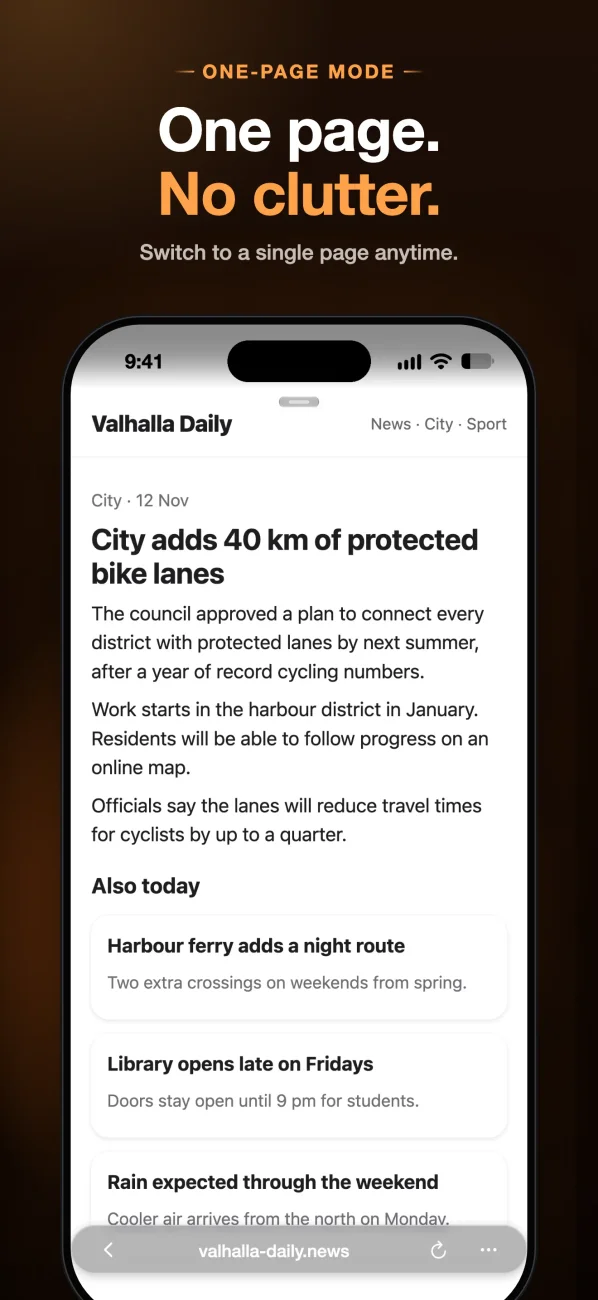
• One-page mode with a bottom address bar, and a list of your downloads.
• Link menu: open a link in a new tab or in the floating browser (Panezo Pro).
• Keyboard and edge-to-edge screen fixes, and many small improvements.
FREE AND PANEZO PRO
Free: two panes, themes, one-page mode, downloads, favorites, history, 2 saved pairs, 3 notes, 3 Compare runs and 3 summaries.
Panezo Pro adds tabs in each pane, the floating mini browser, and unlimited saved pairs, notes, Compare runs and summaries.
Panezo Pro is an auto-renewing subscription, monthly or yearly. Details are shown in the app before you subscribe. Manage or cancel it in your Apple Account settings.
EVERYDAY USE
• Compare two products, hotels or recipes side by side
• Read an article above and look up words or places below
• Follow a map while you check opening hours or reviews
• Study with your source above and your notes below
• Keep a quick Scratch note beside any website
FOR WORK
• Keep two sources open while you research
• Write notes beside the page you are reading, then save them to Notebook
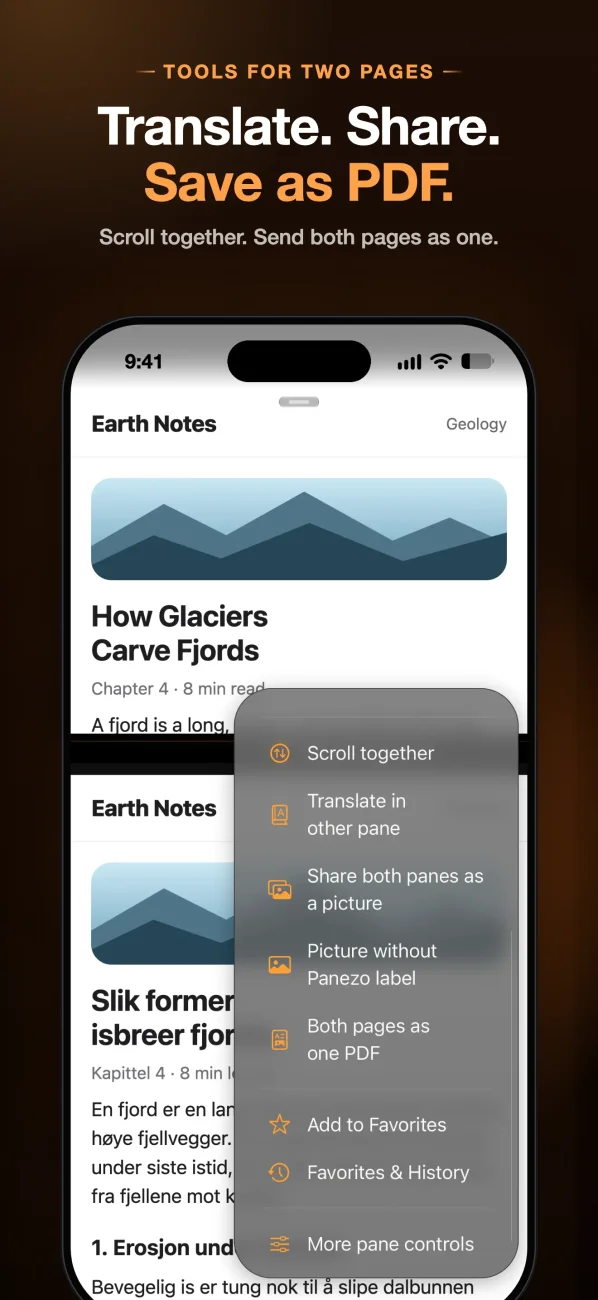
• Compare the readable text of two pages and keep the findings you choose in Research
• Save a workspace — both pages, pane types and layout — and restore it later
• Use two web-based work services at the same time
BUILT FOR ONE HAND AND A SMALL SCREEN
• Drag the divider to resize, swap the panes, or focus on one pane
• Each pane has its own back, forward and reload, and scrolls and types independently
• Controls stay out of the way until you tap a pane's small handle
YOUR WORK STAYS ON YOUR IPHONE
• Scratch notes, Notebook, Research, favorites, history and saved workspaces are stored locally
• No Panezo account, no ads, no analytics
• A Scratch note saved to Notebook stays linked: later edits update the same note
Good to know: Panezo shows websites and its own native notes; it does not embed other installed apps. Website sign-in, video and downloads depend on each website. Both panes share website data such as cookies. Panezo is not affiliated with the websites you visit. Browsing connects to the websites you choose; it is not anonymous browsing.
https://ilyasaalmadani.github.io/panezo-site/privacy.html
https://www.apple.com/legal/internet-services/itunes/dev/stdeula/
Made by PT JIJI LABS DIGITAL
What’s new
Version 1.3.0 · Nov 13, 2026
• Tabs in each pane and a floating mini browser (Panezo Pro): move it, resize it from the corner, go full screen, or shrink it to a bubble while the audio keeps playing.
• A new Liquid Glass look on iOS 26 and later, plus themes: Automatic, Panezo, Light and Dark.
• Page tools with Apple Intelligence, such as summaries. They run on the device and only on supported devices and languages.
• One-page mode with a bottom address bar, and a list of your downloads.
• Link menu: open a link in a new tab or in the floating browser (Panezo Pro).
• Keyboard and edge-to-edge screen fixes, and many small improvements.
App privacy
What PT JIJI LABS DIGITAL declares on the App Store about how this app handles data.
-
Data not collected
The developer does not collect any data from this app.
Privacy practices may vary, for example with the features you use or your age.
Information
- Seller
- PT JIJI LABS DIGITAL
- Category
- Productivity
- Version
- 1.3.0
- Updated
- Nov 13, 2026
- Released
- Sep 30, 2026
- Size
- 10.1 MB
- Requires
- iOS 17.0 or later
- Age rating
- 17+
- Price
- Free
- In-app purchases
- Yes
- Languages
- English, Indonesian, Japanese, Korean, Malay, Portuguese, Simplified Chinese, Spanish, Thai, Traditional Chinese, Turkish, Vietnamese
- Copyright
- © 2026 PT JIJI LABS DIGITAL
You might also like
-
 Duo ViewerSplit-screen browser & files
-
 Duobench: Duo Split ScreenFoldable Multitask: Notes, PDF
-
 Limora: Screen Time ControlFocus & App Blocker
-
 Neyra: AI BrowserAI-powered browsing and search
-
 Fasta Browser متصفح سريع وامنProductivity
-
 TimTim BrowserWorld's Fastest AI Browser
-
 WalkFirst: Walk to Unlock AppsTurn Steps into Screen Time
-
 PawLock: Screen Time BlockerApp Lock, Focus & Pomodoro
-
 Signature - Sign & DrawDraw, Save & Share Your Ink
-
 ZEdit: Find and ReplaceSearch and Edit Text in Safari