Duobench: Duo Split Screen
Foldable Multitask: Notes, PDF
Designed for iPhone, iPad, Mac
Free · In-app purchases
- Age rating17+
- CategoryProductivity
- DeveloperAHMAD ALHASANALTUAMA
- LanguagesEnglish
- Size4.6 MB
Links to the official App Store page
Download.org hosts no file of Duobench: Duo Split Screen. The button opens its official App Store page, published by AHMAD ALHASANALTUAMA. Listing last checked on Nov 23, 2026.
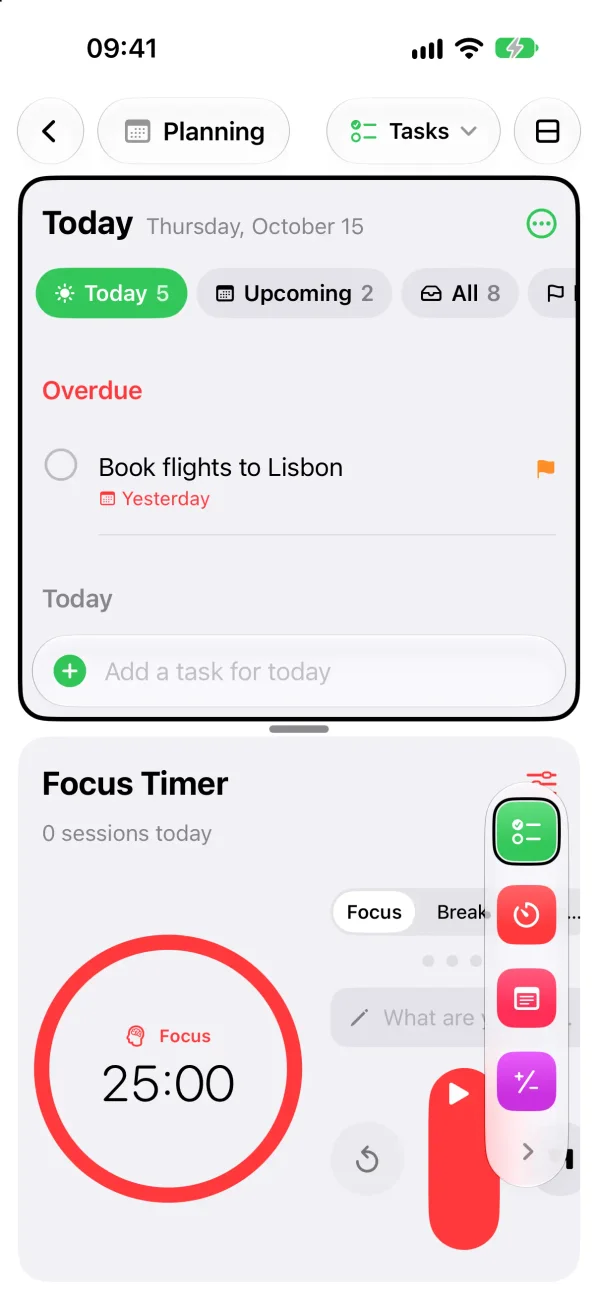
Screenshots
About
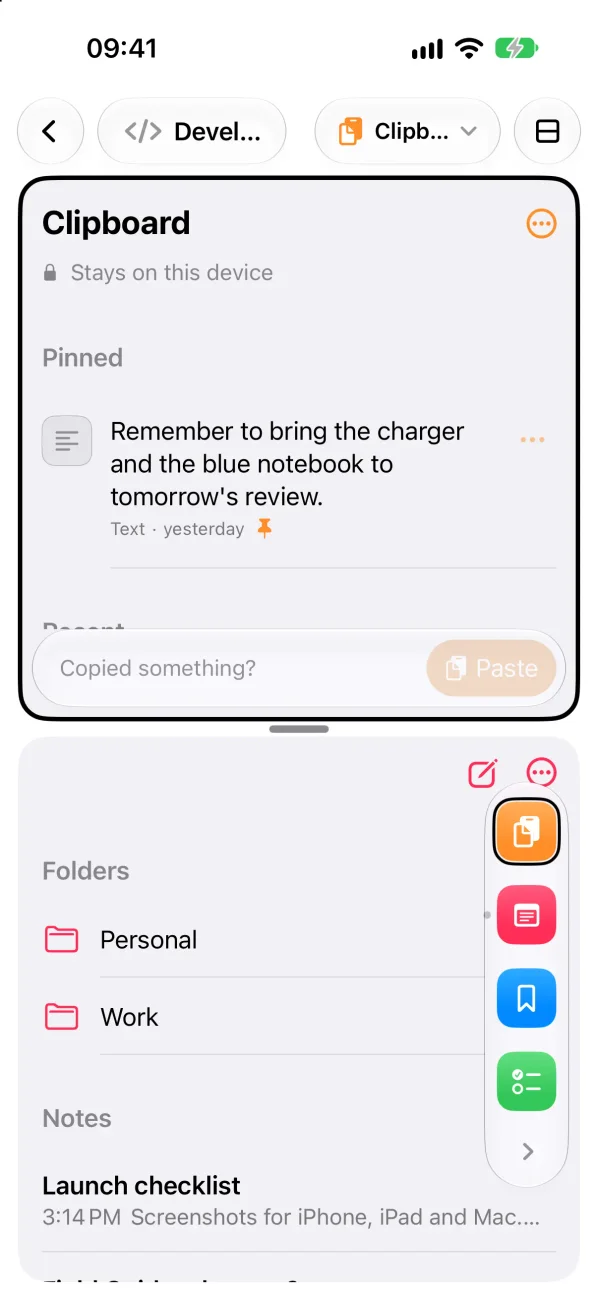
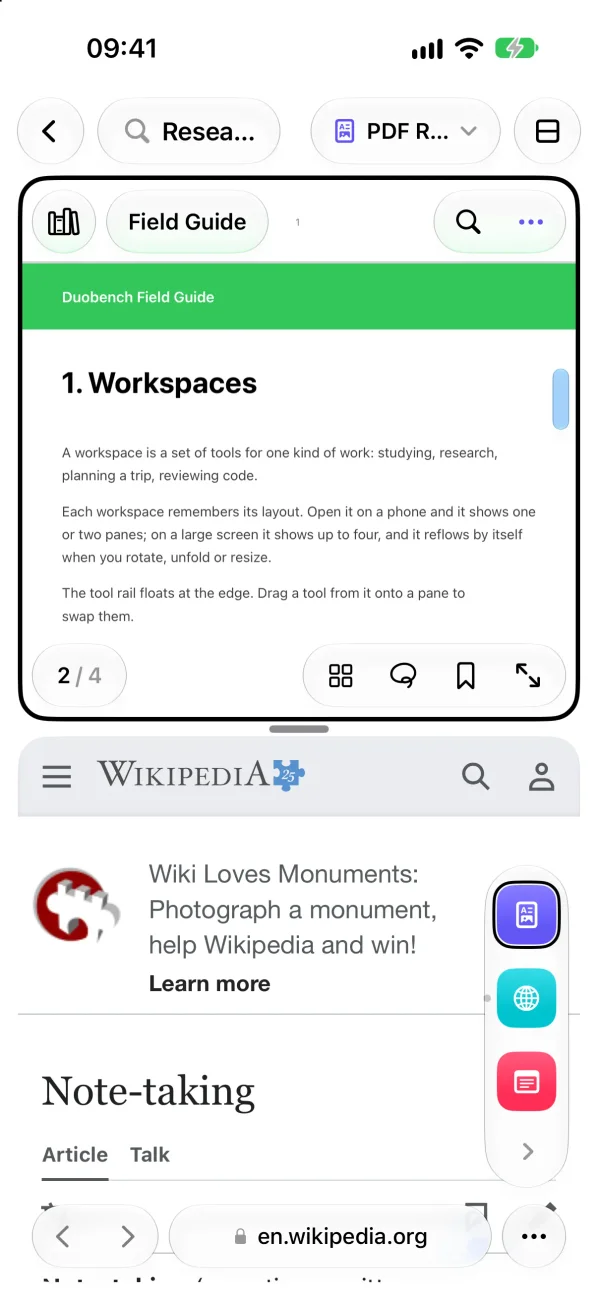
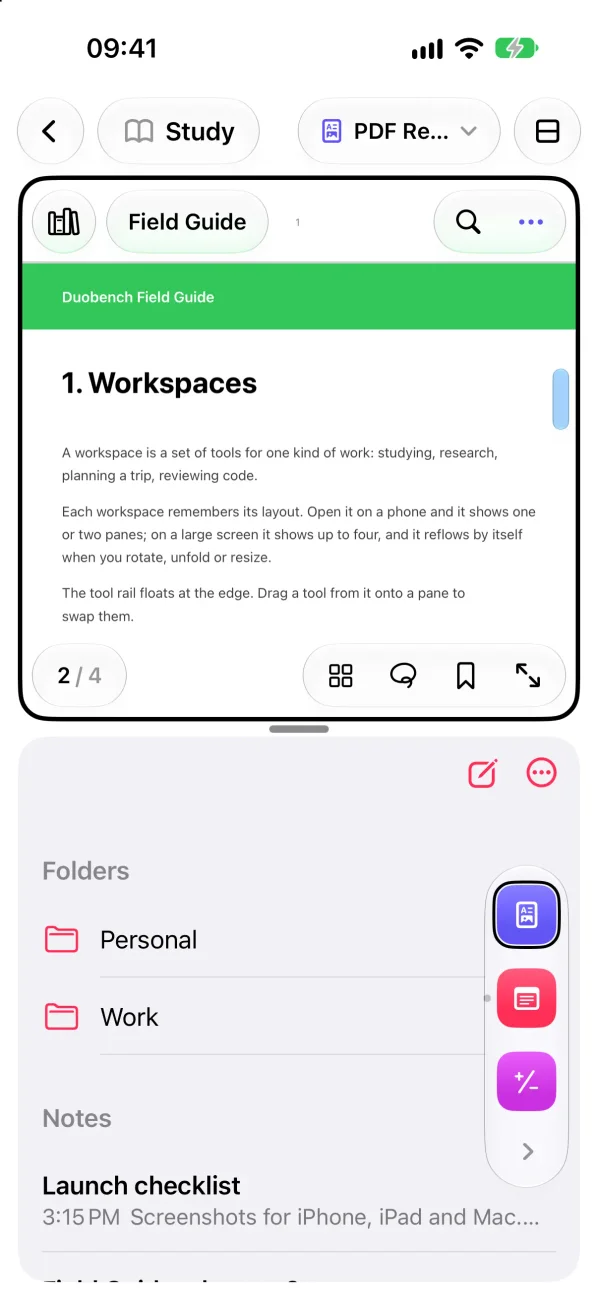
Split your screen into real tools: notes beside a PDF, a browser beside your tasks, the clipboard beside your snippets. Up to four panes on one screen, on iPhone, iPad and Mac.
No account, no ads, no tracking. Your data stays in your own iCloud.
NEW: SIRI, SHORTCUTS AND CONTROLS
Say "Add a task in Duobench" or "Add a note in Duobench" and it's saved without opening the app. Open any workspace or tool by name, or start a Focus timer with a Lock Screen countdown. Add Duobench controls to Control Center, the Lock Screen or the Action button. Everything also shows up in Spotlight and the Shortcuts app.
Duobench puts the small tools you reach for all day in one workspace. Make a workspace for each kind of work and it remembers its layout, rearranging itself to fit whatever screen you're on: one pane on a phone, two or three on a larger screen, four on a big display.
ONE SCREEN, MANY PANES
• Panes reflow by themselves when you rotate, resize a window or use iPad multitasking
• Switch the tool in any pane from the header, or drag a tool from the rail onto a pane
• Open two copies of the same tool: compare two PDFs, or keep two notes open side by side
• Hide the header and rail to give your panes the full screen
START FROM A TEMPLATE
Blank, Developer, Study, Creator, Meeting or Research. Each starts with the right tools already in place, and you can change everything later.
TWELVE TOOLS IN ONE APP
• Notes: folders, and empty notes clean themselves up
• Tasks: Today, Upcoming, All, Flagged and Done lists with due dates, edited right in the list
• Clipboard history: links, emails, phone numbers, hex colors and JSON are recognized, each with matching actions. Pin what you keep
• PDF Reader: search, night and sepia themes, a full-screen reading mode and Capture Text
• Browser: type an address or search privately with DuckDuckGo; your bookmarks are on the start page
• Bookmarks: paste a link and Duobench fetches the page title
• Snippets: reusable text with fill-in blanks like {name}; {date} and {time} fill themselves
• Focus Timer: focus sessions with short and long breaks, a daily session count, an alert when each phase ends, and a Live Activity
• Calculator
• Unit Converter: length, weight, temperature, volume, area, speed, time, data, energy, pressure and angle, starting with units that fit your region
• Dev Toolbox (Pro): format JSON without reordering keys, sort keys, Base64 and URL encode/decode, decode JWTs
• Scanner (Pro): scan documents with the camera or pick a photo, and get the text on device
CAPTURE TEXT, EVEN FROM SCANS
Draw around any part of a PDF page to copy its text. On scanned PDFs with no text layer, Duobench reads the page on device to pull out the words.
SEND BETWEEN TOOLS
Send text from one tool to another: a link to Bookmarks, a line to Tasks, a quote to Notes, a token to the Dev Toolbox, any text to your clipboard history or Snippets.
FREE, WITH ONE OPTIONAL UNLOCK
Duobench is free with every template, up to 3 workspaces, 4 panes and 10 tools. Duobench Pro is a one-time purchase that adds unlimited workspaces, the Dev Toolbox and the Scanner. No subscription, no ads, and it can be shared with your family.
PRIVATE BY DESIGN
• No account and no sign-up
• Workspaces, notes, tasks, bookmarks and snippets sync through your own iCloud
• Clipboard history fills only when you tap Paste. Nothing is read in the background
• Clipboard history and scanned pages never leave your device
• The developer collects no data
HOME SCREEN AND LOCK SCREEN
• Widgets open a workspace or a tool straight from the Home Screen
• The Focus Timer counts down in a Live Activity
MADE FOR LARGE SCREENS
Duobench is designed for the large inner screen of iPhone Duo, for iPad and for Mac, and it works on any iPhone that runs iOS 27.
New here? A short welcome tour and a built-in guide for every tool show you around.
What’s new
Version 1.2.0 · Nov 18, 2026
New in 1.2
• Siri and Shortcuts: add a task or note, open a workspace or tool, or start Focus, all without opening the app. Also in Spotlight and the Shortcuts app.
• Controls for Control Center, the Lock Screen and the Action button: Start Focus, Open Workspace and Open Tool.
• Optional daily "Today's Tasks" reminder. It's off by default; turn it on in Profile and pick a time.
• Clearer Duobench Pro: a one-time unlock, no subscription, with Family Sharing. Free still includes 3 workspaces, every template and every tool except Dev Toolbox and Scanner.
• Made for iPhone Duo: new app previews show how Duobench reflows as you fold and unfold.
• Bug fixes and polish.
App privacy
What AHMAD ALHASANALTUAMA declares on the App Store about how this app handles data.
-
Data not collected
The developer does not collect any data from this app.
Privacy practices may vary, for example with the features you use or your age.
Information
- Seller
- AHMAD ALHASANALTUAMA
- Category
- Productivity
- Version
- 1.2.0
- Updated
- Nov 18, 2026
- Released
- Oct 20, 2026
- Size
- 4.6 MB
- Requires
- iOS 27.0 or later
- Age rating
- 17+
- Price
- Free
- In-app purchases
- Yes
- Languages
- English
- Copyright
- © 2026 Ahmad Alhasanaltuama
You might also like
-
 PanezoSplit Screen Browser & Notes
-
 OSAPProductivity
-
 Pocket Mac LabYour Mac on iPhone and iPad
-
 Equity247 PortalProductivity
-
 Picture in Picture Notes - PiPPiP Notes, Notepad, Notebook
-
 OneCal: Unified CalendarAll your calendars in one app
-
 split screen - double windowDual View & Picture in Picture
-
 DuoBook: Pocket MacTurn iPhone Duo into a Mac
-
 AI Chat Bot + Ask AI AssistantMusic, Voice & Image Generator
-
 Routineday Daily Habit TrackerSimple Todo & Routine Planner