
Paywall: App Blocker
Less Screen Time, Your Rules
Designed for iPhone
Free · In-app purchases
- Age rating4+
- CategoryProductivity
- DeveloperALEKSEI MARKITANTOV
- LanguagesEnglish
- Size2.4 MB
Links to the official App Store page
Download.org hosts no file of Paywall: App Blocker. The button opens its official App Store page, published by ALEKSEI MARKITANTOV. Listing last checked on Nov 26, 2026.
Screenshots


About
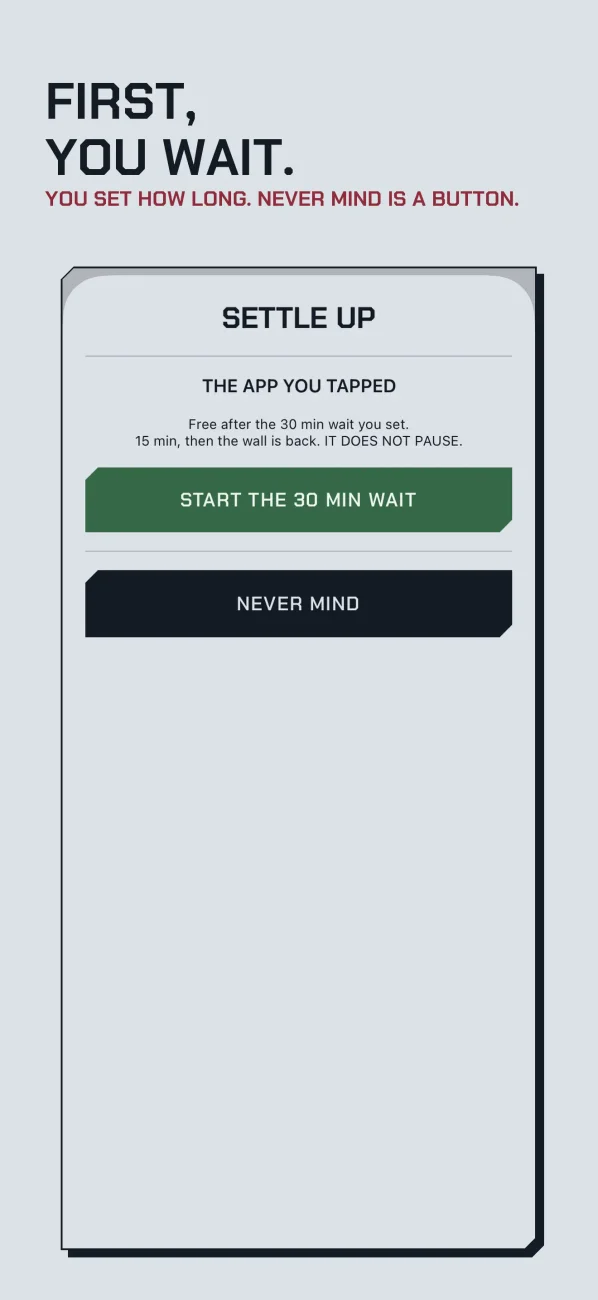
Paywall blocks the apps you choose. Tap a blocked app and the wait you set starts on its own. When it is done, the app is open for 15 minutes, free, every time, and then the block comes back on its own. If you would rather not sit out the rest of a wait, you can pay to skip it.
A timer you can dismiss is a suggestion. A wait you have to sit through is a decision. That is the whole method.
HOW IT WORKS
1. Pick the apps or categories that eat your time. Paywall blocks them with Apple's Screen Time controls.
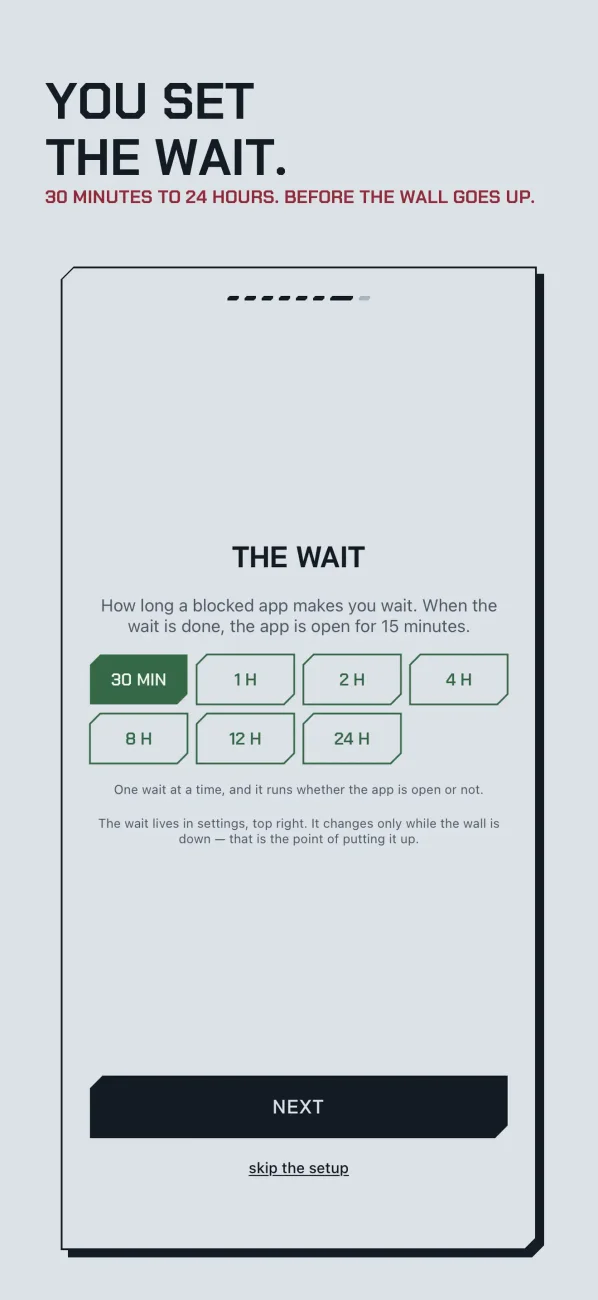
2. Set the wait: anything from 30 minutes to 24 hours.
3. Put the wall up. From then on, tapping a blocked app starts its wait. When the wait is done, the app opens for 15 minutes, then the block is back. One wait runs at a time, and it runs whether Paywall is open or not.
SKIPPING THE WAIT
While a wait is running, you can skip the rest of it with a one-time App Store purchase. That is all a purchase does: the same 15 minutes open for free when the wait ends. You choose what a skip costs before the wall goes up ($1, $2, $3, $5 or $8), and it is the same every time. A weekly limit you set (default $20) stops the app selling skips for the rest of the week; the wait still works. Nothing is ever charged on its own, and there are no goals, targets or streaks to miss. The payments go to us, and the receipt says so.
WHAT YOU CONTROL
• The list. Only the apps you pick are blocked; everything else stays open.
• The wait. 30 minutes to 24 hours, set before the wall goes up and changed only while it is down.
• The price of a skip and the weekly limit, the same way.
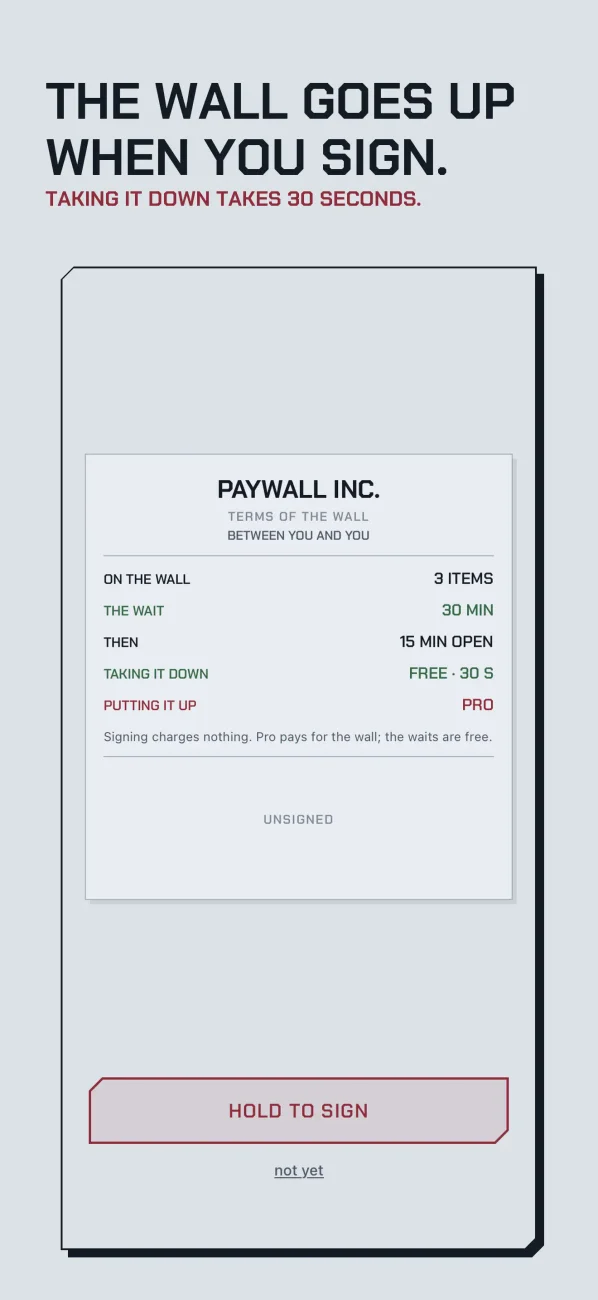
• The wall itself. Take it down any time, free, after a 30-second pause.
THE RECEIPT
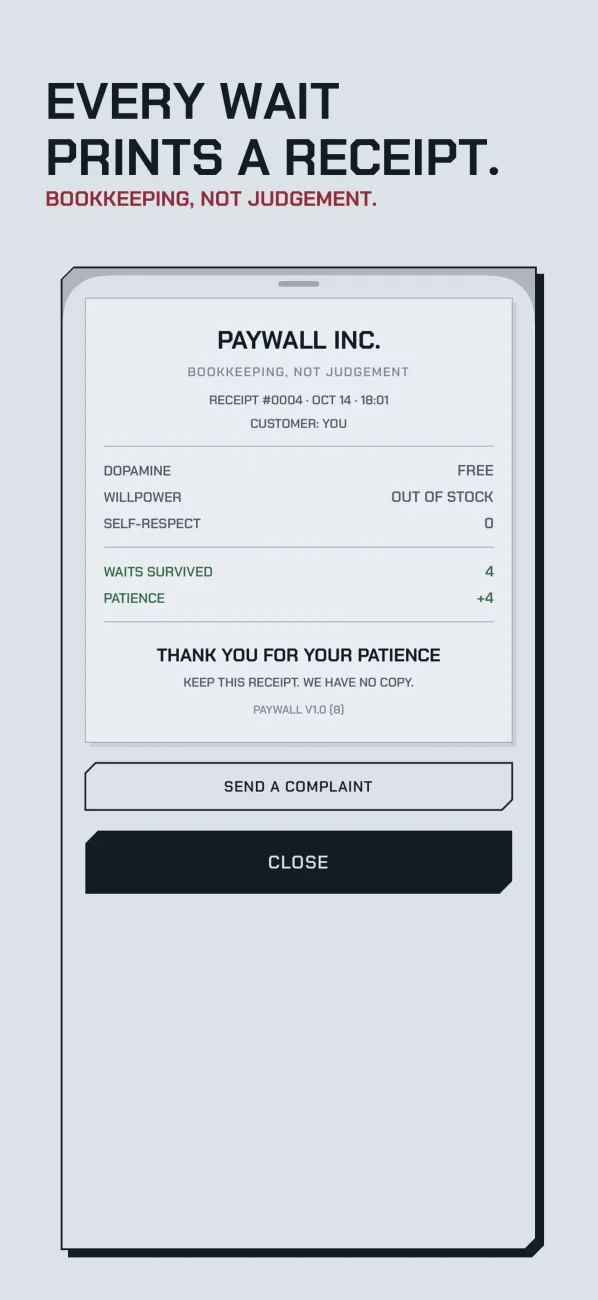
Every wait you sit through and every skip you buy is printed on a receipt in the app. The main screen adds up the time you spent in the apps on your wall. No goals, no streaks, no rewards, no confetti. Just the receipt.
PRIVACY
No account. No analytics. No tracking. The app has no network code of its own. Which apps you block and how much you use them never leaves your phone; Apple's Screen Time rules make sure of that, and so do we.
PRO
Your first week is free from the day you install, with no subscription. After that, putting the wall up requires Paywall Pro: $29.99 per year or $4.99 per month. A wall that is already up never comes down because a subscription ended. Getting into a blocked app after the wait never requires Pro or any other purchase.
Terms of Use (EULA): https://www.apple.com/legal/internet-services/itunes/dev/stdeula/
Privacy policy: https://joinpaywall.com/privacy
Requires an iPhone with iOS 17 or later and Screen Time permission. Paywall is for managing your own phone, not someone else's.
What’s new
Version 1.0.2 · Nov 24, 2026
A quieter app. Every screen now says one thing: the block screen reads APP BLOCKED with START WAIT, the skip sheet shows when your free wait ends, setup is six short steps instead of eleven, and the main screen lost its extra lines. The usage report now lists up to eight apps. Waiting stays free, every time.
App privacy
What ALEKSEI MARKITANTOV declares on the App Store about how this app handles data.
-
Data not collected
The developer does not collect any data from this app.
Privacy practices may vary, for example with the features you use or your age.
Information
- Seller
- ALEKSEI MARKITANTOV
- Category
- Productivity
- Version
- 1.0.2
- Updated
- Nov 24, 2026
- Released
- Oct 15, 2026
- Size
- 2.4 MB
- Requires
- iOS 17.0 or later
- Age rating
- 4+
- Price
- Free
- In-app purchases
- Yes
- Languages
- English
- Copyright
- © 2026 Paywall
You might also like
-
 Spaced RecallSpaced repetition for notes
-
 FocusTime: App BlockerScreen Time Limits & Focus
-
 InfiniteNote - Canvas NotesThink in space, not in pages.
-
 Focus Master.Pomodoro Timer & Activity Log
-
 Mialera: Screen Time BlockerBlock apps, limit social media
-
 Netzilo Secure BrowserProductivity
-
 Become - Goal Tracking365-Day Goal Commitment
-
 ChatPDF AI: Scan & SummarizeAI-Powered PDF Summarizer
-
 Browser - Private Browser、Search, Browse, Sphere browser
-
 Private Browser:Browsing..Search, Browse, Private Browse