
InfiniteNote - Canvas Notes
Think in space, not in pages.
Designed for iPhone, iPad
Free · In-app purchases
- Age rating4+
- CategoryProductivity
- DeveloperJumpei Takiyasu
- LanguagesEnglish+ 9 more
- Size5.4 MB
Links to the official App Store page
Download.org hosts no file of InfiniteNote - Canvas Notes. The button opens its official App Store page, published by Jumpei Takiyasu. Listing last checked on Nov 23, 2026.
Screenshots
About
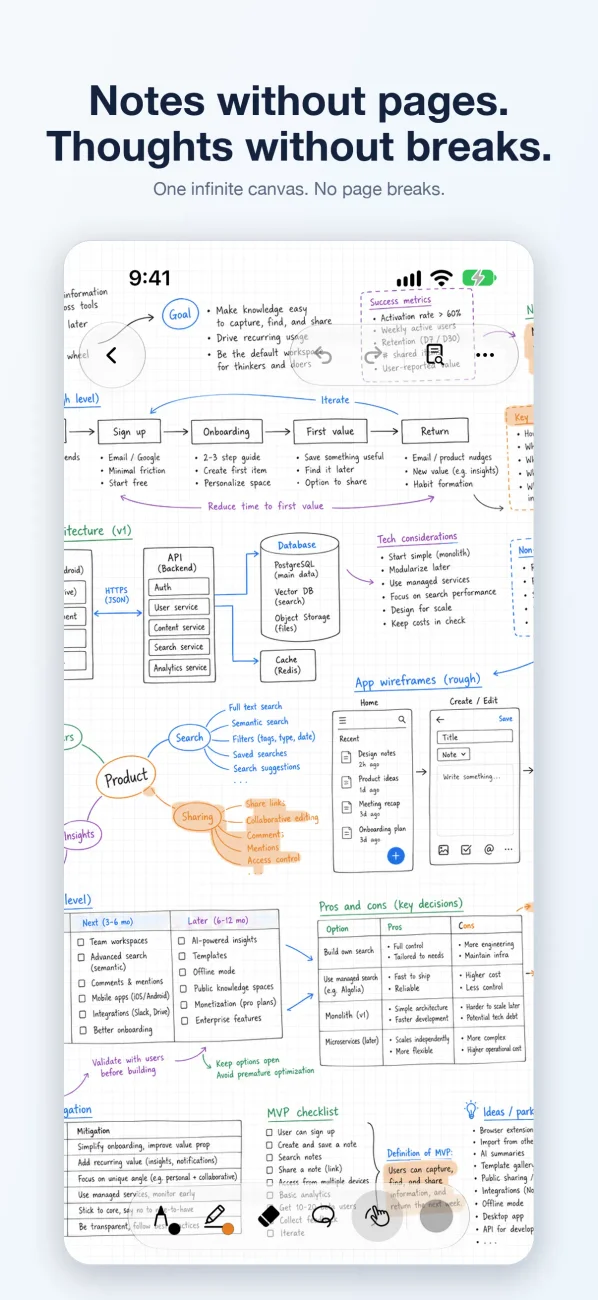
An infinite canvas built for planning, design, and shaping ideas — think without page breaks.
When you're working an idea out, your thinking doesn't fit on a page.
With InfiniteNote, you put your iPad in landscape, pick up your Apple Pencil, and lay your thoughts out in space on one borderless canvas.
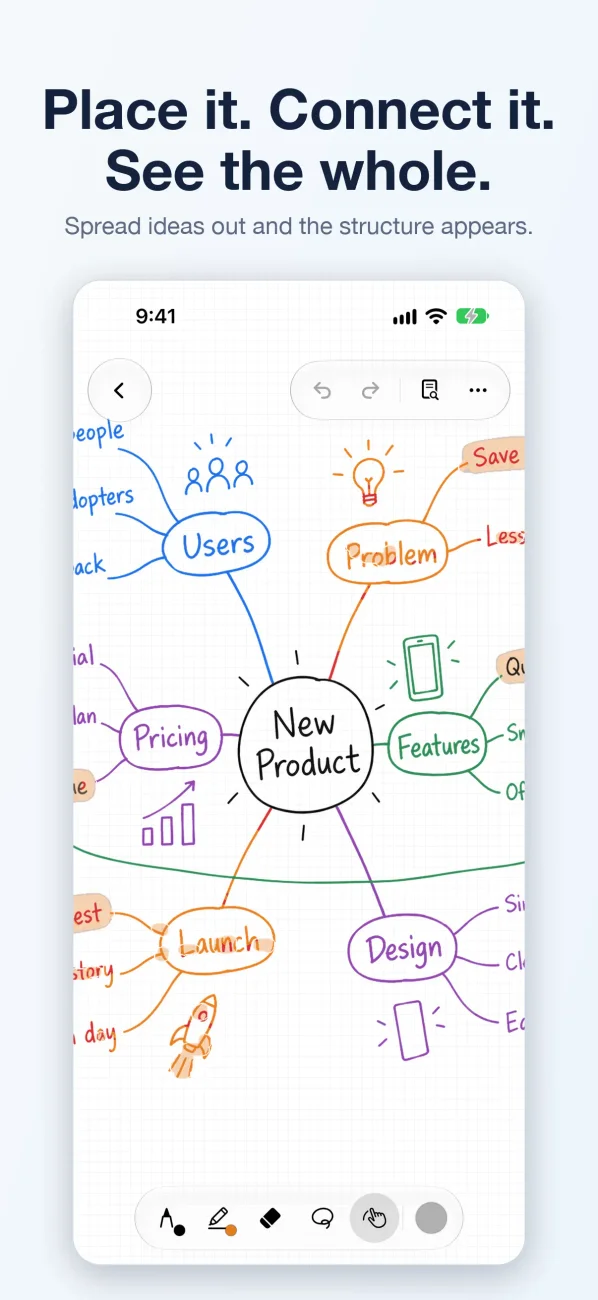
Place notes and diagrams apart, connect them, and zoom out to see it all. Instead of flipping pages, you pull back for the whole picture, then dive back in — your train of thought never breaks.
[Who it's for]
- Planning products and initiatives
- Thinking through designs and architecture with diagrams
- Spreading research across one canvas to see the connections
- Brainstorming and sketching ideas by hand
[How it's different from a regular notes app]
- No page breaks. Your thinking is never cut off. Expand in any direction.
- Lay things out in space. Connections and structure become visible.
- Everything accumulates on one canvas. Go back anytime, connect, and build on it. A minimap keeps you oriented as it grows.
[Main features]
- Borderless infinite canvas with smooth ink
- Minimap to jump anywhere in a large note
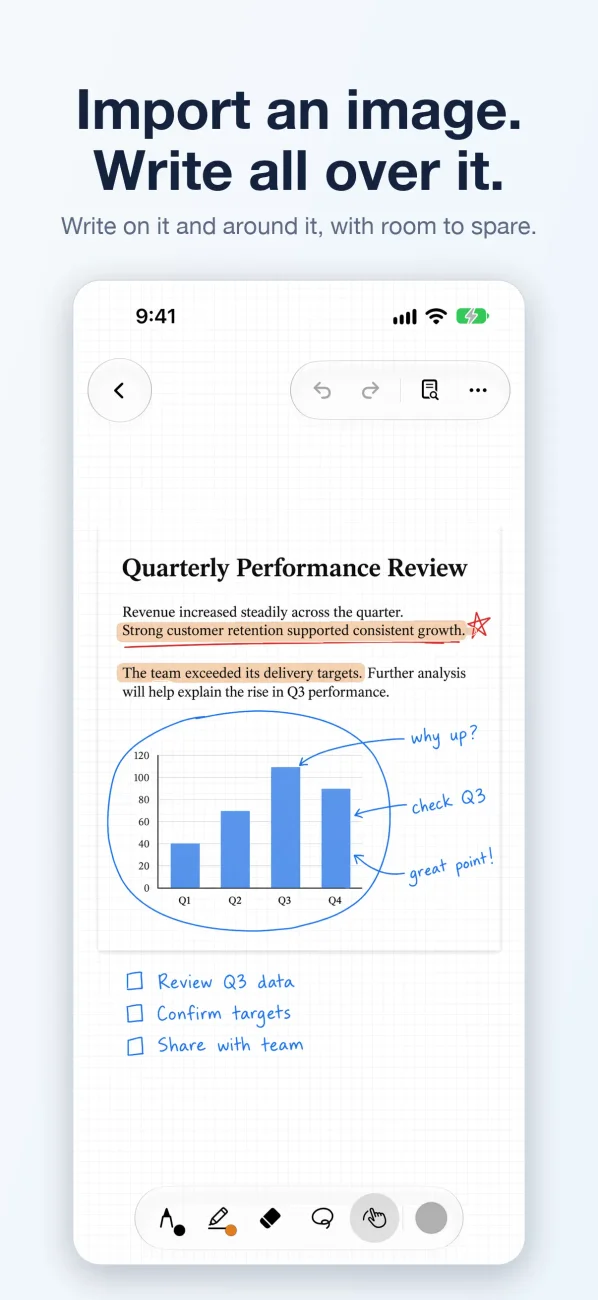
- Import images and write directly on top of documents
- Export as PDF to share and archive
- iCloud sync to continue on iPad and iPhone
- Dark mode
[Pricing]
Core features are free. Try your thinking space for free, and when you want a separate canvas for every theme, a one-time purchase (no subscription) removes the note limit.
What’s new
Version 1.5.1 · Nov 20, 2026
Rebuilt drawing and storage so large notes stay fast.
• Faster zooming and scrolling; strokes stay crisp when zoomed out
• Pen dots (such as periods) now appear correctly
• Image invert and delete can be undone, and image editing is smoother
• PDF and image exports now look exactly like the canvas
• Fixed iCloud sync issues, including edits made while sync was off and eraser results differing between devices
• Fixed strokes sometimes not starting near the minimap
App privacy
What Jumpei Takiyasu declares on the App Store about how this app handles data.
-
Data not collected
The developer does not collect any data from this app.
Privacy practices may vary, for example with the features you use or your age.
Information
- Seller
- Jumpei Takiyasu
- Category
- Productivity
- Version
- 1.5.1
- Updated
- Nov 20, 2026
- Released
- Mar 10, 2026
- Size
- 5.4 MB
- Requires
- iOS 17.0 or later
- Age rating
- 4+
- Price
- Free
- In-app purchases
- Yes
- Languages
- English, French, German, Italian, Japanese, Korean, Portuguese, Simplified Chinese, Spanish, Traditional Chinese
- Copyright
- © 2026 Jumpei Takiyasu
You might also like
-
 Papyrus - notes, PDFBig notes & PDFs, fluid
-
 Notia - Infinite WhiteboardWrite, pin & organize notes
-
 UnivNote: Lag-Free Note TakingPDF notebook, handwriting
-
 Unbound Note: Infinite CanvasHandwriting, links & pkm
-
 NoteApp, Mindmap, PDF: InkNodeNote-taking & Handwriting App
-
 YouNotes: MapMind & Note & PDFBoard, PDF, Colla,顶,Gaga,Note
-
 Simplify Notes: PDF NotebookHandwriting, Notes & Study
-
 Fullnotes: PDF Notes & CanvasPDF Reader, Annotate & Markup
-
 Notes: Aesthetic NotesNotes, To-Dos & Image Widgets
-
 OpenNotes: Notes & PDF MarkupHandwriting, PDFs, no account